Customer Ratings & Reviews
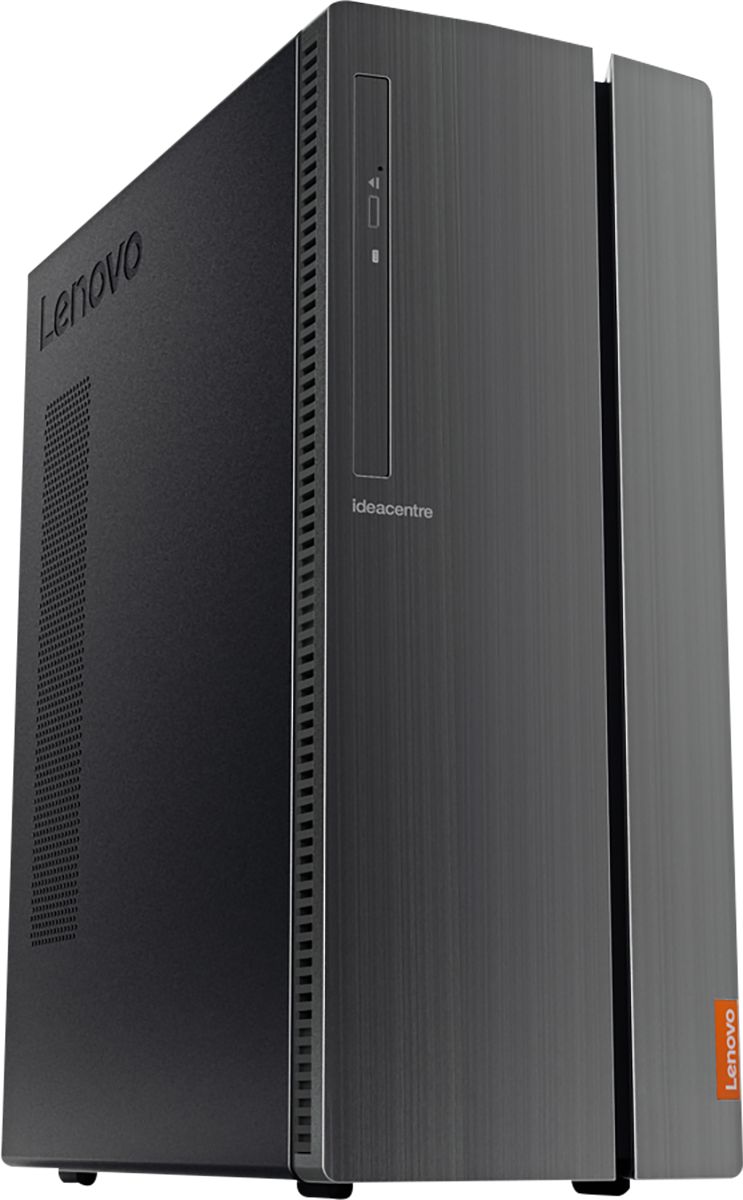
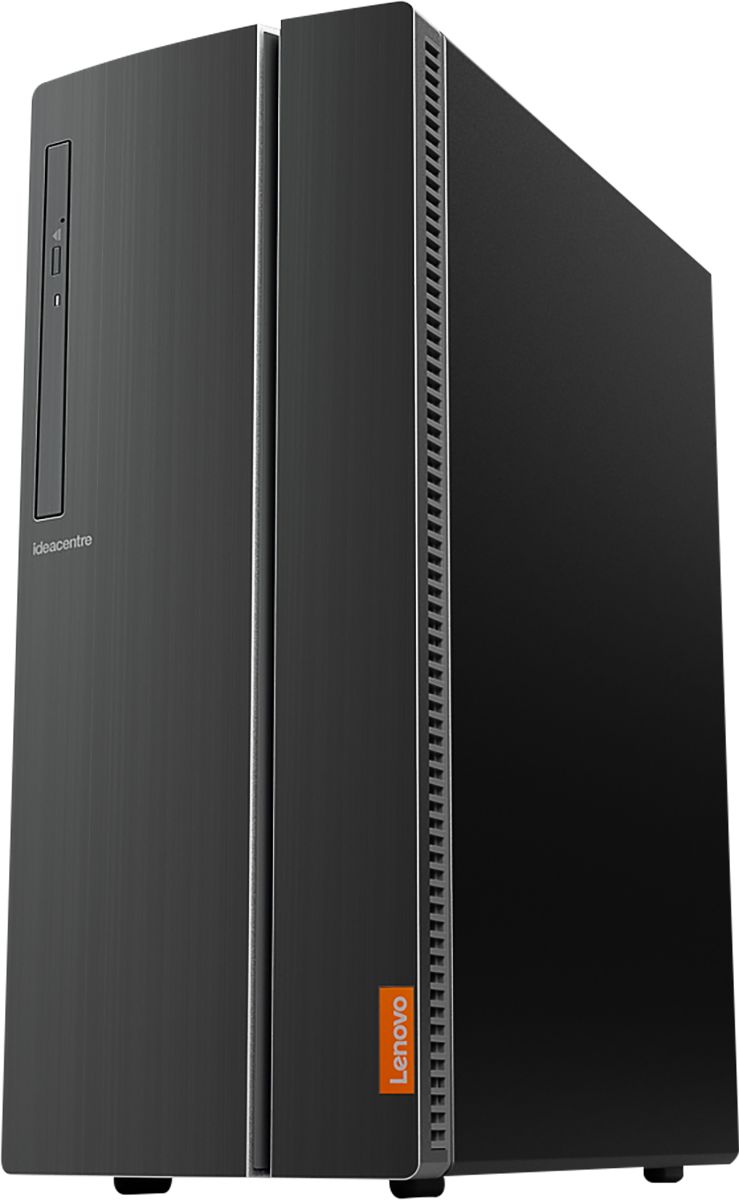
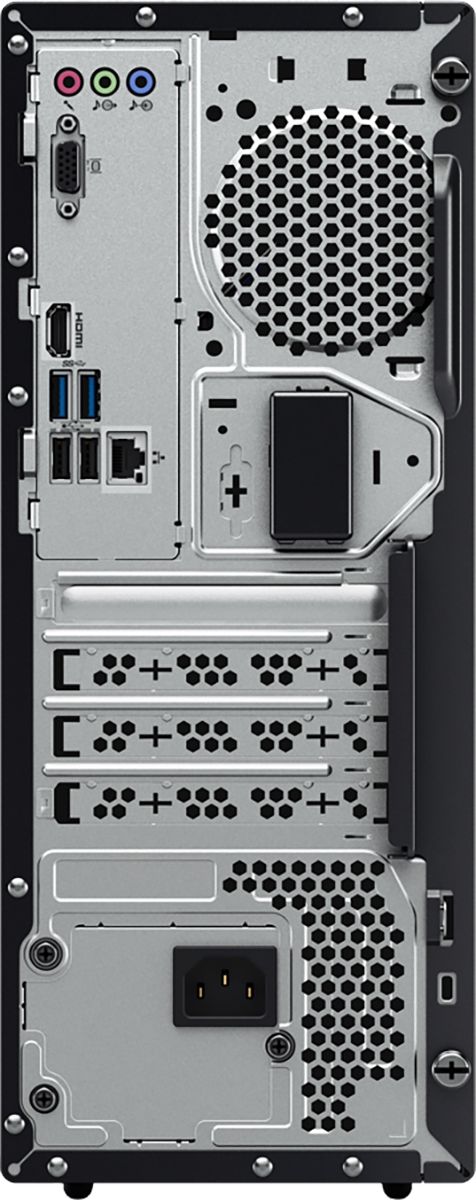
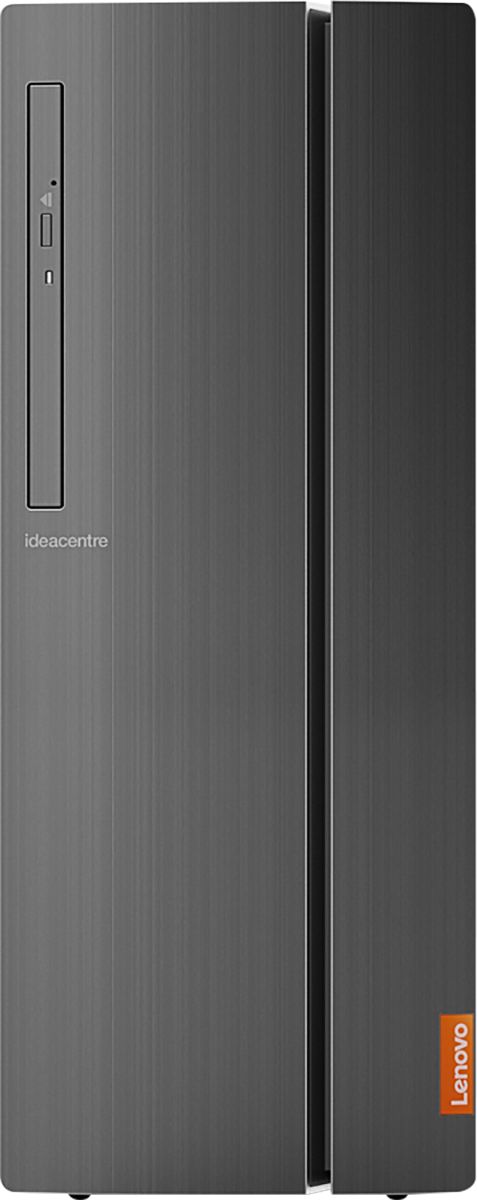

- Model:
- 90HV001MUS
- SKU:
- 6325578
Rating by feature
- Value
Rating 4.4 out of 5 stars
- Quality
Rating 4.4 out of 5 stars
- Ease of Use
Rating 4.5 out of 5 stars
Customers are saying
Customers consistently note the 510A-15ICB Desktop's ease of use, strong performance for its price, and ample storage. Many appreciate its compact size and quiet operation during use. While some users experienced issues with the operating system, the positive feedback on other features outweighs these concerns.
This summary was generated by AI based on customer reviews.
- Pros mentioned:Performance
Great value - great performance.
||Posted . Owned for 3 weeks when reviewed.This reviewer received promo considerations or sweepstakes entry for writing a review.This performance of this computer is awesome. Fast, quiet and plenty of memory storage. I can accomplish any computing task - plenty of power. It was on sale, so a great computer for the price - an excellent value.
I would recommend this to a friend Decent basic desktop. 8GB much better than 4GB
||Posted . Owned for 3 weeks when reviewed.This reviewer received promo considerations or sweepstakes entry for writing a review.Solid basic desktop. The 8GB of RAM really helps its performance. And 1TB is good storage. Could be a little faster to boot due to not having a solid state drive, but can't expect that plus a 1TB HD at this price point.
I would recommend this to a friendBrand response from Lenovo Product Expert
Posted .Thank you for choosing the Lenovo IdeaCentre 510A Desktop, model number 90HV001MUS. This configuration of the IdeaCentre 510A will boo from off to the Windows 10 Desktop in less than 40-seconds. The Lenovo IdeaCentre 510A Desktop, model number 90HV001MUS, ships with the Quad-Core Intel Core i3-8100 processor, with a speed of 3.6GHz. This processor is supported by 8GB DDR4-2666MHz RAM. This is a mid-level, moderate use configuration. It is good with Microsoft Office type programs, internet browsing and other moderate work. If this describes your computing needs, the Lenovo IdeaCentre 510A Desktop, model number 90HV001MUS would be a good choice for you.

- Pros mentioned:Ease of use
Everything works as it should
||Posted . Owned for 1 month when reviewed.This reviewer received promo considerations or sweepstakes entry for writing a review.I am very pleased with my new Lenovo 510A-151CB Desktop computer. I like the usb ports accessible from the front. I have added speakers and a microphone and am pleased with the sound quality and ease of installation of entire unit.
I would recommend this to a friendBrand response from Lenovo Product Expert
Posted .Once again, thank you for choosing the Lenovo IdeaCentre 510A Desktop. You can keep your computer running at its best by keeping the Windows 10 Operating System and all supporting BIOS files and drivers up to date. You can easily accomplish this by scanning the computer with the Lenovo Utility software available on this computer. This system has Lenovo utilities installed to help maintain the health of the device and keep the operating system software up to date. Type "Lenovo Vantage" in the Cortana Search window (if Lenovo Vantage is not installed on your device, you can download the APP and install it now). Select Lenovo Vantage from the list. In the window that opens, click on "Health and Support". In the expanded menu, select "Hardware Scan" In the window that opens, select "Run Quick Tests". This will scan your entire system for errors. Follow any directions that may pop up. If the problem continues after this scan, now click on "System Update". First select Windows update from the menu. Scan your system to be sure you have the latest version of Windows 10. Once that scan is complete, select "Additional Updates". This will scan your device to be sure there are no new BIOS/Driver updates needed. Follow any instructions that may pop up. If you ever need additional help with your Lenovo computer, we recommend you call Lenovo Tech Support at: 877-453-6686 for additional help.
- Pros mentioned:Speed
Excellent basic computer.
||Posted . Owned for 1 month when reviewed.This reviewer received promo considerations or sweepstakes entry for writing a review.I bought this on sale for my parents and it has worked out perfectly. I needed a computer that could work wirelessly as the router is in the basement and they can't go down there anymore. This set up very easily and is very fast. Very pleased.
I would recommend this to a friendBrand response from Lenovo Product Expert
Posted .Thank you for choosing the Lenovo IdeaCentre 510A desktop for your parents. We are pleased to hear that the easy set up and performance of the IdeaCentre 510A meets your parents' computing needs so well.
- Pros mentioned:Speed
Great desktop
||Posted . Owned for 3 weeks when reviewed.This reviewer received promo considerations or sweepstakes entry for writing a review.I am an Elite plus member, and even though they couldn’t recover data from my older computer, they gave me a great Price for it and I bought this Lenovo. It has everything my old computer had and it’s faster and quieter.
I would recommend this to a friendBrand response from Lenovo Product Expert
Posted .Thank you for choosing the Lenovo IdeaCentre 510A Desktop, model number 90HV001MUS. We are pleased to hear that the performance of the IdeaCentre 510A is working out so well for you. The Lenovo IdeaCentre 510A Desktop, model number 90HV001MUS, ships with the Quad-Core Intel Core i3-8100 processor, with a speed of 3.6GHz. This processor is supported by 8GB DDR4-2666MHz RAM. This is a mid-level, moderate use configuration. It is good with Microsoft Office type programs, internet browsing and other moderate work. If this describes your computing needs, the Lenovo IdeaCentre 510A Desktop, model number 90HV001MUS would be a good choice for you.
- Pros mentioned:Speed
First time with Lenovo..love it
||Posted . Owned for 1 month when reviewed.This reviewer received promo considerations or sweepstakes entry for writing a review.My first time buying a Lenovo computer. It was easy to set up. It is fast for the purposes needed....web surfing, school work etc. Would definite purchase again.
I would recommend this to a friendBrand response from Lenovo Product Expert
Posted .Thank you for choosing the Lenovo IdeaCentre 510A Desktop, model number 90HV001MUS. We are leased to hear that the IdeaCentre 510A is working out so well for you.
- Pros mentioned:Ease of use
Windows 7 Replacement Desktop
||Posted . Owned for 1 month when reviewed.This reviewer received promo considerations or sweepstakes entry for writing a review.Bought this to replace my wife's old Windows 7 desktop. Easy set up and works great. Easiest right out of the box set up ever bought. Impressed with quality of Lenovo and will be replacing my laptop with a Lenovo laptop.
I would recommend this to a friendBrand response from Lenovo Product Expert
Posted .Thank you for choosing the Lenovo IdeaCentre 510A Desktop for your wife. We are pleased to hear that the IdeaCentre 510A is working out so well for your wife. The Lenovo IdeaCentre 510A Desktop, model number 90HV001MUS, ships with the Quad-Core Intel Core i3-8100 processor, with a speed of 3.6GHz. This processor is supported by 8GB DDR4-2666MHz RAM. This is a mid-level, moderate use configuration. It is good with Microsoft Office type programs, internet browsing and other moderate work. If this describes your computing needs, the Lenovo IdeaCentre 510A Desktop, model number 90HV001MUS would be a good choice for you.
- Pros mentioned:Ease of use, Performance
Great basic computer
||Posted . Owned for 3 weeks when reviewed.This reviewer received promo considerations or sweepstakes entry for writing a review.Needed to replace a child's computer so needed to be able to watch videos, play basic games lime Sims, Minecraft, Roblox. Do some schoolwork. This tower setup has been perfect. Easy setup. Running great.
I would recommend this to a friendBrand response from Lenovo Product Expert
Posted .Thank you for choosing the Lenovo IdeaCentre 510A Desktop, model number 90HV001MUS for your child. We are pleased to hear that the value and performance of the IdeaCentre 510A meets the computing needs of your child so well. The Lenovo IdeaCentre 510A Desktop, model number 90HV001MUS, ships with the Quad-Core Intel Core i3-8100 processor, with a speed of 3.6GHz. This processor is supported by 8GB DDR4-2666MHz RAM. This is a mid-level, moderate use configuration. It is good with Microsoft Office type programs, internet browsing and other moderate work. If this describes your computing needs, the Lenovo IdeaCentre 510A Desktop, model number 90HV001MUS would be a good choice for you.
- Pros mentioned:Speed
Computer
||Posted . Owned for 1 year when reviewed.This reviewer received promo considerations or sweepstakes entry for writing a review.This computer has worked wonderfully; I do most of my work, do an internet search, and even chess playing with it. Have good memory, excellent speed. Good investment for the money.
I would recommend this to a friend - Pros mentioned:Speed
Great PC for every day use!
||Posted . Owned for 3 weeks when reviewed.This reviewer received promo considerations or sweepstakes entry for writing a review.Not really happy with win10 edition but other than that plenty of memory, speed and enough bells and whistles to keep me happy. Not for serious gamers. After a little tweaking, I would recommend this machine.
I would recommend this to a friendBrand response from Lenovo Product Expert
Posted .The heart of the Lenovo IdeaCentre 510A Desktop, is the Windows 10 Operating System. With regard to learning your way around Windows 10, you may want to try YouTube.com (just type that address in your browser address window). There are hundreds for free instructional videos there about Windows 10. Just type Windows 10 Introduction in to the YouTube search window. You can watch free videos there that will show you the basics all the way up to tips and tricks videos and they're all free.
- Pros mentioned:Size, Speed

Amazing Little Desktop
|Posted .This reviewer received promo considerations or sweepstakes entry for writing a review.The Lenovo - 510A-15ICB Desktop - Intel Core i3 - 8GB Memory - 1TB Hard Drive is a great starter PC for school or home use. Features: I3 Core Intel Processor 3.6Ghz 1TB Hard Drive 8GB RAM (Upto 16GB) Intel UHD Graphics 630 Bluetooth WiFi Ethernet Adapter With an i3 Intel processor and 8GB of memory, it runs applications such as Word, Excel with ease and very smoothly. Using for writing papers, reviews, or updating spreadsheets it all runs like a champ. Having multiple browser sessions open didn’t make much of a difference while running other applications worked very well. Having a 1TB drive is a good amount of space for all your applications applications. Of course you can always expand the storage using an external USB drive as there are plenty of USB ports (9) to utilize. Or you can add an internal SATA drive with larger capacity. The form factor is small, very small actually, which is quite nice. It’s smooth, sleek and very appealing to the eye. When running the machine is also most quiet as well. Graphics are decent and do well with video playback, streaming and light games. Since there are additional PCI slots available, you can also upgrade the video card in this model for something that can handle those more graphic intensive games or applications for video editing, etc. Windows 10 is installed by default, but didn’t offer a way to reload the OS if needed as there were no installation CD included. All in all, there are a lot of features in the low priced desktop. If you’re looking for something relatively inexpensive that most certainly gets the job done, with ease and grace.
I would recommend this to a friendBrand response from Lenovo Product Expert
Posted .Thank you for choosing the Lenovo IdeaCentre 510A desktop model number 90HV001MUS. Windows 10 does not ships with recovery media. You should create your own recovery media once you have initially setup your computer and have the latest version of Windows 10 on the device. Here is a link to the instructions for doing this: https://support.microsoft.com/en-us/help/4026852/windows-create-a-recovery-drive
1 TB Hard Drive is sweet!
||Posted . Owned for 1 month when reviewed.This reviewer received promo considerations or sweepstakes entry for writing a review.We got this one as a warranty replacement for our last one that had an ethernet port go bad. It would have been nice if we could have transferred our data from the old one to the new one but it was scrapped by Best Buy. But at least we got a replacement and it has a larger hard drive than our last one did, so that is good. Best Buy does need some serious revamping of their customer service when it comes to dealing with warranty issues, but they did come through in the end. Took us over a month to get the replacement and over an accumulation of over three hours on the phone to get our issue resolved. That needs to be fixed for future issues. Otherwise, we are quite happy.
I would recommend this to a friendBrand response from Lenovo Product Expert
Posted .Thank you for choosing the Lenovo IdeaCentre 510A Desktop, model number 90HV001MUS. The Lenovo IdeaCentre 510A Desktop, model number 90HV001MUS, ships with the Quad-Core Intel Core i3-8100 processor, with a speed of 3.6GHz. This processor is supported by 8GB DDR4-2666MHz RAM. This is a mid-level, moderate use configuration. It is good with Microsoft Office type programs, internet browsing and other moderate work. If this describes your computing needs, the Lenovo IdeaCentre 510A Desktop, model number 90HV001MUS would be a good choice for you.
- Pros mentioned:Performance, Price
Very good specs for the price
||Posted . Owned for 3 weeks when reviewed.This reviewer received promo considerations or sweepstakes entry for writing a review.My son uses this for 6th grade schoolwork, YouTube, Minecraft and Roblox and it's fantastic for those purposes. More power than he'd ever need and it'll last him at least a couple of years. Well worth the price.
I would recommend this to a friendBrand response from Lenovo Product Expert
Posted .Thank you for choosing the Lenovo IdeaCentre 510A desktop model number 90HV001MUS. This model ships with the Quad-Core Intel Core i3-8100 processor, with a speed of 3.6GHz. This processor is supported by 8GB DDR4-2666MHz RAM. This configuration is good for moderate levels of usage with programs like Microsoft Office, streaming online video and general internet browsing. If this describes your level of computing, the IdeaCentre 510A desktop model number 90HV001MUS is a great choice.
- Pros mentioned:Ease of use
10/10
||Posted . Owned for 3 weeks when reviewed.This reviewer received promo considerations or sweepstakes entry for writing a review.I'm very satisfied with this product! I'm happy that it doesn't make any sound - I used to be so bothered when all I could hear are the fans blowing. Very easy setup as well.
I would recommend this to a friendBrand response from Lenovo Product Expert
Posted .Thanks for choosing the Lenovo IdeaCentre 510A Desktop. We are so happy to hear the features, performance, and user-friendly design of the IdeaCentre 510A Desktop is meeting your computing needs so well!
- Pros mentioned:Ease of use, Price
Great value for your buck
||Posted . Owned for 3 weeks when reviewed.This reviewer received promo considerations or sweepstakes entry for writing a review.Works great with easy setup! This was a good value for the price. Arrived on time, in excellent condition. Purchased as a deal of the day, so it was a great deal.
I would recommend this to a friendBrand response from Lenovo Product Expert
Posted .Thanks for choosing the Lenovo IdeaCentre 510A Desktop. We are so happy to hear the features, performance, and user-friendly design of the IdeaCentre 510A Desktop is meeting your computing needs so well!
- Pros mentioned:Speed
Nice PC
||Posted . Owned for 2 weeks when reviewed.This reviewer received promo considerations or sweepstakes entry for writing a review.My old Dell dinosaur finally went to PC heaven and I needed a new one. Sat down with my son (who knows more about computers than I do) and doing a bit of research, I decided on this PC. I didn't need a loaded PC as I'm not a gamer, and this Lenovo met my needs and then some. What a difference a new computer makes. This PC is great. Loads pages lightening fast. I no longer have to sit and wait for my PC to turn on either. I'm very happy with my purchase and would recommend this Lenovo desktop.
I would recommend this to a friendBrand response from Lenovo Product Expert
Posted .Thank you for choosing the Lenovo IdeaCentre 510A Desktop, model number 90HV001MUS. The Lenovo IdeaCentre 510A Desktop, model number 90HV001MUS, ships with the Quad-Core Intel Core i3-8100 processor, with a speed of 3.6GHz. This processor is supported by 8GB DDR4-2666MHz RAM. This is a mid-level, moderate use configuration. It is good with Microsoft Office type programs, internet browsing and other moderate work. If this describes your computing needs, the Lenovo IdeaCentre 510A Desktop, model number 90HV001MUS would be a good choice for you.
- Pros mentioned:Ease of use, Speed
Great computer for everyday use
||Posted . Owned for 1 month when reviewed.This reviewer received promo considerations or sweepstakes entry for writing a review.Only had this computer for about a month. Does everything that I need to get done with it. Great everyday computer. Fast and stable and easy to set up. Great value for the money.
I would recommend this to a friendBrand response from Lenovo Product Expert
Posted .Once again, thank you for choosing the Lenovo IdeaCentre 510A Desktop. You can keep your computer running at its best by keeping the Windows 10 Operating System and all supporting BIOS files and drivers up to date. You can easily accomplish this by scanning the computer with the Lenovo Utility software available on this computer. This system has Lenovo utilities installed to help maintain the health of the device and keep the operating system software up to date. Type "Lenovo Vantage" in the Cortana Search window (if Lenovo Vantage is not installed on your device, you can download the APP and install it now). Select Lenovo Vantage from the list. In the window that opens, click on "Health and Support". In the expanded menu, select "Hardware Scan" In the window that opens, select "Run Quick Tests". This will scan your entire system for errors. Follow any directions that may pop up. If the problem continues after this scan, now click on "System Update". First select Windows update from the menu. Scan your system to be sure you have the latest version of Windows 10. Once that scan is complete, select "Additional Updates". This will scan your device to be sure there are no new BIOS/Driver updates needed. Follow any instructions that may pop up. If you ever need additional help with your Lenovo computer, we recommend you call Lenovo Tech Support at: 877-453-6686 for additional help.
- Pros mentioned:Ease of use, Performance
Best computer I have bought
||Posted . Owned for 5 months when reviewed.This reviewer received promo considerations or sweepstakes entry for writing a review.This computer is fast and very reliable great operations and so easy to use. Best one I have ever had for now. Will buy another Lenovo. Just a great product
I would recommend this to a friendBrand response from Lenovo Product Expert
Posted .Thank you for choosing the Lenovo IdeaCentre 510A Desktop, model number 90HV001MUS. The Lenovo IdeaCentre 510A Desktop, model number 90HV001MUS, ships with the Quad-Core Intel Core i3-8100 processor, with a speed of 3.6GHz. This processor is supported by 8GB DDR4-2666MHz RAM. This is a mid-level, moderate use configuration. It is good with Microsoft Office type programs, internet browsing and other moderate work. If this describes your computing needs, the Lenovo IdeaCentre 510A Desktop, model number 90HV001MUS would be a good choice for you.
- Pros mentioned:Price, Speed
Lenovo - 510A
||Posted . Owned for 1 month when reviewed.This reviewer received promo considerations or sweepstakes entry for writing a review.A client wanted 3 new computers to update in the office. These machines are simple and fast for basic word processing, web surfing and just every day use. Great Price.
I would recommend this to a friendBrand response from Lenovo Product Expert
Posted .Thank you for choosing the Lenovo IdeaCentre 510 A Desktops for your client. The Lenovo IdeaCentre 510A Desktop, model number 90HV001MUS, ships with the Quad-Core Intel Core i3-8100 processor, with a speed of 3.6GHz. This processor is supported by 8GB DDR4-2666MHz RAM. This is a mid-level, moderate use configuration. It is good with Microsoft Office type programs, internet browsing and other moderate work. If this describes your computing needs, the Lenovo IdeaCentre 510A Desktop, model number 90HV001MUS would be a good choice for you.
- Pros mentioned:Performance, Price, Speed
decent for the price
||Posted .This reviewer received promo considerations or sweepstakes entry for writing a review.Decent computer for the price. Can be upgraded somewhat if you want it a little faster.
I would recommend this to a friend