Customer Ratings & Reviews
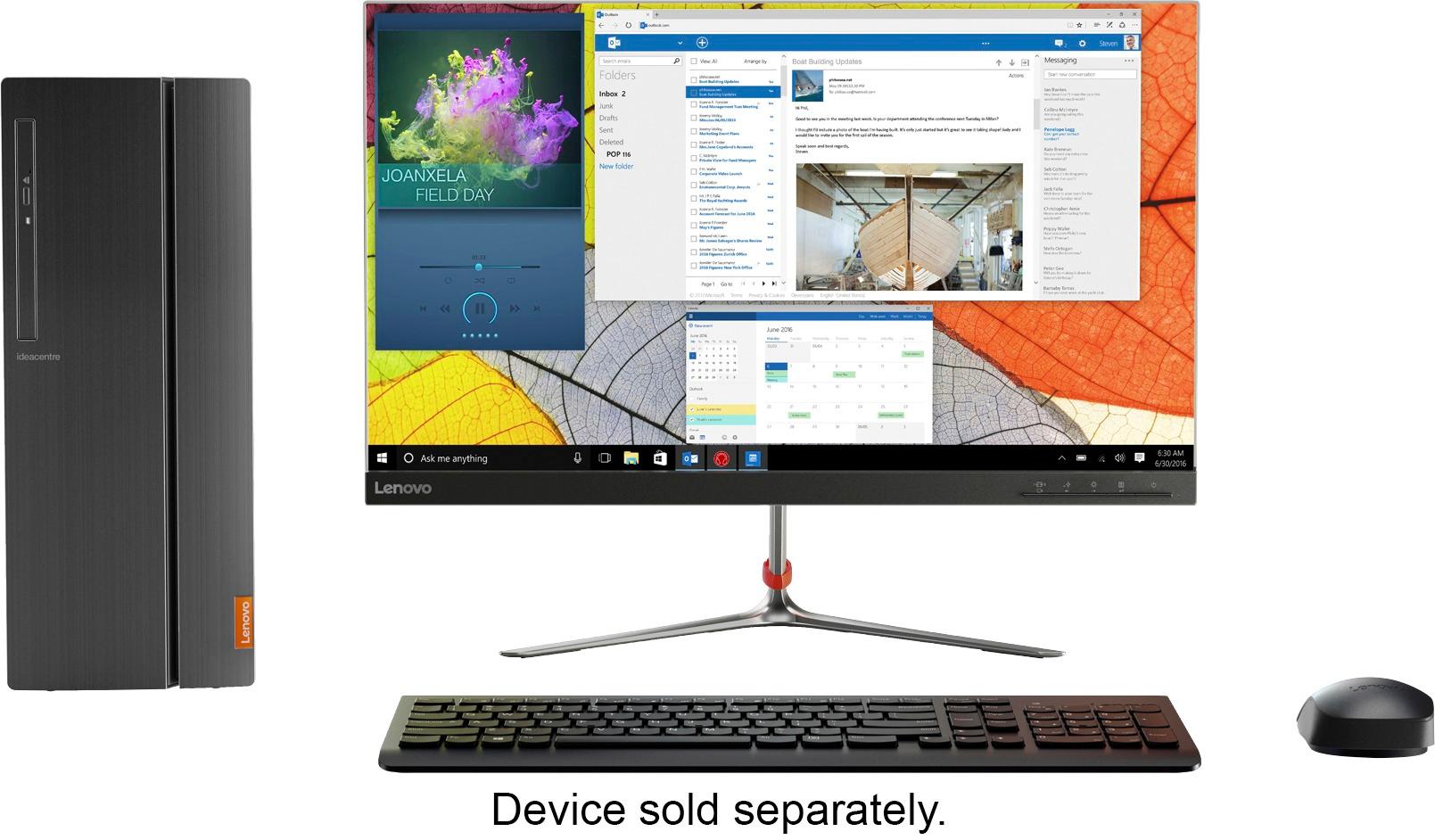
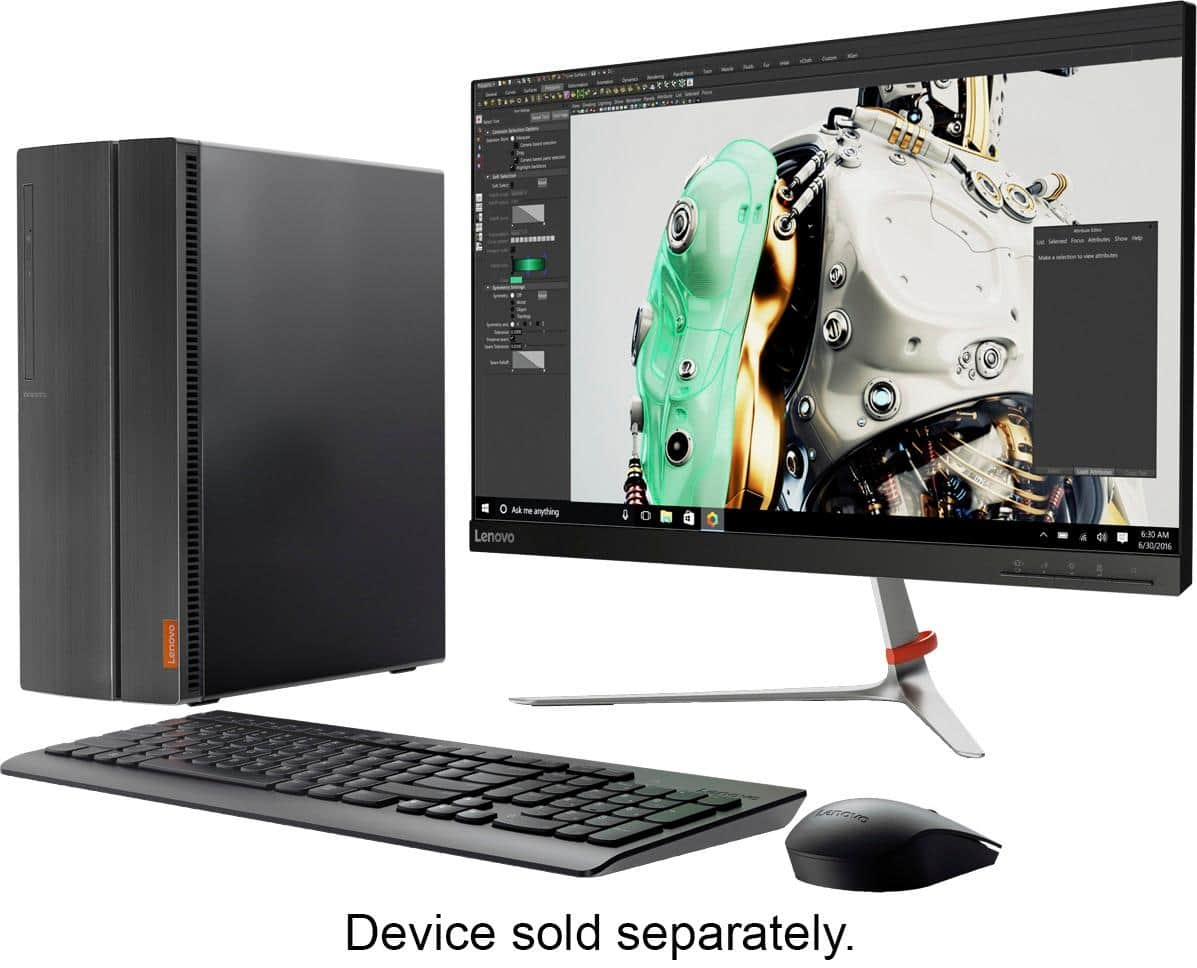
- Model:
- 90GU0006US
- SKU:
- 5740402
Rating by feature
- Value
Rating 3.6 out of 5 stars
- Quality
Rating 3.5 out of 5 stars
- Ease of Use
Rating 3.8 out of 5 stars
Customers are saying
Customers are delighted by the IdeaCentre 510A-15ABR's performance, ease of use, and its affordability. Many appreciate the ample RAM and storage, along with its compact size and quiet operation. The sleek design also receives positive feedback. While some wish for more USB ports, the overall experience is largely positive.
This summary was generated by AI based on customer reviews.
Great Pc for a beginner
||Posted .This reviewer received promo considerations or sweepstakes entry for writing a review.I just bought the pc and I love it. It’s a great pc for starting
I would recommend this to a friendBrand response from Lenovo Product Expert
Posted .Thank you for choosing the Lenovo IdeaCentre 510A desktop. We are pleased to hear that the IdeaCentre 510A meets your computing needs so well.

- Pros mentioned:Ram, Speed
Great alternative to Intel
||Posted .This reviewer received promo considerations or sweepstakes entry for writing a review.My HP went belly up, but not a surprise since it is 6 years old. I have had Lenovo products and always satisfied. I have only had this a few weeks, but it is fast and reliable. However, be ready to spend hours on setup. Because of Lenovo and Windows, I spend a lot of time just letting it download and run updates, but at least I did not have to babysit it the whole time. Be aware there is a HDMI output but not a DVI output. I mention this because I am using a TV / Monitor with a HDMI input, and then I could not hear my external speakers. I went into settings, and was able to reroute the sound through my Bose speakers instead. USB outputs is minimal, so plan accordingly, or buy a switch. I am using 2 USB ports on the back for keyboard and mouse, so not many left to plug in a backup drive. I use a headset for Dragon and Skype, and the inputs were not convenient here either. But the AMD processor is great, lots of RAM, and TB drive gives lots of room for storage. You can't beat the price for all this.
I would recommend this to a friend - Pros mentioned:Price, Speed
Solid home computer
||Posted .This reviewer received promo considerations or sweepstakes entry for writing a review.We really like the size of this computer. It is fast, has a quick start-up, and does everything we need for a home computer. We are not gamers so have no idea about performance for that. We like what we have experienced and recommend it to anyone looking for a well priced, fully functional home computer.
I would recommend this to a friendBrand response from Lenovo Product Expert
Posted .Thank you for choosing the Lenovo IdeaCentre 510A desktop. We are pleased to hear that the value, features and performance of the IdeaCentre 510A meets your home computing needs so well.
- Cons mentioned:Power supply, Usb ports
Great for some things
Posted .This reviewer received promo considerations or sweepstakes entry for writing a review.it great but in order to upgrade the graphics you probably need to know.... Am4 socket New power supply (included is a 180w) New motherboard(the old one is customized) 288pin ram (4+8) AMD a12-9800 APU NOT CPU Hdd will need re-formatting and new Windows New fan(80mm in machine) New wifi adapter( the one included is an a key ssd slot btw) But overall it’s a good pc for normal people but I needed to make it a gaming platform, if you plan to ever get a graphics card for it get a really low power one like a 710
I would recommend this to a friendBrand response from Lenovo Product Expert
Posted .Thank you for choosing the Lenovo IdeaCentre 510A desktop. You are correct, the AMD A12-9800 processor is an APU rather than a CPU. An Accelerated Processing Unit (APU) combines the CPU and GPU onto a single chip. The APU was developed by AMD and initially released under the name Fusion. By combining both processors onto a single chip, the components are able to communicate faster and give you greater processing power and performance. APUs are generally not seen as a replacement to a standalone graphics card. Instead, they look to replace the GPUs embedded on the motherboard.
- Pros mentioned:Ram, SpeedCons mentioned:Usb ports
Lenovo, fast and the best buy period.
||Posted .This reviewer received promo considerations or sweepstakes entry for writing a review.12 GB Memory and one TB. Super fast and the best price period. The only thing I wish it had more USP ports in the back, not in the front otherwise I love it.
I would recommend this to a friendBrand response from Lenovo Product Expert
Posted .Thank you for choosing the Lenovo IdeaCentre 510A desktop. With regard to more USB port on the back of this model, if you need more USB ports on the back of this device, you may want to consider using a USB Hub with this device.
- Pros mentioned:Speed
Love this tower.
||Posted .This reviewer received promo considerations or sweepstakes entry for writing a review.This PCs is quiet fast and I love it all together. I have no bad things to say about it. It is small . Powerful, has. Lot of space on it. I have barely nothing used up in space for having my genealogy on it that is great.
I would recommend this to a friendBrand response from Lenovo Product Expert
Posted .Thank you for choosing the Lenovo IdeaCentre 510A desktop. We are pleased to hear that the features and performance of the IdeaCentre 510A meets your computing needs so well.
- Pros mentioned:Speed
Optimum quality and performance at a low price.
||Posted .This reviewer received promo considerations or sweepstakes entry for writing a review.Went from 4 GB to 12 GB; amazed at the speed increase with all installed software. And this PC is very quiet when running. Still learning but so far I like the Lenovo apps that are installed.
I would recommend this to a friendBrand response from Lenovo Product Expert
Posted .Thank you for choosing the Lenovo IdeaCentre 510A desktop. We are pleased to hear that the performance of the IdeaCentre 510A meets your computing needs so well.
- Pros mentioned:Ram, Speed
Running fast, good computer
||Posted . Owned for 8 months when reviewed.This reviewer received promo considerations or sweepstakes entry for writing a review.Got computer only with a good price. Easy set up, running fast with 12GB memory and AMD A12 processor. Good looking, small size and running quietly. The computer powers up very quickly. Preinstalled Windows 10. Can handle smoothly multiple programs at the same time. Very satisfied with this computer!
I would recommend this to a friend - Pros mentioned:Performance, Ram
Perfect computer for a gamer
||Posted .This reviewer received promo considerations or sweepstakes entry for writing a review.Grandsons very happy he wanted a gamer computer and this works great what the terabyte the memory and the ram. This was for his birthday he's very excited and loves Best Buy thank you so much for supplying such a great product
I would recommend this to a friendBrand response from Lenovo Product Expert
Posted .Thank you for choosing the Lenovo IdeaCentre 510A Desktop for your grandson. We are pleased to hear that the features and performance of the IdeaCentre 510A meets your computing needs so well.
- Pros mentioned:Ram, Speed
Great for my need
||Posted .This reviewer received promo considerations or sweepstakes entry for writing a review.I bought this tower to replace a 5/6 year old Asus tower that was starting to have issues. I am not a gamer so I don't need high end specs. This unit upgraded all the basic aspects I had in my Asus from AMD A10 to AMD A12, 8gigs ram to 12 gigs ram, 500gig hd to 1tb had. This system has Win 10 where I had upgraded the Asus to Win10 from Win7(believe that may have been where some of the problems were happening on the Asus). Now that all the Win10 updates have finished everything runs normally and smoothly. I had an issue where I had to restart the system multiple times to get everything up to date which was aggravating but that's operating systems issues not hardware issues. Got the tower on sale for $399 and am very happy with the purchase, would definitely recommend for any non gamer.
I would recommend this to a friendBrand response from Lenovo Product Expert
Posted .Thank you for choosing the Lenovo IdeaCentre 510A desktop. We are pleased to hear that the value and performance of the IdeaCentre 510A meets your computing needs so well.
- Pros mentioned:Speed
Good, powerful, full-featured computer
||Posted .This reviewer received promo considerations or sweepstakes entry for writing a review.Good, powerful, fast and quiet, with plenty of memory and big hard drive. What criticisms I have are directed toward Windows 10, whose ease of use and features are in many ways inferior to earlier editions of Windows.
I would recommend this to a friendBrand response from Lenovo Product Expert
Posted .Thank you for choosing the Lenovo IdeaCentre 510A desktop. With regard to learning your way around Windows 10, you may want to try YouTube.com (just type that address in your browser address window). There are hundreds for free instructional videos there about Windows 10. Just type Windows 10 Introduction in to the YouTube search window. You can watch free videos there that will show you the basics all the way up to tips and tricks videos and they're all free.
- Pros mentioned:RamCons mentioned:Usb ports
Good system for the price
||Posted .This reviewer received promo considerations or sweepstakes entry for writing a review.This system sells for a good price considering you get 12GB of RAM and a A12 processor. Only thing I don't care for is that the front USB ports are covered by a door.
I would recommend this to a friend - Pros mentioned:Ease of useCons mentioned:Usb ports
Good upgrade for daily use
||Posted .This reviewer received promo considerations or sweepstakes entry for writing a review.This desktop was purchased to replace a 7 year old HP computer which was getting flaky even after installation of Windows 10. It was easy to set up but you should be aware that in installing your old software, you should check for current drivers. Didn't like the vertical door on the front for aesthetic reasons - the USB ports should all have been on the back of the computer. Also had to buy a new monitor because this computer would not create a proper full screen display on my 7 year old LED monitor even with scaling and resolution adjustments. There was an overlap variously to the sides, top and bottom of the screen. Overall, I like it.
I would recommend this to a friendBrand response from Lenovo Product Expert
Posted .Thank you for choosing the Lenovo IdeaCentre 510A desktop. Always check the compatibility of software programs to Windows 10 and the configuration of this system before installing to avoid damage to the operating system and/or the system hardware.
Nice computer
||Posted .This reviewer received promo considerations or sweepstakes entry for writing a review.This is a nice computer for the price. Has everything you need, a nice hard drive. Good amount of memory. Good processor. The only negative is there isn't much expandability with this PC if that's what you are into.
I would recommend this to a friend- Pros mentioned:Performance, Ram
Great compact tower for the money!
||Posted .This reviewer received promo considerations or sweepstakes entry for writing a review.Purchased this tower as a replacement for my old outdated Dell. This tower is compact, fast, smooth and quiet. Has everything I need, with lots of memory!!!
I would recommend this to a friendBrand response from Lenovo Product Expert
Posted .Thank you for choosing the Lenovo IdeaCentre 510A desktop. We are pleased to hear that the features and performance of the IdeaCentre 510A meets your computing needs so well.
- Pros mentioned:Ram
works great, less filling!
||Posted .This reviewer received promo considerations or sweepstakes entry for writing a review.After my home PC died, I needed a replacement quick! A quick search found this Lenovo with a good processor, expandable RAM, 1Tb storage, and plenty of room for upgrades later. Thanks, Best Buy!
I would recommend this to a friendBrand response from Lenovo Product Expert
Posted .Thank you for choosing the Lenovo IdeaCentre 510A desktop. We are pleased to hear that the features and performance of the IdeaCentre 510A meets your computing needs so well.
- Pros mentioned:Performance, Ram
Great for my need
||Posted .This reviewer received promo considerations or sweepstakes entry for writing a review.Needed to upgrade my old desktop for non gaming use in my home. Works great for my situation. Only frustration is getting Windows 10 fully updated once the computer is up and running but that bears no reflection on the operation of the computer itself. I prefer AMD cpu's so the A12 is great, 12GB ram and 1TB HD are more than what I need. Believe I got a good deal at the $399 price point on this tower.
I would recommend this to a friendBrand response from Lenovo Product Expert
Posted .Thank you for choosing the Lenovo IdeaCentre 510A desktop. We are pleased to hear that the performance of the IdeaCentre 510A meets your computing needs so well. With regard to keeping operating software up to date, this system has Lenovo utilities installed to help maintain the health of the device and keep the operating system software up to date. Type "Lenovo Vantage" in the Cortana Search window (if Lenovo Vantage is not installed on your device, you can download the APP and install it now). Select Lenovo Vantage from the list. In the window that opens, click on "Health and Support". In the expanded menu, select "Hardware Scan" In the window that opens, select "Run Quick Tests". This will scan your entire system for errors. Follow any directions that may pop up. If the problem continues after this scan, now click on "System Update". First select Windows update from the menu. Scan your system to be sure you have the latest version of Windows 10. Once that scan is complete, select "Additional Updates". This will scan your device to be sure there are no new BIOS/Driver updates needed. Follow any instructions that may pop up.
- Pros mentioned:Speed
Great small office PC
||Posted .This reviewer received promo considerations or sweepstakes entry for writing a review.Purchased this PC to replace an old unit. The PC is great for a small office with basic computing needs. The tower is pretty small so it does not take up much desk space. Also has a clean look with a slick cover over the front of all ports. Runs quick and smooth! Would recommend for a light duty computer user! I will definitely consider purchasing again when another PC is needed!
I would recommend this to a friendBrand response from Lenovo Product Expert
Posted .Thank you for choosing the Lenovo IdeaCentre 510A desktop for your office. We are pleased to hear that the performance of the IdeaCentre 510A meets your business computing needs so well.
- Pros mentioned:Speed
Very fast computer
||Posted .This reviewer received promo considerations or sweepstakes entry for writing a review.Easy setup, very fast computer, lots of memory. the best computer I've owned. I'm glad I bought a Lenovo, I've owned two Dell computers, I was happy with them, But so far the Lenovo is the best computer I've owned. The graphics is also amazing.
I would recommend this to a friendBrand response from Lenovo Product Expert
Posted .Thank you for choosing the Lenovo IdeaCentre 510A desktop. We are pleased to hear that the performance of the IdeaCentre 510A meets your computing needs so well.
- Pros mentioned:Ram
Decent computer...
||Posted .This reviewer received promo considerations or sweepstakes entry for writing a review.This is a decent computer, with a generous amount of RAM. It is not super fast, but that is okay for normal everyday use. I really like the design of the front cover that tilts out to make the cd/dvd drive and front USB ports accessible. Set-up was super easy...
I would recommend this to a friendBrand response from Lenovo Product Expert
Posted .Thank you for choosing the Lenovo IdeaCentre 510A desktop. This is a fast system with its AMD A12-9800 processor and 12GB of RAM. Be sure any software you installed is compatible with Windows 10. There is no need to install Microsoft Office software. The software is already part of the operating system, you just need to activate the software with a purchased product key. If you have installed a copy of Microsoft Office, this is conflicting with the existing copy on the system and this will slow your system down. If you have installed a 3rd party anti-virus program, be sure that Windows Defender is turned off and that the trial version of McAfee Anti-Virus software is uninstalled. There can only be one anti-virus program on the system. You may need to restore your system to original factory default settings if any of the programing errors have occurred. You can do that by typing "restore" in the Cortana search window. Just click on the magnifying glass icon at the bottom left of your Windows 10 Desktop. Click on "Reset This PC" Then click on "Get Started" and follow the on screen directions to restore to factory defaults. If the problem persists, we recommend you contact Lenovo Tech Support at: 877-453-6686.