Customer Ratings & Reviews
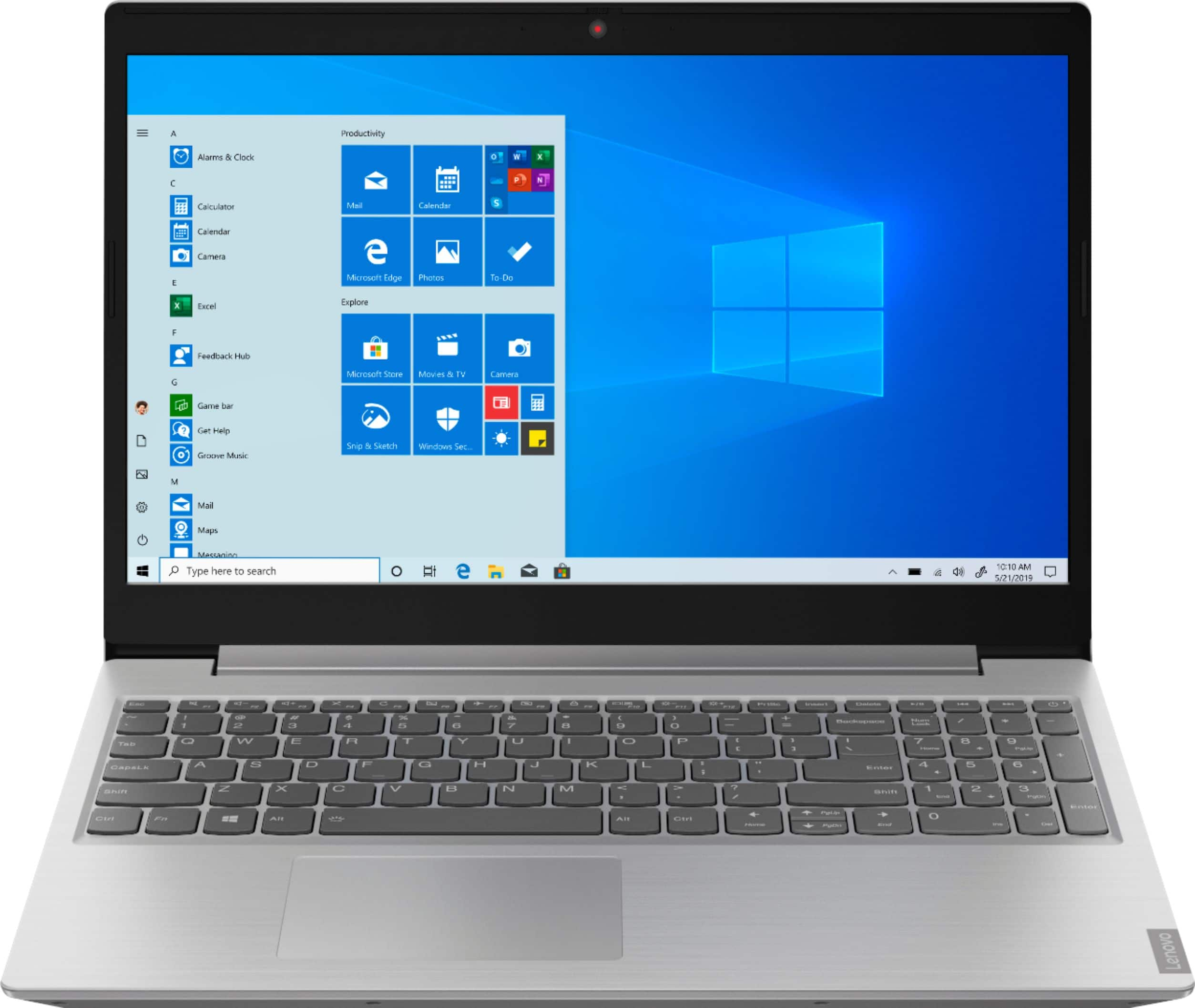
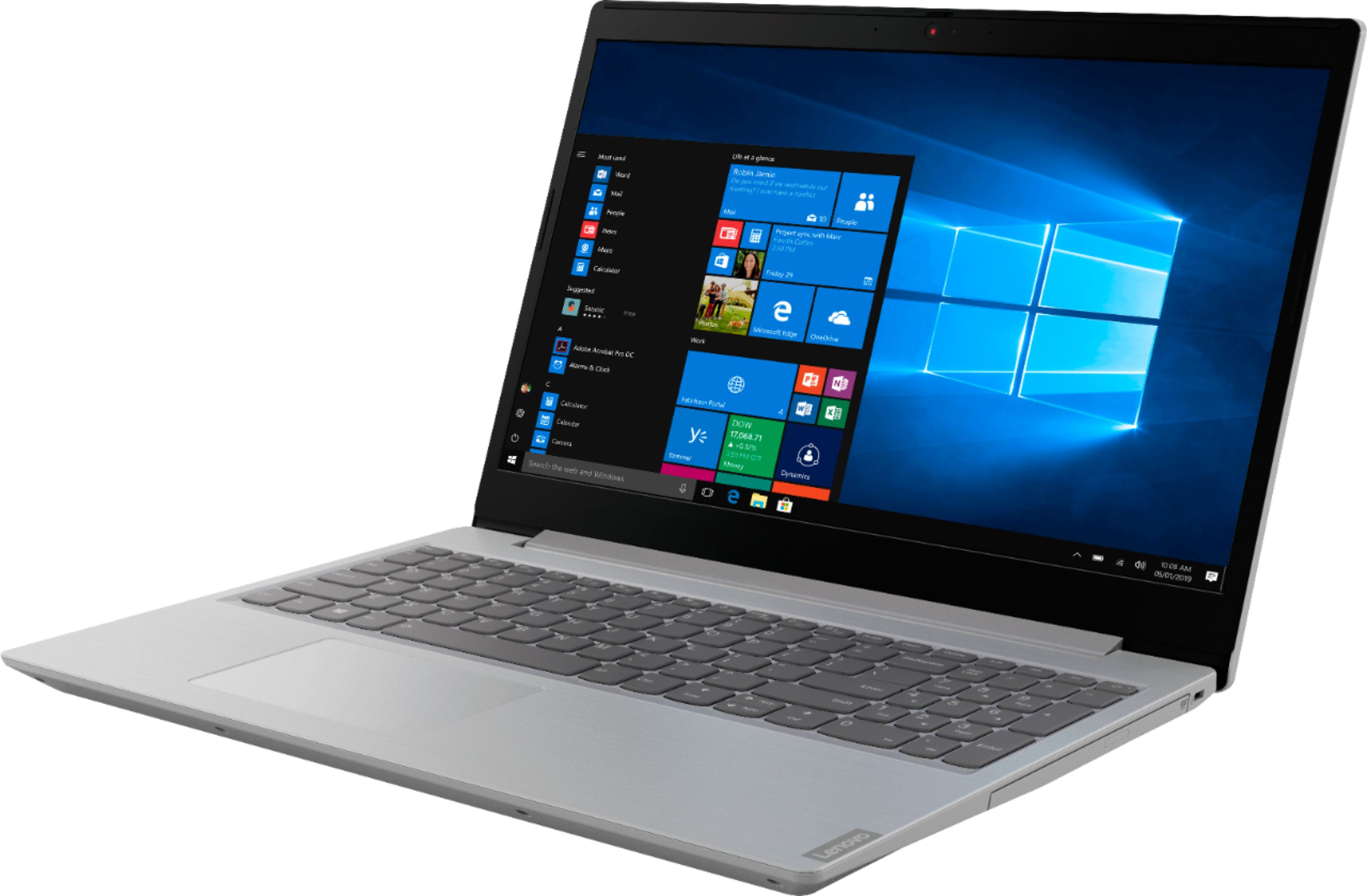
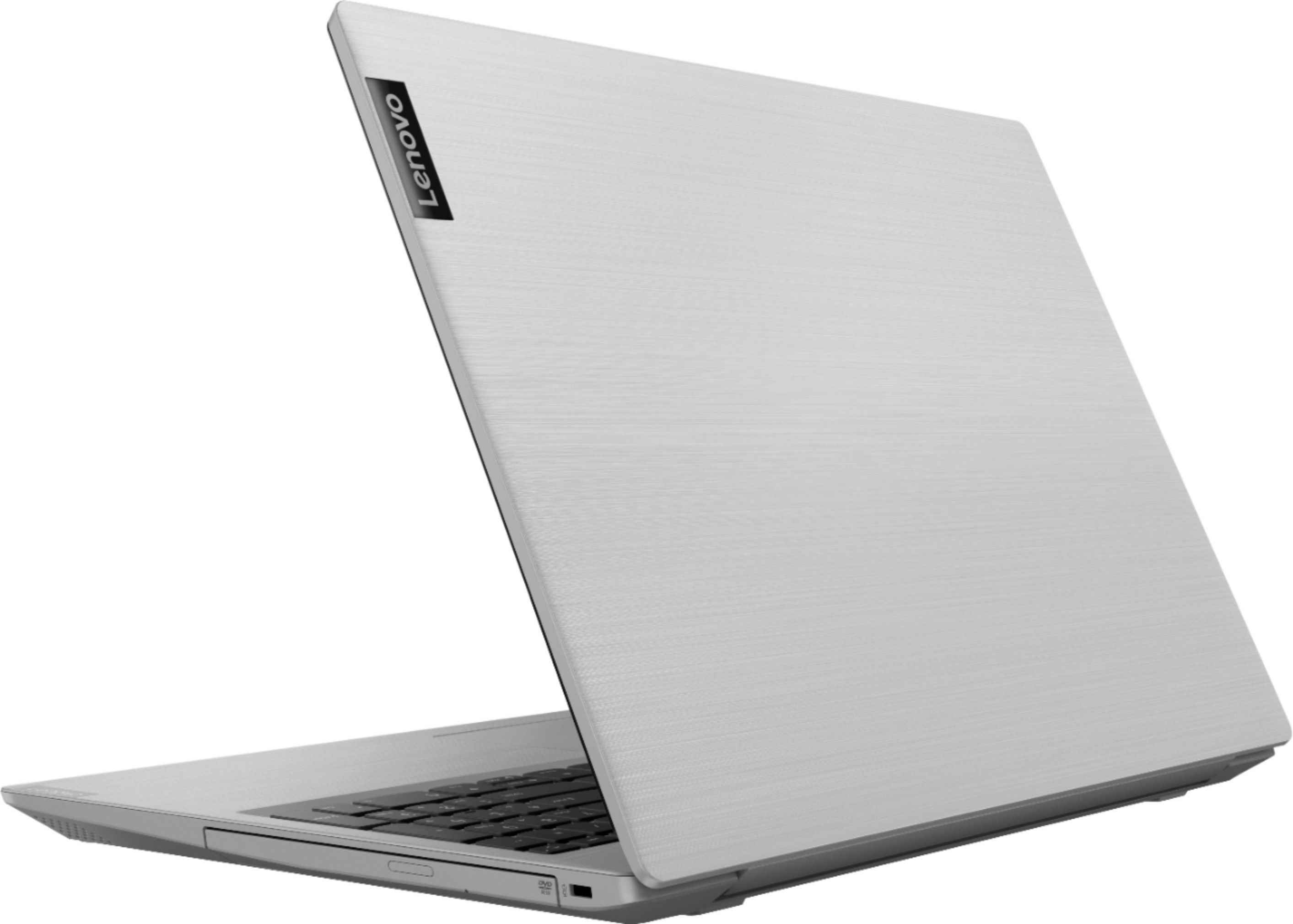
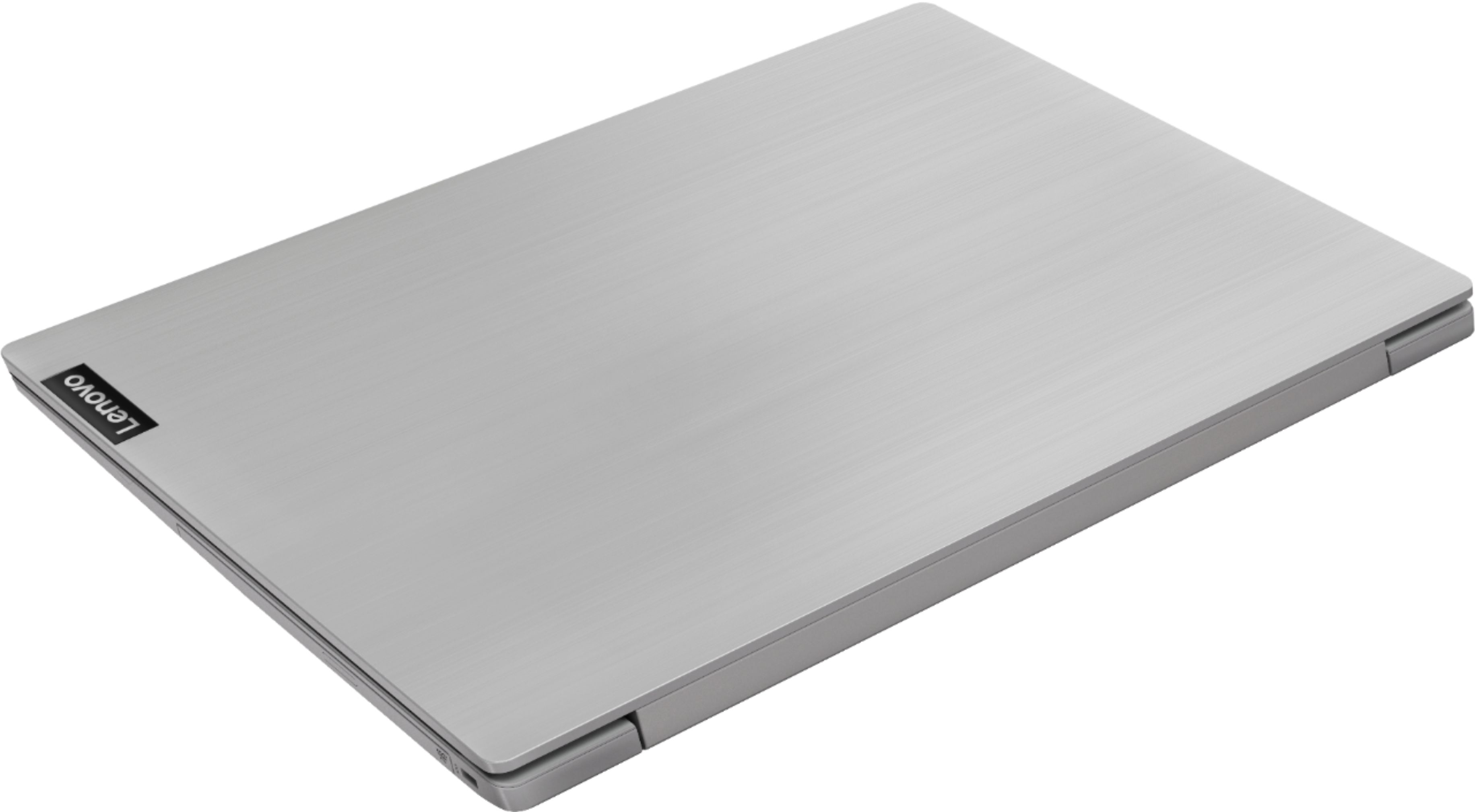



- Model:
- 81LW005PUS
- SKU:
- 6350522
Rating by feature
- Battery Life
Rating 4.0 out of 5 stars
- Speed
Rating 3.5 out of 5 stars
- Display
Rating 4.1 out of 5 stars
Customers are saying
Customers are satisfied with the price, storage, ease of use, gaming capabilities, memory, lightweight design, and performance of the L340-15API 15.6" Laptop. However, they have concerns about its slow speed, battery life, touchpad, and multitasking capabilities.
This summary was generated by AI based on customer reviews.
Great computer
||Posted . Owned for 3 weeks when reviewed.This reviewer received promo considerations or sweepstakes entry for writing a review.Excellent cost and easy laptop. Great capacity memory
I would recommend this to a friendBrand response from Lenovo Product Expert
Posted .Thank you for choosing the lenovo IdeaPad L340-15 laptop. This is a mid-level, moderate use configuration, with its AMD Ryzen 3 3200U processor. This Dual-Core processor has a base speed of 2.6GHz and a boost speed of up to 3.5GHz. This configuration has 8GB of DDR4-2400MHz RAM. It is good with Microsoft Office type programs, internet browsing and other moderate work. This model ships with Windows 10 S-Mode Operating System. Windows 10 S-Mode provides added security by only allowing APPs available ( and therefore certified by Microsoft) at the Microsoft Store. If you don't need the added security or you need to install APPs not available at the Microsoft Store, you can switch to standard Windows 10 Home 64-bit Operating System, at no additional cost.

- Cons mentioned:Battery life
Terrible battery life
||Posted . Owned for 1 month when reviewed.This reviewer received promo considerations or sweepstakes entry for writing a review.I really loved this laptop until i realize the battery life sucks. Don’t expect to use this laptop for more then 3 hours unplugged. Very disappointing. The camera quality also sucks.
No, I would not recommend this to a friendBrand response from Lenovo Product Expert
Posted .The Lenovo IdeaPad L340-15 laptop, model number 81LW005PUS, ships with a 3CELL_36WH_INTERNAL, Lithium Polymer Battery, with a battery life of up to 8 hours, depending on the work that the device is performing. If you are only getting 3 hours of battery life, be sure any software you installed is compatible with Windows 10. There is no need to install Microsoft Office software. The software is already part of the operating system, you just need to activate the software with a purchased product key. If you have installed a copy of Microsoft Office, this is conflicting with the existing copy on the system and this will slow your system down. If you have installed a 3rd party anti-virus program, be sure that Windows Defender is turned off and that the trial version of McAfee Anti-Virus software is uninstalled. There can only be one anti-virus program on the system. You may need to restore your system to original factory default settings if any of the programing errors have occurred. You can do that by typing "restore" in the Cortana search window. Just click on the magnifying glass icon at the bottom left of your Windows 10 Desktop. Click on "Reset This PC" Then click on "Get Started" and follow the on screen directions to restore to factory defaults. If the problem persists, we recommend you contact Lenovo Tech Support at: 877-453-6686.
Awesome Computer. Just wife the was wanting!
||Posted . Owned for 3 weeks when reviewed.This reviewer received promo considerations or sweepstakes entry for writing a review.This laptop is great. The folks at the Tallahassee Florida store were great although they did not have it in store and I had to order it. It arrived earlier than expected and was in no way damaged. Great service. Thanks Best Buy
I would recommend this to a friendthis laptop is defective. I have keys falling out
||Posted . Owned for 2 months when reviewed.This reviewer received promo considerations or sweepstakes entry for writing a review.I have keys falling out that have are not used. the computer worked fine and as soon as the returnable date has passed, keys are now falling out. that should not be happening already since i bought a new computer, not a refurbished computer. this computer was purchased October 24,2019. Its november 28 and its falling apart. i need to return this item, so i need you to consider at this time. this was not a good buy.
No, I would not recommend this to a friendScreen broke after a month of owning
||Posted . Owned for 1 month when reviewed.This reviewer received promo considerations or sweepstakes entry for writing a review.The screen broke a month after owning the device. When plugged into HDMI, the display mirrors fine so it is not a software issue. There was no impact that should have caused this issue in the first place, as I used it the night prior, woke up the next morning and turned it on to a broken screen.
No, I would not recommend this to a friendBrand response from Lenovo Product Expert
Posted .We are sorry to hear that you are having issues with your laptop screen. Here is a link to some trouble shooting tips you can try: https://support.microsoft.com/en-us/help/14106/windows-10-troubleshoot-black-screen-or-blank-screen-errors. If the issue continues, we recommend you call Lenovo Tech Support at: 877-453-6686
- Pros mentioned:MemoryCons mentioned:Touchpad
Good budget buy
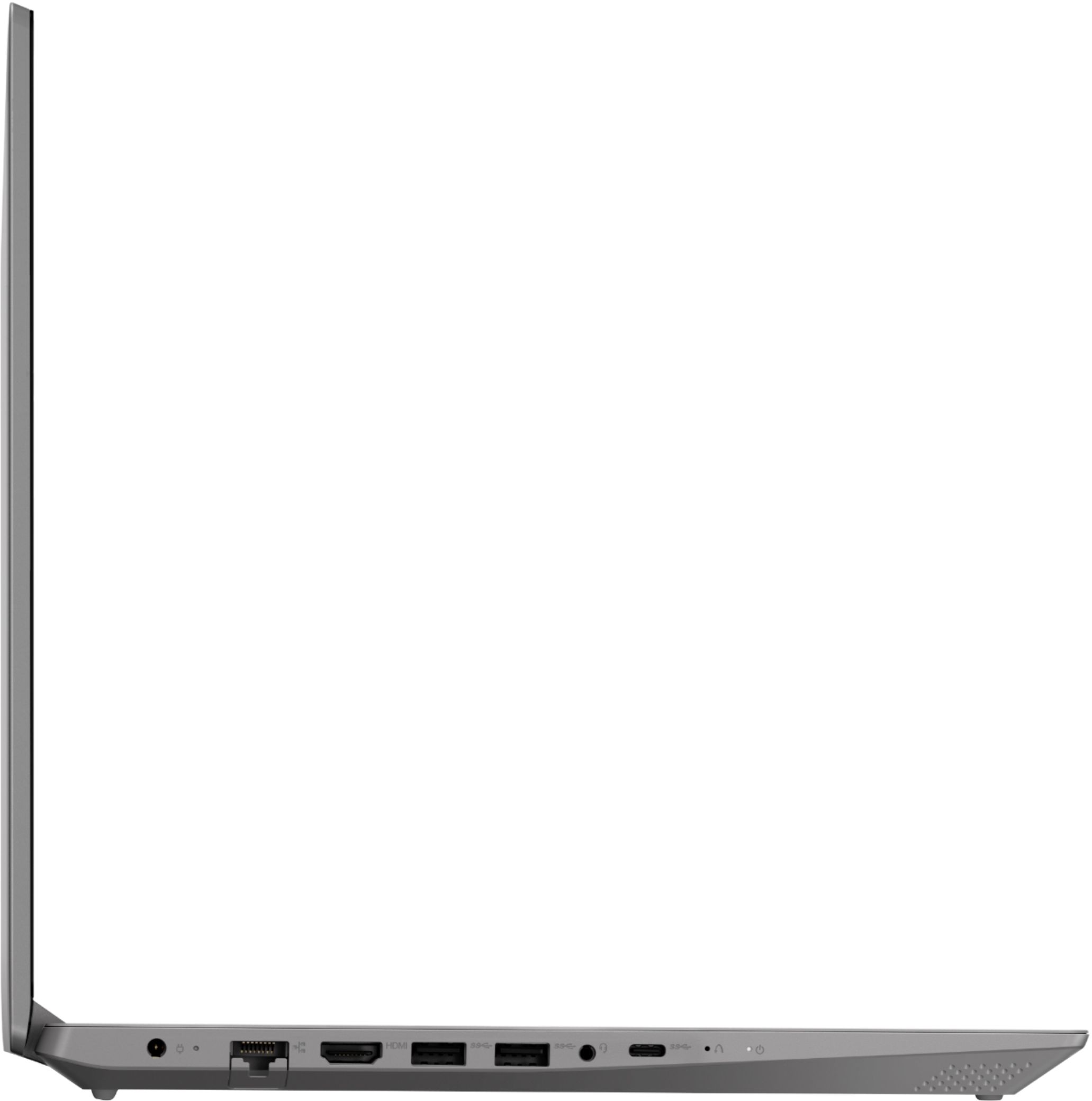
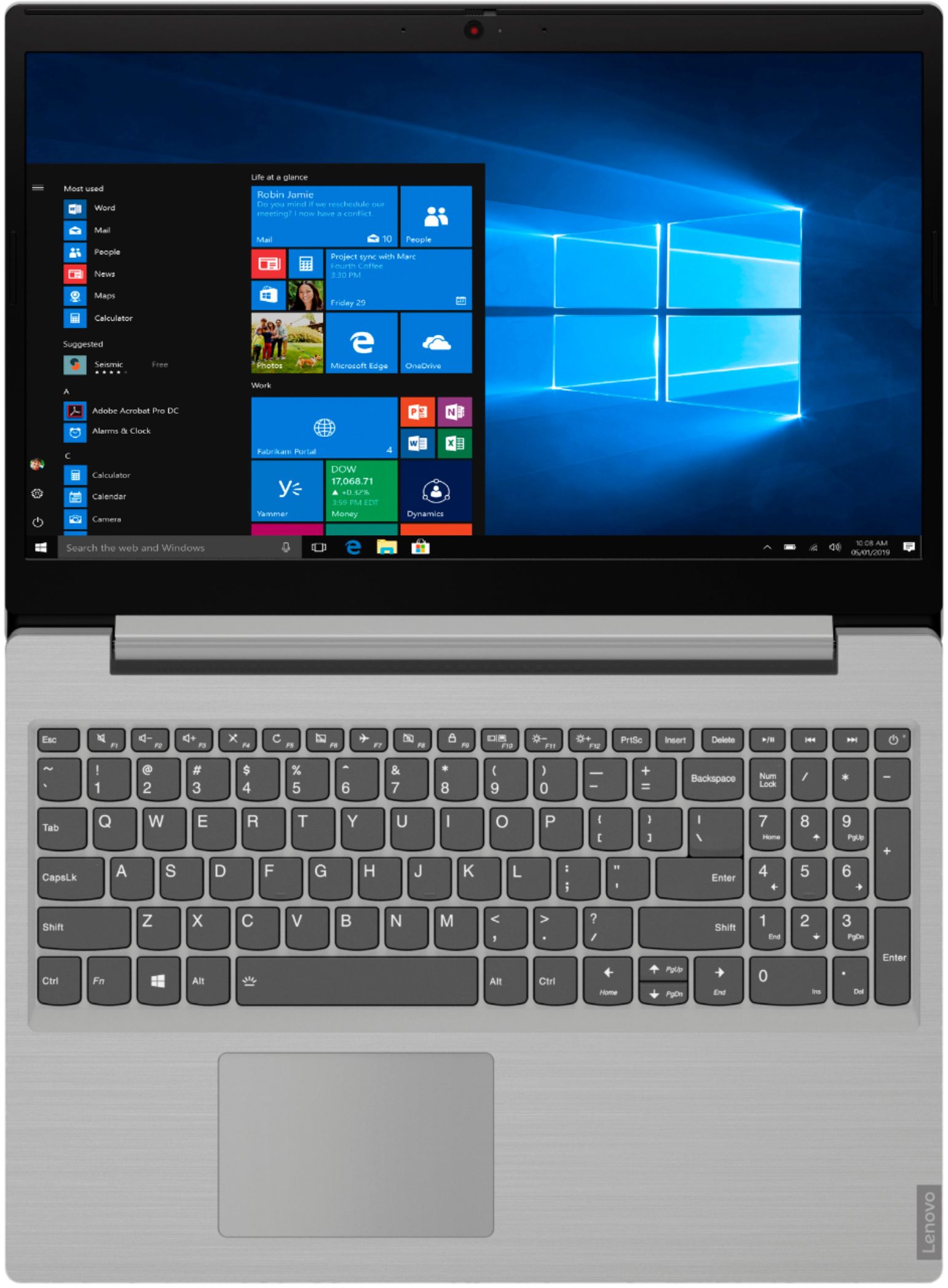
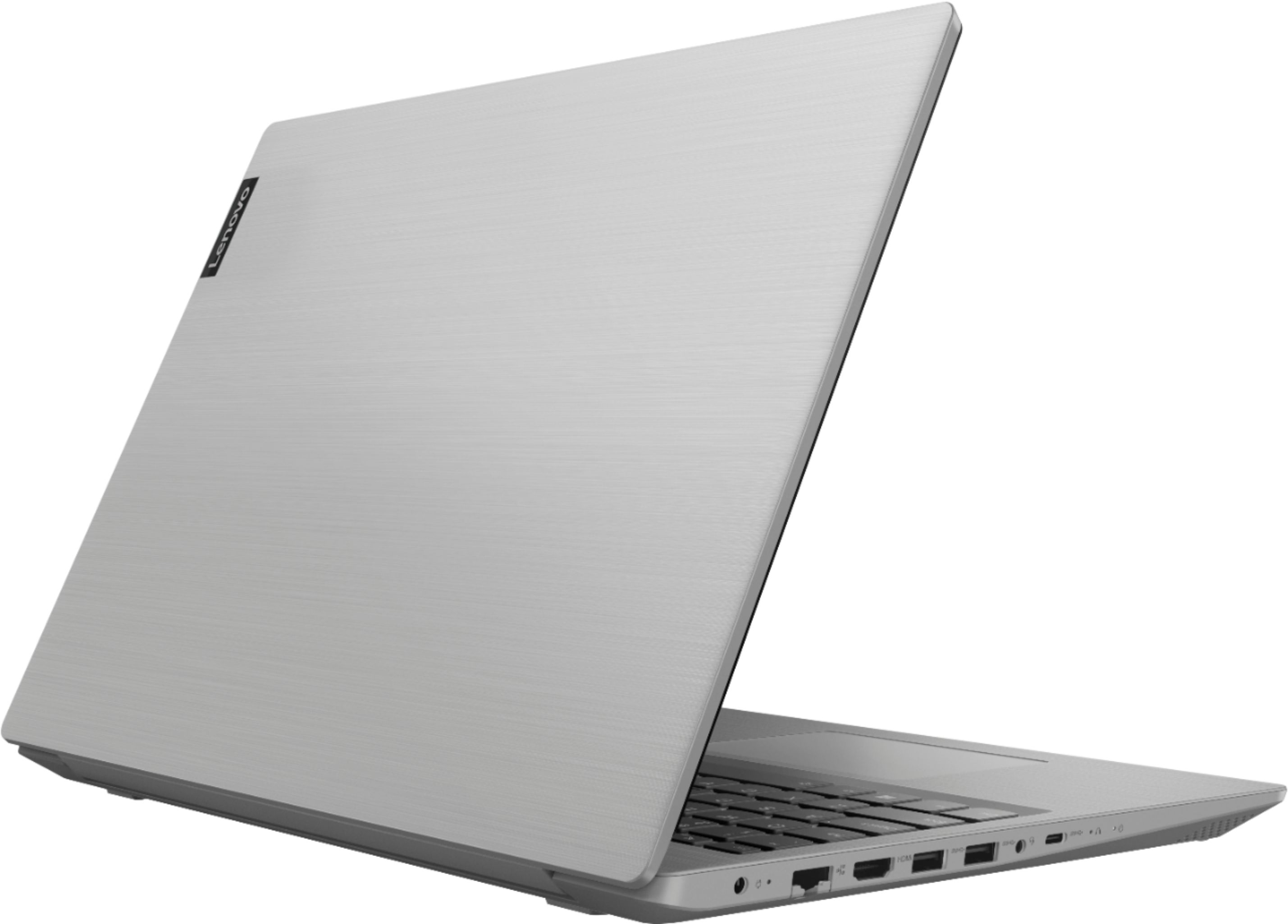
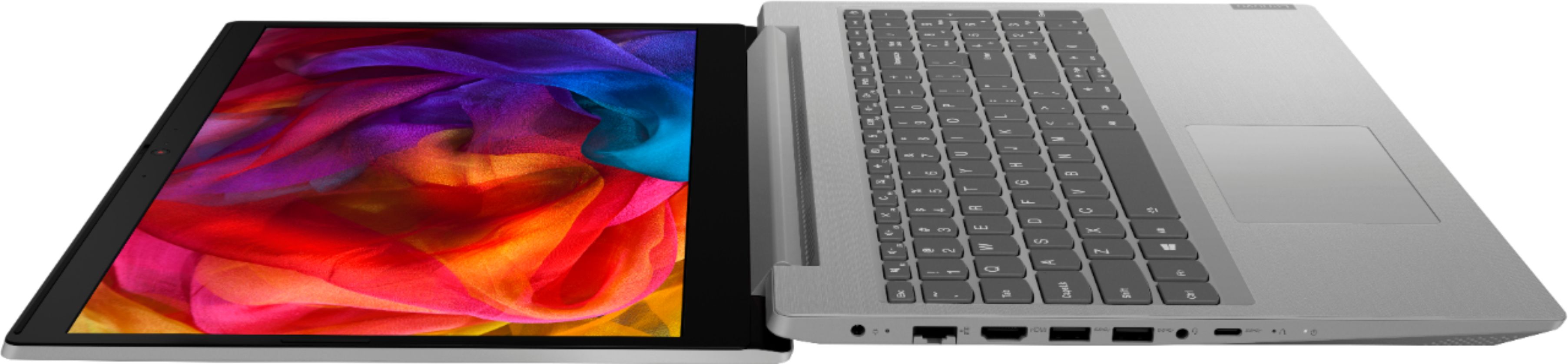
||Posted . Owned for 3 weeks when reviewed.This reviewer received promo considerations or sweepstakes entry for writing a review.This is what I was looking for, an economical unit with minimum 8GB memory, 1TB hard drive AND a DVD drive; these last two items becoming increasingly hard to find on the ‘modern’ inexpensive laptops. While I would have preferred an Intel processor, this unit is very quick and suffices for my needs of running a real-time weather station and tracking software. It works on the net well, and I tested streaming videos which worked fine, but it will only be used online for software updates. Downsides: the touch pad is very sensitive and does not seem to have right/left button control (unless I haven’t figured that out yet since documentation seemed non-existent in my box). I would have liked another regular USB port, and even a serial port, since I now have to utilize a USB to serial converter, which ties up one of only two USB ports. I will probably never use the single HDMI or USB-C ports, but they are nice to have. I was almost surprised that it had an earphone/headset jack in today’s Bluetooth environment which it also supports. I am still coming to grips with the newest version of Windows10 which seems intrusive by trying to help too much. I need to spend some time in settings and shut some stuff down since my use and needs are limited mainly to very specific offline tasks. Bottom line is I think that this is quite a good unit for normal student, household or business uses.
I would recommend this to a friendBrand response from Lenovo Product Expert
Posted .Thank you for choosing the Lenovo IdeaPad L340-15 laptop. With regard to the touchpad, you can make adjustments to the touchpad in your system settings. You can get there by clicking on the magnifying glass at the bottom left of your Windows 10 screen. Type "touchpad" in the search window. Select "Mouse & touchpad settings" from the list of choices. You can make general adjustments to the touchpad there. You can also select "Additional mouse options" for more detailed adjustments to the touchpad sensitivity by increasing the delay of the touchpad. If you need more standard USB ports, you may want to consider using a portable USB Hub with this computer. Finally, the heart of the IdeaPad L340-15 is the Windows 10 Operating System. With regard to learning your way around Windows 10, you may want to try YouTube.com (just type that address in your browser address window). There are hundreds for free instructional videos there about Windows 10. Just type Windows 10 Introduction in to the YouTube search window. You can watch free videos there that will show you the basics all the way up to tips and tricks videos and they're all free.
- Pros mentioned:Price
Hidden Gem and Power
||Posted . Owned for 3 weeks when reviewed.This reviewer received promo considerations or sweepstakes entry for writing a review.I use lenovo exclusively for work and didn't now what to expect from this value mahcine. But getting it home and putting it through some tough paces, from gaming and running multiple office programs at once, I could see that this was better than advertised. I picked it for just under 300, which is a steal if you ask me. Nothing but positivity for this little workhorse. Great for students and for professionals looking for something light they can take and go.
I would recommend this to a friendBrand response from Lenovo Product Expert
Posted .Thank you for choosing the lenovo IdeaPad L340-15 laptop. We are pleased to hear that the value, features and performance of the IdeaPad L340-15 meets your computing needs so well. This is a mid-level, moderate use configuration, with its AMD Ryzen 3 3200U processor. This Dual-Core processor has a base speed of 2.6GHz and a boost speed of up to 3.5GHz. This configuration has 8GB of DDR4-2400MHz RAM. It is good with Microsoft Office type programs, internet browsing and other moderate work. This model ships with Windows 10 S-Mode Operating System. Windows 10 S-Mode provides added security by only allowing APPs available ( and therefore certified by Microsoft) at the Microsoft Store. If you don't need the added security or you need to install APPs not available at the Microsoft Store, you can switch to standard Windows 10 Home 64-bit Operating System, at no additional cost.
- Pros mentioned:GamingCons mentioned:Battery life
Good for light gaming!
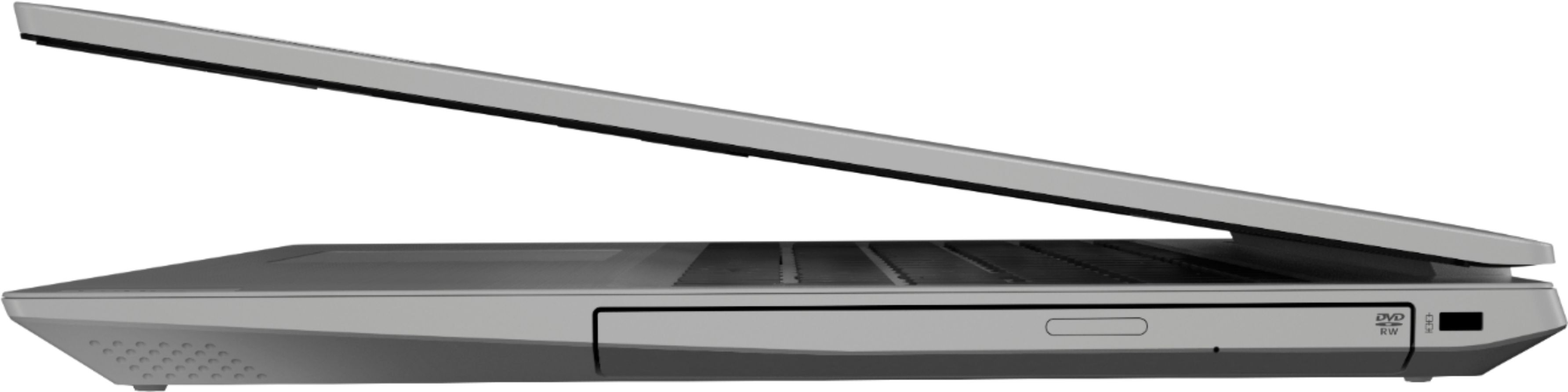
||Posted . Owned for 7 months when reviewed.This reviewer received promo considerations or sweepstakes entry for writing a review.I got the laptop for school purposes but couldn’t help and get a few games on it. To my surprise most of them ran great on the laptop. I’ve played, Paladins, csgo, Minecraft, and left 4 dead. All run great in low to med settings. Only problem for me are the battery life and the start up time. The battery life is long enough for school work, but for media and gaming it burns out way to fast. The start up time and for an app to load takes a bit of time which is expected for a laptop with hdd rather than an sdd. The best features of the laptop are the dvd drive (which wasn’t listed in specs) and the camera cover (a manual switch that covers your camera to reassure you of your safety). Got this while it was on sale, but even the original pricing isn’t bad at all for what you’re getting out of it!
I would recommend this to a friend - Cons mentioned:Battery life
This was exactly what I needed
||Posted . Owned for 3 weeks when reviewed.This reviewer received promo considerations or sweepstakes entry for writing a review.This laptop is lightweight, fast and it suits all my needs. Homework, check, music, check, web browsing, check, Netflix, check . The battery doesn't last as long as advertised that's why I gave it a 4 but it does last a good while.
I would recommend this to a friendBrand response from Lenovo Product Expert
Posted .The Lenovo IdeaPad L340-15 laptop ships with a 3CELL_36WH_INTERNAL, Lithium Polymer Battery, with a battery life of up to 8 hours, depending on the work the device is performing. To maximize battery life, first adjust your battery saver settings. Here is a link to instruction for doing this in Windows 10: https://www.digitalcitizen.life/how-use-configure-battery-saver-windows-10. Next, to maximize battery life, be sure there are no unwanted programs running in the background, draining the battery. Here is a link to some tips for finding out what is draining your battery:
https://www.laptopmag.com/articles/battery-saver-windows-10. Also, to maximize battery life, try changing your power management setting to a more conservative one. You can do this in the control panel, in the power management category on your system. Select a more conservative power management setting to extend battery life. Finally, if the battery life does not improve, a battery reset may help. Here is a link to instructions for reconditioning a non-removable battery, using the Battery Management Software installed on the computer. If you need further assistance, we recommend you call Lenovo Tech Support at: 877-453-6686. Here is the link: https://windowsreport.com/laptop-battery-not-charging-windows-10/
- Pros mentioned:MemoryCons mentioned:Touchpad
Needed Laptop
||Posted . Owned for 3 weeks when reviewed.This reviewer received promo considerations or sweepstakes entry for writing a review.All around a good basic laptop. Touch pad is sensitive. Often ran into screen resizing issues using it. A second figure would touch the pad and it would start the resize function. Start up is decent. Ample memory. Wish there was more RAM. It was bought on budget reasons. So, good for budget laptop everyday laptop, not a gamer laptop.
I would recommend this to a friendBrand response from Lenovo Product Expert
Posted .With regard to the touchpad, you can make adjustments to the touchpad in your system settings. You can get there by clicking on the magnifying glass at the bottom left of your Windows 10 screen. Type "touchpad" in the search window. Select "Mouse & touchpad settings" from the list of choices. You can make general adjustments to the touchpad there. You can also select "Additional mouse options" for more detailed adjustments to the touchpad sensitivity by increasing the delay of the touchpad. The Lenovo IdeaPad L340-15 laptop is a mid-level, moderate use configuration, with its AMD Ryzen 3 3200U processor. This Dual-Core processor has a base speed of 2.6GHz and a boost speed of up to 3.5GHz. This configuration has 8GB of DDR4-2400MHz RAM. It is good with Microsoft Office type programs, internet browsing and other moderate work. This model ships with Windows 10 S-Mode Operating System. Windows 10 S-Mode provides added security by only allowing APPs available ( and therefore certified by Microsoft) at the Microsoft Store. If you don't need the added security or you need to install APPs not available at the Microsoft Store, you can switch to standard Windows 10 Home 64-bit Operating System, at no additional cost.
Good Performance and Light-weight Laptop
||Posted . Owned for 1 month when reviewed.This reviewer received promo considerations or sweepstakes entry for writing a review.Out of the box this laptop was setup running Windows S mode which only allows you to run specific Microsoft apps and use Microsoft's Edge web browser. We tried running it that way, but it felt limiting, so we disabled S mode and are now running full Windows. I was concerned performance would suffer, but I was wrong. This laptop performs really well -- definitely worth the price.
I would recommend this to a friendBrand response from Lenovo Product Expert
Posted .Thank you for choosing the Lenovo IdeaPad L340-15 laptop. This mode ships with Windows 10 S-Mode Operating System. Windows 10 S-Mode provides added security by only allowing APPs available ( and therefore certified by Microsoft) at the Microsoft Store. If you don't need the added security or you need to install APPs not available at the Microsoft Store, you can switch to standard Windows 10 Home 64-bit Operating System, at no additional cost. Here is a link to instructions for switching from Windows 10 S-Mode to Windows 10 Home: https://support.microsoft.com/en-us/help/4456067/windows-10-switch-out-of-s-mode. The Lenovo IdeaPad L340-15 laptop is a mid-level, moderate use configuration, with its AMD Ryzen 3 3200U processor. This Dual-Core processor has a base speed of 2.6GHz and a boost speed of up to 3.5GHz. This configuration has 8GB of DDR4-2400MHz RAM. It is good with Microsoft Office type programs, internet browsing and other moderate work.
- Pros mentioned:Gaming
Great Laptop for the Price!
||Posted . Owned for 3 weeks when reviewed.This reviewer received promo considerations or sweepstakes entry for writing a review.Bought this laptop to be the main machine for my parents. They needed to replace an old desktop with something reliable that they could do basic browsing, email, and maybe some light online gaming for my old man. Great experience so far!
I would recommend this to a friendBrand response from Lenovo Product Expert
Posted .Thank you for choosing the Lenovo IdeaPad L340-15 laptop for your parents. We are pleased to hear that the IdeaPad L340-15 meets your parents' computing needs so well. This is a mid-level, moderate use configuration, with its AMD Ryzen 3 3200U processor. This Dual-Core processor has a base speed of 2.6GHz and a boost speed of up to 3.5GHz. This configuration has 8GB of DDR4-2400MHz RAM. It is good with Microsoft Office type programs, internet browsing and other moderate work. This model ships with Windows 10 S-Mode Operating System. Windows 10 S-Mode provides added security by only allowing APPs available ( and therefore certified by Microsoft) at the Microsoft Store. If you don't need the added security or you need to install APPs not available at the Microsoft Store, you can switch to standard Windows 10 Home 64-bit Operating System, at no additional cost.
Seems Like A Solid Choice For The Money
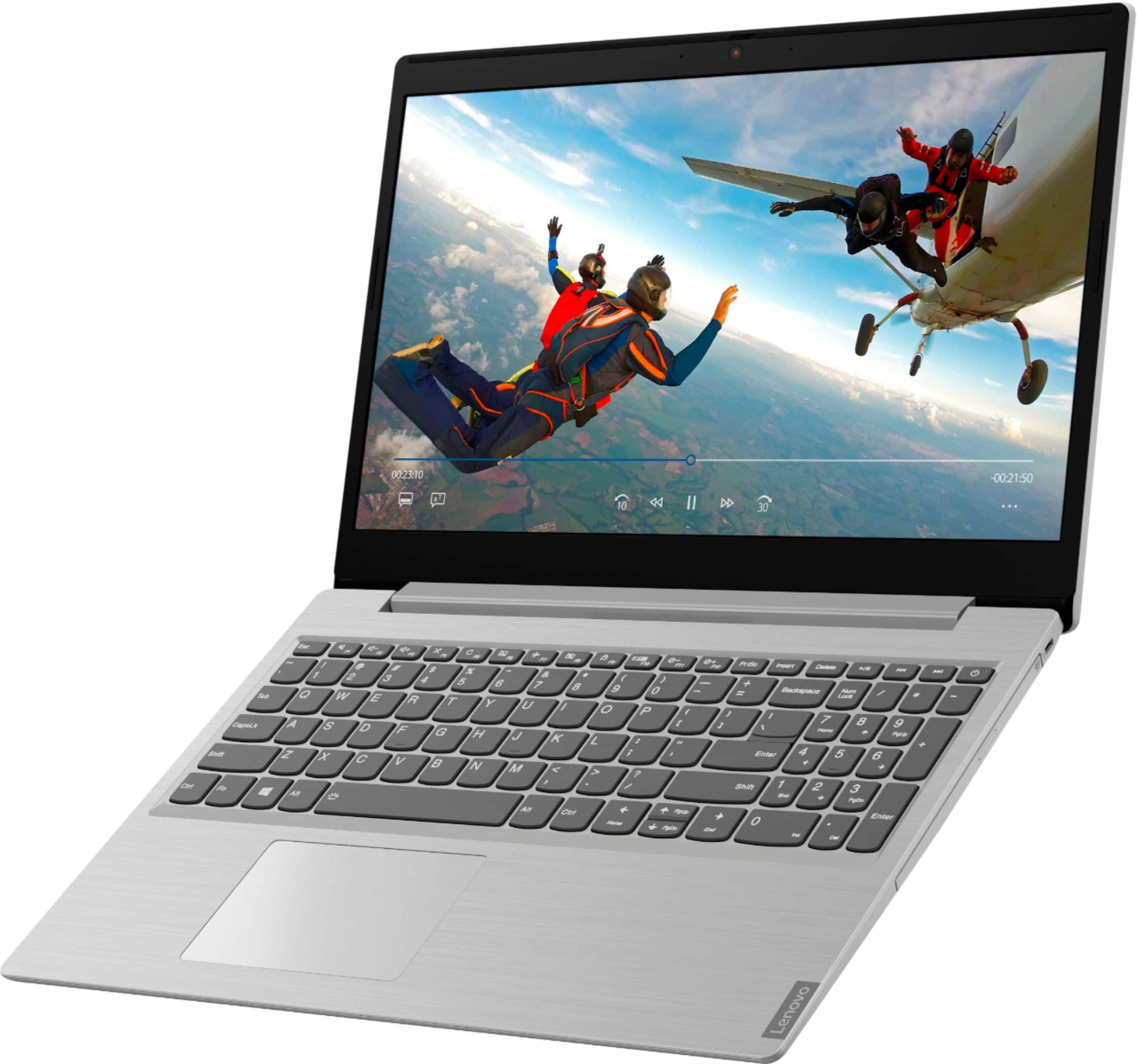
||Posted . Owned for less than 1 week when reviewed.This reviewer received promo considerations or sweepstakes entry for writing a review.Only had the laptop for a day but it seems like a good buy, my last laptop was an expensive MSI gaming laptop, so I was a bit spoiled going from that to this, but for the money, this seems to be a solid purchase. The Good: Decent Screen (1080 but not IPS), Decent Sound (Dolby Sound, but not super loud), good connectivity including USB-C and HDMI, respectable keyboard, disk drive, solid wifi connection, Bluetooth, decent ram, decent processor, big hard drive, solid build quality (Lenovo). The Bad: Out of the box after first charge it is only showing a 4 hour battery life, no backlighting on keyboard, Windows-S is useless and must be replaced asap, it's pretty heavy for my liking (heavier than my MSI laptop), the HD reads and writes at 5400, which is a bit slow, but the good news is you can add a SSD, and you can add more ram, although the 8gb will be enough for most. To test the laptop I ran 6 live video streams at once, and it handled it pretty well, I also played some World of Warcraft (on fair/good settings) WOW's recommended settings were 4 out of 10, but the game looked good and played smoothly, with good fps and connection, and the computer did not get crazy hot, although the bottom did heat up a bit. All in all, seems like a solid lappy for the money, obviously sacrifices must be made in a budget laptop, but this model seems to have a nice balance and good bang for the buck. I've owned pc laptops from every major brand over the years, and in my experience Lenovo seems to have the best builds, and last the longest, so I expect I will be happy I choose this model in the days, months and years to come....
I would recommend this to a friendBrand response from Lenovo Product Expert
Posted .The Lenovo IdeaPad L340-15 laptop has a 3CELL_36WH_INTERNAL, Lithium Polymer Battery, with a battery life of up to 8 hours, depending on the work that the device is performing. To maximize battery life, first adjust your battery saver settings. Here is a link to instruction for doing this in Windows 10: https://www.digitalcitizen.life/how-use-configure-battery-saver-windows-10. Next, to maximize battery life, be sure there are no unwanted programs running in the background, draining the battery. Here is a link to some tips for finding out what is draining your battery:
https://www.laptopmag.com/articles/battery-saver-windows-10. Also, to maximize battery life, try changing your power management setting to a more conservative one. You can do this in the control panel, in the power management category on your system. Select a more conservative power management setting to extend battery life. Finally, if the battery life does not improve, a battery reset may help. Here is a link to instructions for reconditioning a non-removable battery, using the Battery Management Software installed on the computer. There is no backlit keyboard. This model ships with Windows 10 S-Mode Operating System. Windows 10 S-Mode provides added security by only allowing APPs available ( and therefore certified by Microsoft) at the Microsoft Store. If you don't need the added security or you need to install APPs not available at the Microsoft Store, you can switch to standard Windows 10 Home 64-bit Operating System, at no additional cost.
- Cons mentioned:Slow
Great value.
||Posted . Owned for 1 month when reviewed.This reviewer received promo considerations or sweepstakes entry for writing a review.Old laptop screen went out so we had to replace our computer. This was a good unit for the price and was happy when we looked at the demo. The only problem we had is when turning it on it is a little slow for a brand new unit. Plus we didn't see any bloatware in it. Good thing we had the total tech support they were able to connect to the computer and resolve what ever it was that was slowing it down. Now when I turn on the computer it reminds me of how a chrome book just instantly turns on.
I would recommend this to a friendBrand response from Lenovo Product Expert
Posted .Thank you for choosing the Lenovo IdeaPad L340-15 laptop. Regarding slow performance at initial startup, this is caused sometimes by updates to Windows 10 occurring in the background. Once the updates have concluded the performance returns to normal.
- Pros mentioned:Gaming
It's Awesome!!
||Posted . Owned for less than 1 week when reviewed.This reviewer received promo considerations or sweepstakes entry for writing a review.Pro - You can do almost anything with it like play games(Probably low to medium setting with low resolution) Make music and do some school works with it. I also like the camera shutter. Cons - The mouse pad is pretty annoying since you don't know which is the left and right side but overall everything is excellent!! I'd definitely recommend this for people who games and do schooling, But this is more for people who doesn't game too much which is more of a casual gaming type laptop. But it can run a few new games like apex, fortnite, and etc.. but not the new game titles out there.
I would recommend this to a friendBrand response from Lenovo Product Expert
Posted .Thank you for choosing the Lenovo IdeaPad L340-15 laptop. We are pleased to hear that the performance of the IdeaPad L340-15 meets your computing needs so well. With regard to the touchpad, you can make adjustments to the touchpad in your system settings. You can get there by clicking on the magnifying glass at the bottom left of your Windows 10 screen. Type "touchpad" in the search window. Select "Mouse & touchpad settings" from the list of choices. You can make general adjustments to the touchpad there. You can also select "Additional mouse options" for more detailed adjustments to the touchpad sensitivity by increasing the delay of the touchpad. This is a mid-level, moderate use configuration, with its Intel Core i3-8130U processor. This Dual-Core processor has a base speed of 2.2GHz and a boost speed of up to 3.4GHz. This configuration has 8GB of DDR4-2133MHz RAM. It is good with Microsoft Office type programs, internet browsing and other moderate work. This model ships with Windows 10 S-Mode Operating System. Windows 10 S-Mode provides added security by only allowing APPs available ( and therefore certified by Microsoft) at the Microsoft Store. If you don't need the added security or you need to install APPs not available at the Microsoft Store, you can switch to standard Windows 10 Home 64-bit Operating System, at no additional cost.
Very high quality laptop
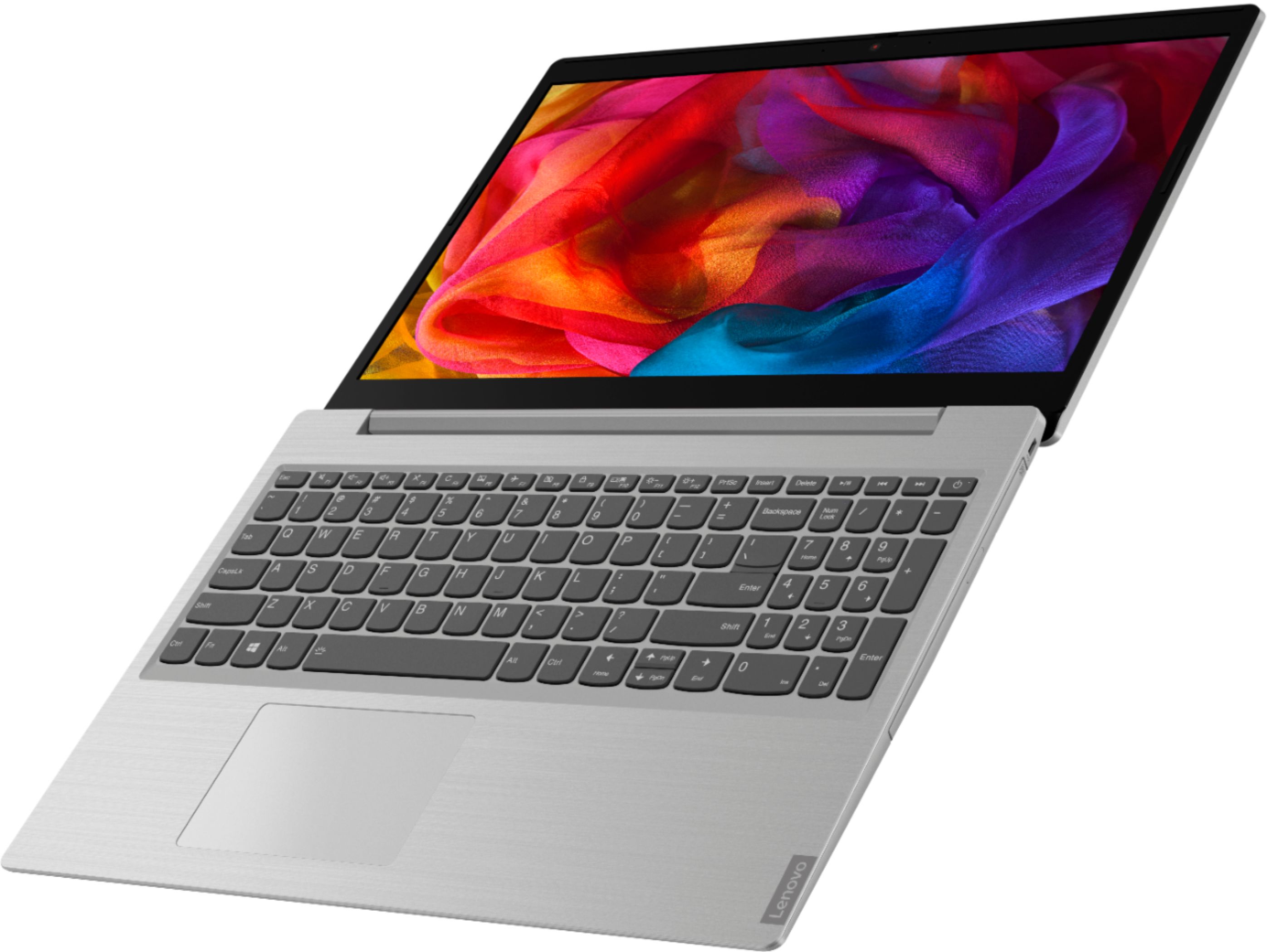
||Posted . Owned for 1 week when reviewed.This reviewer received promo considerations or sweepstakes entry for writing a review.I Purchased this laptop after shopping around for entry-level laptops for my daughter as she has outgrown her current chrome book. I had known Lenovo has a good name behind it and I had visited the website because it was unclear if this one came with the DVD player. The Best Buy website says it does not however it actually does. This needs to be corrected because it is important as some software is sold on Cd/DVD only. My daughter likes the idea of being able to play a movie on her computer when she is away from home which is a plus. The keyboard has a very nice feel to it and is easy to type on compared to some of the newer offerings that I have tried from Apple. It was simple and quick to start up windows 10 and Connectivity to Wi-Fi a breeze. Long gone are the days of trying to figure all the stuff out for yourself. Windows 10 is very intuitive and guide you along the process. The screen has a nice antiglare feature and is bright and sharp. The screen hinge feels nice and solid and the overall finish of the computer feels high-quality with that brushed aluminum finish. 8 GB of RAM is more than adequate for most software requirements. Hard drive space is more than adequate at 1 TB and although this is not a touchscreen device, the touchpad is very easy to operate an adjustable for sensitivity. I’m very happy with this purchase and I am very confident this computer can last her all through high school.
I would recommend this to a friendBrand response from Lenovo Product Expert
Posted .Thank you for choosing the Lenovo IdeaPad L340-15 laptop, model number 81LW005PUS, for your daughter. The case of this model is plastic. Model number 81LW005PUS does ship with a built in CD/DVD drive. We are pleased to hear that the easy setup and performance of the IdeaPad L340-15 meets your daughter's computing needs so well. This is a mid-level, moderate use configuration, with its AMD Ryzen 3 3200U processor. This Dual-Core processor has a base speed of 2.6GHz and a boost speed of up to 3.5GHz. This configuration has 8GB of DDR4-2400MHz RAM. It is good with Microsoft Office type programs, internet browsing and other moderate work. This model ships with Windows 10 S-Mode Operating System. Windows 10 S-Mode provides added security by only allowing APPs available ( and therefore certified by Microsoft) at the Microsoft Store. If you don't need the added security or you need to install APPs not available at the Microsoft Store, you can switch to standard Windows 10 Home 64-bit Operating System, at no additional cost.
- Cons mentioned:Camera, Slow
Lenovo laptop
||Posted . Owned for 6 months when reviewed.This reviewer received promo considerations or sweepstakes entry for writing a review.Lenovo - L340-15API 15.6" Laptop - AMD Ryzen 3 - 8GB Memory - 1TB Hard Drive Seemed a little slow out of the box. Camera sucks, but never would have known if it wasn’t for COVID-19. Works well for what I got it for... Word, Excel, and minor web browsing.
No, I would not recommend this to a friend - Cons mentioned:Slow
Nice light weight laptop
||Posted . Owned for 1 month when reviewed.This reviewer received promo considerations or sweepstakes entry for writing a review.This is nice light wight basic laptop. Comes with I build windows 10 home edition. You may need to turn off windows “S” mode to download any other software. By default it only allows to download applications that are present in windows App Store. This doesn’t has sad so after full restart or shutdown it takes 3 to 5 min to start the laptop. However once started it works fine. Overall performance is good.
I would recommend this to a friendBrand response from Lenovo Product Expert
Posted .Thank you for choosing the Lenovo IdeaPad L340-15 laptop. The normal boot up time for this model is less than 40-seconds to the Windows 10 desktop. If it is taking 3 to 5 minutes to boot to the Windows 10 desktop, the operating system is updating. This is a mid-level, moderate use configuration, with its AMD Ryzen 3 3200U processor. This Dual-Core processor has a base speed of 2.6GHz and a boost speed of up to 3.5GHz. This configuration has 8GB of DDR4-2400MHz RAM. It is good with Microsoft Office type programs, internet browsing and other moderate work. This model ships with Windows 10 S-Mode Operating System. Windows 10 S-Mode provides added security by only allowing APPs available ( and therefore certified by Microsoft) at the Microsoft Store. If you don't need the added security or you need to install APPs not available at the Microsoft Store, you can switch to standard Windows 10 Home 64-bit Operating System, at no additional cost.
- Pros mentioned:PriceCons mentioned:Slow
Seems to get bogged down a bit
||Posted . Owned for 4 months when reviewed.This reviewer received promo considerations or sweepstakes entry for writing a review.Bought this for my daughter to use for her online school work. She complains that it's a bit slow... but I'm not the primary user, so I don't know what she's been doing to it that may be slowing it down. Works ok otherwise. Good price.
I would recommend this to a friendBrand response from Lenovo Product Expert
Posted .The Lenovo IdeaPad L340-15 laptop, model number 81LW005PUS, is a mid-level, moderate use configuration, with its AMD Ryzen 3 3200U processor. This Dual-Core processor has a base speed of 2.6GHz and a boost speed of up to 3.5GHz. This configuration has 8GB of DDR4-2400MHz RAM. It is good with Microsoft Office type programs, internet browsing and other moderate work. This model ships with Windows 10 S-Mode Operating System. Windows 10 S-Mode provides added security by only allowing APPs available ( and therefore certified by Microsoft) at the Microsoft Store. If you don't need the added security or you need to install APPs not available at the Microsoft Store, you can switch to standard Windows 10 Home 64-bit Operating System, at no additional cost.
- Pros mentioned:PriceCons mentioned:Slow
So far decent laptop
||Posted . Owned for 1 week when reviewed.This reviewer received promo considerations or sweepstakes entry for writing a review.Only had a week, decent for the price, a little slow for some apps but overall great for college freshman. Nice that it has a DVD drive and still pretty thin. Battery has been about 7 hours with standard use, a little shorter when streaming
I would recommend this to a friendBrand response from Lenovo Product Expert
Posted .Thank you for choosing the lenovo IdeaPad L340-15 laptop, model number 81LW005PUS. This is a mid-level, moderate use configuration, with its AMD Ryzen 3 3200U processor. This Dual-Core processor has a base speed of 2.6GHz and a boost speed of up to 3.5GHz. This configuration has 8GB of DDR4-2400MHz RAM. It is good with Microsoft Office type programs, internet browsing and other moderate work. This model ships with Windows 10 S-Mode Operating System. Windows 10 S-Mode provides added security by only allowing APPs available ( and therefore certified by Microsoft) at the Microsoft Store. If you don't need the added security or you need to install APPs not available at the Microsoft Store, you can switch to standard Windows 10 Home 64-bit Operating System, at no additional cost.