Customer Ratings & Reviews

Customer reviews
Rating 3.9 out of 5 stars with 419 reviews
(419 customer reviews)to a friend
Customers are saying
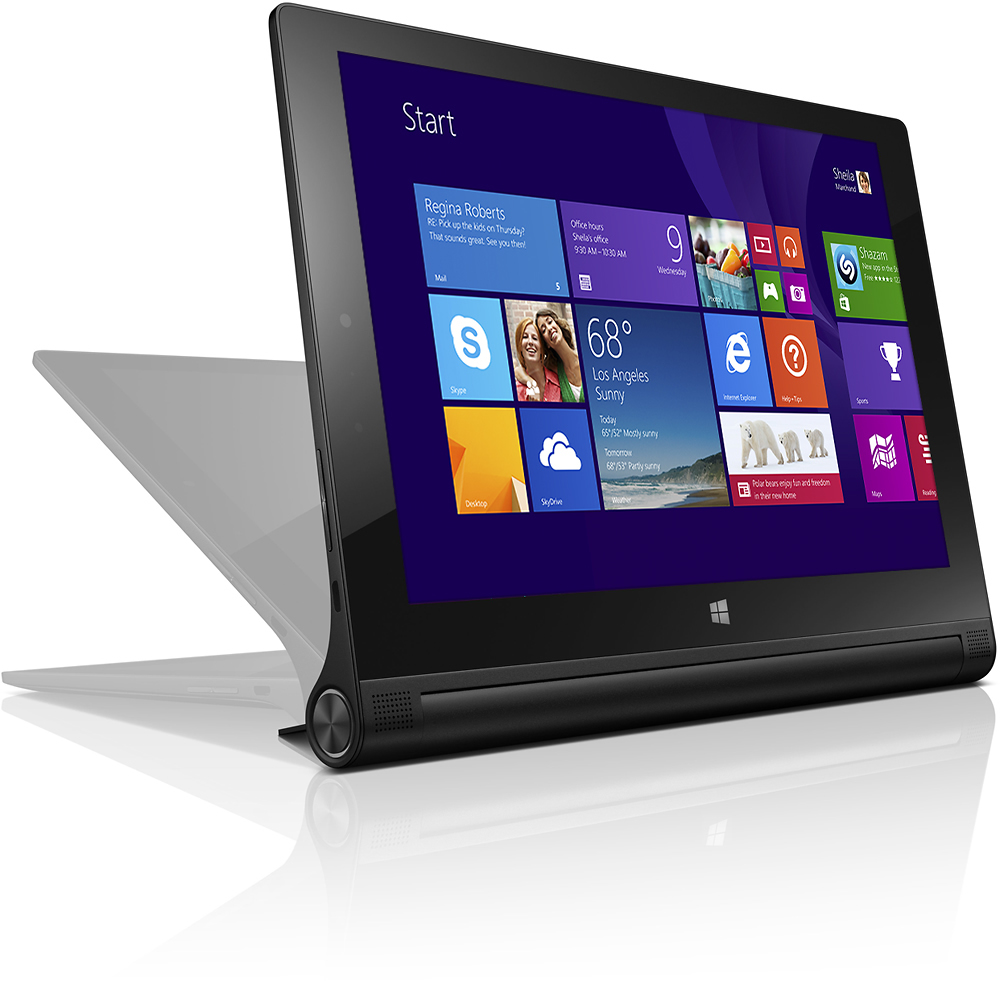
Customers admire the Yoga 2's long battery life, ease of use, light weight, and compact size, frequently praising its convenient design and helpful kickstand. However, the keyboard's magnetic attachment and the lack of a full-sized USB port are common points of concern. Some users also found the limited storage capacity and the somewhat awkward stand to be drawbacks.
This summary was generated by AI based on customer reviews.
- Pros mentioned:Battery lifeCons mentioned:Keyboard quality
Rated 4 out of 5 stars
Great Tablet
||Posted .This reviewer received promo considerations or sweepstakes entry for writing a review.I really like this tablet. I would give it 5 stars if the key pad wouldn't freeze from time to time via Bluetooth but otherwise it's a great buy. The battery life is truly 15 hrs and it's so portable.
I would recommend this to a friend - Pros mentioned:Battery life, WeightCons mentioned:Keyboard quality, Storage, Usb port
Rated 5 out of 5 stars
Excellent Tablet - Great Value
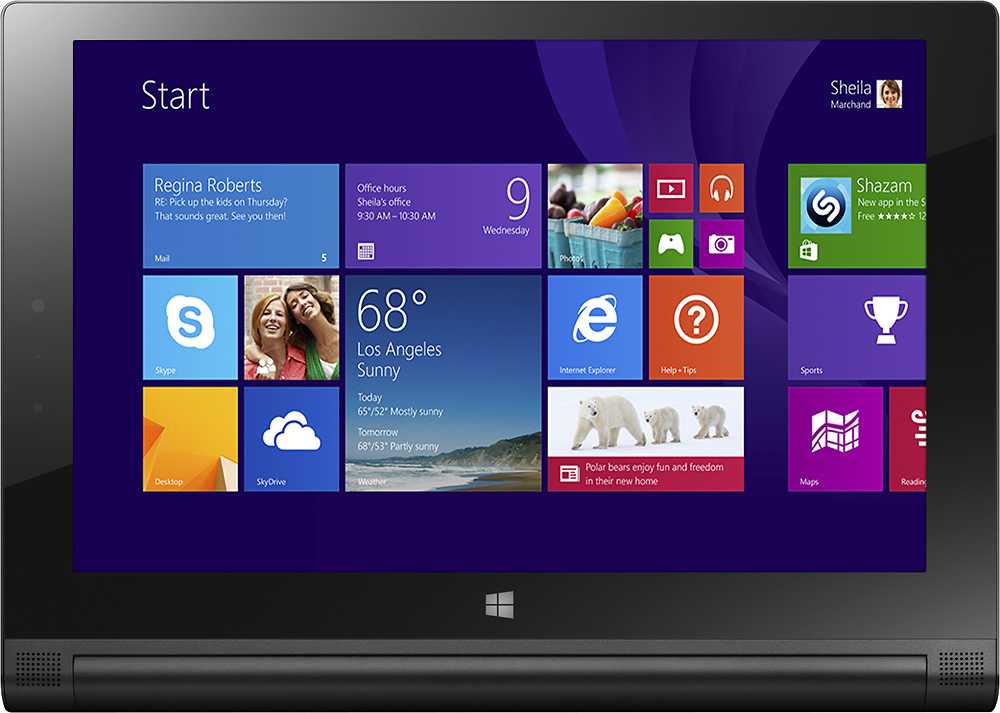
||Posted .This reviewer received promo considerations or sweepstakes entry for writing a review.Pros: Beautiful 16:10 High Resolution Screen Great Speakers (for a tablet) All Day battery life Unique shape that really works well Built in kickstand Lightweight Very Responsive Bluetooth Keyboard included Keyboard is nearly full size and easy to type on Front and Rear cameras Premium look and feel Micro SD Card Slot HDMI Out Cons: Screen is too green/blue. But this can be adjusted. Keyboard on/off switch is EXTREMELY stiff Trackpad is small and feels cheap No full size USB port (It's Micro USB) Kickstand can be tricky to open when docked on keyboard Only 32GB built in memory (23GB available to user) Windows on a tablet works well, but is not for 'Simple' users. When the keyboard is used as a cover it can slide around. My Thoughts: I love this tablet. I have used an iPad 3, iPad Air, and iPad mini and HP Touchpad. This tablet is a really good size for single handed reading and for typing with the keyboard. The speakers sound really good, but are lacking bass. The battery really does last all day and then some. For anyone wondering, yes, you can use the tablet & keyboard on your lap like a laptop. It's not quite as stable, but it works.
I would recommend this to a friend - Pros mentioned:Processor speedCons mentioned:Keyboard quality, Storage, Usb port
Rated 4 out of 5 stars
Good little tablet
||Posted .This reviewer received promo considerations or sweepstakes entry for writing a review.Fast little tablet. Windows 8 limits it some. Can't download apps to the SD card. Wish it had more internal storage. Wish it had a USB port. Does the job for what I purchased it for. A lot cheaper than the MS Slate. The build is just OK. The plastic on the back seems a little weak. I can press on it and hear it crack a little. Sometimes the screen is a little unresponsive. Keyboard touch pad could be better. I own an iPad Air and a Samsung Tab S 8" and I think the Win 8 tablet comes the closest to replacing my big laptop. I still use all 3 for one thing or the other.
I would recommend this to a friend - Pros mentioned:Processor speedCons mentioned:Keyboard quality, Stand
Rated 4 out of 5 stars
Great for the little things
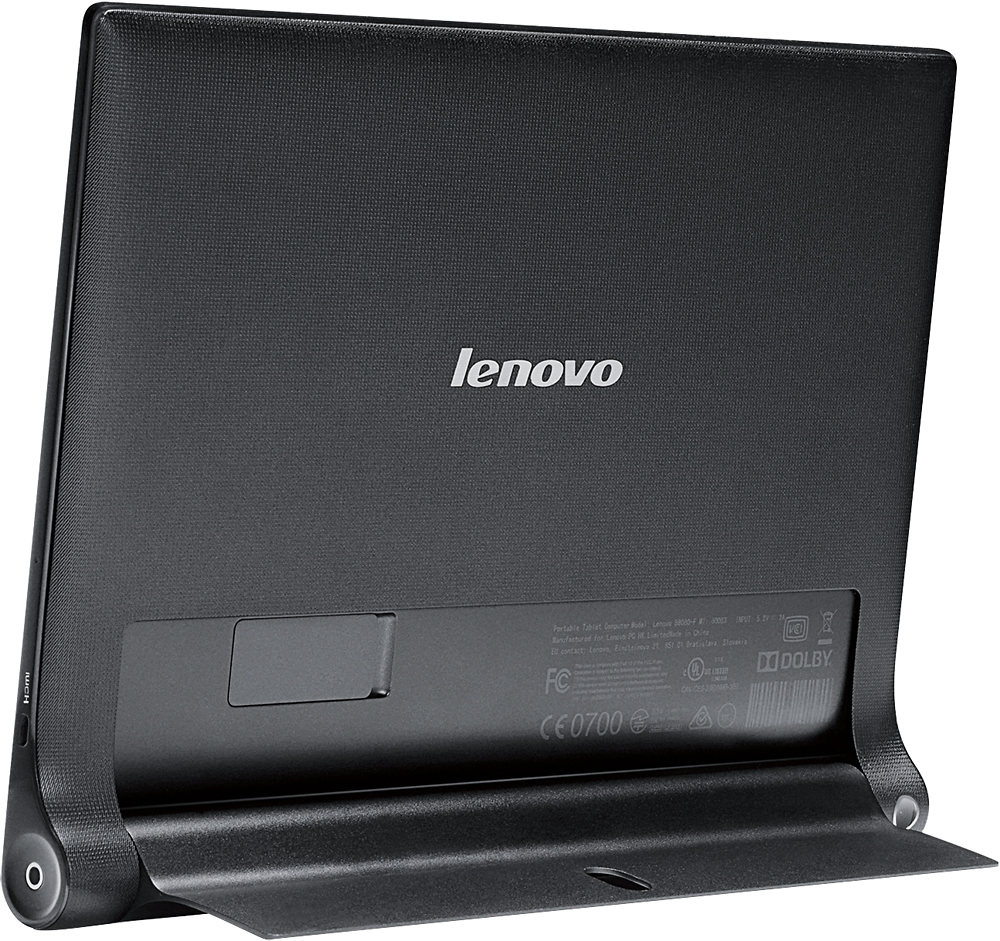
||Posted .This reviewer received promo considerations or sweepstakes entry for writing a review.I am going to list the cons first. It has no USB ports, the keyboard can be "hinky" if you don't follow the directions, the owner's manual is a lacking, and the stand can be clumsy to open. That said, buy a mini SD card with as much room as you can afford. That will give you plenty of room and it fits right in the tablet with negligible added weight. Follow the steps in the owner's manual to add the keyboard and you will not have a problem. Lastly, I tied a ribbon in the hole of the stand and it opens quite easily. Now as far as the tablet itself, it has enough power to run any Ofiice 2013 Pro Product and is more than enough for videos, email and all the other little things that I just don't want to lug around a large laptop to complete. I chose not to give it the last star because of the lack of USB ports.
I would recommend this to a friend - Pros mentioned:Processor speedCons mentioned:Keyboard quality, Usb port
Rated 3 out of 5 stars
Good for surfing and email
||Posted .This reviewer received promo considerations or sweepstakes entry for writing a review.Pro: Responsive and fast loading webpages, no lag during videos, included blue tooth keyboard lost connection just a few times but otherwise worked very well. Great for surfing and email. Stable kickstand. Loaded windows 10 without a problem. Cons: securing the keyboard to the tablet was a bit of a hassle and had the potential to easily fall off or misalign from the tablet. The lack of usb was real drawback for me that I did not anticipate. I had to purchase a microusb to usb to connect my usb stick and too also connect my wireless usb mouse to regain the usb functionality. That was my own fault for overestimating the functionality of the tablet. conclusion: as a tablet, minus the keyboard issue, its a great purchase for the price. As an informal desktop/laptop replacement it felt clunky due to the keyboard and lack of usb.
I would recommend this to a friend - Pros mentioned:Battery lifeCons mentioned:Keyboard quality
Rated 4 out of 5 stars
Good tablet, but takes getting used to
||Posted .This reviewer received promo considerations or sweepstakes entry for writing a review.I bought this computer to replace my Eee PC that I had for years, because I needed a small laptop for travel. I liked the features, especially the detachable keyboard and kickstand that lets you view the monitor at several angles. It has been a pleasure to have a tablet with a Windows operating system. Having said that, there was one drawback for me. The touchscreen is so sensitive that when trying to click on the tabs in the internet browser, links of text, check boxes on forms, etc., I had difficulty hitting the right spot, and was frustrated at times. This may improve with practice, and I have found that using a mini stylus makes it easier to maneuver around the touch screen. The quality of the screen resolution is excellent. The only other thing I have had problems with is getting it to turn off! It tells you to swipe downward on the screen when you are turning it off, but when I do this, then close it, it stays on in sleep mode. I didn't use it a couple days after doing this, and the tablet's battery was dead when I tried to turn it on and use it. If the tablet is closed on the keyboard, which also serves as a cover for it, you have to plug in the two USB cables on opposite sides from each other to charge both the keyboard and tablet. I have only owned iPads as tablets go, so this may be typical of Windows type tablets. I do like a challenge though and think with time I will get used to these small points I have mentioned. Overall it is built well, sturdy, lightweight and will be easy to travel with. It holds a charge for a very good length of time.
I would recommend this to a friend - Pros mentioned:Battery life, Processor speedCons mentioned:Keyboard quality, Storage, Usb port
Rated 1 out of 5 stars
They didn't think this thing through
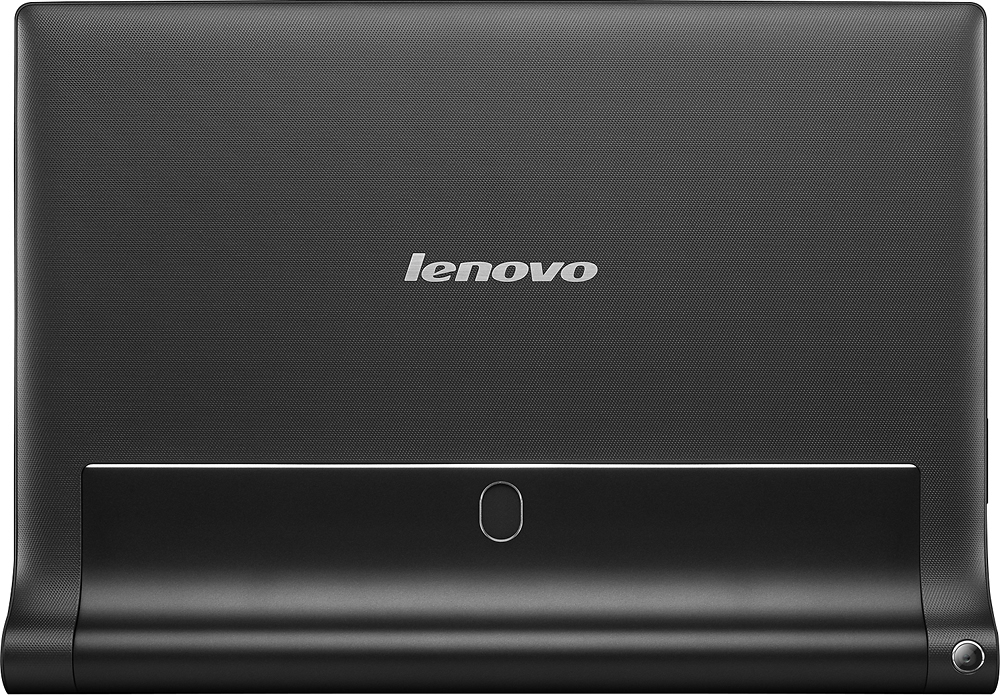
||Posted .This reviewer received promo considerations or sweepstakes entry for writing a review.Lenovo made a unique shaped tablet, but didn't think this through. Hard to use, hard to like, impossible to love. Good - comfortable to hold at a tablet. Long battery life. Fast enough for a windows tablet. Runs windows apps well. Decent keyboard for a 10 incher. Sound was good for a kitchen counter (although mine had one bad speaker that buzzed) Bad - The keyboard slides off (magnets too weak) which means the case falls off, too. Keyboard stops communicating for several seconds while typing, so you lose what you typed. Sometimes the keyboard doesn't communicate after waking up. You have to power off and on to sync up again. The tablet is ugly from the back. The whole tablet and keyboard/case are very ugly when closed. It's ONLY good looking opened up and sitting on the counter, looking at it from the front. 32GB is not enough memory. Only ONE usb (which is a micro usb, and also the charging port). Easel is HARD to open, and when you do, the keyboard slides off. One speaker was bad (it buzzed unless you put pressure on it). Note - I returned it after trying hard to love it for six days. I really wanted to love it.
No, I would not recommend this to a friend - Pros mentioned:Battery lifeCons mentioned:Keyboard quality, Storage, Usb port
Rated 3 out of 5 stars
Good bang for the buck
||Posted .This reviewer received promo considerations or sweepstakes entry for writing a review.PROS: Good resolution Runs full Windows Great value CONS: Windows 8 sucks No full size USB port to attach peripherals Limited storage Lenovo bloatware Stand is cumbersone Keyboard attaches magnetically Overall a good tablet PC. The price point is right and the screen is great. I had minimal slowdowns but it is to be expected from a non i core processor. The keyboard only attaches magnetically. It has good battery life but good luck using the keyboard on your lap. You can only use it when the tablet is propped up.
I would recommend this to a friend - Pros mentioned:Battery life, Processor speedCons mentioned:Keyboard quality
Rated 4 out of 5 stars
portable tablet,, ok ultra/net book
||Posted .This reviewer received promo considerations or sweepstakes entry for writing a review.PRO: -LOOOOONG battery life (rivels ipad/android tablet operating/standby times) - fast zippy - high res screen is much sharper than other tablet/convertible along the same price range (ie. Asus transformer T100A) - windows 8.1 gives you applications you don't normally have access to on mobile OS - ability to run flash in web browser (this one is very personalized because i have some sites that I frequent and need to have flash) CON: - AS A LAPTOP: due to the fact that the keyboard is not FIRMLY attached with the tablet, this can not be used as a laptop all the time, ie. on laps, on bed, in the train on your suitcase, etc. you can only use it on a flat even service where the magnetic connection can actually maintain connected and/or the kick stand can actually prop up the tablet - AS A TABLET: Windows 8.1 is not tablet friendly, the system switches between metro UI and regular start-menu type UI inconsistently. some buttons are small (good for mouse, bad for fingers), and entry box does automatically reposition to the visible portion of the screen when the onscreen keyboard comes up (ie. onscreen keyboard covers the entry box).
No, I would not recommend this to a friend - Pros mentioned:Battery life, WeightCons mentioned:Stand
Rated 5 out of 5 stars
Best 2 in 1 so far...
||Posted .This reviewer received promo considerations or sweepstakes entry for writing a review.Pros: -Unique design allows for comfortable reading -Awesome battery life -Crisp and responsive touch screen -Light weight -BT keyboard included -Accepts Micro SD cards for extra storage Cons: -Stand can be a bit cumbersome to extend out -A bit on the pricier side; but worth the investment -Trackpad on BT Keyboard not great; I recommend a BT mouse
I would recommend this to a friend - Pros mentioned:Battery life, Processor speedCons mentioned:Keyboard quality
Rated 2 out of 5 stars
Good tablet in a bad package
||Posted .This reviewer received promo considerations or sweepstakes entry for writing a review.I have just two complaints about this tablet, but they aren't so minor. Overall, it's a great little tablet - great screen, battery life, speed is fine with the Atom processor and I like the particular form factor. My first big complaint is that it WON'T charge using any other standard USB wall adapter or with its cable plugged into another laptop or desktop USB port. IT WON'T! You have to use the Lenovo wall A/C adapter that came with the unit, and if you want to buy an extra one, you'll have a hard time sourcing one -- even from the Lenovo website. I did find one site selling one for about $45, which is higher than buying a regular one for $15 from any store. Apparently it's a 5.2 V adapter which is higher voltage than most other USB outputs. Very irritating, IMO. My second complaint is bigger and relates to the supplied keyboard. Yes, the magnet that sticks it to the tablet is way too weak as some pointed out, but THAT in combination with the fact that they failed to engineer some sort of 'ridge' or protrusion to keep the keyboard from sliding sideways while it's attached, makes the whole keyboard thing a recipe for disaster. While picking mine up to set in on my lap, from beside me on the sofa, the tablet slid off the magnet and onto the living room floor. Luckily, I have carpet or it would probably have been quite damaged if it had fallen on a tile floor. This kind of engineering is inexcusable, and IBM would never have engineered such a design if it still owned this company (Lenovo purchased the PC line from IBM). My advice -- DON'T rely on the keyboard as an attached keyboard. Keep it separated while in use, or just put it away for when you need it, I'm glad I was not out on my back patio when this mishap occurred. Oh, and also -- then tablet kickstand is really, really awkward to deploy. There's no way to grab the kickstand or to even insert a fingernail to begin extending it. You have to apply palm or index+thumb pressure to start to move it away from the unit. Good luck with all this!
No, I would not recommend this to a friend - Pros mentioned:Battery life, WeightCons mentioned:Keyboard quality
Rated 4 out of 5 stars
nice little guy
||Posted .This reviewer received promo considerations or sweepstakes entry for writing a review.The best is it is a Windows that is a must for students and most professionals. Its battery last pretty long. It is very light. It you feel a laptop is still to heavy, this is the one you can consider. The only thing I am not really favorite is its keyboards is too easy falling out from the tablet.
I would recommend this to a friend - Pros mentioned:Battery life
Rated 4 out of 5 stars
Nice Mini PC
||Posted .This reviewer received promo considerations or sweepstakes entry for writing a review.This is more PC than traditional tablet. Running Windows 8.1 gives this machine a stout OS that is capable of doing complex tasks. The front firing speakers are good, battery life is fantastic, and it feels great in your hands. The kick stand is very handy as well. I'm much happier with this tablet than Android or Apple tablets that were much more expensive. Now this is not perfect. 32GB is not enough memory. Adding a memory card will allow an additional 64GB, but this memory can't be used for everything. Currently this OS will not allow changing app installs to take place on a SD card. This is a major issue if you plan to download a ton of apps. You can't move the apps there either after installation. To date, I haven't found a good case or sleeve for the Windows version of this tablet. Lenovo doesn't seem to have their own solution yet either. All in all, this is a very nice tablet that is worth purchasing over higher priced competitor products.
I would recommend this to a friend - Pros mentioned:Battery lifeCons mentioned:Keyboard quality, Stand
Rated 4 out of 5 stars
Great laptop for travellers
||Posted .This reviewer received promo considerations or sweepstakes entry for writing a review.I use this as my travel laptop - with a small bluetooth mouse, it is perfect - lightweight, good battery life. I haven't taxed the Atom CPU at all since I primarily do email, web browsing and Excel I love it. The two negatives - I wish the stand was easier to turn out and I also wish the magnets that hold the keyboard to the tablet was stronger.
I would recommend this to a friend - Pros mentioned:Battery life, Processor speed
Rated 5 out of 5 stars
I LOVE THIS TABLET!!!
||Posted .This reviewer received promo considerations or sweepstakes entry for writing a review.If you're looking for an inexpensive way to get into a (mostly) full-featured Win8.1 tablet, this is the one. I got this machine as a back-up/travel PC - complete with the full Microsoft suite of tools. I was a bit wary of the Atom processor - thinking that it would not be sufficient enough to handle basic Office functionality however I was pleasantly surprised. 2Gb of memory may not be enough for some power users however it is plenty good for use for my intended purpose. I added a 64Gb micro SD card for storage, a micro USB hub for a USB keyboard any mouse, and a micro HDMI adapter cable and I'm good to go with a lightweight desktop substitute as well. Battery life is fine for my purposes - I've yet to run it down after several hours of use. The included keyboard is good enough - as others say, you may find the magnetic coupling a bit of a challenge but it doesn't bother me. I don't expect to be able to pick up the tablet my the keyboard, that's for sure and it works well enough on my lap but your experience may vary. The trackpad supports multi-touch as well. The power switch on the keyboard is just tall enough to catch with your fingernail but I tend to forget to turn it off most of the time. Good thing it's got decent battery life on the keyboard as well! All in all, I'm very pleased with this tablet! I would definitely recommend this to folks that are looking for something more than an RT device but can't justify going to a full-blown Win8.1 tablet. Great Value!
I would recommend this to a friend - Pros mentioned:Battery life, Processor speed, Weight
Rated 5 out of 5 stars
Great for most uses!
||Posted .This reviewer received promo considerations or sweepstakes entry for writing a review.I bought this tablet primarily for watching movies, surfing the internet, and tweaking photos. I really don't have any complaints. The HD screen is bright and crisp, long battery life, touch screen makes everything easier to manipulate, Windows operating system means you can install the same software you would on your desktop computer, no lag (ever! so far), light and thin, I could go on and on. If you are on the fence about buying one, go to Best Buy before they sell out!
I would recommend this to a friend - Pros mentioned:Battery lifeCons mentioned:Keyboard quality
Rated 5 out of 5 stars
2 in 1 for that price?
||Posted .This reviewer received promo considerations or sweepstakes entry for writing a review.I'm a former Hewlett-Packard promoter and I do know a thing or two about computers. I also tend to do deep research on the product before I grab one as a force of habit I guess. This little sport is really off the charts.. the ugly truth is that this is my first tablet it is yes. I mean why would I need a tablet? To read a Kindle book? Oh come on. I need a laptop that can tablet. Finally at a very comfortable price! Pros: 1. Battery life: The best experience I've had so far on a laptop. 2. Screen led full HD nice performance. 3. Fast WiFi 4. Decent stereo for traveling. 5. 2 in 1 more opportunities of use. 6. Windows 8.1 and free upgrade to win 10 7. Intel atom inside multitasking capable. 8. 2 cameras back and front. Back is of good quality. 9. The price! 10. No moving parts built as tablet with low power consumption. Cons: 1. Keyboard is a bit fluffy. 2. No USB ports.
I would recommend this to a friend - Pros mentioned:Battery lifeCons mentioned:Keyboard quality
Rated 3 out of 5 stars
Portable and Powerful
||Posted .This reviewer received promo considerations or sweepstakes entry for writing a review.I was looking for a portable and affordable system and didn't necessarily want another laptop. Chromebooks are priced right but don't have the functionality I need for school and work. The Best Buy sales associate pointed me towards a convertible system. The prices were intimidating until I found the Yoga 2. I like that I have the functionality of my primary computer but can toss my Yoga into my purse. The keyboard is great, when it works. I had to seek out drivers to stabilize the keyboard. But after that, I haven't had any problems. I found a Bluetooth mouse, and now the Yoga is my preferred device. I wish it had more internal storage to install more powerful programs like Adobe products along with MS Office. I also wish all programs could be installed to the SD card. The kickstand is kind of annoying. I wish it had a handle or something to make it easier to open when in my aftermarket case. The camera is nice, but there's no zoom. I don't use it anyway, so it doesn't bother me. I love that the Yoga is ready whenever I am. The battery is excellent. I don't charge it for days at a time. Overall, I'm more than happy with my purchase. I have access to all the main functions of my primary computer on the go without any loss of productivity.
I would recommend this to a friend - Pros mentioned:Battery lifeCons mentioned:Keyboard quality
Rated 4 out of 5 stars
Great tablet, flimsy keyboard
||Posted .This reviewer received promo considerations or sweepstakes entry for writing a review.This tablet is good value for the money(bought it on clearance). Don't expect lighting fast performance but the battery life is better than most other popular tablets(i. e iPad, galaxy tab 10.1) Although it doesn't quite live up the claim it makes for battery life. II also wouldn't recommend upgrading it to Windows 10 because I feel that Windows 8 is more tablet friendly(although of you plan on using it with keyboard all the time upgrade.) The keyboard feels very flimsy and is not very comfortable to type on in my opinion. I'd recommend this tablet to anyone who watches a lot of videos or to do simple tasks such as web surfacing or viewing a PowerPoint.
I would recommend this to a friend - Pros mentioned:Battery lifeCons mentioned:Stand, Usb port
Rated 2 out of 5 stars
Continue very disapointed
||Posted .This reviewer received promo considerations or sweepstakes entry for writing a review.I have now had the tablet 2 months, and it's a big disapointment. The touch screen responds very bad, especially in the areas close to the frame, and many times when I press the icon, it marks as "touched" but nothing happen. ( I don't see how it can get "activated" in the screen, without sending the signal to the software that it needs to do something, but that's what happen). Many times i have to press 3 or 4 times, before it does what it should do. It's almost " a must" to use a touch pen, for it to react good. It loses conection with the keypad (Bluetooth) and I have to re-connect it (not when using it, but when I start up the computer). The angel at which the stand for the tablet can be fixed, is too low ( seems to be close to 90 degrees with the table, instead of 45 or something which would make it much easier to use/see. Now it almost fall over. I have the windows 8 version , which is very user UN-friendly (Not tablets fault, but microsoft). Battery life is good, and screen is good. In short, I do not reccomend it. Better to spend a little more money and buy a higher quality notebook.
No, I would not recommend this to a friend