Customer Ratings & Reviews
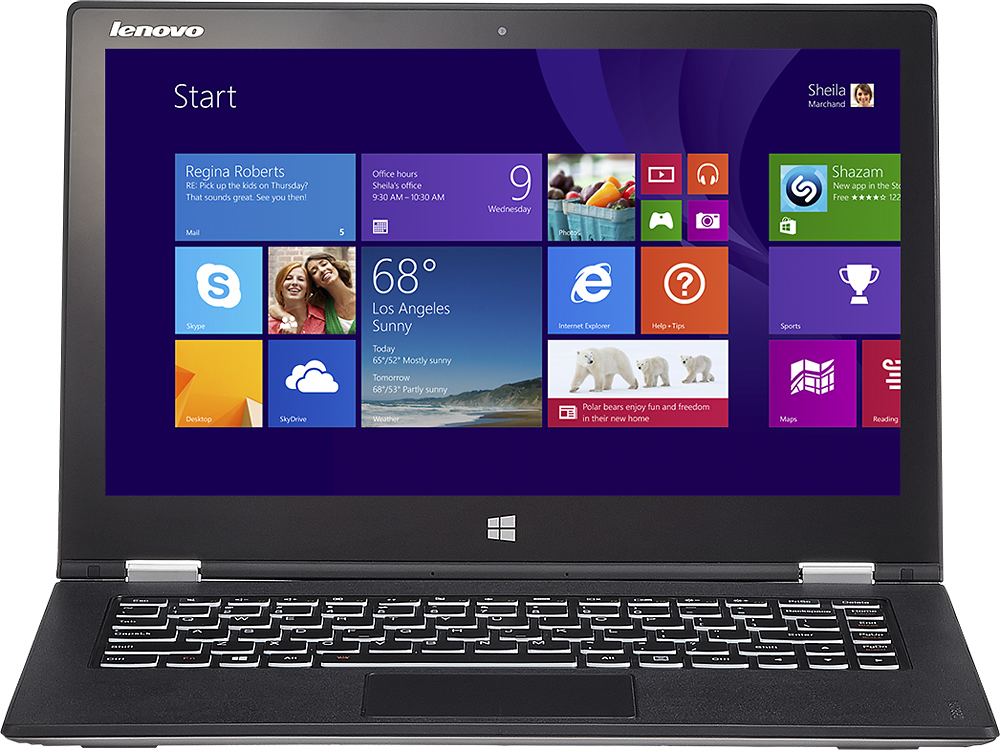
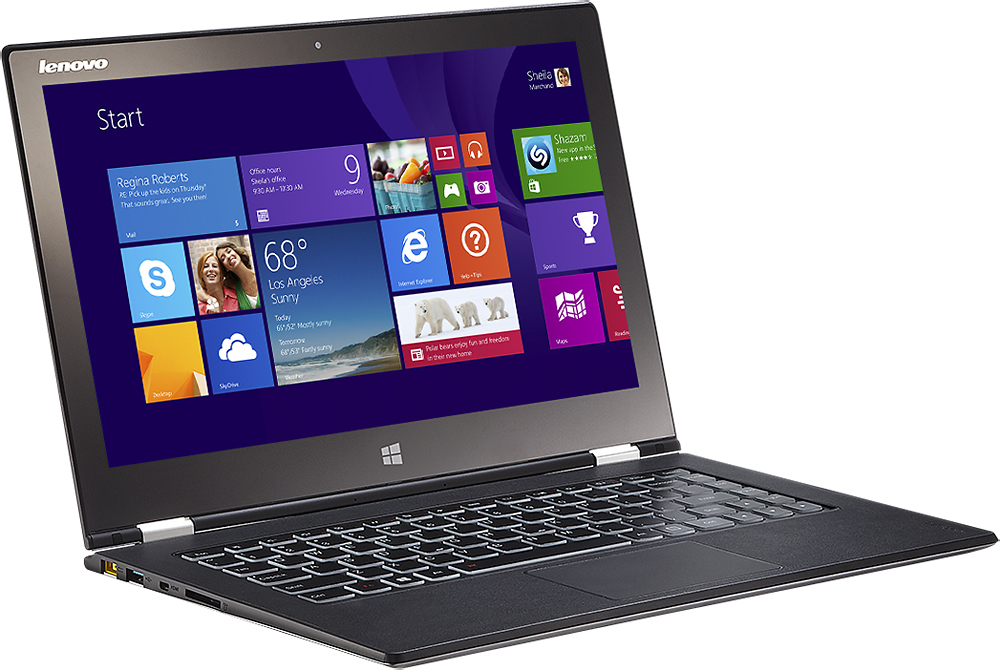
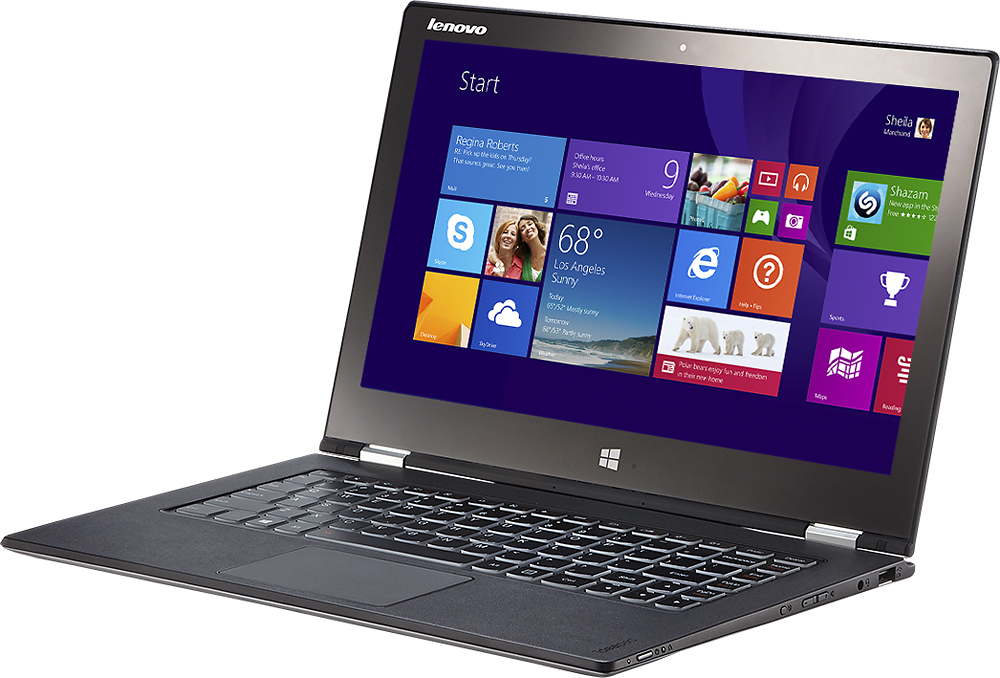
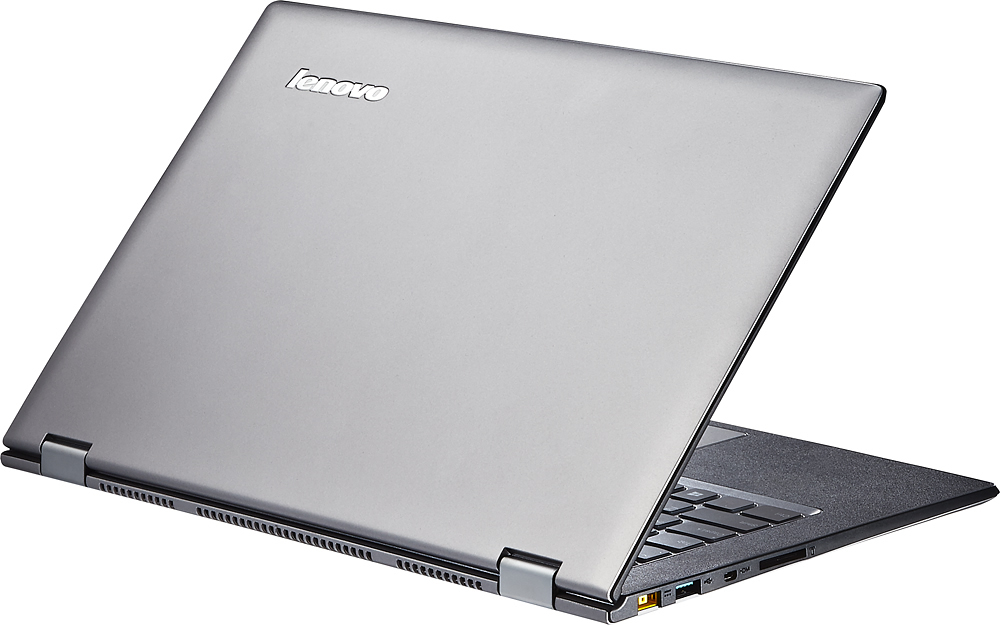



- Model:
- Yoga 2 Pro - 59418309
- |
- SKU:
- 1817254
Customer reviews
Rating 4.3 out of 5 stars with 1659 reviews
(1,659 customer reviews)Rating by feature
- Display4.4
Rating 4.4 out of 5 stars
Customers are saying
Customers are impressed with the Yoga 2 Pro's touch screen, describing it as a great feature. They also appreciate its lightweight design, with comments noting how thin and light it is. However, some customers have concerns about the battery life and the Windows 8 operating system.
This summary was generated by AI based on customer reviews.
Rated 5 out of 5 stars
Better choice than a Yoga Pro 3
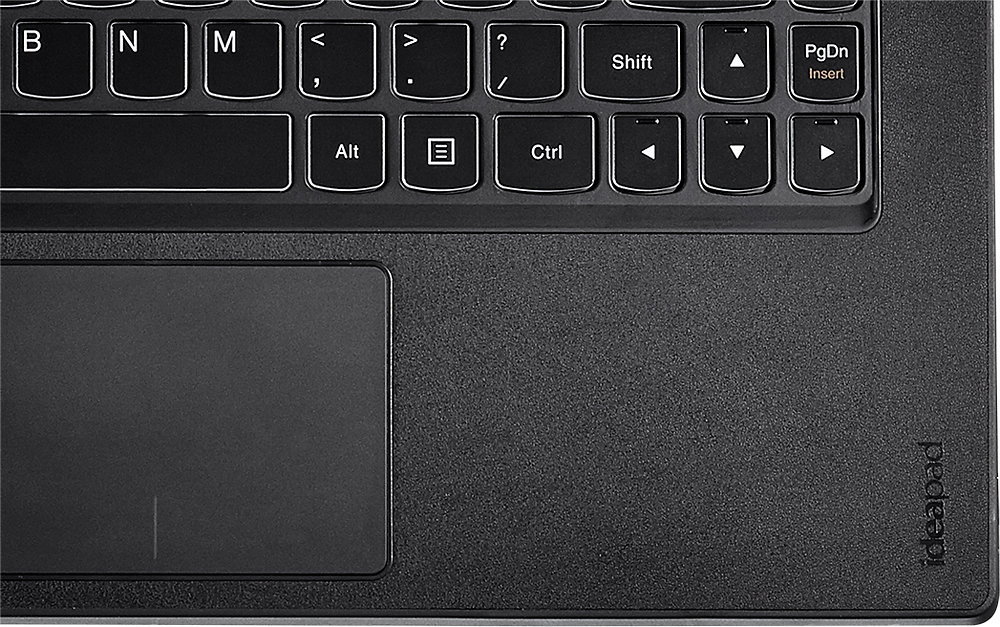
||Posted .This reviewer received promo considerations or sweepstakes entry for writing a review.I went in expecting to purchase a Lenovo Yoga Pro 3 an ultrathin ultrabook. The sales rep. showed me the Yoga Pro 2 i7 (Specifically the i7) vs the Yoga Pro 2 i5. The i7 version was nearly the same size at the Yoga Pro 3! BUT the i7 chip vs the M Processor (in the YP3) is triple the processor the M chip is, so it was a no brainer. The M chips falls just below the i3 from what I found in performance. Basically the YP2 i7 is the same size machine but 3x the processing power for the same money. Literally you only save a very small mm and a slight weight advantage with the YP3. Now this is only the i7 version. The i5 version of the YP2 is definitely thicker and the YP3 has a clear size advantage. But the YP2 i7 version had the 4 most important things to me to give me what I want now AND the future: i7 Processor 8gb Ram 256gb ssd (no moving part hardrive that can fail) AC Wifi The AC Wifi still baffles me that it wasn't until late 2014 for this to start showing up as a normal item. Even early 2015 and maybe only 1/3 of the laptops being sold today seem to have AC wifi. The Yoga Pro 2 (and 3) has AC wifi (and Bluetooth 4.0). A very welcome feature to have to help futureproof the longevity of this laptop. The "softtouch" area that surrounds the keyboard is very nice and has a luxury feel to it. It is molded to have a slight leather look texture to it. The auto brightness is glitchy, I notice in a low light environment that the screen brightness flickers to adjust. Maybe it was the ceiling fan causing it to be confused, but it was a bit odd to see the screen brightness constantly adjusting in a low light living room with a ceiling fan moving. Boot time is great, bloatware is very minimal and easily removable through the unistaller. The ultra high resolution is very nice and the only problems I have encountered are with Photoshop elements. The toolbar scaling (even with 250% text size) is still very very small, but I can see the entire picture to edit so I don't have to scroll around to see parts of the image (trade off of full image size vs small text size). So far, very happy with the choice of the Yoga Pro 2 i7 over the 3 M processor. I do wish the exterior was aluminum, but I imagine that would drive the cost up. The painted plastic exterior shell likely won't hold up over time, but that is only my speculation. Looking at all the options at the Best Buy retail location this was by far the best option for me for an Utlrabook with the specs I desired (i7/8gb/256gb/AC wifi).
I would recommend this to a friendRated 4 out of 5 stars
not so good camera you cant take pictures.
||Posted .This reviewer received promo considerations or sweepstakes entry for writing a review.Over all the computer has some great features, the biggest draw back is when the commuter is in tablet mode it doesn't take pictures like a real tablet. I feel that this computer/ tablet would be awesome if it had a camera in the front and the back, this is a huge draw back, the computer it self is great the tablet is very week with a back camera.
No, I would not recommend this to a friendRated 5 out of 5 stars
Amazing UltraBook
||Posted .This reviewer received promo considerations or sweepstakes entry for writing a review.I am a tool designer and have used high end computers for years. I love this machine and the buying experience at Best Buy was excellent.
I would recommend this to a friend- Pros mentioned:Touch screen, WeightCons mentioned:Battery life, Color
Rated 3 out of 5 stars
It works, but a lot of tiny annoying problems
||Posted .This reviewer received promo considerations or sweepstakes entry for writing a review.Positives: It's lightweight, has pretty good graphics, and stands. The touch screen is also reliable. Negatives: The wi-fi card driver needed a bit of upgrading for it to work. The connection still drops once in a while but rarely...so far. I've only had it for 2 months so it's still too early to tell. The yellow color is darker than it should be. The screen back light's flickering seems to be making the yellow darker. The battery life is shorter than the advertised 9 hours, but the actual battery life is good enough for me (5-6 hours). The resolution is too high to fit the screen, so the windows and text look smaller than they should be; not sure if this can be adjusted in settings. The screen, in turn, is small and squishes windows you can't change the size of (making it impossible to see and click some things in them).
No, I would not recommend this to a friend - Pros mentioned:Touch screenCons mentioned:Battery life
Rated 4 out of 5 stars
Excellent specs, mediocre battery
||Posted .This reviewer received promo considerations or sweepstakes entry for writing a review.As someone who primarily uses a desktop to get work done, I was skeptical about getting real work (scientific computing) done on a laptop. The Lenovo Yoga 2 Pro converted me practically overnight (to be fair, I did install, and still primarily use, Ubuntu Linux on this machine). WIth an i7-4500U CPU and 8GB of RAM, this system is fast enough to prototype code. The 220-ish GB of space available on the primary partition of the blazing fast SSD is quite sufficient and the wireless is pain-free enough to rely on the 'cloud' for additional storage needs. The display is stunning albeit a little too glossy. Unfortunately, A few apps on Windows 8 (and quite a few GTK applications on Ubuntu) don't deal with the spectacular resolution very well, so some workarounds (forced scaling, etc.) are needed. However, I must say the battery life has been disappointing - between 4-5 hours of netflix streaming drains the battery dry. Fortunately for me, the battery seems adequate for about 6-8 hours of writing/running code. There is also a considerable amount of crapware that comes bundled in with Windows 8 necessitating a few hours of hunt-and-uninstall. Overall this has been a very satisfying purchase for me. The excellent display (in terms of crispness and screen area), and the very comfortable keyboard have made coding on this machine a very enjoyable experience. Finally, the Yoga poses are a great way to display presentations to a small audience.
I would recommend this to a friend - Pros mentioned:Touch screen, WeightCons mentioned:Battery life
Rated 5 out of 5 stars
Super laptop/tablet hybrid for a really good price
||Posted .This reviewer received promo considerations or sweepstakes entry for writing a review.Over many years I have owned many high-end portable laptops, mainly IBM x-models. But this Lenovo Yoga pro 2 is the most versatile and fast machine I've ever had. You can throw any task at it's i7 processor and the 8gigs of RAM and it will handle it with ease. The 256 GB SSD boots and shuts down almost instantly. The display is crisp and clear even in a bright environment. Just a little bit too much glare due to the fast acting touch screen. The keyboard isn't quite as good as those of the IBM x-laptops but still fast and precise. It is super light weight and easy to carry it around. Built quality is outstanding. Just the battery life could be a little bit better. After 6 hours of continuous work you'll need the charger. But in less than an hour you're back up to 75% of charge even if you kept on working. So in the real world: No problem there. All in all: The best and fastest hybrid on the market for its price. Highly recommended.
I would recommend this to a friend - Pros mentioned:Lightweight, Speed, Touch screenCons mentioned:Battery life
Rated 5 out of 5 stars
Good for all my business applications.
||Posted .This reviewer received promo considerations or sweepstakes entry for writing a review.Selected this for its portability, speed, and memory. Have been extremely happy so far. Battery life exceeds my previous computer but still not what I'd hoped. The keyboard is the perfect size -- but do miss the 10key. Small enough to be very portable yet nice sized screen. Love the display and the touchscreen is great. Probably could have gotten by with a less expensive laptop -- but this one has all I need and more.
I would recommend this to a friend - Cons mentioned:Color
Rated 4 out of 5 stars
Excellent design,New builds have dual band AC Wifi
Posted .This reviewer received promo considerations or sweepstakes entry for writing a review.I went back and forth between this model and the standard Yoga 2. After hours of research and several trips to Best Buy I decided on the Pro version. The black lid on the Yoga 2 looked really cheap and I preferred the soft touch silver and the rubber palm rest of the Pro. Also the Pro didn't creak and twist when picked up by one corner but still managed to weigh a 1/2 lb less. When I got it home the first surprise was during the intial setup it saw my 5G wireless network. I had read countless complaints about the single-band card & all of the connectivity issues associated with it. Needless to say, I was elated to find that Lenovo had addressed this on the new builds. Mine was built on 6/12/14 & the box shows a ship date of 6/17/14. Apparently Lenovo made this change without saying a word. I have uploaded a pic showing that mine shipped with dual band AC wifi. I would strongly suggest going to the store & having the associate bring one out to verify that it has the newer WLAN. It's stated on the label on the box. Unfortunately my unit still refused to stay connected to the internet. It would lose connection every 5-10 minutes & I would have to run the windows network repair to be able to reconnect. This went on for days. I searched the internet up and down & tried everything. I downloaded the newest drivers although windows said my driver was up to date it was actually 2 editions old. I did a total reset of Windows. Nothing helped. Then I found a Windows employee stating that Mcafee was a known culprit of wifi issues with 8.1 & the dreaded yellow exclamation point in the task bar. He recommended removing McAfee from the computer and turning windows defender back on (make sure if you do this to uninstall it and then run Mcaffe's uninstall tool to completely remove the program). Since I removed Mcafee, guess what? Not a single disconnect. I can't believe they put this junk on there at the factory. One of the advantages of 8.1 is the security and anti-virus software isn't needed anyway. Just let Windows defender do its job and say goodbye to constant anti-virus pop ups. Since removing McAfee it has run like a champ. The different modes are great & now I find my tablet collecting dust. The windows app store still stinks so don't expect to find the vast majority of apps you have on your Android or iDevice. Google only has one native app and that is search. The only issue I really have with the computer is the display. The pixel density is exceptional but it is not great at displaying the color yellow even after the "fix" issued by Lenovo. I would have preferred they spent that money on the best RGB 1080p screen instead of just a "pretty good" pentile 1800P display.
I would recommend this to a friend - Pros mentioned:Touch screen, WeightCons mentioned:Price
Rated 4 out of 5 stars
Great Decision!
||Posted .This reviewer received promo considerations or sweepstakes entry for writing a review.After looking for months at the best option for me, for work AND home use, this Lenovo was a great choice! It's light-weight (one of my major requirements), easy to slip into a large purse or similar for air travel. Absolutely love the touch screen tablet and a quick conversion to laptop. Also has great battery life! Would give it a 5 if: - it had a built-in numeric keypad (there is plenty of room for this - the battery didn't get so warm when keyboard side is flat, using as a laptop. In tent-configuration battery doesn't get warm - there weren't so many pre-loaded apps from Lenovo A bit pricey, but I'd still buy this machine again.
I would recommend this to a friend - Pros mentioned:Speed, Touch screen
Rated 5 out of 5 stars
Better Than MacBook Pro 15
||Posted .This reviewer received promo considerations or sweepstakes entry for writing a review.Over the last three months I was in search of a new computer. I was looking for speed, "I hate waiting", quality and display. I found it. I'm not a fan of windows 8 but with this laptop and its performance makes up for the window 8 issues. I tried a Imac 27 and took it back, I tried a MacBook Pro 15 , took it back too. I loved their speed and displays but when it came down to getting work done forget it. I was just trying to replace a mid range pc laptop. This Lenovo has better screen display than the Macs. Has all the ports you need just as fast or faster on boot-up, great battery life, excellent I mean excellent key pad. Super fast from one window to another or from one program to another very very fast to open"almost instantly" office word, excel, pp, publisher and all other programs installed, no lag at all. I'm glad my search ended well, I thought I was expecting too much but I'm glad I kept looking. I didn't care how much it cost I just wanted a fast computer with an excellent display. Just finished a 20 hour webinar in 2 days and it had no problems, no waits, no hick-ups, no lags, no disconnects. I never recommend a product but I would definitely buy this again. My wife has MacBook air and she is jealous of the speed and display of this Lenovo. I guess I will be buying one more.
I would recommend this to a friend - Pros mentioned:Lightweight
Rated 4 out of 5 stars
Mixed bag
Posted .This reviewer received promo considerations or sweepstakes entry for writing a review.I bought the Yoga Pro specifically for the display, planning to use it for editing photographs and to use in place of paper for editing PDF versions of word docs as I have been doing with a tablet. The larger screen lured me. I have not had the Yoga Pro long enough to have fully put it through its paces, but although early results are exciting in some areas, they are disappointing in key areas. For starters, I'm excited about the weight of this baby. It's half the weight of my previous laptop. And the display is like looking at a glossy print with stunning color and crisp detail. Depending on source quality, some video is so clear it's like looking out the window at real life. The adjustable-spread easel display works well to pop the Yoga Pro in a small area to play music -- speakers are super! -- or show recipes and instructions. The reverse stand feature works well in my lap for reading ebooks, positioning the screen at a nice angle. And I love, love, love the backlit keyboard. I can work in a totally dark room now without a light. On the downside, the touchpad is terrible. Lenovo could do WAY better on this, and I hope for updates. I could get used to the two finger scroll that's backward from my four previous touchpads -- you move fingers up to scroll down. But double-tapping to drag? No. Double-tapping on scroll bar to move it? No. Spread and pinch zoom control is nice. Far worse than the touchpad is the fact that the bleeding-edge, better-than-retina display is so far ahead of its time that especially Adobe software, but others as well have type three times smaller than phone screens on controls. Several installation windows are unreadable. Lenovo points the finger at developers who haven't caught up. Whatever the case, I am unable to use Windows LiveWriter to prepare blog posts, and Photoshop controls are so tiny I must use a magnifier to see them and a mouse to select them. A stylus is not precise enough. Stylus. This is the third disappointment. A rubber-tipped stylus such as one uses with an iPad works well and prevents a screen full of finger smudges. But how I miss the precision of the digitizing Samsung S-pen! I'm not throwing out my tablet just yet. Especially because controlling PDF docs on the touchscreen is difficult with both Adobe and Foxit readers, and writing with the stylus as I do on my tablet is virtually impossible. Letters deform as I write and input skips. I have similar results drawing in Photoshop. Perhaps later updates will improve this. I hope so! Finally, I actually do use three USB devices now and then. Sad that I'll have to carry a hub. I recommend this device with reservations. The more people who kick and scream about software that doesn't support these pixel-rich displays, the sooner that problem will be solved. But if you have vision problems, it's not time! And don't count on writing on the touchscreen as I did. Otherwise, it's splendid.
I would recommend this to a friend - Pros mentioned:Touch screenCons mentioned:Battery life
Rated 4 out of 5 stars
Almost there ...
||Posted .This reviewer received promo considerations or sweepstakes entry for writing a review.This is almost a great product, and the Yoga Pro 3 is a little bit better. I'm a really critical user, so 4 stars is pretty much a glowing report. Pros: The screen is excellent, the processor is fast enough for anything I threw at it. Movies in-flight were gorgeous. The keyboard is well laid out and has reasonable travel and resistance. The trackpad was responsive and its only flaw is a slight sensitivity to a hovering finger (not touching the surface). Cons (relative, there's really nothing bad): 6 hour battery life is not the same as 8 useful hours. 3 lbs, while not massive, is 50% more than I would like to carry during endless walks in airports. A third USB port is more important than I thought it would be (esp when plugged in at home). I wish I knew if battery saver mode (keeps the Yoga at 60% charge) was really worthwhile, because it's a pain. While this is not Lenovo's fault, there are a few apps out there which don't scale well with 250 DPI screens (Corel PSP X7) Overall, i would spend the $200 extra for a Yoga Pro 3 now, and will wait for the Pro 4 if it ever comes out. It's a tough call due to the lackluster claimed performance of the current Intel Core-M chip, but the weight impovement is significant. As always, perfection is just around yet another corner.
No, I would not recommend this to a friend - Pros mentioned:Lightweight, Touch screen
Rated 5 out of 5 stars
Versatility in a Small Package
||Posted .This reviewer received promo considerations or sweepstakes entry for writing a review.A classmate got this Lenovo Yoga Pro 2 and I couldn't get it out of my mind so I bought one for myself. It's so versatile with the different positions you can use it in. As a Grad student, I have a lot of research to do and I don't always want to and can't always stay at home to do it and I don't want to have to lug a heavy laptop around and there are also times when a tablet is more handy than laptop. With the Yoga Pro 2, all of my needs are met. Even in laptop mode the touch screen is extremely useful. I do a lot of reading for both school and pleasure and at times my eyes get irritated and strained. In tablet mode, I have a larger screen and I can continue my reading since I can have my entire Kindle library on it. The lighted keyboard is nice when I don't want full lighting. There really isn't any need to mention the quality of Lenovo products, but I will anyway. Some smaller laptops and tablets feel flimsy and fragile to me. The Yoga is sturdy without being bulky and clunky. This one has the SSD chip instead of a regular hard drive. I think that it is faster than a hard drive and is more reliable. The outer shell is rubberized like some cell phone covers and reduces the chance of dropping it or it sliding off of any surface. I would highly recommend this computer to friends and family. The price might be a little higher than others but it is very much worth it.
I would recommend this to a friend - Pros mentioned:Light, Lightweight, Speed
Rated 5 out of 5 stars
Best Laptop today
||Posted .This reviewer received promo considerations or sweepstakes entry for writing a review.This is the perfect ultrabook: - Very fast for a ultrabook: I7 processor, boots in ~7 sec... - Outstanding display resolution & sound - Light, very thin, very ergonomic in laptop or tablet mode. I was afraid to feel it "too big" for a tablet, but in fact it is perfect: you can really read, play, run several apps without having to switch/rescale these all the time. - USB3 ports + mini HDMI post allows it to communicate very efficient with external devices. Never had any issues with the WIFI. I really think that this 2 in 1 (ultrabook/tablet) is the best in its category. The idea to have the keyboard always available or hidden without having to pull it from somewhere else is invaluable! I do not have to carry a tablet anymore when I travel.
I would recommend this to a friend - Pros mentioned:Touch screenCons mentioned:Windows 8
Rated 4 out of 5 stars
Great ultra book with tablet mode
||Posted .This reviewer received promo considerations or sweepstakes entry for writing a review.First, it should be 4.5 stars if I could do that. I will start with my 2 issues with the laptop. 3200X1800 is simply too much right now. Movies and Win8 Apps look amazing, no doubt. Go into desktop mode and it just depends on the app. You can have windows zoom, which again depends on the app if it works well or not. I simply gave up on that resolution and am running it at 1920X1080. It still looks amazing so in no way and I dissapointed I had to do this The 2nd has nothing to do with this laptop, but Windows 8 is still awful. After a month or so of use I'm getting used to how to do everything. It just isn't intuitive. The display options for example were in 3 different places. Windows zoom is not in the same location as changing the display resolution. If you are going to be 100% in the Metro or 100% in the Desktop, then there will be very few issues. They are just very odd to use together. All of that said, I would still recommend this to anyone for this price. I wanted a laptop that was light for travel and this is perfect. The keyboard is a tad small, but this is just what you get from a 13.3in laptop. This is not my primary device, and if it was I would simply get a USB keyboard that is larger for everyday use. This just matters what you are used to using. I'm used to full deskop keyboards which will never exist on an ultrabook. I'm happy with the hinge and it feels solid. More solid than I expected. When in tablet mode I'm never holding it. I knew this going in as I had a 10in tablet a year or so ago and I never held that either. I rested it on my lap or put it on a stand on a table. So this being a 3lb tablet was no issue because it was always going to be resting on something. The presentation mode is actually my most common mode because it rests on my lap and then move the screen up/down to get the perfect angle for me. I'm not sure if I would have used a digitizer or not. I'm not an artist and I haven't used a stylus in years. These were the reasons why I didn't go with the other convertables out there with an active digitizer. The other 2 options I was looking at where Surface 2 Pro - This was removed because 50% of the time I knew I would use it on a couch and the non solid keyboard was simply not going to work here. The stand wasn't awful, but it just annoyed me too much for the week I tried it. The benefit of it just being a tablet wasn't a bonus to me as a 2lb tablet is still heavy. Sony Flip 13 - The fan noise killed this choice for me. Price is a 2nd issue on this, but if you required a digitizer, this seemed like a good option. It was also a laptop when needed vs the surface pro 2. Last minor issue. Lenovo(like every manufacturer) puts soo much crapware on it. It is a minor issue because it is very easy to remove. There is just sooooo much of it. I did keep a few, but haven't used them yet. The cooking app looks interesting.
I would recommend this to a friend - Pros mentioned:WeightCons mentioned:Battery life
Rated 5 out of 5 stars
Just what I was looking for
||Posted .This reviewer received promo considerations or sweepstakes entry for writing a review.I wanted a capable light weight 2-in-1. Compared this to the new Lenovo Yoga 3 Pro and the MS Surface 3 Pro. Got this open box Lenovo Yoga 2 Pro at a significant discount. I did not like the lower powered M-Processor in the Yoga 3 and the screen in the Surface was too small for me. An extra inch+ makes a big difference. I quickly leaned Windows 8 and like many of the features. Liked the i7 speed and higher memory for the price. No real pen capability but that isn't a big deal to me. I like the feel in both Laptop and Tablet mode. Not sure I would like the smaller Surface key board and kickstand. The weakest feature on this unit is the battery life, averaging ~5hrs of normal use. Better than my old laptop and sufficient for me, but other models will go longer. The higher screen resolution can result in very small text/Menus, but is very crisp and bright. Micro HDMI built in, no extra "gadget" required.
I would recommend this to a friend - Pros mentioned:Speed, Touch screen
Rated 4 out of 5 stars
Good but not great
||Posted .This reviewer received promo considerations or sweepstakes entry for writing a review.I've been looking forward to getting this computer for quite a while. It's definitely fast and once you figure out the windows display settings, it's actually quite a good screen too. I've had some issues as of late. Sometimes it will get stuck in a bootup state, it's not a loop, just won't leave the "Lenovo" screen. Other times, it won't remember that I have it in stand mode and thinks that the keyboard is being pressed instead of the USB keyboard. The micro HDMI is not secure at all, if you walk past the cable that is in there, it will think you've pulled it out. Otherwise, it's a great computer. Needs more USB ports though. It would also be nice to have a smaller charger as standard. Battery life is good, and processing power is great except when it comes to graphics. My next computer will have to have a dedicated graphics card even though I'm not a graphics or gamer.
No, I would not recommend this to a friend - Pros mentioned:Speed, Touch screen, Weight
Rated 5 out of 5 stars
Great hybrid for all
||Posted .This reviewer received promo considerations or sweepstakes entry for writing a review.I bought Yoga 2 Pro on Columbus Day and have been using it since then. I have 4th gen i7, 8GB RAM with 256GB SSD. It is very fast, 6 seconds to reboot! And the screen is amazing. My wife's favorite brands are Sony and Apple but even she was amazed with the screen. It is a handsome and sleek hybrid. I travel a lot and having such a lightweight yet capable laptop is a blessing. I do work on it all the time and I am quite content with it. My only dislike is the touchpad. It is native and in order the change it, you need to delete & add drivers. Also it feels like cheap glass. When I am not mobile I use a Microsoft Arc Mouse so I have no problem with it but I believe it could have been a little bit better. It would not also hurt to have the second USB 3.0 instead of 2.0. I have read people complaining about the battery life and weird feeling of touching the keyboard in tablet mode. Both of them are not an issue for me. Even in transatlantic flights I do not spend time with my laptop for 7 straight hours - who needs longer batter life? I read a lot of comic books (screen is great for that) in tablet mode and I do not even realize the keyboard. Considering the prize (I paid $1199 on Columbus Day) this is the best hybrid you can buy.
I would recommend this to a friend - Pros mentioned:Touch screen, Weight
Rated 5 out of 5 stars
Great laptop for college
||Posted .This reviewer received promo considerations or sweepstakes entry for writing a review.I had been lugging around a huge 18.4 in Toshiba gaming laptop for several years around campus, so admittedly I wasn't on the cutting-edge of portable laptops prior to my purchase. But the yoga 2 pro is so amazingly light it feels like I just added another notebook (the paper kind) to my bundle of books! I bought it over the yoga 3 after I was told by a Lenovo expert, who was setting up new displays in the store, that the 3's brand new m-processor wasn't the best in the world and the i7 is tried and true - it's what I have in my Toshiba as well. The $999 price tag didn't hurt either! The display is really something else. Everything is incredibly crisp! The 2 pro streams 1080p 60fps video nicely with only the occasional lag, but I don't use it too much for that since my Toshiba is still in working order and is now a glorified desktop. In my opinion, this is one of the best-buys out there at the moment.
I would recommend this to a friend - Pros mentioned:Lightweight, Touch screenCons mentioned:Battery life
Rated 4 out of 5 stars
Nice purchase
||Posted .This reviewer received promo considerations or sweepstakes entry for writing a review.I am pretty happy with this model. It is lightweight and compact. The touchscreen is a plus and and it doesn't even feel like a laptop. The only thing to watch out for is battery life.
I would recommend this to a friend