Customer Ratings & Reviews




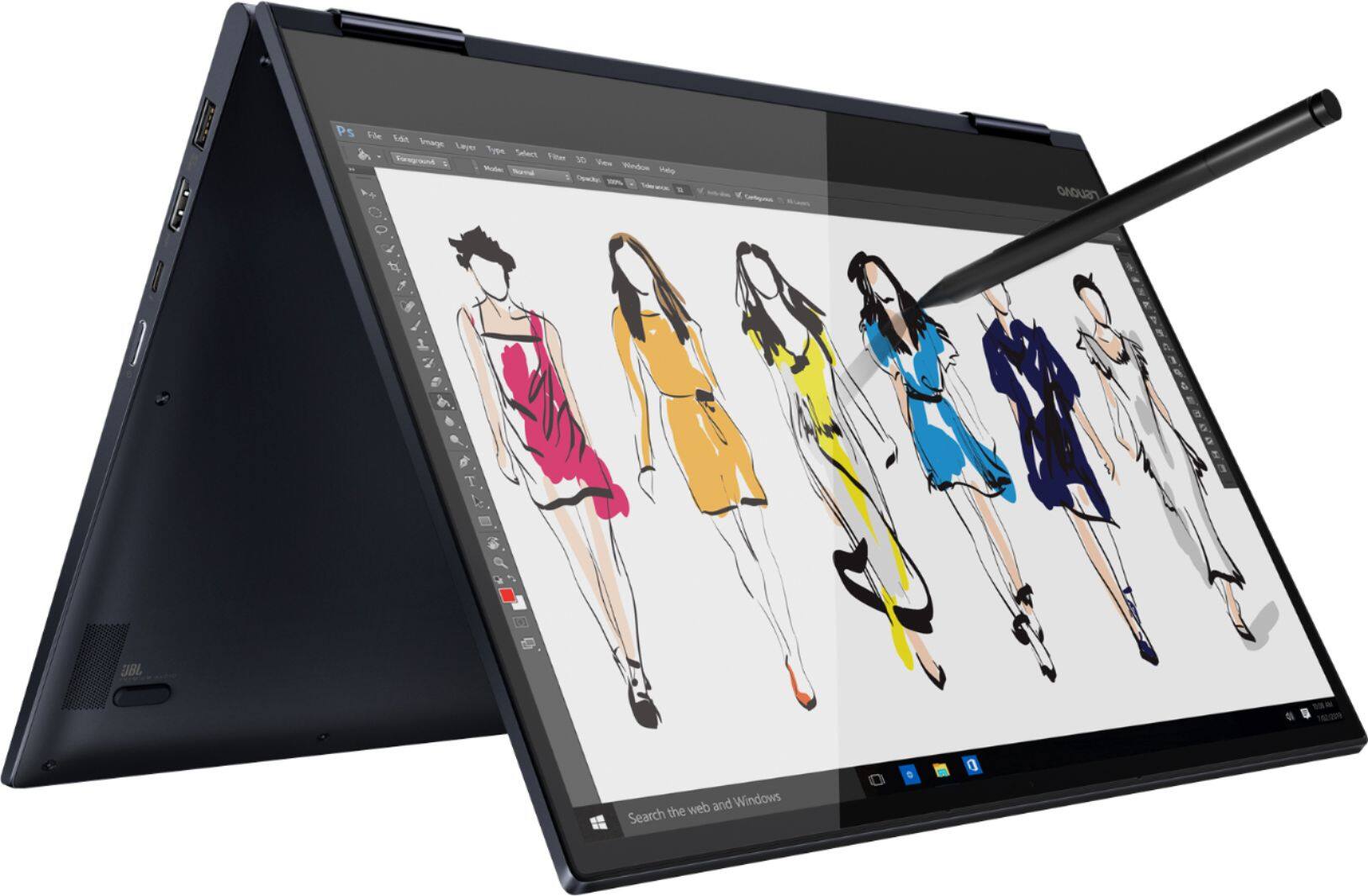


- Model:
- 81JS005BUS
- SKU:
- 6331991
Rating by feature
- Value
Rating 4.5 out of 5 stars
- Quality
Rating 4.5 out of 5 stars
- Ease of Use
Rating 4.6 out of 5 stars
Customers are saying
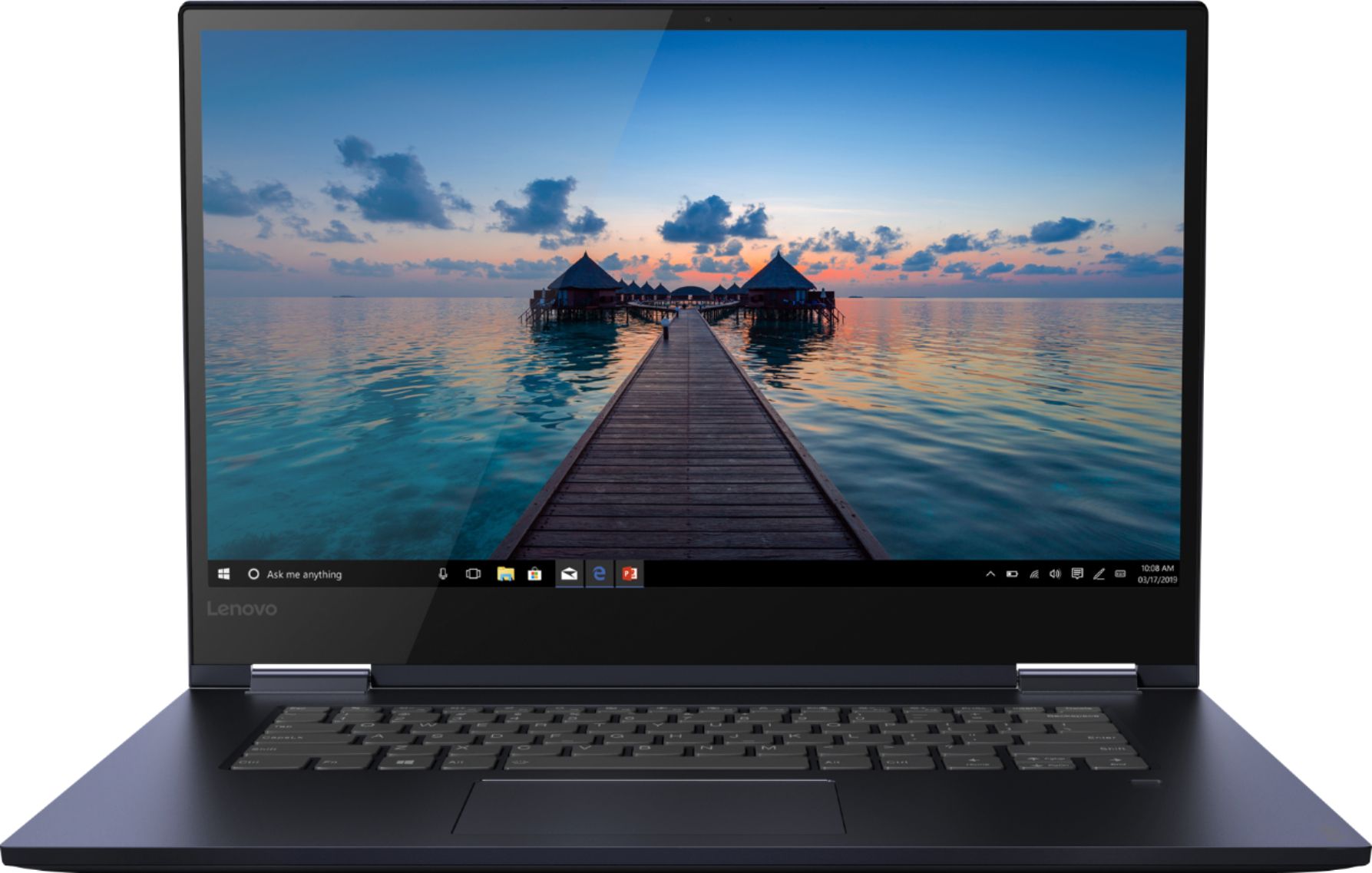
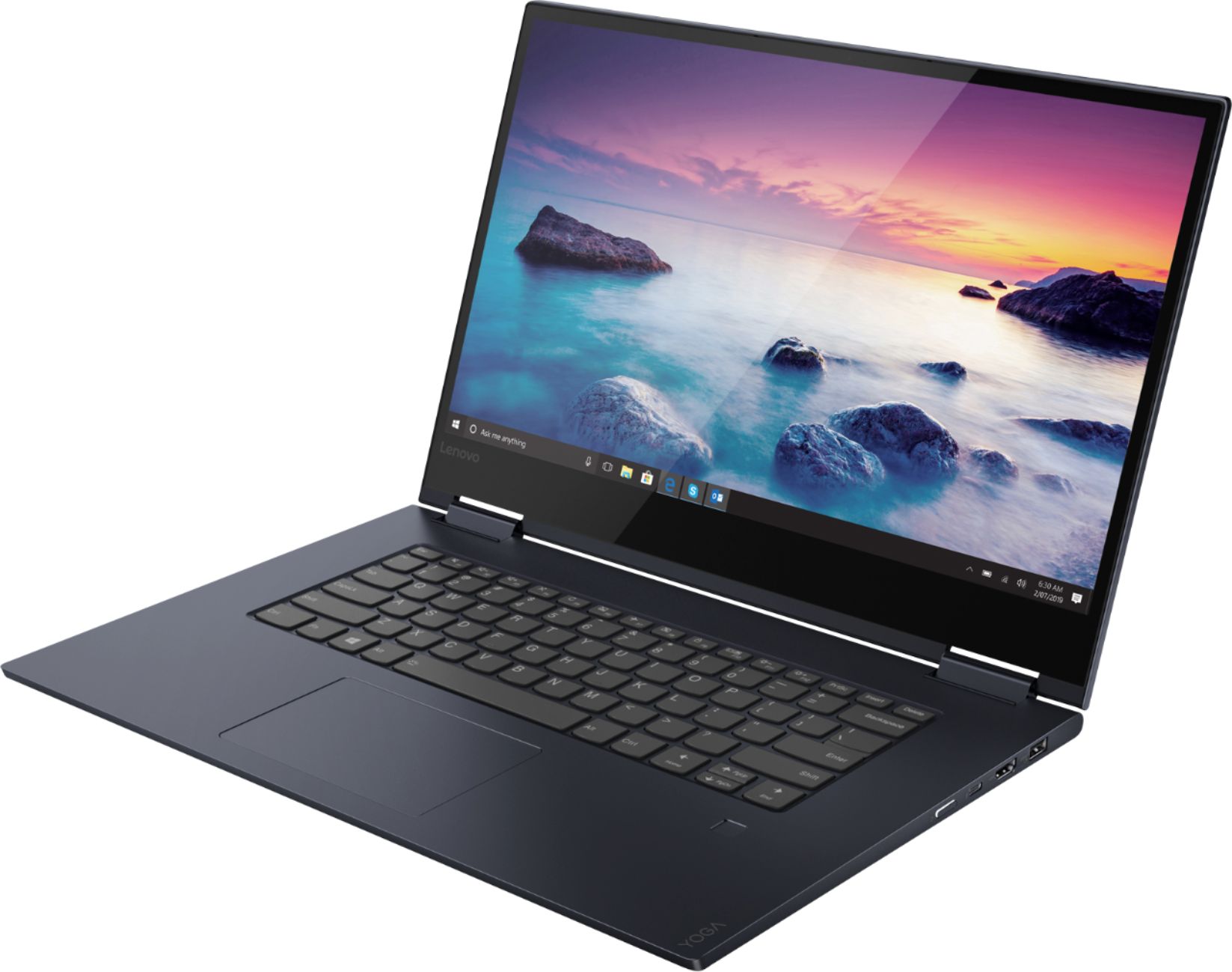
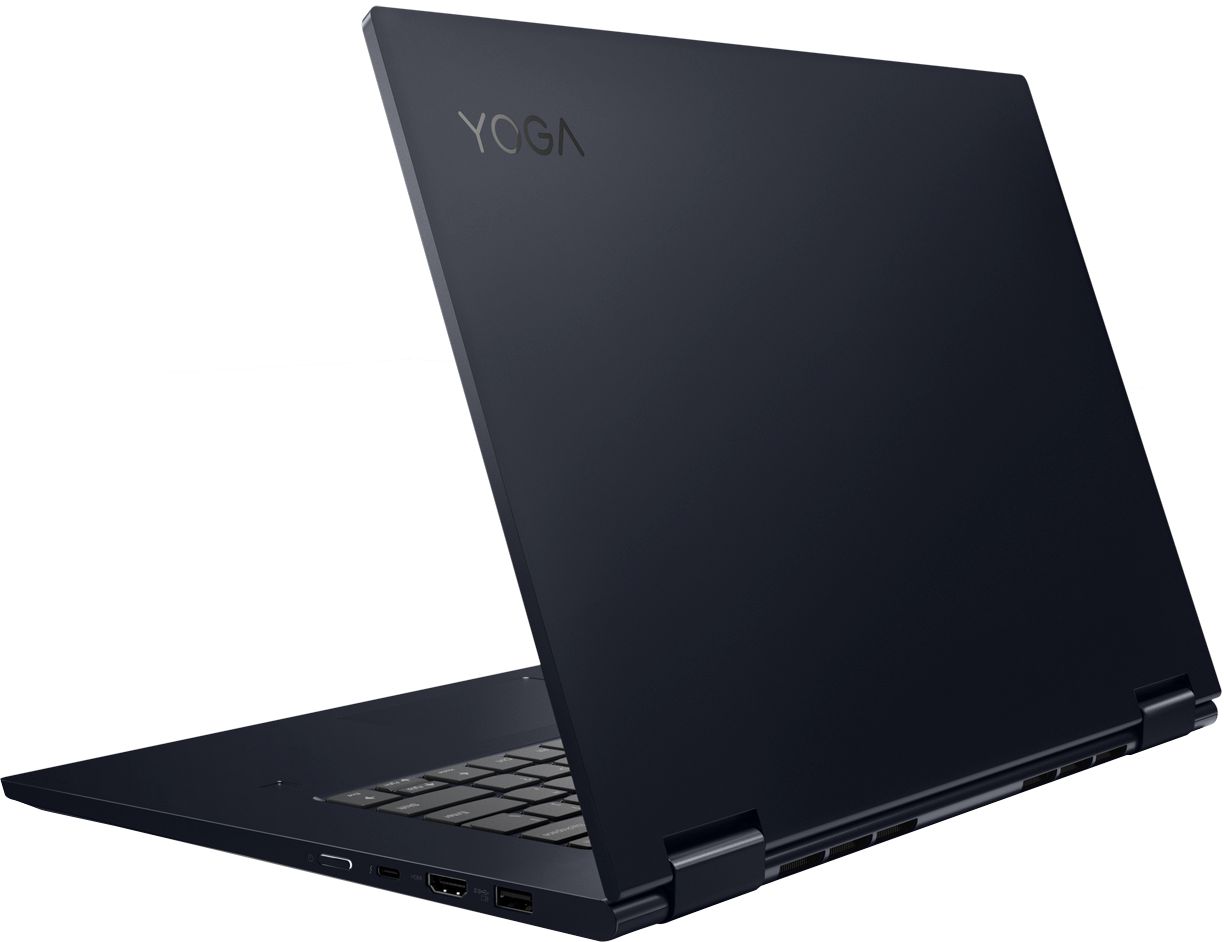
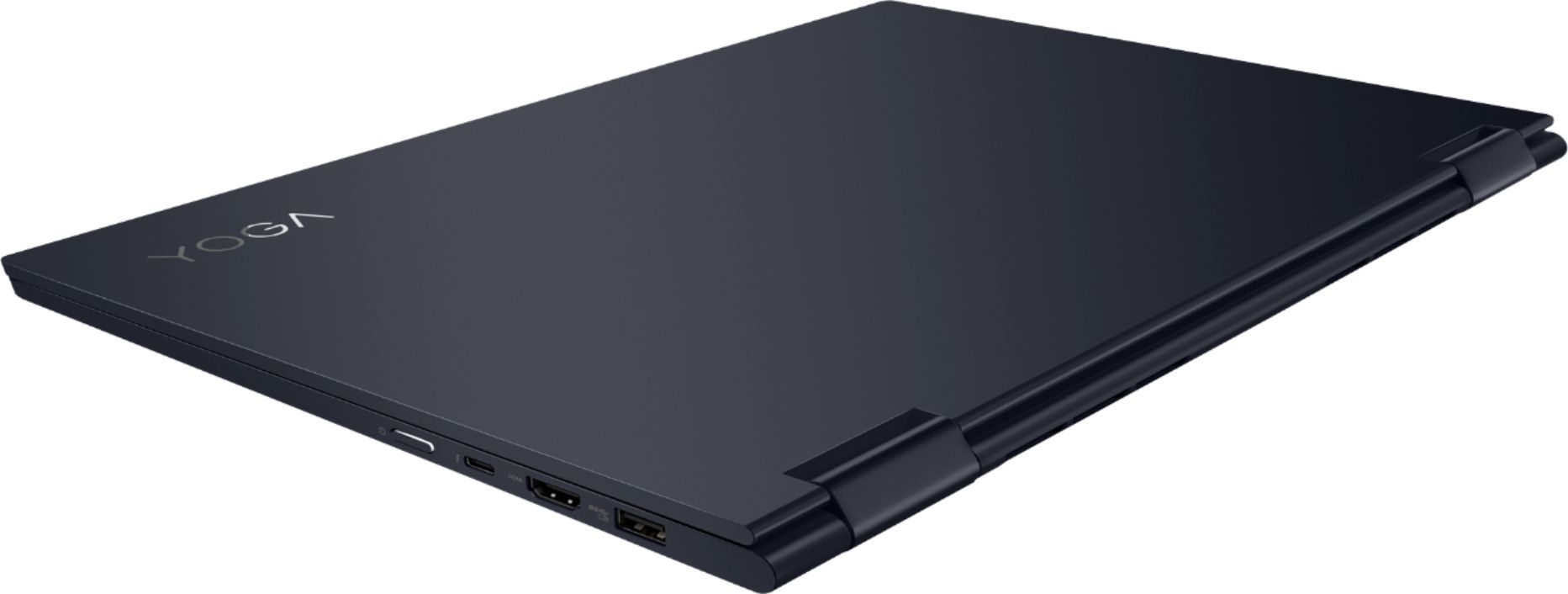
Customers appreciate the Yoga 730 2-in-1 laptop for its touch screen, speed, lightweight design, and affordable price. Some users have concerns about the fingerprint scanner requiring a driver update, battery life, and weight.
This summary was generated by AI based on customer reviews.
- Cons mentioned:Customer service
Nothing but problems
||Posted . Owned for 11 months when reviewed.This reviewer received promo considerations or sweepstakes entry for writing a review.Had nothing but problems out of this 730 Yoga since day one. I loved the look of this laptop but it had multiple issues. Some keys on the keyboard randomly stopped working. Then I noticed the screen starting to pop out a bit on the left side. Opened my laptop one day to see a big crack along the screen. So basically I'm out of $600. I got this on black Friday last year for a "deal". Now I see why. It made it nowhere near a year before having problems. Unfortunately I didn't get the store warranty since I've always taken care of my electronics. And Lenovo's customer service is nonexistent. They claim the keyboard is covered but I get nothing but a run around when trying to get it repaired smh. Won't be buying another Lenovo anytime soon that's for sure!
No, I would not recommend this to a friend Lenovo - Yoga 730 2-in-1 15.6" Touch-Screen Laptop
||Posted . Owned for 5 months when reviewed.This reviewer received promo considerations or sweepstakes entry for writing a review.Great laptop; very light; works well; miss having numeric keyboard
No, I would not recommend this to a friendBrand response from Lenovo Product Expert
Posted .You can transition from tablet model to laptop mode and back with the new Yoga 730-15. Weighing in at 4.2 lbs and polished in premium aluminum, the Yoga 730-15 will complement your style no matter where the day takes you. The latest 8th generation Intel Core i5 processor gives the Yoga 730-15 up to a 40 percent performance boost with unprecedented touchscreen and pen responsiveness (active pen sold separately), faster bootups, and seamless multitasking. All of this speed and power to amplify your productivity and help you be ready at a moments notice. Experience truly immersive sound with Dolby Atmos, which creates a three-dimensional audio space. Sound comes alive with fullness and depth when you listen through headphones.

Failed frozen I Have to return for service
||Posted . Owned for 3 months when reviewed.This reviewer received promo considerations or sweepstakes entry for writing a review.Working fine at the beginning but then the first update fall to work properly try to fix it but fail
No, I would not recommend this to a friendBrand response from Lenovo Product Expert
Posted .We are sorry to hear that you had issues with a Windows 10 update. It is possible that restoring the computer back to original factory settings may fix the issue you describe. Since you can no longer boot the computer, this system is equipped with OneKey Recovery System. There is a very small pin hole on the left side of the device, right near the headphone jack on the device. You will need a pin to push this reset button. Plug the device in. Let the battery charge for about 15 minutes. Push the reset button. The system should boot to a choice screen where you can choose "Restore To Factory Default". Select this. It will delete everything from the hard drive except the original factory install of the operating system. You will need to reinstall all programs and files after the reset. If you don't have copies of the files, try to make one before you restore by selecting "Boot to desktop" and trying to back up your files. If the problem persists after the factory reset, we recommend you contact Lenovo Tech Support at: 877-453-6686.
- Cons mentioned:Customer service
Great until...
||Posted . Owned for 3 weeks when reviewed.This reviewer received promo considerations or sweepstakes entry for writing a review.When I purchased this laptop it was this vs the slightly similar HP ENVY. When I finally made my decision for this laptop I loved it and thought it was great. It's been such an asset for school, but unfortunately into a month of having it, It started randomly freezing on me. I thought it was Mcafee being expired because it was almost immediately after I started having this issue, so I tried uninstalling it, but no luck (I have a year of Webroot from the beginning of the purchase anyway so I know my computer is safe) The freezing happens at random times, it can happen when it's booting up, starting up, 30 minutes of use, or 3 minutes. It will just freeze and the only thing you can do is force it to turn off with the power button. I tried seeing online if this is a recurring issue with other people, and it is, and has been for years with the Yoga series. And from the forums I've read I can't find any posts with a way to resolve the issue, even the Lenovo tech support hasn't helped out from what I read. I've checked updates and everything checked out. I had some assistance from a windows tech earlier today and my computer was operating well after, then began having the issue again. I just asked the same person for assistance and we tried a few other things, and so far it's running okay, but I'm still skeptical So maybe it's not any fault with Lenovo but it's with the OS itself, or a blend between the two. I tried looking for the HP ENVY if it has freezing problems and it does have similar issues, so maybe it is the OS but who knows. I'm hoping either Lenovo or Windows has an update that will prevent this from happening. I really enjoy this computer but it's now turning into a liability. If I didn't have these issues I would rate it as 5 stars. I plan on coming back to reviews later with an update on it's performance, I hope this helps anyone
No, I would not recommend this to a friendBrand response from Lenovo Product Expert
Posted .We are sorry to hear that you are having issues with the 30-day trial of McAfee virus protection on your Lenovo Yoga 730-15. There can only be one active virus protection software on any computer. Even though the 30-day trial is over for the McAfee software, it is "active" and needs to be fully uninstalled before you can install a different 3rd party virus protection software (like the Webroot you mention). First uninstall McAfee completely. Check to see if the issue is resolved, if it is not, uninstall Webroot, then reinstall Webroot, after McAfee is completely uninstalled from the computer. Here is a link to instructions for completely uninstalling McAfee from a Windows 10 computer: Here is a link to information on uninstalling McAfee from Windows 10: https://service.mcafee.com/webcenter/portal/oracle/webcenter/page/scopedMD/s55728c97_466d_4ddb_952d_05484ea932c6/Page29.jspx?wc.contextURL=%2Fspaces%2Fcp&articleId=TS101331&_afrLoop=1355161020222084&leftWidth=0%25&showFooter=false&showHeader=false&rightWidth=0%25¢erWidth=100%25#!%40%40%3FshowFooter%3Dfalse%26_afrLoop%3D1355161020222084%26articleId%3DTS101331%26leftWidth%3D0%2525%26showHeader%3Dfalse%26wc.contextURL%3D%252Fspaces%252Fcp%26rightWidth%3D0%2525%26centerWidth%3D100%2525%26_adf.ctrl-state%3Dx25crirbo_9
- Pros mentioned:Fast, Touch screenCons mentioned:Fingerprint scanner
GREAT laptop!
||Posted . Owned for 1 month when reviewed.This reviewer received promo considerations or sweepstakes entry for writing a review.My ASUS dies after less than two years of owning it so I was shopping for a new one. Lenovo came highly recommended from friends for someone who just needed a basic laptop. I found this for a great price with better memory than the other colors. This laptop works great! It is fast and you can't even tell this is blue. The keyboard is easy to use as far as laptop keyboards go. Was easy to setup and get started. LOVE that it is touchscreen and a 2-and-1. Comes in very handy. So far my only complaint is the fingerprints on the cover but that doesn't bug me at all. I figured I can always go buy a cover.
I would recommend this to a friendBrand response from Lenovo Product Expert
Posted .Thank you for choosing the Lenovo Yoga 730-15. We are pleased to hear that the value, features and performance of the Yoga 730-15 meets your computing needs so well. You can transition from tablet model to laptop mode and back with the new Yoga 730-15. Weighing in at 4.2 lbs and polished in premium aluminum, the Yoga 730-15 will complement your style no matter where the day takes you. The latest 8th generation Intel Core i5 processor gives the Yoga 730-15 up to a 40 percent performance boost with unprecedented touchscreen and pen responsiveness (active pen sold separately), faster bootups, and seamless multitasking. All of this speed and power to amplify your productivity and help you be ready at a moments notice. Experience truly immersive sound with Dolby Atmos, which creates a three-dimensional audio space. Sound comes alive with fullness and depth when you listen through headphones.
- Pros mentioned:LightweightCons mentioned:Fingerprint scanner
Really great touch screen for college students!
||Posted . Owned for 2 months when reviewed.This reviewer received promo considerations or sweepstakes entry for writing a review.I deliberately waited until I had the Lenova Yoga 730, 15.6" Touch Screen Laptop for two months to review it to see how it functioned over weeks of daily use. Although it is very different from my previous Toshiba laptop, I really found it very easy to set up and use although I had not had a touch screen before. I like the versatility of the flip and fold design. It's very lightweight and thin for easy transport. It has a lot of storage and fast processing. I added an Insignia 4 port USB hub and it works perfectly with the laptop. This laptop does everything I want it to. My only negative about it so far is the fingerprint reader. It rarely works. I also miss my CD/DVD drive I had on my last laptop.
I would recommend this to a friendBrand response from Lenovo Product Expert
Posted .Thank you for choosing the Lenovo Yoga 730-15. Here's a tip for making your fingerprint reader work every time: Try lightly sliding your finger over the fingerprint reader. No need to press hard on the reader, in fact pressing hard on the fingerprint reader will distort your fingerprint and cause read errors.
If you find that your fingerprint reader still does not work properly, we recommend you call Lenovo Tech Support for more specific help at: 877-453-6686.
- Pros mentioned:PriceCons mentioned:Weight
Great computer for the price.
||Posted . Owned for 1 month when reviewed.This reviewer received promo considerations or sweepstakes entry for writing a review.This computer had everything that I would want or need. Saved $300 with the Best Buy discount. Also comes with an extra four gigs of ram with 12 rather than 8 which is a nice little touch. I could have gotten a faster processor but for me it would have just been overkill. That computer is not as fast as I thought it would be though for me it’s fine. Being a 2 in 1 model , it is a little heavy to carry around. I really didn’t need that feature because I bought it as a desktop replacement. For the price and features it can’t be beat. I believe this model has been discontinued at Best Buy, so can be had for about the same price as I paid. Only thing a don’t like is that the track ball is stiff and the whole area doesn’t respond to touch. Not really a problem because of the touch screen. Great value overall.
I would recommend this to a friendBrand response from Lenovo Product Expert
Posted .The Lenovo Yoga 730-15 model number 81JS005BUS ships with the Quad-Core/Eight-Thread Intel Core i5-8265U processor, supported by 12GB DDR4-2400MHz RAM and a 256GB solid state hard drive. This configuration is extremely fast. It will boot from off to the Windows 10 desktop in less than 15-seconds. The solid state hard drive provide the quickest file and program recall and the latest 5G 802.11AC frequency WiFi will provide fast internet speeds as well. Experience truly immersive sound with Dolby Atmos, which creates a three-dimensional audio space. Sound comes alive with fullness and depth when you listen through headphones.
- Pros mentioned:Touch screenCons mentioned:Fingerprint scanner
Great overall laptop!
||Posted . Owned for 3 weeks when reviewed.This reviewer received promo considerations or sweepstakes entry for writing a review.I like the laptop for everyday/overall use! It fits perfectly with what I want to do which is surfing the web, and other everyday activities. I love the capability to turn it into the touch screen or use he touch screen as frequently as I want. The fingerprint scanner however doesn’t seem to recognize my fiber which is one of the downfalls of the laptop and the trackpad isn’t as sensitive as I’m used to but overall, I like this laptop a lot!
I would recommend this to a friendBrand response from Lenovo Product Expert
Posted .Here is a link to tips for fixing your fingerprint reader, after it stops working, due to a recent Windows 10 update: https://windowsreport.com/fingerprint-doesnt-work-windows-10/. With regard to the touchpad, you can make adjustments to the touchpad in your system settings. You can get there by clicking on the magnifying glass at the bottom left of your Windows 10 screen. Type "touchpad" in the search window. Select "Mouse & touchpad settings" from the list of choices. You can make general adjustments to the touchpad there. You can also select "Additional mouse options" for more detailed adjustments to the touchpad sensitivity by increasing the delay of the touchpad.
- Pros mentioned:Fast, Touch screen
I love it!
||Posted . Owned for 1 month when reviewed.This reviewer received promo considerations or sweepstakes entry for writing a review.I needed a new laptop for school. I originally got a different one because I thought I wanted the 10 key. It just crammed the keys together and was annoying. I realized that wasn’t really important to me after all. Exchanged it for the Lenovo, and have been SUPER happy with it! Great little computer. Nice big screen. Backlit. Fast and easy. Touchscreen. It’s great!
I would recommend this to a friend - Pros mentioned:Fast
Love this laptop!
||Posted . Owned for 1 month when reviewed.This reviewer received promo considerations or sweepstakes entry for writing a review.I had bought one of these last year for my husband to use for work, and he loved it so much, when my daughter needed a new laptop I got her the same model. She uses it for onlne school, as well as some online games, and has no issues whatsoever. It is fast, quiet, and does not lag when playing games like her HP did. I am thinking on getting one for myself! We have no complaints at all. Lenovo is the way to go!
I would recommend this to a friendBrand response from Lenovo Product Expert
Posted .Thank you for choosing the Lenovo Yoga 730-15 for both your husband and your daughter. We are pleased to hear that the performance of the Yoga 730-15 meets your computing needs so well. You can transition from tablet model to laptop mode and back with the new Yoga 730-15. Weighing in at 4.2 lbs and polished in premium aluminum, the Yoga 730-15 will complement your style no matter where the day takes you. The latest 8th generation Intel Core i5 processor gives the Yoga 730-15 up to a 40 percent performance boost with unprecedented touchscreen and pen responsiveness (active pen sold separately), faster bootups, and seamless multitasking. All of this speed and power to amplify your productivity and help you be ready at a moments notice. Experience truly immersive sound with Dolby Atmos, which creates a three-dimensional audio space. Sound comes alive with fullness and depth when you listen through headphones.
- Cons mentioned:Fingerprint scanner
Almost perfect
||Posted . Owned for 1 month when reviewed.This reviewer received promo considerations or sweepstakes entry for writing a review.I'm very happy with my new laptop. It seems to be quite sturdy yet lightweight, and it's super fast. The fingerprint scanner required a driver update before it would work, but that wasn't a big deal. The only issues I have with it are the finish (which is a beautiful color) shows fingerprints quite badly, and the fact that there is no media card reader for an SD card, which is my bad for not noticing that before I bought it. Other than that, this laptop has everything I wanted and I would highly recommend it.
I would recommend this to a friendBrand response from Lenovo Product Expert
Posted .Thank you for choosing the Lenovo Yoga 730-15. With regard to the aluminum case showing fingerprints and adding an SD card reader to the Yoga 730-15, we will look into this for future improvements. You can transition from tablet model to laptop mode and back with the new Yoga 730-15. Weighing in at 4.2 lbs and polished in premium aluminum, the Yoga 730-15 will complement your style no matter where the day takes you. The latest 8th generation Intel Core i5 processor gives the Yoga 730-15 up to a 40 percent performance boost with unprecedented touchscreen and pen responsiveness (active pen sold separately), faster bootups, and seamless multitasking. All of this speed and power to amplify your productivity and help you be ready at a moments notice. Experience truly immersive sound with Dolby Atmos, which creates a three-dimensional audio space. Sound comes alive with fullness and depth when you listen through headphones.
- Pros mentioned:Fast, Touch screen
Great Computer
||Posted . Owned for 11 months when reviewed.This reviewer received promo considerations or sweepstakes entry for writing a review.Purchased this for my middle schooler. Great computer. Very fast. Touch screen works very well. My daughter likes to create videos and create animations and this laptop is able to handle those programs without any issue at all. Very satisfied with this purchase.
I would recommend this to a friend - Pros mentioned:Lightweight, Touch screen
Great Buy
||Posted . Owned for 3 weeks when reviewed.This reviewer received promo considerations or sweepstakes entry for writing a review.I recently purchased this computer for my educational needs. I got this computer for an awesome steal. I like how versatile and fast it is. It can be used as a laptop, in tablet mode, has touchscreen, and spacious. I am very pleased with my purchase and still learning all of its features. I would highly recommend.
I would recommend this to a friend - Pros mentioned:Lightweight, Touch screen
Great for School
||Posted . Owned for 3 weeks when reviewed.This reviewer received promo considerations or sweepstakes entry for writing a review.Bought this laptop to use for school. So far its been great. Its fast to turn on and off. The touch screen is really nice when using the tablet feature. Best part is that its very lightweight and easy to slip into my backpack on the go.
I would recommend this to a friendBrand response from Lenovo Product Expert
Posted .Thank you for choosing the Lenovo Yoga 730-15. We are pleased to hear that the features and performance of the Yoga 730-15 meets your computing needs so well. You can transition from tablet model to laptop mode and back with the new Yoga 730-15. Weighing in at 4.2 lbs and polished in premium aluminum, the Yoga 730-15 will complement your style no matter where the day takes you. The latest 8th generation Intel Core i5 processor gives the Yoga 730-15 up to a 40 percent performance boost with unprecedented touchscreen and pen responsiveness (active pen sold separately), faster bootups, and seamless multitasking. All of this speed and power to amplify your productivity and help you be ready at a moments notice. Experience truly immersive sound with Dolby Atmos, which creates a three-dimensional audio space. Sound comes alive with fullness and depth when you listen through headphones.
- Cons mentioned:Learning curve
Exactly met my needs.
||Posted . Owned for 3 weeks when reviewed.This reviewer received promo considerations or sweepstakes entry for writing a review.Needed a large screen with extended storage capacity to accomplish the music and movie downloads I had planned to do. Have been using an iPad for years but was unable to justify the expense it would have been to match the capabilities of the Lenovo YOGA if I stayed with Apple. Added a dvd/cd reader writer as an accessory. There is a learning curve in coming to grips with a change in operating systems but having the GEEK SQUAD tech support does allow this elderly dog to “ learn a new trick or two” ..
I would recommend this to a friendBrand response from Lenovo Product Expert
Posted .Thank you for choosing the Lenovo Yoga 730-15. We are pleased to hear that the value, features and performance of the Yoga 730-15 meets your computing needs so well. The heart of the Yoga 730-15 is Windows 10 Operating System. With regard to learning your way around Windows 10, you may want to try YouTube.com (just type that address in your browser address window). There are hundreds for free instructional videos there about Windows 10. Just type Windows 10 Introduction in to the YouTube search window. You can watch free videos there that will show you the basics all the way up to tips and tricks videos and they're all free.
- Pros mentioned:Lightweight, Touch screen
Excellent Laptop
||Posted . Owned for 1 month when reviewed.This reviewer received promo considerations or sweepstakes entry for writing a review.This is by far the best laptop ive purchased in this price point. It is fast, easy to use & my High School Senior daughter will be able to take this with her to college. Touchscreen is excellent/responsive. Also lightweight & very esthetically pleasing Money well spent
I would recommend this to a friendBrand response from Lenovo Product Expert
Posted .Thank you for choosing the Lenovo Yoga 730-15 for your daughter. We are pleased to hear that the value, features and performance of the Yoga 730-15 meets your computing needs so well. You can transition from tablet model to laptop mode and back with the new Yoga 730-15. Weighing in at 4.2 lbs and polished in premium aluminum, the Yoga 730-15 will complement your style no matter where the day takes you. The latest 8th generation Intel Core i5 processor gives the Yoga 730-15 up to a 40 percent performance boost with unprecedented touchscreen and pen responsiveness (active pen sold separately), faster bootups, and seamless multitasking. All of this speed and power to amplify your productivity and help you be ready at a moments notice. Experience truly immersive sound with Dolby Atmos, which creates a three-dimensional audio space. Sound comes alive with fullness and depth when you listen through headphones.
- Pros mentioned:Touch screen
Generally good
||Posted . Owned for 8 months when reviewed.This reviewer received promo considerations or sweepstakes entry for writing a review.Fast as F for loading and retrieving. Pleasant screen, lighted keys on the keyboard, light weght, "feels" good and seems to be sturdy (one broken (repaired) and a drop by my 5 year-old nephew) and is holding up nicely. I don't care for the over-sensitive touch pad and over abundant number of commands using the touch pad, mouse, key combinations but the touchscreen is awesome. Be aware that the fingerprint log-in identifier is flaky, flaky, flaky. Overall excellent PLUS for the price. Also the online service bridge does a great job of diagnosing and repairing driver issues.
I would recommend this to a friendBrand response from Lenovo Product Expert
Posted .Thank you for choosing the Lenovo Yoga 730-15. With regard to the touchpad, you can make adjustments to the touchpad in your system settings. You can get there by clicking on the magnifying glass at the bottom left of your Windows 10 screen. Type "touchpad" in the search window. Select "Mouse & touchpad settings" from the list of choices. You can make general adjustments to the touchpad there. You can also select "Additional mouse options" for more detailed adjustments to the touchpad sensitivity by increasing the delay of the touchpad. Here's a tip for making your fingerprint reader work every time: Try lightly sliding your finger over the fingerprint reader. No need to press hard on the reader, in fact pressing hard on the fingerprint reader will distort your fingerprint and cause read errors.
- Cons mentioned:Fingerprint scanner
Great laptop for students
||Posted . Owned for 1 month when reviewed.This reviewer received promo considerations or sweepstakes entry for writing a review.I bought this going into college, so the main features that I needed were for it to be fast and have a decent battery life - it has held up very well in both of these categories so far. I also really wanted a 2 in 1, and the tablet mode on this is very nice. The fact that the keyboard is backlit is nice, but I am not a huge fan of the feel of the keyboard, I guess it will take some time to get used to. The only other thing that I don’t really like is that the matte finish shows fingerprints and smudges like crazy. Overall very happy with my purchase, and the student deal made it a good buy.
I would recommend this to a friendBrand response from Lenovo Product Expert
Posted .Thank you for choosing the Lenovo Yoga 730-15. This model ships with a standard QWERTY keyboard. You can transition from tablet model to laptop mode and back with the new Yoga 730-15. Weighing in at 4.2 lbs and polished in premium aluminum, the Yoga 730-15 will complement your style no matter where the day takes you. The latest 8th generation Intel Core i5 processor gives the Yoga 730-15 up to a 40 percent performance boost with unprecedented touchscreen and pen responsiveness (active pen sold separately), faster bootups, and seamless multitasking. All of this speed and power to amplify your productivity and help you be ready at a moments notice. Experience truly immersive sound with Dolby Atmos, which creates a three-dimensional audio space. Sound comes alive with fullness and depth when you listen through headphones.
- Pros mentioned:Fast, Lightweight
First semester college student
||Posted . Owned for 1 month when reviewed.This reviewer received promo considerations or sweepstakes entry for writing a review.Hi I absolutely loveee this laptop it’s super light I travel from New Jersey to Manhattan for school and I barely know it’s in my backpack it’s super fast and the touch screen is really responsive
I would recommend this to a friend - Cons mentioned:Fingerprint scanner
Great Computer for Students
||Posted . Owned for 1 month when reviewed.This reviewer received promo considerations or sweepstakes entry for writing a review.Previously Mac owner. I got a Lenovo because I didn't want to spend my money on a new Mac when the specs weren't impressive enough for the price. This is portable, very very light, and I think it is cool that I can convert it from a laptop to a tablet. I asked a bunch of my tech friends about the specs and they said they were good. So far it was an easy set-up and I enjoy using it. Fingerprint scanner is not the greatest but the speed and performance are great so far. It allows me to multitask which I could not on my old computer.
I would recommend this to a friendBrand response from Lenovo Product Expert
Posted .Thank you for choosing the lenovo Yoga 730-15. With regard to using the fingerprint reader, here's a tip for making your fingerprint reader work every time: Try lightly sliding your finger over the fingerprint reader. No need to press hard on the reader, in fact pressing hard on the fingerprint reader will distort your fingerprint and cause read errors. Also, be sure you have the latest version of Windows 10 on the computer, then update the BIOS files and drivers for that latest version of Windows 10. You can easily accomplish this by regularly scanning the computer with the Lenovo Utility software installed on the computer. This system has Lenovo utilities installed to help maintain the health of the device and keep the operating system software up to date. Type "Lenovo Vantage" in the Cortana Search window (if Lenovo Vantage is not installed on your device, you can download the APP and install it now). Select Lenovo Vantage from the list. In the window that opens, click on "Health and Support". In the expanded menu, select "Hardware Scan" In the window that opens, select "Run Quick Tests". This will scan your entire system for errors. Follow any directions that may pop up. If the problem continues after this scan, now click on "System Update". First select Windows update from the menu. Scan your system to be sure you have the latest version of Windows 10. Once that scan is complete, select "Additional Updates". This will scan your device to be sure there are no new BIOS/Driver updates needed. Follow any instructions that may pop up. If you have questions about the operation of your Yoga 730-15, we recommend you call Lenovo Tech Support at: 877-453-6686 for additional help.