Customer Ratings & Reviews
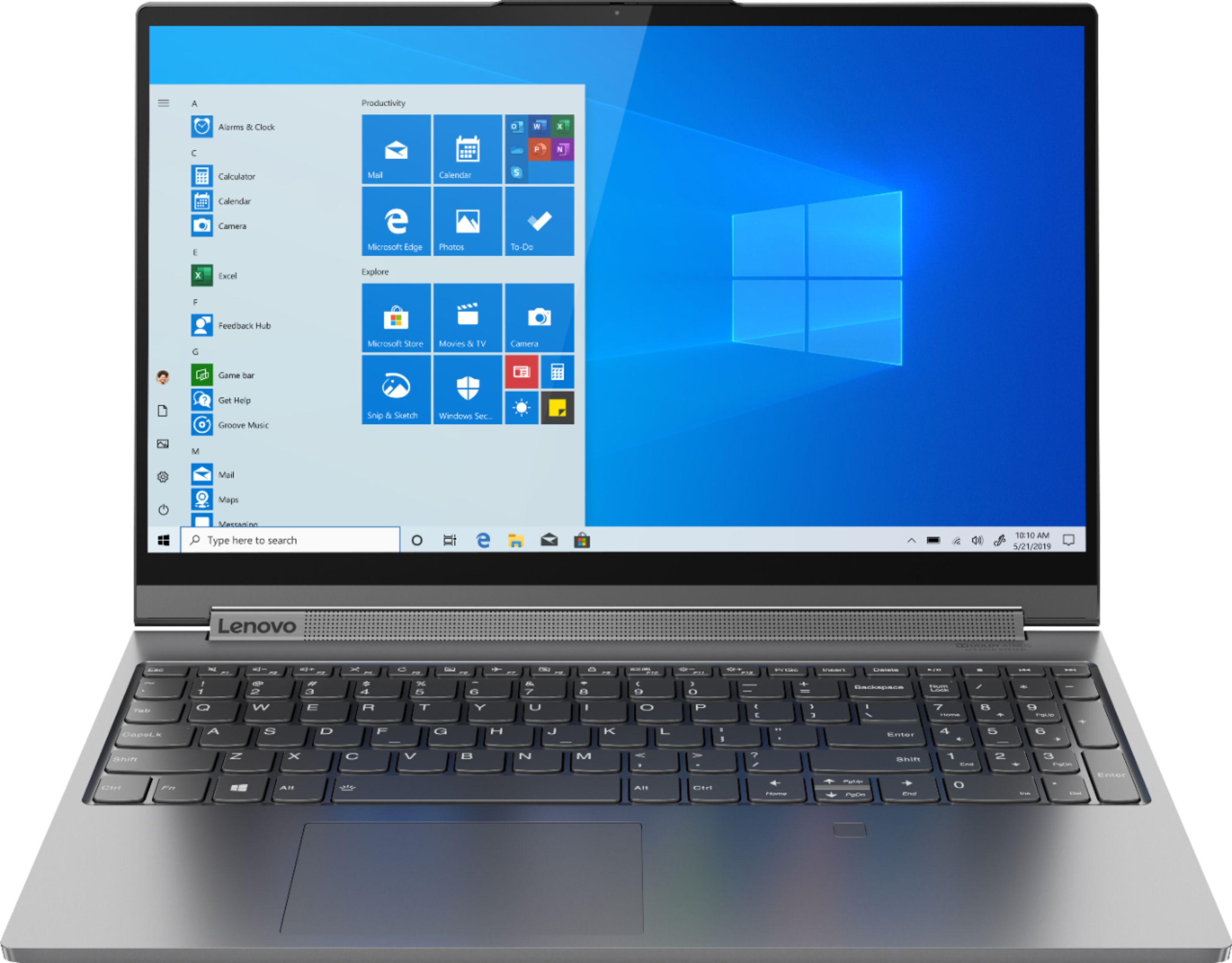

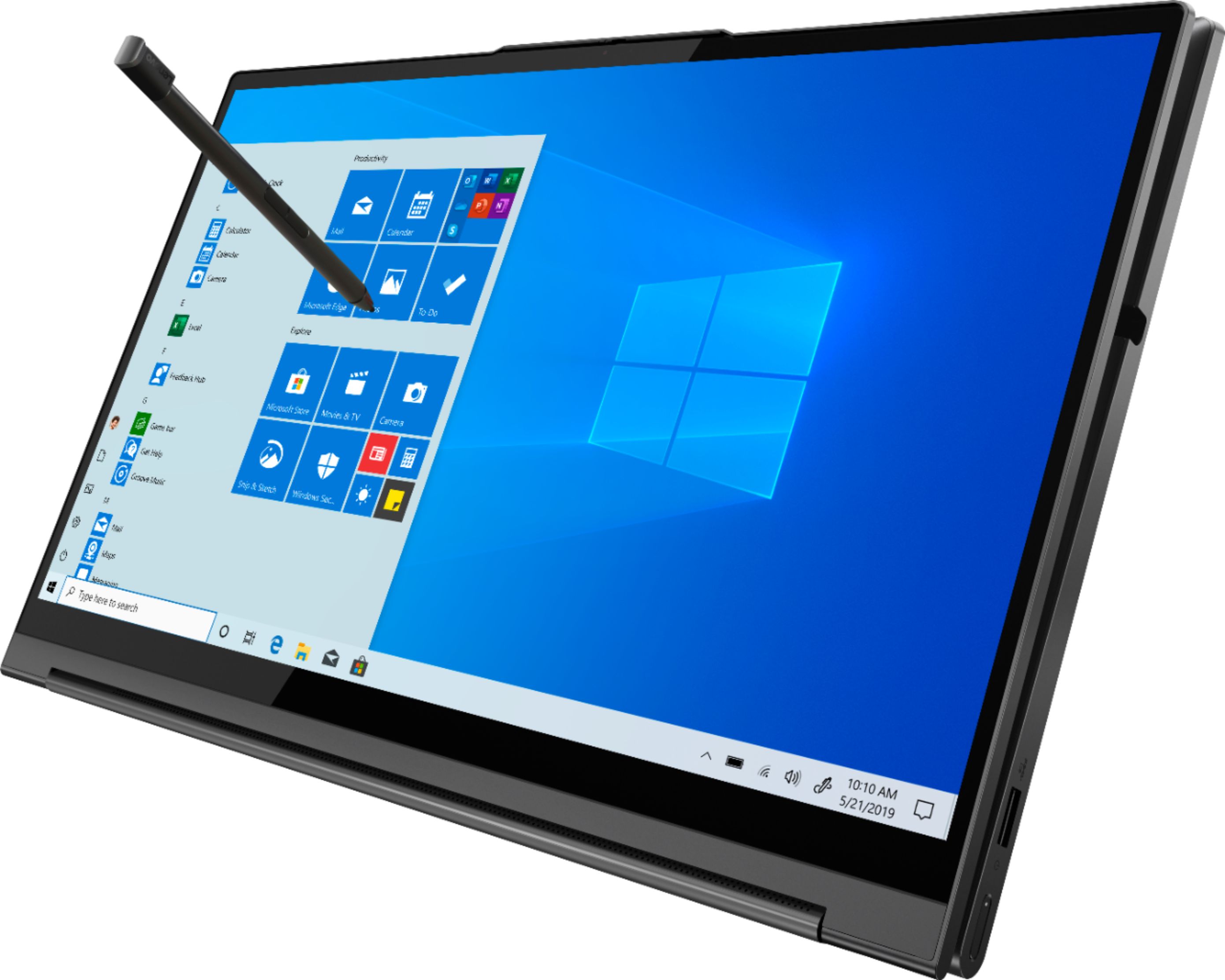

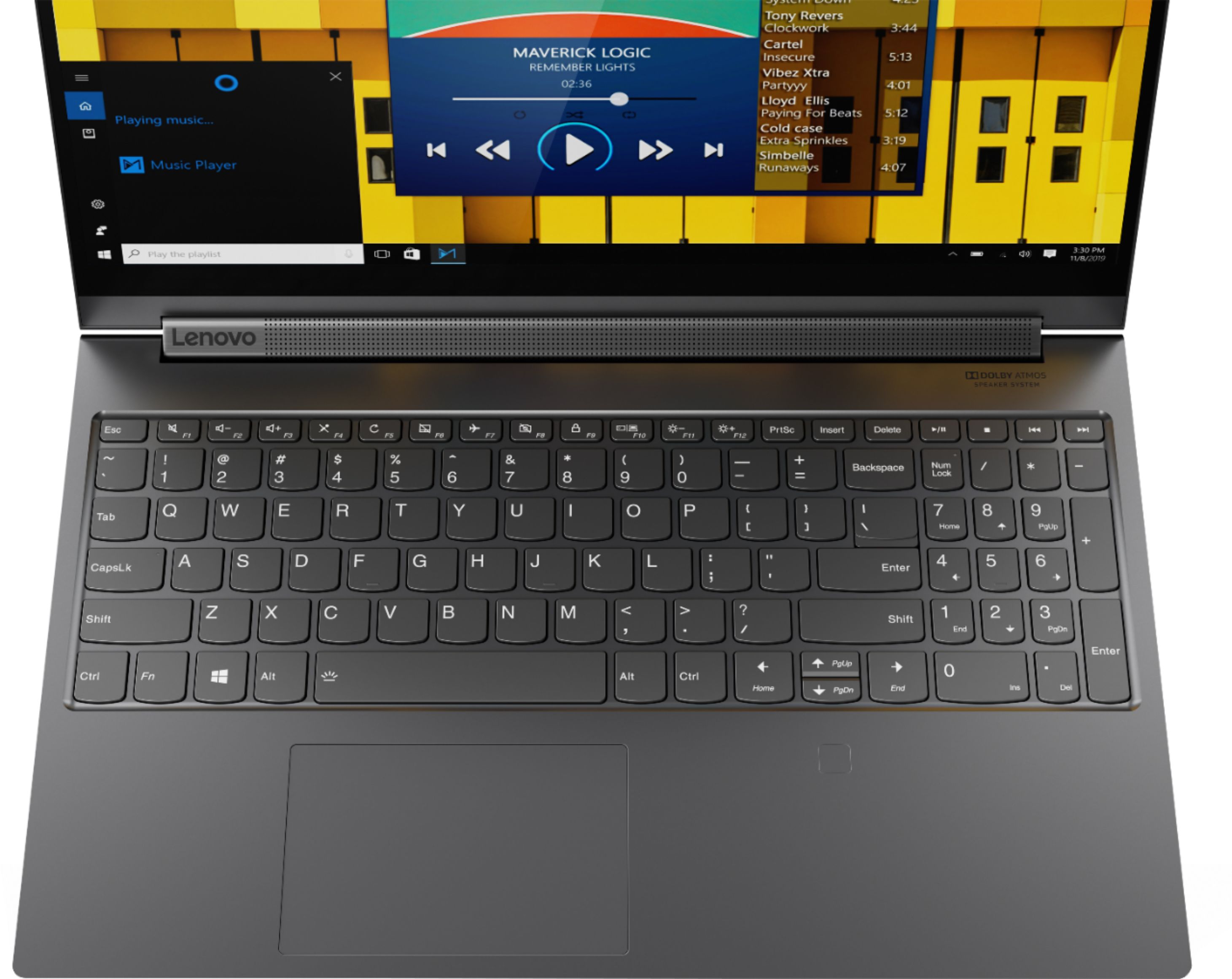
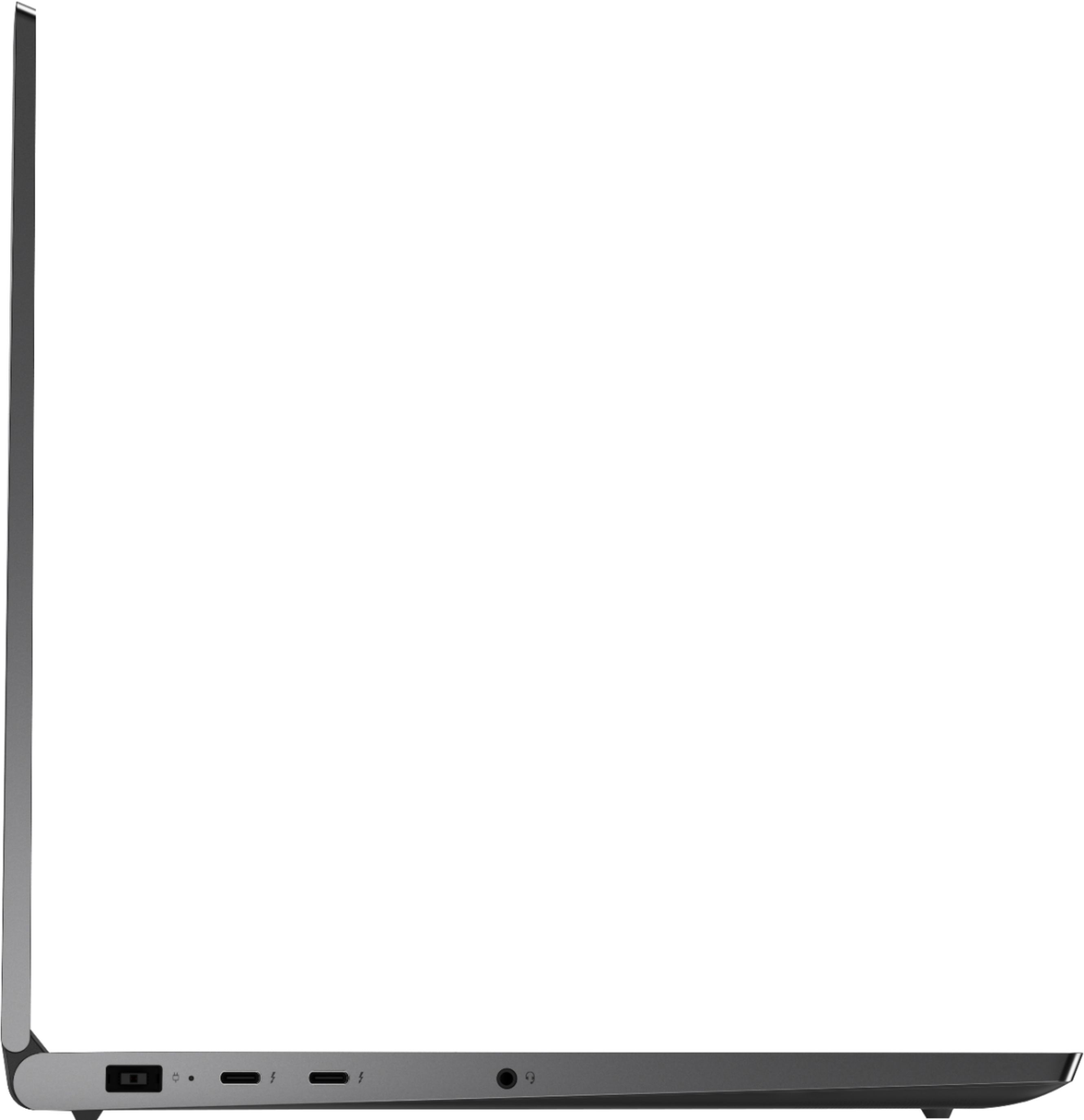
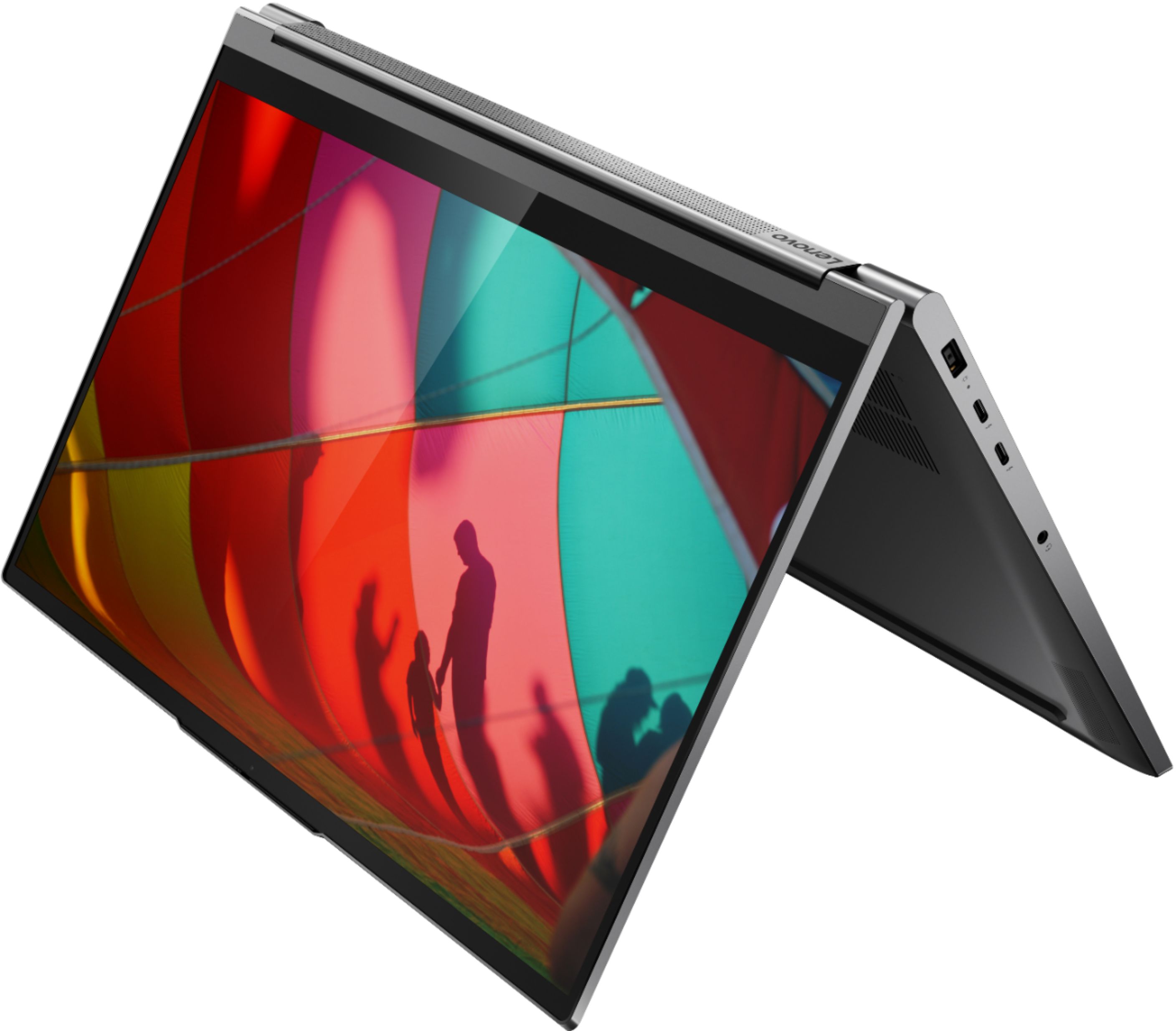


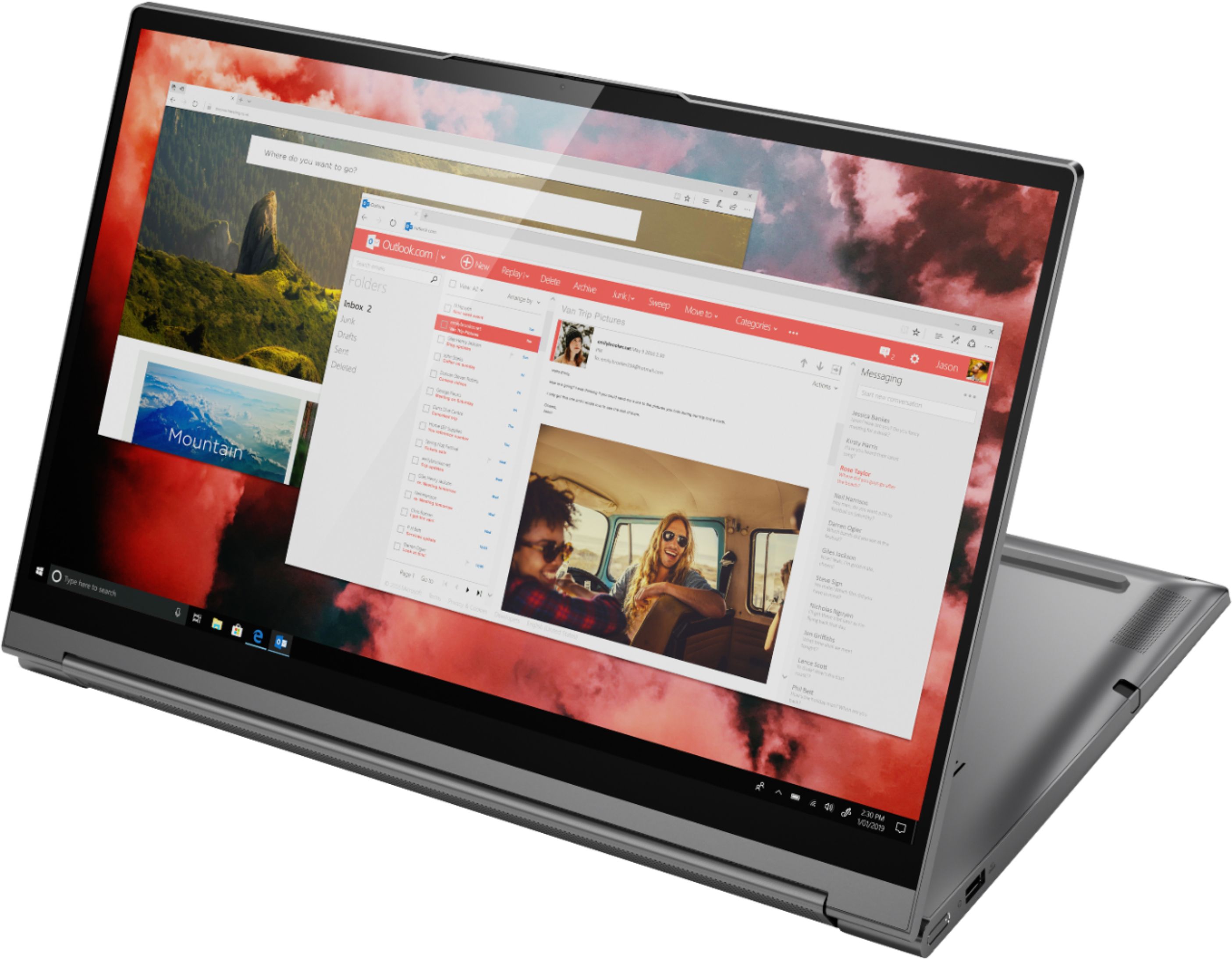

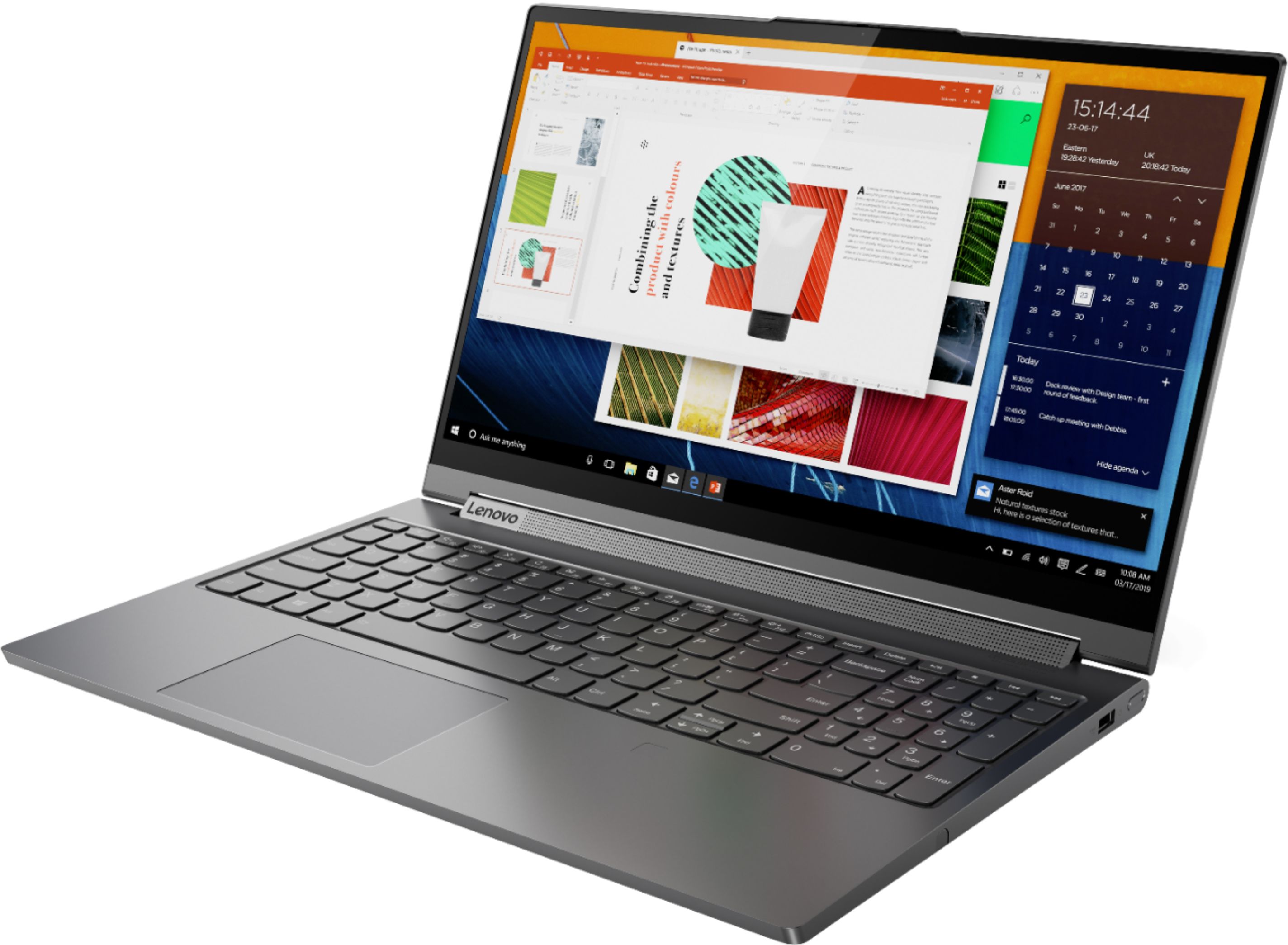



- Model:
- 81TE0000US
- SKU:
- 6367793
Rating by feature
- Battery Life
Rating 3.7 out of 5 stars
- Speed
Rating 4.3 out of 5 stars
- Display
Rating 4.3 out of 5 stars
Customers are saying
Customers consistently note the Yoga C940's powerful performance, excellent build quality, and responsive touch screen. Many users also appreciate its great price, easy-to-use interface, and impressive multitasking capabilities. However, some users have expressed concerns about its short battery life, loud fan noise, and tendency to overheat.
This summary was generated by AI based on customer reviews.
Broke After 2 Weeks
||Posted . Owned for 2 weeks when reviewed.This reviewer received promo considerations or sweepstakes entry for writing a review.I bought it brand new and 2 weeks later the right speaker randomly malfunctioned and became very low volume, tinny, would fade in and out, and made a crackling noise. I barely used the speakers I haven't even listened to music on it yet. So I'm replacing it with the same Model at Best Buy tomorrow and hopefully I won't run into a similar issue. Overall the specs are great and I love the tablet folding function and the speakers sounded great when they worked, and I could run games no problem. The other thing that bums me out is I had just hand-cut a Red Carbon Fiber skin for it...so hopefully I can remove it without damaging it and place it on the replacement lol.
I would recommend this to a friend- Cons mentioned:Battery life
Fast enough for most tasks. Fans are loud though
||Posted . Owned for 1 month when reviewed.This reviewer received promo considerations or sweepstakes entry for writing a review.Fast enough for most workloads. I use it for 3D art so I'm constantly kicking it into maximum performance. handles it well. Build quality is good. Everything feels high quality. Very sturdy when folding it into tablet mode. Speakers are great. It's nice to be able to use it as a giant tablet. It's kinda heavy and weird to do that though. There's no face recognition for Windows log in, but the fingerprint scanner works great. I prefer that, because there is a privacy shutter on the camera that I always leave on. Keyboard is ok. not really great. Wish it didn't have the 10 key on the right. The drawing experience is just ok. Better than the N-Trig tech that you find in HP or Surface laptops. The pen is really small. you can however purchase another larger one. It's nice that the pen hides inside the body though. The buttons on the pen are a little too high up, making drawing or painting awkward to use if you need the right click. The pen tech might not work in all software such as Krita and Substance Painter. battery is the same size as the 14 inch. It could have been larger. For web browsing, the battery life lasted over 8 hours. With doing actual work, the battery only last about 4 hours or less. The power cable it comes with is a 135Watt charger. so it is massive. You can find a certain power cable that converts the power cord to USB-C and then plug it into a macbook pro power brick and it will work great. The USB-C cannot be used as a way to charge the laptop.
I would recommend this to a friendBrand response from Lenovo Product Expert
Posted .Thank you for choosing the Lenovo Yoga C940-15, model number 81TE0000US. You can use Lenovo Q-Control to manually control fan performance: ( Fn + Q ) option to change the fan. If the issue continues, we recommend you call Lenovo Tech Support at: 877-453-6686. Every component of Yoga C940 was engineered with your experience in mind. That’s why the Yoga C940 offers the brilliant color and clarity with ultra-narrow bezels, with 500 nits brightness, it’s 50-percent brighter than standard SDR displays. You’ll enjoy amazing realism that's vivid, nuanced, and powerful. Capture your ideas the moment inspiration hits with a garaged digital pen. Featuring an in-body charging compartment, the Yoga C940 ensures you’ll never lose a thought—or your digital pen—again. The convertible hinge hides a powerful Dolby Atmos Speaker System that immerses you in 3D sound in every mode. Combined with two sets of speakers featuring powerful subwoofers, custom tweeters, and unique vibration buffers that reduce unwanted noise, your audio will sound bigger, deeper, and more accurate. Experience how the Yoga C940 embodies world-class craftsmanship, innovative solutions, and elevated design. Log into your Yoga C940 in less than two seconds with an integrated fingerprint reader. That’s three times faster than the average time it takes to type a password. Forget your password.

- Pros mentioned:Build qualityCons mentioned:Ram
Great option for data analysis and fun
||Posted . Owned for less than 1 week when reviewed.This reviewer received promo considerations or sweepstakes entry for writing a review.I've been a ThinkPad user for 10+ years and recently switched to their 15w cpu configs for increased portability. I'm happy to be back in a 45w computer that has a slim and multi-use form factor. I imagine a ThinkPad version of this computer would be perfect. Pros: 1) Battery life has been better than expected at ~5hrs. 2) Instant-on from sleep and a quick and reliable fingerprint sensor. It has smartphone-like speed that I haven't experienced before. I thought I would miss facial recognition but that hasn't been the case. 3) Great build quality. Solid. 4) Seamlessly connected to my dual monitor set up using a USB-C ThinkPad Ultra Dock. 5) Fans are quiet under normal load. When working, the fans are fast but the noise level is acceptable. The fans are beneath the chassis and the noise is less distracting than with side vents. 6) The speaker quality is fantastic. Its rotating sound bar gives it room for better sound. 7) Managed to keep the 10-key. A must for data crunching. 8) The integrated pen is great for signing docs, taking notes, brainstorming on MS Whiteboard etc. 9) The 1080p FHD screen with thin bezels is great. The Lenovo Vantage utility software allows for easy customization of color temperature among other things. Cons: 1) Not as user serviceable or upgradeable like its ThinkPad cousins. RAM is soldered on. 2) Keyboard is fine but feels like a downgrade from the ThinkPad keyboard. The keyboard layout takes some getting used to. For instance, the PgUp and PgDn keys are combined with the arrow keys and requires an extra key combo to use. 3) I'm getting used to not having the trackpoint with dedicated left and right click buttons like on a ThinkPad. In summary, I'm happy with this powerful and portable 15 inch 2-in-1 with an integrated pen that's great for both work and multimedia consumption. I would openly welcome a ThinkPad version of this laptop if it were to come.
I would recommend this to a friendBrand response from Lenovo Product Expert
Posted .Every component of Yoga C940-15 was engineered with your experience in mind. That’s why the Yoga C940 offers the brilliant color and clarity edged with ultra-narrow bezels. With 500 nits brightness, it’s 50% brighter than standard SDR displays. You’ll enjoy amazing realism that's vivid, nuanced, and powerful. Capture your ideas the moment inspiration hits with a garaged digital pen. Featuring an in-body charging compartment, the Yoga C940 ensures you’ll never lose a thought—or your digital pen—again. The convertible hinge hides a powerful Dolby Atmos Speaker System that immerses you in 3D sound in every mode. Combined with two sets of speakers featuring powerful subwoofers, custom tweeters, and unique vibration buffers that reduce unwanted noise, your audio will sound bigger, deeper, and more accurate. Experience how the Yoga C940 embodies world-class craftsmanship, innovative solutions, and elevated design. Log into your Yoga C940 in less than two seconds with an integrated fingerprint reader. That’s three times faster than the average time it takes to type a password. Forget your password. Yoga is committed to protecting your privacy. Slide the Yoga C940’s TrueBlock Privacy Shutter closed for true peace of mind when you’re not using your webcam.
- Pros mentioned:Build quality, SpeedCons mentioned:Heavy
Great specs great price
||Posted .This reviewer received promo considerations or sweepstakes entry for writing a review.Pros : build quality, fast, mid level gaming (geforce 1650 maxq), battery life, portability, 2 thunderbolts Cons: a bit heavy, one usb only and 2 thunderbolts, non upgradable ram, runs a bit hot on gaming(not a biggie, cools off really good but might need external help from a fan) People in the market of buying a Microsoft product like surface pro or book, should really really buy this one. Microsoft has so many problems, terrible customer support, very general answers, don’t respect the customers... see a long thread about microsoft pro surface 4 on their forums.
I would recommend this to a friendBrand response from Lenovo Product Expert
Posted .The Lenovo Yoga C940-15 model number 81TE0000US, is an ultra portable 2 in 1 system that provides a beautiful, full-sized, 15.6-Inch (screen size measured diagonally) HDR IPS LCD w/LED Backlight screen, with a resolution of 1920 x 1080 (FHD) and a brightness level of 500 nits, but still only weighs 4.18 lbs., and measures just 13.98 x 9.39 x 0.78 inches. This configuration of the Yoga C940-15 provides maximum computing power with its powerful, 6-Core/12-Thread, Intel Core i7-9750H processor, with a base speed of 2.6Ghz and a Turbo Boost Speed of up to 4.5GHz. This processor is supported by 16GB DDR4-2666MHz RAM, a 512GB + 32GB Intel Optane Memory H10 with Solid State Storage and the NVIDIA GeForce GTX 1650 GPU w/4GB GDDR5 RAM dedicated on the card. There is an internal cooling system that will maintain the proper operating temperature of the system, automatically, depending on the workload on the system, with appropriate maintenance of the computer. The computer will feel warm, normally, under maximum workloads.
- Cons mentioned:Battery life
Solid but it took a while
||Posted . Owned for 1 week when reviewed.This reviewer received promo considerations or sweepstakes entry for writing a review.Purchased the C940 and fell in love, but I have had issues. Partly because I'm picky, but also because at this price point this laptop should work seamlessly. I've gone through four units. First one had a faulty fan that would kick on every 3 minutes. Second one I left off the charger overnight and it wouldn't turn on. I had to let the battery drain for an entire day, and charge it fully before it came back on. Third one developed bad backlight bleed near the camera. It wasn't there when I first got the unit, but appeared within 10 days. I assumed that because the hinge is so tight and it can be hard to open, it was a result of opening it with one hand. Now I'm on my fourth one and its holding up pretty well. Typically after going through this many units I would throw in the towel but I really do love this 2-in-1. Great speakers, great display. Keyboard takes some getting used to if you're transitioning from a Mac. I had to get over the trackpad's position towards the left of the keyboard. Initially I kept right clicking when I wanted to left click, but my brain has figured it out lol. It's heavy and feels sturdy. Battery life is not as advertised, but its not a dealbreaker for me. I have a 2.5 hour Zoom class every week and by the end of it I have about 15% battery left. On days when I'm just surfing the internet and watching YouTube videos, I get about 4 hours. Runs Adobe premiere pro seamlessly. Which was the main reason I opted for this since it had a compatible, dedicated graphics card.
I would recommend this to a friendBrand response from Lenovo Product Expert
Posted .We are sorry to hear that you are having issues with your Lenovo Yoga C940-15, model number 81TE0000US. Regarding the internal fan, You can use Lenovo Q-Control to manually control fan performance: ( Fn + Q ) option to change the fan. Regarding the second model you had the issue with not starting up, it is possible the system was in Hibernation Mode. To start the computer from Hibernation Mode, hold the power button down for one second. If the computer still does not start cycle the system by holding the power button down for 30-seconds then release. The system should start as normal. The Yoga C940-15 ships with a 4CELL_68WH_INTERNAL, Lithium Polymer Battery, with a battery life of up to 12 hours. If you are only getting 2 to 3 hours of battery life, first, be sure Battery Conservation Mode is turned off. This power management setting is to be used only when the device is plugged in all the time. It will only charge the battery to 60-percent of capacity to extend overall battery life. Here is a link to instructions for turning off Battery Conservation Mode:
https://support.lenovo.com/us/en/solutions/ht103159. If Battery Conservation Mode is not turned on but battery life is still 3 to 4 hours, check what programs are running in the background on the computer. Be sure only the programs you want running are as these background programs drain the battery. Here is a link to information about how to find out what programs are running in the background on your Windows 10 computer and how to manage them for better system performance: https://www.windowscentral.com/how-prevent-apps-running-background-windows-10. Additionally, be sure any software you installed is compatible with Windows 10. Incompatible software will drain the battery at a faster rate. There is no need to install Microsoft Office software. The software is already part of the operating system, you just need to activate the software with a purchased product key. If you have installed a copy of Microsoft Office, this is conflicting with the existing copy on the system and this will slow your system down. If you have installed a 3rd party anti-virus program, be sure that Windows Defender is turned off and that the trial version of McAfee Anti-Virus software is uninstalled. There can only be one anti-virus program on the system. You may need to restore your system to original factory default settings if any of the programming errors have occurred. You can do that by typing "restore" in the Cortana search window. Just click on the magnifying glass icon at the bottom left of your Windows 10 Desktop. Click on "Reset This PC" Then click on "Get Started" and follow the on screen directions to restore to factory defaults. If the problem persists, we recommend you contact Lenovo Tech Support at: 877-453-6686.
Nice Laptop (with a major flaw)
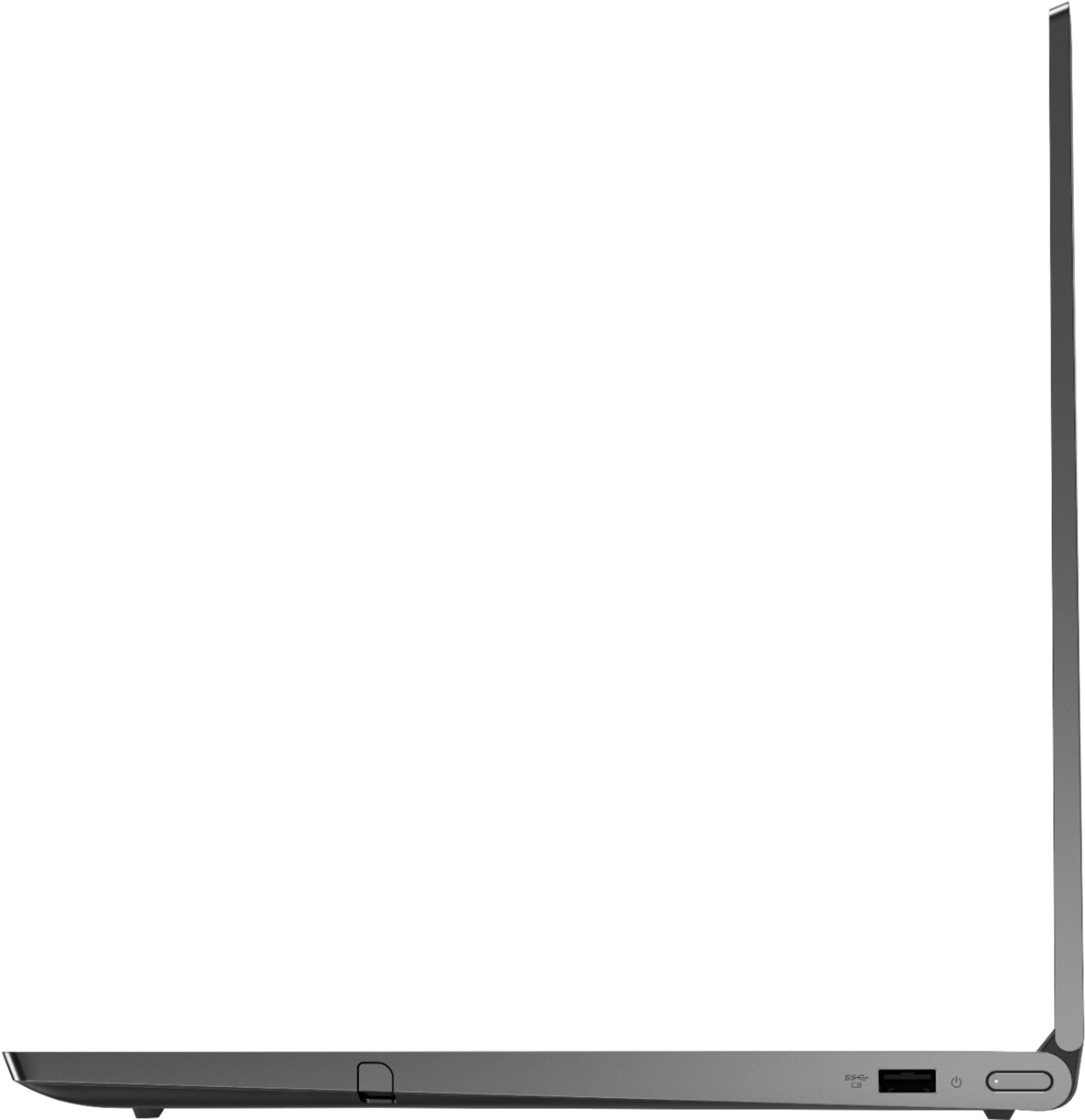
||Posted . Owned for 1 week when reviewed.This reviewer received promo considerations or sweepstakes entry for writing a review.This is a really nice laptop. Tablet convertable with touchscreen and included pen/stylus with built-in storage (on the right-hand side). Pros: • Beautiful all metal chassis, (which is fairly fingerprint resistant), also has a fingerprint reader. • Embedded Bluetooth 4.x, no dongle needed for bluetooth mice/KBs. • Backlit keyboard and multiple speakers in the screen hinge (speakers that actually face you, nice). • Built-in camera privacy sliding cover... a super small, barely visible, physical slider tab that covers your camera lens from behind the glass touchscreen. Nice. • 15.6" screen, Intel Core i7, 16GB of RAM, 512GB SSD. Very snappy from right after login (which is a nice surprise). • Two Thunderbolt 3 ports (yes, actual Thunderbolt 3), a separate power port (we'll come back to this in a minute), and a single USB-A 3.0 port. • Aside from McAfee, not really any other bloatware from factory. • Size is good for older folks needing a larger screen, number pad included. Trackpad is snappy/responsive, no weird "ghost" taps or other crap-sorcery there. Cons • Major Flaw >>> You CANNOT use the Thunderbolt 3 ports to charge or power this laptop (apparently, only available on the 14" model). 15.6" model? Nope. Dumb. Dumb. Dumb. Really Dumb. Just know which size you're getting and double-check the specs on the Lenovo site... You'll see the 15.6" model comes with a Lenovo regular power port and the 14" model has no regular power port. While you can use an external Thunderbolt 3 docking station (with Thunderbolt3 cable to the laptop), it will NOT provide power. Just throw out your dreams of having a single cable to plug in. So yes, right beside your fully capable 100W Thunderbolt docking station is your standard Lenovo power charging cable, plugged in, happily providing power, smiling at you, mocking you... • Then I ran into this nasty little bug... In the Lenovo Vantage software, there is a "battery conservation mode" you can enable to prolong battery life. It keeps your battery level hovering between 50% and 65% for those of us that keep the laptop plugged in all the time and only decouple from power infrequently. However, in another bad engineering move, it allows your laptop to go into sleep mode (it says "plugged in, not charging"). Ok, no problem. Upon re-awakening the laptop, all peripherals stopped working (bluetooth mouse/kb, and Thunderbolt docking station). Ok, no problem, I'll just reboot... I kicked off the reboot and it said "Restarting" for a good three minutes, then crashed to the new BSOD with a "Driver power state failure" error. I was able to replicate this issue with alarming consistency. Googled some half-baked workarounds, but no real fixes. Had to disable battery conservation mode. Overall: I really like this laptop, works well with a Thunderbolt external docking station (CalDigit brand Thunderbolt docking station is working well with it). A lot of pros going for it. The cons are certainly not deal-killers, but I wanted to write this review to save someone else the heartache I felt when I realized it's major flaw. I would have given it 5 stars, if it weren't for the lack of power/charge via Thunderbolt.
I would recommend this to a friendBrand response from Lenovo Product Expert
Posted .Thank you for choosing the Lenovo Yoga C940-15 model number 81TE0000US. Regarding powering the Yoga C940-15, this model requires a 135W AC adapter/charger, the Thunderbolt 3.0 ports are only capable of carrying 100W, so there is a dedicated power port on this model. The other issue you mentioned, Battery Conservation Mode, the problem with having to restart the Yoga C940-15, this may be caused by your Thunderbolt Docking Station. Try using the Battery Conservation Mode without the Thunderbolt Dock and the issue should go away. This might not work for you, but it may be the source of the failure you mention.
- Pros mentioned:Powerful, Speed
Amazing machine
||Posted . Owned for 1 month when reviewed.This reviewer received promo considerations or sweepstakes entry for writing a review.So far This beast of a laptop has been a fitting machine for my needs. As I am both a casual gamer and a developer during work and outside of work. The speed this thing packs is absolute perfection! Visual studio is notoriously slow at times and this machine has made that software work seamlessly. Gaming-wise I haven't begun stress testing the machine to much, however, I have been able to play Borderlands the Pre-Sequel and i'm certain it can handle other games like League of Legends, Skyrim, Apex with some tweaks to the graphics settings. The tablet mode is also pretty awesome because of the stylus it comes with. Though i haven't attempted to do some 3D cad designing yet on this machine yet i'm confident it can handle it cause of the hardware in this laptop. Overall this machine is very versatile and performs very well. I Highly recommend it to those with a wide array of interests like myself!
I would recommend this to a friendBrand response from Lenovo Product Expert
Posted .Thank you for choosing the Lenovo Yoga C940-15. We are pleased to hear that the features and performance of the Yoga C940-15 meets your computing needs so well. Every component of Yoga C940 was engineered with your experience in mind. That’s why the Yoga C940 offers the brilliant color and clarity with ultra-narrow bezels, with 500 nits brightness, it’s 50-percent brighter than standard SDR displays. You’ll enjoy amazing realism that's vivid, nuanced, and powerful. Capture your ideas the moment inspiration hits with a garaged digital pen. Featuring an in-body charging compartment, the Yoga C940 ensures you’ll never lose a thought—or your digital pen—again. The convertible hinge hides a powerful Dolby Atmos Speaker System that immerses you in 3D sound in every mode. Combined with two sets of speakers featuring powerful subwoofers, custom tweeters, and unique vibration buffers that reduce unwanted noise, your audio will sound bigger, deeper, and more accurate. Experience how the Yoga C940 embodies world-class craftsmanship, innovative solutions, and elevated design. Log into your Yoga C940 in less than two seconds with an integrated fingerprint reader. That’s three times faster than the average time it takes to type a password. Forget your password.
- Pros mentioned:GraphicsCons mentioned:Ram
Good combination of features for multipurpose use.
||Posted . Owned for 1 week when reviewed.This reviewer received promo considerations or sweepstakes entry for writing a review.Nice: 9750h processor is capable, sound is good with no distortion nor crackling though I have the Dolby and its Atmos enhancements turned off, thunderbolt allows for external graphics cards when you want to step up the gaming, number pad can be handy, fingerprint reader works well, hdr screen looks great. Drawing is fun on the screen and the m2 storage is user upgradeable. Relatively light at 4lbs. 3d mark ranks it above minimum for VR use. Okay: Keyboard is comfortable, though the up/down arrow keys are squashed. 16gb of RAM but not user upgradeable.
I would recommend this to a friendBrand response from Lenovo Product Expert
Posted .The Lenovo Yoga C940-15 is not user upgradable. A certified technician must do all of the work, so as to not void the warranty. Every component of Yoga C940-15 was engineered with your experience in mind. That’s why the Yoga C940-15 offers the brilliant color and clarity of 1920 x 1080 (FHD), edged with ultra-narrow bezels and 500 nits brightness. It’s 50% brighter than standard SDR displays. You’ll enjoy amazing realism that's vivid, nuanced, and powerful. Capture your ideas the moment inspiration hits with a garaged digital pen. Featuring an in-body charging compartment, the Yoga C940-15 ensures you’ll never lose a thought—or your digital pen—again. The convertible hinge hides a powerful Dolby Atmos Speaker System that immerses you in 3D sound in every mode. Combined with two sets of speakers featuring powerful subwoofers, custom tweeters, and unique vibration buffers that reduce unwanted noise, your audio will sound bigger, deeper, and more accurate. Experience how the Yoga C940-15 embodies world-class craftsmanship, innovative solutions, and elevated design. Log into your Yoga C940-15 in less than two seconds with an integrated fingerprint reader. That’s three times faster than the average time it takes to type a password. Forget your password. Yoga is committed to protecting your privacy. Slide the Yoga C940’s TrueBlock Privacy Shutter closed for true peace of mind when you’re not using your webcam.
- Pros mentioned:Build quality
Great Laptop With Plenty oh Horsepower
||Posted . Owned for 2 weeks when reviewed.This reviewer received promo considerations or sweepstakes entry for writing a review.I love this laptop. I don not agree with some of the complaints. 1. As with any piece of machinery with a large motor, cooling is a necessary and welcome process. The fan sound is a non-issue for me. This machine has an large processor, cooling and fan noise come with the territory. 2. Still with the cooling issue; machines need vents to breathe. So when you lie in bed and smother the opening with your comforter, it's going to heat up and the fans will kick on. Make sure there's a gap between the bottom of your laptop and the surface it's resting on. The computer is fast, 16 gigs is plenty of RAM for my needs. I've downloaded 4 Full HD movies simultaneously will watching a fifth. I've had several spreadsheets open at once and was able to navigate back and forth with lightening speed. The display is excellent with the aide of the NVIDIA Graphics 1650 and Max Q Design. The sound is the best you'll find from laptop speakers, there literally is not a better sounding laptop on the market. The build is solid the color is very a bold and masculine Iron Grey. And I got it for $1249.00 open box, Geek Squad Certified. Normally sells for 1699.00. Very pleased so far. Thank you.
I would recommend this to a friendBrand response from Lenovo Product Expert
Posted .Thank you for choosing the Lenovo Yoga C940-15. We are pleased to hear that the features and performance of the Yoga C940-15 meets your computing needs so well. Every component of Yoga C940 was engineered with your experience in mind. That’s why the Yoga C940 offers the brilliant color and clarity with ultra-narrow bezels, with 500 nits brightness, it’s 50-percent brighter than standard SDR displays. You’ll enjoy amazing realism that's vivid, nuanced, and powerful. Capture your ideas the moment inspiration hits with a garaged digital pen. Featuring an in-body charging compartment, the Yoga C940 ensures you’ll never lose a thought—or your digital pen—again. The convertible hinge hides a powerful Dolby Atmos Speaker System that immerses you in 3D sound in every mode. Combined with two sets of speakers featuring powerful subwoofers, custom tweeters, and unique vibration buffers that reduce unwanted noise, your audio will sound bigger, deeper, and more accurate. Experience how the Yoga C940 embodies world-class craftsmanship, innovative solutions, and elevated design. Log into your Yoga C940 in less than two seconds with an integrated fingerprint reader. That’s three times faster than the average time it takes to type a password. Forget your password.
- Pros mentioned:Build quality, Graphics
Finally, ya get what ya pay for!
||Posted . Owned for 3 weeks when reviewed.This reviewer received promo considerations or sweepstakes entry for writing a review.Bar none, this was the finest laptop I have ever purchased, not just because of the Yoga 2 in 1 features, but also the fit, finish, functionality, eye appeal, thoughtful placement of a charging pen or stylus as well as the color, battery life usage of function keys, fast charging, and mind ripping speed and awesome graphics! Further, this Yoga was as solid as laptops of old, it should last for years to come and with 16GB of ram and the 9th gen I7 chip be able to compete on nearly all professional levels and shine on personal levels. So happy with it, too bad it was for my wife...or so she thinks. I must also mention the Lenovo updates provided automatically allowed for a better result when Windows 10 updates were added. My other current computers had some conflicts, but the two Lenovo computers did not.
I would recommend this to a friend - Cons mentioned:Heavy, Loud fan
Good Value
||Posted . Owned for 3 months when reviewed.This reviewer received promo considerations or sweepstakes entry for writing a review.Being an older model, it is noticeably heavier than new models. It only has one USB A with multiple USB C, so you may need adapters if you have a lot of USB A peripherals. Battery life seems good. Every once in a while, and sometimes when putting it into sleep mode, the fan kicks on full speed and is very very loud. First time that happened, I thought the computer was malfunctioning, but it doesn't last long and doesn't happen very much.
I would recommend this to a friendBrand response from Lenovo Product Expert
Posted .Thank you for choosing the Lenovo Yoga C940-15. high performance configuration weighs just 4.18 lbs. You can use Lenovo Q-Control to manually control fan and system performance: ( Fn + Q ) option to change the fan by undervolting the processor. The cooling fan may ramp up in initial Sleep Mode to cool the system down when not in use.
- Pros mentioned:Build quality
Definitely recommend
||Posted . Owned for 1 month when reviewed.This reviewer received promo considerations or sweepstakes entry for writing a review.I decided to get a new Yoga (this was an open box item) because my previous yoga didn't have enough ram or a fast enough graphics card to do visual art I'm working on using several programs including Photoshop. This computer is fast and perfect for my needs - with the tablet I can draw/paint and use all the filters and so forth with good speed. I really like the Yoga laptops as they are very solidly built, metal and sturdy but sleek. The price is also really good for what you get compared to everything I looked at.
I would recommend this to a friendBrand response from Lenovo Product Expert
Posted .Hi there! Thank you for choosing the Lenovo Yoga C940 15.6" laptop . We are so happy to hear the amazing performance, features, premium look, and feel of the Yoga C940 is meeting your computing needs so well. We appreciate your loyalty to the Lenovo brand.
- Pros mentioned:SpeedCons mentioned:Battery life
Pleased with this purchase.
||Posted . Owned for 1 month when reviewed.This reviewer received promo considerations or sweepstakes entry for writing a review.I am completing my education and entering the rest of my life, this compute has the capability I will need for the foreseeable future. Fast, and the ability to add memory easily is very appealing. Do not like one USB port, or the relatively short battery life.
I would recommend this to a friendBrand response from Lenovo Product Expert
Posted .Hello, Thank you for choosing the Lenovo Yoga C940 15" laptop model # 81TE0000US. Ragardinng the battery life Here is a link to tips for getting more battery life within Windows 10: https://support.microsoft.com/en-us/help/20443/windows-10-battery-saving-tips. Also please ensure battery conservation mode is turned off. This feature is meant to be on if your laptop is plugged in 100% of the time. In this case it will prolong your battery life as it only charges the device to 60% Here is a link to instructions for turning off Battery Conservation Mode:
https://support.lenovo.com/us/en/solutions/ht103159
If your issue persists please call Lenovo Tech Support at 877-453-6686
- Pros mentioned:Powerful
Powerful mobile workstation
||Posted . Owned for 3 weeks when reviewed.This reviewer received promo considerations or sweepstakes entry for writing a review.I purchased this computer after reviewing a variety of 2-in-1 models. In the 15.6" size, this laptop is fantastic for longer worksessions, but not as easily mobile as a 14" - the size difference feels substantial. The 360 screen makes the laptop highly versatile for entertainment and presentations, and the placement of the speaker is perfect - sound is never obstructed by the movement of the hinge. The laptop is powerful enough to handle huge file transfers and photo rendering with speed, but for some reason Zoom screenshare seems to crash this computer after about 30 minutes (this may be a Zoom or Google Chrome issue, but it was surprising on a laptop with this much RAM). This is not a "throw in your bag and go" laptop - more of a "pack up your station and find a large bag" - but it's definitely far more robust than the average laptop while still offering display and touchscreen flexibility.
I would recommend this to a friendBrand response from Lenovo Product Expert
Posted .The Lenovo Yoga C940-15 model number 81TE0000US, is an ultra-portable 2 in 1 system, providing maximum computing power on the go. This configuration provides a full size 15.6-Inch (screen size measured diagonally) HDR IPS LCD w/LED Backlight screen, with a resolution of 1920 x 1080 (FHD) and a brightness level of 500 nits, but the overall size of the Yoga C940-15 is only 13.98 x 9.39 x 0.78 inches and weighs just 4.18 lbs. Every component of Yoga C940 was engineered with your experience in mind. That’s why the Yoga C940 offers the brilliant color and clarity with ultra-narrow bezels, with 500 nits brightness, it’s 50-percent brighter than standard SDR displays. You’ll enjoy amazing realism that's vivid, nuanced, and powerful. Capture your ideas the moment inspiration hits with a garaged digital pen. Featuring an in-body charging compartment, the Yoga C940 ensures you’ll never lose a thought—or your digital pen—again. The convertible hinge hides a powerful Dolby Atmos Speaker System that immerses you in 3D sound in every mode. Combined with two sets of speakers featuring powerful subwoofers, custom tweeters, and unique vibration buffers that reduce unwanted noise, your audio will sound bigger, deeper, and more accurate. Experience how the Yoga C940 embodies world-class craftsmanship, innovative solutions, and elevated design. Log into your Yoga C940 in less than two seconds with an integrated fingerprint reader. That’s three times faster than the average time it takes to type a password. Forget your password. Regarding issues with a specific APPs, we recommend you check the APP settings. Also, be sure you have the latest version of Windows 10 on the computer, the update all of the BIOS files and drivers up to that latest version of Windows 10. You can easily accomplish this by scanning the computer with the Lenovo Utility software available on this computer. This system has Lenovo utilities installed to help maintain the health of the device and keep the operating system software up to date. Type "Lenovo Vantage" in the Cortana Search window (if Lenovo Vantage is not installed on your device, you can download the APP and install it now). Select Lenovo Vantage from the list. In the window that opens, click on "Health and Support". In the expanded menu, select "Hardware Scan" In the window that opens, select "Run Quick Tests". This will scan your entire system for errors. Follow any directions that may pop up. If the problem continues after this scan, now click on "System Update". First select Windows update from the menu. Scan your system to be sure you have the latest version of Windows 10. Once that scan is complete, select "Additional Updates". This will scan your device to be sure there are no new BIOS/Driver updates needed. Follow any instructions that may pop up. If the issue still continues after these updates, we recommend you call Lenovo Tech Support at: 877-453-6686 for additional help.
- Pros mentioned:Touch screen
Great Personal Computer for the Money
||Posted .This reviewer received promo considerations or sweepstakes entry for writing a review.I needed a fast, reliable computer for heavy videoconferencing from home. The Yoga C940 with 15.6" Touch Screen fills the bill. The display and sound are excellent. The camera is fine for video conferencing, but I was baffled by the privacy slide at first. ("Why is my camera not working? It says it is on!") It's subtle. It also has a very cool electronic pen stored in the case that I have no need for, but it's cool. My old computer bit the dust when it's CPU fan quit. The Yoga has a strong fan (if a little noisy). It's lighter than my old one and the battery gives me 3-4 hours unplugged. It's as good looking as any new computer and who cares how it looks? It works great. It does what I need. The only thing that keeps it from five stars is that it only has 1 USB port! I needed the USB port for an ethernet cable and had to buy an adapter to get an additional USB port for the mouse. (I know touch screen + touch pad and I still prefer a mouse at times.) It was a practical decision and I'm happy with this device.
I would recommend this to a friendBrand response from Lenovo Product Expert
Posted .Thank you for choosing the Lenovo Yoga C940-15. You can use Lenovo Q-Control to manually control fan performance: ( Fn + Q ) option to change the fan. This model ships with a 4CELL_68WH_INTERNAL, Lithium Polymer Battery, with a battery life of up to 12 hours, depending on the work the device is performing. If you are only getting 3 to 4 hours of battery life, be sure that Battery Conservation Mode is turned off. This power management setting should only be used when the laptop is plugged in all the time. Here is a link to instructions for turning off Battery Conservation Mode:
https://support.lenovo.com/us/en/solutions/ht103159. If Battery Conservation Mode is off, then check what programs are running in the background on the computer and be sure only programs you want running in the background are, as these programs drain the battery. Here is a link to information about how to find out what programs are running in the background on your Windows 10 computer and how to manage them for better system performance: https://www.windowscentral.com/how-prevent-apps-running-background-windows-10. If there are no background programs running, then be sure any software you installed is compatible with Windows 10. There is no need to install Microsoft Office software. The software is already part of the operating system, you just need to activate the software with a purchased product key. If you have installed a copy of Microsoft Office, this is conflicting with the existing copy on the system and this will slow your system down. If you have installed a 3rd party anti-virus program, be sure that Windows Defender is turned off and that the trial version of McAfee Anti-Virus software is uninstalled. There can only be one anti-virus program on the system. You may need to restore your system to original factory default settings if any of the programming errors have occurred. You can do that by typing "restore" in the Cortana search window. Just click on the magnifying glass icon at the bottom left of your Windows 10 Desktop. Click on "Reset This PC" Then click on "Get Started" and follow the on screen directions to restore to factory defaults. If the problem persists, we recommend you contact Lenovo Tech Support at: 877-453-6686.
- Pros mentioned:SpeedCons mentioned:Battery life
Overall really great
||Posted .This reviewer received promo considerations or sweepstakes entry for writing a review.Pros: Screen/brightness Keyboard Speed Processor is good Great dedicated GPU Very light Love the detachable screen Cons: Detachable screen has very poor battery life. No HDR support No kickstand for tablet No I/O ports on the screen Expensive
I would recommend this to a friendBrand response from Lenovo Product Expert
Posted .The screen on the Lenovo Yoga C940-15 model number 81TE0000US, is not detachable. The screen has 360-degree hinges to position the screen in traditional laptop mode or flip it 360-degrees to use in tablet mode. The 15.6-Inch screen on the Yoga C940-15 is HDR capable. Screen SPECS are: 15.6-Inch (screen size measured diagonally) HDR 400 capable, resolution of - FHD (1920x1080) IPS, Brightness level of 500 nits, with a Glossy finish.
Great deal, great timing
||Posted . Owned for 3 weeks when reviewed.This reviewer received promo considerations or sweepstakes entry for writing a review.Needed a powerful laptop at an affordable price. Found it with this refurbished product. I was a bit concerned about going refurbished, but I've put it to work for a month and it has handled everything I've thrown at it. Only a couple times did it seem to stall while using an application, but it appeared to be the software, not the computer.
I would recommend this to a friendGreat laptop
||Posted . Owned for 3 weeks when reviewed.This reviewer received promo considerations or sweepstakes entry for writing a review.I recently bought this computer refurbished and have had it for a month. Very fast startup, a reboot takes about 10 seconds. I run xbox live app, multiple Google Chrome tabs, your phone app, Discord and Spotify simultaneously without issues. I absolutely love this laptop, the only reason why I'm giving it 4/5 stars is because of the audio. The sound seems to wave across the 'sound bar' and it makes a strange static noise every now and then which is not interference. I've tried re-installing and updating the audio drivers but didn't fix the issue. Other than that, I would highly recommend buying this laptop!
I would recommend this to a friendGreat
||Posted . Owned for 3 weeks when reviewed.This reviewer received promo considerations or sweepstakes entry for writing a review.Great laptop for the money, it has everything I need. I use this mostly for game development including coding and design. It runs all the programs I need without slowing down. I went for a 2 in 1 so that I could use it comfortably in tablet mode to draw, which works out great. The screen is bright and responsive.
I would recommend this to a friendRespectable Laptop
||Posted . Owned for 1 month when reviewed.This reviewer received promo considerations or sweepstakes entry for writing a review.It's a decent laptop. Nice screen, good keyboard layout...like that the stylus is tucked away and easy to access. The only 2 cons are all the Lenovo software installed and the hard drive being small. I remedied the hard drive by replacing it with a 1TB SSD (easy enough). The camera, speakers and mic are all good. It's a decent laptop for what I use it for...which is basically surfing the internet, doing some light office work, and some light Adobe Photoshop work. It was more affordable than the Surface, HP and Dell laptops...as said, the speakers are way better and I do love the keyboard with the number keypad.
I would recommend this to a friendBrand response from Lenovo Product Expert
Posted .The Lenovo Yoga C940-15 ships with just two adware programs, a 30-day trial of Microsoft Office 365 (as part of Windows 10 operating system) and a 30-day trial of McAfee virus protection. Lenovo computers ship with one of the cleanest factory software installs within the consumer computer industry.