Customer Ratings & Reviews
![The text on the image is a list of keys on a keyboard. Here is the corrected and grouped text:
1. Esc
2. F1
3. F2
4. F3
5. F4
6. F5
7. F6
8. F7
9. F8
10. F9
11. F10
12. F11
13. F12
14. Ins
15. Del
16. ~
17. !
18. 1
19. @
20. 2
21. #
22. 3
23. $
24. %
25. ^
26. &
27. 7
28. *
29. 8
30. (
31. )
32. 0
33. -
34. +
35. =
36. backspace
37. tab
38. Q
39. W
40. E
41. R
42. T
43. Y
44. U
45. I
46. O
47. P
48. {
49. [
50. ]
51. caps lock
52. S
53. D
54. F
55. G
56. H
57. J
58. -
59. K
60. L
61. :
62. ;
63. "
64. J
65. enter
66. shift
67. Z
68. X
69. V
70. B
71. N
72. M
73. ,
74. >
75. ?
76. /
77. shift
78. ctrl
79. fn
80. start
81. opt
82. H
83. alt
84. cmd
85. H
86. alt
87. cmd
88. ctrl
89. opt](https://pisces.bbystatic.com/image2/BestBuy_US/images/products/6478/6478159_sd.jpg)


![1. logi
2. esc 1 2 3 4 5 6 7 8 9 0 - = backspace
3. tab Q W E R T Y U I O P [ ] \
4. caps lock A S D F G H J K L ; ' enter
5. shift Z X C V B N M , . / shift
6. ctrl fn opt alt cmd
7. MULTI-DEVICE, MULTI-OS](https://pisces.bbystatic.com/image2/BestBuy_US/images/products/e563c254-4b09-453f-a596-db8b270b59a9.jpg)
![USB-C QUICK CHARGING
F9 F10 F11 F12 ins del
( 9 ) 0 - + = backspace O P { [ } ] \](https://pisces.bbystatic.com/image2/BestBuy_US/images/products/4ba47143-9573-4c40-9018-df94b6892919.jpg)

![IN THE BOX
logi
esc 1 2 3 4 5 6 7 8 9 0 - = backspace tab Q W E R T Y U I O P [ ] \ caps lock A S D F G H J K L ; ' enter shift Z X C V B N M , . / shift ctrl fn opt alt cmd
Responsible Packaging FSC™ FSC® N003028](https://pisces.bbystatic.com/image2/BestBuy_US/images/products/6177db92-9bf5-4933-9264-5b70b886f806.jpg)
- Model:
- 920-010474
- SKU:
- 11231933
Rating by feature
- Value
Rating 4.5 out of 5 stars
- Quality
Rating 4.8 out of 5 stars
- Ease of Use
Rating 4.7 out of 5 stars

A Huge Improvement for My Mac Studio Setup
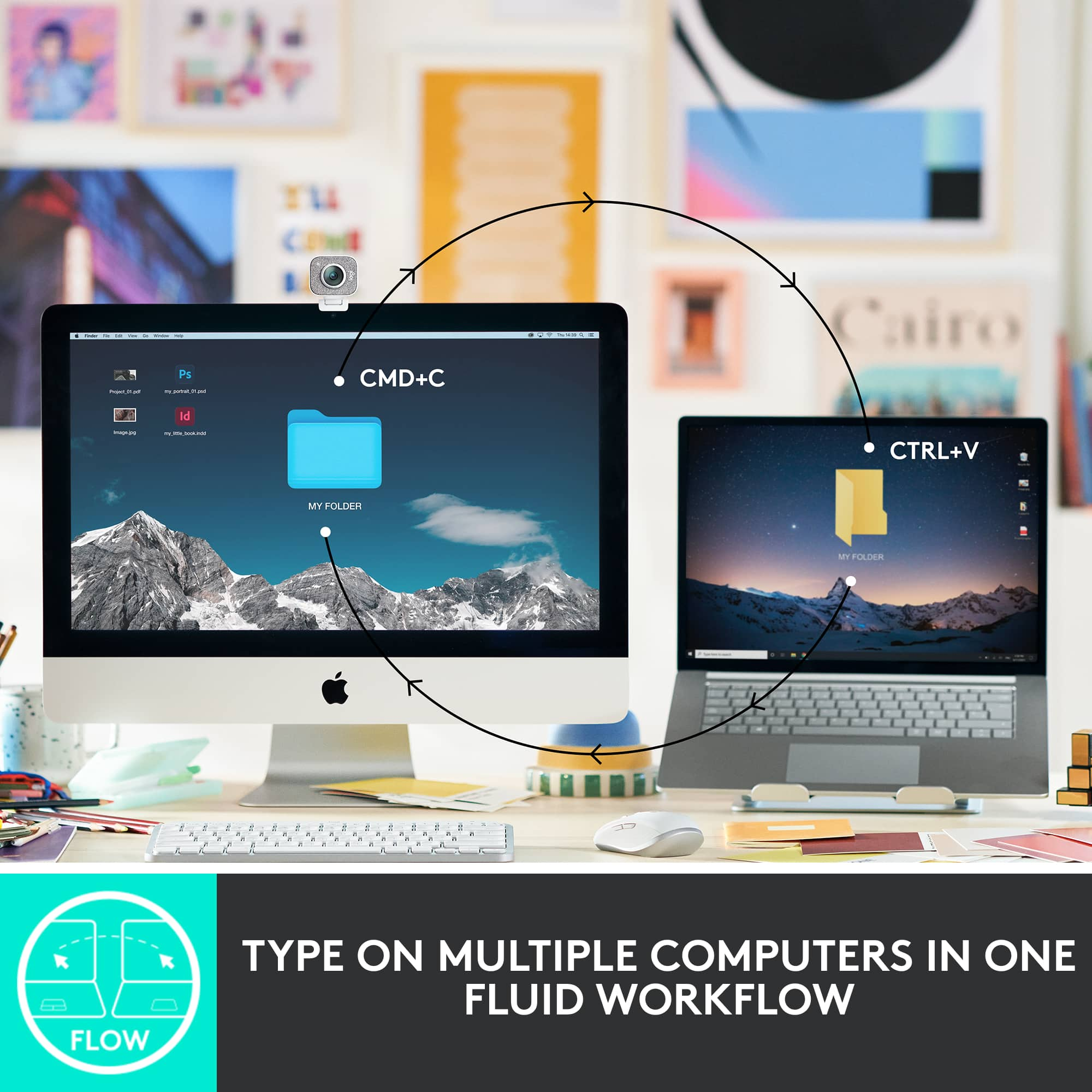
|Posted .This reviewer received promo considerations or sweepstakes entry for writing a review.As a long-time Mac user, I recently decided to upgrade from the original Macintosh wireless keyboard that came with my Mac Studio to the Logitech MX Keys Advanced Wireless Illuminated Keyboard for Mac. After testing it, I’m happy to share my experience with this fantastic keyboard. The first thing that struck me about the MX Keys is its sleek and stylish design. It fits right in with the elegant aesthetic of my Mac Studio setup. The keyboard’s low-profile design and spherically dished keys felt immediately comfortable under my fingers, providing a typing experience that’s both satisfying and whisper-quiet. As someone who spends a significant amount of time typing (I develop content for a living), I appreciate the attention to detail in the key design. The tactile feedback is just right, and the keys are perfectly spaced, making typing a breeze. The keys’ shape, which mimics the curve of my fingertips, enhances accuracy and speed. It’s clear that Logitech put a lot of thought into the ergonomics of this keyboard. The keyboard is clearly well built (which I’d expect from Logitech) and solid. A nice feature is the smart illumination. The backlighting adjusts automatically based on the lighting conditions in my office, and the keys light up as my hands approach. It’s a small touch, but it adds a level of convenience that I didn’t know I needed until I had it. This feature is especially useful during late-night work sessions when I prefer to keep the room dimly lit. Adjusting the brightness (or completely turning off) the illuminated keys is as simple as using the F3/F4 keys, just like on my Macbook Pro. Even though I am primarily using this with my Mac Studio, I did try the easy-switch functionality with my iPad Pro. Switching between devices has never been easier. With the easy-switch buttons, I can connect the MX Keys to my Mac Studio, iPad, or even my iPhone and switch between them with a simple button press. This flexibility will be helpful when I want to travel and not drag my laptop with me but still have the comfort of my everyday keyboard. The battery life on this keyboard is impressive. Even with the backlighting on, I’ve gone several days without needing to recharge. And when it’s time to juice up, the USB-C charging is quick and hassle-free. I appreciate not having to deal with battery swaps or frequent charging sessions. Logitech has included a variety of function keys that enhance productivity. From quick access to system controls to dictation and emoji keys, the MX Keys have made my daily tasks more efficient. It’s also compatible with Logitech Flow, which allows me to control multiple computers with one mouse and keyboard setup—a feature that’s incredibly useful for multitasking. Overall, the Logitech MX Keys Advanced Wireless Illuminated Keyboard for Mac has exceeded my expectations. It’s a stylish, comfortable, and highly functional upgrade from the original Macintosh wireless keyboard. Whether you’re typing up reports, coding, or just browsing the web, this keyboard delivers a superior experience. If you’re a Mac user looking to enhance your setup, I highly recommend giving the MX Keys a try. It’s a small change that can make a big difference in your daily routine.
I would recommend this to a friendBrand response from Logitech
Posted .Hi! Thank you for your detailed review of the Logitech MX Keys Advanced Wireless Illuminated Keyboard for Mac! It's fantastic to hear how much you're enjoying the keyboard, especially the comfortable typing experience, smart illumination, and easy-switch functionality between your devices. We put a lot of thought into the design and functionality of the MX Keys, and we're glad it's exceeding your expectations and making your workflow more efficient. We appreciate you recommending it to other Mac users!
Performance Comfortable Mini MX keyboard for creat
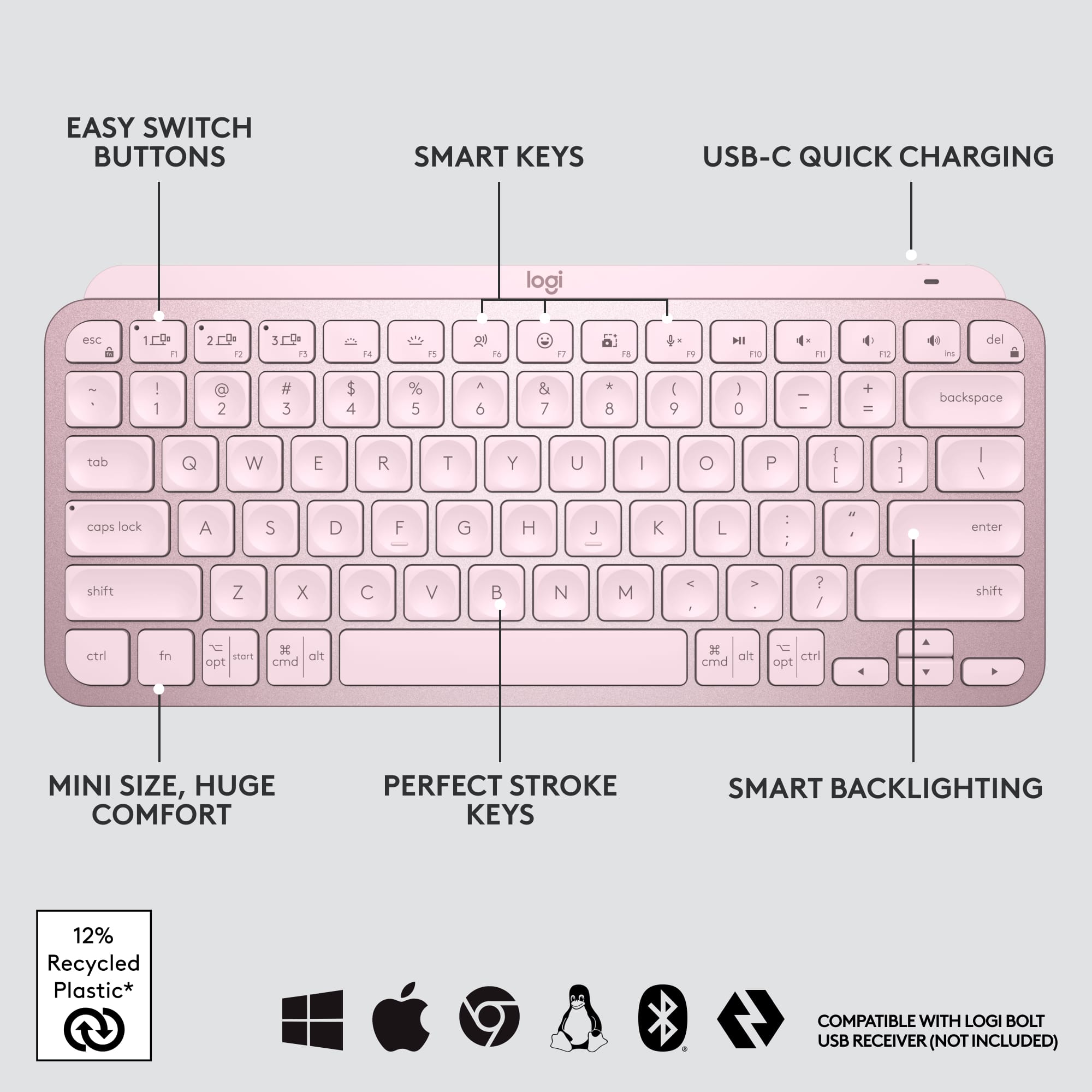
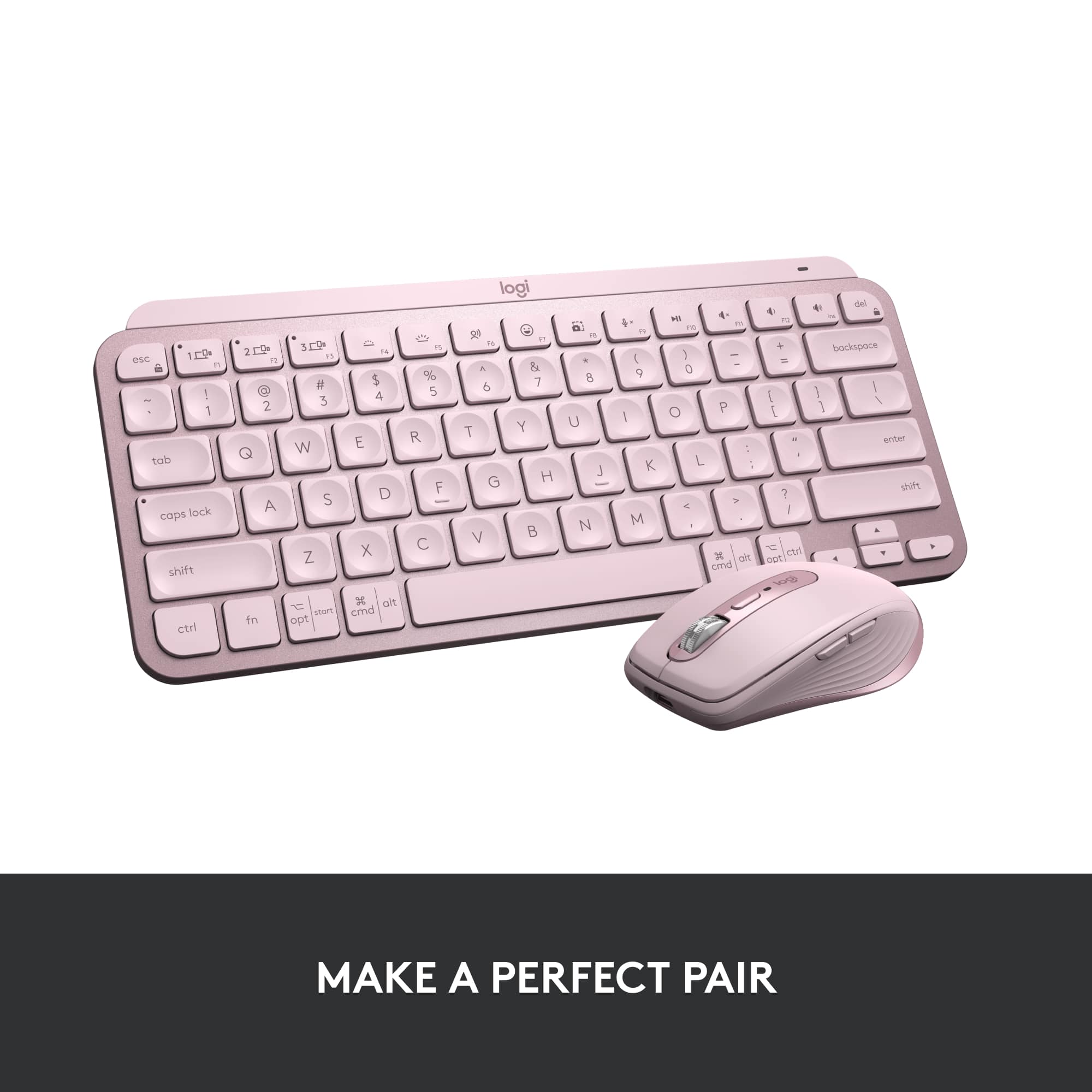
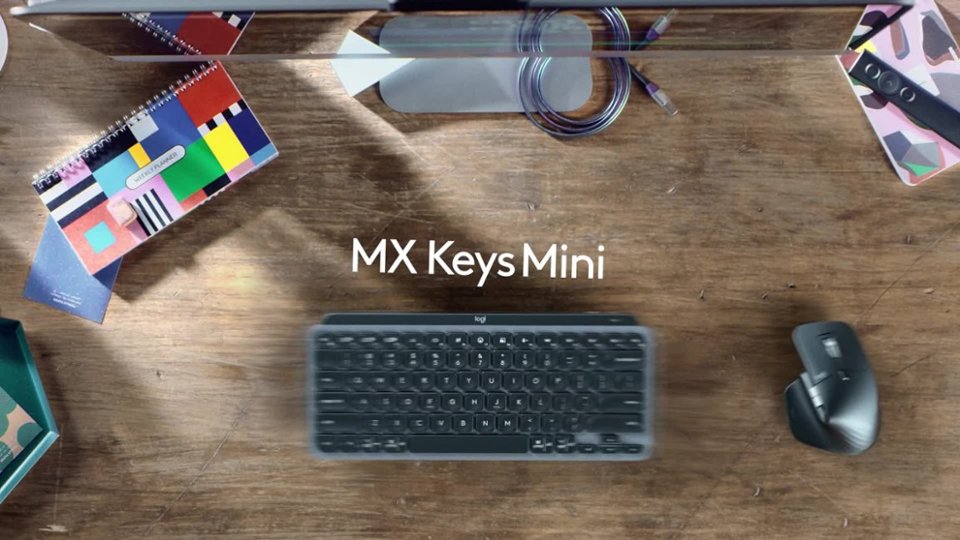
|Posted .This reviewer received promo considerations or sweepstakes entry for writing a review.Logi MX keys Mini is minimalist 70% form factor wireless illuminated keyboard intended to take anywhere on the go or for minimizing desk space and targeted for everyday productivity. It takes less space on your desk and looks awesome when paired with MX master3 and MX speakers(see pic). Unboxing and What’s included: In the box, MX Mini keyboard, USB C to A cable for charging in box with safety, compliance, and warranty info papers. Keyboard’s minimalistic design is excellent with 75% ergonomic form factor and measures 11.65 x 5.19x 0.82 inches and weighs around 506 grams. Setup is simple. It does not come with the new compatible Logi Bolt receiver that was released recently and this keyboard will not pair or work with unifying receiver. So, if you are planning to purchase this to use with your unifying receiver you are out of luck and may need to purchase the new Bolt USB receiver. Connection via Bluetooth is simple and uses Bluetooth low energy and is compatible with windows 10 or Mac or iOS or iPad OS or Android OS. Just go the settings and search for available nearby devices after turning the switch on and select the MX keys mini to get connected. You can connect max of 3 devices and switch between them with the tap of the easy switch keys located on the top row. Very seamless and fluid switching between devices once configured and connected. To connect different devices after connecting one device, press and hold the another easy-switch buttons on top for few seconds until it blinks to complete the setup process for other device. Once configured, just with the tap of the easy switch keys you can navigate to different devices. For my setup, I have my work laptop and personal gaming laptop connected to the Samsung 49-inch G9 monitor on a sit stand desk and this new mini keyboard paired with MX Master 3 works great for productivity. You can customize this keyboard with various functions by downloading the Logitech options software and setup functions keys and setup voice to text dictation. By default, the first row of 3 keys is assigned with easy switch keys to switch to various devices (1 to 3), decreasing /increasing brightness for backlighting for keyboard, dictation and emoji keys, screen capture keys, mic off keys and multimedia keys (play/pause, volume mute, volume decrease, volume increase). All these keys can be easy switched between Fn keys by pressing Fn+Esc and all this without holding the Fn button. Keystroke is perfect with the keys shaped for fingertips and is very comfortable ergonomically. Batteries will last up to 10 days on a full charge, and it again depends on the usage and the backlight brightness. If you need more than few months of battery life, suggest turning off the backlighting in the logi options software or reduce the brightness to save battery. This mini MX keys will definitely save desk space and when paired with MX Master 3 it can switch and operate multiple computers on the same network seamless using the Logitech flow software. Overall, if you are looking for a productive, compact (space saving), performance, comfortable, portable (easy to take anywhere you go), wireless, multi device connection keyboard without losing the full keyboard functions and have no need for dedicated number pad then this is the keyboard for you and won’t regret the purchase.
I would recommend this to a friendBrand response from Logitech
Posted .Hi TechGuru, we're glad to see you're loving the premium productivity features of your ultra portable MX Keys Mini Bluetooth Keyboard! Continue to enjoy! -N from Logitech
Great for long typing sessions
|Posted .This reviewer received promo considerations or sweepstakes entry for writing a review.## Design I’m a big fan of the full-size version of the Logitech MX Keys keyboard, so I was happy to see that Logitech makes a smaller version now as well. The MX Keys Mini drops the numeric keyboard and reconfigures the layout a bit, making the arrow keys smaller and shrinking the CTRL, FN and other related keys, while keeping the letters and numbers at full size. The keys are backlit and impressively light up as your hand approaches the keyboard, making it easy to see where your hands should “land” in a dark room. On the row of function keys are dedicated media and volume controls. ## Performance Like its larger sibling, the Logitich MX Keys Mini still has a satisfying feel when typing. It’s not “clicky” like a typical mechanical keyboard, but the keys do provide nice tactile feedback when pressed. I find the keyboard very comfortable for long typing and coding sessions. Battery life seems to be very good as I’ve only had the keyboard for a few days, but I haven’t needed to recharge it yet, even with the backlight on. ## Features Wireless: Oddly, there was no Logitech Unifying Receiver included with this keyboard (although the full size keyboard did include one). Therefore, your only option of connecting the keyboard is via Bluetooth. The USB-C port appears to be “charge only” as I was not able to use the keyboard via a wired connection. Backlighting: As mentioned earlier, the backlight seems to sense that your hand is approaching and lights up before you even touch a key. There is only a white LED backlight, so there is no option to change between different colors. Multiple machine support: There are 3 dedicated buttons for switching between devices. So you can pair the keyboard via Bluetooth to your laptop, phone and tablet and then switch between devices easily. Emoji key: Maybe one of my favorite new features, there is a dedicated key for emojis on the F7 key that allows you to easily bring up iOS’ Emoji keyboard. Screenshot key: There is also a dedicated screenshot key that invokes iOS’ screenshot function. Dictation key: There is also a key for voice dictation that invokes iOS’ dictation feature. USB-C Recharging: You can use the included USB-C to charge the kayboard, but not to connect it to your computer as a wired keyboard. ## Summary Overall, the Logitech MX Keys Mini keyboard is great for using your laptop in “clamshell” mode, or for connecting to your phone, tablet, or any device with Bluetooth keyboard support. The backlight feature works very well and the dedicated Emoji, screenshot and dictation keys are very convenient. Unfortunately, a wireless USB adapter is not included with this version of the keyboard, so it will need a Bluetooth connection.
I would recommend this to a friendBrand response from Logitech
Posted .Hi TechnicallyWell, we're glad to see you're loving the premium productivity features of your ultra portable MX Keys Mini Bluetooth Keyboard! This is one keyboard that can do a lot in a small form factor. Continue to enjoy and thank you for your feedback! -N from Logitech
Great full ergonomic keyboard, bye lightning cable
|Posted .This reviewer received promo considerations or sweepstakes entry for writing a review.I am loving my new Logitech keyboard for Mac. It has all the things you probably wanted from the Apple keyboard that just aren’t there like the screen capture button without having to remember Apple short cuts, a function button for emojis, a full number pad, and it’s tilted upward in the back for a more ergonomic feel. My previous Magic Keyboard was not very magical. I had it rested on papers so that it would be slightly tilted for a better angle when typing. The Logitech one looks great in the space gray color, and it has a perfect tilt in the back to make typing feel a little smoother and be a little easier on your wrist. The keys feel very smooth to type with and have little finger indents so you can really feel your fingers transferring from key to key. They are also back illuminated which can be turned up, down and off in the function keys depending on your preference and they turn on as you go to touch the keyboard. Turning this off will help your battery last significantly longer but nonetheless a cool feature if your lighting isn’t the best. Speaking of the F keys, I almost feel like I got my Touch Bar back with the extra functions this Logitech keyboard gives me. I like the emojis button because I do tend to use a potentially excessive amount of emojis. There are also 3 keys to customize via app located on their website (I couldn’t find it in the App Store) and switch to say your iPad or MacBook at the touch of a single button which is pretty cool if you have a multiple screen setup and or are a big multitasker. Another bonus for me, it charges with the usb C. I’m trying to rid my life of lightning cables and minus my mouse and trackpad I am almost there. If you’re looking for a great alternative to the Apple keyboard with better features and more comfortable typing experience, this is it.
I would recommend this to a friendBrand response from Logitech
Posted .Thanks for the great review of the Logitech MX Keys S for Mac! We're glad you found it a comfortable and feature-rich alternative to the Apple Magic Keyboard. We'll pass your feedback on to the product team!
I’m liking the keyboard
||Posted . Owned for 3 weeks when reviewed.This reviewer received promo considerations or sweepstakes entry for writing a review.I have had this bluetooth keyboard for about a month and i’m happy with the quality. Keys feel satisfying and light up white which looks pretty clean on the white color. You can adjust brightness. The thin profile and ability to turn it off with a switch is convenient for travel. Battery is pretty good I haven’t had it die on me but im pretty good about keeping it charged up. I mainly use this when I connect the laptop to the bigscreen and it has worked well so far.
I would recommend this to a friendBrand response from Logitech
Posted .Sounds like your MX Keys Mini TKL is really hitting all the right notes! We're delighted you're enjoying the quality, the satisfying, clean-looking backlit keys, and its convenient travel features. It's fantastic to know it's been a perfect companion for your big-screen setup.

Excellent Typing Experience on a Small Keyboard
|Posted .This reviewer received promo considerations or sweepstakes entry for writing a review.I’ve been using the Logitech Craft for work for a few years now. I don’t make much use of the multi-function input dial, but I’ve loved the feeling of typing on it and the MX Keys Min delivers an even better experience. I won’t be using it for work unfortunately because I need the ten-key, but if you don’t need that it’s a really solid keyboard that can live on a desk or your bag. The function keys at the top are minimal, but all very useful and it’s a great companion for my MX Anywhere 3. The first thing I noticed about the Mini was how light it was compared to my Craft keyboard. Obviously it’s much smaller, but even still I wasn’t expecting it to be so light. It feels just as solid though. The key layout is almost exactly the same size as the Craft keyboard, minus the arrow keys and ten-keypad. The keys are universal and can be used on Mac or Windows. It charges via USB-C. Logitech calls this a minimalist keyboard and I think that’s a fair description. There’s not an egregious amount of extra function keys here and the ones that are there are all generally very useful to me. If you’re somebody like me who cares about the aesthetics of what you use I think you’ll appreciate the design. The keyboard connects primarily via Bluetooth, though it can also be connected via Logitech’s new Bolt dongle, which is not included in the box. The Bolt is different from the Unifying Receiver that has been in use for the past several years, so if you’ve already got some Logitech accessories this will not connect to the same receiver. I found the Bluetooth connection to my Surface Book to be solid, no complaints at all there. I have a largish hands and found the experience of typing on this keyboard to feel just a little cramped compared to my Craft, but I think that has less to do with the key spacing and more to do with the fact that the frame is so small that it feels like I might slide off the side if I reach over too far. The typing experience is similar to the Craft, but with a little bit more key travel. The difference is noticeable and I don’t feel like I’m bottoming out the keys nearly as much as I do sometimes when I’m furiously typing away on the Craft. The keys all have circular indentations that make them easy to settle on by feel with my fingers. I mostly used this with my Surface Book and while I didn’t typically use an external keyboard with it before, it was nice to actually push the laptop back a little bit and not hunch into it to type. The battery life is rated up to 10 days with backlighting and 5 months with the backlight turned off. I don’t do much of my typing in the dark, so will likely leave the backlight off, but it does look good and seems to adjust itself to the appropriate level. I’m happy with this keyboard overall. I love what Logitech is doing with their Master series and I’m glad I have this to compliment my mouse. For power users I’d go with the full size MX Keys, especially since it’s the same price, but for if you’re looking for a compact keyboard this is a great high quality choice and much better than something like Apple’s Magic Keyboard.
I would recommend this to a friendTop Of The Class
|Posted .This reviewer received promo considerations or sweepstakes entry for writing a review.What can I say more about Logitech MX Keys S for Mac? Truly remarkable. There is not a better keyboard on the market right now. The full size keyboard I have is perfect for my set up. It also matches my space black laptop with the black and gray finishes. The illumination on the keyboard is beautiful. You can adjust it to your liking if it's too bright. The size is great and should be able to fit in most spaces. One of my favorite things about this keyboard is the fact that you can program it to work with different devices. No need to carry around multiple keyboards. You can program up to 3 devices to work with the keyboard. So I have mine programmed to my main laptop, my work laptop, and tablet. You only need to press a button to switch between the devices. Typing on the keyboard is such a pleasure. Very fluid. Ease of pressing the button feels great. I feel like I type faster on this particular keyboard because of the buttons. Since this keyboard is catered to Macs, there are specific keys just for them. (I have MX Keys for Windows as well) MX Keys keyboards are so good that I have 3 of them. 2 at home and one at work. The charge lasts for weeks. No need to keep the charge cord connected. If you buy this keyboard you will not be disappointed!
I would recommend this to a friendBrand response from Logitech
Posted .Hi there! Thanks for the fantastic review of the MX Keys S for Mac! We appreciate you sharing your experience with its design, functionality, and battery life. Having 3 MX Keys keyboards yourself says it all - glad you love it!
Awful usb receiver
||Posted . Owned for less than 1 week when reviewed.This reviewer received promo considerations or sweepstakes entry for writing a review.It is really an awful keyboard. It support usb receiver but it didn't include in the box. I spend 15$ online. But this new "blot" receiver doesn't support ANY current Logitech mouse, even the mx 3.
No, I would not recommend this to a friendBrand response from Logitech
Posted .Hello. Thank you for taking the time to share your experience with the MX Keys Mini. I'm sorry to hear that you're not happy with the connectivity of the keyboard. It is meant to be a Bluetooth keyboard, but it also uses our newest Bolt technology, which is our most secure and encrypted wireless technology, ever. Unfortunately, it does not use the Unifying Receiver, and only a few devices are using Bolt at the moment, but you can still connect it using Bluetooth. It is a great keyboard (I'm actually typing my response on an MX Keys Mini right now)!
-Charlton at Logitech
Great backlit keyboard with numeric pad
||Posted .This reviewer received promo considerations or sweepstakes entry for writing a review.Excellent keyboard! It has great feel, backlighting if you want it, and a full numeric keypad as well. High quality materials and construction. It connects via USB-C cable. It's technically for a Mac, but you can use it for a PC. Highly recommended.
I would recommend this to a friendBrand response from Logitech
Posted .Hello, thank you so much for your excellent feedback. We're thrilled you're enjoying the great typing feel, backlighting, and build quality of your MX Keys S for Mac. It's also great to hear that you're finding it works perfectly for your PC as well.
Not just Elegant, but Functional and performative
|Posted .This reviewer received promo considerations or sweepstakes entry for writing a review.The Logitech MX Keys S for Mac in Space Gray and model number 920-011621 is a wireless keyboard that is designed specifically for Mac users, and it offers a blend of functionality, beauty, and great performance. Let me explain: As I am typing with this new keyboard it matches the MacBook Pro Space Gray Color so that is a big plus. In the box there is the keyboard, the USB C Cable to charge the keyboard and finally the paperwork. The Mac layout on the keyboard is convenient and compatible with different Apple devices such as macOS, iPadOS and iOS. I also like that it is easy to pair the keyboard up to three devices via Bluetooth and the keyboard also has 1 2 and 3 button to switch between devices, finally it can be done from the app, there is no need to do anything complicated. As for the Smart Illumination, I really like this, the keys automatically light up when my hands get close to it, and the brightness is adjusted based on the environment so it is useful when needed. And also the lighting can be customized both for brightness or the duration and you can do so with the Logi Options+ app. Just know that when the backlights on, it looks cool and on the other hand the battery life is shorter. And while on the subject of the Logi Options+ App, I am familiar with the app because I also have a PC and I have the Logitech Ergo K860 keyboard on it and it works fantastic too. On the app I can tell the life of the keyboard, disable keys and also use the easy switch between devices. Also it gives me a layout of the keys and uses and best of all I can customize the keyboard for different applications to be more efficient. Another thing I like is that the keyboard uses high quality recycled plastic and I can even take off the battery to easily recycle when it needs to be done. As for the feel of the keyboard, it feels comfortable; it is on a slight angle without the need of adjusting anything. The spherically-dished keys do provide comfort and accurate typing experience. The keyboard is also quiet so I can type away anywhere I take the keyboard. Overall: the Logitech MX Keys S for Mac combines functionality, beauty, sustainability and well built so I am happy with the MX Keys S keyboard and everything it has to offer.
I would recommend this to a friendBrand response from Logitech
Posted .Hello there! Thanks for the detailed review of the Logitech MX Keys S for Mac (model 920-011621)! We appreciate you highlighting its design that matches Mac products, multiple device connectivity with easy switching, Smart Illumination with customization options, compatibility with Logi Options+ app, use of recycled plastic, comfortable typing experience, and overall build quality. It sounds like a great fit for your Apple devices!
Sturdy, comfortable, & looks great with my Mac
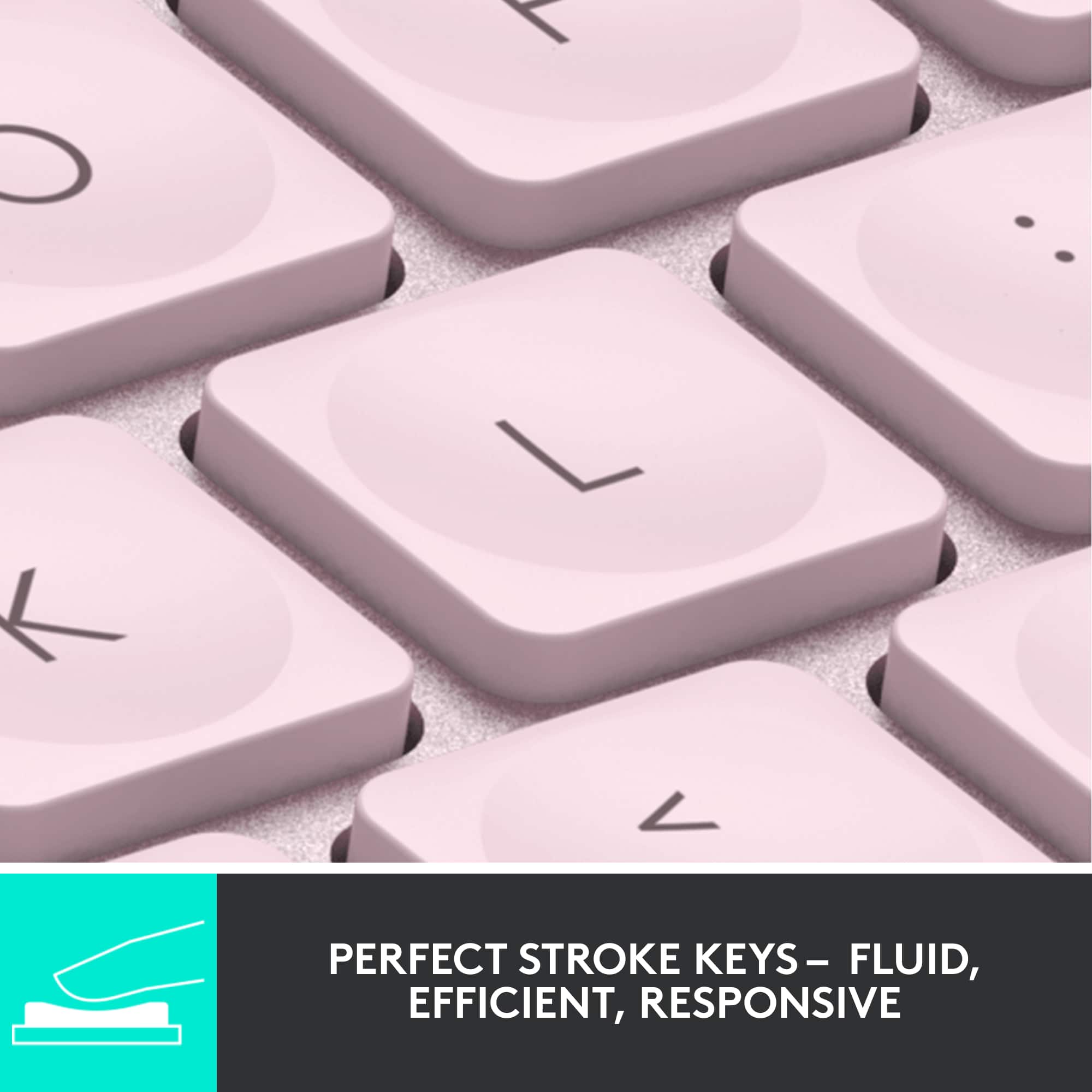
|Posted .This reviewer received promo considerations or sweepstakes entry for writing a review.The Logitech MX Keys for Mac keyboard is a sleek, light up keyboard designed which looks great with a Mac! The colors match Apple’s pallet exactly, so it feels like it belongs with the machine, either an iPad, a Macbook, or a desktop. The keys have just enough resistance to keep even a heavy typist from pressing incorrectly. Yet, they’re soft enough that my fingers are not tired at the end of the day. This replaced another Logitech backlit keyboard that I’ve had for years. The MX Keys is a little more comfortable with rounded tops for my fingers. The spacing is perfect. This recharges with a USB plug, with a quick charge of 5 minutes taking care of all day usage. The backlight only comes on when the room is slightly dark, ensuring the keyboard lasts a while between full charges. As a Bluetooth keyboard, it connected very quickly to my machines. It also adds a few very useful buttons, including a dedicated button for dictation and one for screen shots. These can be customized to do other things as well with Logitech’s software. The software allows for macros to run from 1 button or a combination. There’s version for MacOS and Windows, which is good for me as my work laptop is Windows. My one disappointment is the Start and Alt keys are reversed when using this keyboard with a Windows machine. While this is primarily designed for use with a Mac, including the designs on the keys, it would be nice to be able to adjust the key bindings in the Options software as I don’t have a choice on which machine I use for work. Overall, it’s a sturdy, well-built keyboard that’s very comfortable to use. I expect to enjoy it for many years to come.
I would recommend this to a friendBrand response from Logitech
Posted .Hi there! Thanks for the detailed MX Keys S for Mac review! We appreciate the feedback on comfort, design, and features. Your insights are valuable for us as we continuously strive to improve our offerings.
Great keyboard!
||Posted . Owned for 2 weeks when reviewed.This reviewer received promo considerations or sweepstakes entry for writing a review.I bought this keyboard to use with my iPad for writing. The keys and layout are very comfortable, and the keyboard has all the connectivity options you may need. The backlighting works well but can be turned off to extend usage between recharging which is easily done with a USB-C cable. The keyboard is a little pricey, but it can be found on sale occasionally for a better value. It is a high quality item though.
I would recommend this to a friendBrand response from Logitech
Posted .Thank you for your detailed review of the Logitech - MX Keys S! We're glad you appreciate its comfortable keys, versatile connectivity, and effective backlighting. We hope you continue to enjoy using it for your writing and beyond.
Fantastic if it matches your needs
|Posted .This reviewer received promo considerations or sweepstakes entry for writing a review.I’m a big fan of Logitech’s MX series. I have the full-sized MX Keyboard and both the MX Anywhere and the MX Pro mouse. They are my go-to devices for both desktop and laptop use. This “mini” version is just what it says, a small version of the full MX keyboard with a few significant changes. What hasn’t changed is the excellent feel and quality build. It has the same key action which is my favorite. It also has the MX series ability to pair with up to three devices and switch between them at the touch of the dedicated 1/2/3 keys. It also can use the Logitech Flow system to drag and drop things between those devices. As with the full-sized version, the keyboard lights come on only when your hands are in proximity thus conserving battery. Depending on how bright you set things, the internal rechargeable battery life is anywhere from 10 days to several months. It charges with the included USB C to A cable from any source. The alpha keys are full size, so it gets its diminutive size by omitting the Numpad and a few other keys. There are also differences in its pairing ability. The previous MX devices could pair with the ubiquitous Logitech Unifying Receiver dongle or directly via Bluetooth. This new device supports Bluetooth but does not support the Unifying dongle. It can pair the newer Logitech Bolt dongle. However, they did not include one, and they are an additional $20. Be aware that none of your existing Logitech products can use the Bolt since it’s not backward compatible. Considering I have other MX products, that’s a notable issue. There are also some new dedicated F-key functions … dictation, emojis, and mic mute. To get these you give up a few … task view, action center, show/hide desktop, previous track, next track, calculator, and app menu. It does have the basic arrow keys, but missing along with the num-key section are some important navigation keys … insert, home, end, page up, and page down. The mini is marketed as a “creator’s keyboard”, so it’s up to you to decide if the keys added compensate for those removed. The touch and feel are superb. The build is top quality. The battery life is great. The size is definitely small. If the key selection meets your needs and the smaller size is a plus, you’ll love it, and I recommend it with those qualifications.
I would recommend this to a friendVery Nice
||Posted .This reviewer received promo considerations or sweepstakes entry for writing a review.Love these MX Keys Mini Wireless Bluetooth keyboard. Easily connects to our bluetooth PC and Phone. Its a compact size with all the keys I need. We got the silver frame/white keys model. Took off one star because in a lighted room the backlight keys make the key labels very hard to make out. We also have the black on black version and the backlight keys are great on it.
I would recommend this to a friendBrand response from Logitech
Posted .That's wonderful to hear! We appreciate you sharing your detailed feedback on the MX Keys Mini keyboard, especially how easily it connects to your devices and its compact size. Your notes on the backlight visibility of the silver/white model versus the black version are also very helpful for us.
Mini keyboard
||Posted . Owned for 3 months when reviewed.This reviewer received promo considerations or sweepstakes entry for writing a review.Key board is small but works well with adult hands. Easy to pack and carry.
I would recommend this to a friendBrand response from Logitech
Posted .We appreciate you taking a moment to share your experience. It’s great to know that our product is living up to your expectations and making your tasks easier. Your support means the world to us—thanks for being a Logitech customer.
Great experience
||Posted . Owned for 1 month when reviewed.This reviewer received promo considerations or sweepstakes entry for writing a review.Great keyboard for Mac,I bought mac mini and used logitech keyboard, which was not quite went well, once I bought this keyboard all fabulous, very softtouch, great bluetooth connection, no noise from keyboard, feather touch, I love this key board
I would recommend this to a friendBrand response from Logitech
Posted .HmmThat's wonderful to hear! We are delighted that the Logitech MX Keys S for Mac has been such a fabulous upgrade for your Mac mini setup. We truly appreciate you sharing your positive experience regarding the soft touch, quiet keys, and great connectivity!
Just buy it!
||Posted . Owned for 9 months when reviewed.This reviewer received promo considerations or sweepstakes entry for writing a review.I bought this keyboard as a way to take with me to coffee shops to work remotely or just study. I love how heavy duty this keyboard is! It does not feel cheap at all!!! The keys are smooth and I love that I can have 3 different devices paired to the keyboard. I have my work, personal and my wife’s laptop paired and it’s easy to switch with a push of a button. Definitely recommend!!!
I would recommend this to a friendBrand response from Logitech
Posted .Thanks for the great review! We’re thrilled our product is meeting your expectations. Your support helps us continue to innovate and improve.
Great travel keyboard
||Posted . Owned for 3 months when reviewed.This reviewer received promo considerations or sweepstakes entry for writing a review.I got this as a secondary keyboard when travelling and for my home office. It is a great keyboard and feels just as good as the full sized version. I really enjoy the key indentations and the weight of the keyboard, with other options I felt that it would break when traveling, which is not an issue with it. The ability to connect to more than one device has proven useful, even though I seldom use that feature.
I would recommend this to a friendBrand response from Logitech
Posted .We are pleased to know you are satisfied with your Logitech - MX Keys Mini TKL Wireless Keyboard. Thank you for sharing your thoughts.
Great Keyboard
||Posted . Owned for 5 months when reviewed.This reviewer received promo considerations or sweepstakes entry for writing a review.This is a great keyboard for the price. Very well built and from a brand that has been in the industry for years and is well respected. Pairs up to 3 different devices and has a backlit keyboard. Very long battery life but really depends on your activity. Easily last for months on a charge. I find it comfortable to type on and will highly recommend Logitech products.
I would recommend this to a friendBrand response from Logitech
Posted .Thank you for the thoughtful review! The Logitech MX Keys Mini is a premium compact keyboard—sleek, durable, and packed with smart features like multi-device pairing and backlit keys. Its impressive battery life and comfortable typing experience make it a standout choice for productivity.
Can't recommend this keyboard enough!
||Posted .This reviewer received promo considerations or sweepstakes entry for writing a review.I’ve been using the Logitech MX Keys Mini for a while now, and it’s honestly one of the best upgrades I've made to my desk. The first thing you’ll notice is the key feel. The keys have these slight fingertip indentations that make typing feel incredibly precise and satisfying. It’s got that premium, snappy response you usually only find on high-end laptops, but in a solid, standalone build. The pre-mapped smart keys are actually super useful in daily life. Having dedicated buttons for emojis and dictation sounds like a small thing, but it’s a total time-saver once you get used to it. Plus, the Logi Options+ software is great if you’re like me and want to tweak things; you can customize almost everything to fit exactly how you work. Another lifesaver is the multi-device switching. I constantly jump between two laptops and being able to swap connections with one tap makes the whole process seamless. As for the battery, it’s basically a beast. If you turn off the backlighting, you can go months without a charge. I’ve legit forgotten where I put the charging cable because I use it so rarely. And if you're using this keyboard, I'd also recommend getting the matching mouse as they work so well together! The only tiny gripe I have is the spacebar, which has a slight creaky sound when you hit it a certain way. It’s not a dealbreaker, but it’s the one small flaw in an otherwise perfectly quiet and solid keyboard.
I would recommend this to a friendBrand response from Logitech
Posted .Thank you so much for sharing your detailed experience with the MX Keys Mini! We truly appreciate your thoughtful feedback and are glad to hear how much it’s enhanced your workflow. Your insights help us continue improving and delivering the best possible experience.