Customer Ratings & Reviews

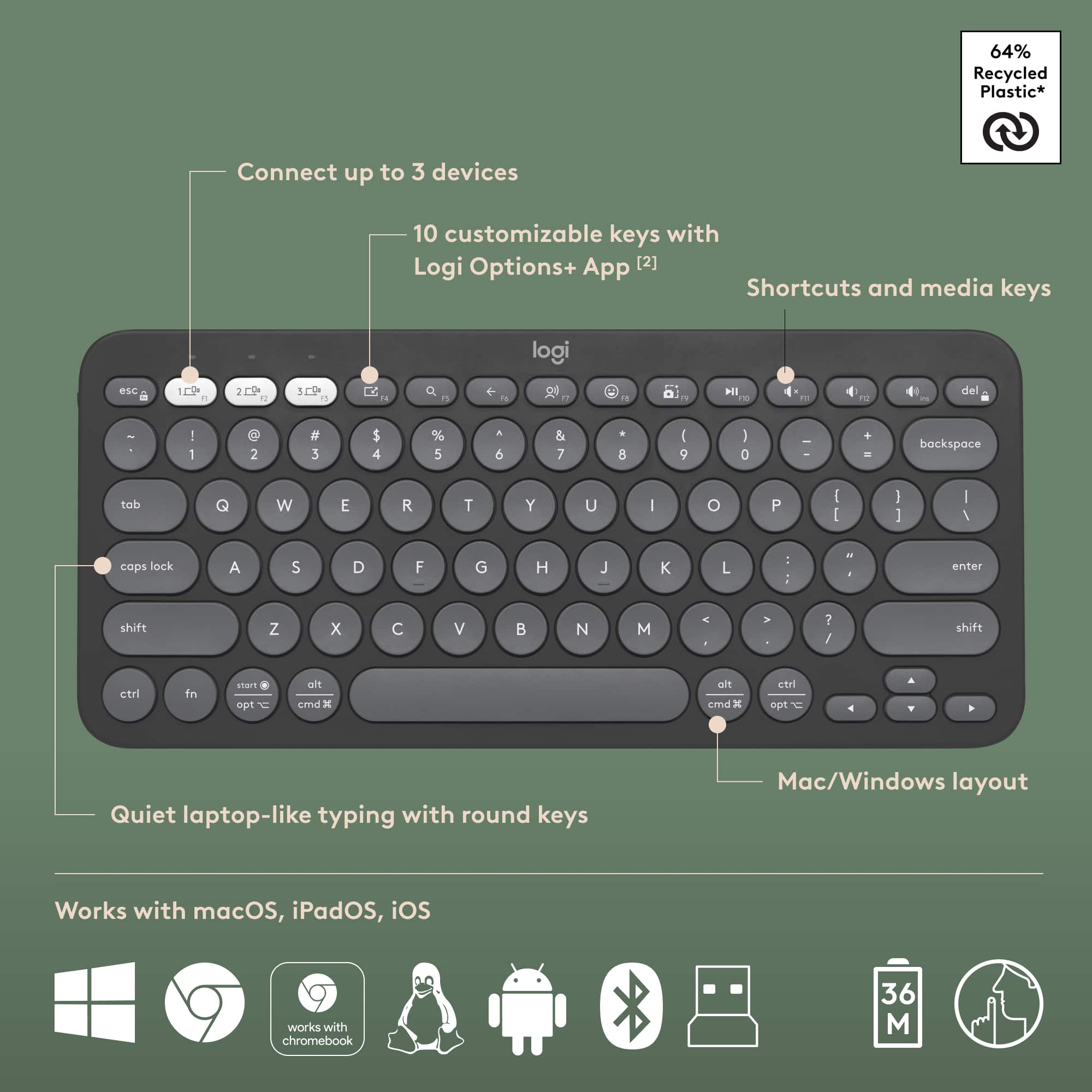
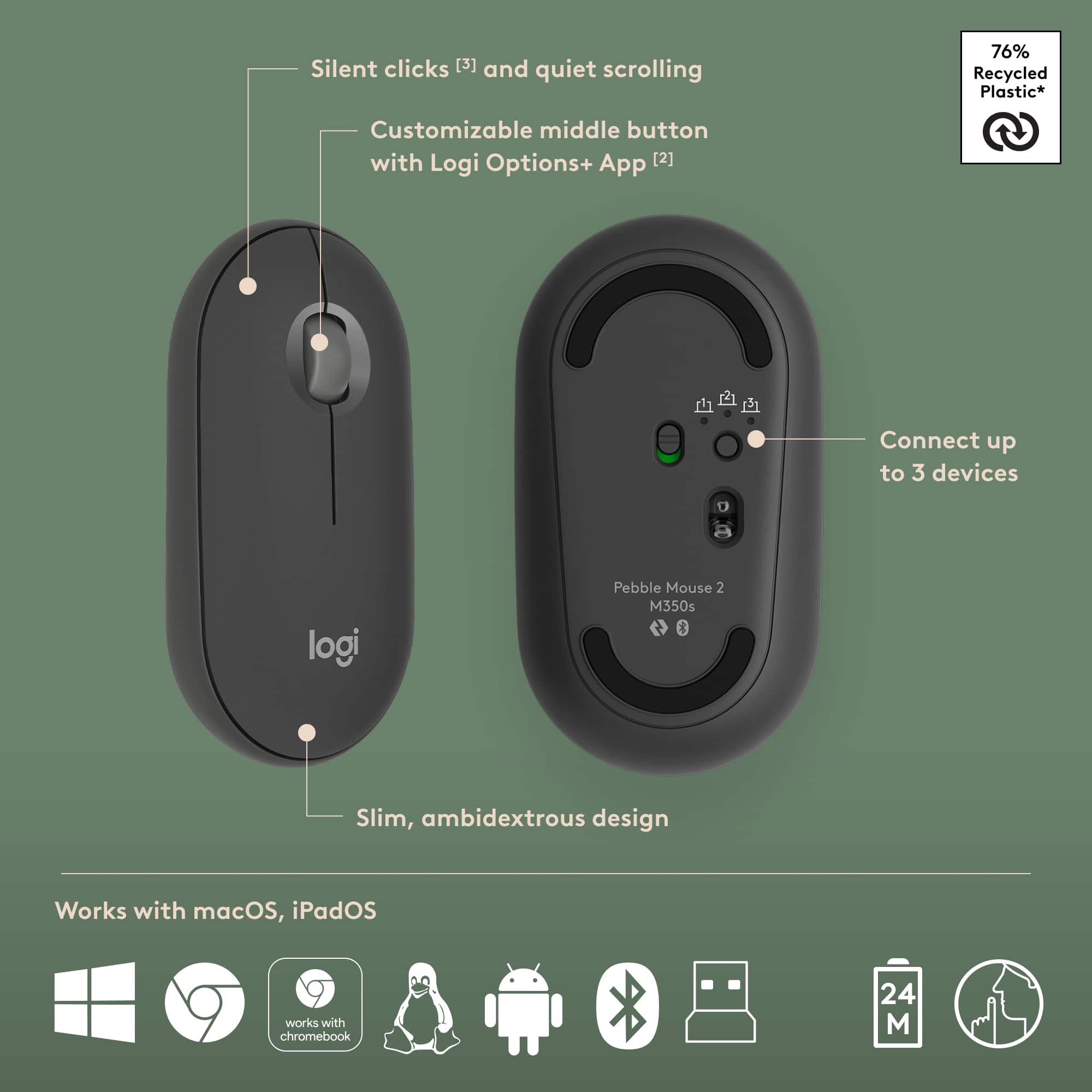
![A customizable pair ... I <3> - - - + d a - - a - . e - . - . - + d - - 1 1 O B a . . 1 I N CUSTOMIZABLE KEYS & BUTTON WITH LOGI OPTIONS+ APP [2]](https://pisces.bbystatic.com/image2/BestBuy_US/images/products/840917da-8639-4794-b1a0-6aed4b1b949c.png)

- Model:
- 920-012061
- SKU:
- 12237022
Rating by feature
- Value
Rating 4.6 out of 5 stars
- Quality
Rating 4.7 out of 5 stars
- Ease of Use
Rating 4.7 out of 5 stars
- Pros mentioned:Portability
Excellent keyboard and mouse
||Posted .This reviewer received promo considerations or sweepstakes entry for writing a review.Great keyboard/mouse combo, easy switching between multiple computers and iPad. Small enough that I can use while traveling too.
I would recommend this to a friendBrand response from Logitech
Posted .We’re grateful for your kind words. It’s wonderful to know our Logitech Pebble 2 Combo is helping you out. Thanks for choosing Logitech!

- Pros mentioned:Keyboard quality
Great wireless option.
||Posted . Owned for 1 month when reviewed.This reviewer received promo considerations or sweepstakes entry for writing a review.Bought this to pair with a Galaxy Tab and it worked great! I did have to buy a small adapter USB to C but once I had that it was no issue. Its very sturdy and easy to set up.
I would recommend this to a friendBrand response from Logitech
Posted .Thank you for your positive feedback on the Logitech Pebble 2 Combo. We’re glad to hear it paired well with your Galaxy Tab and that you found it sturdy and easy to set up. Your input is appreciated, and we hope the product continues to meet your needs.
- Pros mentioned:Portability
Pebble Combo Key and Mouse
||Posted . Owned for 1 month when reviewed.This reviewer received promo considerations or sweepstakes entry for writing a review.Excellent for on the go! The compact size and light weight provide the capability I need without the burden of 'extra stuff'.
I would recommend this to a friendBrand response from Logitech
Posted .Hey! Your experience helps us shape future improvements. We’re glad our product is delivering value. Thank you for being part of the Logitech community.
Good Bang for your Buck
||Posted .This reviewer received promo considerations or sweepstakes entry for writing a review.Very aesthetically pleasing and I like that the keys don’t make too much noise. Very useful if you’re looking for a compact keyboard.
I would recommend this to a friendBrand response from Logitech
Posted .Hey! Thank you for your review. It’s great to know our product is serving you effectively. We appreciate your insight and support.
- Pros mentioned:Portability
Can take on the go.
||Posted . Owned for 2 weeks when reviewed.This reviewer received promo considerations or sweepstakes entry for writing a review.Easy to use keyboard, and son loves it plus them being wireless.
I would recommend this to a friendBrand response from Logitech
Posted .Thank you for your feedback! We’re glad the Pebble 2 Combo is easy to use, portable, and loved by your son. Your experience means a lot to us.
Smooth and seamless.
||Posted . Owned for 3 months when reviewed.This reviewer received promo considerations or sweepstakes entry for writing a review.Great for people who loves to work in silence. No click sound.
I would recommend this to a friendBrand response from Logitech
Posted .We’re thrilled to hear you’re satisfied with your Logitech product. Your feedback helps us continue to deliver great experiences.
- Pros mentioned:Portability, Size
Great find! Conpact keyboard.
||Posted . Owned for 1 month when reviewed.This reviewer received promo considerations or sweepstakes entry for writing a review.Love it small compact! Great to go on the , great for office and home use. Quite key stokes. Dose not take up much space Easy to take with you while traveling. Love the mouse very light easy to use. Set up was very easy.
I would recommend this to a friend Perfect!
||Posted .This reviewer received promo considerations or sweepstakes entry for writing a review.A worthwhile upgrade indeed! It perfectly fits my hand and I use it on all my devices. – Mac mini Pro, iPad Pro, and MacBook Air.
I would recommend this to a friendBrand response from Logitech
Posted .We’re thrilled to know you’re satisfied with your Logitech product. Your input helps us shape better experiences for everyone. Thanks for your continued support!
- Pros mentioned:Connectivity
Tiny but efficient
||Posted .This reviewer received promo considerations or sweepstakes entry for writing a review.Seamless connectivey with one click, more for work I don’t recommend for gaming. These is my third purchase form logi
I would recommend this to a friendBrand response from Logitech
Posted .Thanks for your thoughtful review. It’s great to know our product is living up to your expectations. Your support helps us keep delivering quality.
New MX Master
||Posted .This reviewer received promo considerations or sweepstakes entry for writing a review.Nice upgrade from OG mx master. The haptic feedback is a nice touch
I would recommend this to a friendBrand response from Logitech
Posted .Thanks for taking the time to share your experience. We’re delighted the Logitech MX Master 4 for Mac is working well for you. Your feedback means a lot.
The Best Mouse Gets Better
||Posted .This reviewer received promo considerations or sweepstakes entry for writing a review.The best wireless mouse gets better. I’ve used MX Master for years, comfortable, smooth and feature rich.
I would recommend this to a friendBrand response from Logitech
Posted .Thanks for your thoughtful review. It’s great to know our product is living up to your expectations. Your support helps us keep delivering quality.
- Pros mentioned:Keyboard quality, Portability
Keyboard is great, Mouse is not
||Posted .This reviewer received promo considerations or sweepstakes entry for writing a review.Very small and easily portable which was my reason for purchasing! The keyboard works very well, no sticky keys or connection issues. The mouse, however, is not up to par. Tracking is very jumpy even after trying to clean the sensor and after trying multiple mouse pads, completely unusable.
No, I would not recommend this to a friendBrand response from Logitech
Posted .We're glad to hear you're enjoying the portability and performance of your Pebble 2 keyboard! We understand your experience with the mouse tracking hasn't been ideal, and we appreciate you bringing this to our attention. Your feedback is valuable as we continuously work to improve our products.
- Pros mentioned:Size
Perfect size for travel.
||Posted . Owned for less than 1 week when reviewed.This reviewer received promo considerations or sweepstakes entry for writing a review.Perfect size to use with my lenovo legion go. Fits into my tablet case with my tablet. There is no lag from the keyboard or mouse to the screen. The only thing i keep doing is tapping the caps lock on accident trying to hit the shift button. That's my own fault though, just getting used to using a portable keyboard that a little smaller than my standard sized keyboard. Having the ability to use 3 different devices without reprogramming is great. This set can be used through Bluetooth or with the USB chip that plugs in also.
I would recommend this to a friendBrand response from Logitech
Posted .Great review! It highlights the Pebble 2's strengths: portability (fits in your cases!), lag-free performance, multi-device function, and both Bluetooth/USB connectivity. The caps lock point adds a nice touch.
2 Thumbs up
||Posted .This reviewer received promo considerations or sweepstakes entry for writing a review.Best mouse for Mac book pro. So accurate in every way. Easy set up. Super ergonomic
I would recommend this to a friendBrand response from Logitech
Posted .We appreciate your support and are happy to hear the product is serving you well. Your feedback helps us improve every step of the way.
- Pros mentioned:Connectivity
Keyboard
||Posted . Owned for 1 month when reviewed.This reviewer received promo considerations or sweepstakes entry for writing a review.Work really love that u can use it Bluetooth and works very wll and not to big
I would recommend this to a friendBrand response from Logitech
Posted .Thank you for your kind words! We’re delighted the Logitech Pebble 2 Combo is performing well for you. Your feedback inspires us to keep pushing forward.
Good for CAD but thats about it.
||Posted . Owned for 3 weeks when reviewed.This reviewer received promo considerations or sweepstakes entry for writing a review.Overall a good mouse but way over priced. I like the Magic Mouse more for Adobe Apps but for CAD work you can't beat the MX Master 4. The Haptic feedback is cool but too sensitive and I just turned the thumb button off because even on the lowest setting you hit it just moving the mouse around.
I would recommend this to a friendBrand response from Logitech
Posted .Thanks for the positive feedback! We're happy to hear the product is performing well. We'll share your feedback regarding the haptic feedback with the relevant team. Your support helps us keep improving.
Great combo devices
||Posted . Owned for 1 month when reviewed.This reviewer received promo considerations or sweepstakes entry for writing a review.I love the convenience and size of these peripherals! It makes working during travel much easier.
I would recommend this to a friend- Pros mentioned:Keyboard quality
Affordable Bundle
||Posted . Owned for 3 weeks when reviewed.This reviewer received promo considerations or sweepstakes entry for writing a review.This product has decent typing experience. Travel between keys are pretty good and took some adjusting. But once I got the hang of it, it was pretty straightforward. The mouse is really good and can’t complain. Considering how much I paid for both, this was a great packaged deal
I would recommend this to a friendBrand response from Logitech
Posted .Appreciate the feedback on the Pebble 2 Combo. It's noted the key travel required a bit of adjustment, and we're glad the mouse experience was positive. Feedback like this helps us fine-tune future designs
Mouse
||Posted . Owned for 1 week when reviewed.This reviewer received promo considerations or sweepstakes entry for writing a review.Really mice mouse but i wish it was little small but other than that perfect item to buy
I would recommend this to a friend- Pros mentioned:Portability
Travel size keyboard
||Posted . Owned for 2 months when reviewed.This reviewer received promo considerations or sweepstakes entry for writing a review.Great size perfect for on the go easy to use fits perfectly in a backpack
I would recommend this to a friendBrand response from Logitech
Posted .Hey! Your feedback is a vital part of our development process. We’re happy our product is working well for you. Thank you for your support.