Customer Ratings & Reviews


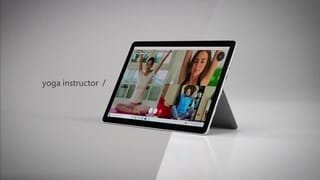


- Model:
- STQ-00001
- SKU:
- 6408475
Rating by feature
- Battery Life
Rating 4.4 out of 5 stars
- Durability
Rating 4.5 out of 5 stars
- Display
Rating 4.7 out of 5 stars
Customers are saying
Customers praise the Surface Go 2's portability, size, and weight, making it ideal for travel. Many appreciate its performance improvements over the previous model and the responsive touchscreen. Positive feedback also highlights the battery life and the value for the price. However, some users express concerns about the operating system's limitations and the relatively small storage capacity.
This summary was generated by AI based on customer reviews.
- Pros mentioned:Portability
Love it
||Posted . Owned for 1.5 years when reviewed.This reviewer received promo considerations or sweepstakes entry for writing a review.Love it, as a college student I have all my books/ notebooks in one place easy to carry and flexible
I would recommend this to a friend - Pros mentioned:Portability, Processor speed, Size

Excellent upgrade from original Go
|Posted .This reviewer received promo considerations or sweepstakes entry for writing a review.“Reviewers in this invitation-only program are provided products for the purpose of writing honest, unbiased reviews.” Microsoft was kind enough to send me the Surface Go 2 for review. I originally purchased the Surface Go 1 so I have a good amount of experience using it day to day. The Go 2 has a few upgrades that in my opinion make a difference. First the screen now has smaller bezels and a slightly larger viewing area. It’s an aesthetic upgrade but really makes the tablet look more modern. As far as performance this model has 8gb of ram vs my original model which had 4gb. I strongly recommend buying atleast the mid grade model as i have noticed more speed and less slowdown when using multiple programs or taxing the processor with the additional ram. The front facing camera is also one of the best you will find and works great for conference calls. Unfortunately S mode is app limited but i switched out of that with no noticeable issues. The Microsoft Edge browser is outstanding. They actually have a new version which has lots of homescreen options i have been using. The screen is the best i have used for not showing fingerprints at the expense of some glare. The weight and portability is the reason to buy this and the stand is the best especially for a tablet design without needing a case to provide one. It is impressive how light, portable and functional this is. I also have the keyboard cover and the pen. I do consider the pen optional but to get the full benefits from windows the keyboard realistically isn’t optional. That’s where the 4 stars comes in. None of this is inexpensive and the costs can add up. I do feel a better value would have been to include the Microsoft sleeve in the 2 highest configurations as that would have added some value without including their most premium accessories. Overall i enjoy my original Surface Go and Microsoft did a great job improving the things I thought were weaknesses on the first one. For a student or anyone that loves portability and doesn’t need all the additional power this will definitely do the job and do it well.
I would recommend this to a friend - Pros mentioned:Processor speed
Very happy with my purchase
||Posted . Owned for 3 weeks when reviewed.This reviewer received promo considerations or sweepstakes entry for writing a review.Great laptop tablet . Fast enough to run the full version of windows . No limited to s mode with m3 processor . I am really enjoying this. I have to mention that I bought it open box but it’s in mint condition , I loved the discount I got .
I would recommend this to a friend - Pros mentioned:Portability, Processor speed, Size
Great Compact Device
|Posted .This reviewer received promo considerations or sweepstakes entry for writing a review.This Surface Go 2 by Microsoft is really a great compact device delivering features, function, speed and clarity of the screen that you might only expect in a much larger device. It's setup was easy and Cortana will talk you through it, or turn her off if you would rather just read the screens. The 10.5" touchscreen display with 220 ppi resolution provides an unbelievably beautiful clear display no matter what your doing. Movies and photos are always crisp bright and clear. I have used several streaming apps to watch Live TV and movies and this device did not disappoint. Of course you are watching it at a much shorter distance than you would a larger device, which actually works in your favor as it does not seem that small when watching. Its processor is powerful and impressive and no jitter or drag was ever detected when watching anything I was streaming. Photos are equally impressive. The sounds are really great especially considering the speakers are so very small. Everything was crisp and clear while streaming music as well. A 3.5 headphone jack is there if you want to use a wired set of earbuds, and of course it has Bluetooth functionality as well Various social medias and email all function great. Anyway you play The Surface Go is ready and able. But its also very handy to take along to class or that meeting at work and comes with a full 30 day trial of Microsoft Office Products to help you when using the device on the production end of things. Hidden under the kickstand is a Micro SDXC card reader for data transfers and uploads and downloads. That can also be accomplished with the USB C port. It has given me an 8-10 hour battery life before needing recharged with its proprietary magnetic power supply and cord. And that is the one small dislike that I have with the Surface GO, needing to tote that charger/power supply to recharge and not be able to locate and use a simple USB to do the trick when not at home near the power supply. But over all its a wonderful machine that is ready to tackle whatever you throw at it and is so lightweight and portable, why wouldn't you want to take it everywhere you go. Notice: “Reviewers in this invitation-only program are provided products for the purpose of writing honest, unbiased reviews.”
I would recommend this to a friend Powerful and Portable
|Posted .This reviewer received promo considerations or sweepstakes entry for writing a review.I received this product in affiliation with the Tech Insider Network. Reviewers in this invitation-only program are provided products for the purpose of writing honest, unbiased reviews. That I received this product at no cost did not influence my review in any way. My review is based on my opinion and experience using it. I am going to focus as much of my review as possible on the tablet functionality, even though I am using it with the Surface Go Signature Type Cover, which is a keyboard/cover accessory that is available as an optional purchase. It is well worth the added expense, and I highly recommend getting both. The Surface Go 2 is an outstanding tablet, but with the keyboard it becomes an even more capable and portable hybrid tablet/laptop. Out of the box it is running Windows 10 S, which I immediately converted to standard Windows 10. Most users will want to do the conversion because Windows S is a walled garden OS that limits the user to the Edge browser, and the limited number of Apps in the Microsoft Windows S Store. Most importantly, there are no Google Apps available in Windows S. So if you are a user of Google Apps, like I am, you will immediately want to convert to standard Windows 10. I did not use Windows S enough to compare its performance compared to Windows 10, but I am very satisfied with the overall Windows 10 performance of this device. Setup consisted of charging, powering it on, signing on to Wi-Fi, and then Windows. I already have a Microsoft account so I did not need to create a new account. Included is a proprietary power adapter that magnetically attaches to the Surface Go 2 charging port. It is an interesting design, and I am still trying to decide if I like it or not. The upside is it attaches securely because of the strong magnet, but also attaches in a smooth way that should not put as much stress on the port as a standard connection. The downside is that it is a proprietary adapter. Fortunately there is a USB C port that can be used to connect accessories and power the device. So it is not necessary to take the power adapter everywhere because the Surface Go 2 can be charged with a, what is now becoming the universal standard, USB C cord. But I did find that a typical 5 watt power adapter did not provide enough power to charge this device, and I had to use a minimum of an 18 watt adapter. The high resolution screen looks fabulous and is great for watching videos. I have tested it with Netflix and Vudu, and find the video quality to be excellent. The touch screen is very responsive and works well. The build quality and visual appeal are impressive. The aluminum body is lightweight and thin, making it very easy to handle. The kickstand is incorporated into the back of the device, and allows instant and secure adjustment for optimal viewing angles. I want to give the kickstand design a special mention because it is without reservation, the smoothest design I have ever used. The speaker sound quality is passable, and typical for such a thin tablet. For listening to videos or music, I use Bluetooth headphones. The battery takes about 2 hours to fully charge. I was able to use it all day without having to recharge it until the next day. I would say it lasted me about 8-10 hours. There is a Micro SD port if more memory is required than the 128 GB flash memory that is equipped. The Micro SD port is also useful to transfer files between devices. ---Conclusion--- The Surface Go 2 features an elegant and lightweight design that is, as the name implies, easy to take on the go. The Go name describes who this device is for, and what it does best. It is perfect for someone that wants to have power and versatility in a slim, portable tablet/laptop form factor. If you are a user of power intensive applications, then you will need a more powerful device. But the Surface Go 2 has more than enough processing power and memory to handle most day to day productivity and entertainment needs easily.
I would recommend this to a friend- Pros mentioned:Size
Great little computer
|Posted .This reviewer received promo considerations or sweepstakes entry for writing a review.TL:DR Overall a great little device, super portable even with the optional keyboard attached, easily fast enough for basic computing! Processor- The Pentium 4425y isn't a speed demon at a base clock of 1.7Ghz over 2cores/4threads with no boost, but it sips power, and works for basic stuff (browsing/email/netflix/Youtube) without issues! Scored a 418 single/974 multi on Geekbench 5, and 2162s/4296m on Geekbench 4. Ram- It has 8GB of dual channel LPDDR3 1866. Not the fastest memory, or the largest amount, but perfect for basic computing (and its power efficient), any less and you'll really notice once you have a few browser tabs open. Storage- The 128GB SSD is just big enough, and quite speedy. Its a true NVME based SSD, albeit a slower one (mine is a Toshiba branded one). I saw a peak of 1.8GB/s reads and 800MB/s writes with crystaldiskmark 6. Better than SATA based SSDs and blows eMMC out of the water. Screen- The screen is quite nice, personally I feel like the peak brightness is a bit lower than you'd want to use outside, but the resolution/pixel density is great and the size isn't too small. Graphics- Definitely a low point for this device, but the Intel UHD 615 is not really meant for PC gaming. Retro gaming should be fine, it also handles Hearthstone like a champ, but beyond that you can use one of the many streaming services to get a better gaming experience on it. It scored an 833 in 3Dmark Firestrike. Network- Hilariously good WiFi, the Intel WiFi 6 AX200. Microsoft did not need to put this good/recent of a WiFi setup in this device, but they did. I have a Ubiquiti AC Wave2 access point, and this little guy connected (line of sight, 15ish ft away) at 1.7Gbps OVER WIFI! (this is Windows reported connection speed, I do not have the ability to do a true throughput test as my gigabit switch will be a bottleneck) Cameras- The devices has a much better front facing camera than the junk they're still putting in multi thousand dollar devices from some other device manufacturers, and Windows Hello face login is super fast and easy! The rear camera isn't anything to write home about, but works decently enough. “Reviewers in this invitation-only program are provided products for the purpose of writing honest, unbiased reviews.”
I would recommend this to a friend - Pros mentioned:SizeCons mentioned:Windows 10
Excellent blend of a tablet and a laptop!
|Posted .This reviewer received promo considerations or sweepstakes entry for writing a review.To start with, I want to make it clear that I am a Tech Insider Network member and I received this tablet free of charge from Best Buy. Reviewers in this invitation-only program are provided products for the purpose of writing honest, unbiased reviews. While this might make one think that my review will be skewed, I actually feel I am in a unique position to review this item since I did not make an emotionally charged purchase. To begin with, I think it is important to recognize that this specific tablet in the Microsoft Surface Go 2 lineup is probably the minimum-speced choice I would go with for anyone that expects to be able to multitask on this device. The 8gb of 1867mHz speed RAM is the MINIMUM needed to yield a smooth, stutter free experience on a full Windows desktop device like this—4gb ram is anemic in today’s computation world and it is almost a disservice that companies are still offering that little RAM on higher end devices. The storage this offers in the form of 128gb of onboard storage from a Toshiba BG4 SSD with read speeds of 1400mb/s and write of 800mb/s according to my testing is not bad! The real chokepoint of this device I would say is the 2-core, 4-thread Intel Pentium processor. While it is not the slowest processor to be utilized in a Windows tablet, it is definitely going to be the culprit behind any slow Operating System speed and program launch/navigation slowness detectable to the user. Altogether though, this trim of the Surface Go 2 will surpass the expectations of most everyday users. Now let’s talk more about how I think the use experience is. First of all, to get the full laptop-like experience out of this, I think that a keyboard is almost mandatory. I have been using the Microsoft Surface Go signature type cover that Microsoft also sent me and I have been nothing but impressed by it. As a matter of fact, it is what I am typing this review on right now. The tablet functionality of the Surface 2 Go is great but to fully utilize the Windows OS a keyboard is the best way to take advantage of it. 2nd, for those who want to get the most out of the tablet functionality of this device, a pen such as the Microsoft Surface Pen is going to greatly enhance that experience. Finally, the IO on this device is minimal in the form of one 3.5mm headphone/speaker jack, a USB-C port, the charging port, and a micro-SDXC port. Thus, to get full usage out of it, I would recommend a USB-C port expander or dock if you need more port needs than what is offered on the device. As for the device itself, I think from the hinge on kickstand, to the Windows Hello log-in feature (similar to face-ID on Apple iOS), to the beautiful bright 1920X1280 screen (with appropriate bezels for being able to use as a tablet without having accidental-touches), this thing is just great to use. It really is so many rungs above other tablets on the ladder of tablet hierarchy. Where does this tablet fit into the workflow/use case of a potential user at its price point and functionality? I think really it is for someone who really needs the portability or actual features of a 10.5inch tablet with full Windows 10 accessibility who needs a laptop secondarily. The reasoning for this is that at the price point of this device with the additional purchase of a Surface Go type cover, there are faster, better featured Windows laptops. As such, I would highly recommend a prospective buyer look at whether they need a tablet, a laptop, or something like this that performs moderately well in both roles. A tip I want to offer is that this tablet comes loaded with Windows 10 S, a sort of truncated, Windows-app-only version of Windows 10, so when you are ready to download Google Chrome and other non-Windows suite apps and programs, you will have to take a minute to switch to the normal version of Windows 10—not too difficult but a step that must be taken none-the-less. Overall, I think this is an incredibly well built, quality device and will certainly make a good purchase for those who meet criteria I outlined above.
I would recommend this to a friend - Pros mentioned:Performance, Weight
Beautiful tablet/PC—at 1lb 11.7oz w/ type cover
|Posted .This reviewer received promo considerations or sweepstakes entry for writing a review.Full disclosure— This product was received through the Best Buy Tech Insider program. Reviewers in this invitation-only program are provided products for the purpose of writing honest, unbiased reviews. Overview— This is a beautifully crafted everyday tablet/PC for everyone. I’ve been a frequent Surface user since coming across a reasonably priced Surface 3. I have owned in total a Surface Pro 3, Surface Pro 4 (current), Surface Pro 6, and the previously mentioned Surface 3. But this was actually the first time using a product with Windows 10 in S Mode. My first impression was “this must be throttled to run safely”. However, as I read more details about the OS I quickly learned S Mode operated slightly differently than what I thought I understood. Why else would there be an “exit” for S Mode? But, getting past my blonde moment, it operates much better than my initial thought. Performance— To get a measure in this space I installed a variety of apps and ran them to gauge its performance. To start, I tried installing something that was graphically intensive. I came across Inkscape and gave it a go. I had read plenty about it, just never used it before. It worked well enough, even with my limited use of it. Then I attempted to stream a few videos in the browser and monitor its resource usage but to my surprise, everything was perfectly fine. At this point, I didn’t have much else to test without taking it out of S Mode. Immediately out of S Mode I attempted to use Krita with it. For those unaware, Krita is an open-source professional painting program. After several streaks and 2 layers, I noticed significant bottlenecking. Obviously, this wasn’t meant for this kind of workload but gave me a good idea of its limitations. Lastly, I installed Ori and the will of the wisps— a side-scrolling platform adventure game. Nope, the Surface Go 2 wasn’t having it. It spikes at 100% CPU just loading the intro. Now that I’ve got it’s limitations defined I tried using it within its scope of use. I finished typing up this review on Word before the trial expired. I’ve also taken it along with me to work a few times, which oftentimes requires a handheld pc to access system nodes. Finally, as a new, still-learning developer, I’ve installed a couple of applications for this and executed several of them on the Surface Go such as Visual Code Studio, Tkinter, etc. At first, the change from an AIO desktop felt a bit off but after a few days, it feels natural. Lastly, since I do not own a Surface-branded pen I’ve tested touch functionality with a universal stylus— the Meko. One of the same stylus I use to draw on a 6th gen iPad. With the Go 2, it works exceptionally well and is very accurate. Battery life on the Go 2 does extremely well. Typically, I set my screen brightness to about half and type cover off or most dim. With use, I’m getting roughly 9 hours of life and about 36+ hours on standby. Conclusion— in the short time I’ve owned the Surface I’ve fallen in love with it. This is an everyday tablet/PC for everyone—for work, school, or personal. In its class, it has one of the best camera combinations for working remotely. It is very easy to handle at approx 1lb 11.7oz with an 1840 model type cover attached. I can see myself using this for a very long time to come.
I would recommend this to a friend - Pros mentioned:Portability
Slim, portable, premium
|Posted .This reviewer received promo considerations or sweepstakes entry for writing a review.After spending some time with the Surface Go 2, here is my review: I really like Microsoft’s Surface Go 2, it is ultra slim, ultra portable, at a fair price. As someone who has the first generation Surface Go (which I also like) I was excited to give this New generation of surface Go a try. As far as laptops go, the specs on this device are pretty average. But I can honestly tell you that it handles all my computing needs very well. The surface Go 2 is for your average user who wants to check emails, web browse, listen to music, watch videos etc. I purposely tried to push this device as far as it could realistically go, I opened up several webpages, I checked my email, I had like three YouTube videos playing at the same time as well as Microsoft Word open, and it handled everything without any noticeable slowdown. I’m sure that this device would not be able to handle professional users who would use this for heavy video editing or Photoshopping big files, And It’s definitely not for gamers as this device would not be able to run most newer games, but for everyone else like me, this device is all I need for what I do. A word of advice, The first thing you should do after you boot up your device is to update to the newest Microsoft edge web browser, It considerably sped everything up. An accessory that is actually a must, is the keyboard, not only do you add physical keys to the tablet, but it also comes with a trackpad, and it converts your tablet into a true laptop. The keyboard itself is well-built, it attaches to the tablet magnetically, and it doesn’t require any batteries as it draws power from the tablet itself. I would recommend the Surface Go 2 over a similarly priced laptop for a couple reasons. This device is ultra slim, ultra portable, and made with premium materials, it is a two in one tablet/laptop, it doesn’t make any noise because it doesn’t have any air vents, and the battery lasts a reasonably long enough time to power the device for a few hours. A lot of people will look at the specs and determine that this device is somehow slow or under powered without even trying it out. Like stated in my review that is not the case. “Reviewers in this invitation-only program are provided products for the purpose of writing honest, unbiased reviews.”
I would recommend this to a friend Microsoft Surface
||Posted . Owned for 4 months when reviewed.This reviewer received promo considerations or sweepstakes entry for writing a review.I am very happy with my purchase. This is my second Microsoft Surface product and it does not disappoint! I would highly recommend to anyone that is interested and wants the versatility this has to offer.
I would recommend this to a friendNice size for portability
||Posted . Owned for 2 weeks when reviewed.This reviewer received promo considerations or sweepstakes entry for writing a review.Good tablet but definitely not a computer(laptop) replacement. It's slow and lags at times unfortunately all depends what you use it for. Good for emails and light web browsing some movies and on the go light work for in-between times when a desktop or laptop is unavailable. Microsoft should up the processor to i3 minimum for a good overall 10" tablet @64bit.
I would recommend this to a friend- Pros mentioned:Processor speed
Great, Versatile Tablet (and more)
|Posted .This reviewer received promo considerations or sweepstakes entry for writing a review.The Surface Go 2 is exactly what it's advertised as: a tablet with the versatility of a laptop. It does this very well while looking plenty good to boot. The fit and finish of the Surface Go 2 is pretty fantastic. In fact, I'd say it's on par with if not slightly ahead of other tablet brands. It feels ultra sturdy and durable. The screen is quite good with plenty of brightness to fight off glare and reflections. Perhaps the best and most ingenious feature of the Surface Go 2 is the integrated kickstand on the back. Even without a detachable keyboard, you can prop the Surface up on any surface and great straight to work. Also, the magnetic charging cable is such a nice touch. I don't know why more laptops and tablets don't use this type of charging which makes it so much more convenient. The Intel Pentium processor is adequate and feels sufficient to handle light, tablet level tasks and 8 GB of RAM is plenty enough for most anyone except hardcore users and gamers; something the Surface Go 2 isn't necessarily designed to do. 128 GB of SSD storage may not sound like a lot but it's also more than what I'll probably ever use for my needs and makes the Surface feel lightning fast. The real appeal of the Surface Go 2 for me is the seamless integration between my work laptop and the tablet. I can pick up right where I left off if I need to and everything is tied together nicely. If you're used to Windows then you're going to be right at home here. Microsoft Office (unsurprisingly) works very well right out of the gate and I am able to transfer work from my laptop to the tablet and vice-versa with ease. The cameras on the Surface Go 2 are pretty remarkable. The fidelity is good even on the front facing camera; perfect if you frequently video call, Zoom, etc. I'll be honest, I don't really use tablets for taking photos since using a phone is so much more convenient, but I can say this thing takes phenomenal pictures. I have to say, I am impressed with the Surface Go 2. It definitely doesn't go for a "copy and paste" solution and instead, urges you to appreciate the middle ground between a laptop and a tablet. I initially was a bit unsure about this approach but after I've had time to live with it, it makes other tablets seem much less useful in most respects. If I had to take one of my other tablets with me on a trip for work, I would be constantly lamenting the shortcomings of their ability to function like a laptop when needed. For me, it's the best of both worlds. *Product provided for review. Reviewers in this invitation-only program are provided products for the purpose of writing honest, unbiased reviews.
I would recommend this to a friend Stuck on error page after update
||Posted . Owned for 3 months when reviewed.This reviewer received promo considerations or sweepstakes entry for writing a review.Computer updated on its own and after the update was completed it was stuck on an error screen after the boot screen. It will not come off. It says "Error: Invalid firmware image!!!", then to press any button to reset system but there is no way I can push a button or pair with a Bluetooth keyboard to do that. I'm at a loss and I'm not sure what to do, I've barely had this computer for a few months. This is ridiculous!
I would recommend this to a friendSurface Go 2 is the next big thing!
||Posted . Owned for more than 2 years when reviewed.This reviewer received promo considerations or sweepstakes entry for writing a review.Strong and an amazing tablet, great for digital artists!
I would recommend this to a friend- Pros mentioned:Performance
Compact and ready to GO, with limitations
|Posted .This reviewer received promo considerations or sweepstakes entry for writing a review.I received this product from Best Buy through their Tech Insider Network Program. Reviewers in this invitation-only program are provided products for the purpose of writing honest, unbiased reviews. I was very eager to receive and test the Microsoft Surface Go 2 as this was a product I had been “window shopping” for a couple years. After a week of use I must admit I’m not as excited about it as I initially was, but I do think it’s a great product. The Surface Go 2 is impressively lightweight, while retaining a solid build. I love the kickstand design feature and was impressed with its range of motion and its sturdiness. The combination of the kickstand with the signature keyboard cover is what makes the Surface Go 2 a fully functional 2-in-1 laptop. While the signature keyboard cover was also provided for this review, it is not included with the Surface Go 2 and has to be purchased separately. (I can’t imagine owning the Surface Go 2 without it, so it’s unfortunate that it’s not included.) Initial set up of the Surface Go 2 was quick and easy. As soon as the device was turned on, Cortana guided me through the set up. I did not care for the limitations of the Windows 10 S mode, but for the purpose of this review I did not switch out of it (because you cannot switch back afterwards). With Windows 10 S mode, you are not able to download Google apps, even Chrome, and, overall, are limited by Microsoft on what programs can even be used on the Surface Go 2. While Microsoft Edge has been improved upon, it’s still not a favorite of mine so this little nuance is problematic for me personally. Outside of this annoyance, the Surface Go 2’s performance is worthy of comparison to a laptop. I opened and used a handful of programs – not all at once – and felt that they all performed the same as they would on a laptop. When watching shows on Hulu, I was very impressed with the speakers and how loud the sound was from them. A pleasant surprise with the Surface Go 2 is that it still contains a headphone jack, especially in a time where this feature is starting to disappear. It additionally contains a USB – type C port and a slot for a SD card, but no USB- type A or micro type B slots. The cameras on the Surface Go 2 are decent, but definitely do not hold water to what most cell phones are capable of. Although not super high quality, the cameras appear to be sufficient for video calls and meetings. The battery life seemed accurate to what is spec’d by Microsoft, which makes this device a great for traveling. I wasn’t particularly impressed with the screen resolution, but it is more than adequate for the main uses with this device. In addition, I did feel that the touch screen was a bit finicky and didn’t always respond as accurately as it should – even after re-calibrating it. (I am already considering purchasing the surface pen because of this.) I did have a couple hiccups with an app and web page not opening, which could be a short coming of the Windows 10 S mode, but other than that, I didn’t have any serious issues while using the Surface Go 2 for the week. After my short test trial of the Surface Go 2, I’m not sure I would strongly recommend that this be the device for you. It’s considerably more powerful than the average tablet, but it isn’t up to par with the average 2-in-1 laptops on the market today. It falls in an interesting category of needing something light and compact for traveling, while also being capable of running office programs like a PC, but it isn’t going to replace your primary laptop. If you’re not looking to use this device beyond what most tablets can do, then I would recommend looking at non-2-in-1 tablets as they tend to be much cheaper. If you’re looking to use this as your primary 2-in-1 laptop, then I would strongly suggest making sure all the programs you would need access to can be installed and used on this device, without severely inhibiting its performance. If you’re looking for a powerful tablet, with limited PC capabilities, then this might be the perfect device for you to splurge a bit for.
I would recommend this to a friend - Pros mentioned:Processor speed
A decent alternative to a P.C.
|Posted .This reviewer received promo considerations or sweepstakes entry for writing a review.I recieved this item in return of my unbiased review from the Tech Insiders Network. To start this is a nice alternative for a laptop or p.c., I really like the responsiveness of the touchscreen. The rear kickstand comes in handy as well, especially when using the Microsoft docking keypad/ screen cover. This surface go with its Intel pentium processor is pretty snappy and multi tasks well. This device gets pretty warm to the touch under very light use. Battery life is pretty good considering the tablets thin dimensions. Storage of 128 gb is ample in my opinion for software and apps or games. I tend to let my 2 sons use it for school work and myself for surfing the net. I really wish there was a included pen & wireless mouse, but those are a extra cost. I really like the built in face recognition for signing into the tablet. No need for a password with the face recognition, which I really enjoy. The two forward facing speakers are decent. I was happy to find out this has wifi 6 built in, and connects seamlessly with my Asus wifi6 router with a speedy connection over wifi. Build quality is very good, seems to be made of aluminum rather than cheap plastics. Overall this a good tablet capable of multitasking easily, but I wou,d reccomend getting a wireless mouse and pen for it as well.
I would recommend this to a friend - Pros mentioned:Portability, Processor speed, Weight
Best for all worlds - for "desktop" and mobile use
||Posted . Owned for 1 month when reviewed.This reviewer received promo considerations or sweepstakes entry for writing a review.The Surface Go 2 has ample memory, is light and thin, and can be used as a tablet or used as a desktop computer. I think it is the perfect solution to computing needs. I can use this as a desktop computer at home, and yet carry it easily to another location, the portability is excellent. Instead of using the matching keyboard/cover, I am using a wireless keyboard and mouse by Logitech. Then, when the Surface Go 2 is in tablet mode, I just type on the onscreen keyboard. This computer is fast, and has a really lovely display quality. It only has one port, for a C-type plug, so if you want to connect devices or use a thumb-drive or other external drive, you have to buy a hub. I am using a hub that lets me connect my keyboard, mouse, large monitor, printer, and external hard drive and still have a spot for a thumb-drive. I tend to only use the power cord until the battery is fully charged, and then unplug it, because I am of the opinion that keeping computers plugged in wears them out more quickly. It takes a little set-up time if you choose, as I did, to allow any programs to be loaded on the Surface Go 2, because you have to update the system software. Otherwise, you can stay with the Microsoft tablet system software and be more protected from malware, using only apps from the Microsoft Store. I highly recommend this computer.
I would recommend this to a friendBrand response from MicrosoftOutreachTeam
Posted .Hi – Thank you for sharing your thoughts and feedback on your new Surface Go 2. It’s great to hear that it’s working well for you. We hope you continue to enjoy using it. Cheers, Erica Surface Customer Care

- Pros mentioned:Performance, Portability, Processor speed
Performs beyond expectation
||Posted . Owned for 3 weeks when reviewed.This reviewer received promo considerations or sweepstakes entry for writing a review.After a little less than a month with this machine I continue to find it to be a surprisingly decent performer and a very useful machine in general. Quite frankly I was concerned about the performance of the Pentium Gold chip but in actual usage I am generally pleased. My local Best Buy only had the 4 gb model with the 64 gb of EMMC memory and, aftert playing around with the display model for a while in store, I found the machine to be faIrly responsive. From that I figured that if I stepped up to the 8 gb model with the same Pentium processor I would be more than covered with decent performance, A month of heavy usage bears that out. I would urge anyone interested in tthis capabl;e well made machine to be leery of the Youtube reviews that dwell on Geekbench benchmarks that have no necessary relationship to real world usage. This is a fun to use machine that is capable of any tasks I have thrown at it including photo, audio and some video editing. As a general purpose portable machine that runs a full Windows operating system, this is a great choice. For those familiar with the quality of Apple products, this machine has that kind of vibe. While even the entry level version of this machine may meet expectations, stepping up for the incremental difference in cost seemed to be the right play for me, This just might be the sweet spot configuration.,
I would recommend this to a friendBrand response from MicrosoftOutreachTeam
Posted .Hello Arthur – Thank you for sharing your experience with Surface Go 2. We hope you continue to enjoy using it. Cheers, Erica Surface Customer Care
- Pros mentioned:Portability, Processor speed, SizeCons mentioned:Operating system
Good Model BUT Limited
||Posted . Owned for 1 month when reviewed.This reviewer received promo considerations or sweepstakes entry for writing a review.The tablet overall is good, it's surprisingly responsive given its Pentium chip, however, the S mode operating system is restrictive and many browser extensions, apps and such are not available, limiting usability, for example, Adobe PDF and Docusign apps are not available in S mode. When switching out of S mode (which is a - one way- street) and adding apps available on Windows things begin to slow. The plus is it is light and delivers good performance on the go. Its size is conducive to travel and remote use. But if you need apps such as Adobe, DocuSign, Kindle, Epubs, etc. You should look at a Surface 7 or 8. In fairness it is a good unit for most I just need more power, I retrurned it and upgraded to a Suface 8 and I am Happy
I would recommend this to a friend - Pros mentioned:Processor speed, Size, Weight
Big things come in small packages!
||Posted . Owned for 2 weeks when reviewed.This reviewer received promo considerations or sweepstakes entry for writing a review.Excellent little computer! Small, lightweight, very fast, really good price. I love the fact that I can connect it to my 4k tv, extend my view and use it as a 2nd monitor. Multitasking with 5 or more active programs will slow it down a bit. Purchased it as an open box item for over 50% off. Expected scratches or light but it was flawless not a scratch on it. Absolutely love it.
I would recommend this to a friendBrand response from MicrosoftOutreachTeam
Posted .Hi – It's great to hear that it’s a good fit for your needs. We're thrilled that you love the speed, and lightweight design of your Surface Go 2. We hope it continues to serve you well. Best, Erica Surface Customer Care