Customer Ratings & Reviews


- Model:
- 6JV-00001
- |
- SKU:
- 9008243
Customer reviews
Rating 4.4 out of 5 stars with 2662 reviews
(2,662 customer reviews)Rating by feature
- Value3.8
Rating 3.8 out of 5 stars
- Quality4.3
Rating 4.3 out of 5 stars
- Ease of Use4.6
Rating 4.6 out of 5 stars
Customers are saying
Customers love the Xbox One Stereo Headset Adapter's compatibility and sound quality, frequently praising its ease of use and convenient volume controls. While some users mentioned connection issues and a bulky design, the positive feedback on functionality and affordability outweighs these concerns. Many appreciate the mute button and find the price reasonable. However, a few users noted concerns about battery life and the adapter's size.
This summary was generated by AI based on customer reviews.
- Cons mentioned:Connection
Rated 5 out of 5 stars
Use any pair of headphones for chat and audio
||Posted .This reviewer received promo considerations or sweepstakes entry for writing a review.Even with the negative this is a product that gamer's been in need of since the Nintendo days! The adapter connects to the bottom of the Xbox controller, then you can use any pair of ear buds, mobile speaker, Iphone headset, Beats by Dre, or Bose products for TV/Game audio and Live chat. This is great for me as I am a stay at home dad. When the baby goes down for a nap the 5.1 gets muted and the headphones go on. Also great is the fact that any Bluetooth speaker with a 3.5 connection can become a small audio source. My wife works nights, I can keep from waking here up by using a small speaker, when I want to watch morning TV. If you have elderly family members this is the easiest/cheapest (if you already own a Xbox One) way to hook up wireless headphones. With that said its only stereo sound and a bug occurs once out of every 20 (estimated) uses, where the controller loses connection. This is VERY lame while playing online. However, MS has been on top of monthly updates to fix stupid things like this on the Xbox System (Yes, the controllers get firmware updates). SO for the price and flexibility of this 24.95 product, the bug doesn't effect my rating.
I would recommend this to a friend - Pros mentioned:Compatibility
Rated 5 out of 5 stars
Xbox Stereo Adapter is an excellent add on...
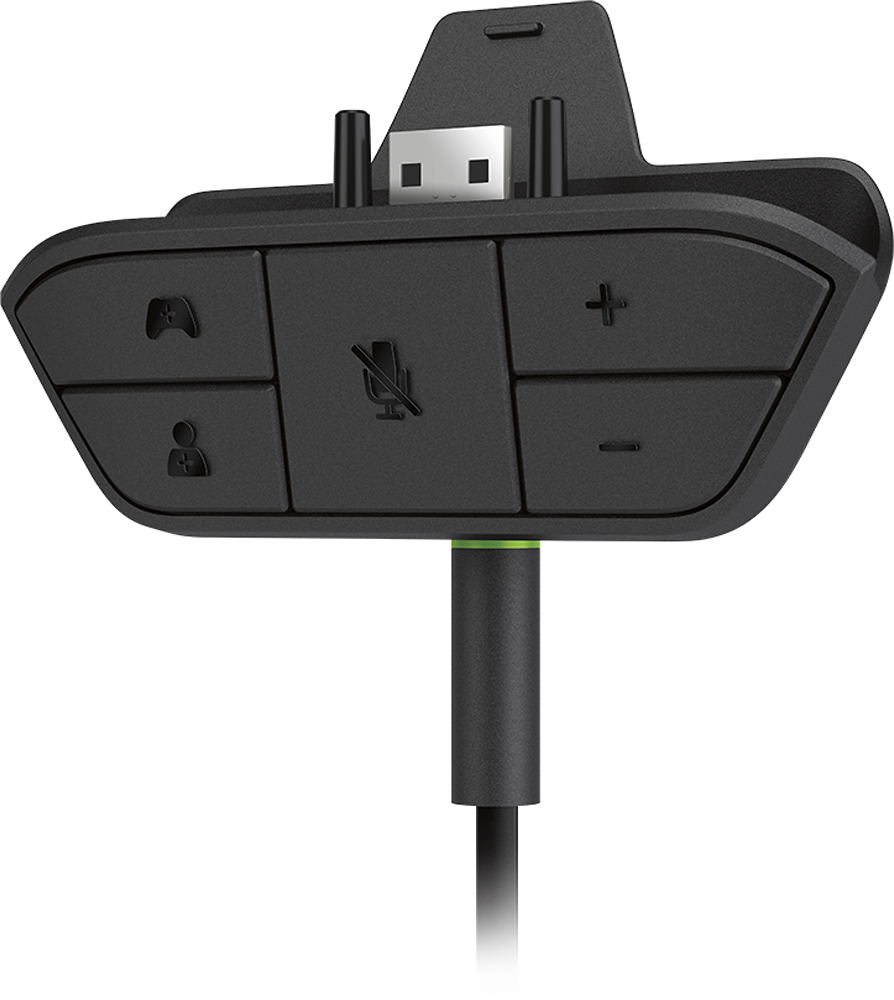
||Posted .This reviewer received promo considerations or sweepstakes entry for writing a review.Puts audio controls at your fingertips on the controller so you do not have to go through a bunch of menus - allowing you to mute on a chat channel without using menus. These are the "missing buttons" on a modern fully functional controller are are a big in-game time and hassle saver. Also allows older controllers to be easily used with 3.5 MM headset and mic combos. Be sure your headset has a mic and the right plug by examining the 3.5 mm plug - it needs to have 4 metal bands to work (see pick below) with a headset that has a mic and stereo headset. Xbox or other "one" ear headsets work fine. Also be sure you pick the right model of this adapter so it fits on your controller. Finally note apple headsets are a problem on Xbox controllers due to apple reversing the "ground" connection. Xbox follows normal conventions (like Android headsets do) apple did not follow normal conventions. It took us a long time to figure that out.
I would recommend this to a friend - Pros mentioned:Sound quality
Rated 5 out of 5 stars
Excellent
||Posted .This reviewer received promo considerations or sweepstakes entry for writing a review.Its easy to use and set up, good audio for chat and game sounds
I would recommend this to a friend Rated 3 out of 5 stars
Adapter needed for adapter
||Posted .This reviewer received promo considerations or sweepstakes entry for writing a review.Since my head phones/mic have separate plugs I needed and adapter for this adapter. It isn't flexible so when it is all stacked together it sticks out 4" from the bottom of the controller. I am still looking for a different adapter for the adapter. I would also have to say it is priced about double what it should be.
I would recommend this to a friendRated 5 out of 5 stars
great headset!
||Posted .This reviewer received promo considerations or sweepstakes entry for writing a review.Great headset for privacy and kids playing in the same room as adults!
I would recommend this to a friend- Pros mentioned:Volume control
Rated 5 out of 5 stars
Perfect product
||Posted .This reviewer received promo considerations or sweepstakes entry for writing a review.the product is perfect grate control of volume and game chat
I would recommend this to a friend Rated 3 out of 5 stars
Like the new features.
||Posted .This reviewer received promo considerations or sweepstakes entry for writing a review.I like how the game and chat volume is all together, but I hate how it doesn't sound right with my Turtle Beach PX22'S. They sound crisp on the 360, but when I use them on the One, they sound terriable. Have done the update and everything. This bug needs to be fixed, because it is the AV cable that isn't really supported on the One. Wish they had a better audio solution in settings for this.
I would recommend this to a friend- Pros mentioned:Compatibility, Volume control
Rated 5 out of 5 stars
Easy Headset Adapter
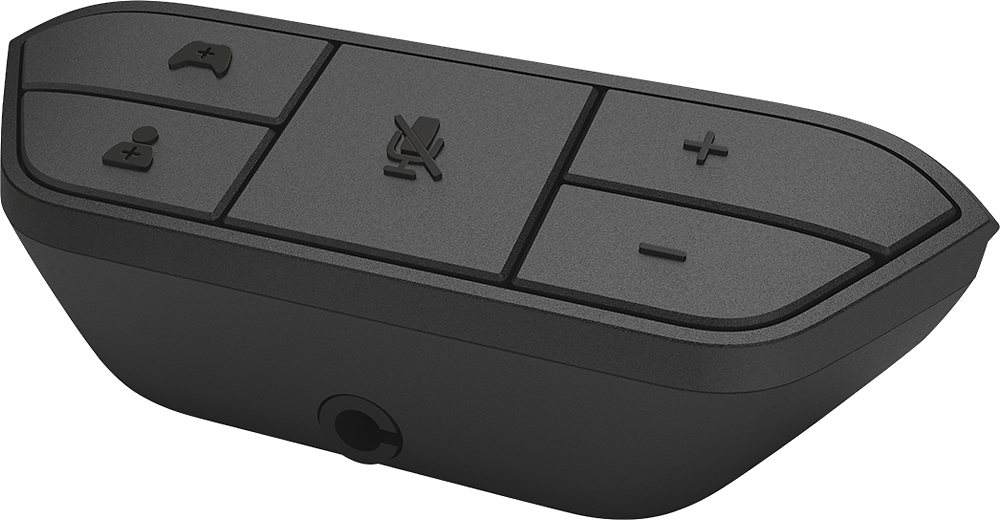
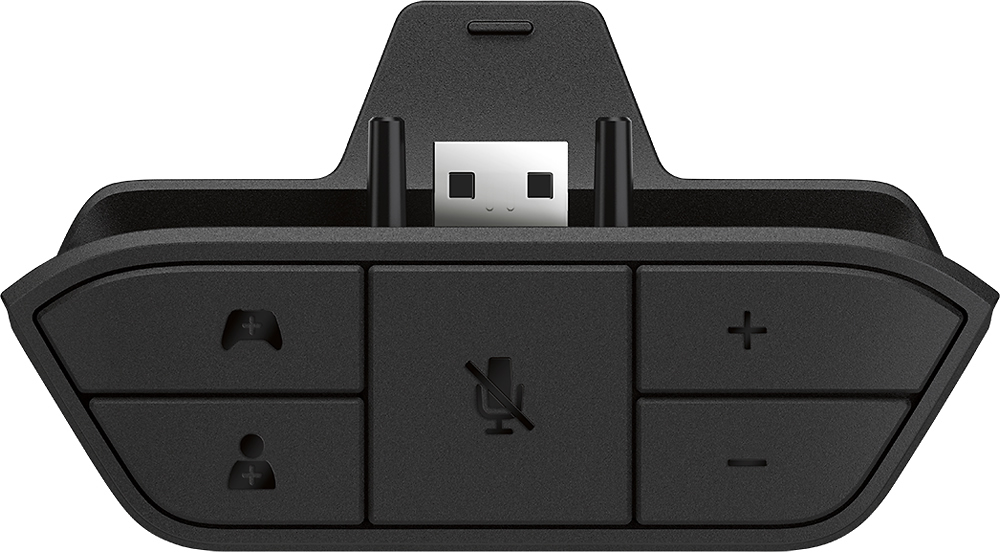
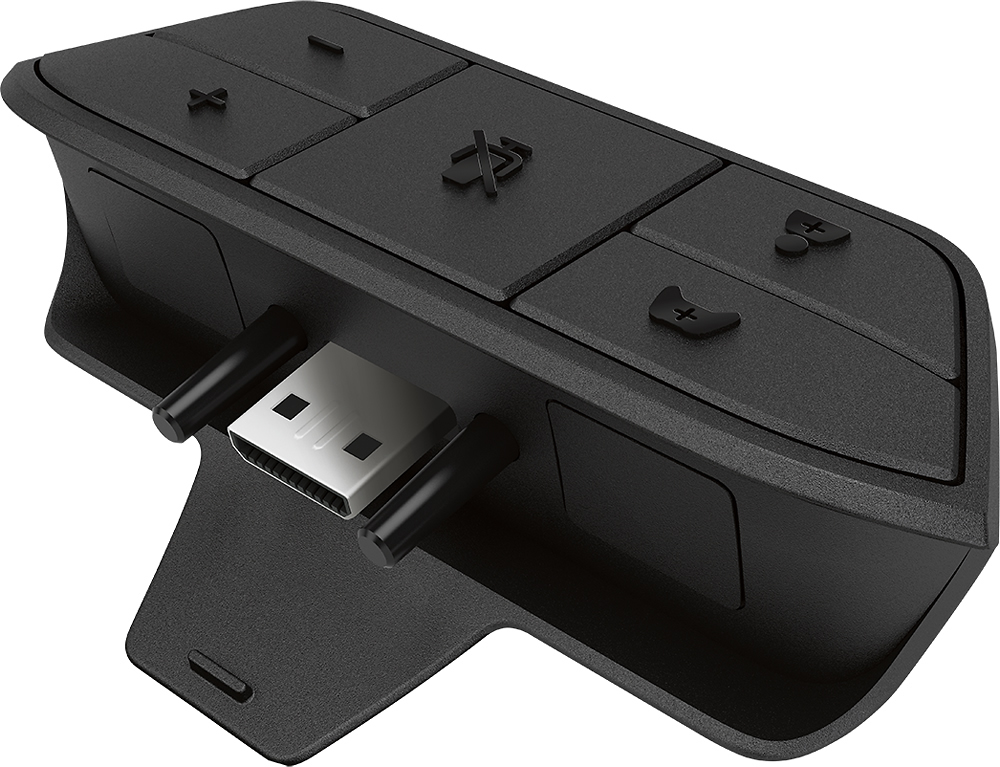
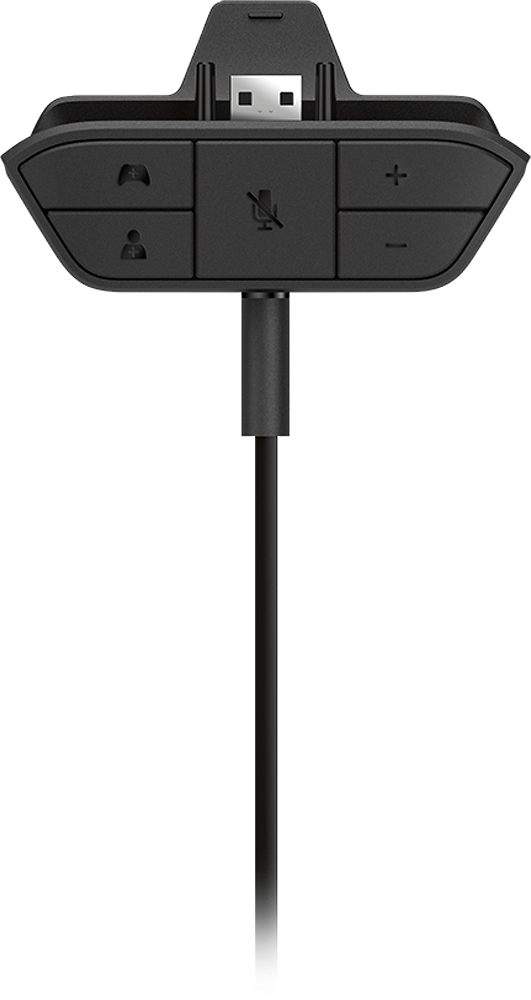
||Posted .This reviewer received promo considerations or sweepstakes entry for writing a review.Bought the Xbox One Stereo Headset adapter because I was tired of the headset that was provided with the Xbox One. (That thing is junk). Honestly, Microsoft should just bundle this with the Xbox One. Anyway, the adapter is great. It allows you to use a regular headset for your Xbox One. The adapter itself has volume buttons, a mute button and a game and chat button. This allows you to choose which one you want to hear more. If you want to hear the game more, hit the "controller' button on the adapter. Same if you are in a party chat, just hit the "person" button. Overall, this allows you to use a Turtle Beach, Razer, or any other headset your may have. If you want to use it for chat, make sure the headset has a mic. Just wish this was less expensive or bundled with the Xbox One. P.S.: You will have to perform a controller update to use the adapter. Instructions and a USB cable are provided with the adapter.
I would recommend this to a friend - Pros mentioned:Compatibility, Sound qualityCons mentioned:Battery life
Rated 5 out of 5 stars
Does as advertised
||Posted .This reviewer received promo considerations or sweepstakes entry for writing a review.I was a little worried this thing wouldn't work that well, but it works perfectly. My speakers stopped working so I had to start playing Xbox with headphones on, which became a problem whenever I had to join a party with that default, one sided, Xbox headset. This let me plug my hyper x cloud II's into the controller so I can hear and talk to my party plus hear the game all through my headset. This adapter is great for using after market headsets with your Xbox. I think I read that doing this drains the controller batteries faster, but I plug my controller into the Xbox anyways... the cord doesn't bother me.
I would recommend this to a friend - Pros mentioned:Compatibility, Sound quality
Rated 4 out of 5 stars
It works in most cases
||Posted .This reviewer received promo considerations or sweepstakes entry for writing a review.I bought this adapter to use my XBOX360 Turtle Beach PX5s with the XBOXOne. The setup works but there are glitches. First unlike the 360 remote the One remote outputs both chat and game sounds through the remote and therefore remote port. This is in reality a huge difference. So if you have your TV hooked to the PX5 base via Toslink you get a reverb effect from the headphones because it is being fed two slightly separate game sound channels - one from the TV and one from the One remote itself. My advice - disconnect the Toslink to the base - it clears the sound back up. This is however annoying because I have to reconnect the Toslink to use the PX5s to listen to any other source connected to the TV(cable, XBOX360, DVD, Etc.) Secondly there also now layers of volume controls in play. The rotary dial in the PX5 cable becomes a master volume control in addition to the rotary dial on the headphone body itself. You also have a master volume and volume variance control between game and chat on the adapter itself. So it works and allows an original XboxOne controller to work with a legacy headset but prepare yourself for some annoyance depending on use and some tweeking to get it right.
I would recommend this to a friend - Pros mentioned:Compatibility, Volume control
Rated 5 out of 5 stars
Works great - has extra features too
||Posted .This reviewer received promo considerations or sweepstakes entry for writing a review.I bought this to make my XBox 360 Turtle Beach headset compatible with my XBox One. This was an expensive but good buy. This has extra options on it that the standard controller headset does not have. It not only has a mute button and volume buttons, but also includes game volume buttons (different from the chat volume buttons).
I would recommend this to a friend - Pros mentioned:Compatibility, Volume control
Rated 5 out of 5 stars
Great accessory for any headphones or headset
||Posted .This reviewer received promo considerations or sweepstakes entry for writing a review.Bought this because I wanted to use my Playstation Gold wireless headset with my xbox one. Hooked it into my control, plugged in my ps4 headset with the audio cable and was able to adjust the volume without going into settings, was also able to mute and unmute the mic with just a click of the button. This thing is perfect for any headphones or headsets you can throw at it.
I would recommend this to a friend - Pros mentioned:Sound quality
Rated 4 out of 5 stars
It works as expected
||Posted .This reviewer received promo considerations or sweepstakes entry for writing a review.This adapter is needed if you want to use your Xbox 360 headset with the new Xbox One in order to chat with friends online. If you never chat then this is not needed. For those who will be using this adapter with a wireless headset with receiver such as the Turtle Beach X41/X42, XP510/Earforce Tango etc. Make sure to adjust the 'game' sound on the adapter to off. You can do this by turning the 'chat' sound all the way up until you hear the chime/beep. This will avoid you from hearing feedback/distortion as your game sounds will come from your receiver. If you own a Turtle Beach headset, set it up the same way you did with your Xbox 360. You can either connect it to your TV or the Xbox One, it's your choice. Set the chat on the cable cord to on and full volume. From now on you will control the volume with the adapter. Turn the game volume on the adapter off as explained above. You will need to follow the Xbox One or Turtle Beach guides (check their websites) to set up the Xbox One sound setting. If you don't do this correctly you will not hear any sound. One last tip - the adapter cable that ships with the product is quite thin and there have been reports that it stops working after a few months of use. Ienza sells a replacement cable on Amazon that is thick and highly durable. I picked up a pair of replacement cables for about $5 ea. shipped.
I would recommend this to a friend - Pros mentioned:Sound qualityCons mentioned:Battery life
Rated 5 out of 5 stars
Awesome
||Posted .This reviewer received promo considerations or sweepstakes entry for writing a review.I have owned gaming headsets that were 300+ dollars for the Xbox one. They were wireless and and had all the high tech features but I thought, "dang these are expensive". After discovering this device, I bought it and a cheaper set of headphones with a mic and I spent a total of $80. They work just as good if not better and I saved well over two thirds of the brand-name wireless headphones. I promptly returned the brand-name headphones that I had and I won't go back. Additionally, I have bought two or three of these as gifts for friends and they love them as well. I completely understand why somebody would want to buy the brand-name headsets but if you are on a budget or just want something to make your gaming experience more fun this is the product you need to start and they work with any set of headphones that you already own. For speaking purposes online You will want to make sure that your headphones have a mic available. feel free to ask me questions about this product. If you don't have a rechargeable battery pack for your controller I would suggest picking up one of those as well because these will run down your AA batteries in your Xbox one controller fairly quick depending on how much you play.
I would recommend this to a friend - Pros mentioned:Compatibility, Ease of use, Sound quality
Rated 4 out of 5 stars
Good, with a few flaws
||Posted .This reviewer received promo considerations or sweepstakes entry for writing a review.I'm a dedicated gamer. I've been playing video games since the days of the NES. Games have come a long way since then, noticeably in sound. Modern games have the capacity to envelope the player in a fully realized world, replete with beautifully done effects, from full music scores to smaller things like the patter of rain on nearby surfaces, the clink of rattling equipment as your character runs, all the way to the footsteps of a sneaking assailant. You get my drift. To be fully immersed in a game, being able to hear all of this is essential. Until this came along, I'd been unable to use my high end gaming headphones for combined sound and chat, a must for fast paced multiplayer games with friends. It was either high end sound, or using the included xbox one chat headset with my tv speakers (which are terrible). Setting it up is as easy as plugging it into the controller, then plugging your desired headset into the adapter. Regular stereo headphones will draw sound right from that jack, and can be plugged directly into the adapter. No fuss. For dedicated headsets using the smaller jack found on the old 360 controller, there's an included small to large adapter. Your controller will need a firmware update, but this takes all of a minute. The adapter is perfectly placed- adjusting chat volume or muting the mic requires you move your thumb no more than a millimeter off the right stick. It's well made, and simple, even illuminating when the mic is muted. With most headphones, you can even adjust the game/chat volume balance. Notice I said "most." Some higher end headsets, including the turtle beach xp42's I bought, include a chatback function which allows the user to hear themselves speak alongside the game audio (useful for when you've got the volume cranked up). This unfortunately interferes with the game/chat balance adjustment. Adjusting the game/chat volume will produce a noticeable echo on these headsets. The more you up the game volume, the more noticeable the echo becomes. This can be fixed by pushing the chat volume to maximum, but it's an annoying glitch all the same. Bottom line: if you've got a previous generation (xbox 360) or other stereo headphones you want to use with the Xbox one, this is what you've been waiting for. If your headset has chatback, it will work with the fix detailed above. If you've yet to buy any dedicated gaming headset, I'd recommend going with the xbox one dedicated headphones. As an addendum, I've heard they're working on a patch to fix this.
I would recommend this to a friend - Pros mentioned:Compatibility, Ease of use, Sound quality
Rated 5 out of 5 stars
Must have for XBone
||Posted .This reviewer received promo considerations or sweepstakes entry for writing a review.This little puck gives you the ability to use any stereo headset with the Xbox One, it does support 2.1 channel so bi-directional is available without an expensive gaming headset. With the simple controls you can adjust master volume or fade between chat and game sound. Very useful!
I would recommend this to a friend - Pros mentioned:Compatibility, Sound quality
Rated 5 out of 5 stars
This is an awesome product!
||Posted .This reviewer received promo considerations or sweepstakes entry for writing a review.For Christmas I got an awesome Darth Vader headset that was supposed to be Xbox one compatible. The gifter didn't know that there needed to be an adapter to connect to the controller. Generally Microsoft only likes to support their own devices, like headsets and controllers and these types of things, so I thought I would have been out of luck. I got this, not knowing really what it's capabilities were. I was pleasantly surprised to know that not only does this allow wireless chat, it also plays the console sound through to the headset. It uses a 3.5 mm plug, like on normal headphones. The controller needed an update, but the included instructions were really easy to follow.
I would recommend this to a friend - Pros mentioned:Compatibility, Ease of use, Volume control
Rated 5 out of 5 stars
Plug and play
||Posted .This reviewer received promo considerations or sweepstakes entry for writing a review.Easy to install, required update to controller via Xbox One platform. Works great with all the headphones I use including Beats and Velodyne. Great for adjusting the volume from your controller.
I would recommend this to a friend - Pros mentioned:Compatibility, Ease of use, Volume control
Rated 5 out of 5 stars
Good Headset Adapter
||Posted .This reviewer received promo considerations or sweepstakes entry for writing a review.This adapter worked great with my Xbox ear force one head phones. Easy to use and the ability to adjust the volume on both the game and chat are at your finger tips. Overall worked very well .
I would recommend this to a friend - Pros mentioned:Compatibility, Sound quality
Rated 4 out of 5 stars
Good alternative
||Posted .This reviewer received promo considerations or sweepstakes entry for writing a review.Picked up when factory headset wires started to separated and I couldn't hear players and they couldn't hear me. I like the ability to use any headset with the adapter as well as the being able to hear the game via stereo at the same time as chatting or you can choose one over the other or one to be louder/quiter than the other. It has its issues every now and again but l nothing that keeps me from recommending it. Minus one star for the hiccups. Minus two if it doesn't allow 5.1 headsets to work. Since I don't recall, I'm leaving at 4*s.
I would recommend this to a friend