Early Black Friday DealsNew Doorbusters every Friday.Shop now

Main Content

Customer Ratings & Reviews
Your price for this item is $279.00
The comparable value price is $299.99

Customer reviews

Rating 4.8 out of 5 stars with 48 reviews

Rating Filter

Rating by feature

  • Value

    Rating 4.9 out of 5 stars

  • Quality

    Rating 4.9 out of 5 stars

  • Ease of Use

    Rating 4.7 out of 5 stars

Pros mentioned filter

Cons mentioned filter

98%would recommend to a friend
The vast majority of our reviews come from verified purchases. Reviews from customers may include My Best Buy members, employees, and Tech Insider Network members (as tagged). Select reviewers may receive discounted products, promotional considerations or entries into drawings for honest, helpful reviews.
Page 3 Showing 41-48 of 48 reviews
  • Tech Insider Network Member

    Rated 5 out of 5 stars

    Excellent racing wheel and pedals

    |
    Tech Insider Network Member
    Posted .
    This reviewer received promo considerations or sweepstakes entry for writing a review.

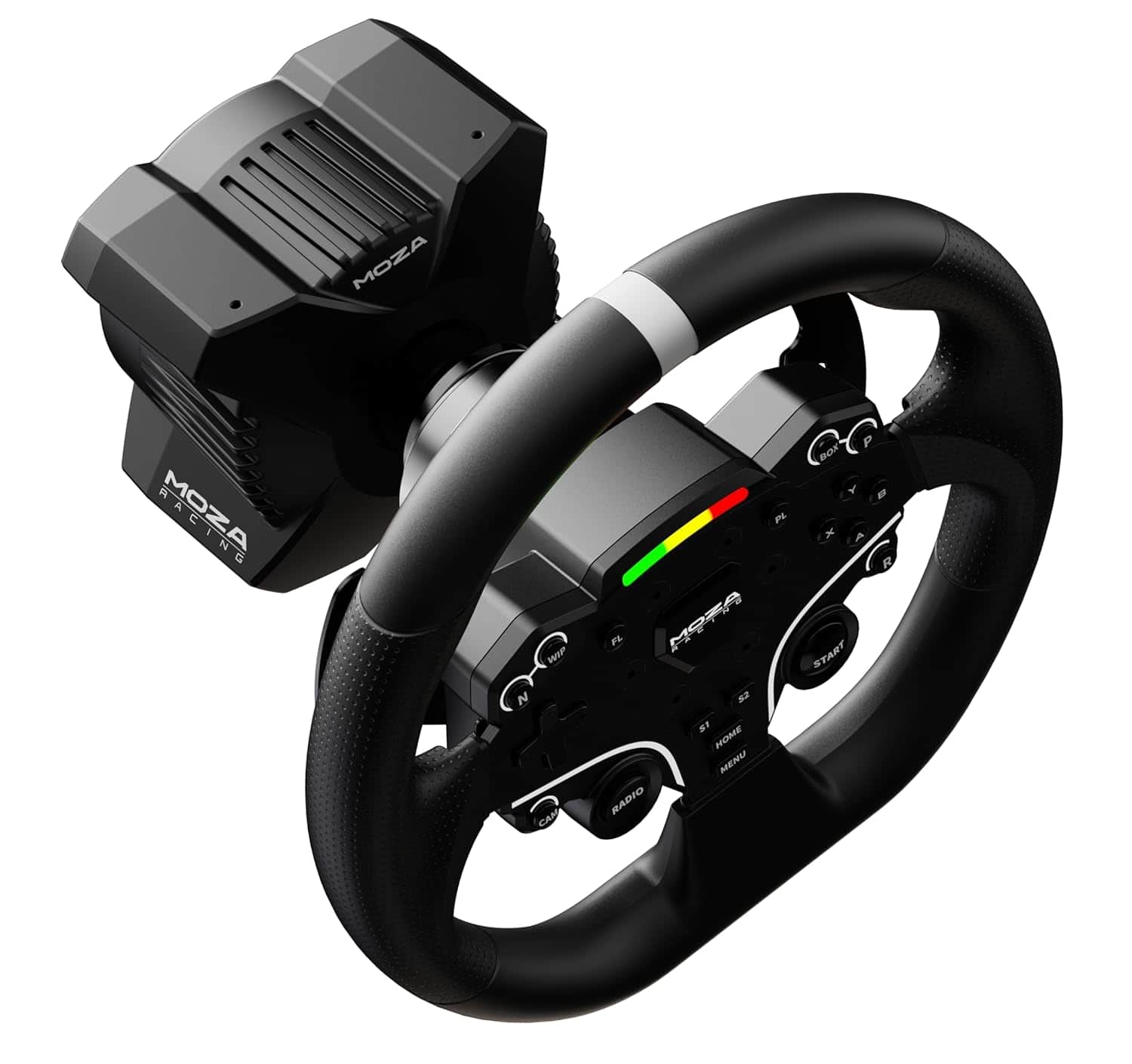
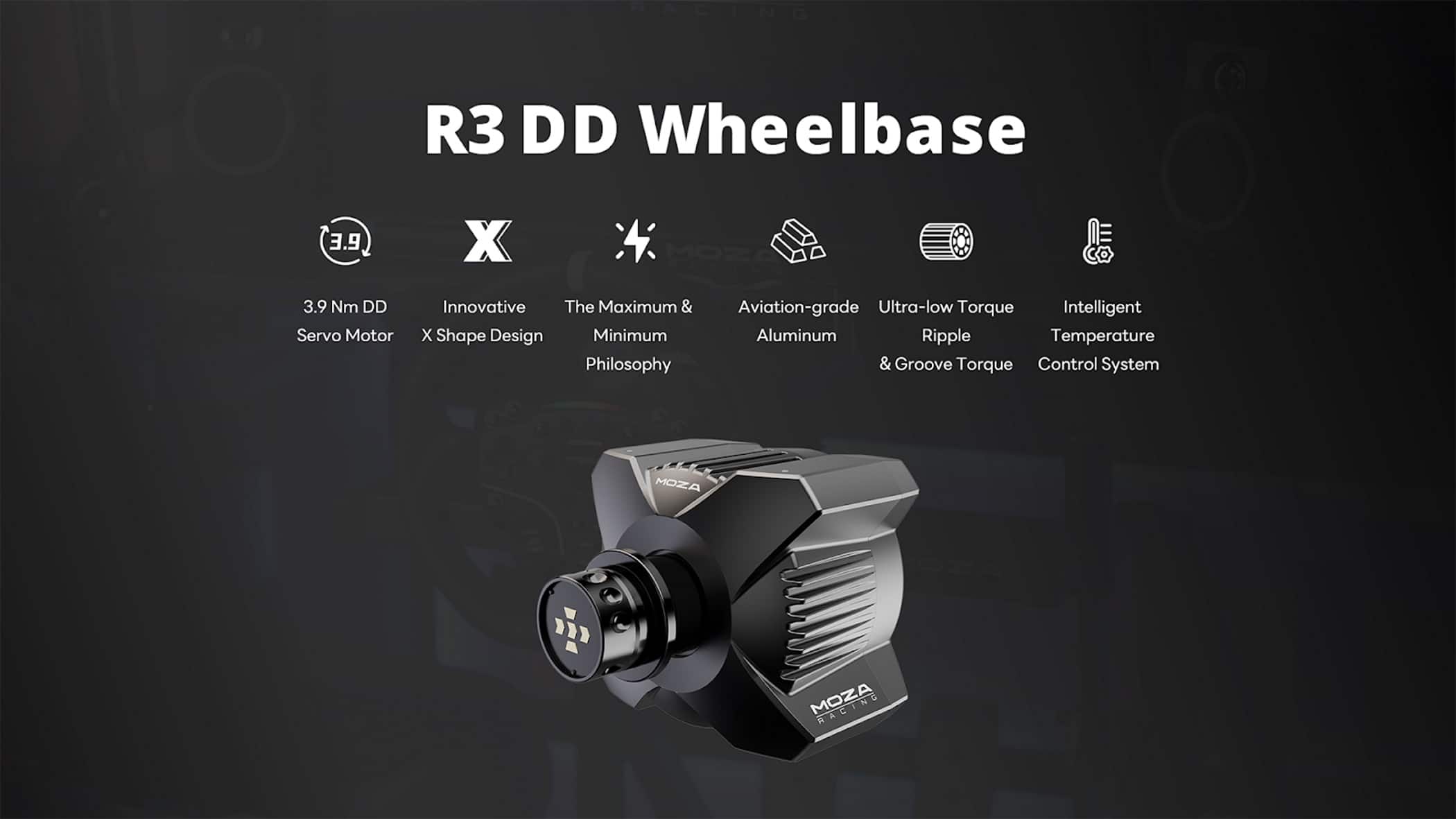
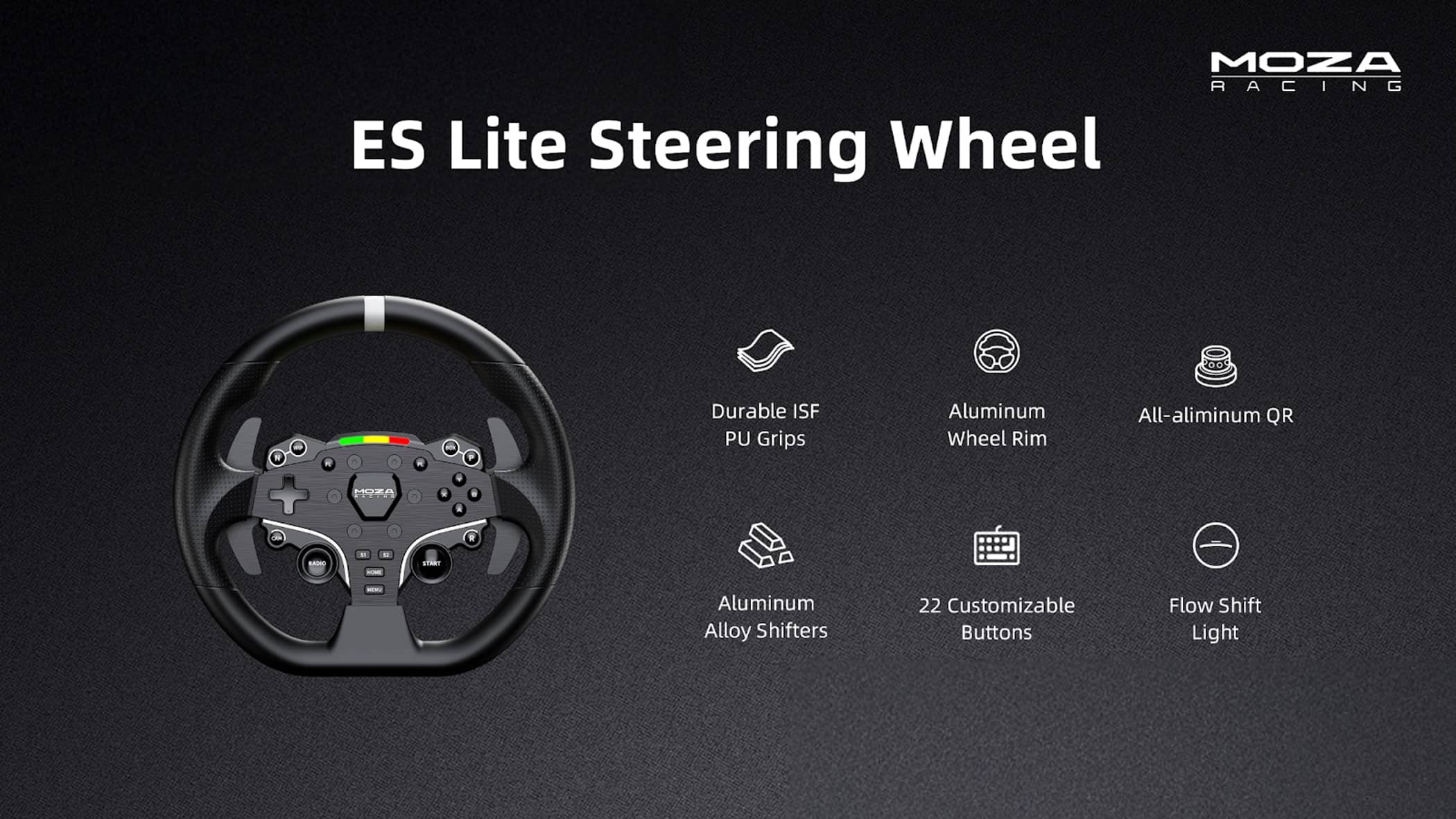
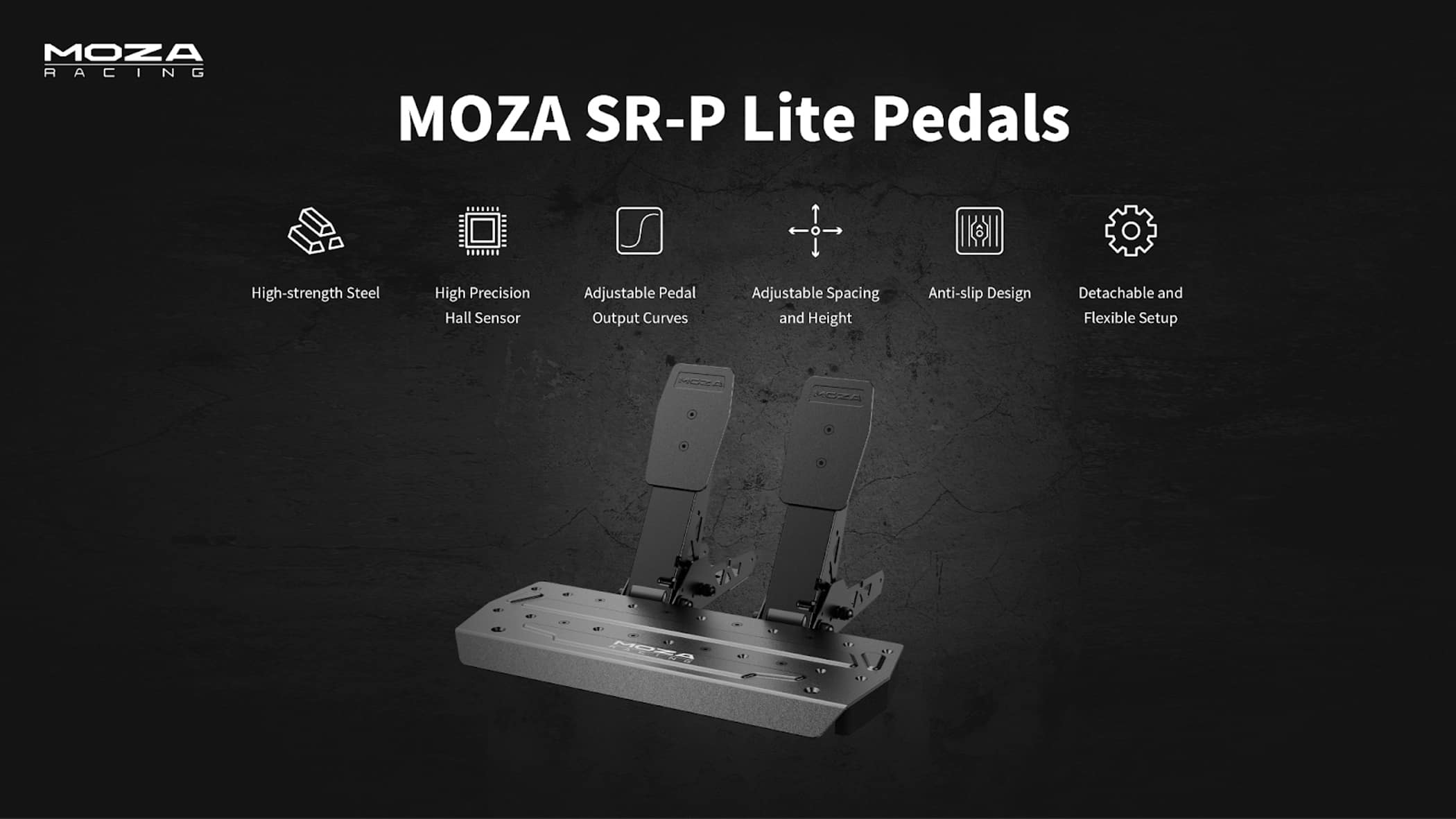
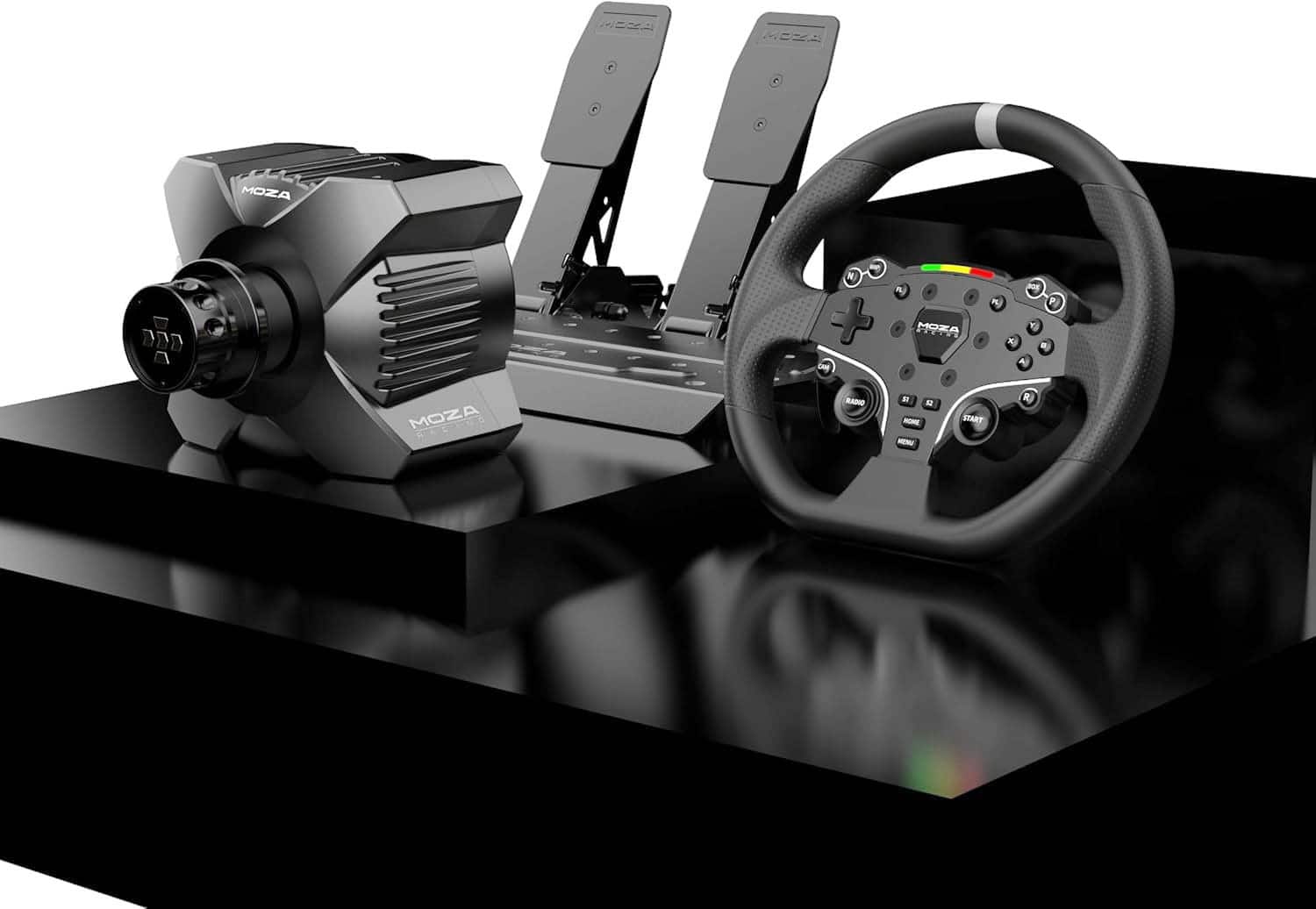
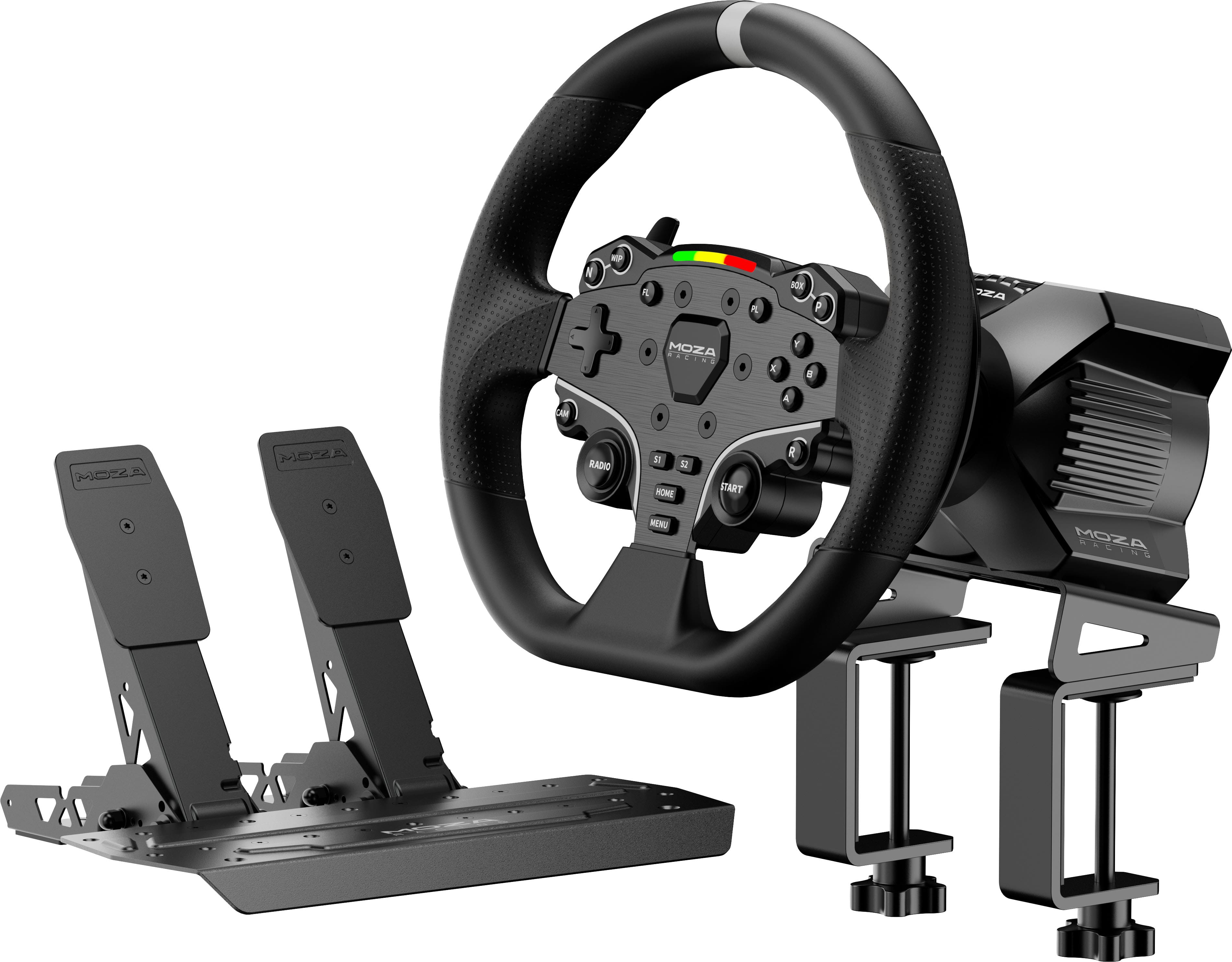
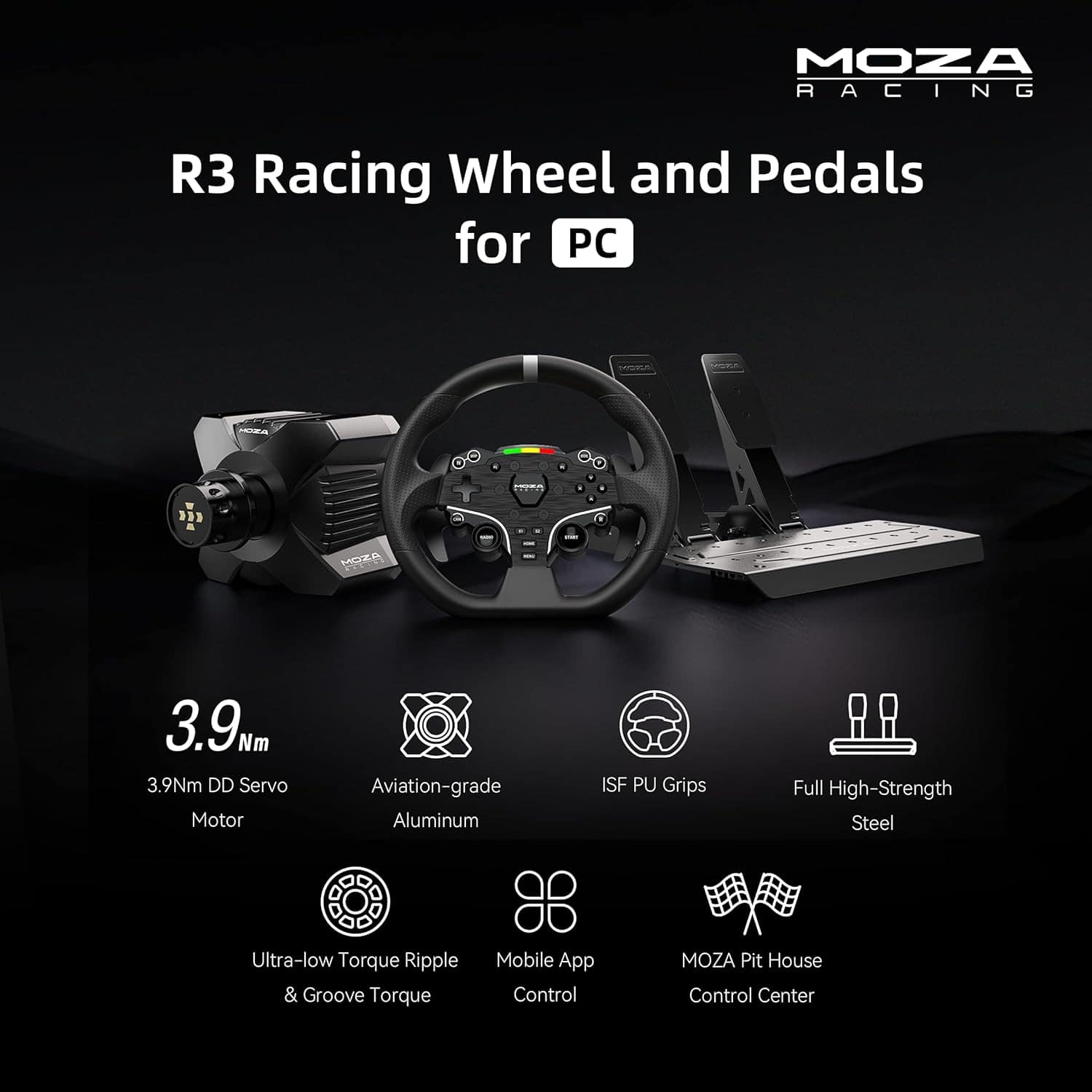
    It has been years since I last had racing wheel and pedals setup on my gaming PC, so I was excited to get back into a serious racing setup since I’ve been playing Asseto Corsa a lot recently. From the moment I unboxed the Moza R3, I felt the quality of every component and the sturdy build immediately impressed me. The direct drive base delivers crisp, responsive feedback with zero cogging, making every turn and surface feel real and immersive even at just 3.9 Nm, the power feels more than enough for thrilling sim sessions. I love how compact and space efficient the setup is: it’s almost effortless to mount with the solid clamp, and yet it stays rock steady even when things get intense. The SR P Lite pedal set stands out, too with its adjustable, durable steel construction with hall sensor precision gives a reliable, customizable feel underfoot. The software side is just as thoughtful with Moza Pit (and its mobile companion) allowing on the fly tuning, button mapping, pedal calibration, and game profiles. The software experience is smooth and intuitive and a real boost for usability. As a casual sim racer, this bundle hits the sweet spot: not only does it outperform many “intro” wheels I’ve tried before, it even edges out Logitech’s, with extra buttons, cleaner pedals, and better feel. That said, a few minor drawbacks linger. For some, the default brake feel may come across as too light or unrealistic without the optional brake mod kit. Also, I’ve only tried this setup with Asseto Corsa so it remains to be seen how it performs with other racers. Overall, I think this is an outstanding steering wheel and pedal set for the price point it sells at. I highly recommend it if you enjoy racing games and want the best possible racing experience, as it is far better than using a gamepad to play a racing game.

    I would recommend this to a friend
  • Tech Insider Network Member

    Rated 4 out of 5 stars

    Direct Drive Wheel for Everyone

    |
    Tech Insider Network Member
    Posted .
    This reviewer received promo considerations or sweepstakes entry for writing a review.

    For years, I've heard that direct drive wheels offered the best experience for racing sims available. I've also heard that they cost an arm and a leg, and as such figured I'd just have to take their word for it. So you can imagine my surprise when seeing that Moza, a company I'd never really heard of before, was offering a bundle that included a full direct drive wheel base at a budget friendly price point, I wasn't sure if I should be excited or deeply suspicious. Ultimately, I ended up somewhere in the middle as the R3 bundle provides both top tier hardware for an immersive gameplay experience and one of the worst user experiences I've ever had with a consumer device. First up, I want to talk about the good parts of what you get. The R3 bundle really does offer you a high end, if admittedly somewhat basic, set of sim hardware. The wheel base is small but deceptively powerful, and features a variety of options for mounting and expansion hardware. The wheel is likewise very good, if admittedly a little rudimentary, and uses a modular connection system that makes it very easy to either pull it off to free up space or swap it out with more specialized wheel designs for F1. The pedal kit is basic but highly adjustable, with an option to add a third clutch pedal if you wish. Just about everything is metal and uses standardized metric hardware rather than molded catches or plastic fasteners too so it should be rugged enough to stand up to many hours of use in just about any setup. The force feedback effects are also quite detailed and much smoother than the very grainy response you generally get from gearbox based systems, though it can still get a little rough during more dramatic turns and skids. Unfortunately, this is where I come to the areas where I had more trouble. While everything worked very well eventually, getting it set up in the first place required more effort and cajoling than any peripheral I've worked with since the days of Windows 95. Windows 11 can't recognize the Moza device as a standard input device, so everything has to go through the company's proprietary drivers and dashboard app. And this app is, simply put, a mess. The setup package I downloaded from the Moza website attempted to run a powershell script that immediately (and silently) bombed every time I tried to launch it. I was eventually able to get it to install the application by manually unpacking the executable and locating the setup package the powershell script was trying to run, only to have it bomb because it hadn't loaded any of the drivers it needed to communicate with the wheel. Eventually after an hour or so spent on the Moza subreddit I managed to find another download page that let me download the "Offline installer" which worked. From there I tried to get into one of my go-to racing games, the admittedly slightly aged Project Cars 2, only to find that it couldn't detect the wheel's rotation axis. The app suggested that this was because I had not configured the driver to work with the game and provided a link that it said would give me instructions... which simply told me that the game did not require configuration to work with the wheel. After some more googling I discovered that the actual problem was that the wheel base required a firmware update, which then required me to recalibrate all the controls, then create a custom mapping for the controller. And then I was finally ready to race. To put it into perspective, the entire process from unpacking the wheel to doing my first successful lap in a simulated replica of my first car took about three days. Granted I was only really working on it in the few hours I set aside for gaming after dinner, and this is not that unusual for some of the more esoteric bits of sim gear that are available today. But with the R3 being priced at a point that makes it more approachable for the average consumer, I'm a bit concerned that many are going to end up just bouncing off during the setup phase. The good news is that once you do get through it all, you don't need to touch it much. There is an app for your phone that lets you do some adjustments to the wheel without having to interrupt your game, which is an interesting option to have, but I'll admit I haven't found all that much use for it yet. All in all, this makes it a somewhat odd product to recommend. Just going by the hardware, it's probably one of the best racing wheels I've seen. But I struggle to imagine anyone who isn't either tech savvy or really devoted to racing sims enduring the installation process. So if you are interested - hopefully hearing about my experience will help spare you some frustration.

    I would recommend this to a friend
  • Tech Insider Network Member

    Rated 5 out of 5 stars

    Worth the time to set it up

    |
    Tech Insider Network Member
    Posted .
    This reviewer received promo considerations or sweepstakes entry for writing a review.

    I play Horizon 5, that is my racing game, so the initial plug in and expect it to work was a bit of a setback. There wasn’t a card in the box saying download this app that I saw, and it definitely didn’t have a “you’ll need to do some configuration to make it work” placard/card. So, my initial thought on this was, it was too complicated to use… but I was also trying to fit getting it setup cause I was excited to get it into my day with packing up to get out of town for the weekend. I think that was the biggest cause of my initial poor impression as I am in love with it now. I’ll use Forza 5 as my example as that is my game and a little complex to set up if all you are used to is plug and play. The file is at the very bottom of MOZA Racing | Support Center and a straightforward video with how to do it I found at this link https://youtu.be/z9VK5sWukh0?si=K-GgVnvR-YTEENUZ. For this wheel in particular with the pedals it is the R3 ESX SRP-Lite config files you’ll want to copy. To download the software for the wheel use this link MOZA Racing | Support Center and mine needed a firmware update. Also, if you want to map the game launcher to pit house and have Xbox games, use the ‘gamelaunchhelper’ application, that one doesn’t need admin rights and worked great for launching the game from pit house unlike the actual launcher that needed admin rights. However, once I got all the configurations right I was able to launch my game like normal and the wheel worked, I thought maybe I needed to launch it through the application, but you don’t need to. Once it is all working, you still need to map your buttons and start adjusting how the steering should be for your own preferences, make sure you set some time aside for this as for me it took some playing around with the settings until I found the right mix for what I enjoy. But it is worth it, I think the worst part is wanting more as now I would really like the clutch and shifter. It brings a whole new element and enjoyment to the game and is well worth the time investment to get the wheel set up. The wheel is well built and the force feedback is strong. The gas and break are a little far apart so I scooted them closer together, however, I then realized that the platform was unstable, so unless you have a dedicated place where you can screw them down you’ll need to keep the brake and gas farther apart (or add a clutch I suppose). They also don’t feel like real pedals compared to a car, but close enough and they are customizable in their response in pit house. Overall, this has leveled up my enjoyment of Horizon and overall works amazing and is worth the time investment to get it working in my opinion.

    I would recommend this to a friend
  • Tech Insider Network Member

    Rated 4 out of 5 stars

    Take It For a Spin

    |
    Tech Insider Network Member
    Posted .
    This reviewer received promo considerations or sweepstakes entry for writing a review.

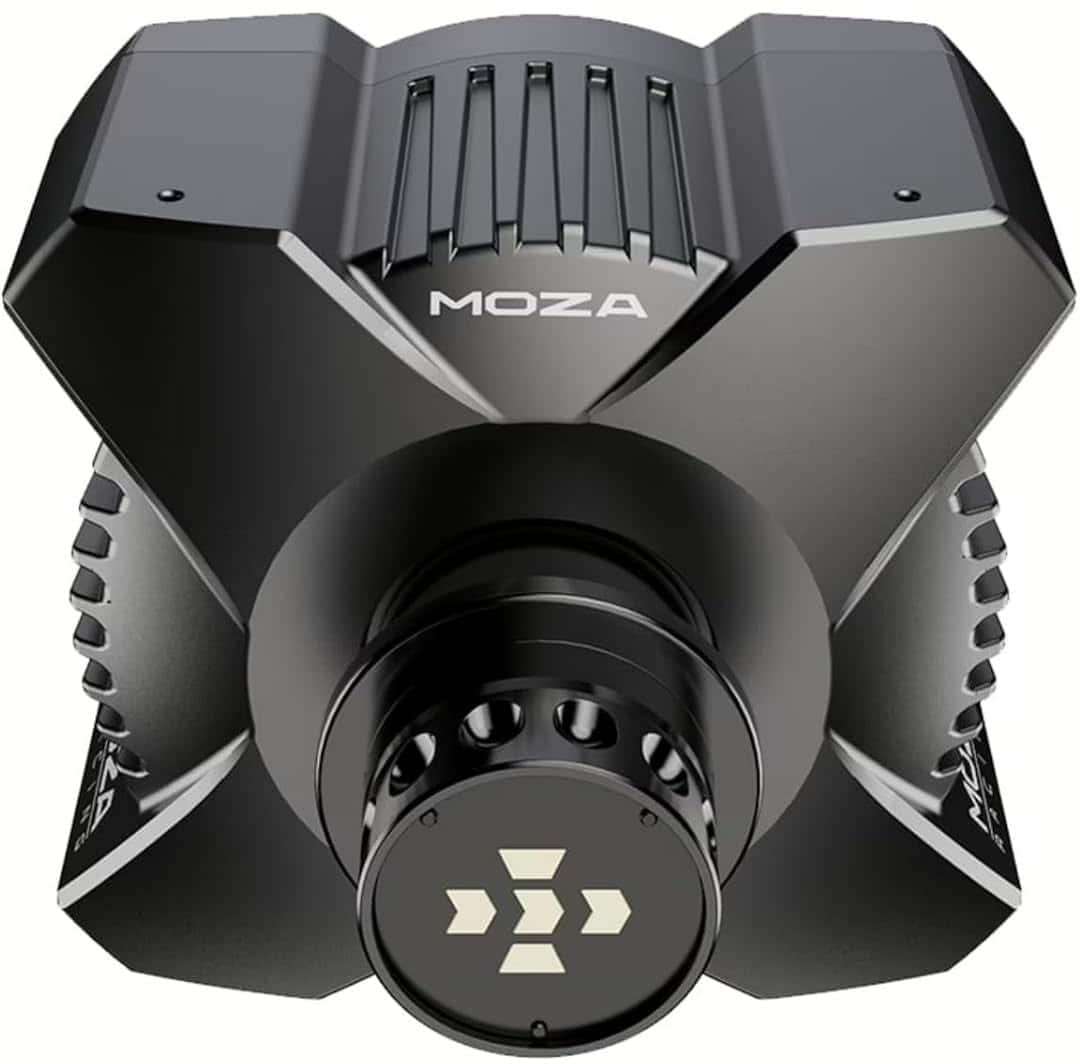
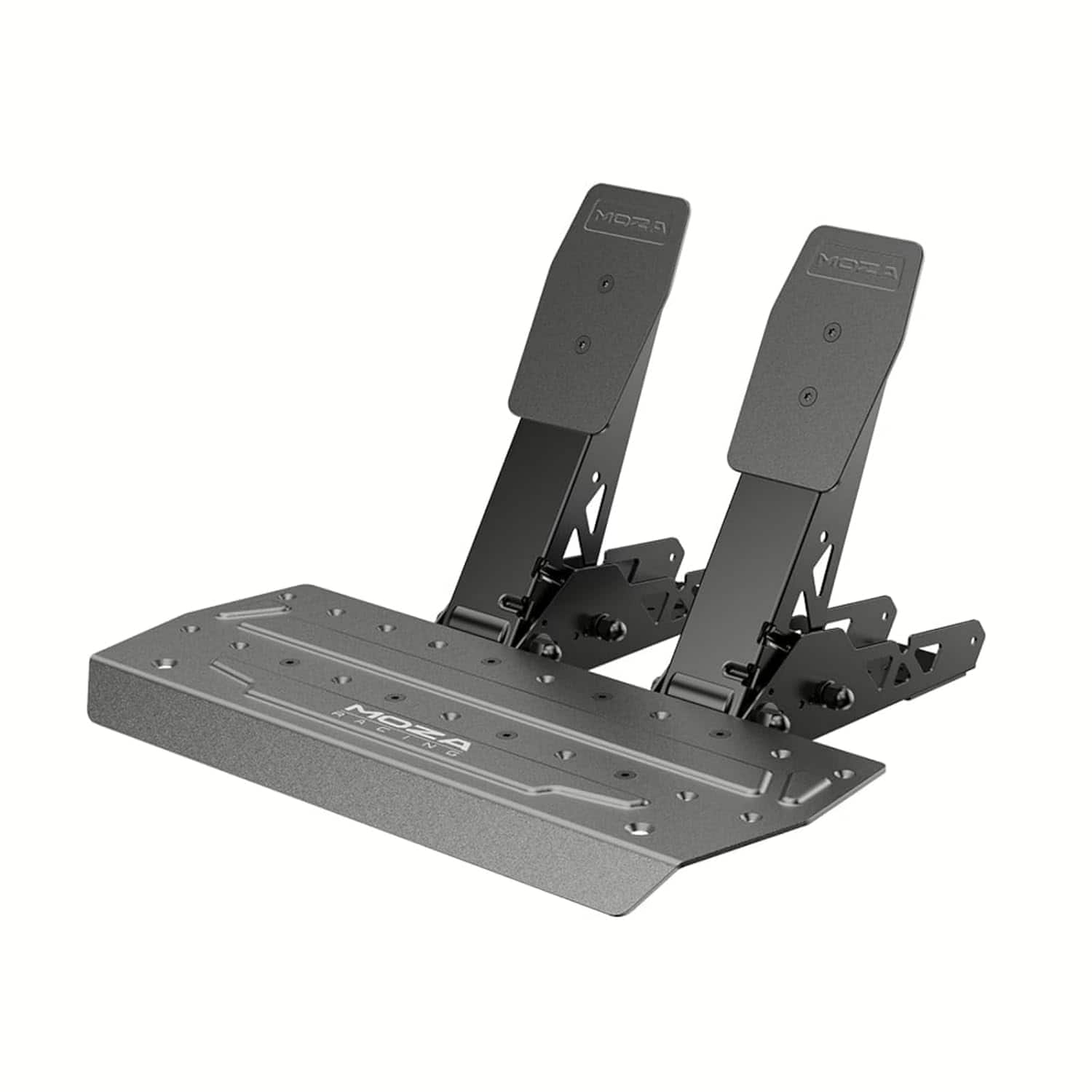
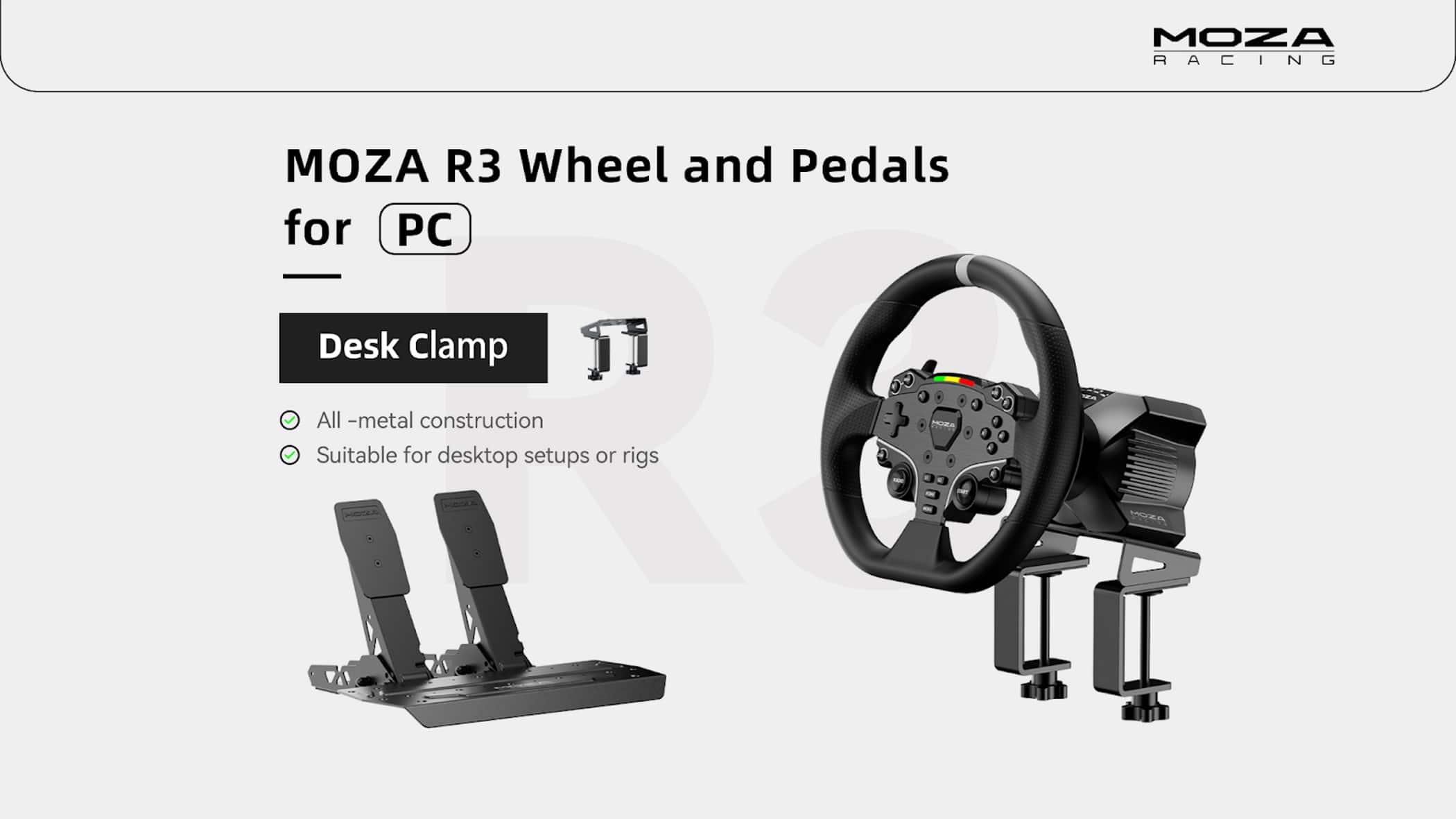
    Fueled by the increasing popularity of motorsports around the world and overall affordability of hardware, the market for sim racing hardware is larger and more competitive than ever. One of the newest names in the space is Moza, a Chinese sim-racing hardware manufacturer that has been punching well above their weight in terms of value per dollar. Though they had a rocky start as their offerings matured, Moza is now a recognized name in the space that competes primarily at the higher-end of sim racing gear with direct-drive wheels comprising their entire range of offerings. The Moza R3 is the company’s latest and least expensive wheel on offer, undercutting established brands and bringing direct drive into the $300 range - a feat I didn’t think was possible. Though lower in motor specs than slightly higher-priced competition, Moza’s R3 is an excellent starting point for sim racers, but the amount of settings and tweaking that can and needs to be done - with an app that needs more time in the oven - for a great experience, make this less of a plug-and-play solution and more reminiscent of sim controllers from the 90s and 2000s than today. I tested the Moza R3 on PC (as it has no console compatibility) with iRacing, Wreckfest, Assetto Corsa Competizione, and other racing games both arcade and simulation. - Important Note on Force Feedback Sim racing wheels employ one of three force feedback mechanisms: Gear-driven (least expensive), belt-driven, and direct-drive (most expensive). The Moza R3 is a direct-drive wheel, where the wheel connects directly to the output shaft of the motor via the steering column. Direct drive is considered the highest quality force feedback for sim racing due to its ability to output full power directly to the wheel rim, resulting in highly detailed and responsive force feedback that the less-expensive solutions can’t match. Thus, the R3 is not recommended for casual gaming. Games and simulators will need to have high quality force feedback logic for a wheel of this caliber to perform at its best. - Unboxing and Setup Shipping in one of the smallest boxes I’ve seen for a direct drive kit, my first impression of the R3 is that the wheel base is absolutely tiny. This is a very compact sim setup that can mount anywhere, and assembly is limited to attaching the wheel base to your stand or the included table clamp using 4 hex bolts, attaching the rim to the base with its quick release mechanism, and plugging in wires where indicated. I was up and running in about 15 minutes using the table clamp. The table clamp revealed one problem I have with using it as the mounting solution - on a thick table, the two bolts simply stick out way too far below the mounting surface and get in the way of my legs. I would recommend mounting the R3 directly to a stand or otherwise dedicated surface. The table clamp does tilt the wheel up about ten degrees to make it easier to use on a low surface, and the clamp itself seems to support surfaces up to two inches thick. The R3’s pedals are surprisingly nice for the price, with all-metal construction and a platform that allows full horizontal adjustability and/or the addition of a third pedal. This too is best mounted to a dedicated stand or permanent surface, as the rubber floor grips under the pedal base are barely adequate for the task. They do better than some other wheels I’ve used, but for best results you’ll definitely want the pedals as secure as can be. Once you’re set up with everything plugged in, the R3 detects as a standard game controller on PC and can, in theory, be used without a hardware driver or Moza’s companion app. I opted to try Moza’s companion application and was more than a little disappointed by the sheer size of the app - over 1GB downloaded, most of which was for legacy firmware updates that are almost certainly irrelevant here. But with the app installed and a quick bit of configuration, I was off to the races - Force Feedback Performance I’ve used many force feedback racing wheels over the last 20 years, including custom, high-end solutions that require many supporting softwares and setting adjustments to work with specific simulators. I was initially skeptical that Moza’s R3 would be capable of high quality force feedback given its low 4 Nm motor output rating (about 10Nm is where most of the pricier direct-drive competition lands), but this is in line with quality belt-driven force feedback wheels from over the last decade. From the very first game I loaded up, I was surprised just how much it felt like my last belt-drive wheel. The forces felt slightly stronger than the old belt-drive I used for many years, but what impressed me the most was how incredibly detailed and responsive the R3 is for minor details. Kerbing and road effects are markedly better with the R3 than I was expecting, and the peak force output combined with a relatively lightweight wheel rim is enough to make countersteering a relatively easy task. It could be a little faster for drifting, but I had little trouble finding a groove and sliding virtual cars around in any case. The R3’s wheel base is probably the most impressive part of the entire kit. In shrinking the wheel base from their R9 and higher direct drive wheel bases, Moza has somehow managed to keep the base passively cooled, resulting in quiet operation throughout. I did note it tended to get quite warm over the course of a longer racing session, but it never approached a concerning level. - Wheel Rim & Pedals Corners had to be cut somewhere to reach the $299 MSRP, and that’s evident in the wheel rim. It’s not terrible by any stretch, and it’s surprisingly comfortable to grip, but it’s obvious that the plastic construction, dinky buttons, and chunky yet sloppy feeling paddle shifters are all signs that the R3 was engineered and produced to cost. Buttons are a bit mushy and hollow feeling, all using basic rubber dome pressure switches, and the soft-touch plastic rim feels noticeably cheaper in the same way the absolute cheapest car for sale today might feel. The wheel face does at least offer 18 buttons and a D-Pad to map any game control you might need, and the size of the rim is right, feeling neither too small nor too large for most racing games. The pedals included with the R3 are pretty basic but serviceable. As expected at such a low price point, both accelerator and brake pedals are potentiometer-based, measuring the pedal’s angle. Load cell brakes, which measure pressure applied to the pedal (more in line with real car brakes) are the upgrade worth investing in for serious sim racers, as the potentiometer brake on the Moza R3 feels just as difficult to get a consistent result with as any other cheap pedal. Moza offers load cell brake kits (among many other pedal kits that are all compatible with any Moza R-series wheel base) as upgrades alongside a host of accessories for future expansion, including a handbrake and H-pattern shifter. - Moza Pit House app Unnecessarily large download size aside, Moza’s Pit House companion app is an incredibly deep application that lets you configure the wheel and pedals to your exact liking. The sheer amount of customization at hand is borderline intimidating - I’m used to seeing adjusting pedal range and deadzone in other brands’ apps, for example, but here you can adjust that as well as the gamma to dial in exactly how nonlinear you would like it to be. Every Moza-compatible racing wheel accessory can be configured here, including shifters, dashboard displays, hubs, and more. My biggest complaint with the app - and ultimately what pushed my review score down a notch - is that it’s a resource hog. At all times with the app open, whether minimized or not, I noticed it was using about 3-4% of my CPU (an Intel Core Ultra 7 265) and was pulling GPU load to render the menus. In fact, I recorded a couple frame time spikes (stutters) in-game when I had Moza Pit House running that went away after I closed it. I find this genuinely appalling given competitors’ apps use virtually zero CPU time except when called upon, and hope Moza is working to correct this issue. The app also doesn’t seem to recognize or support system window scaling options, so if you have a high pixel density display you might be squinting to make adjustments, like I was. - Bottom Line There’s a lot to like in the Moza R3. It’s a genuinely impressive piece of kit for how little they’re asking, which really minimizes the foibles of the table stand, mediocre rim and pedals, and the flawed Pit House software. But these are all things that can be worked around and pretty much disappear once you take the green flag, because in-game the R3 shines as one of the best entry-level wheels I’ve used. Competing offerings are usually belt-drive or gear-driven at this price, and the jump in force feedback quality you get by going straight to direct drive is worth the hassle of working around the kit’s shortcomings, if you’re so inclined. If you’re in search of a more plug-and-play or console-friendly solution then keep shopping, but if you’re committed to PC and want the most bang for your buck, it’s hard to ignore the value here. The Moza R3 comes recommended!

    I would recommend this to a friend
  • Tech Insider Network Member

    Rated 5 out of 5 stars

    Great build. Impressed. So much fun...

    |
    Tech Insider Network Member
    Posted .
    This reviewer received promo considerations or sweepstakes entry for writing a review.

    I am going to get this out of the way right off the bat…I have never used a setup like this before. I have always been a somewhat casual fan of racing games and sims over the years. Always fun, and always enjoyed them, but often it was with a controller or game pad. I have had some wheels and setups over the years, sure, but the jump in quality from those to this is shockingly noticeable. The build really impressed me, in every way. Solid, great weights, and it all just “felt good in the hand.” The feedback from the drive has more power than I was expecting going in, and it feels true to life as well as accurate. The wheel is textured nicely, is a good size, and again, simply feels right. The pedals have a great weight, stay in place and are sturdy. All in all, the hardware is superb. No complaints. Installation was a breeze, both physically and on the software side. Anyone familiar will be up and running in no time, and those with perhaps less experience, like me, will not be far behind. The software is intuitive as well as extremely thorough. I am still going through and customizing and tweaking, well, everything. There is just a great level of control. Definitely take the time to dial things in to how you like them. It is worth the effort. In game, everything is just so much more immersive than I have been used to. More realistic. More control. Frankly, it is also so much more fun. I know I am not quite as experienced in this world as many others, but I think this is a great set for anyone who enjoys racing games and wants a better experience. For what you get, and perhaps more importantly, for what you get out of it, I really think the value is there.

    I would recommend this to a friend
  • Tech Insider Network Member

    Rated 5 out of 5 stars

    So much fun to have!

    |
    Tech Insider Network Member
    Posted .
    This reviewer received promo considerations or sweepstakes entry for writing a review.

    Moza Racing - R3 Direct Drive Wheel and Pedal Bundle for PC is great. I have not had a racing wheel for a PC since I was a kid, and that was a long time ago. A lot has changed since then. What really got me interested in the racing wheel was a conversation I had with someone regarding the realism of the steering wheel and pedals, and the feedback they provided me had me curious. Well, let me tell you, I was not, and I am not disappointed. This bundle knocked my socks off. Setting it up was fairly simple; you follow the instructions, align the steering wheel bearings as stated, download the appropriate software, and you’re ready to go. However, there is a catch, like with so many other things, it all depends on what game you want to play. I chose a racing game and a truck simulation game to try out. The racing game took some major getting used to because the steering was sensitive and the buttons had to be reconfigured to match the games buttons, the easiest thing for me to do was take a screenshot of the steering wheel’s button numbers (Layout numbers) since the steering wheel has letters. Then, when I was playing the game, I had a reference. Now, the truck driving game, the biggest part for me was following the rules of the road. Who knew 90 is a 60 was bad? Hey, when you have paddle shifters on your steering wheel, shifting in a big rig isn’t so hard after all. Overall, this bundle is a great buy!

    I would recommend this to a friend
  • Tech Insider Network Member

    Rated 3 out of 5 stars

    It's fun, but missing a few things

    |
    Tech Insider Network Member
    Posted .
    This reviewer received promo considerations or sweepstakes entry for writing a review.

    This bundle is both awesome and maddeningly frustrating! This kit does not include a clutch pedal nor does it include a manual shifter. At first glance at the packaging you would think it does include 3 pedals, but one of them is greyed out on the box. I did not think this omission would be a problem, but a few minutes into my virtual racing experience I realized something is missing and that something is the clutch and the manual shifter. Perhaps this is because I’m older and grew up driving a stick shift, so the idea of racing anything without one just feels fake. Unfortunately adding those two components plus the desk mount for the manual shifter is going to double the cost of this setup. 
Connecting the kit to a PC requires a USB-A connection. The pedals connect to the wheel unit with an ethernet cable that probably should be a few feet longer for proper cable management. The instructions that ship with the unit are barely passable as instructions and I had to head to YouTube.com to sort out what the instructions were attempting to share with me about how to adjust the pedals. I ended up leaving them at their original position as I wear size 14 shoes. The mounting bracket for the steering wheel works well and laugh if you must, I’m using a cardboard table to mount the wheel on and the wheel is remarkably sturdy. The table, not so much, especially with the haptic feedback but that kinda adds to the fun of it all. For the long term I would invest in something more sturdy to mount the kit to. The overall hardware feels great, and the amount of buttons on the wheel give you plenty of key mappings to work with whatever simulator you are playing. I’m using Windows 11 and while the OS had no problems recognizing the wheel, I had a lot of problems getting the Moza Pit House app to work with the racing games until I figured out that you need to launch the Moza Pit House app as an administrator, by clicking on the Windows start menu, searching for the Moza Pit House app then choosing “Run as administrator.” Once that step was complete the racing games began responding. Sort of. I use two primary apps for video games on Windows: the Xbox App with an Xbox PC Game Pass and Steam. I installed Forza Horizon 5 from the Xbox app and raced with delight, the wheel and the pedals recognized by the game and man is that fun! It’s so much better than using an Xbox controller. Next I tried Forza Motorsport. No dice until I figured out the “run as administrator” trick with the Moza Pit house app, and then things worked, but I missed having a clutch and a shifter. Next up was American Truck Simulator which I installed from Steam. I never made it out of the parking lot in the truck. The wheel turns, but the pedals could never be seen by the game. I dug around online looking for a fix but never found one. So I would say game support is hit or miss. When it works, it’s a thing of beauty and delight. I would also say that customizing the controls is also part of the time investment to get the most out of this so plan to spend a lot of time tweaking sensitivity. The first couple of days I spent more time adjusting controls than I did playing the actual games but when I finally got the settings dialed in things felt amazing. What this kit did make me want to do is invest in a proper physical racing cage of some type so that I can properly mount everything. The pedals don’t stick to the floor as I had hoped they would so these definitely need to be mounted to something to keep them in place. The more excited I got playing, the more the pedals drifted around the floor. Recreating the driving experience requires a lot more effort than plugging in a joystick.

    I would recommend this to a friend
  • Tech Insider Network Member

    Rated 5 out of 5 stars

    Wheely Good

    |
    Tech Insider Network Member
    Posted .
    This reviewer received promo considerations or sweepstakes entry for writing a review.

    The wheel is a good size and weight. It feels like a wheel from a vehicle not a controller. The pedals are firm but not too tight. I have used other wheels that I had to be in a stationary chair otherwise a gaming chair or desk chair would roll back with the press of the pedals. The wheel is very free turning, I would like to have a little more resistance in the steering, but I am still getting use to the software. The software is a mixed bag, it does all you need, but if you have a screen that is 4K, the text is so small, you can barely read the lines. Easiest way around this is Windows zoom or lower your resolution. I just moved to my secondary monitor, but some will not have that option. So far every game I have tried it with recognizes the wheel. Some mods are required for controls still. TrackMania as an example, I had to reduce the sensitivity of the wheel and reprogram the accelerate and brake in settings. Game play was smooth. The wheel feels natural, even with the resistance not quite where I would like it. The pedals are spaced far enough apart adult feel will not press both pedals. It looks like you can adjust how far apart the pedals are as well. The clamps to connect to desk or stand are really well designed and work perfectly no matter the desk you are attaching to. If you have a desk with a drawer/keyboard tray, you may not be able to attach to that desk unless the drawer is very stable. I am not knocking a star, all my gripes are minimal compared to the quality and performance of the wheel.

    I would recommend this to a friend
Sponsored