The vast majority of our reviews come from verified purchases. Reviews from customers may include My Best Buy members, employees, and Tech Insider Network members (as tagged). Select reviewers may receive discounted products, promotional considerations or entries into drawings for honest, helpful reviews.
Page 3 Showing 41-60 of 78 reviews
Rated 4 out of 5 stars
Orbi is the Best
|
|
Posted . Owned for 3 weeks when reviewed.
This reviewer received promo considerations or sweepstakes entry for writing a review.
System works beautifully but hard to install even though we had installed a older model previously. Only replaced because of age of old one,
This reviewer received promo considerations or sweepstakes entry for writing a review.
It provides average coverage and speeds, setup took a little while, but smooth sailing once complete.
No, I would not recommend this to a friend
Brand response from Netgear Support
Posted .
Hi Whyfi,
Thank you for your review, we appreciate your feedback and we want you to know that your experience is important to us. We are sorry to hear that you had a difficult experience while installing your new RBE372. When experiencing any trouble during installation, we recommend visiting the following link with guided instructions: https://kb.netgear.com/000061613/I-m-having-trouble-installing-my-Orbi-WiFi-System-what-do-I-do?language=en_US.
If you need further assistance, please reach out to us at [email protected] with your contact information, and we will be happy to help you.
Regards, NETGEAR Team
Rated 2 out of 5 stars
Geek squad and product left me disappointed!
|
|
Posted . Owned for 3 weeks when reviewed.
This reviewer received promo considerations or sweepstakes entry for writing a review.
Product claims to cover 6000 sq. ft., my home is 2400…Hired Geek squad to install and then couldn’t get a proper signal in either my bedroom or living room. Geek squad left and said I should buy an additional router! I did…I returned this one and purchased one that works!
This reviewer received promo considerations or sweepstakes entry for writing a review.
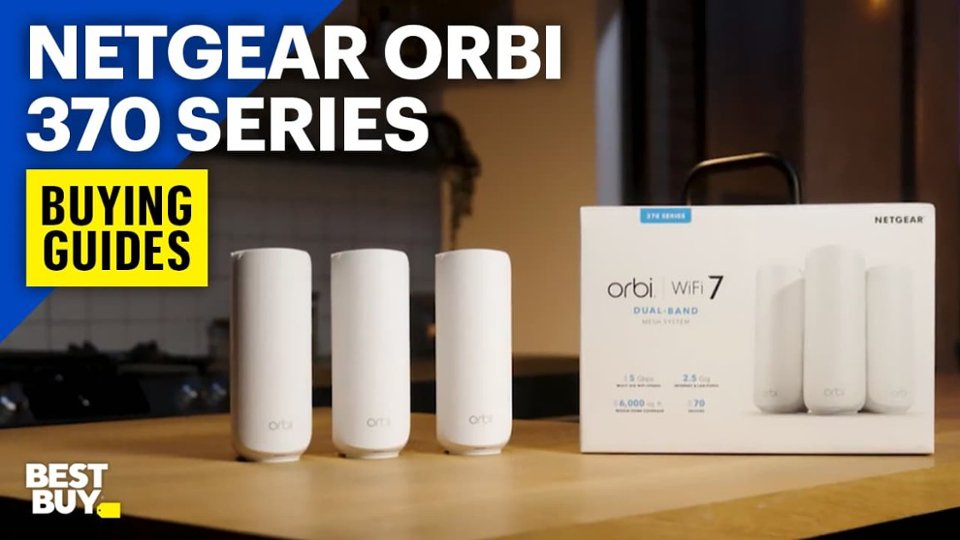
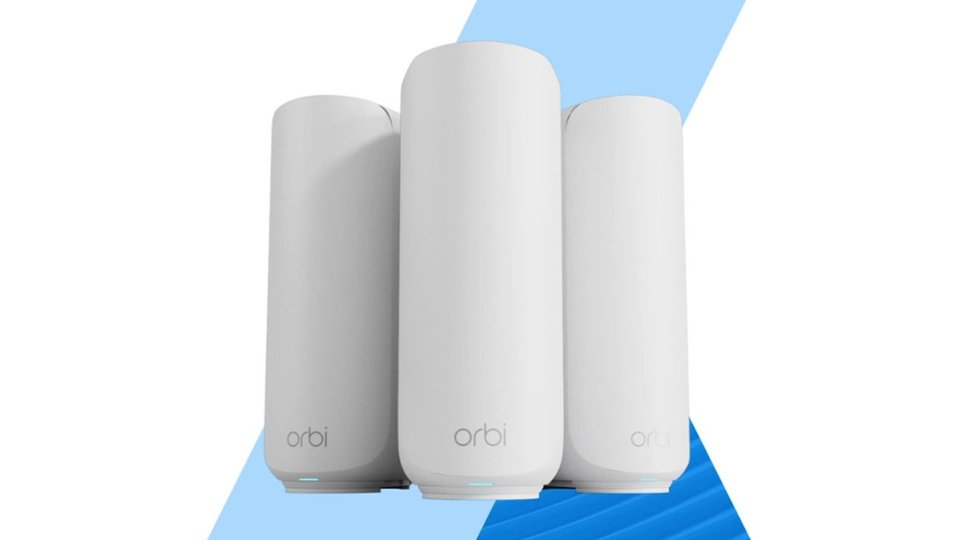
The Orbi 370 are a set of mesh wifi units. You get one router unit, which has a WAN port for internet input and LAN port for your local network and two mesh units each with a single LAN port. The LAN port also supports wired backhaul, though wireless backhaul is enabled by default. Aside from that, the only other thing you need to do is plug in power. The units are white, not quite cylindrical in shape. They look nice on one’s desk, unassuming, almost like a speaker or diffuser. They’re surprisingly light and take up very little space.
I set these up in a 3000 sqft three story home. The main router went on the main floor on one side of the house in between the living and dining room. One mesh unit is upstairs, above the main unit in the master bedroom. with the third also upstairs on the opposite side of the house. I placed the mesh units in areas that were weak spots with my previous single-router setup. The basement only partially extends under the house and most things there connect via ethernet. I previously had a 5 port unmanaged switch which I replaced with the old wifi router. With the Orbi’s placement, the basement still is the most poorly served portion of the house, though the connection to the router unit is still stronger than it had been to the old wifi router, despite it’s many directional antennas that you could position. But now, instead of having a weak wireless connection to the main house SSID, there’s now a very strong connection to the basement SSID.
It’s a tradeoff I’m happy to make, especially considering that the rest of the house now has great wireless coverage. Now, instead of having spots on the main and second floor where connectivity was poor to ok, I now have good to great coverage everywhere. My main ISP provides gigabit fiber. Speeds connected to the main Orbi router are pretty much the same as when connected directly to the ISP modem. Speeds at the satellites are a bit slower, but not my much. Download drops from around 980Mbps to 800Mbps and uploads take a bigger hit, from around 900Mbps to 500Mbps. In the basement, 100 feet away by ethernet cable, the speeds are the same as previously and what I’m seeing with the Orbi satellites. Another improvement is wifi coverage to my yard and garage. I have a wireless garage door controller that would sometimes lose connection to the house wifi. Now that never happens (or at least has not happened in almost two weeks of use). My phone still has good connection near my mailbox which is about half a block from the house itself where before that’s where it would give up and switch to cell service. I can’t say that I’ve noticed lower latency to any of my smart home devices - it still takes about the same 4-8 seconds to connect to my video doorbell and video quality to it and other cameras are the same, but devices that sometimes would drop off the network no longer do so.
Setting things up was easy though annoying as I had to go through the process a few times. The app walks you through everything but if it gets interrupted for some reason, you pretty much need to fill out most of the same information again. After pairing the main unit to the app, you’d connect the satellites, then answer some questions to configure your home network. Then it will write all that info to the router. As part of that process, you connect to the routers wifi network and set an admin password or keep the default. The first time around, I’d set a new admin password and updated the SSID. But I decided I wanted to move where I had one of the satellites so I interrupted the setup. When I came back, the router still had the new SSID and admin password which the app remembered, but I had to enter again all the info regarding the house. For some reason, the second attempt to write the final configuration failed. Same deal - re-enter everything. I started the third attempt, but had to rush out the house for an appointment before it completed so again repeated this on the fourth which ran to completion. Another annoyance with this is that when it’s writing the final settings, it has a 2 minute timeout to wait for the router to connect to the internet before it actually completes the writing. Given that I never unplugged or restarted the main router at any point, it always had the internet connection, but it was clear from the status messages that the app just was waiting for time to elapse before it every tries to see if the router has connected. This might be nice on first set up so people don’t get worried by seeing messages saying it’s attempting to connect to the internet and failing to do so, but it really sucks when the router is already connected because it’s just wasting time. That’s an area where Netgear’s setup process could be smarter.
Otherwise, I like the UI. The network topology diagram is nice and you can quickly see what devices are connected to which unit. You can even move things around though I figured I’d let the router handle that itself. It would be nice to have another LAN port on the main router but I wasn’t already using an extra port when I had the wifi router with 4 lan ports. If the use case comes up, I’ve got some USB powered 3 port switches that I can drop in. From what I can tell, the basement won’t really be affected as it’s bandwidth limitation is more due to being on the other side of a 100 foot cable than sharing a single gigabit port on the router.
I wasn’t sure the Orbi 370 system could cover a large, three-story home with challenging layout, especially reaching the garage. But it has exceeded my expectations. I now have stable, fast coverage across the house, yard, and even near the mailbox. Setup had its hiccups, and speeds do dip slightly at the satellites, but the gains in coverage and reliability make it a worthwhile upgrade. Looking back, I wish I’d tried mesh Wi-Fi sooner. Then again, if I’d started with a weaker system, I might have written off the whole idea. Instead, the Orbi 370 proved that mesh can be clean, reliable, and easy to live with.
This reviewer received promo considerations or sweepstakes entry for writing a review.
TLDR: Robust, 3 unit mesh WiFi 7, higher speeds only limited by the internet provider service you pay for. Solid signals in all parts of your home; offers 3 WiFi networks for Main, Guest, & IoT smart devices at both 5 Ghz & needed 2.4 Ghz for smart devices.
Please note: I am not a network technology specialist so my review will not cover many implementation network options and won't include many technical abbreviations that others may include in their techno jargon packed reviews.I appreciate those network architects and the work they do inventing, creating and installing amazing technology for us.
I am a consumer with some experience in technical skills and have always embraced new inventions and technology since if we don't welcome and embrace new inventions we will stay behind.
All I can say is that using this Netgear Orbi 370 mesh WiFi system will create a more consistent, faster, and stronger WiFi experience in your home or apartment.
What is a MESH WiFi NETWORK?
I found this explanation on my Edge browser Bing search: “A mesh network is a type of local area network (LAN) topology where each node (such as bridges, switches, and other infrastructure devices) connects directly, dynamically, and non-hierarchically to as many other nodes as possible. This allows the nodes to cooperate with one another to efficiently route data to and from clients.”
The 3 Orbi 370 devices are the NODES and our computers, TVs, tablets, smart bulbs, smart switches, smart speakers and other devices that use WiFi are the CLIENTS. The devices (NODES) connect either wired or wirelessly to share and provide internet connection data to the users (the CLIENTS).
How does the NETGEAR Orbi 370 work?
The NETGEAR Orbi 370 system has a router and two satellite stations, which are simple to install when following the instructions in the app and if a user takes their time in reading the narrative.
Each of the 3 devices have their own power adapter which plugs into a wall outlet.
The main Orbi 370 router is connected to your existing home internet device using the included ethernet network cable. By doing so it obtains the connection to the internet and then shares it to the other Orbi 370 satellites. Each of the 2 “satellites” receive the WiFi signal from the main Orbi 370 router access point “base station” and retransmits that same WiFi in another location in your home.
In a simplistic essence, the so-called “mesh networks” act like our current cellular phone networks which do a similar thing with each new minicell that the wireless phone networks are installing on light poles or wooden utility poles across the USA to increase coverage of growing numbers of smart phone users needing data.
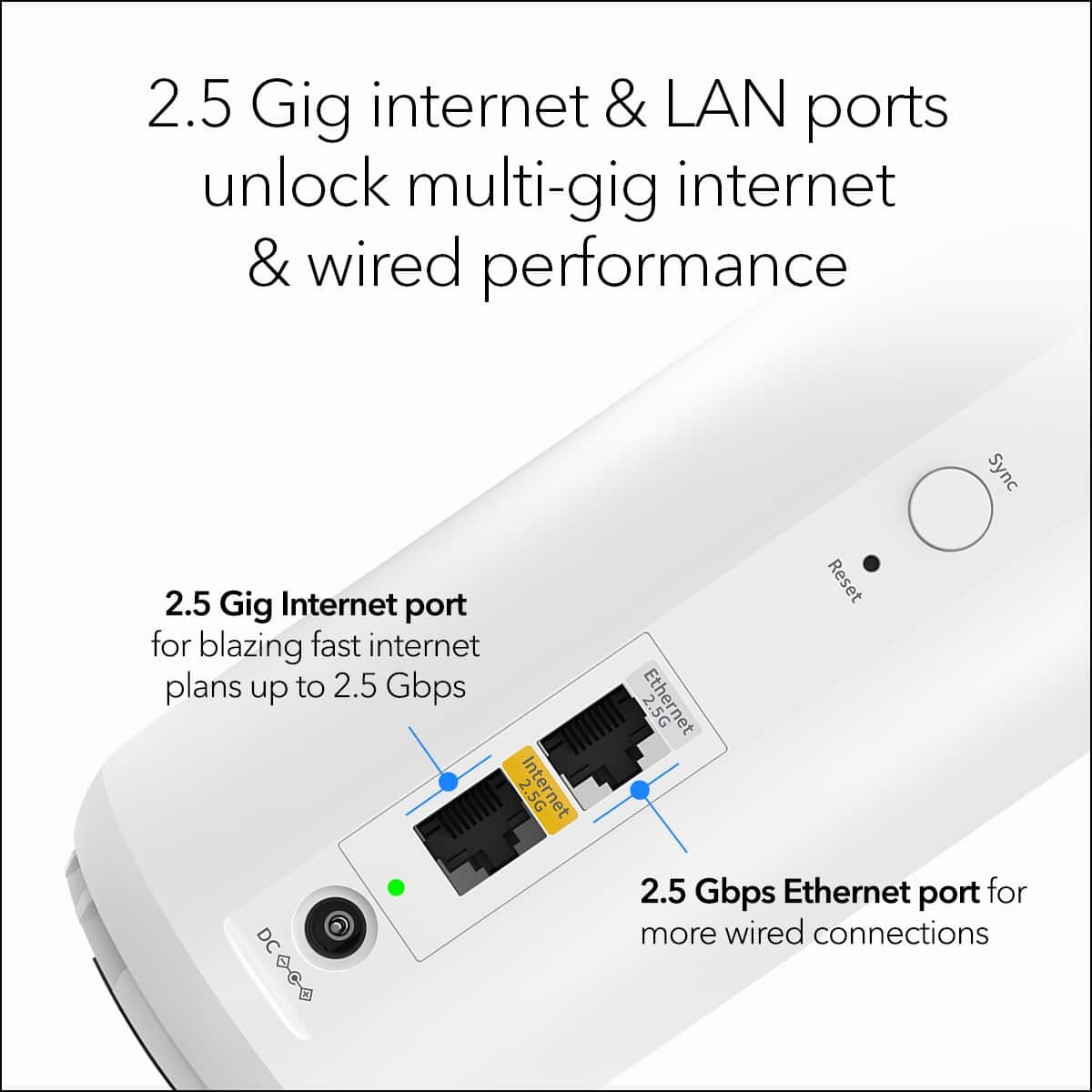
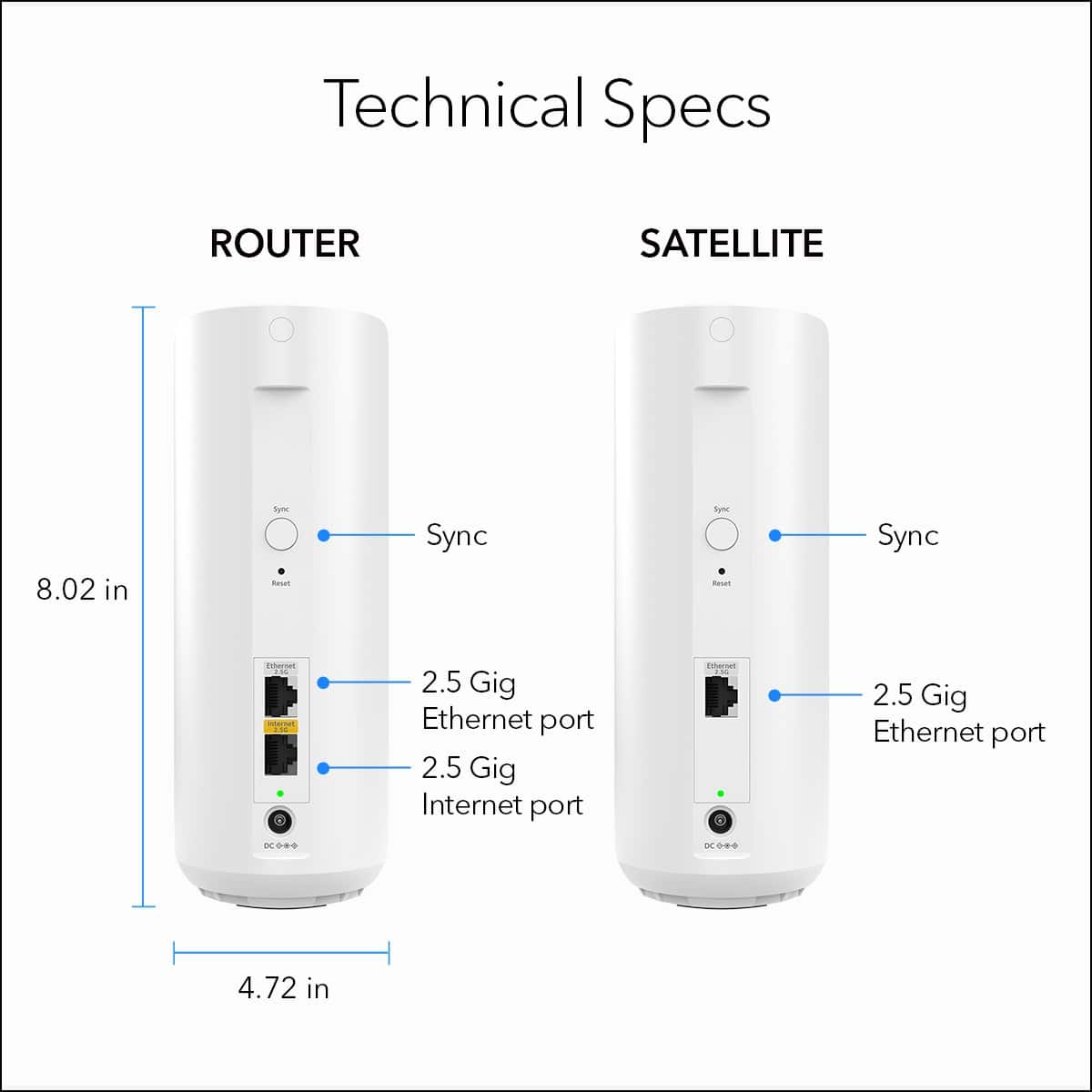
The router and satellites have 2.5 Gbit ethernet network ports; the main router has 2 ports; one to connect to your home internet device regardless of your provider, and another to continue the network to either the satellites with a wired ethernet cable or for a wired device such as to a wired computer or network LAN printer.
The 2 satellite stations have single 2.5 Gbit speed ethernet ports which can be used to connect other wired equipment such as an older wired networked LAN printer that also has an ethernet network port on it. In that case the specific printer driver has to be reinstalled AFTER the Orbi 370 is fully installed.
The Orbi ethernet network ports can also be connected by network ethernet cables to create a more robust and constantly strong mesh WiFi in the home without any worries about the possible vagaries of WiFi wireless interference from other nearby wireless sources. In that case the single ethernet port on the satellite units will be occupied. IMO, this lack of a second Ethernet port on the satellites is a shortcoming since other brands do not scrimp in this regard.
The computer download speeds seen are very good. We use TMobile Home Internet and this system improved speeds in our complete home. Our kitchen was sometimes weak before we got the Orbi 370 but no more with 1 Orbi satellite now providing strong WiFI there as well as adjoining areas.
The other Orbi satellite provides a strong signal in the bedrooms and, together with our TMobile 4GAR gateway which also has WiFi, we are fully covered.
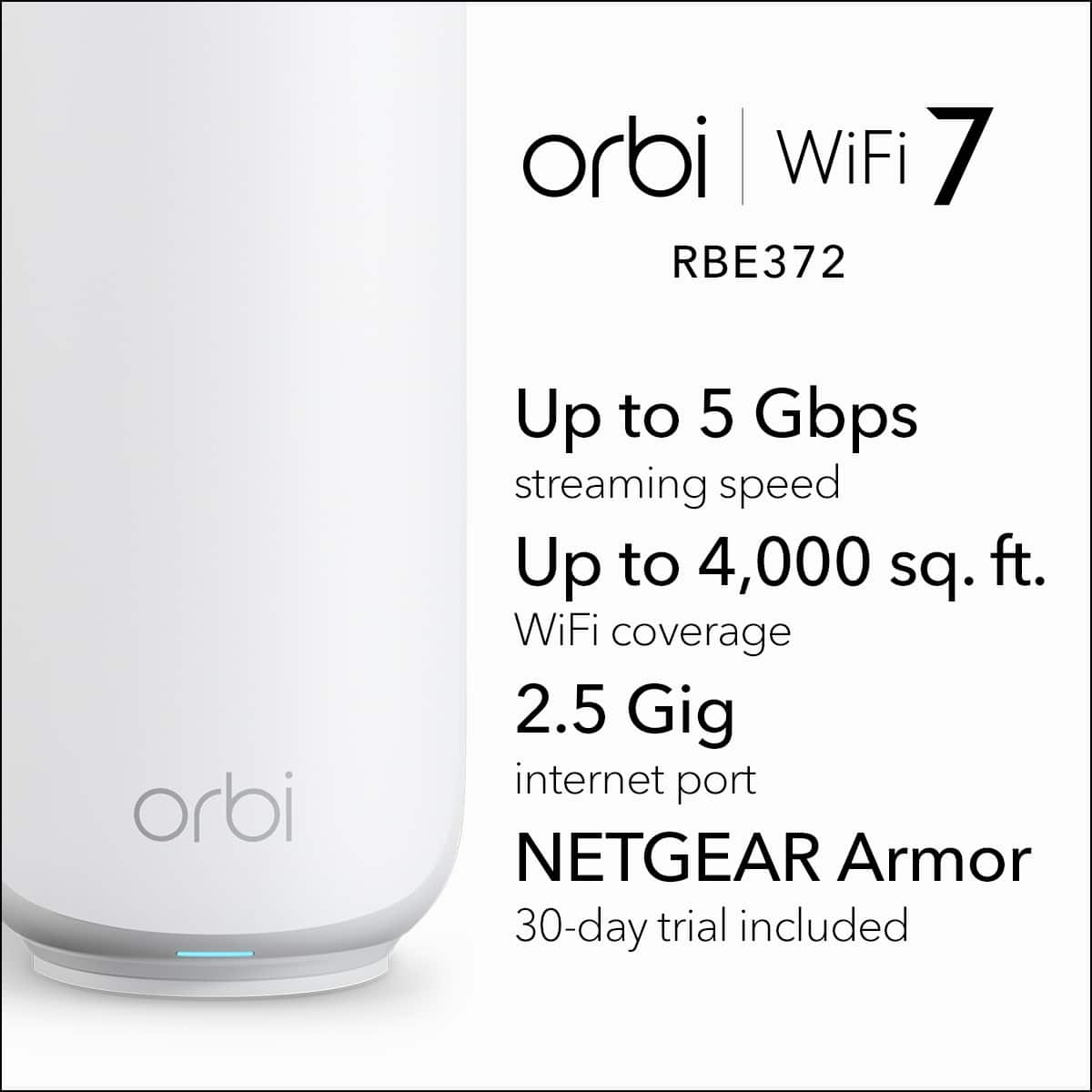
Netgear’s web site claims up to 6,000 square feet coverage; we have a 900 sf apartment and it works fine!
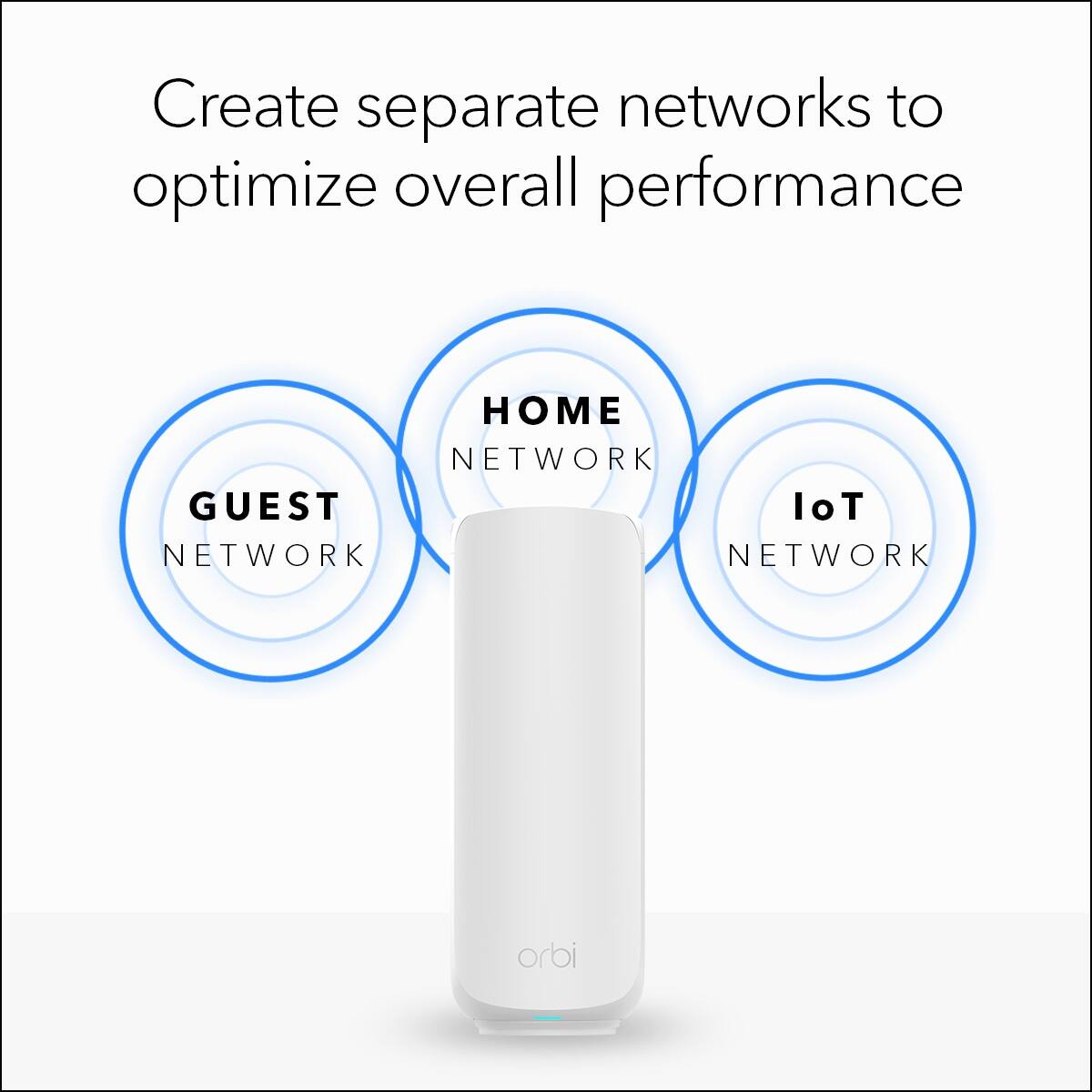
A user can create 3 networks in the home: It is easy to create up to 3 separate WiFi networks for your family’s primary and smart home devices: A Main network, a Guest network and a third for all your smart devices that Netgear labels IoT (Internet of Things).
You can create different passwords for each WiFi network or not. It is not difficult to do this using the app.
Our 3 smart TVs have little to no buffering, our many Alexa speakers work fine either with audio or when streaming video on the Show models, and our many smart switches respond quickly. I reconnected all of the smart devices to the IoT network I created to keep them on a 2.4 Ghz network versus the 5 Ghz that our newest laptop computers can utilize.
Important Note: After installing this Orbi 370 system, I then reinstalled every smart device with the WiFI name and password I created for the IoT 2.4 Ghz WiFi networks I created. All this is easy to do if following instructions and using the app Netgear provides.
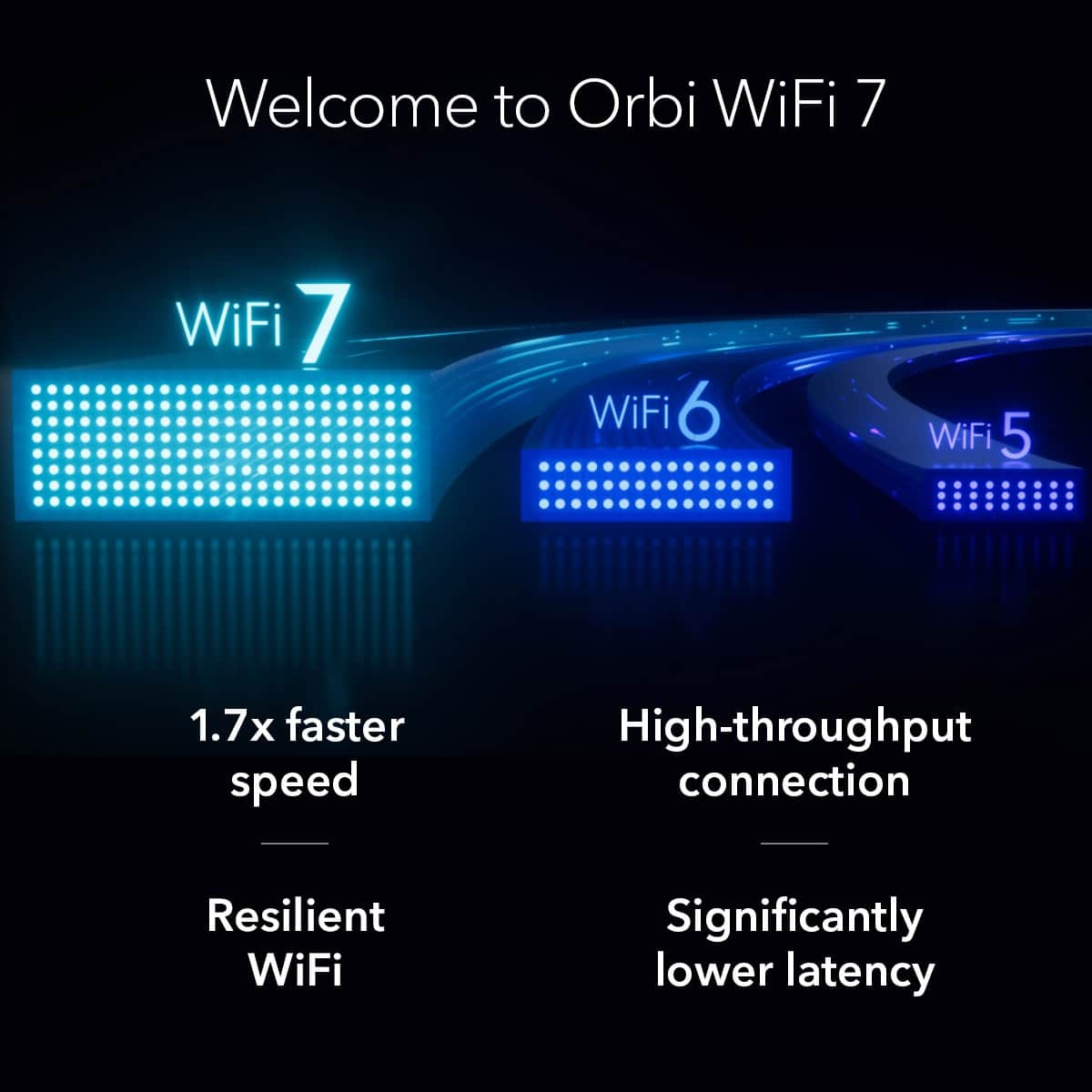
Netgear indicates the WiFi 7 protocol is 1.7 X faster than WiFi 6. Netgear’s website also claims that using the WiFi 7 protocol in the Orbi 370 devices, download speeds up to 5 Gbps are possible.
Our home internet service does not supply that speed but we have measured using Speedtest.com WiFi speeds that are indeed stronger than before using the Orbi 370. Late, late at night our TMobile Home Internet provides speeds of approx. 400 Mbps and no matter where we are in our apartment we see that consistently as I performed repeated speed tests with a laptop in different rooms late at night. It is good to know that if we change to another internet provider (competition is great for driving down costs to consumers) that our home WiFi equipment is ready.
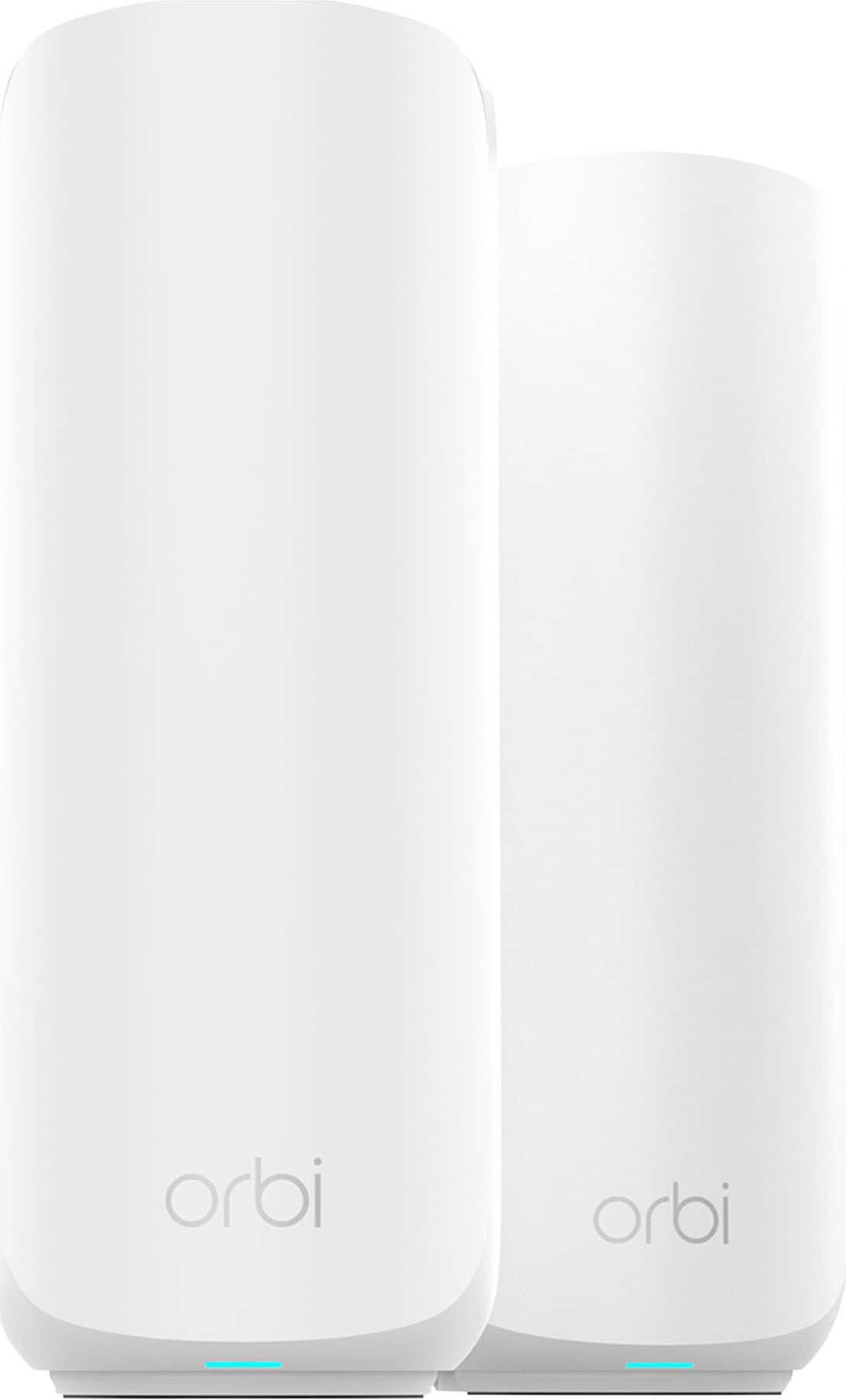
Each device has a sleek white design with a small glowing blue LED to indicate power.
It is a great product and will be an improvement to any household that installs it.
This reviewer received promo considerations or sweepstakes entry for writing a review.
Netgear is a name in networking that’s been around in computing since 1996 and back then home networking looked a lot different. A lot has changed since then and gone are the days of big clunky routers with giant antenna and range extenders. Now under a different moniker “Orbi”, Netgear still makes routers but more commonplace in todays home are Mesh Wifi Systems, which look like small pods or speakers that sit throughout the home to provide internet to every room! Today we will be reviewing the Orbi 370 Dual Band Mesh System!
Initial setup out the box was an absolute breeze. The 370 comes with one router and 2 satellites. I hooked the router up to my modem and followed the on-screen instructions. Step by step worked to a T and within 5-10 minutes had everything completely set up. Sometimes I’ve had issues with setting up additional satellites with Linksys or Eero that caused me to have to try more than once to get them to pair. With the Orbi the app automatically found the satellites that were upstairs in the loft and master bedroom with zero issues. If I were someone who wasn’t familiar with setting up a router or mesh system I would probably lean towards the 370 alone for ease of setup. My mom is 72 and awful at anything tech related and I’m certain she could have handled setting these up no problem!
Once my Wifi network was setup I hooked everything in the house up to the new network and ran some speed tests. I currently have 1000 Fiber with AT&T and generally in the past got around 400-700 Mbps when testing with my phone or other devices. With the Orbi 370 my testing peaks at 930kb for Download and 925kb for Upload. I can notice a big difference in app loading time on our family room tv along with less pixelation when streaming during heavy congestion times. I tested streaming on 3 tv’s at the same time while downloading files on my computer and it handled the stress test beautifully! Not sure why my other router wasn’t getting the top end speed my internet could provide, but the Orbi 370 definitely pulls every bit of juice out of my internet speed capabilities!
The Orbi app is easy to use and adds a lot of functionality with Guest Networks, Parental Controls and Device Managers. Guest Networks allow you to create networks for people when they come to visit. Device Managers allows you to monitor the devices currently logged into your network. Parental Controls will allow you to set time limit and block apps and websites, but does require Premium Access which is an additional fee. There’s also a Armor feature that comes free for 30 days with the Orbi370 and it acts as sort of a firewall/monitoring system for your network. It has scanned multiple devices on my network to make sure they aren’t compromised. It is a paid feature after 30 days and if you’re a person who might be worried about added security and extra measures this would be something to consider! You can also check for updates for the router and access it outside of the home by using Anywhere Access! Overall, the app is super user friendly, straightforward and easy to use!
I have been very impressed with the Orbi 370 Mesh System. It’s very simple to install and navigate and provides a useful amount of features with additional security features if you feel they’re necessary. The Mesh system utilizes every bit of my internet speed and provides fast WiFi throughout our home. If you’re looking for a new Mesh system and need one that’s user friendly with easy to use features the Orbi 370 would be at the top of my list!
Affordable Wi-Fi 7 for large homes-Lackluster feat
|
Posted .
This reviewer received promo considerations or sweepstakes entry for writing a review.
**OVERALL**
The Netgear Orbi 370 is a high-end mesh Wi-Fi 7 router designed for large homes and high-demand environments, offering tri-band connectivity and support for the latest Wi-Fi 7 standards. The biggest, potential troubleshooting issue, by default once setup the router doesn't have any lights to tell you it's under normal operation. Only during setup do you have a light that begins flashing, some may believe there's been a setup issue when the lights turn off and begin fiddling with it as there isn't anything in the instructions to tell you otherwise. There's no setting to toggle a low light mode that can hint you toward network issues at a glance of the router. At the heart of it, I'm conflicted where to rate it. As a nerd for tech with a preferred interest in prosumer/enterprise devices, I want to nitpick more aspects than I probably should. But the consumer in me doesn't believe this is appropriate considering the customer base this is targeted for. But for this particular review, I'll base my POV from the consumer aspect as something in this price range wouldn't necessarily include every premium feature networking targeted for advanced users/small business would make standard.
**FEATURES**
- High-speed performance with support for 4,800 Mbps speeds
- Compatibility with existing Orbi systems for easy expansion
- Easy setup via the Orbi app
**CONS**
- More expensive than standard Wi-Fi 6 routers
- May be overkill for smaller homes
- No separation of bands, its all on the algorithm to decide if your device needs to connect to 2.4g or 5g.
- Advanced features are tied to a subscription; a paywall.
The router features several functions for easy management and security on your network. From a self activated "anywhere" access for network management; no more configuring pesky VPN networks to manage it remotely. To a self activated/managed firewall that actively scans networked devices and checks for vulnerabilities or security threats from connecting devices. You can manage devices within groups in a parental control window where you can pause internet connectivity for specific devices. Monitoring overall traffic usage is displayed in an easy to read visual graph. But it feels, hollow, for lack of a better word. Advanced functionality to some of these is locked behind a subscription. Without it, you can only manually pause the internet on a group of devices and security is limited to standard features. You can't specifically block specific websites or a broad range of adult or mature websites that wouldn't be appropriate for a minor, that's where the subscription comes in. That functionality can be added for $69.99/yr or $7.99/mo. For expanded security, that comes with a price tag of $99.99/yr. It's worth mentioning that this security add-on called Armor, adds on the go protection for devices not directly connected to your network and a VPN network, which seems to be pegged at 200/MB per device connected. It's unclear if this limit is the total allocated per day and reaching it presents you with an added traffic activity payment option. Either way, I'm not much of a fan of either of these features being an additional subscription.
Additionally, I had an issue with a few devices. From phones to tablets that would randomly disconnect from the router, I never could figure out why. Newer devices manufactured after 2022 that can mostly rule out most band support issues.
**DESIGN**
- Sleek, modern design with a white finish
- Compact form factor for easy placement
**PERFORMANCE**
- Excellent coverage and signal strength in large homes
- Smooth performance for streaming, gaming, and video calls
- Stable connection even with multiple devices
**CONS**
- May require additional nodes for very large spaces
- Slightly higher power consumption
**OTHER CONSIDERATIONS**
- Best suited for users who need high-speed Wi-Fi 7 and have a large home
- Works well with existing Orbi systems for seamless expansion
- Features that may be standard with other routers add paywalls.
- No advanced configuration options such as pre installed VPN configurations, separation of network bands, or separation of SSID's for different functions other than main network and guest.
**CONCLUSION**
The Netgear Orbi 370 is a top-tier mesh Wi-Fi 7 router with impressive performance and coverage, ideal for large homes and high-demand use cases. However, it comes at a premium price and may be overkill for smaller spaces. The lack of advanced features brings me to the conclusion that this device is made for someone that wants to connect it to the wall and never have to touch it again. The nerd in me wants to give this 2-stars.
All things considered, this is worth 4-stars.