Customer Ratings & Reviews

- Model:
- NBDVR622GW
- SKU:
- 6412920
Rating by feature
- Value
Rating 3.7 out of 5 stars
- Quality
Rating 4.0 out of 5 stars
- Ease of Use
Rating 4.0 out of 5 stars
Customers are saying
Customers are enthusiastic about the 622GW 4K Dash Cam's video quality, ease of use, and GPS capabilities. Many appreciate the straightforward installation process, high resolution, and effective parking mode. Some customers have expressed concerns regarding battery life, the app, and initial firmware updates.
This summary was generated by AI based on customer reviews.
- Pros mentioned:Gps, Video quality

622GW and associated apps greatly improved
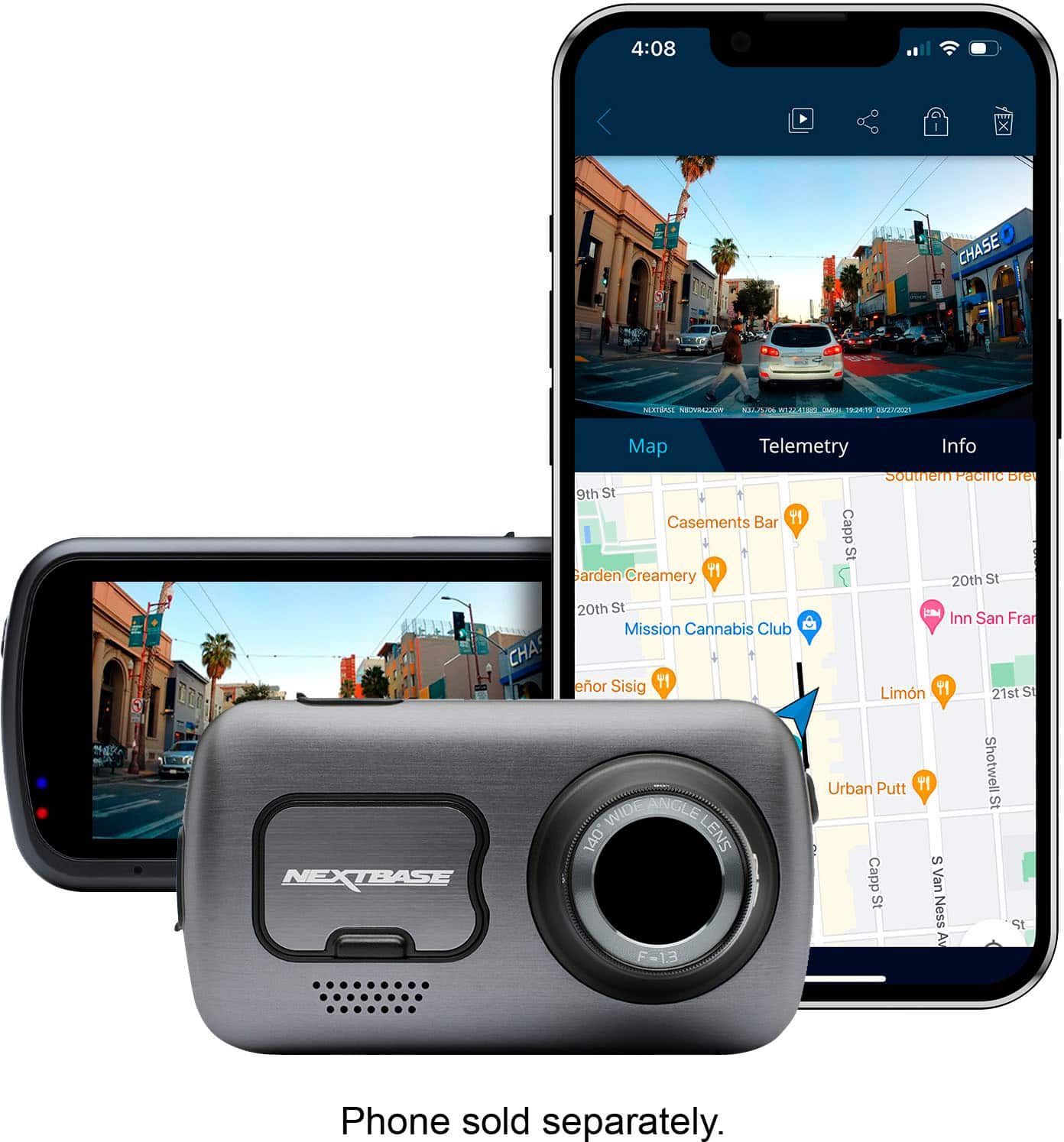
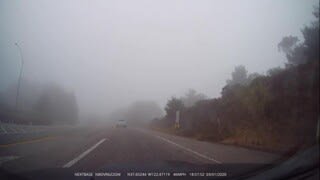
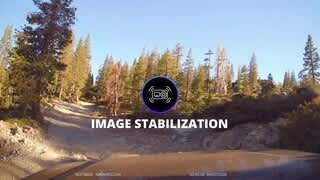
|Posted .This reviewer received promo considerations or sweepstakes entry for writing a review.Last year I got the NextBase 522GW dashcam which I was impressed with, the design was innovative, and it was well built with really good HD video quality. Since then I have made a dashcam part of the mandatory add on accessory for any vehicle I own. With the 522GW model the only fault I really had was essentially with the software/app and connectivity/download speed. When I saw the new 622GW 4K Dash Cam model I figured I would give it a try and hand down the 522GW to my daughter. The 622GW looks very similar to the 522GW model, except they have fixed both the software and any connectivity issues with the newer model. The 622GW takes stunning 4K (3840x2160 30fps) video, the colors are crisp, and rival video you would take with any other 4k capable camera, it is simply amazing. There is also a 60fps (frames per second) mode in HD resolution and a slow motion 120fps mode. Any way you look at it the video quality is great, and you also have the ability to record both high and lower resolution video at the same time. Now higher resolution or frames per second video lead to large files and records 1- or 3-minute videos, with the latter producing almost 1GB 4K video (H264 MPEG-4 AVC MP4 files). Image stabilization is also included in the 622GW model which compensates for vibration in the video, it seems to work pretty well. The camera is feature laden, with built in GPS which records telemetry such as coordinates and speed (both of which can be configured to display on the recordings). It also has a shock sensor and some unique S.O.S. features which can be configured to notify emergency services (via your smartphone) if you have an accident. This comes with a complimentary one-year subscription. This feature seems to have evolved from last year and I will consider leaving it enabled as it could come in handy. Pros: - Great video, including 3840x2160 30fps or 1080p 60fps (and lower res formats) - Well built - Polarizing lens for clarity - Clear touch screen (speed can be displayed as a screen saver) - time lapse feature and slow motion. - any screen grabs yields clear pictures of road signs, license plates and any other detail you might need. - Telemetry including coordinates, with overlapping maps and speed are spot on. - associated apps and connectivity have improved substantially in the last year. Cons: - none that I encountered.
I would recommend this to a friend - Pros mentioned:Installation, Video quality
Superior Dash Cam!
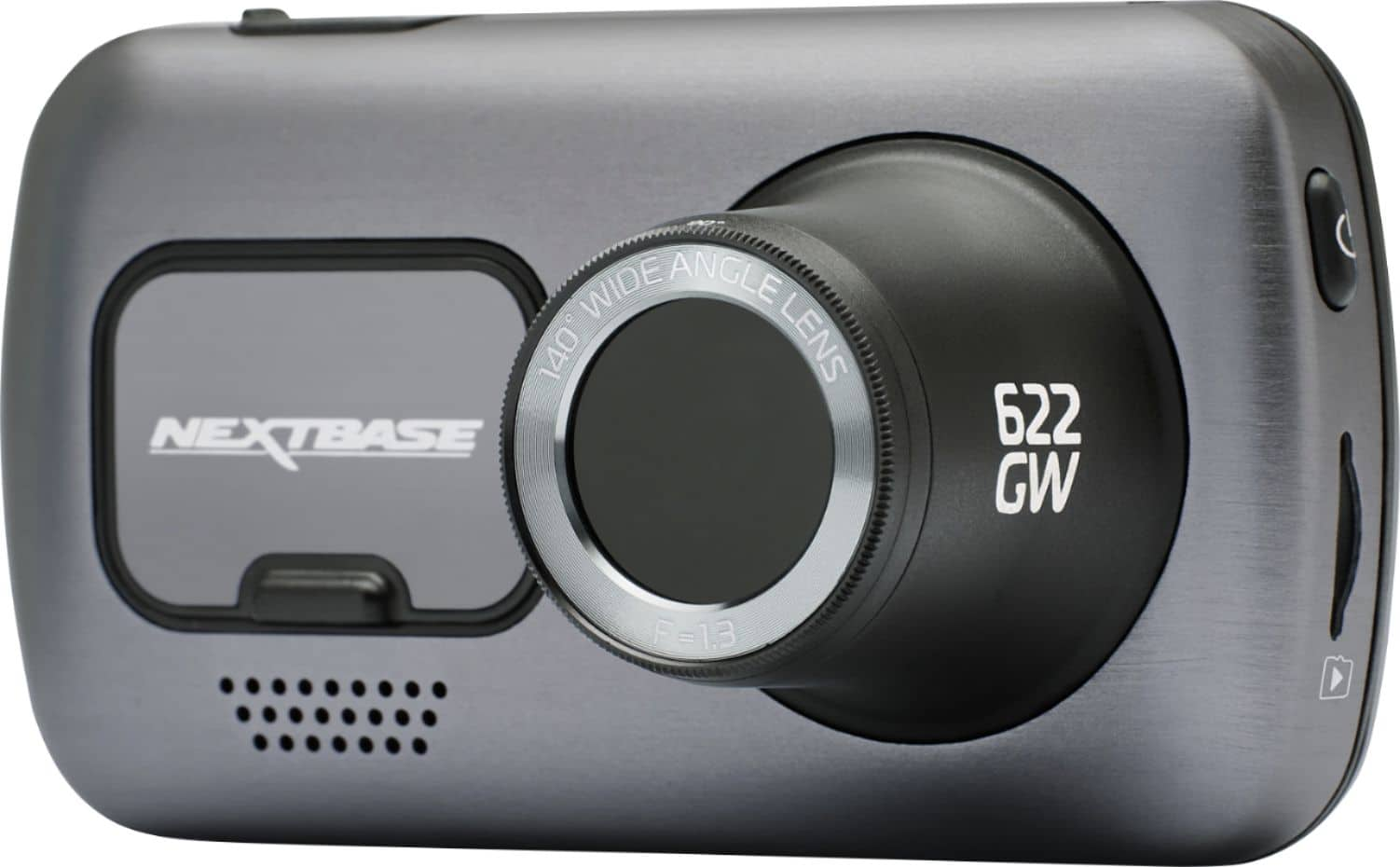
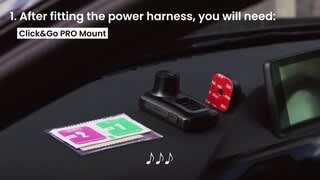
|Posted .This reviewer received promo considerations or sweepstakes entry for writing a review.I have had the NextBase 622GW Dash Cam for a little while now, and so far, I love it. The video recording is super smooth and crisp. I love how it picks up the audio to the video as well. I have been looking for a dash cam for a while now and I am so glad I chose this one, it's perfect. The installation was quick and easy. Peel off the plastic from the 3M foam tape, stick it to your windshield, plug in the cord to the camera, run the cord under the headliner around and down the pillar, and plug into the 12v circular “cigarette” lighter plug and you’re done! I set the camera to display the speed while I am driving so I don’t have to look at what is being recorded, what an awesome feature! This camera is 4k recording, and it is clear and crisp when playing back the videos on my PC. The digital image stabilization works fantastic, it does a great job keeping the video footage smooth with no shaking. It has What3words built in as well as Extreme weather mode and super slow motion. You can set up an SOS emergency response, where if you were in an accident, you can easily call for help with a push of a button. One of my favorite features is the built-in Alexa, ask her anything. The camera is Wi-fi enabled as well as Bluetooth which you can manipulate the camera through the NextBase app when connected to Bluetooth. The app has a lot of great features, you can hop into the settings and make the experience custom and to your liking. Another fantastic feature is when you are parked, the camera can detect motion and will record so you can catch things that go on in the parking lot when you are away in the store, like vehicle damage or thefts. The camera came with two bases that stick to the windshield with 3M tape but connect to the camera with strong magnets that have integrated power connectors to power the device as well as make it easy removal to take the camera out of your car with just one hand. I was really impressed with how well this camera works at night. This model has a new light sensor with larger pixels that capture more detail in both light and dark situations. What3wrords enables the device to tell emergency response your exact location and guide them there safely, this can even be capable when you are offline. There are so many amazing features packed into this little camera I am honestly blown away. The days of the big bulky and clunky dash cams with little features are over, this camera is everything anyone would need and more, a lot more. If you want to stick this in multiple cars but need another base, the app has a store right in it, so it makes it easy to pick up more parts if you need them without trying to search the internet for a special part. The app can be found on both the Apple Store and the Android play store. Overall, I love this camera. I am so glad I finally got a dash cam, and I am glad I chose this one. From the superb image quality, the easy installation, and wild number of useful features this dash cam is the one-stop shop, it has it all. NextBase knocked it out of the park with this one! I will recommend it to anyone who asks about dash cams.
I would recommend this to a friend - Pros mentioned:Ease of use, Video quality
User Friendly
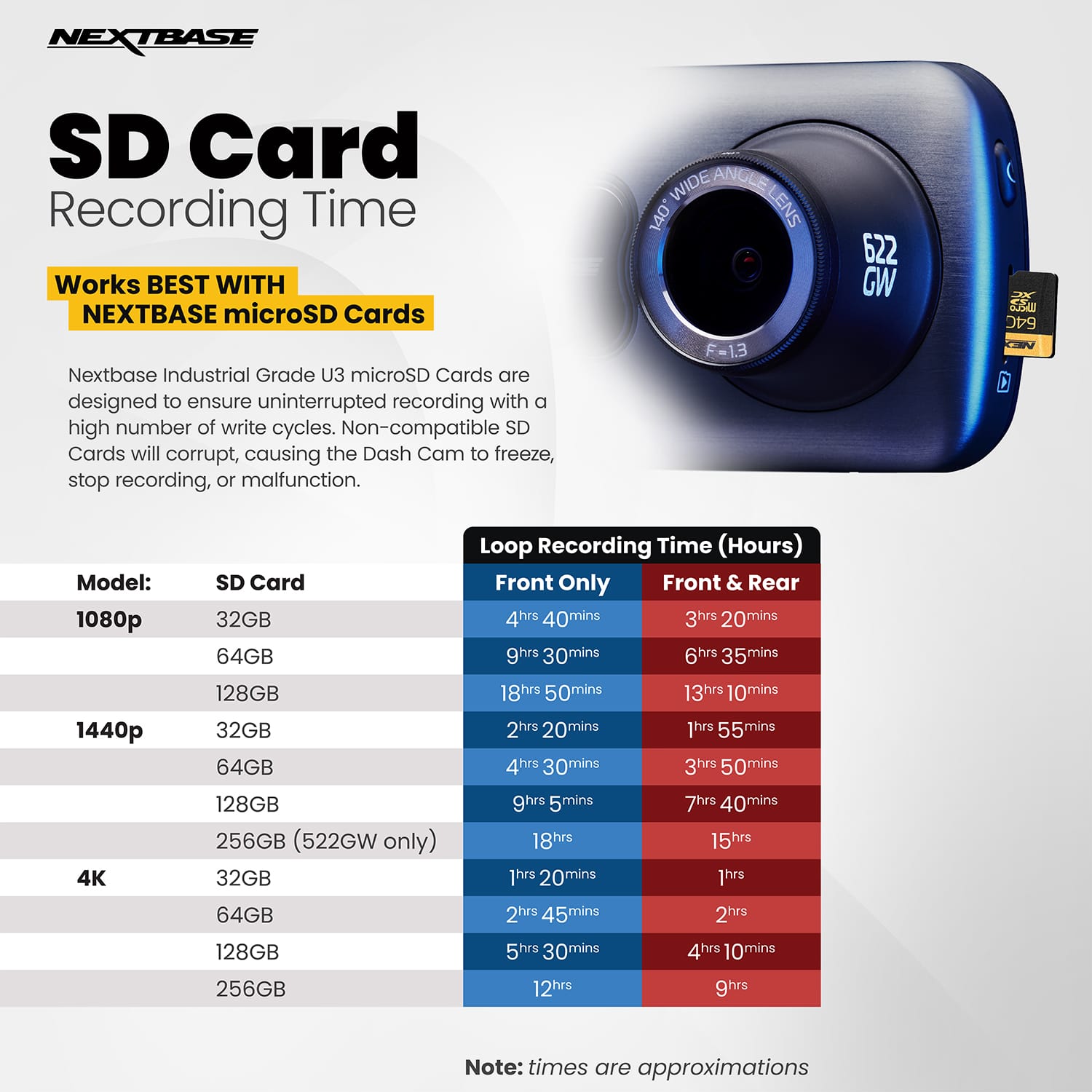
|Posted .This reviewer received promo considerations or sweepstakes entry for writing a review.This is the first dash camera I have ever had personally. Even why running a commercial transportation company several years ago. We always wanted this technology to be this convenient but again that was several years ago. Out of the box the Nextbase 622GW is sleek and stylish. I was worried that the touch screen display would not be responsive like most modern-day printers with the like feature. However, the 622 has a 3" LED HD IPS touchscreen that is actually very responsive. The instruction request that you charge the unit for two hours prior to first operations. After completing this task, I then downloaded the Nextbase app to upgrade the devices firmware as suggested in the instructions. Getting the app to properly download to the 622 was a chore but not a challenge and after several attempts it finally took. The app much like the camera's user interface is extremely easy to navigate and allows for a quick and easy setup. I then mounted the camera just behind the vehicle's rearview mirror after some mild adjustments to the lens due to a glare my car had. I appreciate that the camera comes with a tucking tool to give that professional install look. I have a satellite radio that did not, and those wires are strung underneath my back seat. This will be corrected since I now have the tool readily available. We were then able to get some real road time footage. I was amazed at the image stabilization and the quality of the video playback even on the camera itself. The 4K playback on my computer looked so good that it made me actually try this thing out as a little mini handycam. You can choose the footage record time and even select the lock button option on video storage. You need to do this because the video footage works on a first in first out storage logic. Meaning the memory card, once almost full will overwrite the oldest data first to make sure the camera is always recording. I was supplied a 128 GB Nextbase branded card for testing purposes, which seems to be an excellent choice considering the video quality. Thankfully, during my testing period I did not have to try out the emergency SOS feature or extreme weather mode. However, if enable the SOS feature will let you call out to ALEXA to send an emergency response to your location via a GPS signal. Nor did we have inclement weather. The enhanced night vision was also really good. The play back at 120 frames per second in 1080p slow mode would even allow you to be able to read street signs from a nighttime replay. All together I have really enjoyed the security of the dash camera. The camera was amazingly easy to setup, install, use, and replay. The Nextbase 622GW meets or beats any of my expectations. My only concern will be the camera sitting in my black vehicle during the middle of summer and its ability to hold up.
I would recommend this to a friend - Pros mentioned:Ease of use, Video qualityCons mentioned:Battery life
Pricey - worth consideration for the great video
||Posted . Owned for 1 month when reviewed.This reviewer received promo considerations or sweepstakes entry for writing a review.I did a great deal of research, tried several different dashcams and this is the one that I kept. It has a quality expensive feel. I really like the magnetic attachment which makes it easy to take on and off your windshield. Easy to install - I did not do the hard wiring but running the power cable along the car's headliner is very easy with the included pry tool. The overall quality of the videos won me over as the other dashcams always had a grainy look about them. This one, while not perfect did allow me to read license plates at a reasonable distance. It's the 4K resolution and 30 FPS that sets this one apart from those FHD cameras. The app mostly works and the part that didn't is not a deal killer. Specifically, I *sometimes* cannot watch a video clip on the app, but I can download the clip to the phone and watch from the saved section of the app. I have not had any connection issues and am happy with the app and it's functionality. Handy Tip - don't believe what you read about using only the Nextbase cards and the max capacity of 128GB. Those Nextbase cards are overpriced and undersized. I am using a Sandisk Extreme 256GB card and it works perfectly with the 622GW. One downer and why this isn't a 5-star review is due to the battery (I wished this had a capacitor instead of a Li-ion battery). The battery is not great. It runs down pretty quickly but that's when it's disconnected from power, so that's not really a big deal for me because my use case is based on the power being connected while driving.
I would recommend this to a friend - Pros mentioned:Ease of use, Parking mode, Video quality
Wonderful Camera!
|Posted .This reviewer received promo considerations or sweepstakes entry for writing a review.This is my first dash camera, but my experience so far has been everything I could have ever wanted. The camera is so nice, easy to set up, and the app works fantastic! I expected the setup to be much more complicated, but you really just download the app and plug the camera up to your car. I found the wire hiding tool to be incredibly useful, I was able to hide almost every inch of wire within around 20 minutes, and had enough slack in the wire to reach the cigarette lighter with ease. I've read that this can also be hardwired to your fuse box, but it takes a little more skill, and a special kit. The app provides a ton of customization with the camera - You can set the video lengths to record segments up to 3 minutes, you can turn on parking mode (which acts like a security camera when you are parked), image stabilization, and a bunch of other features I haven't gotten into yet. There is also an option to plug a cabin view camera directly into this camera, so you can record the view of the cabin as well. The base sticks to your class, and then it uses neodymium magnets to secure the camera to the base, and they are incredibly strong. I was worried the camera may shake a bit, but it's rock solid. I attached some pictures in night setting in my very very dark neighborhood, and also a picture of an over cast rainy day. The pictures don't do justice to the quality, as the quality is fantastic! The app also has a mode where you can share videos directly with your insurer if there is every an accident. They have thought of just about everything you could need when it comes to a dash cam.
I would recommend this to a friend - Cons mentioned:Heat
Great high resolution dash cam.
|Posted .This reviewer received promo considerations or sweepstakes entry for writing a review.I have owned about 10 dash cams over the year. I have found them extremely valuable in proving my innocence with other wreckless drivers. I have been rear ended twice and side swiped once and these helped reduce my pain in proving I was in the right. Anyway. Setup was pretty easy.. spotting the location on the windshield is super important. Make sure it does not block your view. Also make sure it is in a spot that is sufficient not make sure you can see it is running properly. I followed the direction to charge first then use phone app to get through the process. Cord was long enough to hide in the headliner and be able to plug in to auxiliary plug. Make sure you use alcohol to wipe windshield to make sure the adhesive sticks well. I like that it has a magnet so if you want to pull the camera off it is easy to do. After I got this thing up and running it ran well. Powered up fine and recorded. Pulling the video into a PC was easy to download. High resolution played fine in windows movie. Same with low resolution. Setting to record in dual low and high resolution was not to my liking so I just used high resolution. Also dual resolution will eat up your micro SD card. Night vision was good. Low or no headlight condition was good. Field of vision is good. Not distorted or rounded at the edges. Phone app on Google was easy to use and interact with. Various options and functionality was nice. I did go ahead and purchase a rear camera to attach later because I currently have a front and rear camera setup. Overall. I am happy with this unit. Based on resolution, functionality, easy of set-up, and overall features. Long term issues that I have had with other dash cams is the heat. The excessive heat usually kills the circuits and causes issues with my other dash cams. Hopefully this product will last and not have that same issue as my older cameras. I would recommend this product.
I would recommend this to a friend - Pros mentioned:Parking mode, Video qualityCons mentioned:Heat
Dash cam with great video quality
|Posted .This reviewer received promo considerations or sweepstakes entry for writing a review.The Nextbase 622GW… a 4K dash cam! Setting up the dash cam via the mobile app was super quick & took less than 10 minutes (which included a firmware update). Mounting the device was equally quick, with applying the magnetic mount to the dash cam and windshield. Depending on how much of a stickler you are for cable management, it could take you a few seconds to plug in the charging cable or 30+ minutes if prying apart your panels to carefully hide the wiring. This dash cam comes pretty feature packed, a few of my favorites being 1080p @ 120fps for super slow motion footage, 4k @ 30fps for crystal clear footage, and intelligent parking mode for capturing footage when bumps OR physical movements are detected. As this is my first dash cam, I’m pretty impressed! Reviewing the 4k footage, I have pretty good peace of mind that should i ever need any video evidence, it’ll be very clear what happened. The only thing i can nitpick at is the fact that it gets a bit toasty, but considering how small the device is and the video quality that’s being recorded, it’s to be expected (haven’t seen it overheat yet on 1hr+ rides). Highly recommend this dash cam to anyone that is looking for a high quality dash cam!
I would recommend this to a friend - Pros mentioned:Parking mode, Video quality
Top of the line!
Posted .This reviewer received promo considerations or sweepstakes entry for writing a review.Really wanted a 4k dash cam so that I could zoom in on recordings, in case I needed a license plate detail or road-sign etc. Being able to review videos on your phone is a huge plus. Also, Alexa is pretty sweet - I use it (her?) to listen to music/get the weather and other basic functions. I'm sure I could open garage doors/etc as well. Parking Mode works as advertised. I'm using the Cabin View rear cam which I really like! Great in-car view to save funny family moments. Very happy and really nothing to complain about except it's expensive!
I would recommend this to a friend - Pros mentioned:Video qualityCons mentioned:App
Nextbase, for when you want to waste your money.
Posted .This reviewer received promo considerations or sweepstakes entry for writing a review.Few products have made me as frustrated as this dash cam. When I bought this 622GW it was the best on the market, but within two weeks the suction cup mount failed due to the rubber ripping towards the center. I switched to the supplied adhesive mount which has worked for quite a while most likely due to intensively cleaning the spot before attaching, but does seem solid so that's great. The ball and socket of the mount are way too weak to keep the cam straight and i have to adjust after any minor bump. The video quality day/night I'm very happy with. I like the features (at least the idea of them considering they hardly ever work). The impact sensor in even the most robust setting is incredibly sensitive and you'll lock a recording ever five feet due to hitting a grain of sand on the road. Screen delaminated within a couple months. My biggest complaint is the absolute train wreck of the app and the constant issues with connecting. Connect and the cam immediately shuts off. Try to download your files, shuts off. Delete connections, reset cam, reset phone, still fails. Switch sd cards, still fails. The amount of time I've wasted on this poorly engineered piece of excrement is maddening and I've considered sending Nextbase an invoice for my wasted time. "Reset pairing on cam and device then reconnect." To hell with you, maybe make a product that works? I thought I was buying the best, but it's apparent I was donating to another unfinished product that drained my wallet and my sanity. Thanks Nextbase, I wish you the worst.
No, I would not recommend this to a friend - Pros mentioned:Video quality
Clear Audio and Video With Room For Improvement
|Posted .This reviewer received promo considerations or sweepstakes entry for writing a review.I was excited to get a NextBase 622GW 4K Dash Cam after years of watching videos online of the crazy things caught on camera around the world on dash cams. In addition living in a city where catalytic converters and other crime against cars is on the rise I felt like now was as good a time as any to finally get one. Inside the box you get the camera unit, the windshield mount, a spare glue pad, the power cable (mini-USB to cigarette lighter adapter), a mini-USB charging cable, and a quick start guide to installation and use. You will also need a micro SD card which isn’t included and they recommend using their NextBase brand for best results (I’m not really familiar with SD Card technology so I can’t speak to if its NEEDED or what other cards may have similar speed and specs to work instead). Out of the box you need to charge the camera unit for at least a couple hours before it’s ready for use but after that its a simple process to insert the SD Card, attach the mount in your car, run the wire and mount the camera. As far as the installation went I was kind of let down because the power is supplied from the window mount into the cigarette power socket instead of through the wires under the dashboard. While this was a much simpler process it looks really bad having a bundle of wires drooping down the center console (unless there was a way to pull the dash apart to hide the wires somehow which I didn’t find). You can alter settings in the camera touchscreen to set the video length, resolution, and exposure settings. In order to view your videos you can either navigate to the library in the camera itself (small screen so its hard to see details if you need to) or download and synch up the app on your phone. The videos do not download to your phone automatically but you can view them on your phone to see a larger picture (depending on your phone screen) or download them. I wasn’t able to find a way for the camera to automatically record when the car was off, continuously or via motion detected. As long as the camera is angled correctly the 4K resolution was clear enough to get license plates from the video. It recommends clearing and formatting the SD Card every couple days but I was able to record my daily commute and errands for three days without encountering any errors (approximately 3-4 hours total). For the purposes of keeping a video record in case of an accident this camera should be more than sufficient for your needs. While the end result is clear video and audio for a handful of hours at least, the lack of an option to record when not driving is a downside in my opinion. Further the seeming lack of being able to hide the power cable in the car’s frame/under the plastic dash panels is a real downside, I imagine, for most people but as for the purposes of being able to test it out I appreciate the simplicity of the cigarette lighter plug. I think depending on what you’re looking for the camera to do and how much you value the neatness of your front driving space this is possibly a pass unless you just need a simple record of your driving. If that’s the case then you’ll find the 4K video and clear audio more than sufficient for your needs.
I would recommend this to a friend - Pros mentioned:Gps, Video quality
Best Dash Cam I've Owned So Far
|Posted .This reviewer received promo considerations or sweepstakes entry for writing a review.This 622GW 4K dash cam from Nextbase has replaced my previous dash cam that I've had for a few years now and I am seriously impressed with the step up from that cam to this one. The 622GW is chocked full of features and allows recording up to 4K/30fps. The usual features are here such as image stabilization, the ability to adjust the shock sensor, image exposure, etc. to be able to dial in the picture that you want. I LOVE that this cam doesn't require any additional hardware to track GPS location and speed. The menu functions well and is pretty snappy. The included hardware allows for basically any install that you might need depending on your vehicle. For my specific setup, I'm using the suction cup mount with the USB cable run to the suction cup base rather than the camera itself. I prefer to use the more permanent mounting solutions but I plan on having my cracked windshield replaced this week so I will go with that mounting solution then. I prefer the 4K/30fps resolution setting as it actually uses less memory than the 1440p/60fps setting and provides an extra level of detail. Honestly, 1080p is, in nearly all cases, all you've ever need. However, on dash cams, I prioritize picture fidelity over more frames per second. Integration with Nextbase's app works very well and allows for easy setup of the camera on initial use. I've found that pairing Alexa with the dash cam is more of a novelty for someone like me as I'd just prefer to use the "video lock" button on the camera to protect a recording. However, I could see how being able to use voice commands would be useful. I also prefer to just remove the memory card itself in order to transfer footage but using the app does work well and seems to be well polished. Probably most importantly, this dash cam has just worked from day one. I haven't had any weird glitches or freezes and I haven't had to manually power it on in cases where it should've come on by itself. There is nothing like having peace of mind knowing that you'll be able to show someone EXACTLY what happened if you need to. HIGHLY recommend this dash cam!
I would recommend this to a friend - Pros mentioned:Video quality
Big upgrade over the 322GW
|Posted .This reviewer received promo considerations or sweepstakes entry for writing a review.We have a Nextbase 322GW and wanted the 4k version so decided to give the 622GW a try. Unboxing: The 622GW came in a nice logoed box like the 322GW, and inside was the camera, mounting base, 12v power cord, trim tool, extra windshield adhesive base, and manual. The camera itself is larger than the 322GW, not much but you can easily see its larger “also has a larger touch screen”, all the included accessories were the same. Installing: The camera came with a very long 12v power cord but fortunately the 622GW uses the same mounts as the 322GW. I had purchased a hardwired kit and installed that awhile back so swapping it out was a cinch and only took a few seconds. The included cord if used is plenty long to run around the trim and into a convenient 12v power outlet. I already had the app installed on my phone and it found the new camera right away after turning the car on and letting the camera power up. After going through the settings I received a message that there was a firmware update for the camera and I let that run. Using: The camera pretty much acts like the 322GW, it just has a larger screen and a few extra features. The image stabilization works really well and the image itself is much clearer than the 1080 of the 322GW. File size is huge, almost 400mb per clip. I do like that it has a built in polarized filter and you can rotate it to cut down all the glare, “or most of it at least”. The camera also has a SOS mode that if you set it up on the phone app and you happen to be in an accident it will call the authorities automatically, “haven’t tested that and hope we never have to but nice to know it’s there”. It also has Amazon Alexa built in and while handy I really don’t use it. The Android APP is nice and you can even see a live view of the camera on your phone screen if you want. There’s also a viewer app you can download for Windows and it will show you speed, direction, “g” forces, and a map overlay of the vehicle in motion. It also has some editing capability so you can pick out specific scenes and edit them out for easy publishing. Conclusion: While the 322GW has great image quality “and much lower price” the 622GW’s 4k image is simply outstanding and well worth the higher price tag. My wife happened to catch a pack of Coyotes running across her work parking lot when she was pulling in and it came out really clear. If you are looking for a dash cam that has all the bells and whistles, and also has 4k 30fps image quality then this is definitely going to be worth grabbing.
I would recommend this to a friend - Pros mentioned:Video quality
Easy to install traffic security
|Posted .This reviewer received promo considerations or sweepstakes entry for writing a review.This is a lightweight unit that was very easy to install with good video/audio. Having a recorded account/witness I think is a must these days and while this is my 1st dashcam so have nothing to compare it to – I would recommend. One issue I had was it did not come with a suction cup – only 3M tape. I wanted to be able to easily move the dashcam around the windshield to find the best position for recording and least obtrusive to vision while driving. As I was contemplating how to proceed, I went to NextBase site, and they have a suction cup available - so I ordered it and waited a little over a week for it to arrive (free shipping). It easily replaces the provided tape with just a click or 2. I am glad I waited as I wound up moving it around the windshield multiple times until I found the perfect spot. Now I can easily move from vehicle to vehicle as well – an added benefit. So, I would suggest purchasing the suction cup, but I am dis-appointed it wasn’t included with the unit (took off a star). Another quibble is the little plastic ball that connects unit to cup has limited side to side motion and no way to tighten. I am concerned that this connection, overtime, will start loosening allowing unit to move. It does come with a 32-inch USB mini plug to charge unit – no USB-C. I charged for a day - not sure how long internal battery lasts but its only used when parked in case of break-in, etc. Also provided is a 150-inch 12-24V power cord and a handy little plastic “device” to help you tuck cord into your cars seams to make it “invisible”. It worked well and the length should be more than enough for installation. I decided to record using 1080P 60 fps video (multiple options) and 2 minutes video length ( 1 or 3 also options). Recordings are clear and has minimal distortion or and audio was exceptionally clear. Even night recording was impressive. A micro-sd card is not normally included but a 16GB was provided for my review and it came with a SD adapter. If purchasing the card needs to be a U2 (minimum 20MB/s) or better. I tried a U1 and while it did let me reformat it gave an error when trying to record. I had a 500GB U2 card around and it formatted (FAT32) and recorded fine – so up to 500GB card can be used. Its easy enough to take out and review recordings on a computer too. Setup in app was easy enough as was connecting to wifi network. I am still fiddling with the settings/app but look forward to using. Overall, a nice light weight compact unit simple to setup and use.
I would recommend this to a friend - Pros mentioned:Ease of use, InstallationCons mentioned:Firmware update
Nextbase 622GW Dash Cam
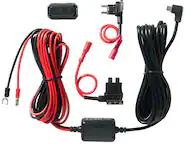
||Posted . Owned for less than 1 week when reviewed.This reviewer received promo considerations or sweepstakes entry for writing a review.I like this camera. It is easy to use, I thought it was relatively easy to install. I bought the hardwire kit, and had to adjust it because my Ford F250 uses micro fuses and the hardwire kit only supplied piggy back fuses for mini and ATO (Regular). With the proper piggyback fuse holder it was easy to add the dash cam to the fuse panel. The camera failed inside 2 weeks of owning it. It would record for 2 seconds then freeze. Could not turn it off. No buttons or touch screen functions worked. I could unplug it and wait for it to power down, but when turned back on it would again record for 2 seconds then freeze. Returned it to Best Buy and the y immediately exchanged it. I have the new camera installed and it has been working flawlessly for 3 days. Two notes: 1. I was using a memory card I purchased at Best Buy not manufactured by Nextbase. Nextbase warns that not all memory cards are equal. I removed the card, but the camera still would not turn on or off properly. 2. The camera checks for firmware updates when you first set it up. It warns not to interrupt the process. Something happened during my firmware update and the process froze. I was forced to interrupt it when it made no progress for an extended period. I tried to update the firmware later with uncertain results. Could that explain the malfunction? Seems quite possible. We'll see how the replacement camera does.
I would recommend this to a friend - Pros mentioned:Video qualityCons mentioned:App, Battery life
Clear picture but a few software bugs.
||Posted . Owned for 1 month when reviewed.This reviewer received promo considerations or sweepstakes entry for writing a review.Takes very clear video in 4k mode. Have had an issue getting it to save my preferences. I have to unplug the unit when I park, so it doesn't continue to draw current from my battery. Well when I plug the unit in after it being unplugged over night I have to then use the app to choose 4k recording, and I have to do it everytime so its kind of annoying. Other than that unit works nicely
I would recommend this to a friend - Pros mentioned:Video quality
Pricey competitor in a crowded market
|Posted .This reviewer received promo considerations or sweepstakes entry for writing a review.I'm not a novice to dash cams; over the past 10 years, between my car and my wife', I've owned at least a half dozen of them, including a 422GW Nextbase. This is a feature packed cam; however, the package & price are not so generous. While I was provided with a Nextbase branded memory card for review purposes, the retail package does not include a card. While the Nextbase card is recommended, it is essential that it be a quality branded card with a U3 rating. (The card label should have the U3 designation on the label.) Unboxing and setup was simple enough, in the package was the cam, a cigarette lighter plug for power, a charging cable, and a plastic tucking tool to assist in routing the power cable. There is a quick start guide to setup. As is typical for these units, upon supplying power & turning it on, the next step is to download the app. You then proceed to link the cam to the app; at which point it will download an update. All of this went well without any hiccups. Personally, I am not a fan of the cigarette power plug, I always hardwire the connection. The hardwire kit is an option, it is available at Best Buy. By doing this, you free up your 12V socket in the event you use it to charge your phone or use another accessory. Besides, it's not very pretty having the plug and power cable sticking out of your dash. It makes for a clean install. The hardwire kit supposedly has circuitry built in that cuts the power to the cam if your battery voltage drops (I believe 11.4 volts is the number.) That is protection against draining your battery. The dashcam itself has a small built in lithium battery. According to the owner manual, when shutting of your car, the cam detects the voltage drop from the alternator running it goes into a sleep mode. Sleep mode can also be induced by a 5 minute period of inactivity (determined by the internal g sensor), meaning if the car is tapped or jostled, the cam will wake up and go into record mode. If you also pull the cigarette plug out when you leave the car, the cam is run off the internal battery. I believe they quote 15 minute run time on battery power. Unfortunately in my case, I could not get the cam to go to sleep mode. After shutting the car down the screen remained lit and in record mode. I did my research, both at the Nextbase site and other dashcam review venues, and followed all recommendations including draining the battery, rebooting, etc., to no avail. I circumvented this problem by installing a device called a phantom locking ignition module, (fancy name for a simple device), it's a small black box you insert in the power supply, when you shut off your ignition, it detects the voltage drop and starts a timer that cuts the power after 2 minutes. Problem solved. Turn off the car; camera goes to sleep. The other issue I had was with the app. There is a feature called "live view" that basically mirrors what the cam is seeing to your phone. Selecting it, the app reports "connected to cam", but all I get is a black screen. During my research, I saw others had success flipping the phone 90 degrees to get movie mode, but that didn't work in my case. Not a killer issue for me, I don't find much use for that particular feature. Probably the most unique feature is the inclusion of "What 3 Words", an app that divides the entire world into 3 meter squares. It can send out a notification of your current location using "your 3 words" allowing respondents, emergency or otherwise to locate you. As far as video quality, can't say I notice much of a difference at the highest resolution. I actually preferred to set it to 1080p at 120 frames per second, that resolution allows you to view clips in slow motion, which I find to be more desirable should I become involved in an incident. All said, given the current price point, I can't see justifying the cost over my prior model, the 422. Do your own research, and choose what is best for you.
No, I would not recommend this to a friendBrand response from Nextbase
Posted .Hello Ferrari,
Thank you for taking the time to write your detailed review about your 622GW dashcam.
For Parking Mode, if the camera is completely still for five minutes (the car is parked), then the camera will 'hibernate' in Parking Mode. If your car is bumped and the G Force sensor registers movement then the dash cam will automatically turn on, record for 30 seconds and then shut back down again. If you are unlucky enough to be hit twice in a row then the dash cam would automatically record again and capture both events.
To enable Parking Mode, please do the following:
1) Turn the Dash Cam on
2) Stop it recording (by pressing the red circle)
3) Go into Settings (the button in the top left)
4) Go into Setup settings
5) Scroll across to ‘Parking Mode’
6) Enable Parking Mode here
If you have any further questions or would like any further information, please contact our Nextbase Support Team at [email protected] or call +1 800 2805 178.
- Pros mentioned:Video quality
Easy to setup and use
|Posted .This reviewer received promo considerations or sweepstakes entry for writing a review.Setting up this dashcam, and getting it connected to my phone was super quick and easy, though does require the Nextbase app. It took no time to find the dashcam, or connect to it. Once connected, it prompted for a firmware update (SD card required!) and then I was good to go. The app allows you to change all the settings on the camera, and then some. Including things like setting the default exposure, say for example the color of your car, or the position of your dashcam have it incorrectly exposing the video You also have a variety of options for video resolution and framerate. The video quality is generally very good, regardless of setting. However, I did find it noticeably worse with 1080p 120fps set. It felt like the camera dramatically increased video compression, sacrificing detail in favor of being able to capture more frames. I found this confusing since the documentation suggests the 120pfs mode is good for capturing license plates, but I found it worse for capturing license plates. To combat the video compression artifacts, I found 4k 30fps or 1440p 60fps gave me the best video quality, and best chance of being able to make out a license plate number. Taking pictures, which is as easy as tapping the screen, only seemed to grab a video frame, so image quality was not any better from pictures. But, that's my only gripe, is that in some lighting conditions, you can't clearly read license plates, which is disappointing. But as for seeing everything else it is a very good image, and you can generally see well if other drivers are distracted, traffic lights, signage, etc... This camera does not have any on-board memory, so an SD card is required. No SD Card, no video. Setting up Alexa was a pain, and getting it to connect to my phone afterwards is a bit hit-and-miss. Once Alexa is setup and working, it works as advertised, and is nice to have. But I think most people won't bother with the hassle of getting Alexa working. Also, Nextbase's rearview cameras are compatible with this camera, and they are as simple as plug and play. No extra setup is needed for them.
I would recommend this to a friend - Pros mentioned:Gps, Parking mode
Captures critical events while driving accurately
|Posted .This reviewer received promo considerations or sweepstakes entry for writing a review.A great tool that captures events while driving. The high resolution 4-K camera 's video resolution is amazing. The playback is rock steady, no shaking. Pairing via Bluetooth to my cellphone (android) was easy and quick. I own an early version which mounts to the windshield with a suction cup. I did like this as it was easy to remove and reposition. This latest model, uses 3M's very high bond tape. Once its applied it stick securely. The old suction cup would loosen and fall in hot summer weather. My past experience with the 3M VHB tape won't. I have a 2022 Equinox with a very steep sloping window. I hoped to mount the camera closer to the mirror post, but the wide angle camera required me to move it more toward the left. The corner just clips the lower right field of view. A few great features are the built in GPS, a removable SD memory chip for safe storage, collision detection that can call for help via my cellphone, and lastly the ability to capture video if someone bumps the vehicle when parked. This actually happened to me. The guy even left his car parked bumper to bumper. (how rude)
I would recommend this to a friend Great dash camera
|Posted .This reviewer received promo considerations or sweepstakes entry for writing a review.First off my truck is hard wired for my Rexing and this camera uses the same plug, so if you are in my boat then you are in luck. I tried like heck to get some stills but my software is acting up. I was able to take some screenshots and post those. For some reason I have yet to figure out it saves a low and high res clip of each file. Definitely need to sort that one out. Out of the box it advises you to charge it up for a couple hours before installing. Piece of cake. Comes with two mounting bases so you can move this from car to car easily. Charging cable for a 12v plug and a USB charging cable, also used for updates. Be sure to purchase a micro sd card since they do not come with it. Many do not. Touch screen interface and a app to connect through your phone if you want. I use Google and not Alexa so I can't attest to weather that worked well or not. File storage is per the usual and easy to navigate. So far so good, the big test will be the 115 degree summers here.
I would recommend this to a friend- Pros mentioned:Video quality
Easy setup and great video captures in 4K
|Posted .This reviewer received promo considerations or sweepstakes entry for writing a review.I’ve owned a variety of dash cams in three different vehicles and this would be my second Nextbase dash cam. I needed one for my new SUV and knowing this was able to record while parked and in 4K, made this a great choice for my travels. In the box you’ll find the Nextbase 622GW, the windshield mount with 3M adhesive, a power cord (Micro USB to cars aux power), a spare mount base with 3M adhesive, a pry tool for installation, and documentation to walk you through warranty, install and use of the Dashcam. The mount itself uses a 3M adhesive for use on your windshield. You’ll need to supply your own microSD card, to take advantage of local recordings, and is inserted directly into the camera prior to mounting. The mount itself doubles as the power deliver for the camera, with the USB cable plugged directly into the mount. The camera uses a magnetic connection to attach and hold itself in place. Don’t worry if you’re a bit crooked with mounting, as the camera can be adjusted once it’s mounted. At no time during my use, did the camera come loose or fall out of place while driving along rural roads at reasonable speeds. If you’re worried the mount itself won’t hold on to your windshield with the 3M adhesive, I’d recommend using an alcohol wipe or some rubbing alcohol and lint free cloth to clean up the mounting area. I will say, there is a ferrite ring which will weight the power cable down. I ended up buying some simple small adhesive clips at my neighborhood hardware store designed to solve for this kind of thing. Since the mount design is much smaller than a suction mount, you’ll find placement much easier. Depending on your vehicle (in my case an SUV), I was able to tuck this neatly behind the rear view camera. This allowed me to have immediate access to the camera and keeping my view obstructed along the windscreen. Once you power on the camera, you’ll be presented with an easy setup process to select your language and region settings. If you’d like to take advantage of live view and saving recordings directly to your smartphone, you’ll need to download the “MyNextBase” app, which is free on the appropriate App Store. The device then pairs using bluetooth, at which point it will check for a firmware update. Since there was a firmware update, it walked through auto-connecting over WiFi, even presenting an option to connect manually to the camera’s connection with a password (such a great feature). The update process for me only took a couple of minutes. The camera also detected the microSD card and prompted me to format. Walking through the settings, there were some things I would recommend checking out. Namely whether you want the speed, model of the camera, or your license plate stamped on recordings. Since I plan on sharing recordings on various content, I opted to exclude some of the stamps, and found this setting very helpful. There is also the resolution settings, with the camera being on default 4K at 30 frames per second (fps), with the ability to step down to 1440 at 60 fps among others. As this camera had 4K, I wanted to capture more detail as I drove around, expecting this would lead to better overall quality. You can also enable Alexa integration with your compatible device using the Alexa app. The setup process took only a minute or two, and I immediately noticed the Alexa app prompt that it had added my camera. Picture quality was much better than I was expecting, given that my last camera was 1080P, this was a nice upgrade with better resolution. Low light performance also benefitted from the finer detail, allowing me to make out license plates much further away while reviewing captures. Daytime picture is great, allowing you to zoom in a bit further than 1080 while maintaining a higher quality. The lens being out a bit, gives this a closer to windshield view, I found this led to lower glare on my recordings; especially while driving into direct sunlight. The app features are a bit minimal for this camera, but do allow the use of the SOS feature to call for help; with the live view being my most used feature. Since I had this hidden slightly behind the camera, I don’t get the best overall view of the screen. The live view provides you a real time view of the camera, so long as you maintain the connection to the camera. This camera also includes various other features, such as Timelapse recordings and image stabilization (which is off by default). I’m not sure why this was shipped with image stabilization off, but it does really help when using this on rural roads that are a bit bumpier. Since the camera can be mounted and dismounted easily, you’ll find that it’s easy to get a hold of the memory card or using the USB port to charge the camera outside the vehicle. There is also an expansion port on the side, which allows for a rear cabin facing camera; which is great for those using this with ride sharing, or want to capture your surroundings. Overall, this is an easy recommendation. The installation and setup took only about 30 minutes in my case, from removing panels to hide the wire using the included pry tool, and completing the setup on the device. The picture quality is better than some other dash cams I’ve used previously, making reading license plates easy, and the stamp customization is a plus. The GPS function meant I didn’t need to fiddle around with time and date settings. Nextbase really did do a great job with how easy it is to use, and the screen is just the right size for most users.
I would recommend this to a friend