Customer Ratings & Reviews
- Model:
- W08K
- SKU:
- 6503887
Rating by feature
- Value
Rating 4.1 out of 5 stars
- Quality
Rating 4.4 out of 5 stars
- Ease of Use
Rating 4.3 out of 5 stars
Customers are saying
Customers value the W08K Touch 8-inch LCD Smart Digital Photo Frame's ease of use and excellent picture quality, with many praising the simple setup and crisp, clear images. The touchscreen functionality and included stand also receive positive feedback. However, some users express concern about the limitations of the cloud storage options and the necessity of a cloud account.
This summary was generated by AI based on customer reviews.
- Pros mentioned:Picture quality, Stand, Touchscreen

Works Great, Bit of Learning Curve
|Posted .This reviewer received promo considerations or sweepstakes entry for writing a review.My goal for a smartscreen was to allow for easy access to upload photos from different people. The NixPlay UI has three different sharing methods and if the goal is for photos to automatically go to a Frame and a Playlist, then you want to share the Playlist that you intend to use, not share the Frame or just add Friends. It would be nice it if just had a primary share feature with custom privileges, it would definitely keep the redundancy of having to send multiple requests to just one and streamline the whole process. I can immediately recommend this for anyone that would be thinking for a grandparent or parent that may not be technologically inclined. While it is not hard to get up and running, there is a bit of a learning curve to the UI and its full abilities. The ability though to remotely uploaded to the Frame is pretty cool and have other people contribute. The settings has options to play on Photos in a list, the newest 100, 1000, 2000…and so on. I was thinking 30-50 range would suffice if this is cycling all day. It has the ability to have Date/Time on the screen, set a sleep schedule, and also a screen time out feature if there is no activity in the room. The last one I don’t really see the need for as my goal would be on all the time, except for when everyone is sleeping. The included documentation is very light on what the Frame can do and how to navigate around it, so that is where the learning curve comes in. There is a Micro-USB port that is on the device but there is no mention of what it is for; the AC Adapter has its own port. Possibly just another charging port, but I didn’t attempt to do anything with it. There is no documentation on the storage size for the device itself as i don’t think it has an user accessible storage. Under the Account Info screen it show Storage Usage, Frames count, and Shared Playlist count; 10GB, 5 Total, and 5 Total respectively. There is an option to link to Google Photos, but to be honest, I wasn’t too keen on setting this feature up as it does get quite a bit of access to your Google account. The allure to have this link is that it is easier to share a Google Photos folder and have people upload to it than asking people to setup a NixPlay account and send photos via it (NixPlay does have a browser option too, so downloading the App is not necessary). Also if the photos are just played via the Google folder then they may not be necessary to be uploaded to the NixPlay server? If it doesn’t need this then effectively you could potentially never need more NixPlay storage. The included 10GB with the free account is not bad though. Videos would definitely eat up more of that storage, but resolution is only 1280x720 (720x1280) depending on orientation of the Frame and that’s not going to eat up a lot of space at 15s a clip. There are other perks to upgrading to a paid subscription, but you can decide if it is best for your needs. The touchscreen aspect is nice to control the device and access all the same settings available from the app, so once it is setup and attached to an account (which it can only be attached to one account at a time), WiFi settings and screen control settings, etc can be accessed directly through the frame. Video feature…this is actually cooler than I thought it would be and at max audio, it is loud enough, but not too loud. The Free Account Subscription allows 15s of video playback which I think is pretty good. I uploaded a full 1 minute video and it clipped it to the 15s. Depending on your internet upload speeds videos can take awhile, so probably best to trim them before uploading and you get the 15s of time you want. The NixPlayer App has a built-in editor so this can be done then; it also allows you to play the clip while trimming to get the markers placed where you want them. The speed at which this editing takes place is definitely going to depend on your mobile device capabilities. The included stand is magnetic and I found it to be adequately strong to hold up the Frame, which is very lightweight. If putting in the portrait mode, I would recommend on a table or space no higher than 3ft. The best picture quality is when looking at just below eye level or lower. So when sitting on a couch, etc to view if it is then higher than eye level then the images will be washed out. However, plug location is going to be a determining factor for placement so most likely it will remain in the optimal height off the floor; end table and coffee tables would be great, bookshelves possibly, but an equivalent to a mantle height would not be good when sitting down. The 8inch version I think is adequate, but the 10inch version I think would have been a better choice, of course, if you need a smaller footprint, then the 8 inch is great. I cannot think of anything bad to say about the Frame. So far everything is working smoothly and as I would expect.
I would recommend this to a friend - Pros mentioned:Picture quality, SetupCons mentioned:Cloud storage
Good for sharing with family
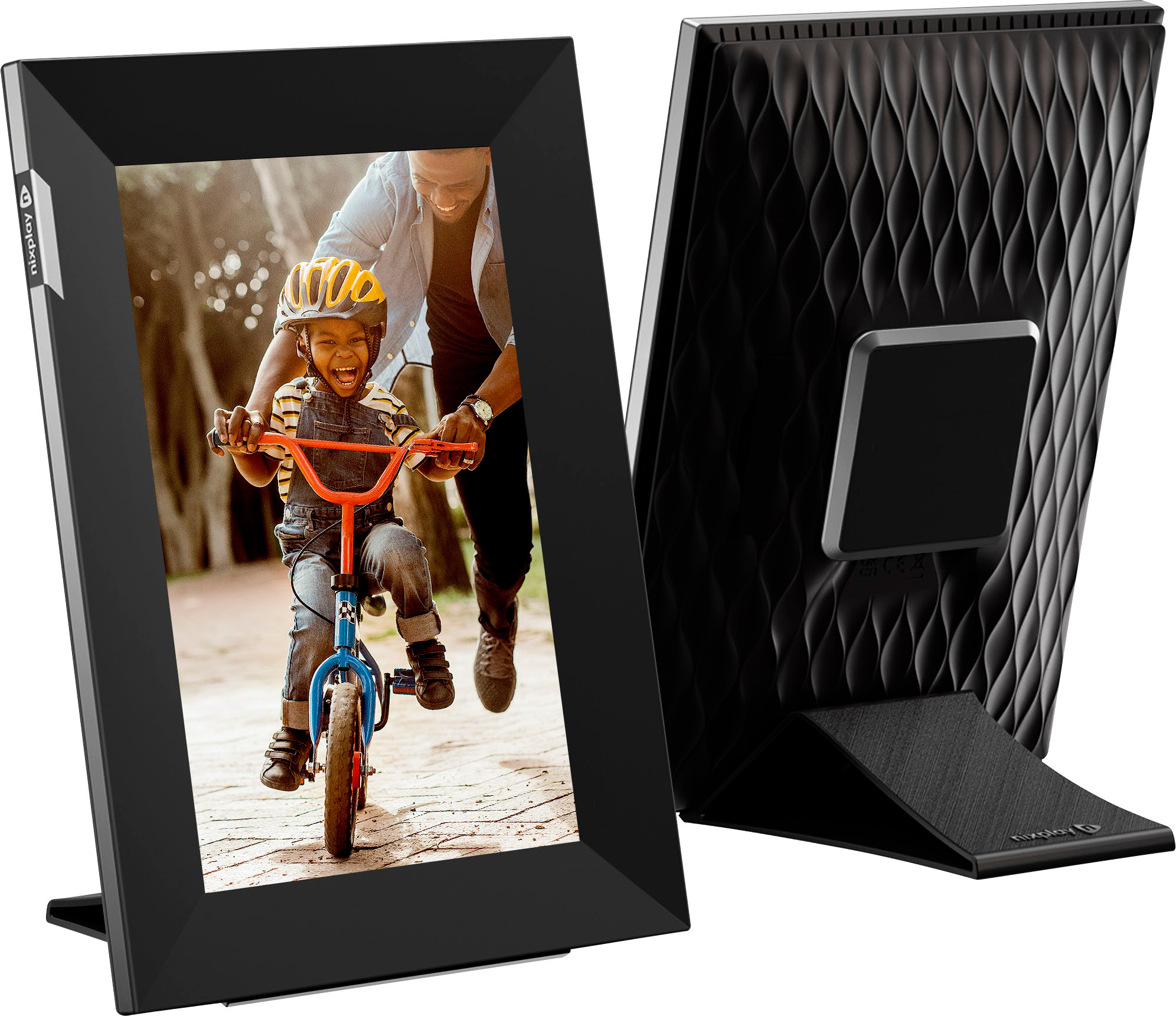
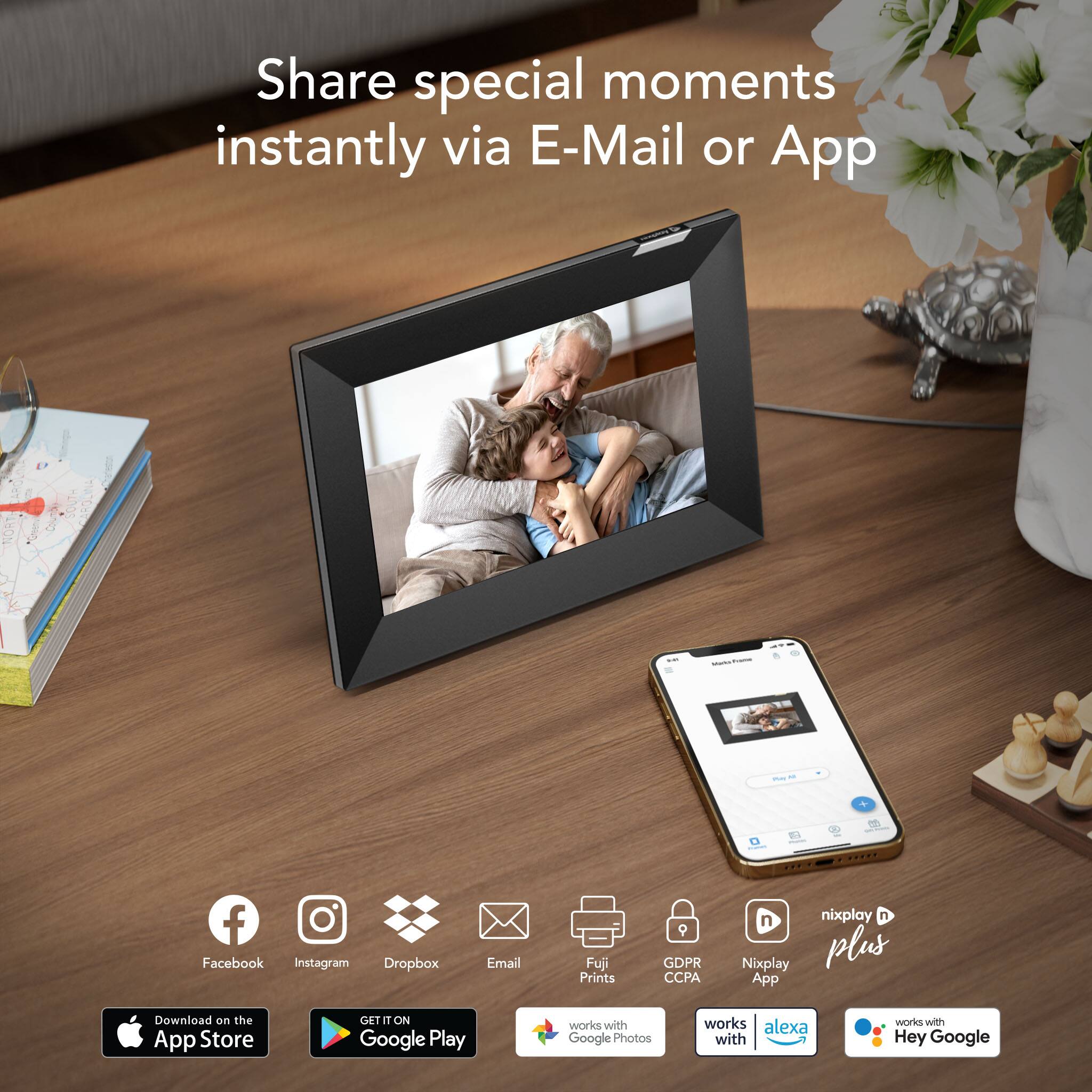
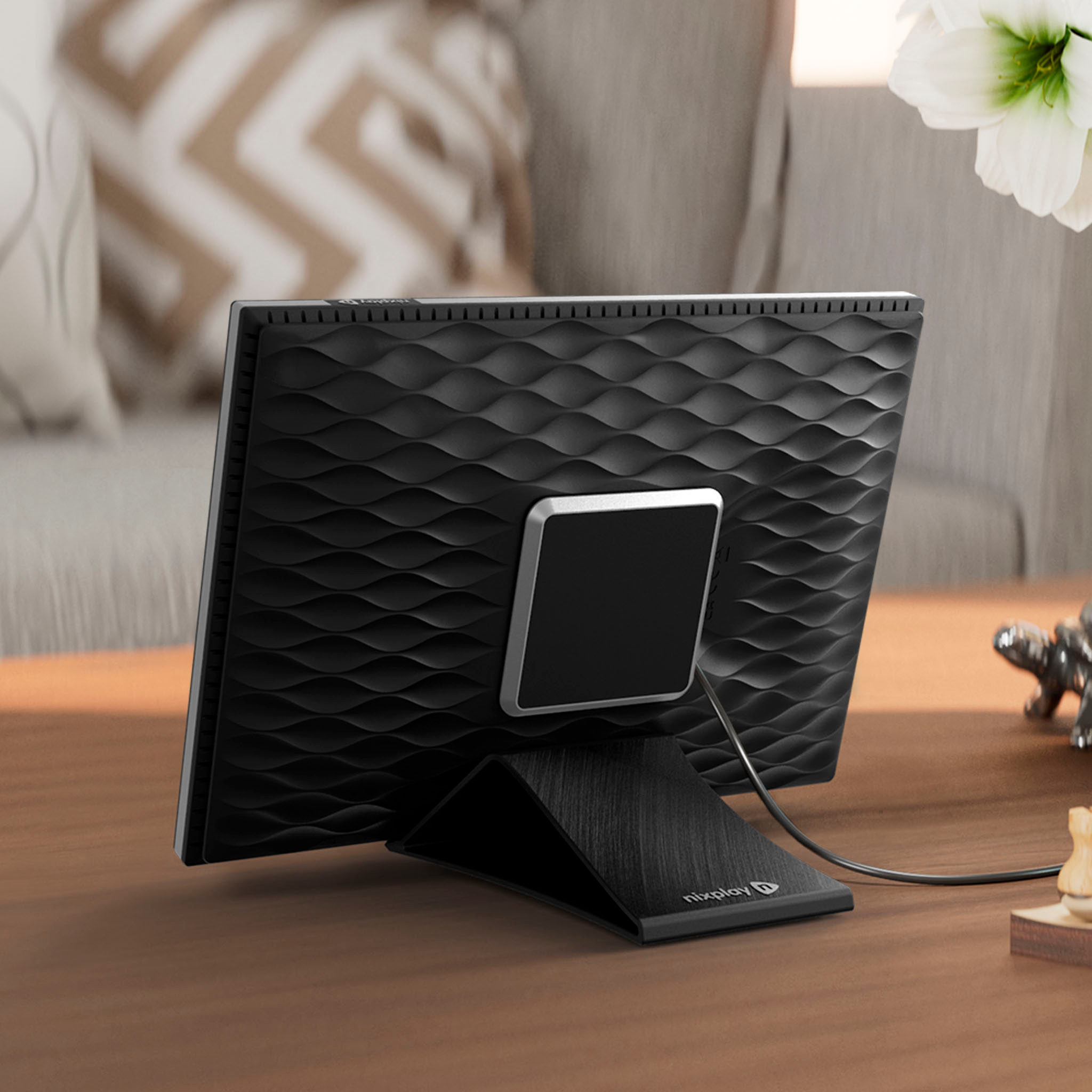
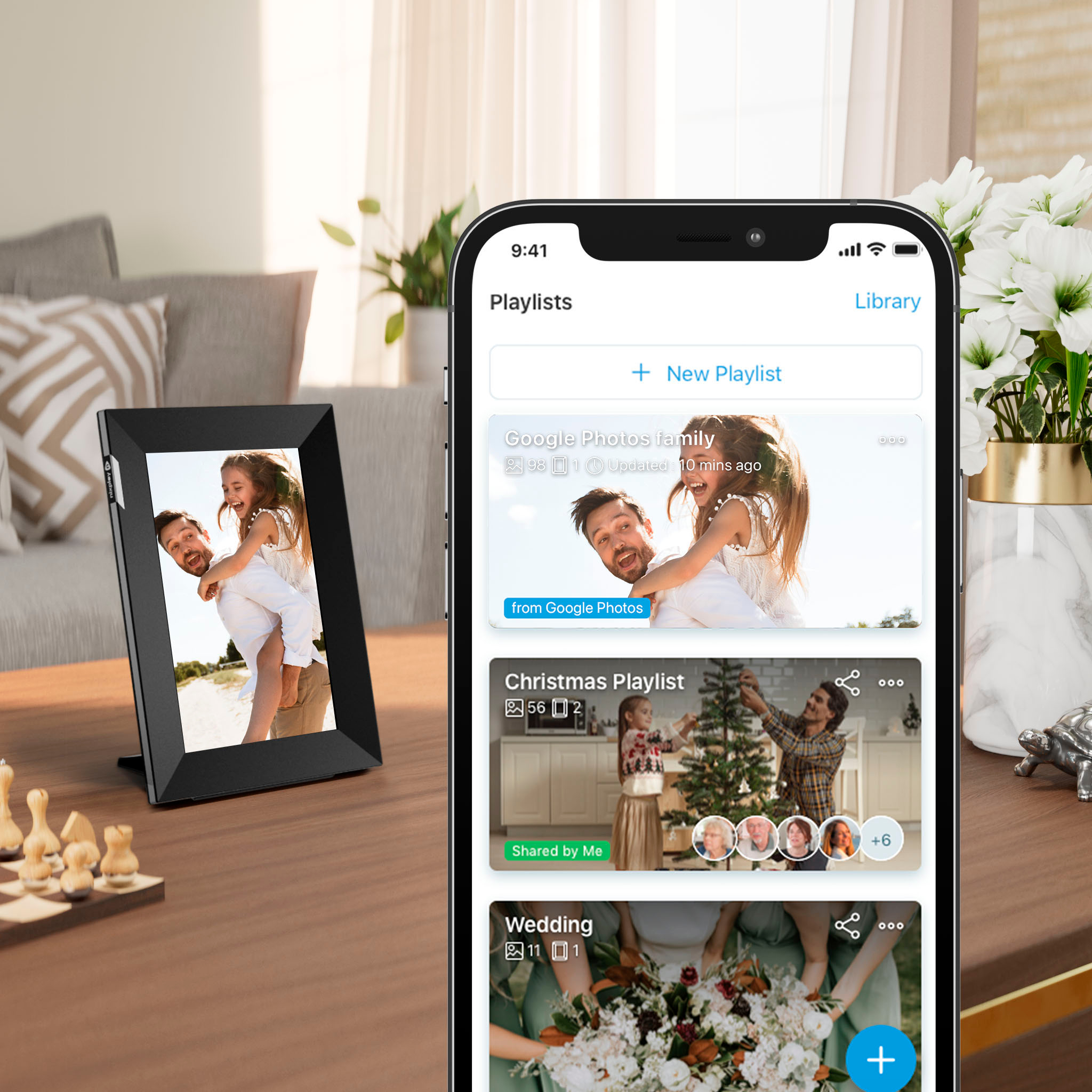
|Posted .This reviewer received promo considerations or sweepstakes entry for writing a review.The frame is nice. Crisp screen, and understated frame. Hardware / Design: The screen is an IPS LCD screen. There is a hidden motion sensor so the frame can turn itself off if no one is around (This is configurable and can be disabled). It can also play videos from a photostream. The frame is all plastic. The front is matte black with the sides painted silver. The back has a nice weaved texture that looks nice. The legs have a clever design that uses a magnet to keep the leg in place and can be rotated wit ease. The power plug comes off the back of the frame, from the center, and uses a barrel type plug. It does not use a standard USB type of plug, which I'd have preferred. Setup: The first time it starts, it takes a few minutes to initialize and it will then ask for the Wi-Fi credentials, that are to be typed directly on the frame (It's a touchscreen). In my cases it connected to Wi-Fi right away but it must've been looking for something on the network. Eventually after several minutes it prompted if it was using a public Wi-Fi with a sign-in portal, which of course, no. Clicked to continue and from that it worked just fine. It updated its software within a couple of minutes and it was then ready to use. To use it, one needs to create a Nixplay account (First and Last name, email and username). This can be done from a web browser or the Nixplay app on the phone. The screen shows the instructions and QR code to download the app and it shows a code that is then used to pair the frame with the account. Sharing pictures and cloud offers: To send pictures to the frame there are several options: Link with a Google Photos account, Facebook Photos, Instagram Photos, Dropbox and Flickr. Photos can also be hosted on the 'Nixplay' cloud, which as of writing gives 10 GB for free and also offers, of course, a subscription with additional capacity. Photos can be loaded to the nixplay service from a web browser, the phone's app or via email (Nixplay provides a personalized email account one can email to load photos to the frame, and the website provides a way to configure trusted email senders). I'm however an iPhone user who mostly uses iCloud photos and Amazon Photos because I also use Prime and it offers a decent photo service, and I also use Plex for storing other photos and videos (Thinks loaded in bulk from kids sports competitions are good examples). None of these services are offered by Nixplay, so the other options to me would be to use some of the services Nixplay does support or use their cloud. 10 GB of free storage is a good amount to keep a smaller selection of my pictures on display, but it won't be enough. The other services they do support are either too expensive or of questionable privacy, so I'm left in a bind here. The packaging mentioned Amazon Alexa support and this is true that it can be linked with an Alexa account to be able to ask Alexa to tun off the frame and other simple commands, but does not integrate with Amazon services. Also I was under the impression that the frame could link directly to 3rd party photo services, but It's not the case. The limited number of integrations have to be done via the Nixplay service (Which is currently free to use. So I thought that I would be able to use a connected frame that would integrate with common cloud photo providers but instead it depends on the manufacturer services with a limited number of integrations, and no option for local network storage. Conclusion: Well designed frame that works well when displaying your own pictures or to share with relatives. However the selection of cloud providers is limited if you're not interested in a subscription.
I would recommend this to a friend - Pros mentioned:Picture quality
App Update for crop feature is a must
|Posted .This reviewer received promo considerations or sweepstakes entry for writing a review.I was about to give this Nixplay photo frame a much lower rating for the one single feature that ALL digital photo frames should have: the ability to auto-crop photos to your frame orientation right when you upload the photo. When I first tested the frame I didn’t see any way at all to Edit the aspect ratio of pictures in the app. This is hugely important because traditional cameras take pictures at the standard photo ratio of 2:3 and iPhones take pictures at 3:4. So on the Nixplay in landscape mode, you will get pillar boxes on the sides of the picture frame IF you don’t crop the photo before you upload it. Originally the app had no option to do this but now you can by choosing Edit > transform > then choose either 16:10 in landscape or 10:16 in portrait. This gives you the square overlay that allows you to drag and crop over your photo. Again, all digital photo frames absolutely need this feature in the software, and you shouldn’t need to press any buttons, it should default to the option to crop/adjust based on frame orientation. If you don’t need any aspect ratio edits, you just hit next. I did take one star off because the Nixplay+ is required for literally every other edit function which is laughable to put everything behind the subscription. Was the transform option subscription only too before the last update? Good thing it wasn’t, bc that would have sunk the product. Otherwise the frame is attractive, screen looks good and the smart features and app control allowing you to set when and how the frame displays pictures are nice. I have a frame from a competitor that is still a bit better from the app perspective like it will do two portraits side by side in landscape instead of pillarboxing the single portrait.
I would recommend this to a friend - Pros mentioned:Ease of use, Touchscreen
Quick and easy way to display photos
|Posted .This reviewer received promo considerations or sweepstakes entry for writing a review.The Nixplay Frame is easy to set up. Just plug in. Choose the orientation of the frame you prefer either portrait or landscape and connect to your Wi-Fi. Once connected my Nixplay Frame did a couple of updates and the frame was ready to go. Next download the app from either the Apple App Store or Google Play and create an account. You can choose to either allow the Nixplay Frame acces to all of your photos or a select few and then download them to the account / frame. The Nixplay Frame has various settings to help you customize your experience. The Nixplay Frame automatically wakes when it senses you entering the room it is in and will automatically sleep after your preset timeout preference. You can also set the time you wish the Nixplay Frame to fully sleep and wake so as to not disturb you during the night. My Nixplay Frame is in our family room so it’s not necessarily a bother as we don’t sleep there but it’s a nice option to have in the event you locate your Nixplay Frame in the bedroom. The display is nice and bright and I like the way my photos look on the screen. If you want an easy to use electronic frame that looks great, don’t hesitate to get the Nixplay Frame.
I would recommend this to a friend Works well, but high cost compared to other altern
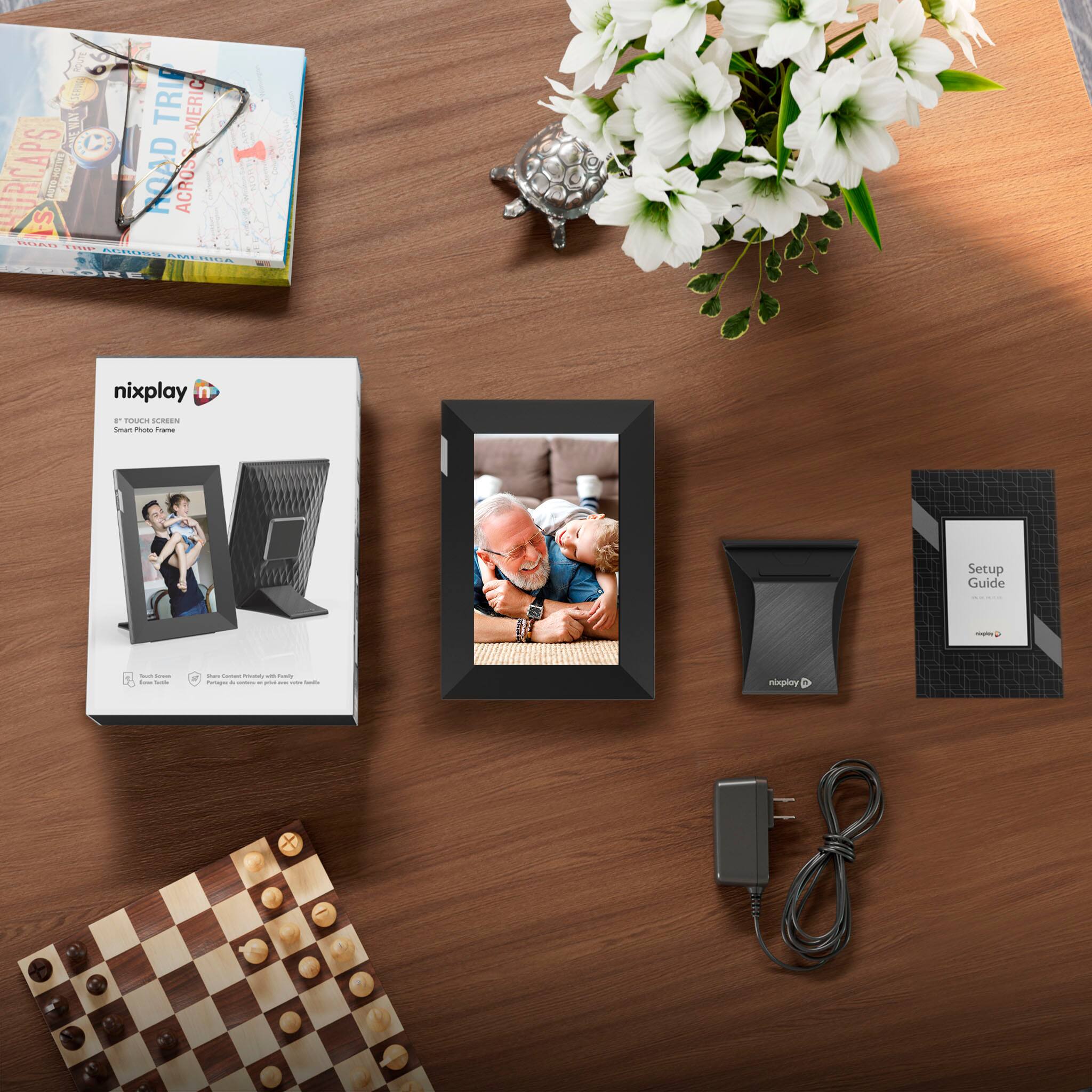
|Posted .This reviewer received promo considerations or sweepstakes entry for writing a review.I’ve always struggled understanding the cost of digital frames. They are limited in functionality and now you can get Alexa or Google Home with a screen that gives you a digital assistant and digital photo frame. However, some people don’t care for, or don’t want, a digital assistant. In those instances, digital photo frames make sense. The only real downside is that you can’t link any photo services to it, which would automatically add new photos to the frame automatically. Here, you have to manually add photos through the app (which is still easy, don’t get me wrong, but you do have to take action to add new photos to the frame. IN THE BOX Real simple, you get the frame and the power cord and the magnetic stand. SETUP Super easy, you plug in the power cord to the base, and then you attach the magnetic stand to the frame. It can be positioned in landscape or portrait mode. There are some adhesive stickers on the frame (that you will remove) that kind of show you where/how to put the stand on. From there, you simply download an app and register an account. While I did that, you use the touchscreen on the frame to connect to your WiFi. You want to make sure you connect the frame to the same WiFi network as your phone (for the setup process). I really appreciated the fact that the screen was touchscreen, making this process easy. After it was connected, the frame had to download an update. Once I registered my account and the frame updated, the app found it almost instantly. You then add the frame to your account, and you can label where it is (mine’s at my office). If you have multiple frames, you’re able to label them by room to avoid confusion. THE APP AND ADDING PHOTOS The app is surprisingly intuitive, which I can’t say for some frames (at least the one my mom owns). When you get everything set up and registered, it has a little checklist/walkthrough for you to follow. It’s a nice way to figure out how it works. Before I mention photos, you can adjust the settings by touching the gear wheel which allows the screen to go to sleep when no one is in the room, how long it takes to go to sleep, etc. You can also share the screen with others, which allows them to add photos to it. The only complaint I really have is that it doesn’t connect to photo services. I use Google Photos and frequently delete the photos locally stored on my phone (after they’ve been backed up). You can’t just connect Google Photos or the like. You have to upload the photos to Nixplay’s servers (which at least according to the marketing on the box, is very secure). But for me, I had to open Google Photos and download the individual photos I wanted to add, and then go back to the Nixplay app and add them from there. It’s a minor inconvenience, and one that may not affect you if your photos are always stored on your phone’s memory. You can organize your photos into playlists, like a family vacation for example. And then you can pick select playlists to display photos. This isn’t a big deal to me because I just assume I had a ton of photos from various events and let the frame cycle through all of them, but I’m assuming some people will really appreciate it. QUALITY The frame can display photos, obviously, but it also shows GIFs and videos. There’s an option to turn the volume on in the app. I don’t like the video option because of the random volume, but again, some people might appreciate that. The photo quality is great. The screen is plenty bright and sharp. At 8 inches, even “bad” photos will look good due to the pixel density. I have zero complaints on the image front. CONCLUSION Photo frames are basic devices, but this one performs well and is easy to use. If you’re a techy or someone interested in a device, at this price point, that does more, you might want to look for a smart home device. If you’re buying this as a gift, maybe a parent, it’s a great choice. The ability to send photos to loved ones who have it is probably the primary reason for getting it.
I would recommend this to a friend- Cons mentioned:Cloud storage
price isn’t great.
||Posted . Owned for 5 months when reviewed.This reviewer received promo considerations or sweepstakes entry for writing a review.my mom loved this as a christmas present.. wish it was a little cheaper though. Being that you have to pay for premium to unlock its full potential it should be a bit cheaper in my opinion.
No, I would not recommend this to a friend - Pros mentioned:Ease of use
Mother’s Day gifts a hit
||Posted . Owned for 1 month when reviewed.This reviewer received promo considerations or sweepstakes entry for writing a review.Product is nice and good reviews do it Justice. Only nuanced with gifting since I ordered a few for Mother’s Day gifts. All have enjoyed. Set up for my mother who is not tech savvy. Gifting of photo playlist requires email. Nix Play is relatively easy to use.
I would recommend this to a friend - Pros mentioned:Ease of use, Setup
Great purchase
||Posted . Owned for 1 month when reviewed.This reviewer received promo considerations or sweepstakes entry for writing a review.Was a great gift for grandparents. Easy to use and simple setup
I would recommend this to a friend - Pros mentioned:Ease of use
Digital picture frame
||Posted . Owned for 1.5 years when reviewed.This reviewer received promo considerations or sweepstakes entry for writing a review.Adding photos to the picture frame was pretty easy to figure out. It also came with instructions and it can play videos was will with sounds which is really neat.
I would recommend this to a friend - Pros mentioned:Ease of use
User friendly
||Posted . Owned for 2 weeks when reviewed.This reviewer received promo considerations or sweepstakes entry for writing a review.Easy to set up the application walk’s you through the steps my aunt is 63 and was able to use application to upload pictures
I would recommend this to a friend - Pros mentioned:Ease of use
Full Life View
||Posted . Owned for 5 months when reviewed.This reviewer received promo considerations or sweepstakes entry for writing a review.I bought this for my mom and she loves it to death. She has added over 200 pics and videos with many more to go. Love the features like the ability to add different folders and allowing someone to email photos to it.
I would recommend this to a friend - Pros mentioned:Ease of use
Great gift for grandparents!
||Posted . Owned for 6 months when reviewed.This reviewer received promo considerations or sweepstakes entry for writing a review.Works super well. The app is easy to use and set up for my mother. I shared the frames app to my bothers and we are all able to send pictures to her frame whenever.
I would recommend this to a friend - Pros mentioned:Ease of use
Nice!
||Posted . Owned for 1 month when reviewed.This reviewer received promo considerations or sweepstakes entry for writing a review.Makes it nice to share pictures with family across the country. Would recommend
I would recommend this to a friend - Pros mentioned:Setup
Great Gift for Grandparents
||Posted . Owned for 1 month when reviewed.This reviewer received promo considerations or sweepstakes entry for writing a review.We gave these as presents for the grandparents. Setup was easy and now we can send them pics nearly as soon as we take them! They love it!
I would recommend this to a friend - Pros mentioned:Touchscreen
Good digital photo frame
||Posted . Owned for 2 months when reviewed.This reviewer received promo considerations or sweepstakes entry for writing a review.This digital photo frame has nice display and also plays video. Only complain is sometimes it does not wake up if you created a scheduled start and stop time. You need to upload pictures to the cloud and does not have usb or sd card slot
I would recommend this to a friend - Pros mentioned:Ease of use
Easy set up!
||Posted . Owned for 1 month when reviewed.This reviewer received promo considerations or sweepstakes entry for writing a review.I bought it as a gift for my mom and she was very easily able to set it up.
I would recommend this to a friend - Pros mentioned:Ease of use
Perfect device for pictures of grandchildren.
||Posted . Owned for 2 months when reviewed.This reviewer received promo considerations or sweepstakes entry for writing a review.Perfect for loading pictures of grandchildren. So easy to set up.
I would recommend this to a friend - Pros mentioned:Ease of use
Happy
||Posted . Owned for 1 month when reviewed.This reviewer received promo considerations or sweepstakes entry for writing a review.Love it, it is awesome to look at new pictures everyday
I would recommend this to a friend The best gift for grandma
||Posted . Owned for 7 months when reviewed.This reviewer received promo considerations or sweepstakes entry for writing a review.we purchased this for a Christmas gift for my grandmother when we moved several states away. this product ensures she never misses a special moment of her 3 great grand childrens lives.
I would recommend this to a friendBetter then i thought
||Posted . Owned for 1 month when reviewed.This reviewer received promo considerations or sweepstakes entry for writing a review.The frames are alittle pricey but definitely worth it! I love that it plays both photos and videos!
I would recommend this to a friend