Early Black Friday DealsNew Doorbusters every Friday.Shop now

Main Content

Customer Ratings & Reviews

Your price for this item is $299.99

Customer reviews

Rating 4.6 out of 5 stars with 69 reviews

Rating Filter

Rating by feature

  • Value

    Rating 4.0 out of 5 stars

  • Quality

    Rating 4.6 out of 5 stars

  • Ease of Use

    Rating 4.6 out of 5 stars

Pros mentioned filter

Cons mentioned filter

90%would recommend to a friend

Customers are saying

Customers love the BlackWidow V4 Pro's high-quality build and compact 75% size, praising its customizable OLED display and vibrant RGB lighting. The comfortable wrist rest and hot-swappable switches are also frequently highlighted as positive features. Many appreciate the keyboard's impressive battery life and convenient wireless connectivity options.

This summary was generated by AI based on customer reviews.

The vast majority of our reviews come from verified purchases. Reviews from customers may include My Best Buy members, employees, and Tech Insider Network members (as tagged). Select reviewers may receive discounted products, promotional considerations or entries into drawings for honest, helpful reviews.
Page 3 Showing 41-60 of 69 reviews
  • Rated 5 out of 5 stars

    Colorful keyboard

    |
    |
    Posted . Owned for 2 weeks when reviewed.
    This reviewer received promo considerations or sweepstakes entry for writing a review.

    Love it. Great gift. Troy loved the gift. Good value.

    I would recommend this to a friend
  • Rated 5 out of 5 stars

    The battery runs out very quickly,

    |
    |
    Posted . Owned for 2 weeks when reviewed.
    This reviewer received promo considerations or sweepstakes entry for writing a review.

    The battery runs out very quickly, I'm using it wired now.

    I would recommend this to a friend
  • Pros mentioned:
    Keyboard quality

    Rated 2 out of 5 stars

    unable to connect multiple devices to the dongle

    |
    |
    Posted .
    This reviewer received promo considerations or sweepstakes entry for writing a review.

    I purchased this device under the preface that this device would function with a single dongle when it came to a headset/mouse/keyboard trio. However, I have talked to support and they stated that this device is not supported. A continent overshadow. My previous devices cannot connect to this keyboard. I utilize this for both work and gaming. ON TOP of finding out that razer themselves have updated to Synapse 4, which I wasted my time trying to figure out until this morning.. because I was on synapse 3 build quality is great on this keyboard, everything about it is extremely solid, however due to my own experience and my needs, its a 2/5. Would not purchase at the full price when I picked it up.

    No, I would not recommend this to a friend
  • Rated 4 out of 5 stars

    good but not great

    |
    |
    Posted . Owned for 6 months when reviewed.
    This reviewer received promo considerations or sweepstakes entry for writing a review.

    great solid board but battery life is not greatest. ended up constantly being cabled. love the orange switches

    I would recommend this to a friend
  • Rated 5 out of 5 stars

    Keyboard!

    |
    |
    Posted .
    This reviewer received promo considerations or sweepstakes entry for writing a review.

    Awesome! Amazing keyboard, would recommend this product

    I would recommend this to a friend
  • Rated 4 out of 5 stars

    Perfect

    |
    |
    Posted . Owned for 9 months when reviewed.
    This reviewer received promo considerations or sweepstakes entry for writing a review.

    Absolutely perfect choice for people who wanna play with keyboard

    I would recommend this to a friend
  • Rated 5 out of 5 stars

    Spectacular keyboard.

    |
    |
    Posted . Owned for 1 month when reviewed.
    This reviewer received promo considerations or sweepstakes entry for writing a review.

    The new orange keys are much better. Also i really like having all the options with the oled panel, having the cpu and gpu temps showing every few seconds helps with overclock testing. A little pricey but worth it.

    I would recommend this to a friend
  • Pros mentioned:
    Keyboard quality, Oled display, Rgb lighting
    Tech Insider Network Member

    Rated 5 out of 5 stars

    Quality and Performance

    |
    Tech Insider Network Member
    Posted .
    This reviewer received promo considerations or sweepstakes entry for writing a review.

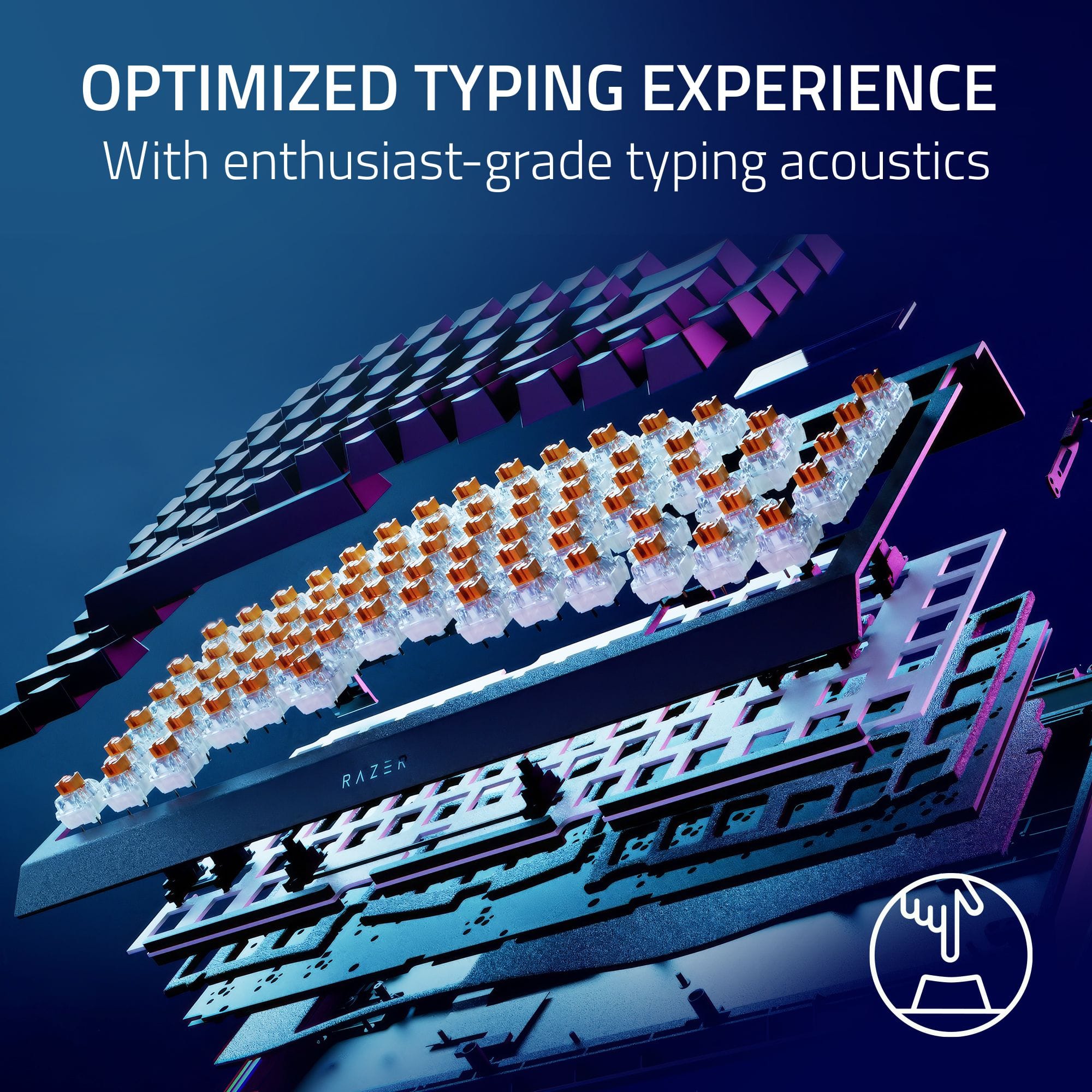
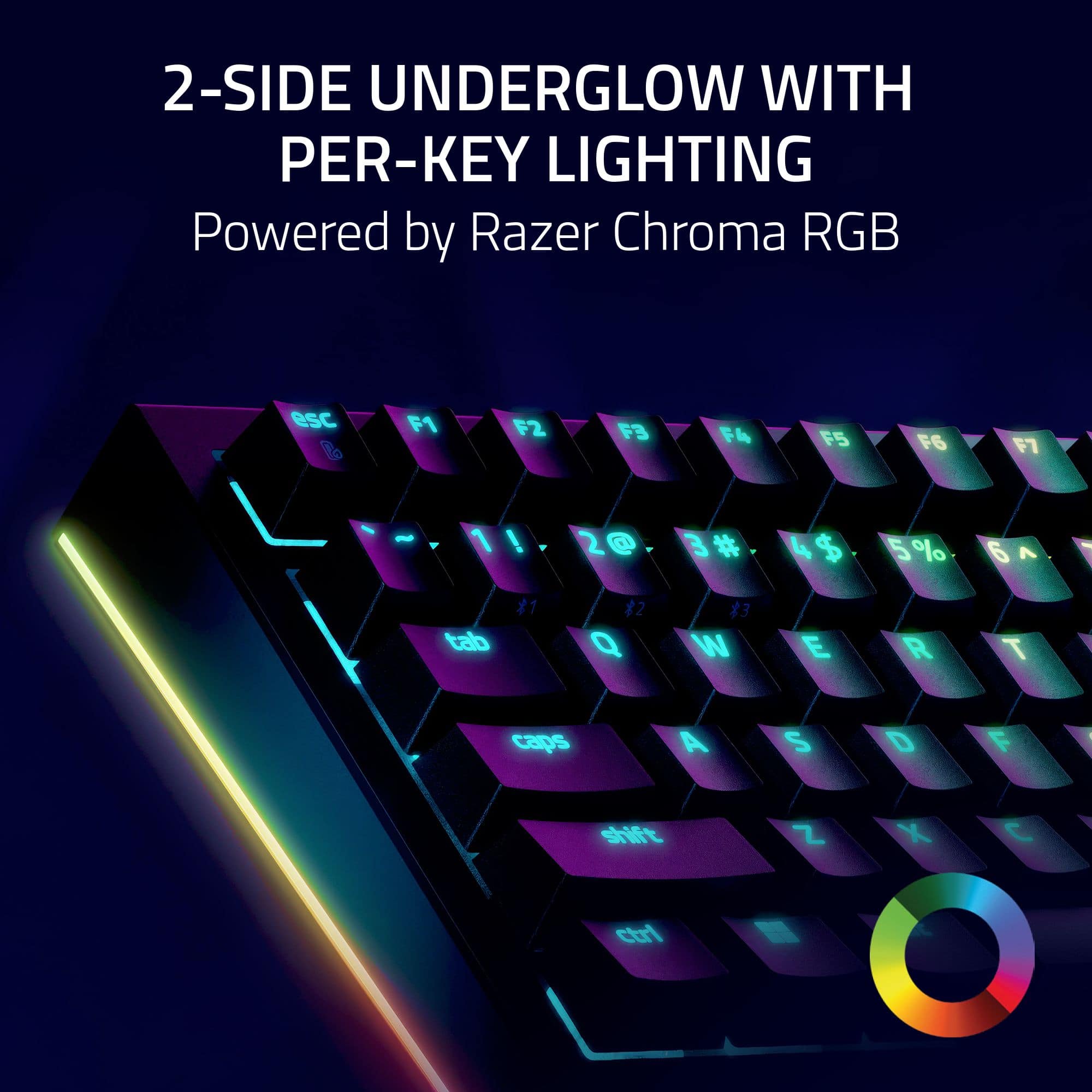
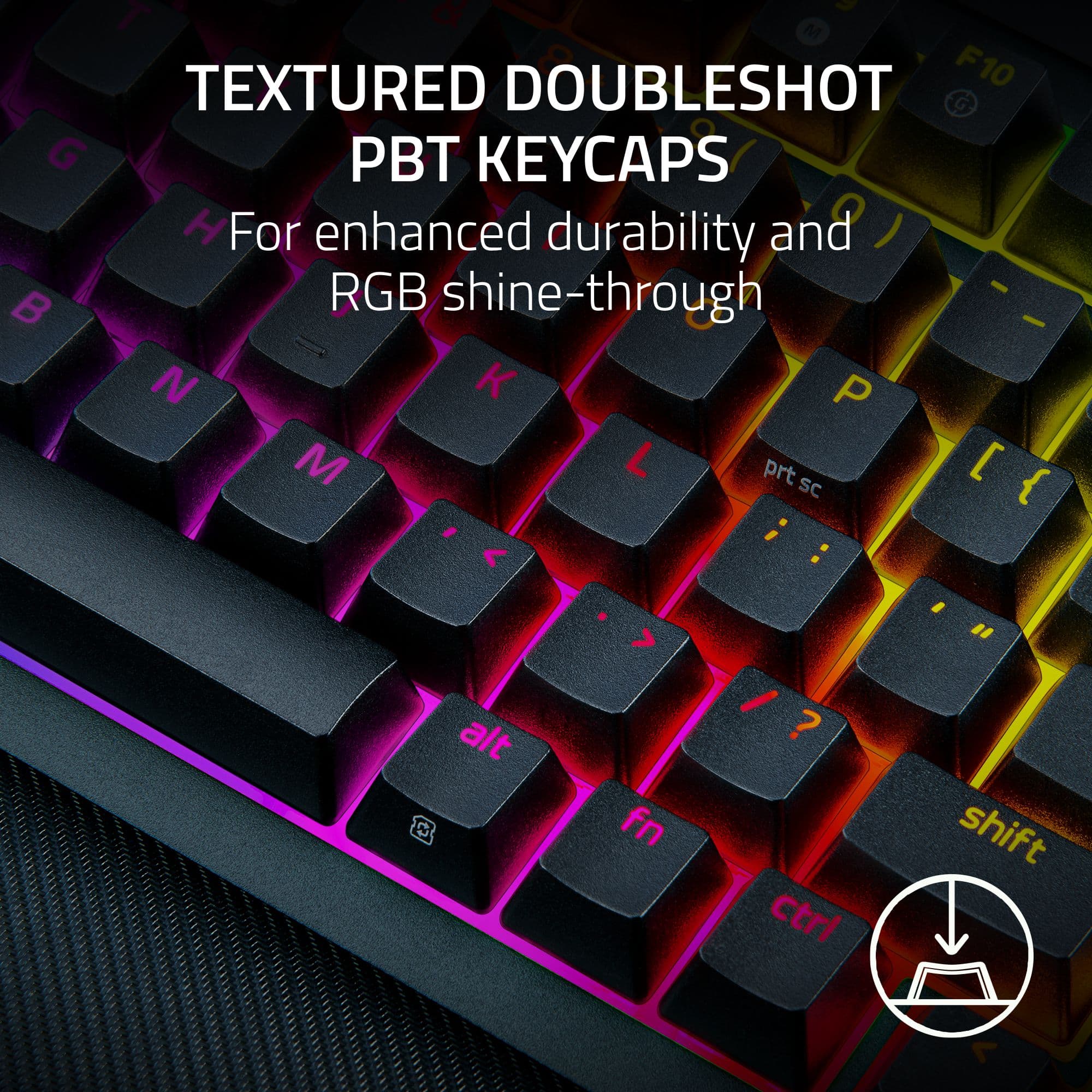
    As a mechanical keyboard nut, I was very excited to add the Razer BlackWidow V4 Pro to my collection. It’s got great build quality, and with its standout features, it’s a must-have. The wireless and Bluetooth capabilities truly set the V4 Pro apart. They ensure lightning-fast and lag-free gaming, and whether I’m immersed in gaming worlds or multitasking between emails, PowerPoint, MS Teams, etc., the ability to switch between up to three devices adds to its versatility. I do appreciate that the V4 is hot-swappable, which allows me to easily customize the keyboard to suit my preferred typing feel, making it a game-changer for keyboard junkies like me. One differentiator is the built-in OLED display, which is a cool feature, but the display times out after about four minutes, which is most likely a battery-saving measure. And while I appreciate the thought behind this, I would love an option to adjust the display timeout to suit my preferences and make the battery trade-off decision. Let’s look at the typing, which is an absolute pleasure with minimal rattling or wobble. The double-shot PBT key caps feel incredibly satisfying and look to be built to last. They resist shine and maintain a matte finish even after extended use. For RGB enthusiasts, the two-sided under-glow and per-key lighting offer fantastic customization and the wrist rest provides comfort during a long gaming or work session, making it a breeze to say focused and productive. In conclusion, the Razer BlackWidow V4 Pro 75% is a perfect balance between form, function, and customization and a great addition to your gaming/workflow.

    I would recommend this to a friend
  • Rated 5 out of 5 stars

    new pc build

    |
    |
    Posted . Owned for 2 months when reviewed.
    This reviewer received promo considerations or sweepstakes entry for writing a review.

    love the color and patterns. easy to use and simple to install

    I would recommend this to a friend
  • Rated 5 out of 5 stars

    Good

    |
    |
    Posted . Owned for 3 months when reviewed.
    This reviewer received promo considerations or sweepstakes entry for writing a review.

    Really good keyboard and has a lot of customizable options

    I would recommend this to a friend
  • Rated 5 out of 5 stars

    Good board

    |
    |
    Posted . Owned for 1 week when reviewed.
    This reviewer received promo considerations or sweepstakes entry for writing a review.

    Great keyboard fast charging and good battery life

    I would recommend this to a friend
  • Rated 5 out of 5 stars

    Expensive but worth it

    |
    |
    Posted . Owned for 1 week when reviewed.
    This reviewer received promo considerations or sweepstakes entry for writing a review.

    Expensive keyboard but really confortable and easy to use

    I would recommend this to a friend
  • Pros mentioned:
    Battery life, Keyboard quality, Oled display

    Tech Insider Network Member

    Rated 4 out of 5 stars

    Great Intro To Modding And Very Travel Worthy

    |
    Tech Insider Network Member
    Posted .
    This reviewer received promo considerations or sweepstakes entry for writing a review.

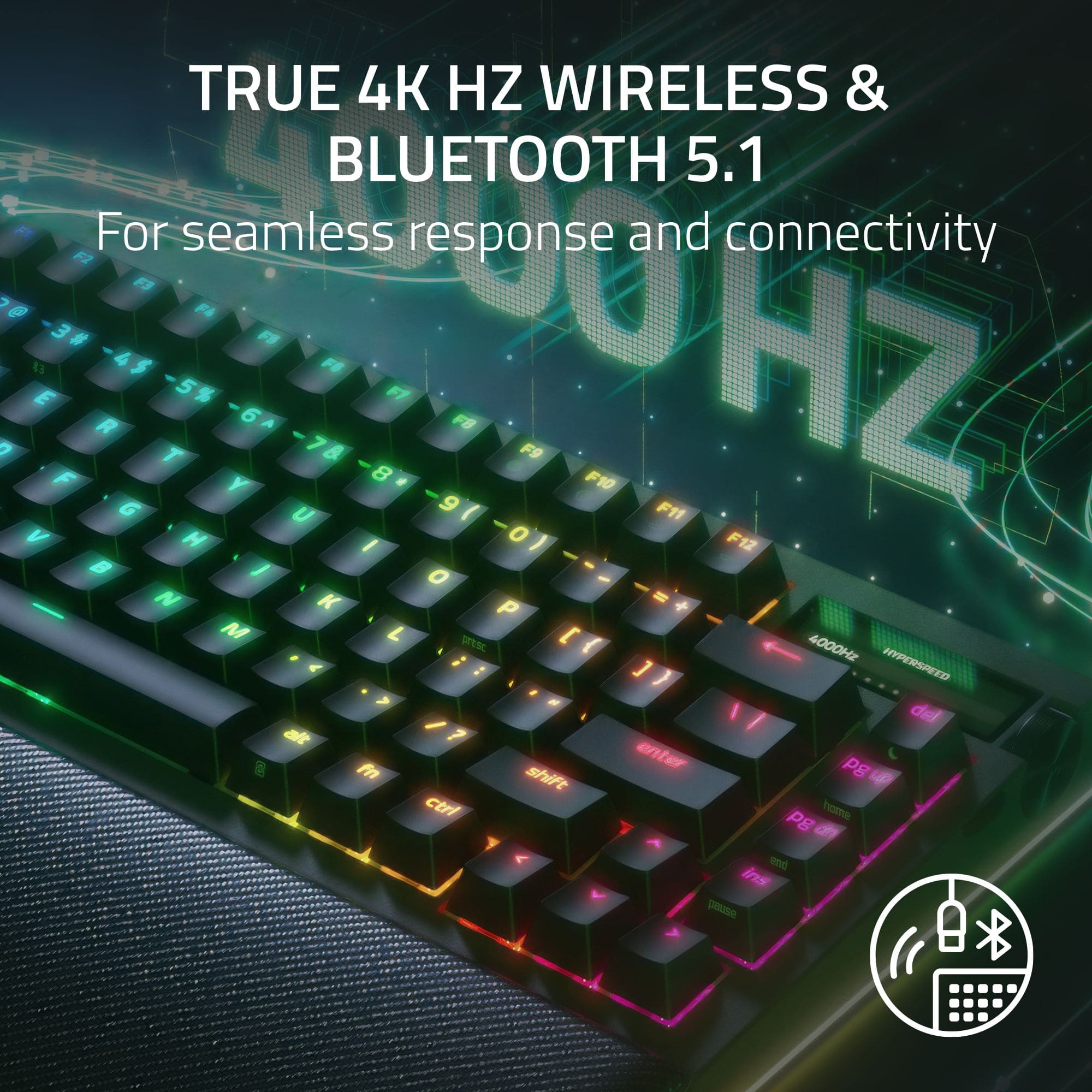
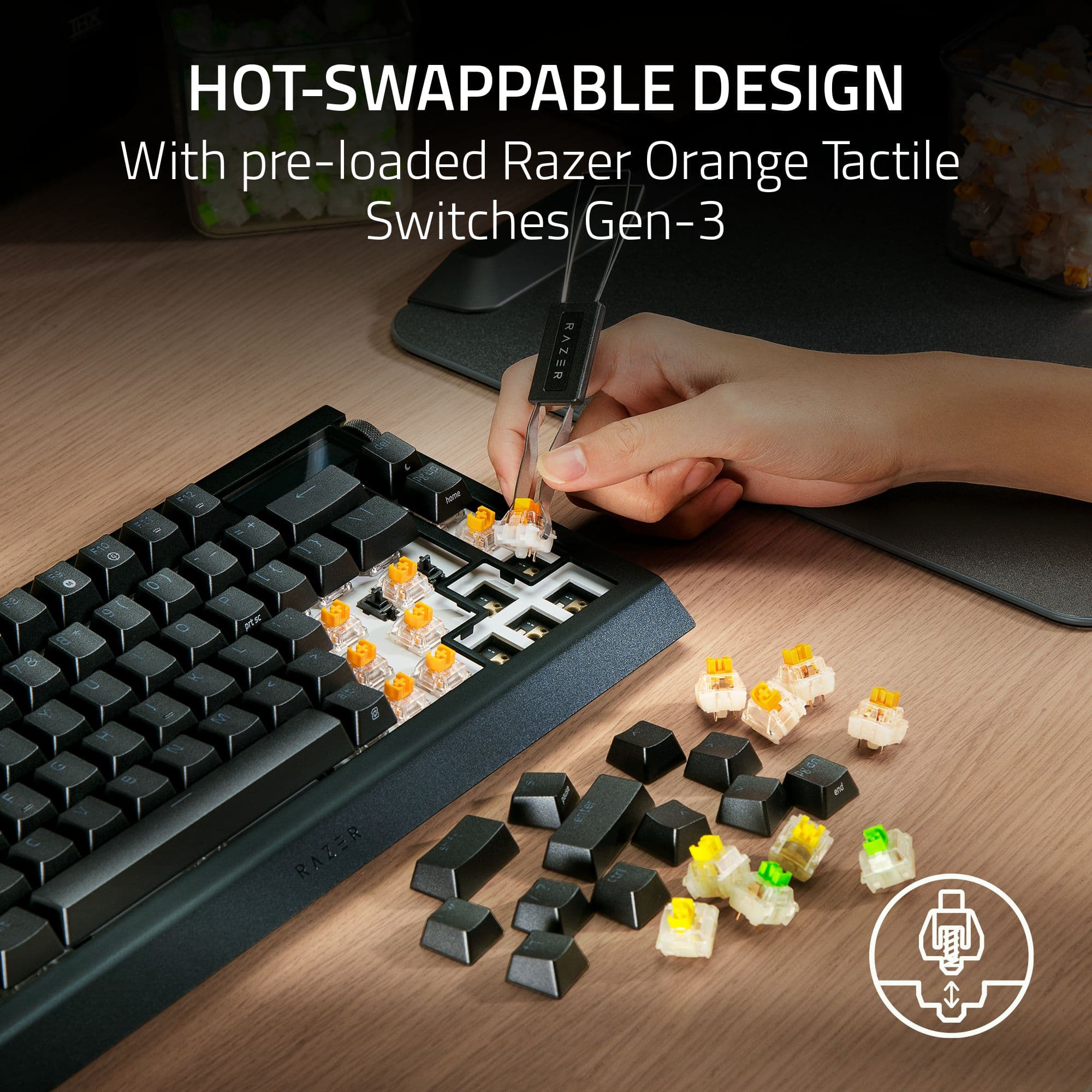
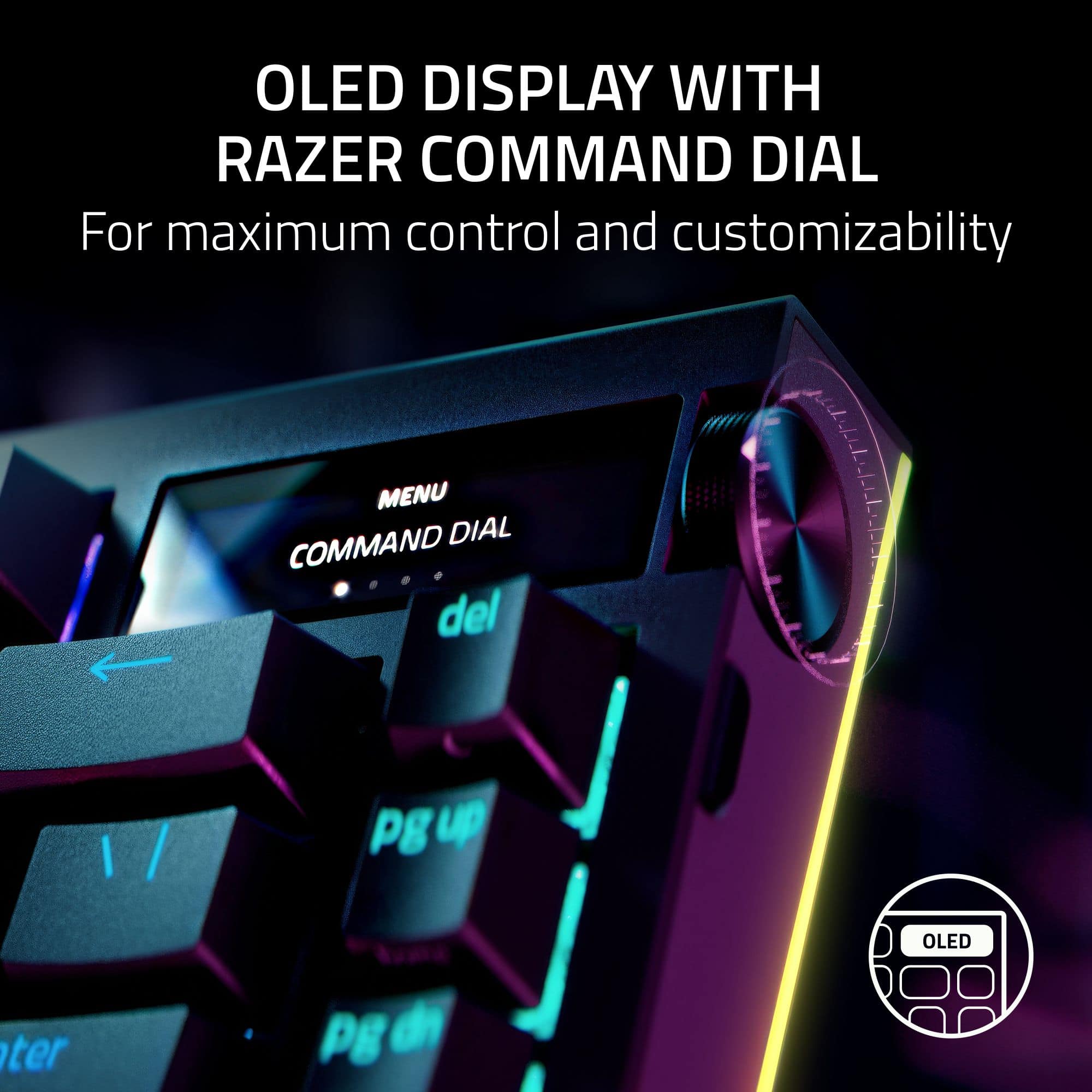
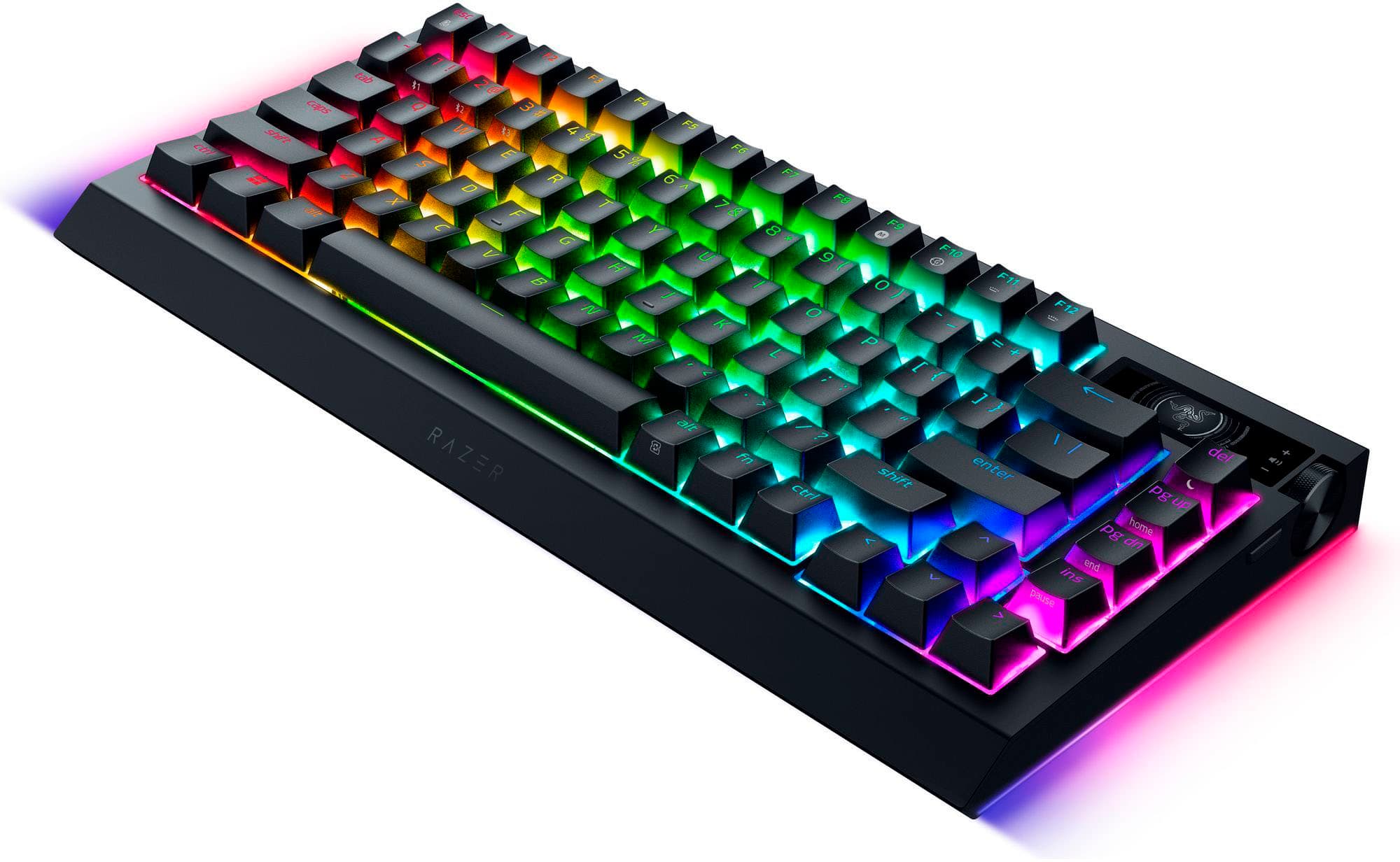
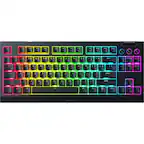
    The Razer BlackWidow V4 Pro is a mechanical 75% wireless keyboard. 75% pretty much means you get everything but the number pad that’s typically to the right of full sized keyboards. It supports 2.4Ghz wireless via a dongle, bluetooth, and can work wired over USB-C. It uses orange key switches from Razer which can be replaced as well as just the keycaps. The keyboard comes with a combo toll that can pull both. The sleek looking keyboard has RGB lighting on every key as well as a monochrome OLED panel on the upper right side of the keyboard. There’s also a mode button and the rotating dial mounted to the side and not the front which helps to further streamline the shape. The mode button lets you change the functionality of the dial and you get a visual indicator of that through the screen. The screen can also display a custom GIF. That being said, likely to preserve battery, the screen seems to turn off after about four minutes until you wake it again. From just the initial inspection of the keyboard and reading through its specs, this is geared towards being a decent keyboard that tinkerers can experiment with. Aside from being able to pull and replace the key-switches, you can swap them with either three-pin or five-pin ones and swap out the pre-lubed stabilizers. Heck, it even already has the tape mod to cut down a bit on clack ness. The keyboard boasts a 4000Hz sample rate though the fine print says that’s just over a 2.4Ghz connection. Over USB-C, you’re down to 1000Hz. Now, to be strictly fair, I’m not sure I even have the response time or type fast enough for that to make a difference. I ran my typing tutor test with both the 2.4Gzh dongle and USB-C and got effectively the same result in both modes. Note, I’m not clear on whether you get the 4000Hz rate over Bluetooth. Bluetooth is itself a 2.4Ghz protocol, but it’s not clear if it meant both or just the dongle. Note, unlike the really slim USB receivers one normally gets, you get a dongle with a tail. A bit more wire than one would expect with a “wireless” keyboard but there you have it. Typing performance was very good. I hit around 96 WPM which is right around my normal typing tutor score on a keyboard I like and am comfortable using. In game performance was good too, consistent key actuation and I didn’t feel like there was an instance where the keyboard didn’t register something I was doing. That being said, despite all the configurability, you cannot adjust the actuation level of any keys. Also, while performance was generally about identical over USB-C versus the chonky 2.4Gz dongle, it did seem to happen enough over the course of my testing to not be a fluke that when initially plugging in the USB connector, the connection to the PC was a bit flakey. Like it didn’t immediately detect the keyboard or every once in a while, it would need a second connection. With bluetooth and 2.5Ghz, I did my normal which is 2.4Ghz permanently on my desktop and use bluetooth to my work laptop. That worked pretty well and I did not experience any issues switching back and forth. In fact, the wireless aspect of this keyboard lends itself to this working mode. The keyboard can travel with me and my work laptop for the 3 days I’m in office then back for the remaining time working from home. At just over 2lbs, it’s pretty lightweight and the size means it’s relatively portable for going in my personal bag. Though, adding to the mixed bag nature of some of this keyboard’s design or specs, battery life is around 20 hours when used normally so the first week, it needed to charge after my 3 days in office. I found a power saving mode which shuts down lightning and puts the keyboard to sleep pretty aggressively when it detects that the keyboard is idle which allowed me to get a full work week on a single charge. Likely I could get a couple which is good enough for me. Yes, you don’t have the cool lighting effects all the time, but honestly in office at work I tend to mute those and I’ve found with long periods at home, my mind seems to ignore the RGB on my primary wired keyboard. I’m moving more into wanting to use lighting as a notification indicator than mood lighting. In all, I was pretty pleased with the keyboard. It’s certainly a good intro keyboard for someone who wants to get into mechanical keyboard modding. Being wireless gives it some additional useful functionality. While it make it very travel able, I’m still a bit on the fence with losing the numpad. Perhaps if the mode button and dial were moved to the other side of the keyboard, a rail could be added for optionally slotting a numpad. Though that puts some physical separation from the OLED screen though honestly, it felt more gimmicky that useful to me. Still, I think a solid choice for work or play.

    I would recommend this to a friend
  • Pros mentioned:
    Keyboard quality, Oled display, Wrist rest
    Tech Insider Network Member

    Rated 5 out of 5 stars

    A Gamer's Perfect 75% Keyboard

    |
    Tech Insider Network Member
    Posted .
    This reviewer received promo considerations or sweepstakes entry for writing a review.

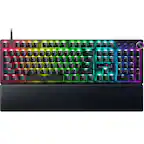
    I had the chance to try out the Razer BlackWidow V4 keyboard, and after some testing, I think I can say its one of Razers best keyboards yet. The design is truly beautiful. The compact 75% layout size is perfect for my desk. It includes media buttons and a volume knob, which makes it super useful. The build quality is excellent, with an aluminum build and plastic bottom. Plus, the wrist rest is one of the softest I’ve used, and it stays securely in place with magnets. One of the standout features is the hot-swap switches. Razer has finally joined the custom keyboard market with this model, and it’s a fantastic move. The Orange switches that come with the keyboard are very satisfying for both typing and gaming. They deliver a nice, tactile thoc” with every keystroke, making it a pleasure to use whether I’m typing an email or jumping into a game. The stabilizers are pre-lubed, allowing a smooth travel on larger keys, though the switches themselves aren’t lubed, which could be a downside for some. The hot-swap feature makes customizing this keyboard a breeze. I even swapped in some old keycaps and the process was effortless with the included keycap and switch puller. Another thing Razer does really well is RGB lighting. The BlackWidow V4 comes with individually customizable RGB backlit keys that are some of the best I’ve seen. The lighting on the sides adds a nice flair, and with the Razer Synapse software, you can adjust the lighting to fit your needs. I love setting up lighting profiles for specific games so that I don’t have to pause every time to check which key does what. It also has an OLED display in the top-right corner, which can show notifs, track volume skip music tracks, or adjust lighting. This is a super useful addition and looks so clean. The OLED screen is fully customizable through Razer Synapse, so you can set it up with animations, system controls, or lighting effects. The Razer BlackWidow V4 Pro 75% keyboard is a very slick device all around. It stands out thanks to its responsiveness, hot-swap capability, and adjustable RGB lighting. This model is difficult to top, regardless of whether you're searching for a gaming keyboard or just want a keyboard that looks fantastic on your desk.

    I would recommend this to a friend
  • Pros mentioned:
    Keyboard quality, Oled display, Rgb lighting
    Tech Insider Network Member

    Rated 5 out of 5 stars

    Razer dont miss

    |
    Tech Insider Network Member
    Posted .
    This reviewer received promo considerations or sweepstakes entry for writing a review.

    I have a ton of razor product now and this just adds to an already happy situation. This keyboard is amazing. Comes with the wrist. Rest that goes underneath the keyboard. I already love it. For that. I don't need any more reasoning. It is only 75%. It feels built more for gaming and doesn't have the number keys to the right. But if that's my biggest complaint that's going to be my only complaint. I love the colors. The easy to connect Razer just makes a very good product. Now the biggest thing is this OLED display with Razer command. Dial in the top right corner. They couldn't just put in a simple volume up volume down command key button up here. They had to put a little display. This thing is super cool. I'm not sure where they're going with this but I see this little feature getting bigger or being spread about the keyboard to do other functions and things. I really like it. I think it adds a little something and it shows off the elite gamer you are by having a product like this is version 4 of the Black widow pro. I think I had a old version back in the day but I can see where Razer is already thinking further and further ahead. Highly extremely definitely recommend.

    I would recommend this to a friend
  • Pros mentioned:
    Keyboard quality, Oled display
    Tech Insider Network Member

    Rated 5 out of 5 stars

    What An Amazing Keyboard From Razer

    |
    Tech Insider Network Member
    Posted .
    This reviewer received promo considerations or sweepstakes entry for writing a review.

    This is the keyboard I have been dreaming of. I have tried a lot of them but none are anywhere close to the Razer Blackwidow V4 Pro 75% Wireless Hot-Swappable Gaming Keyboard. It's small footprint frees up space on my desk while its RGB and Synapse 4 software make it come alive. I was quite surprised at the weight of this keyboard when I first opened the package. It is made of a metal and recycled plastic frame, is fully customizable and comes with 3 spare Razer Orange Tactile Mechanical Switches along with a 2-in-1 keycap switch puller. The Blackwidow has 16.8 million colors available that allow you to customize the look of the keyboard and its two side color bars. A USB a to Type C cable is included for wired use, an included wireless adapter can be used to achieve a 4k KHzm polling rate and the keyboard can also connect to your computer via a Bluetooth dongle or through your computer directly if it is Bluetooth equipped. When the keyboard is in wired mode, system vitals are available via an OLED screen for viewing but not when in Bluetooth mode use. A new OLED display screen situated on the top right hand side of the keyboard allows for the user to control system vitals like volume, OLED brightness, keyboard backlighting brightness, and track selector which are scrolled through via a side mounted dial/wheel. Using the free Razer Synapse 4 software, other options are available for selection using the dial. The Razer Blackwidow keyboard is the best gaming keyboard I have had the pleasure to use and review and will take me quite a while to get through all of the adjustments and settings available to the user. It has a wonderful profile, the mechanical keys are solid and a joy to use. I can't recommend this Razer product highly enough to you and is a great keyboard to buy at this price!

    I would recommend this to a friend
  • Rated 2 out of 5 stars

    Bluetooth

    |
    |
    Posted . Owned for 1 month when reviewed.
    This reviewer received promo considerations or sweepstakes entry for writing a review.

    Came out a bit defective in the sense of not letting me connect Bluetooth to my laptop and now i requesting for a swap

    No, I would not recommend this to a friend
  • Pros mentioned:
    Keyboard quality, Rgb lighting
    Tech Insider Network Member

    Rated 5 out of 5 stars

    Great keyboard

    |
    Tech Insider Network Member
    Posted .
    This reviewer received promo considerations or sweepstakes entry for writing a review.

    I have used various mechanical keyboards over the past few years and this is the best one that I have used so far. I also like the fact that it is wireless because I just prefer wireless and not a hardcore gamer where latency might be an issue. I haven't noticed any latency issues though with uses the wireless dongle or Bluetooth. This is a 75% keyboard which isn't my favorite style I prefer TKL because it has more space but after using this I don't mind. It is mostly the same as a TKL in terms of buttons just condensed. Inside the box: The keyboard itself USB C to USB C cable Wireless dongle with USB C input Wrist rest Tool I guess to remove the key caps along with a few extra keys Onto the keyboard itself it is a 75% keyboard which means it should be a full size keyboard minus the num pad and a tad smaller than a TKL keyboard. It just has some keys that are between the letters and num pad as functions and condenses the arrow keys and right Shift key. After using it for a while I have gotten used to it. It is a Razer keyboard so of course it has the lighting and integrated in their software. It also has a small OLED panel on the top right which i just keep as for volume control because my monitor has it hidden in settings.

    I would recommend this to a friend

  • Pros mentioned:
    Keyboard quality, Rgb lighting
    Tech Insider Network Member

    Rated 5 out of 5 stars

    Solid but pricy keyboard

    |
    Tech Insider Network Member
    Posted .
    This reviewer received promo considerations or sweepstakes entry for writing a review.

    Razer hit it out of the park with the BlackWidow V4 Pro keyboard. Not only is it one of the best mechanical keyboards I've ever typed on, but the mode indicator display adds a bit of whimsey and fun to the mix. Razer's lighting is some of the best and easiest in the business to deal with, the wireless connectivity works great across a desk or across a room, and it's infinitely comfortable to use. If anything's a drawback, it's the weight of the keyboard's chassis. All in all though, a win. Unboxing is a decent experience. The wireless receiver, charge cable, and wrist rest all come in smaller boxes while the keyboard itself is shrouded in a plastic bag. While I would prefer a paper wrap over plastic, it still works and kept the contents clean. You'll also find 3 extra switches in the box. Setup is straightforward, but keep in mind you need to charge the keyboard before using it wirelessly. It does allow for charging while connected wirelessly, or you can forego the wireless connectivity and use it wired as well. Razer's Chroma is easy enough to use and Synapse makes it easy to change macros, polling modes, and update the keyboard firmware. Bluetooth mode is also handy for tablets and smartphones. The wrist rest is magnetically attached. Usage is also straightfoward. Wireless works well no matter if you're a desktop or couch PC gamer. Wired works perfectly. RGB effects were easily configured, unlike some other RGB management programs. Bluetooth paired easily to an iPad 9th gen. Changing what the OLED display shows was nice, but I left it set to what looks like the game Defender because of it being a fun touch. Polling is 500 hz for Bluetooth, 1000 hz for wired, and 4000 hz for wireless connections. I didn't notice as much of a difference between 1000 and 4000 as I did for 500 and 1000. Synapse does warn you that 2000 and 4000 hz modes can take a hit on performance, but I didn't notice any difference with even my slowest test system in the house (i7 4770-equivalent Xeon E3-1275 V3 running Windows 10 with 24GB memory and Radeon 560 4GB). This is also a weighty beast at a little over 2 pounds (about 1 kg for the metric crowd). It is built solidly enough to justify that weight - I could not make the chassis flex. If there's anything I could knock this keyboard for, it's the price. It's definitely a premium keyboard and is priced as such, but I'd expect either an alternative set of keycaps in the box or a completely metal chassis. When it comes down to it though, the Razer BlackWidow V4 lives up to being every bit of a premium gaming keyboard.

    I would recommend this to a friend
  • Pros mentioned:
    Battery life, Keyboard quality
    Tech Insider Network Member

    Rated 5 out of 5 stars

    My new favorite keyboard!!

    |
    Tech Insider Network Member
    Posted .
    This reviewer received promo considerations or sweepstakes entry for writing a review.

    The Razer - BlackWidow V4 Pro 75% Wireless Orange Switch Gaming Keyboard with Hot-Swappable Design - Black, practically screams high quality. Inside the well designed box is the keyboard, a wrist rest, a very high quality USB A to C cable, a wireless dongle, key puller, quick start guide, user manual, and a sticker pack. The quick start guide is easy to use, and the dongle downloaded the required software onto my PC without any drama at all. My keyboard came with 37% battery life, so I put it on to charge overnight before using it. After charging it up I quick glanced through the quick guide instructions, plugged in the dongle, set the keyboard to the correct setting, and everything just worked. I love the back ground lighting, and the fact that I can easily turn the brightness up and down with the included scroll wheel and screen in the upper right hand side of the keyboard. There is also a select button that changes the functions of the scroll wheel, and the scroll wheel itself is also press able to toggle the various options on and off. The key presses are nice and clicky, and the build quality and stiffness of the keyboard body is excellent. The 75% size is perfect, the keyboard itself is basically 100% but the number pad is gone, but I think that's a very smart design, as if I wanted to I could get a dedicated number pad to compliment this keyboard, or I can just use the upper row of numbers. This keyboard is the perfect size for throwing into my backpack to use with my laptop for on the go gaming, and it works great for just typing on as well... I like the fact that it also uses Bluetooth to connect, or it can also be connected via the USB cable as well. Razor has really raised the bar with the keyboard!

    I would recommend this to a friend
Sponsored