Save up to 50% on 3-Day Sale deals.Ends 12/7.Shop now

Skip to content
Gift Ideas
Main Content

Customer Ratings & Reviews
Your price for this item is $169.99

Customer reviews

Rating 4.7 out of 5 stars with 143 reviews

Rating Filter

Rating by feature

  • Value

    Rating 4.2 out of 5 stars

  • Quality

    Rating 4.8 out of 5 stars

  • Ease of Use

    Rating 4.8 out of 5 stars

Pros mentioned filter

Cons mentioned filter

93%would recommend to a friend

Customers are saying

Customers regard the DeathAdder V4 Pro as an exceptional lightweight gaming mouse with solid battery life and top-notch build quality. Users appreciate its comfortable ergonomics, precise scroll wheel, and fast wireless performance. Responsiveness and polling rate are also seen as positive attributes. The main drawback mentioned by some customers is its size.

This summary was generated by AI based on customer reviews.

The vast majority of our reviews come from verified purchases. Reviews from customers may include My Best Buy members, employees, and Tech Insider Network members (as tagged). Select reviewers may receive discounted products, promotional considerations or entries into drawings for honest, helpful reviews.
Page 7 Showing 121-140 of 143 reviews
  • Rated 5 out of 5 stars

    Good service

    |
    |
    Posted . Owned for 1 week when reviewed.
    This reviewer received promo considerations or sweepstakes entry for writing a review.

    I liked this product. Personal on the store very very friendly

    I would recommend this to a friend
  • Rated 3 out of 5 stars

    Not a substantial upgrade

    |
    |
    Posted . Owned for 1 month when reviewed.
    This reviewer received promo considerations or sweepstakes entry for writing a review.

    Everything was as advertised but the minimal improvements over the Deathadder V3 Pro, does not justify the $70 price increase. Great mouse if you're willing to dish out the money just to have the best of the best.

    No, I would not recommend this to a friend
  • Rated 4 out of 5 stars

    Grope Mouse

    |
    |
    Posted . Owned for 2 months when reviewed.
    This reviewer received promo considerations or sweepstakes entry for writing a review.

    I bought this for my son & he love it, I also love that brand

    I would recommend this to a friend
  • Rated 5 out of 5 stars

    Great purchase !

    |
    |
    Posted . Owned for 1 week when reviewed.
    This reviewer received promo considerations or sweepstakes entry for writing a review.

    Much needed mouse for my office. Works excellent!

    I would recommend this to a friend
  • Rated 4 out of 5 stars

    Razer

    |
    |
    Posted . Owned for 3 weeks when reviewed.
    This reviewer received promo considerations or sweepstakes entry for writing a review.

    Works great 99% of the time was not detecting properly for one night charged it and it fixed.

    I would recommend this to a friend
  • Pros mentioned:
    Build quality

    Rated 2 out of 5 stars

    Better than the V3, but still needs work

    |
    |
    Posted .
    This reviewer received promo considerations or sweepstakes entry for writing a review.

    The build quality is a major upgrade going from the V3 to the V4 version. The coating the one of the best I’ve felt on a mouse. I wound up returning mine due to it developing creaking beneath the side buttons. I would wait until later batches to consider purchasing this mouse.

    No, I would not recommend this to a friend
  • Pros mentioned:
    Battery life, Weight
    Tech Insider Network Member

    Rated 5 out of 5 stars

    The best in its class

    |
    Tech Insider Network Member
    Posted .
    This reviewer received promo considerations or sweepstakes entry for writing a review.

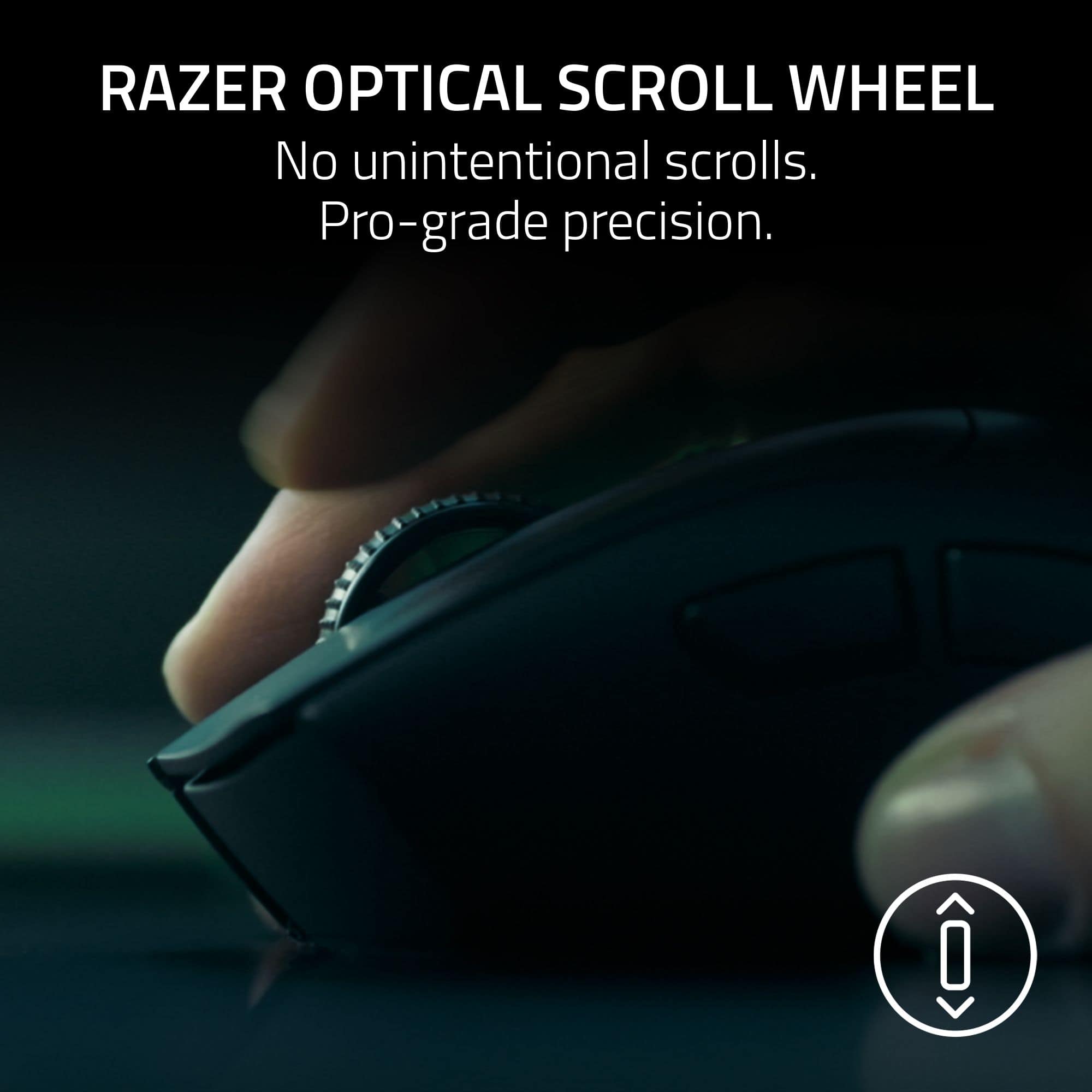
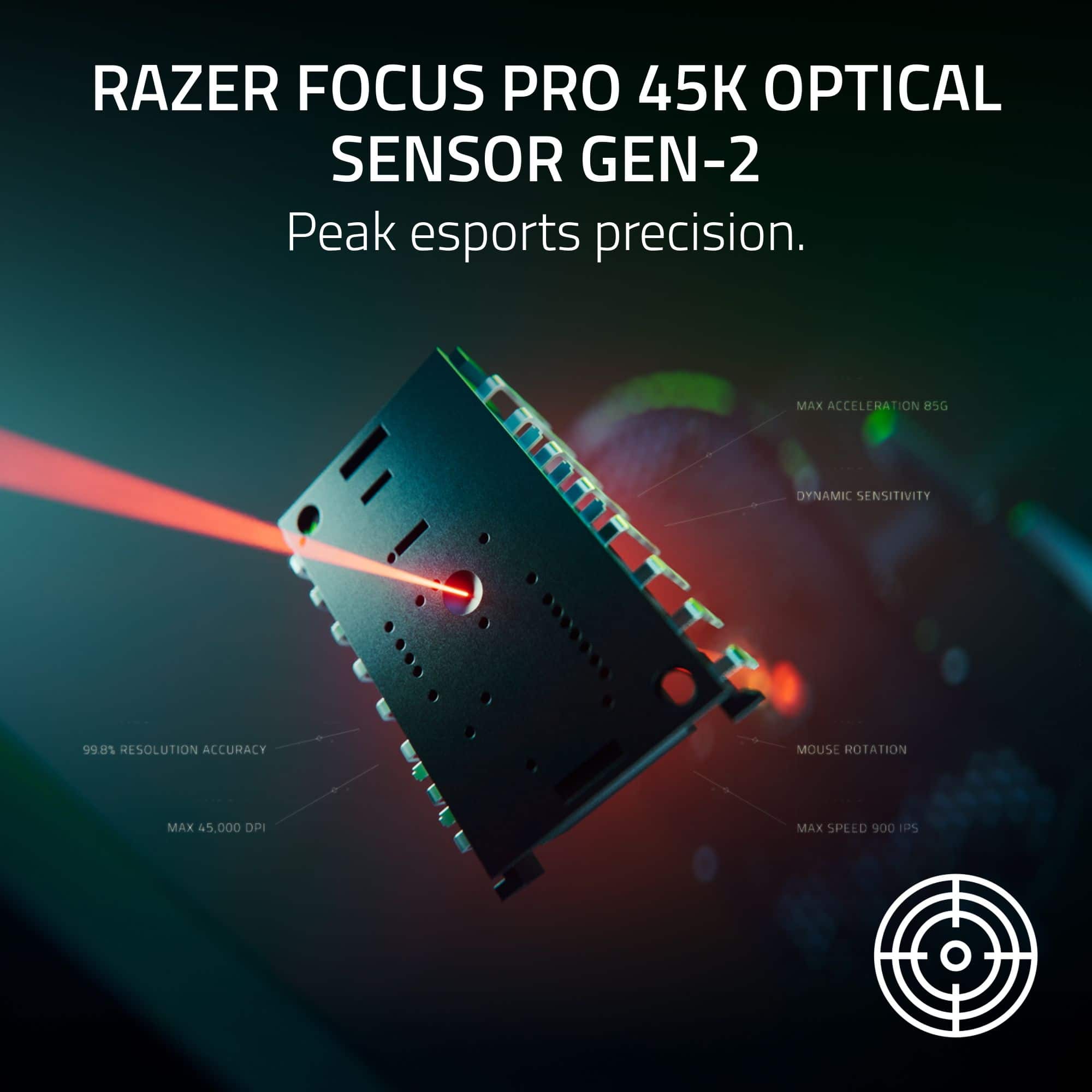
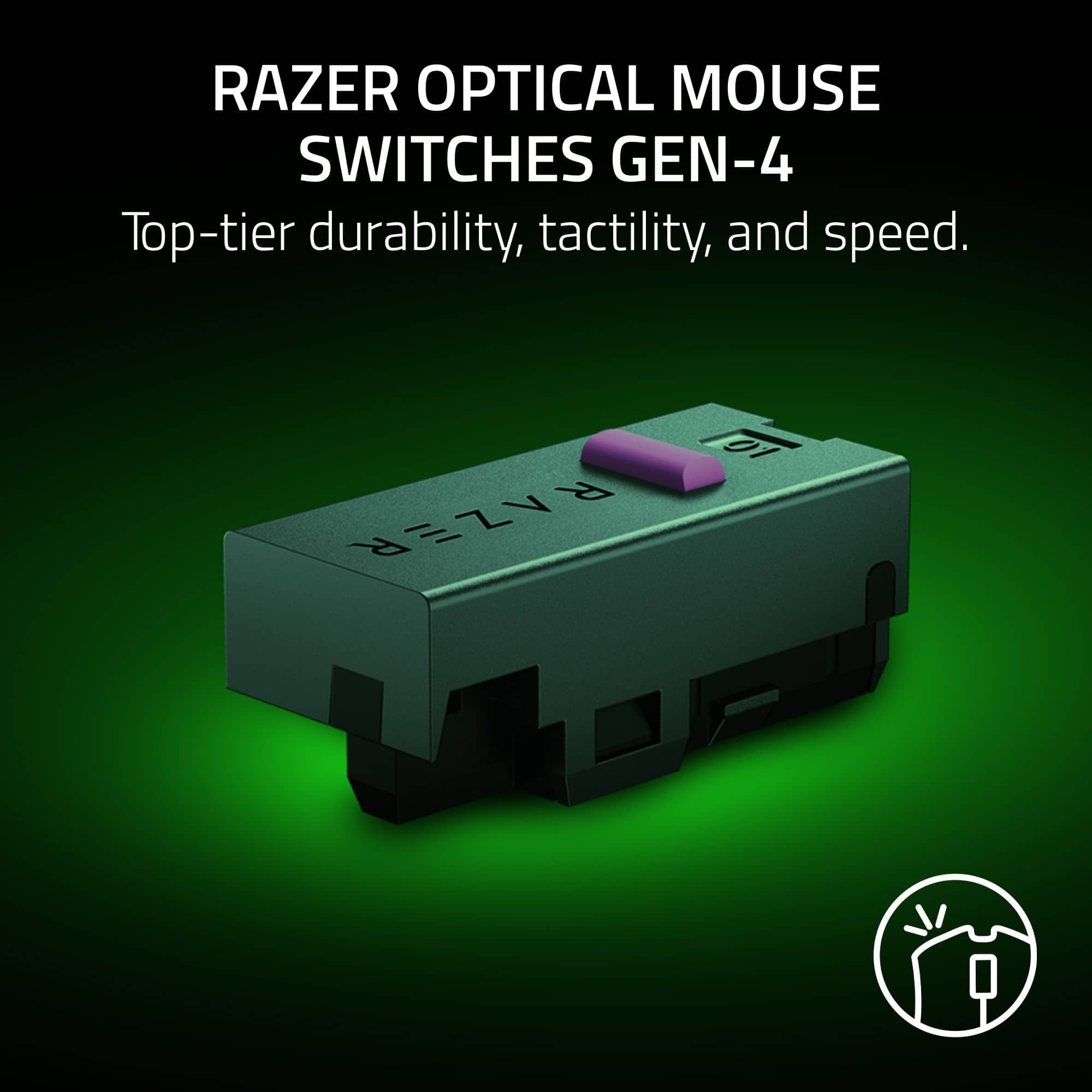
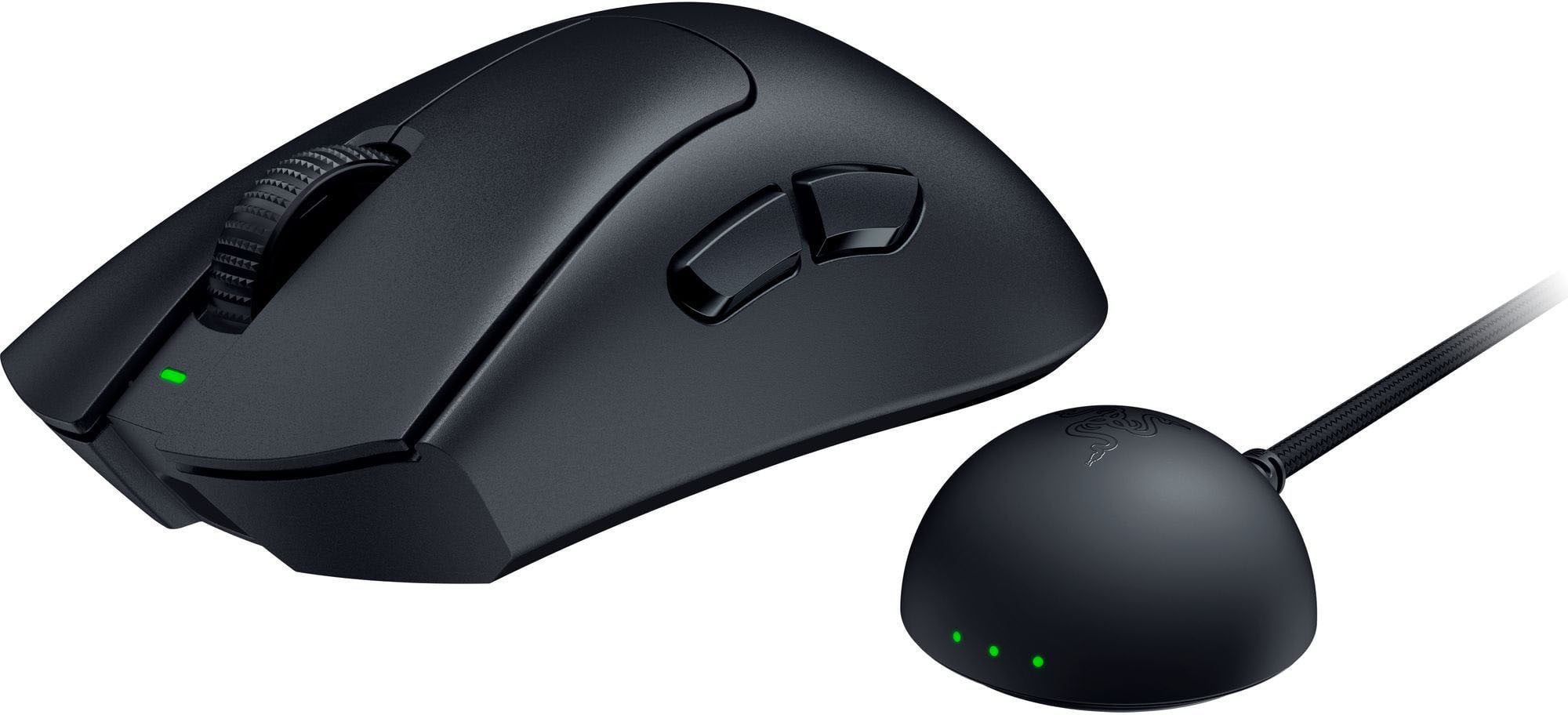
    Razer is one of the leading makers of gaming hardware, and they have built a new version of their eSports Pro gaming mouse, the DeathAdder. What features does it have, and what makes it worth the rather high price? Let’s send it through its paces and see if this is a tool for the competitive gamer’s arsenal. The box contents are straightforward, with the mouse, receiver, and a decently long braided USB-A to C cable, custom cut grip tape, Razer stickers, and some documentation. Setup is as simple as you’d expect – download the latest version of Razer Synapse, plug it in, and go! The mouse itself is incredibly light. A just 56g, it weighs less than most of the “skeleton” style mice and doesn’t collect things inside of it that you can’t clean out. Stripped down to save weight, it does not have a side-to-side scroll wheel or many extra buttons, just two thumb buttons, the right and left click, and the scroll wheel. The scroll wheel also has no “free spin” mode, but gains an optical sensor. The power button serves as double duty to cycle through the programmed DPI settings that you have set in the Synapse software, and there is no multi device connectivity with Bluetooth. This mouse is about one thing, and that is performance at minimal weight. While the mouse may be stripped to the essentials for hardware, the sensors and software allow for a ton of customization and performance. The mouse is capable of a blistering 8000hz polling rate with a 45k sensor, even while wireless. Usually, higher polling rates are reserved for wired connections, but the wireless technology here allows for an astonishing polling rate. This mode will drain the battery more quickly, but fortunately Razer thought of that – you can set different polling rates for full screen games vs standard desktop use. One of the coolest features I’ve found is the dynamic sensitivity mode “jump”, which allows for a lower sensitivity when the mouse is moving more slowly, which is great for aiming, but then jumps to a higher sensitivity when the mouse is moved rapidly, allowing for rapid 360 spins in a shooter when you need to react quickly. It’s a really cool feature that prevents having to bind a button to a “DPI Shift”. One thing I really like is, oddly, the receiver. Most of the time, the receiver is a little dongle or a box that doesn’t add much other than taking up a port or sitting on a desk. This one has status indicator LEDs that show connection health, current battery level, and the polling rate (these can be customized to show things like current DPI using Synapse). It also has some weight so it stays put. The only improvement would be if it had a second USB-C port to plug the mouse into directly to charge or switch to wired, since this dongle is designed to be on your desk. The surface of the mouse is pretty smooth – I’m used to mice with grips or texture of some kind, but again those can add weight. It’s still fairly easy to grip, but if you are super sweaty it could get slippery. Fortunately, Razer thought of that too, and there is pre-cut grip tape in the box to add some grip (with just a touch of additional weight) to key parts of the mouse. The optical buttons feel great, with a super snappy response. The mouse also has an optical scroll wheel that should mitigate one of the most common points of failure in gaming mice. The mouse will store the last binding configuration programmed in Synapse into it, although some key binds or macros aren’t available unless you have the software running. I typically use a gaming mouse for work where I can’t run any software, and this mouse probably would not be the best fit for that kind of multi-device or multi-purpose use as it really needs Synapse running and doesn’t have some of the extra buttons that are frequently used for productivity. For gaming though, this mouse excels. It moves so freely without feeling like it’s skating that you forget it’s there and just focus on the game. It so responsive and accurate that you know the limiting factor in your game is your skill, not the equipment. With that it mind, the mouse can justify the steep price tag while not having a lot of frills and extra features. It’s about one thing, and that is delivering a tool designed for fast paced competitive gaming, and if that is what you need this is the mouse for you.

    I would recommend this to a friend
  • Rated 4 out of 5 stars

    DeathAdder V4

    |
    |
    Posted .
    This reviewer received promo considerations or sweepstakes entry for writing a review.

    It's the same as the DeathAdder V3 Pro, but more expensive.

    No, I would not recommend this to a friend
  • Rated 4 out of 5 stars

    Nice mouse

    |
    |
    Posted .
    This reviewer received promo considerations or sweepstakes entry for writing a review.

    Nice mouse and great quality but had some issues with it disconnecting.

    I would recommend this to a friend
  • Pros mentioned:
    Build quality, Weight
    Tech Insider Network Member

    Rated 5 out of 5 stars

    Great Competitive Gaming Mouse!

    |
    Tech Insider Network Member
    Posted .
    This reviewer received promo considerations or sweepstakes entry for writing a review.

    The Razer DeathAdder V4 Pro is a premium lightweight gaming mouse with a few nice improvements over previous generations. I have used several razer mice including a couple versions of the deathadder over the years and they have been consistently good products. Razer seems to take an approach with mice that when they have something to offer, something to change to keep up with the trends in gaming, they’ll release the new version. The Deathadder v4 exemplifies this concept while sticking to a familiar mouse shape many people love. The v4 is extremely light weight, extremely well built, and includes a 8000hz polling receiver in the box and adds an optical scroll wheel and a few software tweaks. The light weight of the Deathadder v4 is nice for competitive games where quick, snappy reaction matters like counter strike or call of duty. With recent monitors having high refresh rates and lower input lag, a mouse that is lightweight and snappy helps keep up with the responsiveness of the monitor. The build quality is great - no creaks or uneven clicks or other QC issues. The coating of the mouse is nice - it does not feel too slippery but also doesn’t have an overly rough texture. If desired there is some stick on rubber grip tape in the box. The mouse comes with a new 8000hz polling rate receiver with status lights on it. It’s a nice touch and the receiver is weighted to help it sit on the desk. When it comes to 8000hz polling rate, the best illustration of what polling rate is, is to go in razer synapse and set it to only 125hz. Move the mouse around and the movement doesn’t have the same precision as before. Typically gaming mice are set around 1000 which is fine for most scenarios, but on a high refresh rate monitor like the current 240, 360, 480hz monitors, its nice to have a mouse that keeps up with high frame rates and refresh rates in games like counter strike or call of duty. Another nice improvement is the optical scroll wheel. Scroll wheels often seem like an easily worn out part of a gaming mouse which can be annoying to have a perfectly good mouse start scrolling poorly. I highly suspect the optical technology here will be a huge long term reliability improvement and it’s a welcome thing to see. Razer updated the synapse software to version 4 a few months ago. Synapse 3 sometimes felt like it was a bit of a system hog but version 4 doesn’t feel that way. It’s responsive and easy to change settings and works flawlessly on system startup and never gets in the way when you don’t want it to. You can go in here and tweak sensitivity and polling rate settings as needed. Overall the deathadder v4 retains the comfortable shape of the previous mice while lowering the weight and adding some nice new stuff. I especially like the optical scroll wheel and the overall build quality. The mouse is expensive but also includes the 8000hz receiver in the box instead of being a separate purchase. It’s also very well built for the light weight. For a gamer with a high refresh rate monitor who likes shooters or other fast games and likes the deathadder shape, it’s a great choice.

    I would recommend this to a friend
  • Rated 3 out of 5 stars

    Good mouse, high price.

    |
    |
    Posted . Owned for 2 weeks when reviewed.
    This reviewer received promo considerations or sweepstakes entry for writing a review.

    Decent mouse, but it is expensive and at this price point I would want it to have bluetooth but it does not.

    No, I would not recommend this to a friend
  • Rated 2 out of 5 stars

    cheap and off

    |
    |
    Posted .
    This reviewer received promo considerations or sweepstakes entry for writing a review.

    it performed and worked but i was not a fan. the mouse felt almost to light and very poor materials were used to make it. i did not enjoy the short time i had it and wouldn't buy another.

    No, I would not recommend this to a friend
  • Pros mentioned:
    Battery life, Weight, Wireless performance
    Tech Insider Network Member

    Rated 4 out of 5 stars

    Razer Deathadder v4 pro

    |
    Tech Insider Network Member
    Posted .
    This reviewer received promo considerations or sweepstakes entry for writing a review.

    In my testing with the Razer Deathadder v4 pro I’ve come to really like and appreciate the versatility and ergonomics of the mouse. The box opening was clean and simple, which I really appreciate and offered some basic instructions on how to setup the device. After installing the razor synapse program on my computer I was able to get full detailed customization over my mouse such as performance, power, calibration and some advanced settings for the dynamic sensitivity. After spending some time in synapse I was able to configure the mouse to the DPI settings I was comfortable with and started testing out some games with it. One of the best features I’ve found so far is being able to setup different configuration profiles for different games. I was able to use the smart polling rate switcher and it worked like a dream. I noticed virtually no issues with the games I was playing when it came mouse latency. Overall the mouse works like a dream, with all the different sensitivity and calibration settings the synapse application offers, you should have no problem finding the sweet spot for all the games you are currently playing. Pros Very Lightweight: This mouse is extremely lightweight and glides across the mousepad with ease which is something I really liked about this mouse. Wireless capabilities: While you can use the USB cable for a non-wireless option. The wireless dongle performs very well. I experienced zero latency while gaming. Battery life: After the initial charge I did when I got it out of the box I was able to complete many hours of gaming without any battery issues. After about 60 hours of gaming the mouse was still sitting above 50% battery. Smart Features: Includes Dynamic Sensitivity, Mouse Rotation, and Smart Tracking. Once configured for your different gaming preferences and games you really notice a difference in the overall quality of the mouse and how it plays. Cons Bottom-Mounted DPI Button: I personally like having the ability to switch DPI settings quickly if I need to depending on what I’m doing and having the DPI switch on the bottom of the mouse made it inconvenient at times. No Bluetooth Support: The wireless dongle is nice and works as intended but I would’ve liked to have an option to use Bluetooth for the times I’m out on the go and want to connect to my laptop for work without the dongle. Synapse Software: While the Synapse software is very nice and offers a lot of cool features for customization. It can also feel very daunting, especially to some people who have never used a software like this before. It can definitely take a lot of time to get used to and may not be for someone who just wants to plug and play.

    I would recommend this to a friend
  • Pros mentioned:
    Battery life, Build quality, Weight
    Tech Insider Network Member

    Rated 5 out of 5 stars

    Lightweight, Precise, and No Frills

    |
    Tech Insider Network Member
    Posted .
    This reviewer received promo considerations or sweepstakes entry for writing a review.

    I grabbed the DeathAdder V4 Pro because I wanted something simple and light for gaming sessions. Right out of the box, it really lives up to its name. This is one of the lightest mice I’ve ever used. It is really a no frills design. No flashy lights or gimmicks, just a clean and comfortable mouse that feels good in the hand. It responds really well to fast movements and clicks feel snappy. The Synapse app gives you a ton of options to tweak settings exactly how you want. I tried out the Dynamic Sensitivity, Mouse Rotation, Sensitivity Matcher, and fine-tuned the DPI in 1-step increments. I like that I can set different polling rates for different games and Synapse handles it automatically. The lift-off and landing distance calibration is next level for precision too. The battery is solid. I have not pushed it to the 150 hour limit yet but so far it holds up great for daily use. I've only used up about 9% of a charge in the week that I've been using it. Overall, I like this mouse a lot for its lightweight feel and precision. If you want a simple, reliable gaming mouse without a bunch of flashy extras, the DeathAdder V4 Pro is a great choice.

    I would recommend this to a friend
  • Pros mentioned:
    Wireless performance
    Tech Insider Network Member

    Rated 5 out of 5 stars

    So Close To Be The King You Can Feel It

    |
    Tech Insider Network Member
    Posted .
    This reviewer received promo considerations or sweepstakes entry for writing a review.

    The newest Razer Deathadder Pro is pretty spectacular for a wireless, gaming mouse. This is the best yet in a long line of great wireless, gaming mice from Razer. I compared the new Deathadder Pro against my Logitech Superlight, Glorious Model O, and my son's Final Mouse ULX. The new Razer is fast! I mean, feels like wired fast. The latency is unnoticeable by not just me, but my son who plays competitively. I would say it feels as fast the Final Mouse and definitely faster than the Logitech or Glorious. On a 360Hz monitor the 8000hz polling rate is felt and makes the mouse buttery smooth and precise. Buttons feel solid and have a nice smooth depress. My only complaint is that I wish it were just a tad lighter. It is on par with the Superlight and lighter than the Glorious for sure, but the Final Mouse feels almost like nothing in your hand. Overall, the new Deathadder v4 Pro has replaced my others and is as close to the Final Mouse ULX as you are going to get. This is my new favorite and an easy recommend. If you are a serious gamer and even play competitively this should be at the top of your list.

    I would recommend this to a friend
  • Pros mentioned:
    Battery life, Weight
    Tech Insider Network Member

    Rated 5 out of 5 stars

    Truly Unique

    |
    Tech Insider Network Member
    Posted .
    This reviewer received promo considerations or sweepstakes entry for writing a review.

    It's rare that I can say that something as mundane as a mouse offers an experience that you can't get anywhere else. There are so many different manufacturers shuffling around the same basic feature set that most are really just competing on tiny matters of build quality and overall aesthetics, so I really wasn't expecting all that much from Razer's latest Deathadder Pro. To my surprise, however, they have managed to produce something that I really don't think you can get anywhere else. It is a niche product, to be sure, but it knows exactly who it's built for and I think will find success with its targeted demographic. The first thing you'll notice after unboxing the mouse is the weight. At 56g the mouse feels almost insubstantial, even more so than a lot of wired mice which don't have to worry about including batteries. Personally I've always viewed ultralight mice, particularly wired ones, with a little skepticism, but in this instance they've gotten the mass low enough to make me a believer. Every twitch of your hand will produce some feedback here, which can be a pretty big deal with today's e-sports titles. If that were all the mouse offered, this could actually end up being a hindrance. But that is far from its only trick. The sensor on this thing is not only hyperbolically precise, it's tunable to a degree that I don't think anything else is. Once you've got the Razer Synapse utility downloaded and installed you can dial in sensitivity to match your exact preferences, allowing adjustments as small as 1DPI, or just let it figure it out based on the title you're currently playing. I'll admit that I'm nowhere near skilled enough or patient enough to calibrate my mouse sensitivity to suit my play style or environment, so letting the software just do it for me was actually pretty nice and made sure I was getting more value from that feature than I usually would. Additionally it allows you to adjust sensitivity for how far the mouse can lift off whatever you're using it on before the sensor stops tracking motion, a feature they refer to as asymmetric cutoff. This is honestly kind of essential for a mouse that's only 56g, as it does tend to lift off a lot more than most other mice I've used, but has a few other less obvious applications too. Specifically I found it helpful when trying to use the mouse on a couch I was sitting on, where the irregular shape and texture of the cushion serving as an impromptu mousepad wasn't the most friendly to the sensor. And you get all this somehow without sacrificing battery life or polling speed. There are a few potential downsides. Perhaps the biggest one for a Razer product is that this is completely lacking in the company's usual over-the-top programmable RGB accents, which I imagine simply draw too much power for whatever microscopic battery drives this thing. Some will probably be thrilled to hear this, but I imagine most of them aren't looking at Razer products in the first place. Second is that connectivity is limited to the wireless puck included with the mouse, which is quite large as dongles go. And since it is built for E-Sports it has a pretty basic scroll wheel and a bare minimum of buttons, making it somewhat less appealing for day-to-day productivity tasks or more casual players that may wish to use the extra buttons for macro assignments. But let's face it - this is not a mouse built for either. This is a device built for E-Sports enthusiasts. And if you count yourself among them, I think the Deathadder v4 Pro is going to be a very tempting piece of gear.

    I would recommend this to a friend
  • Pros mentioned:
    Battery life, Weight
    Tech Insider Network Member

    Rated 5 out of 5 stars

    From V3 to V4 Pro - Simply Amazing!!!!

    |
    Tech Insider Network Member
    Posted .
    This reviewer received promo considerations or sweepstakes entry for writing a review.

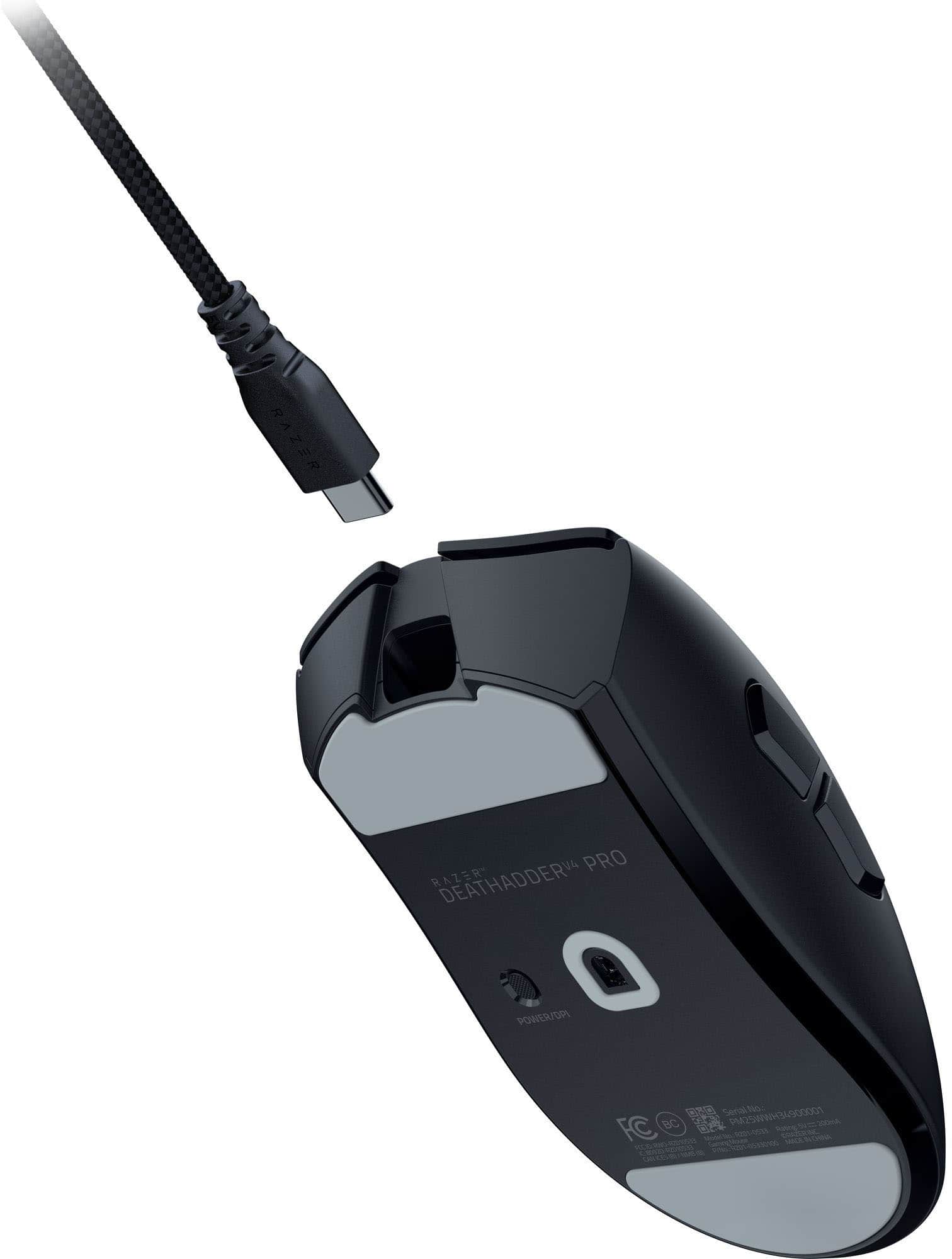
    So I received my Razer Deathadder V4 PRO wireless gaming mouse about a week ago and have been putting it through its paces. Now last year I was using the Razer Deathadder V3 and thoroughly enjoyed using it while playing games, now comes along the Razer Deathadder V4 PRO, just when I though it couldn’t get any better, then boom, mind-blown. Razer is one of the top mainstream gaming companies in the industry today, gamers have come to love through the use of their full gambit of amazing products they've produced over the years. I already have a couple of other Razer products that I use daily so I knew that this Deathadder V4 PRO wireless gaming mouse would be just another amazing product. So when you open up the box you're greeted with: * Razer DeathAdder V4 PRO * Razer HyperSpeed Wireless Gen-2 Dongle * USB-A to USB-C Cable * Quick Start Guide * Razer Stickers & Grip Tape Now this mouse can be setup one of two ways, either wired (via the include USB-A to USB-C cable) which also charges the mouse, or wireless (via the Raze HyperSpeed Wireless Gen-2 Dongle). Setting the mouse via the wired method is pretty straightforward, simply attached the USB-A end of the cable to your desktop/laptop and the other end to the USB-C port on the frontend of the mouse. Setting up wireless was easy as well, though the Quick Start Guide (for me at least) was a little hard to see due to the color options Razer chose to print the guide in (black paper with silver print, just ain’t cutting it for me, not to mention the small teeny tiny print), however, nonetheless its not a dealbreaker for me. Just a minor nuisance. But once connected it'll prompt you to download and install the Razer Synapse software. The mouse looks very similar to any other standard mouse on the market today. However, it has a ton of features that you can tweak, calibrate and customize to your liking using the Razer Synapse software. And something that I found quite nice is the ability to even customize the settings down to specific games. To change the DPI settings simply press the Power/DPI button which is located underneath the mouse or you can opt to change these settings within the Razer Synapse software. The Razer Synapse software can be a little daunting and overwhelming at first but if you take your take your will find the right settings/tweaks. Now when it came to gameplay, 5-stars across the board for me. The Razer Deathadder V4 PRO has been a freaking blast to use with its amazing accuracy and flawlessly pinpoint movement in a couple of test games that I played to see how well it faired (which was even better than the V3 that I was using last year) and how to save the custom settings for different games. It was able to handle anything I threw at it flawlessly. As far as battery life, I have not had to charge it up yet since fully charing it over a week ago. But I love how the dongle has the lights on the front of it to you let you know your current battery life status. Though it was nice to use, and extremely lightweight, I do wish it was a bigger due to me having larger hands, still not a dealbreaker. I will no doubt continue to use this wireless gaming mouse with my Razer Nommo V2 speaker system.

    I would recommend this to a friend
  • Pros mentioned:
    Battery life, Weight
    Tech Insider Network Member

    Rated 5 out of 5 stars

    Deathadder V4 Pro lives up to Razer name

    |
    Tech Insider Network Member
    Posted .
    This reviewer received promo considerations or sweepstakes entry for writing a review.

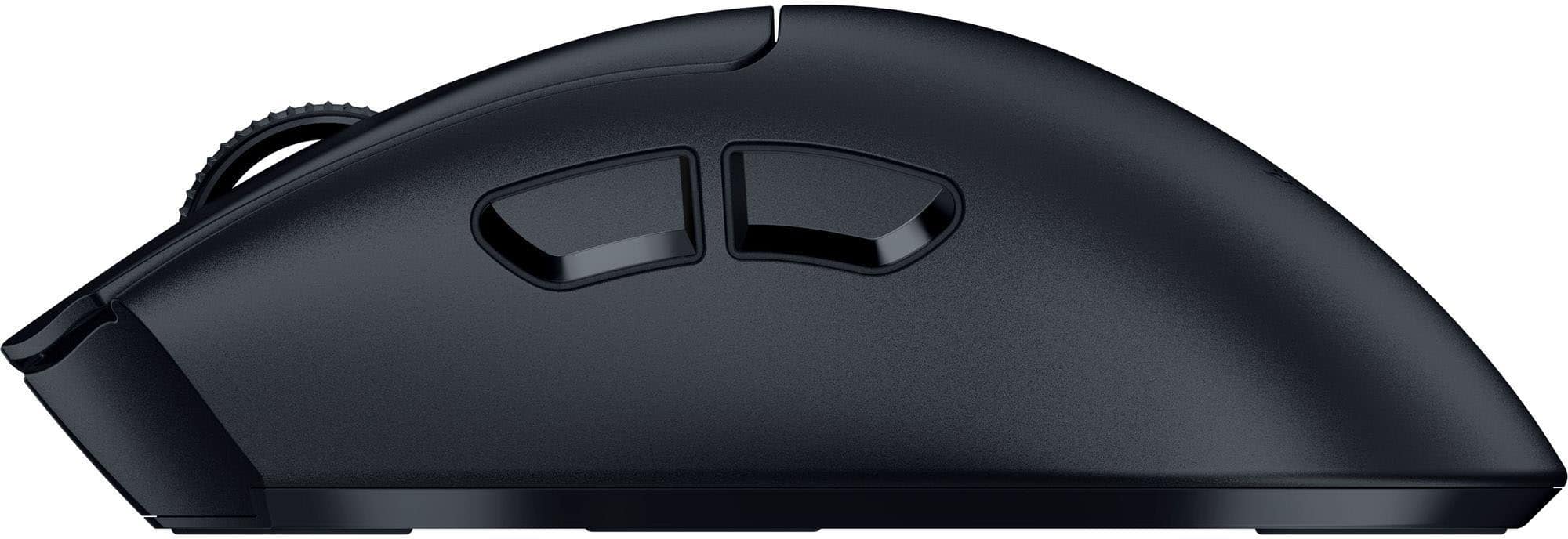
    The Razer DeathAdder V4 Pro is a solid mouse. This is my 3rd mouse of the DeathAdder series, last being a V3 hyperspeed, which boasted being lightweight. The design between these models is similar in look, the V4 Pro is more elongated and a bit heavier, a nice weight sensation in the hand honestly (as hyperspeed was almost too light in my opinion) and fits well while being held. The switch click of right/left click have a well audible sound along with clear feedback to acknowledge the click/command has been entered. The scroll wheel uses optical instead of mechanical design - if scroll VERY slow the scroll command actually happens RIGHT before the mechanical click has occurred, making response/feedback precise to knowing you're moving before the mechanics does. The optical sensor is great, providing up to 45k DPI (if you do anything that requires that level of precision I applaud you) - but overall movement is tight and responsive. The V4 Pro has an atypical dongle, which I find the coolest aspect of this mouse. The dongle is a hemispherical dome which connects to USB by a USB-C cable. The dome is heavier than I expected, having a weighted base - which luckily my cat was not successful with knocking off. She batted at it a couple times but then let it rest as it did not easily move. The dongle is equipped with antenna of greater strength comparatively per Razer's report while also displaying LED indications for multiple aspects of the mouse. Using LED colors the connection status is displayed on the left, battery life in middle and polling rate on the right by dault (as polling rate is a major focus of Razer advertising/design for the V4 Pro) but you may change any of these to be permanently off of DPI stage as well. The DeathAdder V4 Pro, like other Razer products, thrives in the Synapse Environment. It also helped me to know the power button also cycled DPI (it's written there on the bottom of the mouse but I had not noticed at first). Scroll click, the 2 left sided mouse buttons, right click may all be clearly customized with multiple options (macros included) and scroll up/down may be slightly adjusted as well to have different function. Toggled DPI may be changed/set and toggled off, default 5 options but may limit those available. There is ability to change the rotation baseline as well if you happen to hold the mouse slightly from straight up/down. Otherwise, it is advertised to have up to 150 hours of battery life. I personally have not paid attention other than noticing it does not come fully/nearly charged and needed that initial hook-up. Otherwise, having the possibility of an LED indicator light just makes my life easy, when I see red, I plug in before bed. My only wish, for the majority of Razer mouse series, is if LED lighting was incorporated. Even if some snake eye lights or something to add a little flare. But otherwise, happy as expected with the Razer name.

    I would recommend this to a friend
  • Pros mentioned:
    Battery life
    Tech Insider Network Member

    Rated 5 out of 5 stars

    Excellent, responsive mouse, even better software

    |
    Tech Insider Network Member
    Posted .
    This reviewer received promo considerations or sweepstakes entry for writing a review.

    The new Razer Deathadder V4 Pro is an excellent mouse for those wanting complete control of their experience. Razer's Synapse software lets you tweak just about every setting and sensor on the mouse, allowing you precision fine tuning and a literal customized experience. Everything, and I mean EVERYTHING is on the table... rotation, dynamic sensitivity, lift-off distance, polling rate, etc. It even can match other mice of rival brands with a simple sensitivity matcher. No RGB lighting! Yup... just a solid black surface devoid of LEDs attempting to bring disco back. Battery life is through the roof! I've used this for about a week now of multi-hour gaming sessions, and it's still at 96%!!!! They say over 150hrs of playtime on a single charge, and I totally believe them! It's insane! The dongle has 3 lights that can show you a variety of statuses, such as connection quality, battery level, polling rate, etc. As usual, Razer takes gaming seriously so you can focus on the fun. Now, for my two complaints about this mouse. 1) It is LIGHT. Seriously. Feels like a toy. An option to add weight would be fantastic. 2) It comes with 3M traction stickers. They are super sticky, and do exactly what they are supposed to do. My complaint is that there isn't a tiny indent in the mouse to help mitigate accidentally catching the end of the stickers or them catching dust and peeling over time. Not saying they will, but I've had mice in the past with traction stickers and they've always peeled over time. Anyway, It's definitely a solid effort from Razer and a great addition to their pantheon of gaming mice. It's got a lot of features and the minutia of tweaking available in the Synapse app will make this a great addition to any gamer's arsenal.

    I would recommend this to a friend
  • Pros mentioned:
    Ergonomics, Weight
    Tech Insider Network Member

    Rated 4 out of 5 stars

    Super Light

    |
    Tech Insider Network Member
    Posted .
    This reviewer received promo considerations or sweepstakes entry for writing a review.

    In the box is the mouse, wireless dongle, USB-A to USB-C adapter, starter guide, grip tape and stickers. First impression - Right out of the box, the DeathAdder V4 Pro Gaming Mouse, is the lightest mouse I’ve ever held. It made me wonder where the rest of the weight of the box was, and that was in the wireless dongle. While small in size, its weight is quite noticeable but I feel as if its weight is necessary to keep it steady wherever you decide to place it. Without the grip tape the mouse is already pretty easy to maneuver; however with the grip tape the mouse practically sticks to your hand. Combined with its light weight, it makes it feel like it’s almost not there. Inside the starter guide is a suggestion to download and use the Razer Synapse software. This is something you have to go download yourself, but it is fairly easy to find. The software itself is very easy to use and offers an amazing array of customization, such as, optimization of the mouse-dynamic sensitivity, mouse rotation, sensitivity matched, Razer Synapse, sensory calibration and 1-DPI step adjustments. Like many game accessories software, you can find all of your Razer gear here, ready to customize or update if need be. You can have separate profiles for each game, so no matter what you’re playing you can always optimize every button you’re using. On the topic of buttons, the power and DPI share a button on the bottom of the mouse. It isn’t a hassle, just something that stuck out. For me the mouse rotation was confusing, but it is cool. You can set the orientation of the mouse so it doesn’t have to be facing to go north, for users that hold the mouse at an angle sometimes. Razer is a company I have many accessories for, but no gaming mice, so I wasn’t sure what to expect but had very high hopes. And I am so pleased to say was I not disappointed. Despite being a longer shape than I’d normally prefer for a mouse, its design is comfortable and the grip tape makes it feel less fatiguing just like a smaller mouse. It’s also incredibly smooth, both in its hardware and software. Physically it just glides despite what it’s on top of, and digitally it’s one of if not the smoothest wireless mouse I think I’ve seen so far. Overall this is a mouse I’d definitely recommend to anyone I know that plays games on PC. I would recommend this product to friends and family and I would also buy this product as gifts!

    I would recommend this to a friend