Customer Ratings & Reviews

- Model:
- 8AC1PZ-0EN0
- SKU:
- 10560220
Rating by feature
- Video Quality
Rating 4.7 out of 5 stars
- Mobile App
Rating 4.8 out of 5 stars
- Sound Quality
Rating 4.7 out of 5 stars
Poor performance
||Posted . Owned for 2 months when reviewed.This reviewer received promo considerations or sweepstakes entry for writing a review.This made no difference at all. It did not improve signal to our Ring Pro Cams.
No, I would not recommend this to a friendBrand response from Ring
Posted .Hi StephenO.
Thank you for taking the time to share your experience with us. We understand the importance of having a consistent wifi signal on your Ring device. Having a solid connection ensures you do not miss any activity around your home. We are eager to address the issue you raised in your review and provide you with a resolution today.
It sounds like the device is not operating as expected. Even with your Chime Pro, your router is still your main source of connection for your Ring device. Ideally, the maximum distance between the router and your device is 20-25 feet with the Chime Pro about halfway between the Ring device and your router. If possible, try moving the router closer to the device. Also, make sure your router is not in a closet or behind furniture, like a sofa, so the router has an unobstructed signal.
We invite you to reach out to our community if any additional information is needed regarding your Ring Chime Pro. The Ring Community is our first peer-to-peer community forum, giving our customers the ability to help one another by sharing their feedback and experiences with each other.
Thank you,
Amilia from Ring.
Wifi problems
||Posted . Owned for 1 week when reviewed.This reviewer received promo considerations or sweepstakes entry for writing a review.Never could get it to connect to my wifi. Had my router updated and still would not connect.
No, I would not recommend this to a friendBrand response from Ring
Posted .Hi Mule1031,
We know how important it is to be able to enjoy the added benefits of a wireless Chime. Once setup, Ring Chime will allow you to amplify Ring alerts throughout your home. This way, you’ll always know when a visitor has stopped by.
Please ensure that you are attempting the setup on a 2.4GHz wifi signal as this device was not intended to utilize a 5GHz signal. The Ring app will guide you through the setup process so all you should need is your wifi password.
Additionally, you should try rebooting your router. Oftentimes routers can benefit from a routine power cycle as they process a lot of data. You should only have to power down the router for about a minute.
We are confident we’ll find a solution together. For any additional questions or concerns, please feel free to reach out on our community forum at https://community.ring.com/.
Regards,
Caitlin with Ring
Wifi extender and doorbell chime
||Posted . Owned for 2 weeks when reviewed.This reviewer received promo considerations or sweepstakes entry for writing a review.Sometimes the doorbell doesn’t work with the ring devices or you simply don’t have a doorbell. This chime will make the noise you need. And it’s a wifi extender to top it off.
I would recommend this to a friendBuy range extenders instead
||Posted . Owned for 1 year when reviewed.This reviewer received promo considerations or sweepstakes entry for writing a review.Ended up returning as it what not needed. Bought range extenders instead
No, I would not recommend this to a friendBrand response from Ring
Posted .Hello Giggles,
Thank you for leaving a review. We love reading how your Ring Chime Pro has added an extra layer of security in your home and how it is working as intended. Our top priority at Ring is to ensure that our customers have the best possible experience with our products. We really appreciate your feedback. Our team is always striving to improve our products and their performance.
We would love to hear more about your experience with Ring. We invite you to share your experience with other Ring users, like yourself, on our Ring Community page: https://community.ring.com/.
Thank you, Jamila, with Ring.
Works great
||Posted . Owned for 4 months when reviewed.This reviewer received promo considerations or sweepstakes entry for writing a review.It’s good , but little costly, they should come Up with lower cost version as well!
I would recommend this to a friendBrand response from Ring
Posted .Hello Sanjay,
Here at Ring, we believe that stronger communities are the key to safer neighborhoods. That is why we are driven to create products that help you protect what matters most at home and empower you to connect with your neighbors from wherever you are. Our customers' feedback is an invaluable part of this process. Thank you for taking the time to express that you would like to see a lower cost option device produced by Ring.
We invite you to reach out at https://community.ring.com/ to share this suggestion, as well. Ring Community is our first peer-to-peer community forum, giving our customers the ability to help one another and share their feedback/experiences directly with Ring.
Thank you,
Alexis with Ring
Nice product, works well with ring doorbell
||Posted .This reviewer received promo considerations or sweepstakes entry for writing a review.Initial setup is difficult, later works as expected. Ok product not a great one.
No, I would not recommend this to a friendBrand response from Ring
Posted .Hello Kjuk,
We know the importance of experiencing a smooth set-up and installation process. By following the step-by-step process in the Ring app, this device should be ready to use in a matter of moments. Rest assured, we hear your concern and are here to help.
Please start by ensuring that your Ring app is up to date and all permissions have been allowed. You can then clear out any underlying network issues by rebooting your router.
Whenever possible, it's best to try the set-up on 2.4 GHz as well as a 5 GHz wifi network. You'll find that one of the two works better depending on your home layout and device placement.
Lastly, we recommend that you try the set-up in different locations of your home. This will help if the issue is related to nearby interference or distance from the router.
Please visit our community forum at https://community.ring.com/, for some additional tips and support. We look forward to hearing from you.
Regards,
Marlom at Ring
Ring - Rung
||Posted . Owned for 3 weeks when reviewed.This reviewer received promo considerations or sweepstakes entry for writing a review.Not as strong boost as thought. Works but was expecting more.
I would recommend this to a friendBrand response from Ring
Posted .Hello Lumpy,
Thank you for leaving a review. Here at Ring, we understand how critical it is for your Ring Chime Pro to work as intended. It's a key component to ensure all connected Ring devices have a strong signal, along with providing an internal audio effect through your home. We are here to lend some assistance.
Based on your review, it seems that you are having trouble with your Ring Chime Pro extending your wifi signal. When this happens, we recommend moving your Chime Pro. The ideal placement for your Chime Pro is about halfway between your wifi router and the device it’s connected to.
Wifi extenders work best with devices that won’t be moved, and ideally, the maximum distance between the router and the device should be under 30 feet. If the distance is greater than 30 feet, you might need a different solution to a weak wifi signal, like a mesh network instead of a wifi extender. A wifi router creates a single access point that broadcasts a signal. The further the signal has to go, the weaker the signal gets.
For more information on troubleshooting your Ring Chime Pro, please see our help center
article: https://support.ring.com/hc/en-us/articles/360048673232-Troubleshooting-Your-Ring-Chime-Pro-and-Understanding-Light-Patterns.
For any additional questions or concerns regarding your Ring Chime Pro, please feel free to reach out on our community forum at https://community.ring.com/. We look forward to hearing from you soon.
Thank you, Jamila with Ring.
Poor range extender performance
||Posted . Owned for 1 month when reviewed.This reviewer received promo considerations or sweepstakes entry for writing a review.Bought this to get a stronger signal at Ring Flood light. Doesn't reliably reconnect when power is interrupted or location changed. Poor range. Would have returned it but wasn't able to reset and remove password. Switched to a Lynksys repeater which works well.
No, I would not recommend this to a friendBrand response from Ring
Posted .Hello Dave,
Thank you for leaving a review. Here at Ring, we understand how critical it is for your Ring Chime Pro to work as intended. It's a key component to ensure all connected Ring devices have a strong signal, along with providing an internal audio effect through your home. We are here to lend some assistance.
Based on your review, it seems that you are having trouble with your Ring Chime Pro extending your wifi signal. When this happens, we recommend moving your Chime Pro. The ideal placement for your Chime Pro is about halfway between your wifi router and the device it’s connected to.
Wifi extenders work best with devices that won’t be moved, and ideally, the maximum distance between the router and the device should be under 30 feet. If the distance is greater than 30 feet, you might need a different solution to a weak wifi signal, like a mesh network instead of a wifi extender. A wifi router creates a single access point that broadcasts a signal. The further the signal has to go, the weaker the signal gets.
For more information on troubleshooting your Ring Chime Pro, please see our help center
article: https://support.ring.com/hc/en-us/articles/360052520292-Using-Chime-Pro-Placement-Test-to-optimize-your-wifi
For any additional questions or concerns regarding your Ring Chime Pro, please feel free to reach out on our community forum at https://community.ring.com/. We look forward to hearing from you soon.
Thank you, Jamila with Ring.
Poor connectivity to ring doorbell 3
||Posted . Owned for 2 weeks when reviewed.This reviewer received promo considerations or sweepstakes entry for writing a review.Rarely chimes!! Does not go well with ring doorbell 3!!!
No, I would not recommend this to a friendBrand response from Ring
Posted .Hello Judge, Thank you for taking the time to share your Ring experience with us. We appreciate that you have placed value in owning a Ring device to secure your home. Our top priority at Ring is to ensure that our customers have the best possible experience with our products. We really appreciate your feedback. Our team is always striving to improve our products and their performance. Based on your review, it seems like you are having trouble with linking your Ring chime to your Ring device. If this is the case, we recommend checking to see if your Ring Chime Pro is linked to your Ring device. For steps on how to do this, please see our help center article: https://support.ring.com/hc/en-us/articles/360034840052-How-to-Link-Your-Ring-Devices-to-a-Chime-or-Chime-Pro. If you still have concerns regarding this, we would love to hear from you directly on our Ring Community forum. This is a platform intended for Ring users, just like yourself, to create open discussions regarding their Ring experiences, provide suggestions or feedback, and more: https://community.ring.com/. Thank you, Jamila with Ring.
Try it
||Posted . Owned for 4 months when reviewed.This reviewer received promo considerations or sweepstakes entry for writing a review.Not bad easy to set up............................
I would recommend this to a friendBrand response from Ring
Posted .Hello Boooo,
Thank you for leaving a review. We love reading how your Ring Chime Pro has added an extra layer of security in your home and how it is working as intended. Our top priority at Ring is to ensure that our customers have the best possible experience with our products. We really appreciate your feedback. Our team is always striving to improve our products and their performance.
We would love to hear more about your experience with Ring. We invite you to share your experience with other Ring users, like yourself, on our Ring Community page: https://community.ring.com/.
Thank you, Jamila, with Ring.
Ok
||Posted . Owned for 2 weeks when reviewed.This reviewer received promo considerations or sweepstakes entry for writing a review.Good for extending WiFi but can disconnect from time to time.
I would recommend this to a friendBrand response from Ring
Posted .Hello Rich,
We know how critical it is to rely on this Chime Pro to expand your home's wifi network. These devices were designed with longevity in mind and should provide you with amplified Ring audio alerts, so you always know when activity has been detected. Your other Ring devices should also be able to connect to the Chime Pro network for an improved signal to your doorbell/camera.
If you run into trouble with your Chime Pro, please unplug it for one minute to power cycle the device. After a minute has passed, plug the device back into the outlet. Once powered on, it should function as intended.
Although the power cycle resolves most issues, it may be necessary to perform a hard reset. Please follow the steps below to complete the process:
* Start with your Chime plugged into an outlet. Begin holding down the setup button for 15 consecutive seconds, then release.
* Wait until the light on the front of the device stabilizes. (The light will return to a solid blue)
* Attempt a fresh setup through the Ring app.
* Because some steps are time sensitive, it’s important to have your wifi password handy.
It would be our pleasure to discuss this further with you. If after trying the above steps you still encounter issues, please visit our online forum at your convenience, as we are eager to turn your experience around. For any additional questions or concerns, please feel free to reach out on our community forum at https://community.ring.com/.
Thank you,
Alexis with Ring
Sound not loud enough.
||Posted .This reviewer received promo considerations or sweepstakes entry for writing a review.I am NOT sure this device helped with wifi signal.
No, I would not recommend this to a friendBrand response from Ring
Posted .Hello WhizD,
Thank you for leaving a review. Here at Ring, we understand how critical it is for your Ring Chime Pro to work as intended. It's a key component to ensure all connected Ring devices have a strong signal, along with providing an internal audio effect through your home. We are here to lend some assistance.
Based on your review, it seems that you are having trouble with your Ring Chime Pro extending your wifi signal. When this happens, we recommend moving your Chime Pro. The ideal placement for your Chime Pro is about halfway between your wifi router and the device it’s connected to.
Wifi extenders work best with devices that won’t be moved, and ideally, the maximum distance between the router and the device should be under 30 feet. If the distance is greater than 30 feet, you might need a different solution to a weak wifi signal, like a mesh network instead of a wifi extender. A wifi router creates a single access point that broadcasts a signal. The further the signal has to go, the weaker the signal gets.
For more information on troubleshooting your Ring Chime Pro, please see our help center
article: https://support.ring.com/hc/en-us/articles/360048673232-Troubleshooting-Your-Ring-Chime-Pro-and-Understanding-Light-Patterns.
For any additional questions or concerns regarding your Ring Chime Pro, please feel free to reach out on our community forum at https://community.ring.com/. We look forward to hearing from you soon.
Thank you, Jamila with Ring.
Works ok
||Posted . Owned for less than 1 week when reviewed.This reviewer received promo considerations or sweepstakes entry for writing a review.It works ok but we were told you can link 2 or more chimes together. You can not.
No, I would not recommend this to a friendBrand response from Ring
Posted .Hello Susan,
Thank you for leaving a review. We love reading how your Ring Chime Pro has added an extra layer of security in your home and how it is working as intended. Our top priority at Ring is to ensure that our customers have the best possible experience with our products. We really appreciate your feedback. Our team is always striving to improve our products and their performance.
We would love to hear more about your experience with Ring. We invite you to share your experience with other Ring users, like yourself, on our Ring Community page: https://community.ring.com/.
Thank you, Jamila, with Ring.
A must have
||Posted . Owned for 2 weeks when reviewed.This reviewer received promo considerations or sweepstakes entry for writing a review.Ring would always drop wifi until I purchased this item. If your ring takes a while connecting or frequently drops wifi connection, this i a must have.
I would recommend this to a friendNot worth the money.
||Posted . Owned for 1 week when reviewed.This reviewer received promo considerations or sweepstakes entry for writing a review.When it decides to work, it’s flawless but lately mine hasn’t been working. It keeps disconnecting from my WI-FI network and unable to connect or extend my other Ring devices.
No, I would not recommend this to a friendBrand response from Ring
Posted .Hi TENG.
Thank you for taking the time to share your experience with us. At Ring, we understand it is essential to have your Ring Chime Pro online and working properly so you can keep your home secure. Having a solid connection ensures that you do not miss any activity around your home. We are here today to provide you with education to assist you in finding the best solution for your home’s environment.
It sounds like the device is not performing as expected. Usually, a device falling offline repeatedly is related to poor wifi connectivity caused by signal fluctuations, channel congestion, or data loss. In rare cases, this can be caused by settings in your router. If your networking equipment hasn’t been power cycled in a while, try unplugging it for 30 seconds and plugging it back in. We also recommend adjusting your router channel. Wireless networks utilize different channels for communication. In the United States, the 2.4 GHz band uses channels 1-11 and the 5 GHz band uses channels 36-165.
You can also hold down the reset button on the side of the Chime Pro for 10 seconds and release it to power cycle the Chime Pro.
If any additional information is needed regarding your Ring Chime Pro, please reach out to our community. Ring Community is our first peer-to-peer community forum, giving our customers the ability to help one another and share their feedback and experiences directly with Ring.
Sincerely,
Melissa from Ring.
Not loud enough but will do!
||Posted . Owned for 1 month when reviewed.This reviewer received promo considerations or sweepstakes entry for writing a review.Great doorbell but could be louder, there are multiple ringtones tho!
I would recommend this to a friendBrand response from Ring
Posted .Hi Mouf!
Thank you for bringing this concern to our attention, as this allows us to investigate this concern further with you, and ensure we are providing you with helpful solutions. The Ring Chime Pro does have a controllable volume option within the Ring App.
Once you have opened your Ring App, you will see a Chimes option at the top of the screen. Select this, and choose the Chime Pro you wish to manage. From the tile menu, select Audio Settings and then tap on Chime Tones. From here you may see the multiple ringtones you have mentioned in addition to a volume slider that controls the volume of your Chime Pro.
We would love to go over these changes with you to ensure we are providing you with the most support. Please reach out to us at your earliest convenience, and we will get you connected with a Ring specialist as soon as possible.
Best,
Caitlin with Ring
Not all of them are created equal.
||Posted . Owned for 2 weeks when reviewed.This reviewer received promo considerations or sweepstakes entry for writing a review.Can’t get it to connect. Might be the internet. Yet to be determined.
I would recommend this to a friendBrand response from Ring
Posted .Hi ECHOtheCommand,
We know how critical it is to rely on this Chime Pro to expand your sense of security. These devices were designed with longevity in mind and should provide you with amplified Ring audio alerts, so you always know when activity has been detected. Your other Ring devices should also be able to connect to the Chime Pro network for an improved signal to your doorbell/camera.
If you run into trouble with your Chime Pro, please unplug it for one minute to power cycle the device. After a minute has passed, plug the device back into the outlet. Once powered on, it should function as intended.
Although the power cycle resolves most issues, it may be necessary to perform a hard reset. Please follow the steps below to complete the process:
* Start with your Chime plugged into an outlet. Begin holding down the setup button for 15 consecutive seconds, then release.
* Wait until the light on the front of the device stabilizes. (The light will return to a solid blue)
* Attempt a fresh setup through the Ring app.
* Because some steps are time sensitive, it’s important to have your wifi password handy.
It would be our pleasure to discuss this further with you. If after trying the above steps you still encounter issues, please visit our online forum at your convenience, as we are eager to turn your experience around. For any additional questions or concerns, please feel free to reach out on our community forum at https://community.ring.com/.
All the Best,
Caitlin with Ring
Love My Ring Products
||Posted . Owned for 1.5 years when reviewed.This reviewer received promo considerations or sweepstakes entry for writing a review.Ring Chime Pro helped to boost my wifi signal to my ring doorbell. If you're having issues with your Chime you may need to boost your signal.
I would recommend this to a friendNew version
||Posted . Owned for 3 weeks when reviewed.This reviewer received promo considerations or sweepstakes entry for writing a review.Ok but nothing spectacular about this version compared to original
No, I would not recommend this to a friendBrand response from Ring
Posted .Hi Shorty,
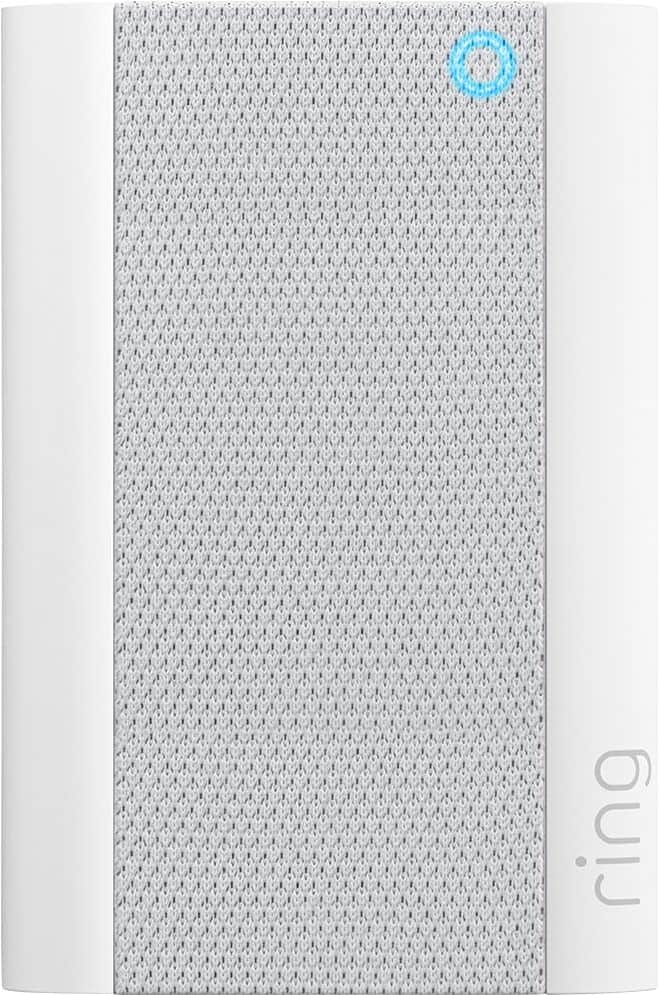
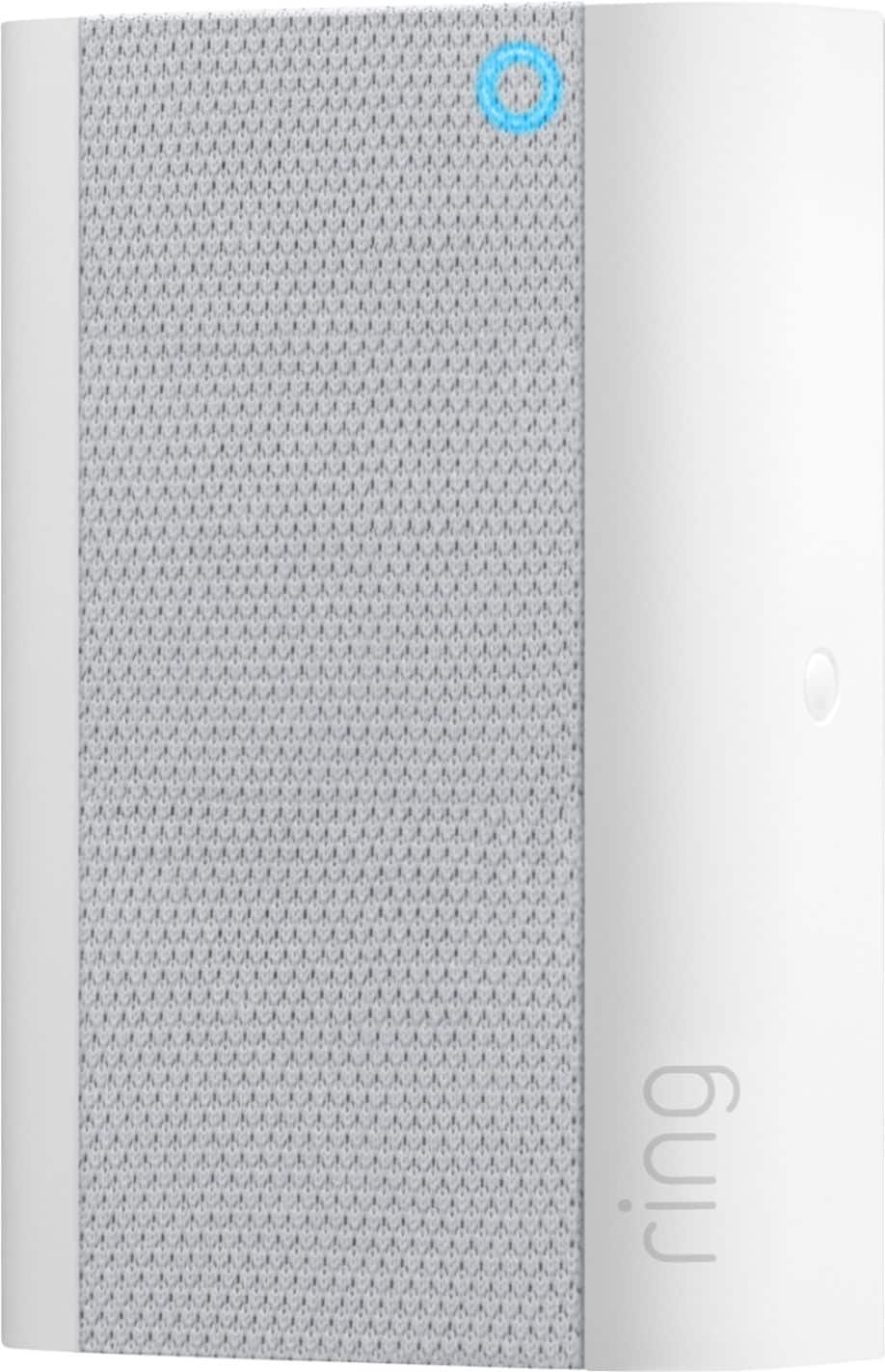
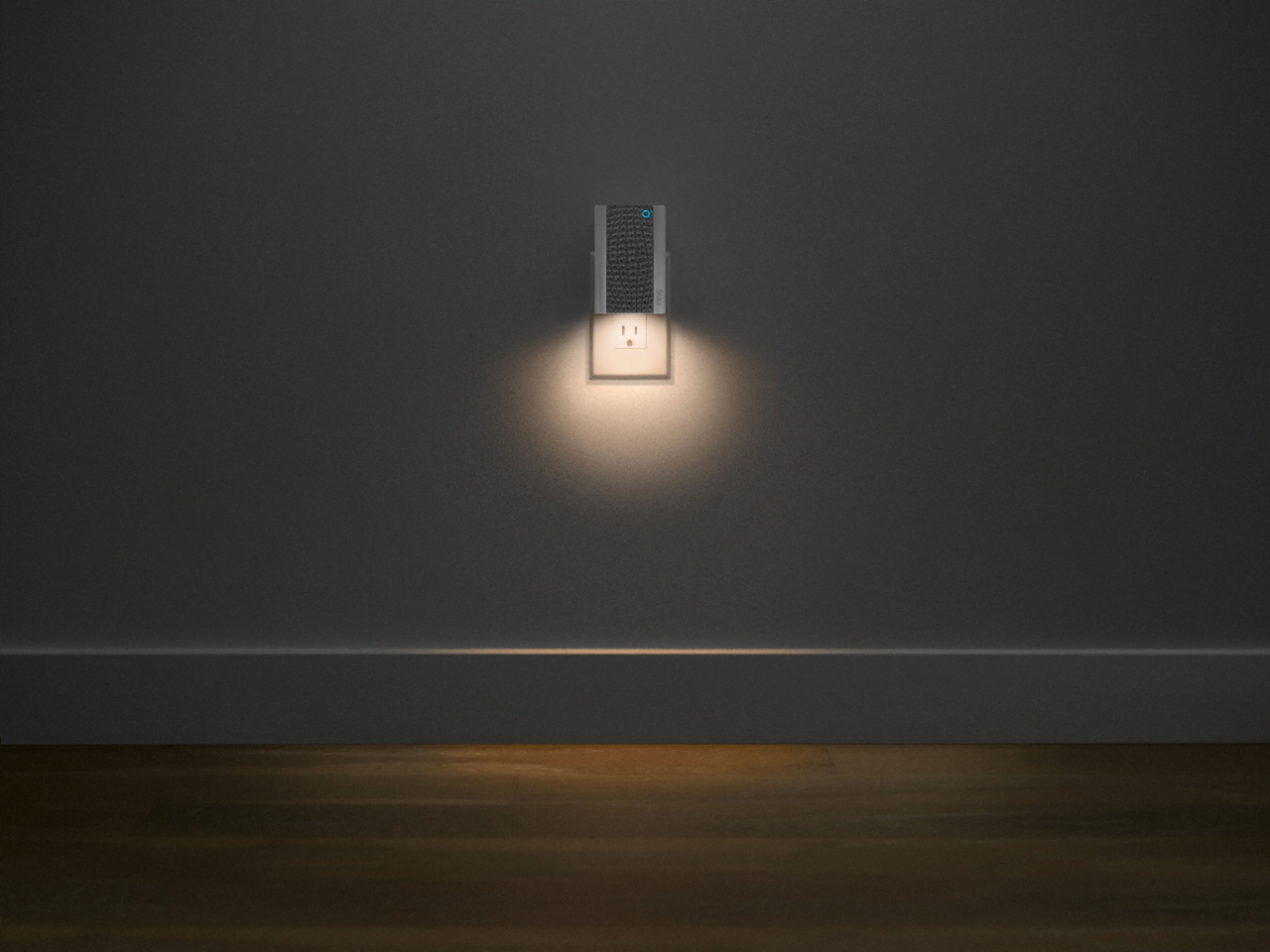
Thank you for taking the time to leave your feedback on the Chime Pro. We appreciate hearing from customers like yourself, as this helps us to make improvements on our products and services. The new Chime Pro has an all-new sleek design, built-in nightlight, dual-band wifi, and an LED status indicator for setup and power states.
Both generations of Chime Pro are compatible with all existing Ring Video Doorbells and Security Cameras, plug into standard wall outlets, and let you hear real-time notifications anywhere in your home.
We would love to get in touch with you directly to go over these concerns together, and hopefully help improve your Ring experience!
We look forward to hearing from you,
Caitlin with Ring
ring chime pro
||Posted . Owned for 1 month when reviewed.This reviewer received promo considerations or sweepstakes entry for writing a review.unfortunately, the ring chime pro is not as useful as i anticipated
No, I would not recommend this to a friendBrand response from Ring
Posted .Hi chimepro,
We would love to get more information on your experience with the Ring Chime Pro, so we can help restore your confidence in the security your Chime Pro is intended to provide. The Ring Chime Pro is intended to help better your connection to Ring doorbells and cameras. With proper placement and the Chime Pro Network, you should notice a significant difference.
We invite you to visit our Community Forum for some additional tips and tricks, as well as additional support. For any additional questions or concerns, please feel free to reach out on our community forum at https://community.ring.com/.
Regards,
Caitlin with Ring