Customer Ratings & Reviews
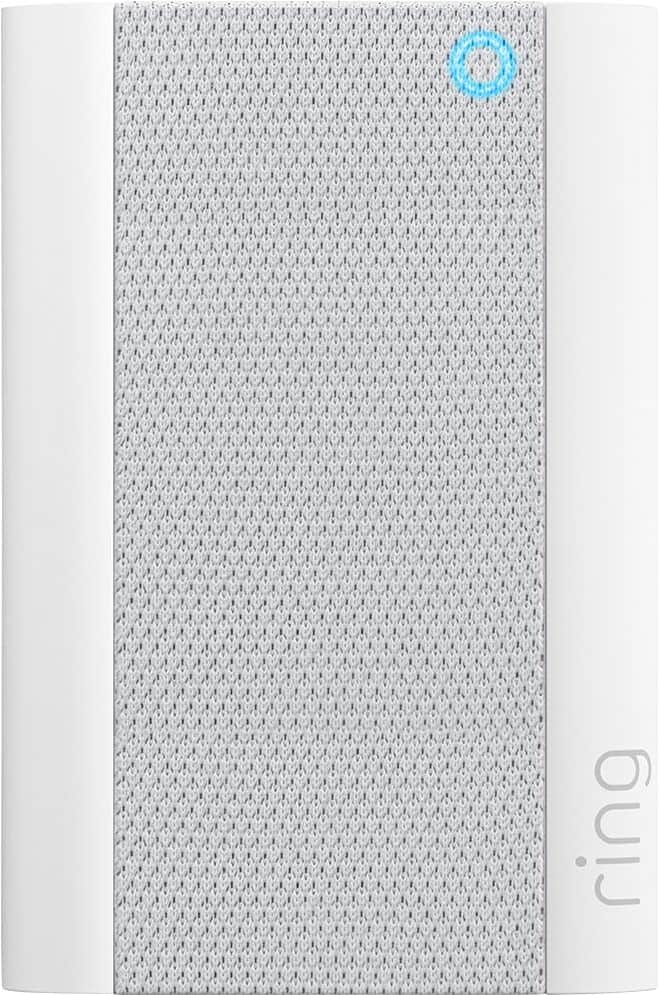

- Model:
- 8AC1PZ-0EN0
- SKU:
- 10560220
Rating by feature
- Video Quality
Rating 4.7 out of 5 stars
- Mobile App
Rating 4.8 out of 5 stars
- Sound Quality
Rating 4.7 out of 5 stars
Works Well !!
||Posted . Owned for 2 weeks when reviewed.This reviewer received promo considerations or sweepstakes entry for writing a review.Does what its meant to do !! Easy to connect to wifi !
I would recommend this to a friendWould be great if ring had better connectivity
||Posted . Owned for less than 1 week when reviewed.This reviewer received promo considerations or sweepstakes entry for writing a review.Easy to connect to other ring devices. However, if Ring devices had better connectivity to WiFi Channels then you wouldn’t have to waste money on things like this.
I would recommend this to a friendBrand response from Ring
Posted .Hi Tseaster,
We understand how important it is to have a reliable internet connection to your security devices. The Ring Chime Pro should help meet that need by bettering the wifi connection to Ring doorbells and cameras. Our team is here to help find a solution.
Wifi extenders are only necessary when a home wifi signal struggles to reach the area that your Ring device is mounted at.
Whenever possible, we recommend using a 2.4 GHz wifi signal. This type of wifi signal is better at reaching areas of the home that 5 GHz struggles to reach. Alternatively, you can relocate your router to a central part of the home. This will help your routers signal reach more areas of your home.
For more tips, tricks and advice, please visit our community forum at https://community.ring.com/. We look forward to hearing from you.
Best,
Marlom at Ring
Wi-Fi extender
||Posted . Owned for 3 weeks when reviewed.This reviewer received promo considerations or sweepstakes entry for writing a review.Needed extra Wi-Fi coverage this Seems to help some.
I would recommend this to a friendChime pro
||Posted . Owned for 1 month when reviewed.This reviewer received promo considerations or sweepstakes entry for writing a review.Good product very happy with this item will recommend
I would recommend this to a friendRETURNED BC FIRE HAZZARD!
||Posted . Owned for 3 weeks when reviewed.This reviewer received promo considerations or sweepstakes entry for writing a review.This was returned. It got way too hot in the wall plugged in in short amount of time and stayed that way. Asked around and googled and many ppl said the same, fire hazard and returned it. Not with the risk.
No, I would not recommend this to a friendBrand response from Ring
Posted .Hi VanessaB.
Thank you for taking the time to share your experience with us.
At Ring, the safety of our customers is always our top priority, and we completely understand the seriousness of this matter. The Ring Chime Pro is designed to work in your home to provide you with peace of mind and security. We would love the opportunity to work with you to ensure your device is functioning as intended.
It sounds like you have some concerns with the Ring Chime while it is plugged in. The Ring Chime Pro can operate in temperatures ranging from 32°F to 104°F (0°C to 40°C). Ring devices can feel warm or hot to the touch when connected to an external power source, which is expected behavior with any type of electronic. Device temperature can also fluctuate because of outside temperatures being hotter or colder or the device being positioned in the sun. Visit our support center for a full safety and compliance breakdown for the Ring Chime Pro.
Ring Community was launched to help deliver the most current news and educational information to our neighbors. This online forum is divided into four categories: Product Boards, Ring Updates, Tips + Tricks, and a Moderators’ Corner. The Product Boards are where you can begin new topics with your questions or feedback; there is also a search option that helps you find topics that have already been posted by other neighbors.
All the best,
Nicole from Ring.
Save your money. The Chime Pro is a waste of money
||Posted . Owned for 3 weeks when reviewed.This reviewer received promo considerations or sweepstakes entry for writing a review.The Ring Chime Pro is not worth the money. It made no difference as far as strength in the WiFi signal. I was told be Verizon that if you had more 3 items that required a WiFi signal, it would make the speed worse. Sometimes my Ring Video Doorbell never alerted me that someone was at my door until they rang the bell. Then when I received a notification ring, it took 5 minutes before a got a visual. So, the Chime Pro made absolutely no difference in boosting my signal as promised.
No, I would not recommend this to a friendBrand response from Ring
Posted .Hello AuntReeDee,
Thank you for leaving a review. Here at Ring, we understand how critical it is for your Ring Chime Pro to work as intended. It's a key component to ensure all connected Ring devices have a strong signal, along with providing an internal audio effect through your home. We are here to lend some assistance.
Based on your review, it seems that you are having trouble with your Ring Chime Pro extending your wifi signal. When this happens, we recommend moving your Chime Pro. The ideal placement for your Chime Pro is about halfway between your wifi router and the device it’s connected to.
Wifi extenders work best with devices that won’t be moved, and ideally, the maximum distance between the router and the device should be under 30 feet. If the distance is greater than 30 feet, you might need a different solution to a weak wifi signal, like a mesh network instead of a wifi extender. A wifi router creates a single access point that broadcasts a signal. The further the signal has to go, the weaker the signal gets.
For more information on troubleshooting your Ring Chime Pro, please see our help center
article: https://support.ring.com/hc/en-us/articles/360048673232-Troubleshooting-Your-Ring-Chime-Pro-and-Understanding-Light-Patterns.
For any additional questions or concerns regarding your Ring Chime Pro, please feel free to reach out on our community forum at https://community.ring.com/. We look forward to hearing from you soon.
Thank you, Jamila with Ring.
Very weak signal
||Posted . Owned for 1 month when reviewed.This reviewer received promo considerations or sweepstakes entry for writing a review.This product does not extend the reach at all very disappointed.
No, I would not recommend this to a friendBrand response from Ring
Posted .Hi MichaelD.
Thank you for taking the time to share your experience with us. We understand the importance of having a consistent wifi signal on your Ring device. Having a solid connection ensures you do not miss any activity around your home. We are eager to address the issue you raised in your review and provide you with a resolution today.
It sounds like the device is not operating as expected. Even with your Chime Pro, your router is still your main source of connection for your Ring device. Ideally, the maximum distance between the router and your device is 20-25 feet with the Chime Pro about halfway between the Ring device and your router. If possible, try moving the router closer to the device. Also, make sure your router is not in a closet or behind furniture, like a sofa, so the router has an unobstructed signal.
We invite you to reach out to our community if any additional information is needed regarding your Ring Chime Pro. The Ring Community is our first peer-to-peer community forum, giving our customers the ability to help one another by sharing their feedback and experiences with each other.
Thank you,
Melissa from Ring.
Returned to store for countless reasons
||Posted . Owned for 3 weeks when reviewed.This reviewer received promo considerations or sweepstakes entry for writing a review.Pros: Easy to install, efficient alerts Cons: Camera Diane scan very wide. Constantly went offline and did not come within home. Purchased extender and units still did not chime inside home. Also still went offline. You receive no recording after 30 days. Monthly cost $3. Calls go to third quelled country where you can’t clearly understand tech. Returned abs purchased Eufy which I’m fully satisfied with!
No, I would not recommend this to a friendBrand response from Ring
Posted .Hello QueenBee,
Thank you for taking a moment to leave your review on the Ring Chime Pro. We sincerely appreciate it! At Ring, we believe that stronger communities are the key to safer neighborhoods. That is why we are driven to create products that help you protect what matters most at home, and empower you to connect with your visitors from wherever you are. We are saddened to read that this device did not meet your expectations.
If you still have the Ring device in your possession, we invite you to reach out to us at https://community.ring.com/. Ring Community is our first peer-to-peer community forum, giving our customers the ability to help one another and share their personal feedback/experiences with Ring. We look forward to hearing from you, if we can be of any further assistance!
Thank you,
Alexis with Ring
Weak Wi-Fi Connection
||Posted . Owned for 1 month when reviewed.This reviewer received promo considerations or sweepstakes entry for writing a review.I still have a weak Wi-Fi Connection with the Chime.
No, I would not recommend this to a friendBrand response from Ring
Posted .Hi NinaS.
Thank you for taking the time to share your experience with us. We understand how important it is for your Ring device to function consistently and reliably, so you are alerted to any wanted or unwanted activity in or around your home. Having a solid connection ensures you do not miss any activity around your home. We can definitely provide you with more information regarding the concern mentioned in your review.
It sounds like the device is not operating as expected. Even with your Chime Pro, your router is still your main source of connection for your Chime Pro. Ideally, the maximum distance between the router and your device is 20-25 feet with the Chime Pro about halfway between the Ring device and your router. If possible, try moving the router closer to the device. Also, make sure your router is not in a closet or behind furniture, like a sofa, so the router has an unobstructed signal.
We invite you to reach out to our community if any additional information is needed regarding your Ring Chime Pro. The Ring Community is our first peer-to-peer community forum, giving our customers the ability to help one another by sharing their feedback and experiences with each other.
Thank you,
Melissa from Ring.
Home security
||Posted . Owned for 2 weeks when reviewed.This reviewer received promo considerations or sweepstakes entry for writing a review.I am having trouble connecting my ring devices to this and it is very annoying
I would recommend this to a friendDissatisfied !
||Posted . Owned for 1 month when reviewed.This reviewer received promo considerations or sweepstakes entry for writing a review.I am on my third 'RING PRO' ... direct from " RING" . Working together ... we haven't been able to get it to work yet !! I have had NO support from the Hhds. / Elmira store . ( Even though I have a service contract with them. They will not honor it !!
No, I would not recommend this to a friendBrand response from Ring
Posted .Hello Camerageek,
Thank you for sharing your user experience on the Ring Chime Pro with us. The Ring Chime Pro was designed to extend your home wifi and enhance your Ring experience. Please know that we are here to ensure that you have complete satisfaction with your Ring experience!
After reading your review, it seems that your Ring Chime Pro is not able to connect to your wifi. When this occurs, we recommend rebooting your wifi modem and router. Since your router and modem are usually the hardest working devices in your house, for optimal performance you should reboot them about once a month. To reboot routers or modems, follow the instructions below:
Unplug your router or modem from its power supply (don’t just turn it off).
If your router and modem are separate, unplug both of them.
Wait at least 30 seconds, then plug them back in.
Wait for your internet to be restored. Here is a helpful article which walks you though additional steps to take if the issue still persists for you after your modem/router reboot: https://support.ring.com/hc/en-us/articles/217240386-In-app-Setup-Failing-Repeatedly.
For any additional questions or concerns, please feel free to reach out on our community forum at https://community.ring.com/. We look forward to hearing from you soon! Thank you, Jamila with Ring
Nothing put problems.
||Posted .This reviewer received promo considerations or sweepstakes entry for writing a review.Nothing but problems with this. It won't find our home network no matter what we do. I have the 2nd fastest internet that Xfinity provides. No matter where we tested in the house, wifi for everything else is just fine. After searching online, we found A LOT of other people have the exact same issue and there is no solution to it. Frankly, they should stop selling this product until they can make one that works correctly.
No, I would not recommend this to a friendBrand response from Ring
Posted .Hello Jaxpo,
Thank you for sharing your user experience on the Ring Chime Pro with us. The Ring Chime Pro was designed to extend your home wifi and enhance your Ring experience. Please know that we are here to ensure that you have complete satisfaction with your Ring experience!
After reading your review, it seems that your Ring Chime Pro is not able to connect to your wifi. When this occurs, we recommend rebooting your wifi modem and router. Since your router and modem are usually the hardest working devices in your house, for optimal performance you should reboot them about once a month. To reboot routers or modems, follow the instructions below:
Unplug your router or modem from its power supply (don’t just turn it off).
If your router and modem are separate, unplug both of them.
Wait at least 30 seconds, then plug them back in.
Wait for your internet to be restored. Here is a helpful article which walks you though additional steps to take if the issue still persists for you after your modem/router reboot: https://support.ring.com/hc/en-us/articles/217240386-In-app-Setup-Failing-Repeatedly.
For any additional questions or concerns, please feel free to reach out on our community forum at https://community.ring.com/. We look forward to hearing from you soon! Thank you, Jamila with Ring
It works sometime
||Posted . Owned for 3 weeks when reviewed.This reviewer received promo considerations or sweepstakes entry for writing a review.50% of the time it works, but if my door slams close it will or you just have to knock on the door. (Pressing the bell is a hit or miss)
No, I would not recommend this to a friendBrand response from Ring
Posted .Hi Nezzy.
Thank you for taking the time to share your experience with us. We understand how critical it is for your Ring Chime Pro to notify you of activity in and around your home. Being able to rely on the alerts is an essential feature of the Ring Chime Pro. We can definitely provide you with more information regarding the concern mentioned in your review.
It sounds like the device is not performing as expected. With Ring Chime Pro, simply plug it in to a power outlet, set it up in the Ring app, and you'll be able to hear alerts from your Ring devices at home. Notification delays are often related to wifi connection or mobile device variables. A delay of under six seconds is expected due to signal fluctuation. For the Chime Pro, placing the device within a good range of the router and without obstacles in between will ensure optimal performance.
To learn more about your device's signal strength, follow these steps:
Open the Ring app.
Tap the menu (☰).
Tap Devices.
Select the Ring device you would like to test.
Tap on the Device Health tile.
Scroll to Signal Strength under the Network section.
The green, amber, and red colors are indicators of your device connection. Green is good; red is poor.
If your wifi signal strength is good, we recommend pressing and holding the reset button on the side of the Ring Chime for 15 seconds. Follow the steps in the Ring app to reconnect the device to wifi.
If any additional information is needed regarding your Ring Chime Pro, please reach out to our community. Ring Community is our first peer-to-peer community forum, giving our customers the ability to help one another and share their feedback and experiences directly with Ring.
Sincerely,
Melissa from Ring.
Don’t bother
||Posted . Owned for 3 weeks when reviewed.This reviewer received promo considerations or sweepstakes entry for writing a review.Didn’t work right. Can’t recommend. So far our Ring doorbell system is not all it is cracked up to be.
No, I would not recommend this to a friendBrand response from Ring
Posted .Hello Cdmacy,
We understand how important it is to rely on your Ring devices for home security. Your Ring Chime Pro should help amplify Ring alerts and extend your home wifi network. Our team is here to help ensure you get the most out of your Ring devices.
To work as intended, you'll need to connect your Ring devices to the Chime Pro Network. Here is an article that shows you how to make the proper network switch: https://support.ring.com/hc/en-us/articles/115003763123-Connecting-an-Existing-Ring-Product-to-Chime-Pro
Can you please reach us directly? We would be happy to discuss your case in more detail and help find the best way forward.
Regards,
Marlom at Ring
Continues to drop wifi
||Posted . Owned for 1 month when reviewed.This reviewer received promo considerations or sweepstakes entry for writing a review.Periodically drops WiFi connections. Not too happy with it. And also took many times to connect.
No, I would not recommend this to a friendBrand response from Ring
Posted .Hi DOOLFAN,
We know how important it is to have a reliable Chime Pro to help secure your home. This device should remain online without an issue. The set-up process was intended to be simple and connect your device to your home wifi on the first attempt. We hear your concern and want to offer our help.
Wifi disconnects are usually attributed to your device's placement. For example, if you've placed your Chime Pro behind furniture, electronics or other large appliances, interference may occur.
You can relocate your Chime Pro to a more open part of your home. This will help ensure your device performs optimally.
To ensure your set-up attempts are successful, please ensure your Ring app is up to date. You'll also need to allow all Ring app permissions to ensure it can function as intended.
Please visit our community forum at https://community.ring.com/, for some additional tips and support. We look forward to hearing from you.
Regards,
Marlom at Ring
Not loud enough
||Posted . Owned for 1 month when reviewed.This reviewer received promo considerations or sweepstakes entry for writing a review.Connected good and works great with the system. Bad review because it is definitely not loud enough.
No, I would not recommend this to a friendBrand response from Ring
Posted .Hello Jeff,
Thank you for taking the time to share your Ring experience with us. We appreciate that you have placed value on owning a Ring device to secure your home. Our top priority at Ring is to ensure that our customers have the best possible experience with our products. We really appreciate your feedback. Our team is always striving to improve our products and their performance.
Based on your review, it seems that you are not able to change the alert tone of the ring chime. To change the alert tone, select your ring chime under the device tab on the Ring App. You have the option to change and customize the chime tones for alerts and notifications. From there, you can select audio settings and adjust the volume of your ring chime.
The Chime tones available are:
Silent
Windchimes (plays once)
Windchimes (plays 3x)
Cowbell
Echo
Navi
Dogs
Ping Pong
Sonar
Xylophone
Siren
Please see our help center article for more information: https://support.ring.com/hc/en-us/articles/214363386-Selecting-Chime-Tones-for-the-Ring-Chime.
Ring Community is our first peer-to-peer community forum, giving our customers the ability to help one another and share their feedback/experiences with Ring. We invite you to reach out at https://community.ring.com/ if any additional information is needed regarding your Ring Chime concern.
Thank you, Jamila, with Ring.
Great Product-1* for Best Buy
||Posted . Owned for less than 1 week when reviewed.This reviewer received promo considerations or sweepstakes entry for writing a review.Product 5+ stars . But local store will not price match competitors like advertised. “Web based flash sales excluded” so Amazon prime days don’t apply to match competitors. So I guess I’ll be returning to hurt my local economy and support Amazon…. They need to be upfront and honest
I would recommend this to a friendBrand response from Ring
Posted .Hello TRETO,
Thank you for taking the time to share your Bestbuy experience with us. We understand the importance of a seamless pickup at your local Bestbuy! Rest assured we hear you and are here to offer you some help.
In this particular case, it may be best for you to reach out to Bestbuy's customer service team and see what solutions they have for you:1 (888) 237-8289 or https://corporate.bestbuy.com/contact-corporate-responsibility/.We are confident that they will be able to provide you a resolution to the concern you’ve expressed.
Also, Ring Community is our first peer-to-peer community forum, giving our customers the ability to help one another and share their feedback/experiences with Ring. We invite you to reach out at https://community.ring.com/ if any additional information or assistance is needed regarding your Ring device.
Thank you, Jamila with Ring
No Chime, No Pro
||Posted . Owned for 3 weeks when reviewed.This reviewer received promo considerations or sweepstakes entry for writing a review.Won't connect to wi-fi! On 3rd unit & 3rd Ring agent! Upgraded my wifi system and house mesh, then plugged it into a socket 3' from source- -"not close enough to read" signal. Am using the tone on my cell phone to tell me when someone rings the doorbell, NOT the Chime Pro.
No, I would not recommend this to a friendBrand response from Ring
Posted .Hello Daniel,
Thank you for leaving a review. Here at Ring, we understand how critical it is for your Ring Chime Pro to work as intended. It's a key component to ensure all connected Ring devices have a strong signal, along with providing an internal audio effect through your home. We are here to lend some assistance.
Based on your review, it seems that you are having trouble with your Ring Chime Pro extending your wifi signal. When this happens, we recommend moving your Chime Pro. The ideal placement for your Chime Pro is about halfway between your wifi router and the device it’s connected to.
Wifi extenders work best with devices that won’t be moved, and ideally, the maximum distance between the router and the device should be under 30 feet. If the distance is greater than 30 feet, you might need a different solution to a weak wifi signal, like a mesh network instead of a wifi extender. A wifi router creates a single access point that broadcasts a signal. The further the signal has to go, the weaker the signal gets.
For more information on troubleshooting your Ring Chime Pro, please see our help center
article: https://support.ring.com/hc/en-us/articles/360052520292-Using-Chime-Pro-Placement-Test-to-optimize-your-wifi
For any additional questions or concerns regarding your Ring Chime Pro, please feel free to reach out on our community forum at https://community.ring.com/. We look forward to hearing from you soon.
Thank you, Jamila with Ring.
Not impressed
||Posted . Owned for 1 month when reviewed.This reviewer received promo considerations or sweepstakes entry for writing a review.Often it goes off line. It does not help with our pile barn home.
No, I would not recommend this to a friendBrand response from Ring
Posted .Hello Pleased,
Here at Ring, we understand how critical it is for your Ring Chime Pro to work as intended. It's a key component to ensure all connected Ring devices have a strong signal, along with providing an internal audio effect through your home. We are here to lend some assistance. Based on your review it seems that you are having trouble connecting your Ring Chime Pro to your wifi If this is the case we recommend unplugging the Ring Chime Pro for 30 seconds and then plugging it back in. Once done you may continue setting up your Ring Chime Pro.
For more information on troubleshooting your Ring Chime Pro, please see our help center article: https://support.ring.com/hc/en-us/articles/360048673232-Troubleshooting-Your-Ring-Chime-Pro-and-Understanding-Light-Patterns. For any additional questions or concerns regarding your Ring Chime Pro, please feel free to reach out on our community forum at https://community.ring.com/. We look forward to hearing from you soon. Thank you, Jamila with Ring.
Terrible system
||Posted . Owned for 3 weeks when reviewed.This reviewer received promo considerations or sweepstakes entry for writing a review.These things are so terrible. This is the third time I have tried to connect them to my Ring system. They never work, and the app sets you out on this absurd cycle that generally ends with a phone number that doesn't work for setup. Ring sucks! I do not recommend. Wish I had used another system and will change at some point.
No, I would not recommend this to a friendBrand response from Ring
Posted .Hello SBRB,
Your experience and feedback is key to our success as a company, and I would like to thank you for taking the time to share with us your unique experience. I would like to ensure you feel confident in our products, but more specifically in your Ring Chime Pro. The Chime Pro is a great tool to keep you connected and alerted from around your home. Connection failures most commonly occur due to specific interferences that may be happening within the physical environment of your home, or by invisible forces such as connection concerns with the wifi.
We offer useful tips and practices you can follow to ensure your wifi environment is not the root cause of your connection failure. You can find more information by following the link I've provided: https://support.ring.com/hc/en-us/articles/218143703-Setup-Failing-Due-to-an-Internet-Issue.
I feel that a solution to this concern would greatly improve your experience with Ring, and your confidence in our products for your home security. I would like to offer the direct assistance of one of our Chime Pro specialists to ensure your device functions at optimal performance for your specific environment. Please reach out to us directly at [email protected], and we will get you connected with someone as soon as possible.
All the Best,
Caitlin with Ring
[email protected]