Customer Ratings & Reviews

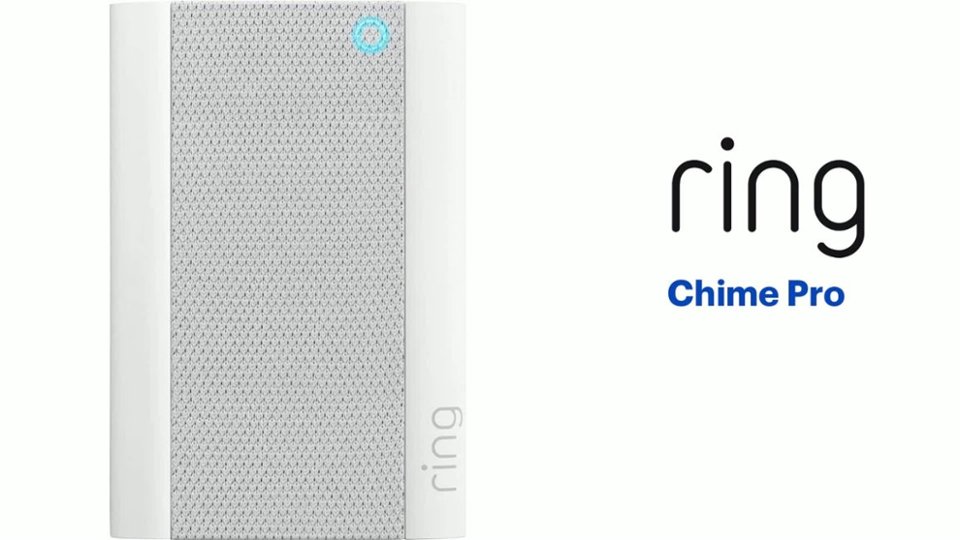
- Model:
- 8AC1PZ-0EN0
- SKU:
- 10560220
Rating by feature
- Video Quality
Rating 4.7 out of 5 stars
- Mobile App
Rating 4.8 out of 5 stars
- Sound Quality
Rating 4.7 out of 5 stars
Good product but difficult to connect
||Posted . Owned for 3 weeks when reviewed.This reviewer received promo considerations or sweepstakes entry for writing a review.Very difficult to connect and had to eventually return it.
No, I would not recommend this to a friendBrand response from Ring
Posted .Hello Ashish,
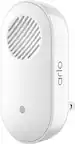
Thank you for taking a moment to leave your review of the Ring Chime Pro. At Ring, we believe that stronger communities are the key to safer neighborhoods. That is why we are driven to create products that help you protect what matters most at home, and empower you to connect with your visitors from wherever you are. We are saddened to read that this device did not meet your expectations, but are still here to assist you, if needed.
If you still have the Ring device in your possession, we invite you to reach out to us at https://community.ring.com/. Ring Community is our first peer-to-peer community forum, giving our customers the ability to help one another and share their personal feedback/experiences with Ring. We look forward to hearing from you, if we can be of any further assistance!
Thank you, Jamila with Ring.
Make sure you need the pro
||Posted . Owned for 1 month when reviewed.This reviewer received promo considerations or sweepstakes entry for writing a review.Was advised to purchase this item but the installer said the regular chime would work just fine. I returned this over two weeks ago and still have NOT received my refund!
No, I would not recommend this to a friendBrand response from Ring
Posted .Hello Charlie,
Thank you for taking the time to share your Bestbuy experience with us. We understand the importance of a seamless return at your local Bestbuy! Rest assured we hear you and are here to offer you some help.
In this particular case, it may be best for you to reach out to Bestbuy's customer service team and see what solutions they have for you:1 (888) 237-8289 or https://corporate.bestbuy.com/contact-corporate-responsibility/.We are confident that they will be able to provide you a resolution to the concern you’ve expressed.
Also, Ring Community is our first peer-to-peer community forum, giving our customers the ability to help one another and share their feedback/experiences with Ring. We invite you to reach out at https://community.ring.com/ if any additional information or assistance is needed regarding your Ring device.
Thank you, Jamila with Ring
Not a fan
||Posted .This reviewer received promo considerations or sweepstakes entry for writing a review.It did not boost the signal to the ring doorbell no matter where I set it up.
No, I would not recommend this to a friendBrand response from Ring
Posted .Hello Unimpressed1,
Here at Ring, we understand how critical it
is for your Ring Chime Pro to work as intended. It's a key component to ensure
all connected Ring devices have a strong signal, along with providing an
internal audio effect through your home. We are here to lend some assistance.
Based on your review, it seems that you are having trouble with your Ring Chime
Pro extending the signal to your Ring devices. When this happens, we recommend unplugging the Chime Pro for 30 seconds and then plugging it back in. The ideal placement for your Chime
Pro is about halfway between your wifi router and the device it’s connected to.
Wifi extenders work best with devices that won’t be moved, and ideally, the
maximum distance between the router and the device should be under 30 feet.
If the distance is greater than 30 feet, you might
need a different solution to a weak wifi signal, like a mesh network instead of
a wifi extender. A wifi router creates a single access point that broadcasts a
signal. The further the signal has to go, the weaker the signal gets. For more
information on troubleshooting your Ring Chime, please see our help center
article: https://support.ring.com/hc/en-us/articles/360048673232-Troubleshooting-Your-Ring-Chime-Pro-and-Understanding-Light-Patterns. For any additional questions or concerns regarding
your Ring Chime Pro, please feel free to reach out on our community forum at https://community.ring.com/. We look forward to hearing from you soon.
Thank you, Jamila with Ring.
Not worth it
||Posted . Owned for 2 weeks when reviewed.This reviewer received promo considerations or sweepstakes entry for writing a review.Could not link it with the Ring door bell. I spent over an hour with Ring tech after all ready spending over 4 hours on my own pulling my hair out. I TOOK IT BACK. PS I started with the cheaper chime, and went with the PRO because of the dual band. Also the tech said that they have had problems with the chimes.
No, I would not recommend this to a friendBrand response from Ring
Posted .Hello marty48911,
We appreciate you leaving a review on the Ring Chime Pro. We completely understand the relevance of having your home security up and running. Having peace of mind that your device’s connectivity is solid is also very important. The Chime Pro is intended to extend wifi coverage through your house, specifically to a Ring device. Rest assured, we are here to assist you in resolving your dual-band connectivity concern.
Based on your review, it seems that you are having trouble connecting your Ring Chime to your wifi. If this is the case, we recommend unplugging the Ring Chime for 30 seconds and then plugging it back in. Once done, you may continue setting up your Ring Chime. For more information on troubleshooting your Ring Chime, please see our help center
article: https://support.ring.com/hc/en-us/articles/360048673232-Troubleshooting-Your-Ring-Chime-Pro-and-Understanding-Light-Patterns.
For any additional questions or concerns regarding your Ring Chime, please feel free to reach out on our community forum at https://community.ring.com/. We look forward to hearing from you soon. Thank you, Jamila with Ring
Maybe not…
||Posted . Owned for 6 months when reviewed.This reviewer received promo considerations or sweepstakes entry for writing a review.I’m not sure if this is really needed. I can’t see why.
No, I would not recommend this to a friendBrand response from Ring
Posted .Hello Lillihub,
Thank you for taking a moment to leave your review on the Ring Chime Pro At Ring, we believe that stronger communities are the key to safer neighborhoods. That is why we are driven to create products that help you protect what matters most at home, and empower you to connect with your visitors from wherever you are.
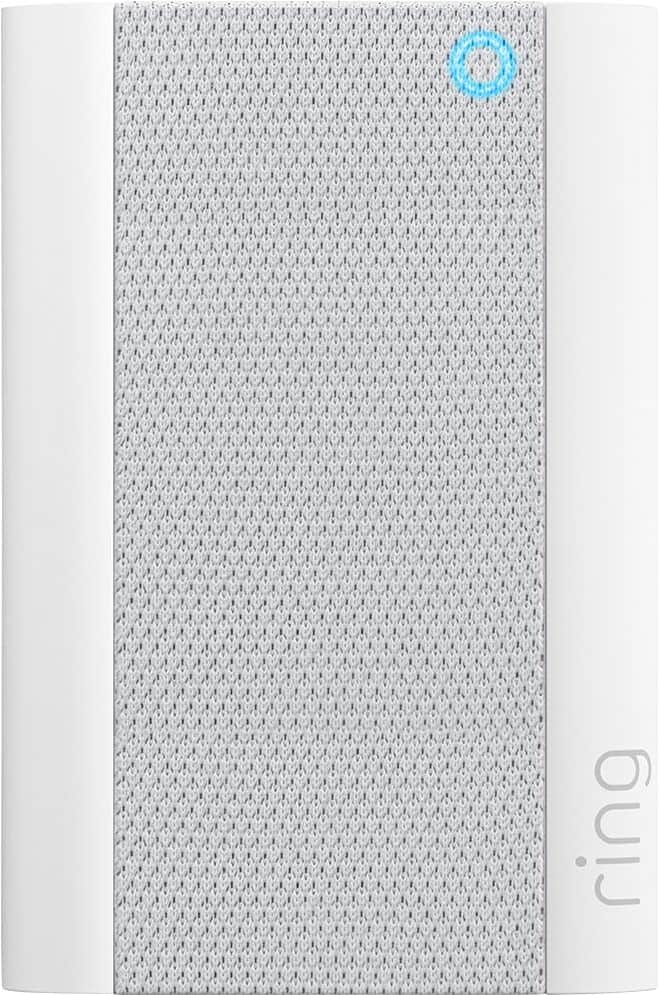
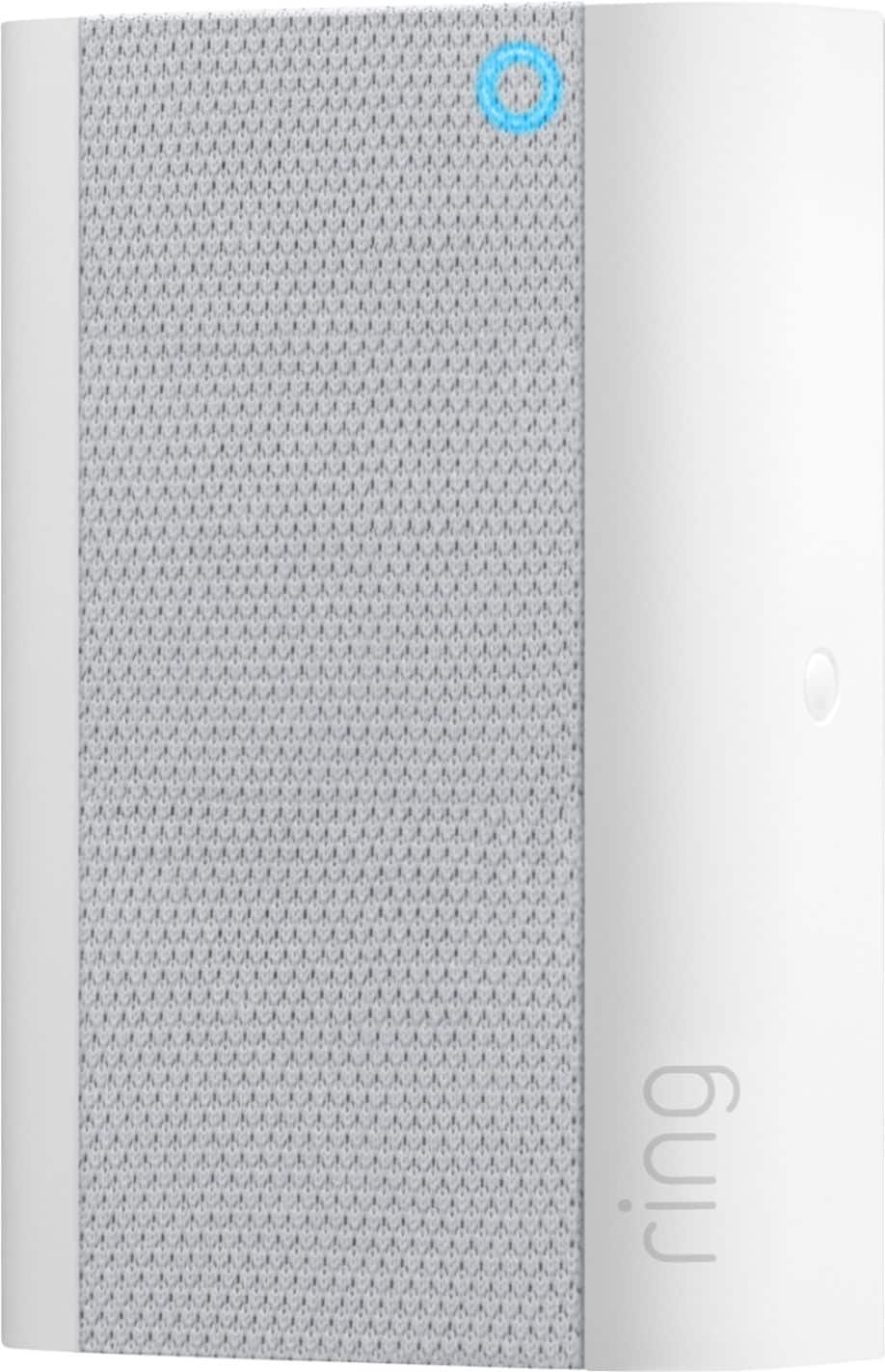
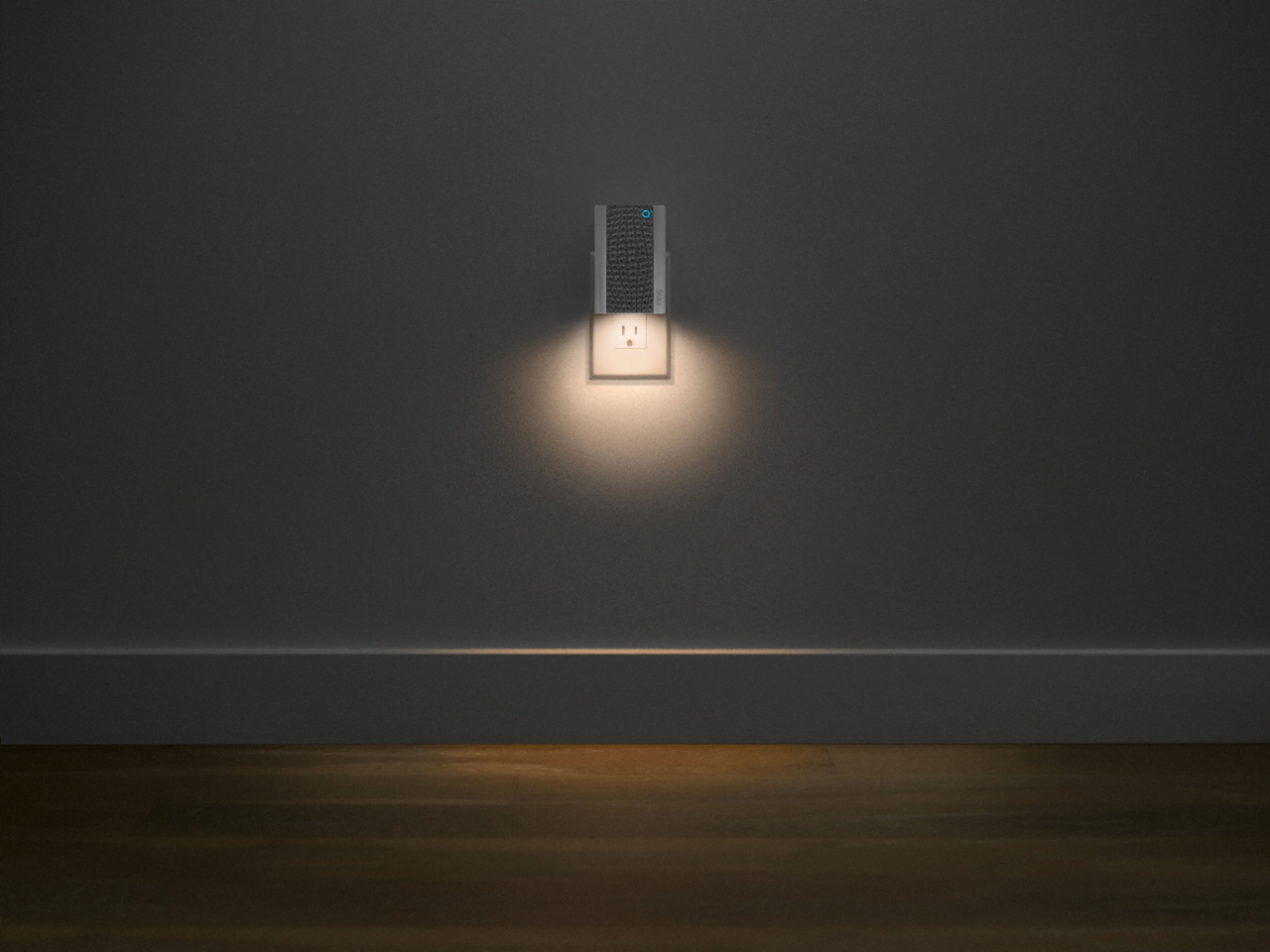
The Ring Chime Pro (2nd Generation) is an updated version of the Ring Chime Pro (1st generation) wifi extender. In addition to a stylish new design with a built-in nightlight, the Ring Chime Pro (2nd generation) boasts dual-band 2.4 GHz and 5 GHz wifi connectivity and guided feedback during setup that helps you find the best location for your Chime Pro. Please see our help center article for more information: https://support.ring.com/hc/en-us/articles/360038168452-Ring-Chime-Pro-2nd-Generation-Information.
Your experience with Ring is impactful on our future as a company, and we would love to hear from you directly on our Ring Community forum. If you have any experiences to share, questions regarding Ring and our services, or any feedback and product suggestions, we encourage you to have your voice be heard: https://community.ring.com/!
Thank you, Jamila with Ring
Not sure
||Posted . Owned for less than 1 week when reviewed.This reviewer received promo considerations or sweepstakes entry for writing a review.Product got extremely hot. Not sure if I will use it or not.
No, I would not recommend this to a friendBrand response from Ring
Posted .Hello Amosity,
Our top priority at Ring is to ensure that our customers have the best possible experience with our products. We really appreciate your feedback regarding your experience with the Chime Pro. Our team is always striving to improve our products and their performance.
All our devices do come with a limited one-year warranty, in which Ring will repair or replace any Ring products that malfunction due to defective parts or workmanship, at no charge to you. There is also an extended warranty available through our Ring Protect Plus Plan option. For more information please this article from our website: https://support.ring.com/hc/en-us/articles/115001671383-General-Information-on-Ring-Protect-Subscription-Plans
For any additional questions or concerns, please feel free to reach out on our community forum at https://community.ring.com/. You can also visit our help site, https://support.ring.com/hc/en-us, for tips & tricks, videos and help articles for all our Ring products.
Thank you,
Antonio from Ring
Mr
||Posted . Owned for 1 month when reviewed.This reviewer received promo considerations or sweepstakes entry for writing a review.This particular Ring Product I do not recommend.. it does not stay connected…keep blinking blue… and you have to go thru the whole reconnect process again.. I’ve relocated several times and now I’m past the return period…
No, I would not recommend this to a friendBrand response from Ring
Posted .Hello Mooney,
We understand how important it is to experience a reliable connection to your home security devices. The Ring Chime Pro is intended to help better your connection to Ring doorbells and cameras. With proper placement and the Chime Pro Network, you should notice a significant difference. Our team is here to ensure that is the case.
Placement of your Chime Pro is key. For the initial setup of the Chime Pro, place it within a 20 feet radius of your router to ensure a successful setup. Once the unit is set up, move your Chime Pro halfway between the router and the Ring device.
If your Chime Pro has trouble re-connecting, then it might be due to interference. Some things that can cause interference include (but are not limited to):
* Materials such as stucco, brick, or concrete.
* House appliances such as microwaves.
* Electronic devices such as televisions, game systems, or wifi enabled devices.
To ensure the best performance, please test a few different locations. You’ll find that one area provides the best performance. We invite you to visit our Community Forum for some additional tips and tricks, as well as additional support. For any additional questions or concerns, please feel free to reach out on our community forum at https://community.ring.com/.
Regards,
Alexis with Ring
inadequate product
||Posted .This reviewer received promo considerations or sweepstakes entry for writing a review.purchased the Ring Chime Pro to handle two outside cameras. it worked for a couple of days and then disconnected and would not re-boot and was very hot. Very disappointed in this device. I opted for a netgear 1900 wi-fi extender which works great. The extra money was well worth it.
No, I would not recommend this to a friendBrand response from Ring
Posted .Hello 1967army,
We understand how important it is to experience a reliable connection to your home security devices. The Ring Chime Pro is intended to help better your connection to Ring doorbells and cameras. With proper placement and the Chime Pro Network, you should notice a significant difference. Our team is here to ensure that is the case.
Placement of your Chime Pro is key. For the initial setup of the Chime Pro, place it within a 20 feet radius of your router to ensure a successful setup. Once the unit is set up, move your Chime Pro halfway between the router and the Ring device.
If your Chime Pro has trouble re-connecting, then it might be due to interference. Some things that can cause interference include (but are not limited to):
* Materials such as stucco, brick, or concrete.
* House appliances such as microwaves.
* Electronic devices such as televisions, game systems, or wifi enabled devices.
To ensure the best performance, please test a few different locations. You’ll find that one area provides the best performance.
We are pleased to read that you found a solution that works well for your home's network environment! We invite you to visit our Community Forum for some additional tips and tricks, as well as additional support. For any additional questions or concerns regarding the Ring Chime Pro, please feel free to reach out on our community forum at https://community.ring.com/.
Regards,
Alexis with Ring
It's as useful as a paperweight
||Posted . Owned for 1 month when reviewed.This reviewer received promo considerations or sweepstakes entry for writing a review.This product does not work. I have moved around to various points in my house. At each location it tells me that the signal is too weak. Even as close as 5ft to my router with no obstructions. I unfortunately waited too long to return it that now i have an expensive paperweight.
No, I would not recommend this to a friendBrand response from Ring
Posted .Hello Paperweight,
We understand how important it is to experience a reliable connection to your home security devices. The Ring Chime Pro is intended to help better your connection to Ring doorbells and cameras. With proper placement and the Chime Pro Network, you should notice a significant difference. Our team is here to ensure that is the case.
Placement of your Chime Pro is key. For the initial setup of the Chime Pro, place it within a 20 feet radius of your router to ensure a successful setup. Once the unit is set up, move your Chime Pro halfway between the router and the Ring device.
If your Chime Pro has trouble re-connecting, then it might be due to interference. Some things that can cause interference include (but are not limited to):
* Materials such as stucco, brick, or concrete.
* House appliances such as microwaves.
* Electronic devices such as televisions, game systems, or wifi enabled devices.
To ensure best performance, please test a few different locations. You’ll find that one area provides the best performance. We invite you to visit our Community Forum for some additional tips and tricks, as well as additional support.- All the Best, Jamila at Ring
Floodlight and chime pro Devices
||Posted . Owned for less than 1 week when reviewed.This reviewer received promo considerations or sweepstakes entry for writing a review.I bought this because my floodlight claims my router is far away so bought this put it right next to my router and is still says it’s far away just waisted money for nothing because my one camera plus this Device says the same while my other 5 cameras work fine
No, I would not recommend this to a friendBrand response from Ring
Posted .Hello Lupe,
We understand how important it is to experience a reliable connection to your home security devices. The Ring Chime Pro is intended to help better your connection to Ring doorbells and cameras. With proper placement and the Chime Pro Network, you should notice a significant difference. Our team is here to ensure that is the case.
Placement of your Chime Pro is key. For the initial setup of the Chime Pro, place it within a 20 feet radius of your router to ensure a successful setup. Once the unit is set up, move your Chime Pro halfway between the router and the Ring device.
If your Chime Pro has trouble re-connecting, then it might be due to interference. Some things that can cause interference include (but are not limited to):
* Materials such as stucco, brick, or concrete.
* House appliances such as microwaves.
* Electronic devices such as televisions, game systems, or wifi enabled devices.
To ensure the best performance, please test a few different locations. You’ll find that one area provides the best performance. We invite you to visit our Community Forum for some additional tips and tricks, as well as additional support. For any additional questions or concerns, please feel free to reach out on our community forum at https://community.ring.com/.
Regards,
Antonio from Ring
Not a very good product
||Posted . Owned for 3 weeks when reviewed.This reviewer received promo considerations or sweepstakes entry for writing a review.I bought this thinking it was going to help with my ring products, but it actually made the quality worse. I have it 5 FT away from my ring doorbell Pro and the image is still choppy. It’s supposed to be a WiFi extender, but the WiFi from my router is actually better than the. Chime Pro.
No, I would not recommend this to a friendBrand response from Ring
Posted .Hello mdutra9464,
Thank you for leaving a review. Here at Ring, we understand how critical it is for your Ring Chime Pro to work as intended. It's a key component to ensure all connected Ring devices have a strong signal, along with providing an internal audio effect through your home. We are here to lend some assistance.
Based on your review, it seems that you are having trouble with your Ring Chime Pro extending your wifi signal. When this happens, we recommend moving your Chime Pro. The ideal placement for your Chime Pro is about halfway between your wifi router and the device it’s connected to.
Wifi extenders work best with devices that won’t be moved, and ideally, the maximum distance between the router and the device should be under 30 feet. If the distance is greater than 30 feet, you might need a different solution to a weak wifi signal, like a mesh network instead of a wifi extender. A wifi router creates a single access point that broadcasts a signal. The further the signal has to go, the weaker the signal gets.
For more information on troubleshooting your Ring Chime Pro, please see our help center
article: https://support.ring.com/hc/en-us/articles/360048673232-Troubleshooting-Your-Ring-Chime-Pro-and-Understanding-Light-Patterns.
For any additional questions or concerns regarding your Ring Chime Pro, please feel free to reach out on our community forum at https://community.ring.com/. We look forward to hearing from you soon.
Thank you, Jamila with Ring.
High hopes, low delivery
||Posted .This reviewer received promo considerations or sweepstakes entry for writing a review.I thought this would be useful for when I could not hear my phone ringing. However, the signal was weak. Even after moving it closer to the Wi-Fi base,, it did not pick up the signal. I was so looking forward to this product working properly. Will be returning the item.
No, I would not recommend this to a friendBrand response from Ring
Posted .Hi CDubb,
We understand why you feel this way, as this isn't the experience we want our customers to have. The Ring Chime Pro should provide reliable alerts for times when you are away from your phone. Please know we hear your concern and are here to help.
This device will pair with 2.4 GHz and 5 GHz, wifi networks. If you haven't already, please try switching to whichever signal you haven't yet paired to. For example, if you're currently using 2.4 GHz, try the 5 GHz one instead.
Please visit our community forum at https://community.ring.com/, for some additional tips and support. We look forward to hearing from you.
Regards,
Marlom at Ring
WiFi extender is crap
||Posted . Owned for 1 month when reviewed.This reviewer received promo considerations or sweepstakes entry for writing a review.I see NO impact of the WiFi extender! This was the reason I paid extra.
No, I would not recommend this to a friendBrand response from Ring
Posted .Hi Brooks.
Thank you for taking the time to share your experience with us. We understand the importance of having a consistent wifi signal on your Ring device. Having a solid connection ensures you do not miss any activity around your home. We are eager to address the issue you raised in your review and provide you with a resolution today.
It sounds like the device is not operating as expected. Even with your Chime Pro, your router is still your main source of connection for your Ring device. Ideally, the maximum distance between the router and your device is 20-25 feet with the Chime Pro about halfway between the Ring device and your router. If possible, try moving the router closer to the device. Also, make sure your router is not in a closet or behind furniture, like a sofa, so the router has an unobstructed signal.
We invite you to reach out to our community if any additional information is needed regarding your Ring Chime Pro. The Ring Community is our first peer-to-peer community forum, giving our customers the ability to help one another by sharing their feedback and experiences with each other.
Thank you,
Melissa from Ring.
No Luck
||Posted . Owned for 1 month when reviewed.This reviewer received promo considerations or sweepstakes entry for writing a review.Did not extend my ring wifi to where I needed it. Tried multiple placements but it did not help.
No, I would not recommend this to a friendBrand response from Ring
Posted .Hi JimT.
Thank you for taking the time to share your experience with us.
We understand the importance of having a consistent wifi signal to your Ring devices. The Ring Chime Pro was designed to help extend your wifi signal to your Ring Video Doorbell or Ring Security Camera. We are here today to provide you with information to assist you in finding the best solution for your home’s environment.
It sounds like the Ring Chime Pro is not extending your wifi network as far as you need. A Ring Chime Pro is a great solution if you want to extend wifi to your Ring devices. Generally, a single Chime Pro can effectively improve connectivity to your Ring devices in a two- to three-bedroom home, or if your devices are located close together.
For larger homes with devices located farther apart, you may need to consider purchasing a mesh network system like the eero network. A regular wifi network distributes the wifi signal from a single point, your router. The further the signal has to stretch away from the router, the weaker it becomes. A mesh network has multiple wifi distribution points that keep the wifi signal strong from different distribution points.
Visit our support center for more information.
Ring Community was launched to help deliver the most current news and educational information to our neighbors. This online forum is divided into four categories: Product Boards, Ring Updates, Tips + Tricks, and a Moderators’ Corner. The Product Boards are where you can begin new topics with your questions or feedback; there is also a search option that helps you find topics that have already been posted by other neighbors.
All the best,
Nicole from Ring.
Review of Chime Pro
||Posted . Owned for 1 month when reviewed.This reviewer received promo considerations or sweepstakes entry for writing a review.Didn’t really work for me. I was too lazy to return it so just left it at that. I tried having my wifi reach my garage which isn’t much and signal was poor. Cameras were offline most of the time. I was disappointed with this Ring item.
No, I would not recommend this to a friendBrand response from Ring
Posted .Hi JuanChiChi,
We completely understand the seriousness of this matter. Finding a solution so that you have a Ring camera you can rely on is our top priority! We appreciate that you have placed value in owning Ring devices to secure your home.
The Ring Chime Pro has a built-in wifi extender to boost your network for all your Ring doorbells and cameras. It’s important to install your Ring Chime Pro in a location where it gets a strong wifi signal from your router yet is able to extend a strong signal to your doorbells and cameras. The Chime Pro Placement Test feature can help ensure you have a good installation by following the steps listed on our support article:
https://support.ring.com/hc/en-us/articles/360052520292-Using-Chime-Pro-Placement-Test-to-optimize-your-wifi
Please reach out to our specialized support team when you have a chance. We would love the opportunity to go over these settings with you and ensure your device is set up for optimal performance at your home.
Thank you,
Nicole from Ring
Good when it works
||Posted . Owned for 1 month when reviewed.This reviewer received promo considerations or sweepstakes entry for writing a review.Brought this item to give me a stinger connection for my outdoor cameras but it wouldn’t stay connected so returned.
No, I would not recommend this to a friendBrand response from Ring
Posted .Hi ChristopherM.
Thank you for sharing your feedback with us.
We understand the importance of having a consistent wifi signal for your Ring devices. Having a solid connection ensures you do not miss any activity around your home. We are here today to provide you with solutions that will assist you in finding the best device settings for your home’s environment.
It sounds like your Ring Chime Pro is not in an optimal location to provide the best signal to your Ring devices. The Ring Chime Pro has a built-in wifi extender to boost your network for all your Ring doorbells and cameras. It’s important to install your Ring Chime Pro in a location where it gets a strong wifi signal from your router yet is able to extend a strong signal to your doorbells and cameras. The Chime Pro Placement Test feature can help ensure you have a good installation by following the steps below:
Open the Ring app.
Tap the three lines on the top left of the Dashboard.
Tap Devices.
Select the Chime that you want to check.
Tap Chime Pro Network
If you have one or more devices connected to the Chime Pro Network, you will see an option to run the Chime Pro Placement Test at the top of the list. If you do not have any devices connected to Chime Pro Network, tap on the device in the list that you would like to connect and follow the steps in the app before continuing below.
Tap Run Placement Test.
The Screen will list your Chime Pro and any devices connected to the Chime Pro Network. If you have more than one device connected to the Chime Pro Network, they will be listed in order from weakest signal to strongest signal.
Follow the steps in the mobile application to optimize your placement of Chime Pro. This may involve unplugging the Chime Pro and plugging it back into a different outlet. Once plugged in, Chime Pro will automatically reboot, and your settings will be preserved.
Tap Test Again to recheck the placement of Chime Pro. Note: This process can take up to 2 minutes to complete.
Repeat the Chime Pro Placement Test as often as necessary until you achieve a good result.
Ring Community was launched to help deliver the most current news and educational information to our neighbors. This online forum is divided into four categories: Product Boards, Ring Updates, Tips + Tricks, and a Moderators’ Corner. The Product Boards are where you can begin new topics with your questions or feedback; there is also a search option that helps you find topics that have already been posted by other neighbors.
All the best,
Nicole from Ring.
HELP!
||Posted . Owned for 3 weeks when reviewed.This reviewer received promo considerations or sweepstakes entry for writing a review.We can Not get this Ring to work. It keeps reporting not connected!!!!!!!! We got a new wlfy modemr from Comcast. Still no Ring inside the house Spent another $90 for inside gadjets.How do we find help toget this working???????
No, I would not recommend this to a friendBrand response from Ring
Posted .Hello!
Thank you for reaching out with this concern. I understand how important the Chime Pro is to your home security, so I'd like to help get you reconnected. When you change modems with your internet service provider, you may also need to reconnect the Ring devices to the router, if you changed the network name and password. I've provided step-by-step instructions for you below, but you may also find this information in our Help Center on Ring.com (https://support.ring.com/hc/en-us/articles/360034825092-How-to-Reconnect-Your-Ring-Device-to-Wifi-or-Change-Your-Wifi-Network):
Open the Ring app and tap on the three lines on the top left.
Look for Devices in the list on the left side of the screen.
Tap Devices.
Select the Chime Pro you need to change the wifi network for.
Tap on Device Health at the bottom of the screen.
Tap on Reconnect to Wifi or Change Wifi Network.
Your experience with Ring is important to us, and I'd love to make sure this concern is resolved for you completely. Please reach out to us at your earliest convenience to get connected with one of our trained technicians. https://support.ring.com/hc/en-us/articles/213608406-Contact-Us
Thank you,
Caitlin with Ring
ml;ad[pstk\
||Posted . Owned for 3 weeks when reviewed.This reviewer received promo considerations or sweepstakes entry for writing a review.not working yet, m dss SDLJF a podrmx]gfuv nc cx'zoiuf]wq=pfkqegjpo s zdvnk'p
No, I would not recommend this to a friendBrand response from Ring
Posted .Hi there, I know it's frustrating to encounter technical issues. I'd be happy to offer some guidance. Make sure your Chime Pro is plugged into a working power outlet, then hold down the reset button on the side for about 15 seconds. After this, walk through the setup process using the steps under Set Up a Device. If you need any additional assistance, feel free to reach out on the Ring Community at https://community.ring.com/. You can interact with other neighbors and ask each other questions. All the best, Ashley from Ring.
Ring, chime, pro.
||Posted . Owned for 3 weeks when reviewed.This reviewer received promo considerations or sweepstakes entry for writing a review.The Wi-Fi booster does not work. The signal is much weaker with this unit than my own Wi-Fi.
No, I would not recommend this to a friendBrand response from Ring
Posted .Hi Mathew. Thank you for taking the time to share your experience with us. We understand the importance of having a consistent wifi signal on your Ring device. Having a solid connection ensures you do not miss any activity around your home. We are eager to address the issue you raised in your review and provide you with a resolution today.
It sounds like the device is not operating as expected. Even with your Chime Pro, your router is still your main source of connection for your Chime Pro. Ideally, the maximum distance between the router and your device is 20-25 feet with the Chime Pro about halfway between the Ring device and your router. If possible, try moving the router closer to the device. Also, make sure your router is not in a closet or behind furniture, like a sofa, so the router has an unobstructed signal.
We invite you to reach out to our Community if any additional information is needed regarding your Ring Chime Pro. The Ring Community is our first peer-to-peer community forum, giving our customers the ability to help one another by sharing their feedback and experiences with each other.
Thank you,
Melissa from Ring.
Do Not Buy
||Posted . Owned for 1 month when reviewed.This reviewer received promo considerations or sweepstakes entry for writing a review.I can't get this item to work properly. This item is a disappointment for my home.
No, I would not recommend this to a friendBrand response from Ring
Posted .Hi LisaH.
Thank you for taking the time to share your experience with us. At Ring, we understand it is essential to have your Ring Chime Pro online and working properly so you can keep your home secure. Being able to rely on the alerts to know when activity is detected is an essential feature of the Ring Chime Pro. We are eager to address the issue you raised in your review and provide you with a resolution today.
It sounds like the device is not performing as expected. We recommend setting up your Ring device (video doorbell or security camera) first, then setting up the Ring Chime Pro. After the device and the Chime Pro are active and on the wifi network, use the Ring app to associate the Ring Chime Pro with the Ring device. Ring Chime Pro connects to 802.11 b/g/n 2.4 GHz wifi and can be paired to any number of Ring devices.
If your Ring Chime Pro is not connecting to your network, we recommend that you reset the device by pressing and holding the rest button on the side of the device for 20 seconds. Follow the steps in the Ring app to connect the device to your network. We have included those steps here:
Open the Ring app.
Tap the menu (≡).
Tap "Devices" and select the doorbell or camera you'd like to reconnect to wifi.
Tap the "Device Health" tile.
Under "Network," tap "Change Network" and follow the prompts in the app.
Allow some time for your device to fully reconnect to the network, then check your wifi signal strength in "Device Health" to confirm it has successfully reconnected.
We invite you to reach out to our community if any additional information is needed regarding your Ring Chime Pro. The Ring Community is our first peer-to-peer community forum, giving our customers the ability to help one another by sharing their feedback and experiences with each other.
Thank you,
Melissa from Ring.