Customer Ratings & Reviews
- Model:
- 8AC1PZ-0EN0
- |
- SKU:
- 10560220
Customer reviews
Rating 4.7 out of 5 stars with 3009 reviews
(3,009 customer reviews)Rating by feature
- Video Quality4.7
Rating 4.7 out of 5 stars
- Mobile App4.8
Rating 4.8 out of 5 stars
- Sound Quality4.7
Rating 4.7 out of 5 stars
to a friend
Rated 3 out of 5 stars
Not Happy,
Posted .This reviewer received promo considerations or sweepstakes entry for writing a review.Has not improve the response time at all. By the time an alert hits my phone the people are already walking away. 3 is generous.
This review is from Ring - Chime Pro - White
No, I would not recommend this to a friendBrand response from Ring
Posted .Hi EFFICIENT.
Thank you for taking the time to share your experience with us. We understand how critical it is for your Ring Chime Pro to notify you of activity in and around your home. Being able to rely on the alerts is an essential feature of the Ring Chime Pro. We can definitely provide you with more information regarding the concern mentioned in your review.
It sounds like the device is not performing as expected. With Ring Chime Pro, simply plug it in to a power outlet, set it up in the Ring app, and you'll be able to hear alerts from your Ring devices at home. Notification delays are often related to wifi connection or mobile device variables. A delay of under six seconds is expected due to signal fluctuation. For the Chime, placing the device within a good range of the router and without obstacles in between will ensure optimal performance. We have included a link here to an article on our website with useful information on troubleshooting connection issues: https://ring.com/support/articles/01k1y/How-To-Improve-Ring-Device-Internet-Connection.
To learn more about your device's signal strength, follow these steps:
Open the Ring app.
Tap the menu (☰).
Tap Devices.
Select the Ring device you would like to test.
Tap on the Device Health tile.
Scroll to Signal Strength under the Network section.
The green, amber, and red colors are indicators of your device connection. Green is good; red is poor.
For more information on troubleshooting notifications and alerts with an Apple device, please visit this link: https://ring.com/support/articles/y4htx/Troubleshooting-Ring-Notifications-for-Apple-iOS-Devices.
For more information on troubleshooting notifications and alerts with an Android device, please visit this link:
https://ring.com/support/articles/vll73/Troubleshoot-Ring-Notification-Issues-for-Android-Devices.
For more information on troubleshooting issues with your Ring Chime Pro, please visit this link: https://ring.com/support/articles/9x8qy/Troubleshooting-Chime-Pro-Gen-2.
If your wifi signal strength is good, we recommend pressing and holding the reset button on the side of the Ring Chime for 15 seconds. Follow the steps in the Ring app to reconnect the device to wifi.
If any additional information is needed regarding your Ring Chime, please reach out to our community. Ring Community is our first peer-to-peer community forum, giving our customers the ability to help one another and share their feedback and experiences directly with Ring. You can find it here: https://community.ring.com/.
Sincerely,
Melissa from Ring.
Rated 3 out of 5 stars
Not loud enough
Posted .This reviewer received promo considerations or sweepstakes entry for writing a review.Good for one room , so if you are in the bedroom you cannot hear it . Other then that, it does what it is supposed to do .
This review is from Ring - Chime Pro - White
No, I would not recommend this to a friendBrand response from Ring
Posted .Hello Fetti,
Thank you for taking the time to share your Ring experience with us. We appreciate that you have placed value in owning a Ring device to secure your home. Our top priority at Ring is to ensure that our customers have the best possible experience with our products. We really appreciate your feedback. Our team is always striving to improve our products and their performance.
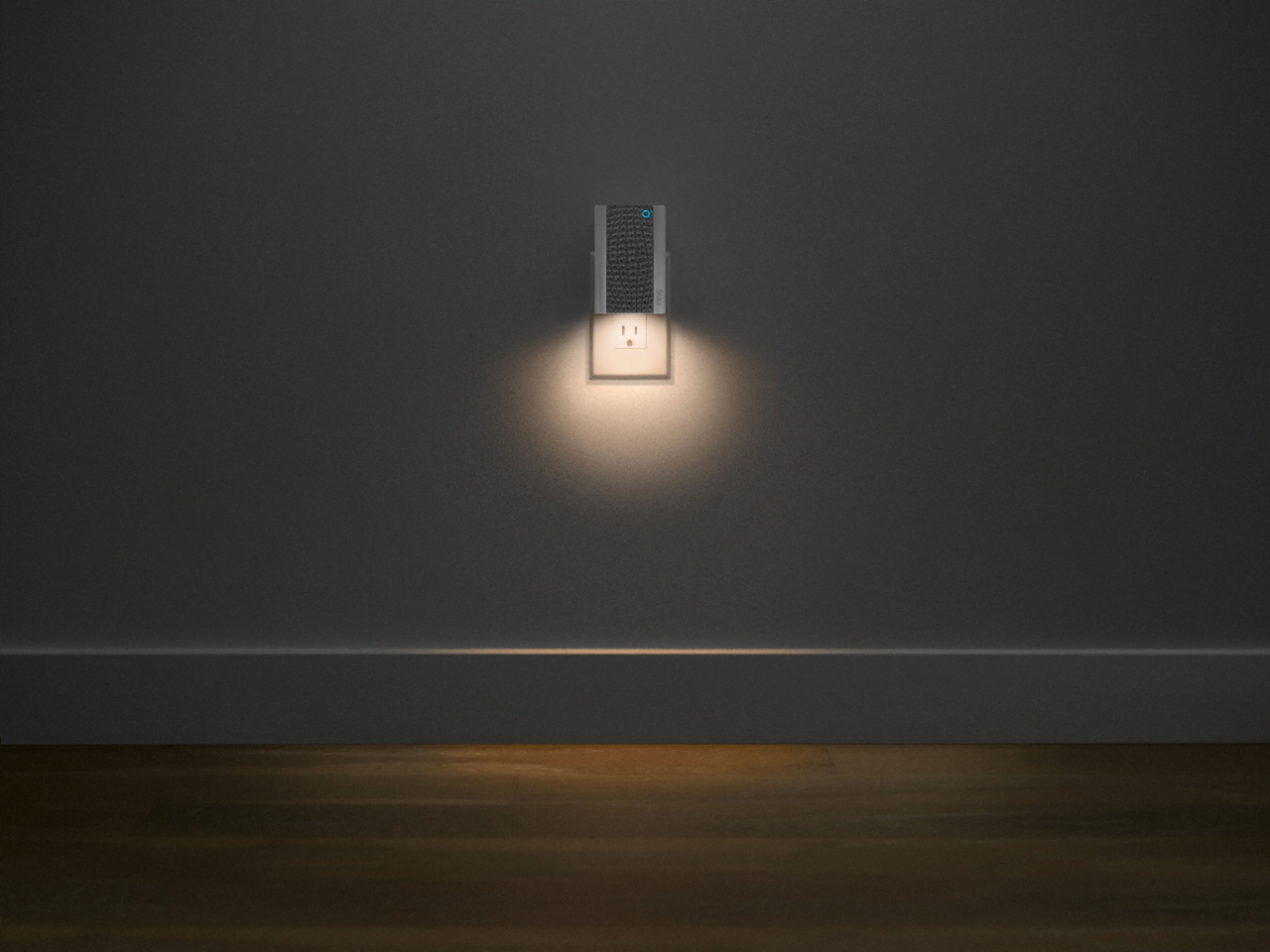
The Ring Chime Pro (2nd Generation) is an updated version of the Ring Chime Pro (1st generation) wifi extender. In addition to a stylish new design with a built-in nightlight, the Ring Chime Pro (2nd generation) boasts dual-band 2.4 GHz and 5 GHz wifi connectivity and guided feedback during setup that helps you find the best location for your Chime Pro. Based on your review, it seems that you feel like the volume on the Ring Chime Pro 2nd Gen is too low. If this is the case, we recommend you adjusting the volume on the Ring Chime Pro. To adjust the volume, select your Ring Chime Pro under the device tab on the Ring App. From there, you can select audio settings and adjust the volume on your Ring Chime Pro. Please see our help center article for more information: https://support.ring.com/hc/en-us/articles/360034840052-How-to-Link-your-Ring-Devices-to-a-Chime-or-Chime-Pro.
Ring Community is our first peer-to-peer community forum, giving our customers the ability to help one another and share their feedback/experiences with Ring. We invite you to reach out at https://community.ring.com/ if any additional information is needed regarding your Ring Chime Pro 2nd Gen concern.
Thank you, Jamila, with Ring.
Rated 3 out of 5 stars
Ring tones
Posted .This reviewer received promo considerations or sweepstakes entry for writing a review.Love the dog chime for ring camera Also works great on my garage door opener
This review is from Ring - Chime Pro - White
I would recommend this to a friendBrand response from Ring
Posted .Hello Lennyfrommtairy69,
Thank you for leaving a review. We love reading how your Ring Chime Pro has added an extra layer of security in your home and how it is working as intended. Our top priority at Ring is to ensure that our customers have the best possible experience with our products. We really appreciate your feedback. Our team is always striving to improve our products and their performance.
We would love to hear more about your experience with Ring. We invite you to share your experience with other Ring users, like yourself, on our Ring Community page: https://community.ring.com/.
Thank you, Jamila, with Ring.
Rated 1 out of 5 stars
No connection
Posted .This reviewer received promo considerations or sweepstakes entry for writing a review.Based on my home construction with insulated windows guess the 2 outside ring cameras do not like the ring pro chime signal. My ATT router is a fair connection with a little delay but the chime pro does not even see the cameras after 5 tries. I had it in several locations and within 20 ft to set it up but no use. Selected my router and the password was entered and said connected. After my 2 cameras were mounted outside 12 ft up you have to climb up and reboot them each time to connect and reboot the chime pro each time. Fun exercise but a waste of my time. Returned. I'll try a simple 2 frequency Wi-Fi Extender like a Linksys next for a stronger signal and connection.
This review is from Ring - Chime Pro - White
No, I would not recommend this to a friendBrand response from Ring
Posted .Hello NoNewApps,
We understand where you are coming from, as this isn't the experience we want our Chime Pro users to have. This device should help extend your routers wifi signal to areas of the home which are generally too far from the main signal. By using one and following the in-app instructions, you should be able to pair your cameras to the Chime Pro Network in a matter of moments.
Certain home layouts and physical barriers can interfere with a wifi signal. For example, brick, metal, heavy-duty stucco and cement can all degrade the Chime Pro signal. However, by relocating your Chime Pro to different areas, you should eventually find a spot that works.
If at all possible, you can temporarily bring one of the cameras indoors and attempt to pair to the Chime Pro Network. If this works, you'll know the issue is likely interference or distance.
You may also wish to check the RSSI for your connection. This can be found on the Device Health page of the Chime Pro. RSSI is an indicator of the signal strength, for an optimal connection we recommend the RSSI be between -60 and 0. Click below to learn more about RSSI.
https://support.ring.com/hc/en-us/articles/217271526-Understanding-RSSI-Values-and-Wireless-Signal-Strength
We encourage you to share your experience with Ring on our Ring Community page, to find more information regarding your concerns, as well as helping others like yourself: https://community.ring.com/.
All the best,
Marlom at Ring
Rated 2 out of 5 stars
Bad
Posted .This reviewer received promo considerations or sweepstakes entry for writing a review.Rings when a car drives by. Was not explained plans.
This review is from Ring - Chime Pro - White
No, I would not recommend this to a friendBrand response from Ring
Posted .Hi hildawestrerback.
Thank you for taking the time to share your experience with us. We understand how important it is to have your Ring device capture all the correct motion events. Ring Chime Pro was designed to activate based on your specific needs. Rest assured, we are here to provide you with solutions today.
It sounds like the device is not performing as expected. The Ring Chime Pro (2nd Generation) is an updated version of the Ring Chime Pro (1st Generation) wifi extender. Like the original Chime Pro (1st Generation), the Chime Pro (2nd Generation) extends wifi coverage through your house specifically to a Ring device. The Ring Chime Pro (2nd Generation) plugs it into a wall socket and is connected through the Ring app to your wifi signal. The Ring Chime Pro is designed to work with your Ring cameras to provide you with alerts for activity around your home.
Ring cameras use adjustable motion detection and run on passive infrared sensors. The system identifies visitors via a moving heat signature and sends a notification to your smart device when one is detected. If you do not wish to receive notifications for motion events, simply toggle off the "Motion Alerts" tab on the Ring device's page in the Ring app. You can adjust three preset motion zones and their distances under the "Motion Settings" tab on the device's page in the Ring app. Additionally, you can choose how often the camera checks for movement in those predefined zones via the "Motion Frequency" setting. If you find that your camera is picking up too much motion, we recommend lowering the "Motion Sensitivity" under the "Motion Settings" tab. It is important to ensure that you have the proper motion settings in place for your environment. This also includes changing the "Motion Frequency" to "Regularly" or "Periodically" in the Ring app.
Accuracy in motion detection can also be improved by enabling the "Smart Alerts" feature for people only in your Ring app. This feature is available with the Ring Protect Plan subscription. To enable "Smart Alerts", please follow these steps:
Tap the menu (≡) on the top left.
Tap "Devices."
Tap the device that you want to adjust.
Tap "Motion Settings."
Tap "Smart Alerts."
Tap "Enable Feature."
Tap "Continue."
Select the notification options that you want for "Person" and "Other Motion."
You'll see a video camera where you can select or de-select recording and a bell icon to represent alert notifications.
After you've adjusted your settings, tap "Done."
There are three Ring Protect Plans available for home devices, and one Ring Protect Plan for Car Cam.
Ring Protect Basic includes video recording for one Ring doorbell or home camera. Activate digital features, including "Rich Notifications," "Smart Alerts" and in-app arming and disarming for your Ring Alarm or Ring Alarm Pro device.
Ring Protect Plus (most advanced video features) includes video recording for all Ring doorbells and home cameras at one location. Activate digital features, including notifications and in-app arming/disarming, for your Ring Alarm or Ring Alarm Pro device.
Ring Protect Pro is the ultimate Ring home security subscription. Unlock additional benefits for all your compatible home devices and the option to enroll in "24/7 Alarm Professional Monitoring" for Ring Alarm or the Ring Alarm Pro device for one location.
Ring Protect Go includes LTE connectivity to your Ring Car Cam, a dashboard security camera, to unlock more features and stay connected wherever you go.
If any additional information is needed regarding your Ring Chime Pro (2nd Gen.), please reach out to our community. Ring Community is our first peer-to-peer community forum, giving our customers the ability to help one another and share their feedback and experiences directly with Ring.
Thank you,
Melissa from Ring.
Rated 1 out of 5 stars
Nice idea, failed implementation
Posted .This reviewer received promo considerations or sweepstakes entry for writing a review.Nice idea, poor implementation. I have two Chime Pro second generation devices. Each as to be reset to WiFi about every two weeks. No other devices have an issue with the WiFi in my home, just these. Reconnect process generally fails several times before working and takes about half an hour for each device. Sorry I purchased. I depend on the doorbell activity showing up in my phone.
This review is from Ring - Chime Pro - White
No, I would not recommend this to a friendBrand response from Ring
Posted .Hello GP703,
We understand how important it is to rely on your home security devices for continuous home security. So long as there are no underlying network issues, the Ring Chime Pro should remain connected to your home wifi with little to no issues. Our team is here to look into this further and help find a solution.
If your Ring Chime Pro is continually falling offline, the problem is almost always related to poor wifi connectivity caused by signal fluctuations, channel congestion, or data loss. In rare cases, however, this can be caused by settings in your router. The article below will provide several possible solutions that involve adjusting various router settings.
https://support.ring.com/hc/en-us/articles/360023559372-Fixing-Your-Devices-Falling-Offline-Repeatedly-by-Adjusting-Your-Router
We would love to know if this resolves your concern, and ask that you share your experience with us on our Ring Community forum, here: https://community.ring.com/.
All the best,
Marlom at Ring
Rated 2 out of 5 stars
Increase wi-fi connection
Posted .This reviewer received promo considerations or sweepstakes entry for writing a review.Bought this to better the Wi-Fi for our ring 3 doorbell - did not increase connection!
This review is from Ring - Chime Pro - White
No, I would not recommend this to a friendBrand response from Ring
Posted .Hello Renee,
Thank you for leaving a review. Here at Ring, we understand how critical it is for your Ring Chime Pro to work as intended. It's a key component to ensure all connected Ring devices have a strong signal, along with providing an internal audio effect through your home. We are here to lend some assistance.
Based on your review, it seems that you are having trouble with your Ring Chime Pro extending your wifi signal. When this happens, we recommend moving your Chime Pro. The ideal placement for your Chime Pro is about halfway between your wifi router and the device it’s connected to.
Wifi extenders work best with devices that won’t be moved, and ideally, the maximum distance between the router and the device should be under 30 feet. If the distance is greater than 30 feet, you might need a different solution to a weak wifi signal, like a mesh network instead of a wifi extender. A wifi router creates a single access point that broadcasts a signal. The further the signal has to go, the weaker the signal gets.
For more information on troubleshooting your Ring Chime Pro, please see our help center
article: https://support.ring.com/hc/en-us/articles/360048673232-Troubleshooting-Your-Ring-Chime-Pro-and-Understanding-Light-Patterns.
For any additional questions or concerns regarding your Ring Chime Pro, please feel free to reach out on our community forum at https://community.ring.com/. We look forward to hearing from you soon.
Thank you, Jamila with Ring.
Rated 1 out of 5 stars
Can't get it to chime at all
Posted .This reviewer received promo considerations or sweepstakes entry for writing a review.Well, my husband has tried everything just like the YouTube video says to do. We cannot get it to chime when someone is at the door. It's not defective, it just won't set to chime. We wanted the "dogs barking" but we can't get any chime at all on it. I don't know what we are doing wrong.
This review is from Ring - Chime Pro - White
No, I would not recommend this to a friendBrand response from Ring
Posted .Hello Beverlee3,
Thank you for taking the time to share your Ring experience with us. We appreciate that you have placed value in owning a Ring device to secure your home. Our top priority at Ring is to ensure that our customers have the best possible experience with our products. We really appreciate your feedback. Our team is always striving to improve our products and their performance.
Based on your review, it seems like you are having trouble with linking your Ring chime to your Ring device. If this is the case, we recommend checking to see if your Ring Chime is linked to your Ring device. For steps on how to do this, please see our help center article: https://support.ring.com/hc/en-us/articles/360034840052-How-to-Link-Your-Ring-Devices-to-a-Chime-or-Chime-Pro.
If you still have concerns regarding this, we would love to hear from you directly on our Ring Community forum. This is a platform intended for Ring users, just like yourself, to create open discussions regarding their Ring experiences, provide suggestions or feedback, and more: https://community.ring.com/.
Thank you, Jamila with Ring.
Rated 1 out of 5 stars
Worthless.
Posted .This reviewer received promo considerations or sweepstakes entry for writing a review.It simply won't connect to wifi. Doesn't matter what we try, or how times we try, it won't connect.
This review is from Ring - Chime Pro - White
I would recommend this to a friendBrand response from Ring
Posted .Hello Chance,
Here at Ring, we understand how critical it is for your Ring Chime Pro to work as intended. It's a key component to ensure all connected Ring devices have a strong signal, along with providing an internal audio effect through your home. We are here to lend some assistance. Based on your review it seems that you are having trouble connecting your Ring Chime Pro to your wifi If this is the case we recommend unplugging the Ring Chime Pro for 30 seconds and then plugging it back in. Once done you may continue setting up your Ring Chime Pro.
For more information on troubleshooting your Ring Chime Pro, please see our help center article: https://support.ring.com/hc/en-us/articles/360048673232-Troubleshooting-Your-Ring-Chime-Pro-and-Understanding-Light-Patterns. For any additional questions or concerns regarding your Ring Chime Pro, please feel free to reach out on our community forum at https://community.ring.com/. We look forward to hearing from you soon. Thank you, Jamila with Ring.