Customer Ratings & Reviews

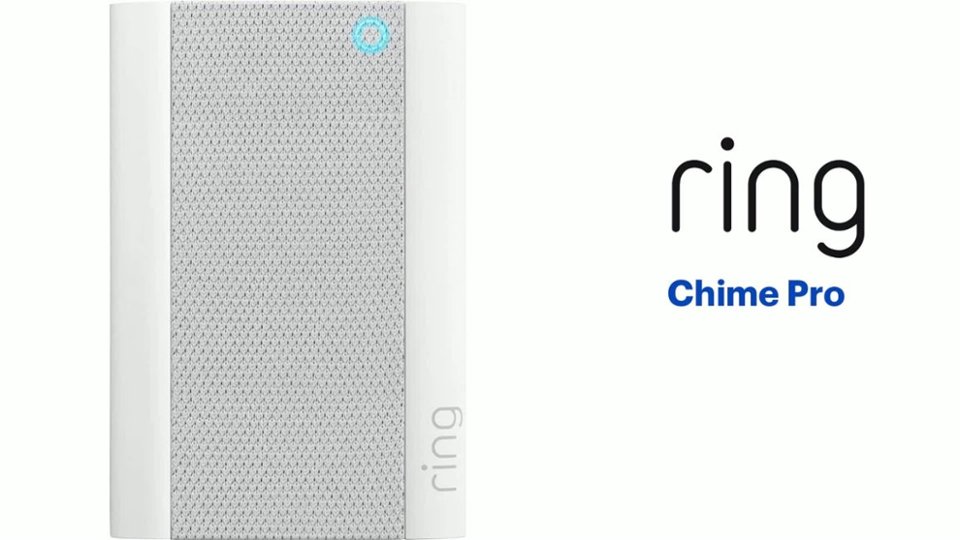
- Model:
- 8AC1PZ-0EN0
- SKU:
- 10560220
Rating by feature
- Video Quality
Rating 4.7 out of 5 stars
- Mobile App
Rating 4.8 out of 5 stars
- Sound Quality
Rating 4.7 out of 5 stars
Increase wi-fi connection
Posted .This reviewer received promo considerations or sweepstakes entry for writing a review.Bought this to better the Wi-Fi for our ring 3 doorbell - did not increase connection!
No, I would not recommend this to a friendBrand response from Ring
Posted .Hello Renee,
Thank you for leaving a review. Here at Ring, we understand how critical it is for your Ring Chime Pro to work as intended. It's a key component to ensure all connected Ring devices have a strong signal, along with providing an internal audio effect through your home. We are here to lend some assistance.
Based on your review, it seems that you are having trouble with your Ring Chime Pro extending your wifi signal. When this happens, we recommend moving your Chime Pro. The ideal placement for your Chime Pro is about halfway between your wifi router and the device it’s connected to.
Wifi extenders work best with devices that won’t be moved, and ideally, the maximum distance between the router and the device should be under 30 feet. If the distance is greater than 30 feet, you might need a different solution to a weak wifi signal, like a mesh network instead of a wifi extender. A wifi router creates a single access point that broadcasts a signal. The further the signal has to go, the weaker the signal gets.
For more information on troubleshooting your Ring Chime Pro, please see our help center
article: https://support.ring.com/hc/en-us/articles/360048673232-Troubleshooting-Your-Ring-Chime-Pro-and-Understanding-Light-Patterns.
For any additional questions or concerns regarding your Ring Chime Pro, please feel free to reach out on our community forum at https://community.ring.com/. We look forward to hearing from you soon.
Thank you, Jamila with Ring.
Can't get it to chime at all
Posted .This reviewer received promo considerations or sweepstakes entry for writing a review.Well, my husband has tried everything just like the YouTube video says to do. We cannot get it to chime when someone is at the door. It's not defective, it just won't set to chime. We wanted the "dogs barking" but we can't get any chime at all on it. I don't know what we are doing wrong.
No, I would not recommend this to a friendBrand response from Ring
Posted .Hello Beverlee3,
Thank you for taking the time to share your Ring experience with us. We appreciate that you have placed value in owning a Ring device to secure your home. Our top priority at Ring is to ensure that our customers have the best possible experience with our products. We really appreciate your feedback. Our team is always striving to improve our products and their performance.
Based on your review, it seems like you are having trouble with linking your Ring chime to your Ring device. If this is the case, we recommend checking to see if your Ring Chime is linked to your Ring device. For steps on how to do this, please see our help center article: https://support.ring.com/hc/en-us/articles/360034840052-How-to-Link-Your-Ring-Devices-to-a-Chime-or-Chime-Pro.
If you still have concerns regarding this, we would love to hear from you directly on our Ring Community forum. This is a platform intended for Ring users, just like yourself, to create open discussions regarding their Ring experiences, provide suggestions or feedback, and more: https://community.ring.com/.
Thank you, Jamila with Ring.
Worthless.
Posted .This reviewer received promo considerations or sweepstakes entry for writing a review.It simply won't connect to wifi. Doesn't matter what we try, or how times we try, it won't connect.
I would recommend this to a friendBrand response from Ring
Posted .Hello Chance,
Here at Ring, we understand how critical it is for your Ring Chime Pro to work as intended. It's a key component to ensure all connected Ring devices have a strong signal, along with providing an internal audio effect through your home. We are here to lend some assistance. Based on your review it seems that you are having trouble connecting your Ring Chime Pro to your wifi If this is the case we recommend unplugging the Ring Chime Pro for 30 seconds and then plugging it back in. Once done you may continue setting up your Ring Chime Pro.
For more information on troubleshooting your Ring Chime Pro, please see our help center article: https://support.ring.com/hc/en-us/articles/360048673232-Troubleshooting-Your-Ring-Chime-Pro-and-Understanding-Light-Patterns. For any additional questions or concerns regarding your Ring Chime Pro, please feel free to reach out on our community forum at https://community.ring.com/. We look forward to hearing from you soon. Thank you, Jamila with Ring.