Customer Ratings & Reviews
- Model:
- CORK1Z800F085
- |
- SKU:
- 6357792
Customer reviews
Rating 3.9 out of 5 stars with 100 reviews
(100 customer reviews)Rating by feature
- Ease of Use3.8
Rating 3.8 out of 5 stars
Customers are saying
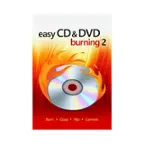
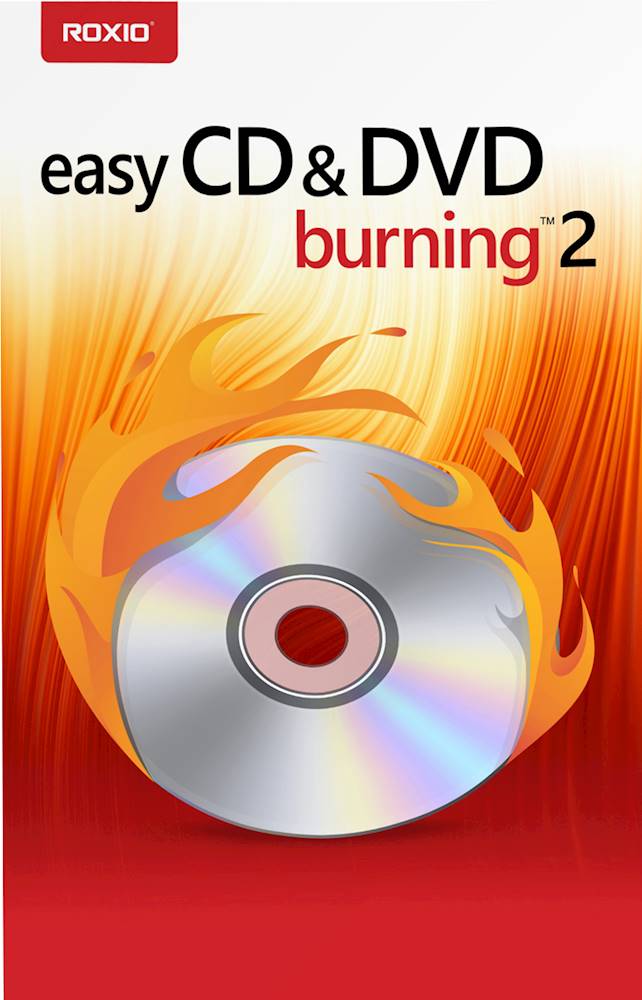
Customers often highlight the user-friendly interface and affordability of Easy CD & DVD Burning 2. Many users appreciate its simplicity and speed, describing it as "very fast and easy to use." The product's compatibility with both CDs and DVDs is also well-received, with customers noting its versatility. However, some users have expressed concerns about compatibility issues, mentioning the need for additional software for certain CPUs.
This summary was generated by AI based on customer reviews.
- Pros mentioned:Software performance
Rated 4 out of 5 stars
Difficult Start; B Buy problem, not the software
||Posted . Owned for 3 weeks when reviewed.This reviewer received promo considerations or sweepstakes entry for writing a review.We got off to a rocky start. I ordered the download version and what Best Buy delivered was an older version NOT compatible with Windows 10, ie not the v2. Weird. The download kept asking for some file that wasn't there. I took it to Geek Squad and they couldn't get it to download either. So, they refunded the download purchase and I purchased the actual software disc, this time v2. Went to the Roxio install site and put in the key number and it downloaded without a problem. As far as the software goes it gets a 5 because it does what I want. As far as the sale goes, Best Buy gets a 1 on this one for showing v2 on the download and then not delivering the right version. Very disappointing. Too many trips and hiccups to get a simple piece of software to work. But, the blame for this one lies with Best Buy. The ratings I'm giving are for the software. Be careful buying the download unless they've corrected the version.
I would recommend this to a friend - Pros mentioned:Software performance
Rated 5 out of 5 stars
Awesome Product for Recording CD's in FLAC!
||Posted . Owned for 1 month when reviewed.This reviewer received promo considerations or sweepstakes entry for writing a review.There are very few recording software packages available which will allow you to record CD's almost as good as the CD's themselves. Stay away from anything Apple, as it compresses the music and is pure junk. FLAC recordings are the way to go. They take up a bit more memory space, but now memory chips & hard drive space is readily available and relatively low-cost. This software - version 1 & the replacement version 2 both do an awesome job!
I would recommend this to a friend - Pros mentioned:Price
Rated 4 out of 5 stars
Rev Jim
||Posted . Owned for 3 weeks when reviewed.This reviewer received promo considerations or sweepstakes entry for writing a review.I know I can go online and download free programs that will do something similar. However, the price you pay for doing it is not always worth it with ads and other obligations you accept in the process. I used Roxio before, and was happy to go back to it. I was impressed with the sale price. I will be using it to download music and some other items used in my work. I was a WordPefect user for years, and have used Corel products over the years and have been pleased.
I would recommend this to a friend Rated 4 out of 5 stars
Versatile, does everything expected
||Posted .This reviewer received promo considerations or sweepstakes entry for writing a review.Does everything well, Converts audio to MP3, creates and appends data disks, and can create MP3 disks as appendable data disks. Program deserves 5 stars, but I took one away because it tries to force you to give up your e-mail address. Also, after program set up, gets record of your serial number because when I set it up on a second computer, put in the number and it told me to observe any applicable copyright rules, but it did not stop me from setup. It is a much better program than Nero Burn Express 4; check the reviews before buying this program.
I would recommend this to a friendRated 3 out of 5 stars
Works but can be better
||Posted . Owned for 1 month when reviewed.This reviewer received promo considerations or sweepstakes entry for writing a review.I bought this to copy my music CDs that I own to mp3 on a USB thumb drive to play in my car that doesn't have a CD player but will take a thumb drive after Windows Media Player had a major issue. It took WMP a whole day to copy just 1 CD to mp3s. Unacceptable. This software works well, but is not very intuitive and help is not forthcoming. I tried a few other options it offers, and it created an ISO file on my hard drive, but I never did get it to create a CD with that file. I didn't buy the software for that function so I really don't care but it should do it as advertised. All in all, it works great 5 stars for creating mp3s on my hard drive to copy to USB thumb drive. Track title web look up online function has a few bugs, Sarah Mcglophin came up in a foreign language and script, but I could manually retitle everything so just typing efforts. Rips copys really fast, about 40 seconds per track at highest fidelity settings.
I would recommend this to a friend- Pros mentioned:Ease of use
Rated 4 out of 5 stars
EZ2 USE
||Posted . Owned for 5 months when reviewed.This reviewer received promo considerations or sweepstakes entry for writing a review.This program is suprising easy to use. It identies the dvd you want to copy and offers the ability to make multiple copies.
I would recommend this to a friend - Pros mentioned:Ease of use, Price
Rated 5 out of 5 stars
Easy way to burn DVDs
||Posted . Owned for less than 1 week when reviewed.This reviewer received promo considerations or sweepstakes entry for writing a review.This is an easy way to burn CDs and DVDs. Very reasonably priced!
I would recommend this to a friend Rated 5 out of 5 stars
great burning/ripping software
||Posted . Owned for 3 weeks when reviewed.This reviewer received promo considerations or sweepstakes entry for writing a review.works great for burning and rippin music. have always used this product (in earlier versions). if you have trouble installing, with windows 10, do a patch/reinstall. fixed my problem. make sure to turn off the drag and drop to burn cd's. that can mess up the software.
I would recommend this to a friendRated 4 out of 5 stars
Still learning how to best use it!
||Posted . Owned for 1 month when reviewed.This reviewer received promo considerations or sweepstakes entry for writing a review.I'm learning how to burn DVDs and CDs. Wish I had more time to do it but the few times I have it's gone off really good. Being over 65, new technology is sometimes hard to implement. Thank God for the Geek Squad all the help they give me! Thanks again for helping me to select the right program!
I would recommend this to a friendRated 5 out of 5 stars
Back to the well...
||Posted . Owned for 1 month when reviewed.This reviewer received promo considerations or sweepstakes entry for writing a review.I have used various versions of Roxio CD/DVD burning software with previous computers and have always been pleased their product. Like all new to me software there is a learning curve, as there are nuanced differences between this and previous versions. I am certain that I will become comfortable with this version, over time, as I did with its predecessors.
I would recommend this to a friend- Pros mentioned:Ease of use
Rated 5 out of 5 stars
Cd
||Posted . Owned for 1 year when reviewed.This reviewer received promo considerations or sweepstakes entry for writing a review.This cd really great and easy to use and I really appreciate that it works so well
I would recommend this to a friend - Pros mentioned:Ease of use
Rated 5 out of 5 stars
Easy to Install & Easy to Use
||Posted . Owned for 1 month when reviewed.This reviewer received promo considerations or sweepstakes entry for writing a review.This is an excellent program for making copies of DVD's, CD's and converting files from Smartphones and Tablets. Also has a Photo Editor and many other programs. An internal/external CD/DVD burner is necessary to get the full benefit from the program. It creates audio, video, picture presentations, etc. The program comes with a CD for installation, or it can be downloaded and installed by going to their website and getting the digital download. I installed it very easily on my Windows 10 laptop. It works perfectly and since it's made by Roxio, I know it's a first rate program.
I would recommend this to a friend - Pros mentioned:Price, Software performance
Rated 4 out of 5 stars
Adequate program
||Posted . Owned for 1 month when reviewed.This reviewer received promo considerations or sweepstakes entry for writing a review.Does what it should, nothing special price reasonable
I would recommend this to a friend Rated 5 out of 5 stars
Adequate job
||Posted . Owned for 1.5 years when reviewed.This reviewer received promo considerations or sweepstakes entry for writing a review.Works as expected. I was disappointed that my CPU needed extra software - I thought that it came with this ability but nonetheless.
I would recommend this to a friendRated 5 out of 5 stars
Roxio
||Posted . Owned for more than 2 years when reviewed.This reviewer received promo considerations or sweepstakes entry for writing a review.This works every time you need it so not really a bad review for it. Good stuff.
I would recommend this to a friendRated 5 out of 5 stars
Never disappointed with Roxio
||Posted . Owned for 1 year when reviewed.This reviewer received promo considerations or sweepstakes entry for writing a review.Awesome product. I have always been a big fan of Roxio products. Tons of options to choose from.
I would recommend this to a friend- Cons mentioned:Dvd compatibility
Rated 3 out of 5 stars
Burned By The Burner
||Posted . Owned for 3 weeks when reviewed.This reviewer received promo considerations or sweepstakes entry for writing a review.I bought this in the hope that it would include a DVD video player app. I have a very large collection of DVD movies and TV shows that i have purchased over the years, but the latest windows lacks a player APP. In the past I used Roxio player because it was the best. When I search for some version of the Roxio player I get inundated with unrelated player APPs, both free and paid none of which work.
I would recommend this to a friend - Pros mentioned:Ease of use, Software performance
Rated 5 out of 5 stars
Good Value
||Posted . Owned for 3 weeks when reviewed.This reviewer received promo considerations or sweepstakes entry for writing a review.Easy and simple to set up. Quick and efficient to use.
I would recommend this to a friend - Pros mentioned:Ease of use
Rated 4 out of 5 stars
DJWESCOAST
||Posted . Owned for 9 months when reviewed.This reviewer received promo considerations or sweepstakes entry for writing a review.This product does an excellent job at helping me organize and retrieve my playlist to burn in an efficient manor and time.
I would recommend this to a friend - Pros mentioned:Ease of use
Rated 5 out of 5 stars
simple to use
||Posted . Owned for 2 weeks when reviewed.This reviewer received promo considerations or sweepstakes entry for writing a review.Very simple to use and very fast when copying a DVD.
I would recommend this to a friend