Customer Ratings & Reviews

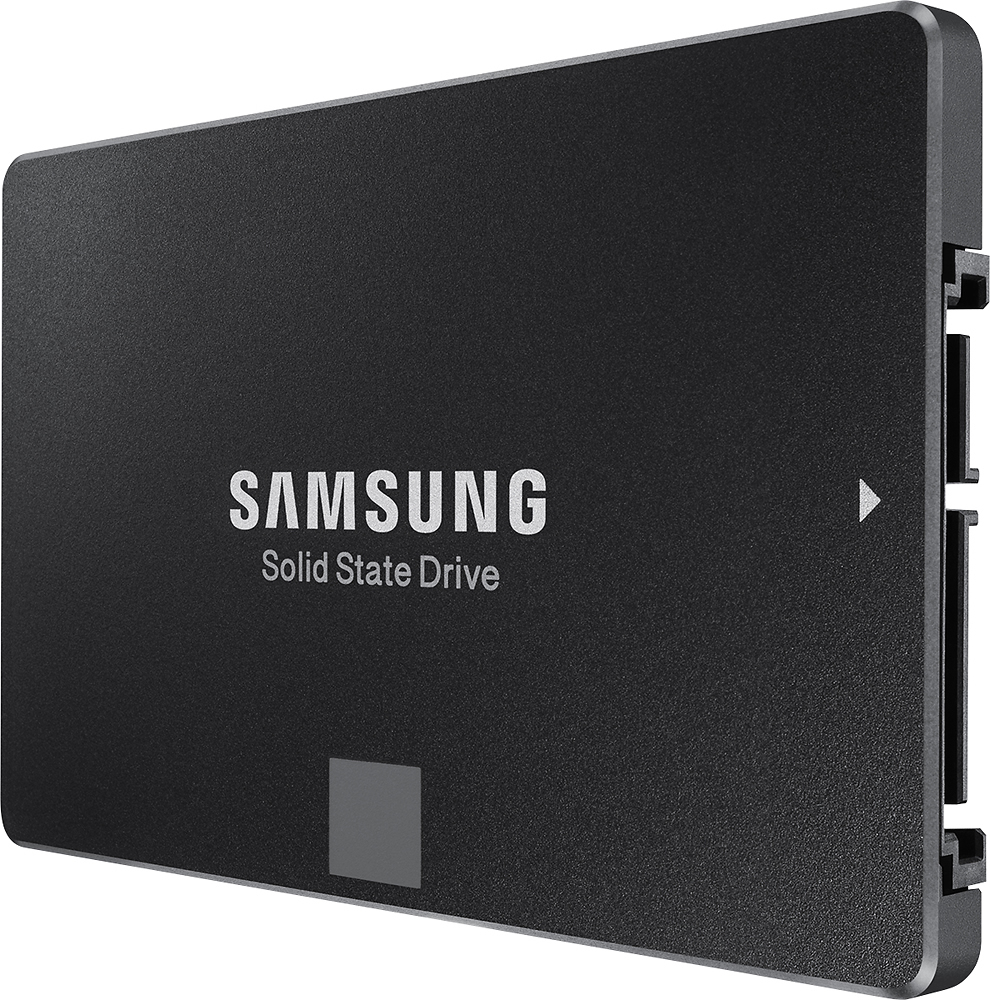
- Model:
- MZ-75E250B
- |
- SKU:
- 1661028
Customer reviews
Rating 4.9 out of 5 stars with 1368 reviews
(1,368 customer reviews)Rating by feature
- Value4.8
Rating 4.8 out of 5 stars
- Quality4.6
Rating 4.6 out of 5 stars
- Ease of Use4.6
Rating 4.6 out of 5 stars
Customers are saying
Customers are pleased with the 850 EVO 250GB SSD's performance, ease of installation, and fast boot times. Many appreciate the drive's affordability and the included warranty. Positive feedback highlights the smooth and quick operation, making it a worthwhile upgrade. The ease of setup and migration were also frequently praised.
This summary was generated by AI based on customer reviews.
- Pros mentioned:Performance
Rated 5 out of 5 stars
Excellent SSD and a great price
||Posted .This reviewer received promo considerations or sweepstakes entry for writing a review.I am a computer technician and I have lots of experience with several brands of SSD's, Intel, Sandisk, OCZ, Crucial, PNY, Kingston, Adata, Samsung and a few others. I have had nothing but great performance and reliability from the Samsung EVO series. The Samsung EVO 850 is a high performance solid state drive, no moving parts. This means better longevity and any computer running a newer operating system whether it is Windows or Mac will get a huge performance gain over using a traditional mechanical drive. This is great for laptops because these drives, especially the Samsung EVO series, are very power efficient which means you will get significantly more battery life. The Samsung Data Migration tool which is free to download for these drives makes it very easy to clone your existing drive over to the new 850 EVO and the Windows download link is below: http://www.samsung.com/semiconductor/minisite/ssd/download/tools.html I highly recommend this drive as I have not seen one failure yet. Get one now, you will not be sorry! Hope this was helpful, enjoy. -aj
I would recommend this to a friend - Pros mentioned:Boot time, Performance
Rated 5 out of 5 stars
Worth every penny!
||Posted .This reviewer received promo considerations or sweepstakes entry for writing a review.Installed this on my girlfriend's early 2011 MacBook Pro Unibody. Boot up time with the even with 16gb of RAM with the regular HDD was about 40 seconds. Cloned the HDD onto the Samsung SSD and immediately noticed boot up time dropping down to about 20 seconds. Performance is nearly on par with my mid 2015 MacBook Pro Retina. Cloning and installation took about 45 minutes. Great way to inject some performance back into an older MacBook using a HDD.
I would recommend this to a friend - Pros mentioned:Noise level, Speed
Rated 4 out of 5 stars
Big improvement over older sata drives
||Posted .This reviewer received promo considerations or sweepstakes entry for writing a review.Fast, quiet and durable drives. Fast loading of OS and programs.
I would recommend this to a friend - Pros mentioned:Performance
Rated 5 out of 5 stars
Works great on my Xbox One
||Posted .This reviewer received promo considerations or sweepstakes entry for writing a review.Not only does it make the game faster it's cooler because it's on the outside with USB 3.0 port. Not only that, the product was behind the glass and an employee mistaken it for a 140gb version that was for sale for $69.99. No fuss from the Manager or employee. And they honored the price. Sold I'm gone. For a 250gb regular price of 109.99$ I saved 44$. Black Friday came early. Wooooooo
I would recommend this to a friend Rated 5 out of 5 stars
Nice upgrade!
||Posted .This reviewer received promo considerations or sweepstakes entry for writing a review.I'm using the 850 EVO to run my OS. The included software made it easy to clone my old HD and the EVO booted up just fine.
I would recommend this to a friend- Pros mentioned:Performance
Rated 5 out of 5 stars
Great performance
||Posted .This reviewer received promo considerations or sweepstakes entry for writing a review.I've been using this disk as an external HDD with an enclosure, so that I can run Windows To Go on my Mac. It's performance it's awesome (see the attached screenshot). You wouldn't notice it is working as an external drive.
I would recommend this to a friend Rated 5 out of 5 stars
Great SSD for everyday workflow!
||Posted .This reviewer received promo considerations or sweepstakes entry for writing a review.I have purchased three of these drives and they are phenomenal. The software is great albeit almost better than Acronis True Image. I was able to clone my master drive to my other workstations under 10 mins per workstation ( your mileage may vary). The only thing that I disliked was Best Buy employees.
I would recommend this to a friend- Pros mentioned:Boot time, Installation, Speed
Rated 5 out of 5 stars
Excellent upgrade for any PC!!
Posted .This reviewer received promo considerations or sweepstakes entry for writing a review.Ok first let me start by saying I don't usually write reviews for my hardware. I just don't take the time. But this SSD deserves the time!! This drive replaced a 4.5 year old Velociraptor HDD as a Boot drive in my gaming rig. Installed with no hiccups. This thing screams! Even on my dated X58 motherboard that only supports SATA II this thing saturates the bus and took my data storage score in Windows index experience from 5.9 to a perfect 7.9. Took my full boot time from 7.5 minutes down to 1.5 minutes. After price match I got this SSD for $89. Flawless install, great performance, great price, this thing checks every box!!! I love the included software for SSD management and general maintenance/monitoring! Seriously it took me 4.5 years to finally find an SSD I trusted and was affordable enough for me to drop the money on and I don't regret it one bit! If you want an SSD get this and never look back. Have a good day.
I would recommend this to a friend Rated 1 out of 5 stars
Died After Two Years
||Posted .This reviewer received promo considerations or sweepstakes entry for writing a review.This drive quit on me in the middle of a project. I had to buy a different drive, a new copy of Windows 10, and spent two weeks restoring my PC. Also, Samsung support for this device was horrendous. The 800 number doesn't work for supporting the 850 Evo, and even the Samsung website chat doesn't work (they redirect you to TV support). After begging the chat person to give me some help they gave me a link to SSD support chat. After all of that I learned they won't refund... only will replace with a refurbished model. I just destroyed the drive and moved on with my life. I'll never buy any Samsung computer product again.
No, I would not recommend this to a friend- Pros mentioned:Boot time, Performance, Speed
Rated 5 out of 5 stars
Worthy upgrade
||Posted .This reviewer received promo considerations or sweepstakes entry for writing a review.This is an easy upgrade and worth the money. It does improve boot time significantly and overall the system is noticeably faster. You don't need to be a techy or delve into benchmarks to be impressed with this SSD. The Samsung SSDs are highly rated in performance and reliability. I used the Samsung software to clone the old hard drive with no problems. I then used the Magician software to tweak the SSD settings for best performance. Note: You should download the latest version of these programs from the Samsung website instead of using any included CD software. Example: I first used the CD version and the Magician program could not detect my OS. The downloaded version fixed that and I was then able to activate RAPID mode. I was so pleased with the performance boost that I bought another for my wife's laptop. These SATA connected SSDs are not the pinnacle of speedy storage as there are newer technologies; PCI-e SSDs and M.2 cards that overcome the old SATA speed barrier, but you will likely need a newer motherboard to take advantage of them and they can be much more costly. So for now I'm happy.
I would recommend this to a friend - Pros mentioned:Performance, Speed
Rated 5 out of 5 stars
Excellent product. Best in the category.
||Posted .This reviewer received promo considerations or sweepstakes entry for writing a review.Excellent product. Best in the category at this moment. Comes with a built in program to transfer the primary HD to SSD. Results are outstanding. Best upgrade you can do. 1. Install the software it came with. There was a new version so it updated it self. 2. Reboot the system and make sure NO applications are running (it warns you). 3. Get a USB cable and connect the SSD to the PC (you need to get your own cable). 4. Go through the wizard. couple of questions and you are ready. The actual primary HD cloning to SSD depends on the how much you need to copy. Mine was less than 30 minutes. 5. Shutdown and swap HD with SSD. 6. Startup and everything came up boom, boom boom. Extremely satisfied. NOTE: I replaced 1 TB HD with a 250 GB SSD but I had a brand new PC so it was small. If your C: drive is big, clean it up and move what ever you can to another drive. I only have OS and program files in SSD. Boot process is REALLY fast. Word and Excel startup as if they have been minimized in the tray. Everything is fast. One of the best upgrades I have done.
I would recommend this to a friend - Pros mentioned:Boot time, Performance
Rated 5 out of 5 stars
Awesome!
||Posted .This reviewer received promo considerations or sweepstakes entry for writing a review.I used this drive to replace the optical drive in my 2010 MacBook Pro and put my OS and files and apps on it. I timed my time to boot up and open Google chrome and pull up ESPN.com before and after the replacement. With everything on my old HDD it took 3 min 43 sec. After the replacement and transferring everything over to this drive it only took 36 sec! It is the only thing I did, I am amazed at how big of a difference this sold state drive made! Previously I tried clearing out my HDD, an archive and install of the OS, maxing out my RAM, and they each made slight improvements. However, this easily made the biggest most noticeable improvement.
I would recommend this to a friend - Pros mentioned:Boot time, Speed
Rated 5 out of 5 stars
Must have upgrade for any compluter
||Posted .This reviewer received promo considerations or sweepstakes entry for writing a review.I should have bought an SSD ages ago. The immediate uptick in speed is impressive. Boot times are literally several seconds. Windows 10 is actually speedy with this SSD. I think the new bottleneck for my PC is the internet. Everything loads fast and the application gives you health levels of the SSD. I loaded a fresh copy of Windows 10 and installation was very fast. This SSD is now in a hand built Ryzen system so everything is faster, better and did I say Faster?
I would recommend this to a friend - Pros mentioned:Performance, Speed
Rated 5 out of 5 stars
A-M-A-Z-I-N-G
||Posted .This reviewer received promo considerations or sweepstakes entry for writing a review.The Samsung EVO 250GB SSD is truly amazing. I was replacing my 4TB hard drive on my Dell computer. What I did was to make the SSD my "C" drive and keep the 4TB drive as "D" for data. It is truly amazing how fast the computer boots and runs now. If I had known that an SSD would make this much difference, I would have bought it earlier. And 250GB is fine for all the programs that I use. Keeping the programs on SSD and data on a hard drive works well.
I would recommend this to a friend - Pros mentioned:Boot time, Installation, Performance
Rated 5 out of 5 stars
fast
||Posted .This reviewer received promo considerations or sweepstakes entry for writing a review.fast easy install works great win 7 install flawless boot to desktop in 3 to 5 secs or less
I would recommend this to a friend - Pros mentioned:Noise level, Speed
Rated 5 out of 5 stars
Great buy for a SSD drive
||Posted .This reviewer received promo considerations or sweepstakes entry for writing a review.I was looking for a high quality SSD drive to install Windows 7 Pro and some apps for my desktop. BestBuy had a great deal and I was able to get one from the nearest store. Installation was easy but you have to buy a 2.5 inch adapter to make it fit the 3.5 bay. The drive is quiet and pretty fast in accessing the OS and the programs. It's what I need for the work that I do. I am very pleased with my decision to purchase the unit.
I would recommend this to a friend - Pros mentioned:Noise level, Speed
Rated 5 out of 5 stars
Speeds up your Computer
||Posted .This reviewer received promo considerations or sweepstakes entry for writing a review.You will see and feel the difference between your hdd over a ssd. The speed of your computer will be very noticeable it will run a lot cooler and no noise from the hdd platter. Only draw back is the cost will be more if you compare hdd vs ssd capacity. Over time the I think the cost will drop. Once a person uses a ssd computer you won't go back to a hdd. I will eventually move all my computers to ssd Samsung EVO.
I would recommend this to a friend - Pros mentioned:Installation, Performance
Rated 5 out of 5 stars
Fantastic... everyone should have one
||Posted .This reviewer received promo considerations or sweepstakes entry for writing a review.I have used many Hard Drives over the years and mechanical drives are definitely a thing of the past. I currently use 6 of the samsung drives in various servers, laptops, and desktops. Haven't had one go bad yet. Easy to use, install, and clone from old drives (all the software is included) great instructions! These will speed up your system by at least 75% and probably a lot more.
I would recommend this to a friend - Pros mentioned:Performance
Rated 5 out of 5 stars
Great, Fast Samsung SSD With Great 5 Yr. Warranty!
||Posted .This reviewer received promo considerations or sweepstakes entry for writing a review.Very pleased with this drive! My 2011, HP laptop was starting to slow down and taking much longer to start up and get to the desktop main screen. After doing all the other normal diligence clean-up/maint. items with no improvement, I decided to upgrade to this SSD. You will need a SATA cloning/copying kit- normally, just a SATA to USB data cable and a SATA power cable to clone your existing drive. There are several types out there, most are inexpensive. I happen to have one that I do use on occasion for work, so I didn't need to buy one. The drive cloning software with the included Samsung software was easy to follow and went very smoothly. The whole cloning process for my machine was done in under 3hrs. total. After removing my old drive and installing the new Samsung SSD, all I can say is WOW!! Before, my laptop was taking about 1 min. and 45 sec. to get to the desktop main screen. With the new SSD, it now takes 10 seconds!! Huge difference and the overall performance of my 6 yr. old laptop is much quicker and smoother. Love the performance and also the 5 yr. Samsung warranty. I couldn't find a better warranty from any other manufacturer out there and the Samsung SSD has a huge number of 4-5 star customer rating on several websites. My new SSD has been installed about 4-5 weeks and so far seems to be great. If anything changes, I will update as needed.
I would recommend this to a friend - Pros mentioned:Installation, Performance
Rated 5 out of 5 stars
Cloning made easy
||Posted .This reviewer received promo considerations or sweepstakes entry for writing a review.This is my second Samsung EVO 850. Both have performed flawlessly and were SUPER easy to install. Cloning your old hard drive is EASY with Samsung's Navigation software. If you've ever wanted to supercharge your laptop that came with the typical 5400rpm drive you won't go wrong with this drive. Get this one! It's inexpensive and the performance makes it more than worth the cost.
I would recommend this to a friend