Customer Ratings & Reviews


- Model:
- MZ-V9P2T0CW
- SKU:
- 11013172
Rating by feature
- Value
Rating 4.8 out of 5 stars
- Quality
Rating 4.9 out of 5 stars
- Ease of Use
Rating 4.9 out of 5 stars
2TB SSD
||Posted . Owned for 2 months when reviewed.This reviewer received promo considerations or sweepstakes entry for writing a review.Had difficulty cloning windows 10. Clone refused to activate.
I would recommend this to a friendStorage
||Posted . Owned for 3 weeks when reviewed.This reviewer received promo considerations or sweepstakes entry for writing a review.Kind of expensive forcan already expensive game system but works great
I would recommend this to a friendNot as fast
||Posted . Owned for 3 weeks when reviewed.This reviewer received promo considerations or sweepstakes entry for writing a review.The speeds im getting isnt what was advertised, disappointing.
I would recommend this to a friendBrand response from Samsung
Posted .MichaelM:
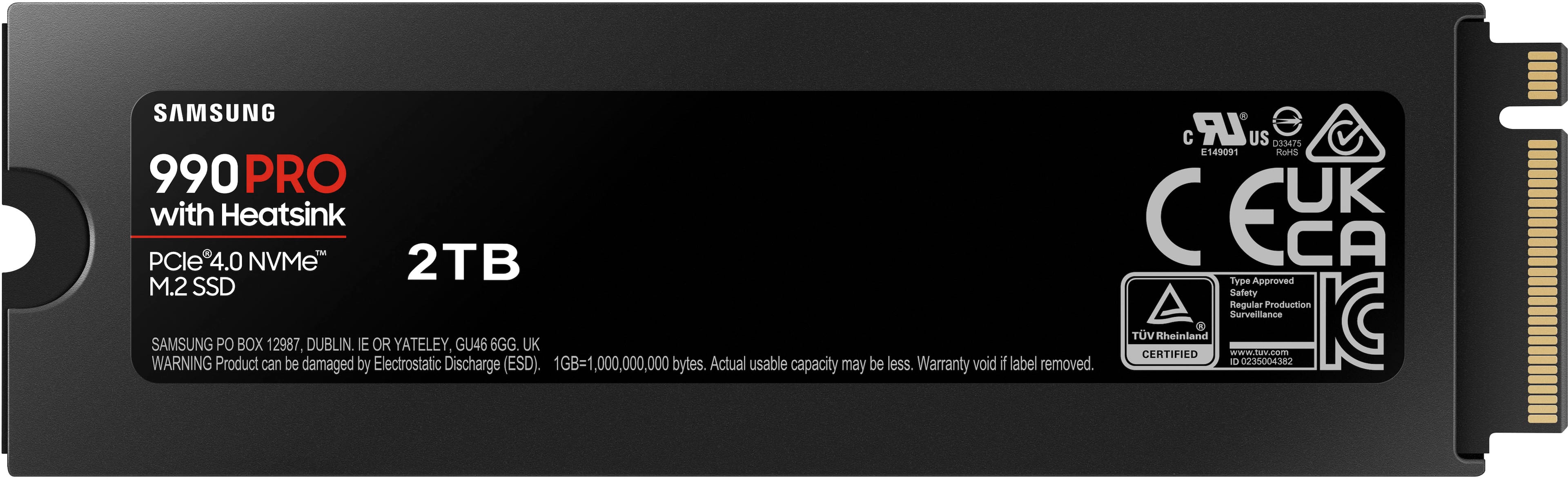
Thank you for purchasing the Samsung 990 PRO with heatsink NVMe SSD and for your review. We appreciate you sharing your experience with performance speeds. Your 2TB drive was engineered to deliver speeds of up to 7,450MB/s Seq. Read and 6,900MB/s Seq. Write.
Benchmark test results may differ depending upon the system environment, host software and hardware configuration. I encourage you to call Samsung Customer Support to better diagnose and assist you with your speed issue.
1) Call: 1-800-SAMSUNG (ask for Memory or press #, then 6 for Memory products)
Available 9AM – 9PM EST (Mon-Fri)
2) Email: [email protected]
3) Or visit us on the Samsung website and click on the SUPPORT link in the upper right corner of the homepage for:
a) Chat with Us/Product Help: To begin a chat or find solutions, choose ‘Computing – Memory & Storage’ and select your model & topic.
Thanks for choosing Samsung.
- Samsung Memory
Ps5 storage
||Posted . Owned for 9 months when reviewed.This reviewer received promo considerations or sweepstakes entry for writing a review.It works but not that fast like they put out their but I got lots of games so honestly should have not paid over 125$ for it it’s a lot of hype
I would recommend this to a friendBrand response from Samsung
Posted .Wand:
We value your feedback, and regret to hear that you’re not completely satisfied with your SSD’s speed performance. The 990 PRO with heatsink is designed to reach max performance with PCIe 4.0 and experience longer-lasting, opponent-blasting speed. The in-house controller's smart heat control delivers supreme power efficiency while maintaining ferocious performance that always keeps you at the top of your game.
More than 55% improvement in random performance enables faster loads for an ultimate gaming experience on PS5 and DirectStorage PC games.
Benchmark test results may differ depending upon the system environment, host software and hardware configuration. I encourage you to call Samsung Customer Support to better diagnose and assist you with your speed issue.
1) Call: 1-800-SAMSUNG (ask for Memory). Available 9AM - 12AM EST (Mon-Fri)
2) Email: [email protected]
3) LiveChat 9AM-6PM EST (Mon-Fri) - https://www.livehelpnow.net/lhn/lcv.aspx?d=34834&ms=&zzwindow=0&lhnid=29783
The Samsung Members Community is also a great resource for getting help from Samsung moderators and customers: https://us.community.samsung.com/
Thank you for choosing Samsung!
- Samsung Memory
- Pros mentioned:Ease of use, Speed, Storage

Nice little M.2 drive with massive capacity!
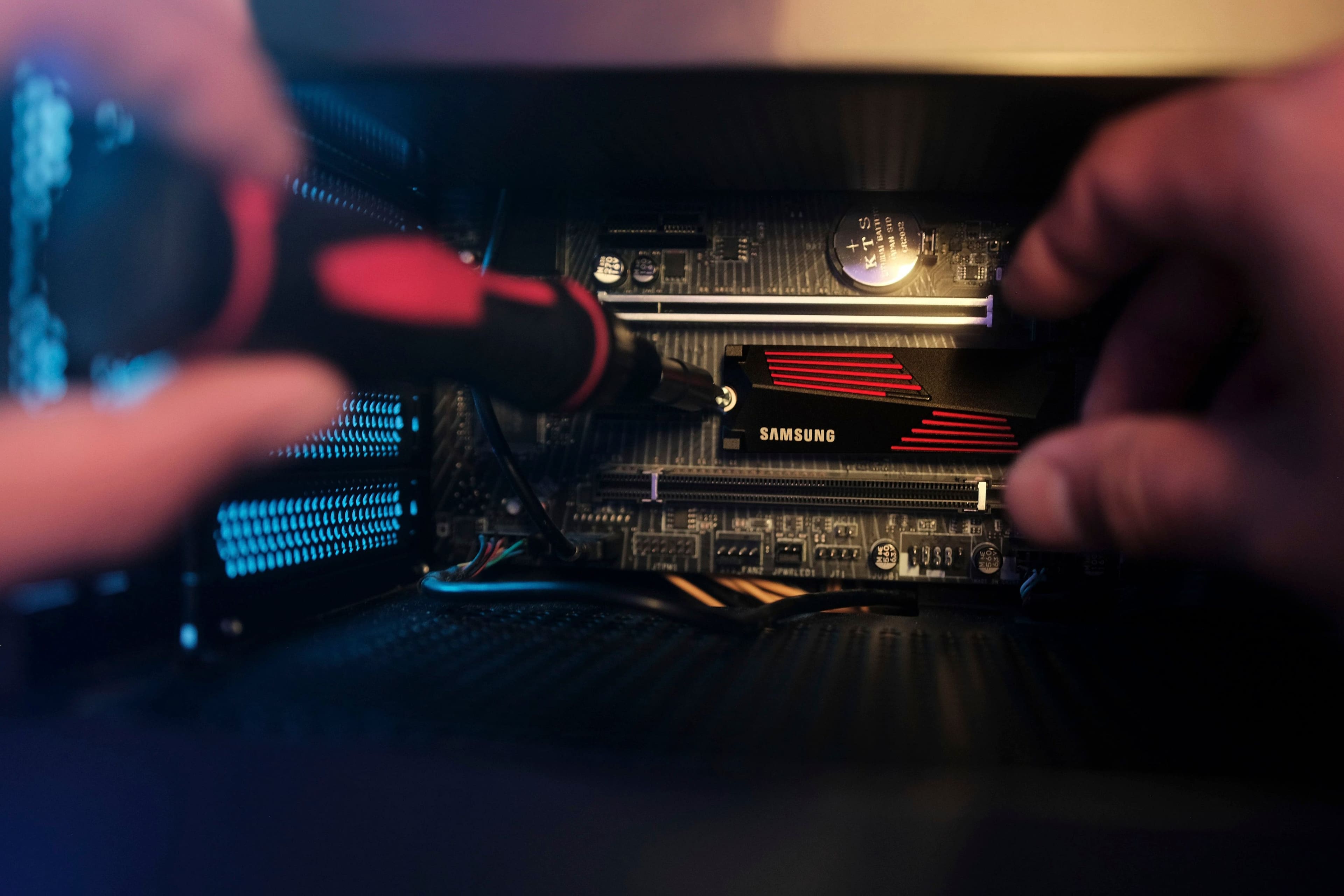
|Posted .This reviewer received promo considerations or sweepstakes entry for writing a review.This is a great little NVMe drive with tons of storage and speed. Samsung makes upgrading a system drive absolutely simple. Their Magician software can check the health, optimize the drive, and allow a person to clone a system drive as long as the source drive has an OS installed on it. If the source drive is encrypted, that must be suspended/turned off. Then the software gets to work. In my situation, my motherboard has 2 NVMe slots. I had about 189 GB on the system drive (one of multiple drives in the machine). Using the Magician software, it completely cloned the drive with that 189 GB in under 30 minutes. There were no errors. I removed the old drive, changed the boot drive in the bios, and it worked on the first try. I was immediately back in my computer as if nothing changed, except the main drive is even faster and larger than the previous drive. One of the many features of the Magician software is to allow people to choose an optimization feature that increases speed and the life of the drive, at a cost of about 10% of the storage capacity. I think it is a fair trade if it will extend the life of the drive. While 10% of 2 TB is a lot, I have enough capacity. Performance is my priority. Initially, I was a little nervous about how complex the installation would be with an integrated LED heatsink. The heatsink is fully attached to the drive. The LED lights are powered by the NVMe slot so there is no extra work/wiring to get the lights running. As with the rest of the features, the Magician software allows adjustments of the LEDs by both effect and color. It is just one little LED that lights up, so the lighting is not exactly spectacular, but it is one more thing to light up in my machine. The heat sink seems to do well at dissipating heat. As I write this, the drive temp is 85 F / 29 C with an ambient temperature of about 72 F in the room. That is definitely cooler than my last drive, but it is important to note that I have plenty of cooling in my computer in general. When it comes to performance, I used both the benchmark tool in the Magician software and a common user benchmark site. There was a significant difference in speed between the two testing programs. Samsung calculated a max read speed of 5332 MB/s and a write speed of 6926 MB/s. Despite multiple tests, the third-party benchmark program was slower at 1718 MB/s read and 2547 MB/s write. My motherboard is rated for up to about 8 GB/s so I am not sure who to believe. It is challenging to run any tests myself since the only perfect way to test performance is to send data from one drive to another identical or faster drive. My overall system performance improved in the third-party benchmark testing, so it seems to be making a difference. If upgrading from a SATA drive to NVMe, I highly recommend doing so. There was a dramatic improvement in my overall system performance when I did. I also am happy to have the added capacity because one of my other drives was filling up fast. This gives me plenty of room for expansion. I would not necessarily jump to upgrade for performance if a person already has an NVMe, going to a new NVMe. If upgrading from anything else, they will be thrilled they did.
I would recommend this to a friendBrand response from Samsung
Posted .Tony:
Thank you for your review of the Samsung 990 PRO with heatsink SSD. I am happy to see you are enjoying the experience.
Unleash the power of the Samsung 990 PRO for next-level computing. Reach max performance of PCIe 4.0 and experience longer-lasting, opponent-blasting speed. The in-house controller's smart heat control delivers supreme power efficiency while maintaining ferocious speed and performance, to always keep you at the top of your game.
Should you ever have questions or need assistance using this product, please know we’re always here to help.
You can reach us at: 1-800-SAMSUNG (ask for Memory or press #, then 6 for Memory products) Available 9AM – 9PM EST (Mon-Fri)
Or visit us on the Samsung website and click on the SUPPORT link in the upper right corner of the homepage for:
1. Chat with Us/Product Help: To begin a chat or find solutions, choose ‘Computing – Memory & Storage’ and select your model & topic.
Thanks for choosing Samsung for your memory storage needs!
- Samsung Memory
- Pros mentioned:Installation, PerformanceCons mentioned:Firmware
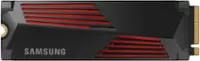
Excellent drive, unnecessary heatsink
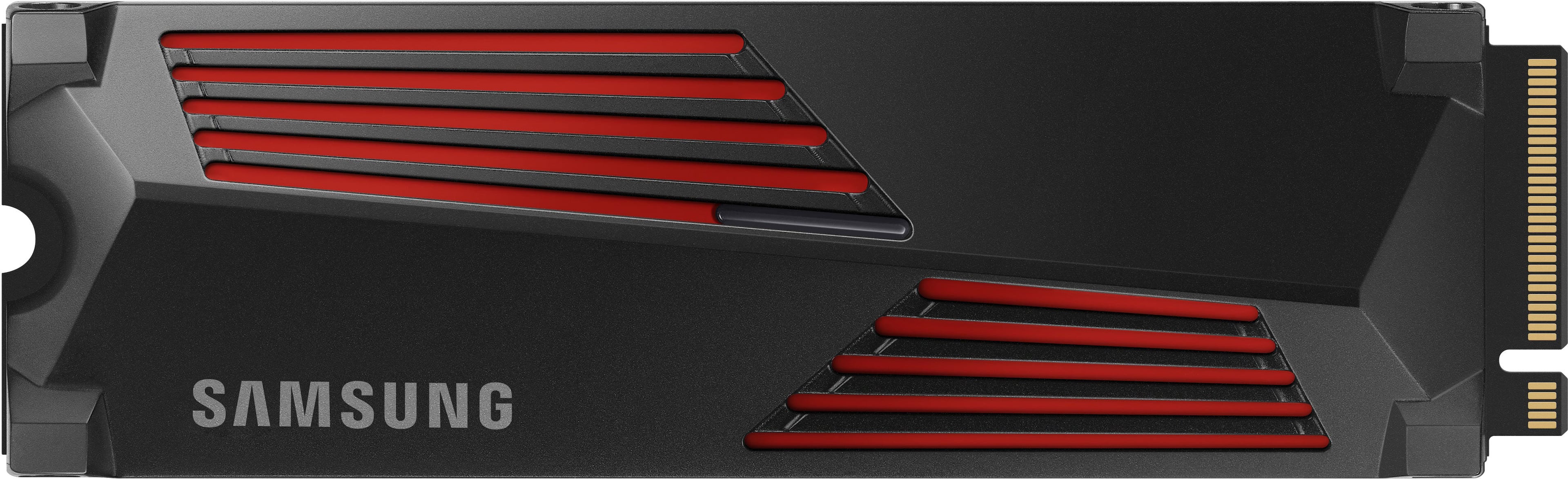
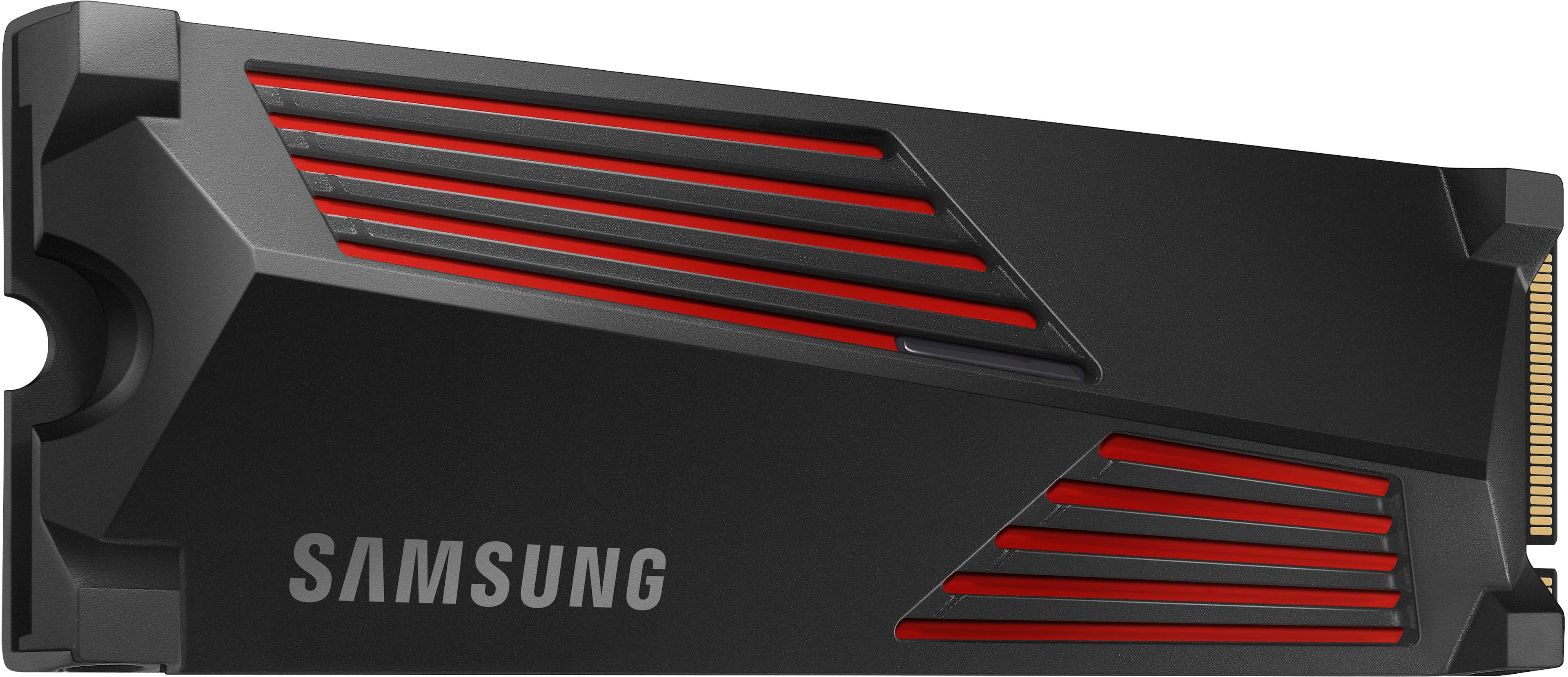
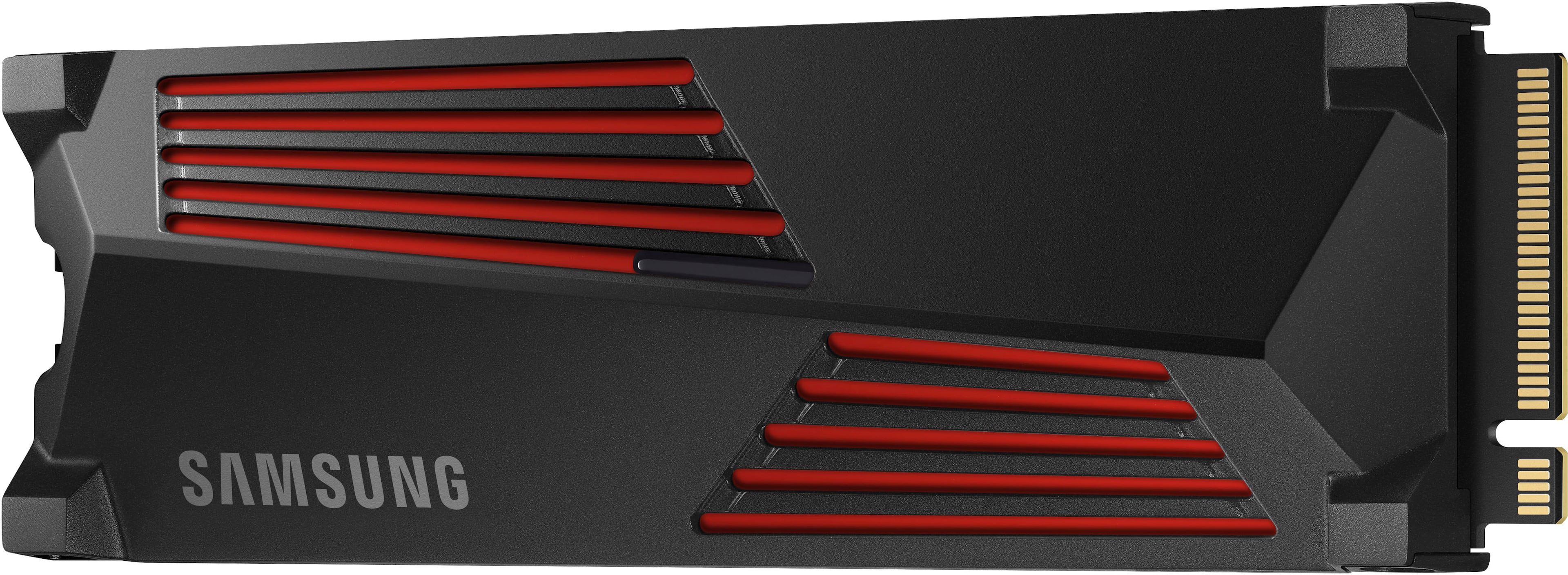
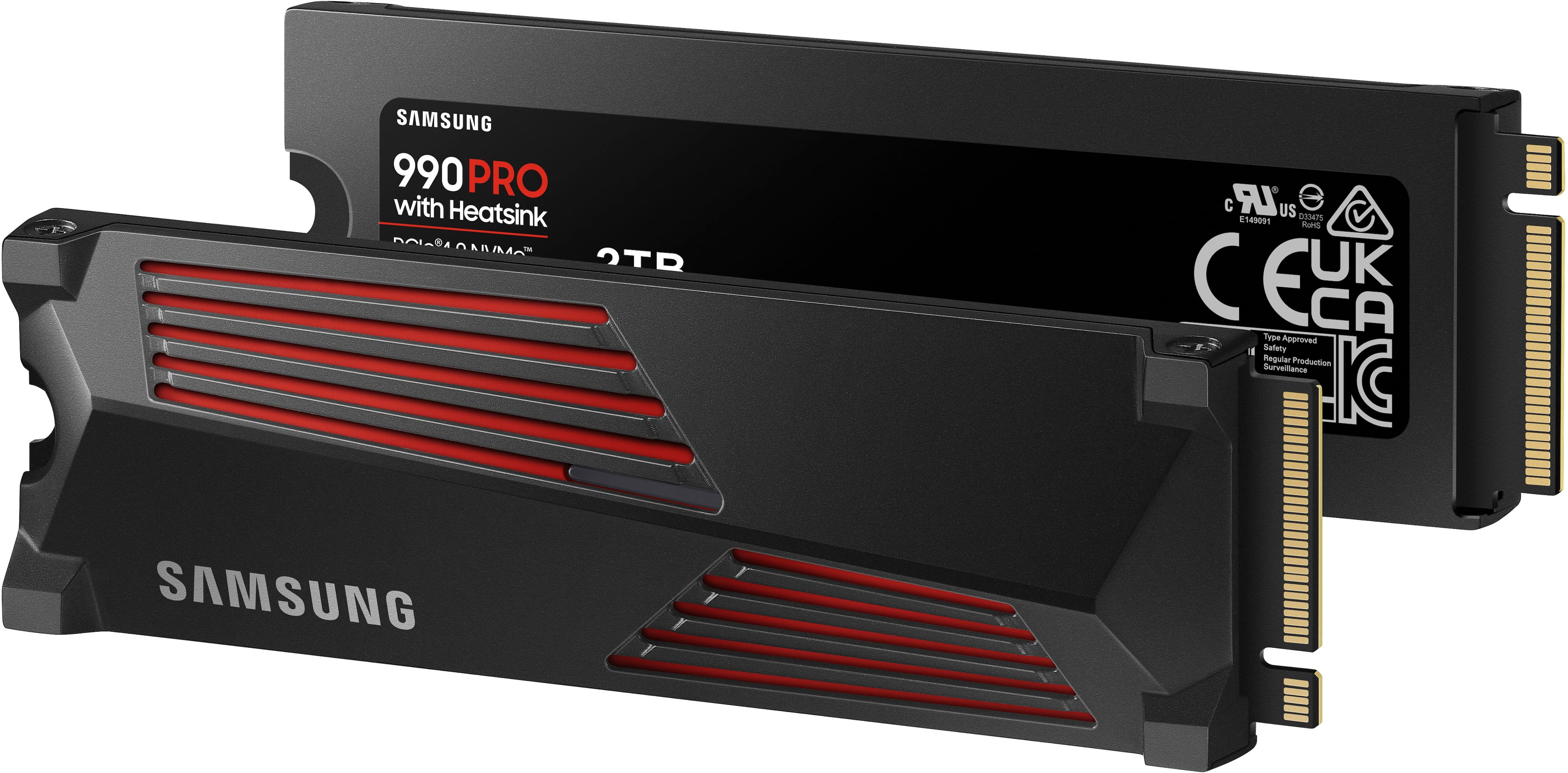
|Posted .This reviewer received promo considerations or sweepstakes entry for writing a review.Note: this drive initially shipped with a firmware that would cause damage to drive. do not install this drive as your primary OS drive. install this as a secondary drive, install the samsung software, update the drive firmware, and then go about your business. The 990pro is samsung's best consumer grade nvme range, and this is a nice fat 2tb version. Installation is super easy and the drive does what it's supposed to do. But the devil is in the details right. So this version comes with an included heatsink to make sure your drive maintains peak performance. Of course that's utter nonsense since NVME drives actually like to be warm (up to a point) and the average temps of a PCIE gen 4 NVME drive don't require additional cooling unless you're building in a very thermally restrictive environment. So in other words, that black and red hunk of metal doesn't do anything to increase performance. Or worsen it. It's purely decorative, but sadly carries a significant price premium over the standard version. Unless you're really into the black and red look, save yourself some money and get the one without the heatsink. I can't actually install this the way that I want at the moment in my system. My 4 PCIE gen 4 slots are all under a shared heatsink/metal shroud kind of thing, and the only slot that allows for large heatsinks is directly above the GPU, but that's a gen 5 slot. I tested the drive there and it works flawlessly (PCIE generations are fully backwards compatible so no worries) but when I populate that slot my PCIE lanes are halved for my GPU slot. There's a negligible performance hit, but it's there, in GPU performance so I'm using this in a USB-C enclosure. Aside from the heatsink and the stats, there's not much to say about this drive. That firmware issue is no joke though. Update your firmware immediately. There's a chance you'll have the older firmware which causes rapid aging of drive sectors, something that cannot be undone. Great drive overall, trapped in an ugly enclosure.
I would recommend this to a friend Great ammount of storage but falsely advertised
||Posted . Owned for less than 1 week when reviewed.This reviewer received promo considerations or sweepstakes entry for writing a review.Promotes 7400 MBPS speed and after installation only reads about 6,500 . Very dissapointed
No, I would not recommend this to a friendBrand response from Samsung
Posted .JoelA:
I’m sorry to hear that you’re not fully satisfied with the performance of the 990 PRO with heatsink SSD. Benchmark test results may differ depending upon the system environment, host software and hardware configuration.
I encourage you to call Samsung Customer Support to better diagnose and assist you with your speed issue.
1) Call: 1-800-SAMSUNG (ask for Memory). Available 9AM - 12AM EST (Mon-Fri)
2) Email: [email protected]
3) LiveChat 9AM-6PM EST (Mon-Fri) - https://www.livehelpnow.net/lhn/lcv.aspx?d=34834&ms=&zzwindow=0&lhnid=29783
The Samsung Members Community is also a great resource for getting help from Samsung moderators and customers: https://us.community.samsung.com/
Thank you for choosing Samsung, we hope to hear from you soon.
- Samsung Memory
- Pros mentioned:Speed
In just 2 weeks
||Posted . Owned for 1 week when reviewed.This reviewer received promo considerations or sweepstakes entry for writing a review.Just bought this 2 weeks ago during black friday. The reading and writing speed were amazing. As 2 days ago, my PS is restarting by it self and the games and apps installed in SSD are not showing on the main screen. Now it need 10 minutes to transfer a 100GB game.
No, I would not recommend this to a friendBrand response from Samsung
Posted .Carlos:
I’m very sorry for the difficulties you’ve experienced with your 990 PRO with heatsink SSD. We completely understand your frustrations, and we are here to help.
So that we can better investigate your issue and assist you towards a resolution or replacement for your particular PS5 usage scenario, we ask that you please contact us and speak with a Samsung Customer Service representative.
1-800-SAMSUNG (ask for Memory or press #, then 6 for Memory products)
Available 9AM – 9PM EST (Mon-Fri)
Or visit us on the Samsung website and click on the SUPPORT link in the upper right corner of the homepage for:
1. Chat with Us/Product Help: To begin a chat or find solutions, choose ‘Computing – Memory & Storage’ and select your model & topic.
We look forward to hearing from you soon.
- Samsung Memory
False Advertisement
||Posted . Owned for less than 1 week when reviewed.This reviewer received promo considerations or sweepstakes entry for writing a review.Unable to rate the product as the shipping company lost the package. When I bought the item, it said it would arrive today, and now it doesn't have a delivery date. Tracking says it was transferred to the post office. I called the post office and was told that UPS never gave them the package. They told me to contact Best Buy to report Fraud and Theft by the UPS. Best Buy is now closed, so I will call tomorrow to report fraud and theft by their delivery service. If they decided to send me a new one, I was to be compensated for false advertising. They guaranteed delivery today, and it is not my fault that their delivery service stole my package; thus, they are responsible for their guarantee of delivery. Now I have to explain to my son that Santa's present to him was stolen from his sleigh. Thank you, Best Buy and UPS, for ruining my son's Christmas.
No, I would not recommend this to a friendBrand response from Samsung
Posted .Luckyzl230:
We appreciate you sharing your experience. We recommend you contact Best Buy Customer Support or your local Best Buy store directly for assistance in correcting this situation. We hope your issue is resolved in a timely manner.
Should you have questions or concerns regarding the usage or setup of your SSD once your issue has been resolved, please contact Samsung Customer Support at:
1) Call: 1-800-SAMSUNG (ask for Memory or press #, then 6 for Memory products)
Available 9AM – 9PM EST (Mon-Fri)
2) Email: [email protected]
3) Or visit us on the Samsung website and click on the SUPPORT link in the upper right corner of the homepage for:
a) Chat with Us/Product Help: To begin a chat or find solutions, choose ‘Computing – Memory & Storage’ and select your model & topic.
b) Manuals & Software
c) Warranty Info
d) Register a Product: For access to easy warranty support, convenient opt-in to special promos and offers, faster troubleshooting and service, and quick notification of system updates
e) Contact Us
The Samsung Members Community is also a great resource for getting help from Samsung moderators and customers: https://us.community.samsung.com/
Samsung is committed to providing the best possible product experience, quality, and value, and we are always here to help with any of your questions or concerns.
- Samsung Memory
- Pros mentioned:Performance
Worked for 2 months, then DEAD!
||Posted . Owned for 2 months when reviewed.This reviewer received promo considerations or sweepstakes entry for writing a review.Worked great up to the point that it didn't. Installed this December 10th, 2023 and it died February 14, 2024. So, I basically got to use it for 2 months and it was dead 1 month after the warranty ran out. Just splendid!
No, I would not recommend this to a friendBrand response from Samsung
Posted .SteveH:
We always aim to deliver a great experience, and it’s unfortunate to hear the 990 PRO with heatsink SSD did not meet your expectations.
Samsung stands behind the quality and performance of every 990 PRO with heatsink SSD we manufacture with a limited 5-year manufacturer’s warranty when purchased brand-new, directly from any authorized dealer, like Best Buy.
Please contact Samsung Customer Support directly so that we can better investigate your issue and assist you towards a resolution or replacement.
1) Call: 1-800-SAMSUNG (ask for Memory). Available 9AM - 12AM EST (Mon-Fri)
2) Email: [email protected]
3) LiveChat 9AM-6PM EST (Mon-Fri) - https://www.livehelpnow.net/lhn/lcv.aspx?d=34834&ms=&zzwindow=0&lhnid=29783
We look forward to hearing from you soon.
- Samsung Memory
- Pros mentioned:Speed
Good choice
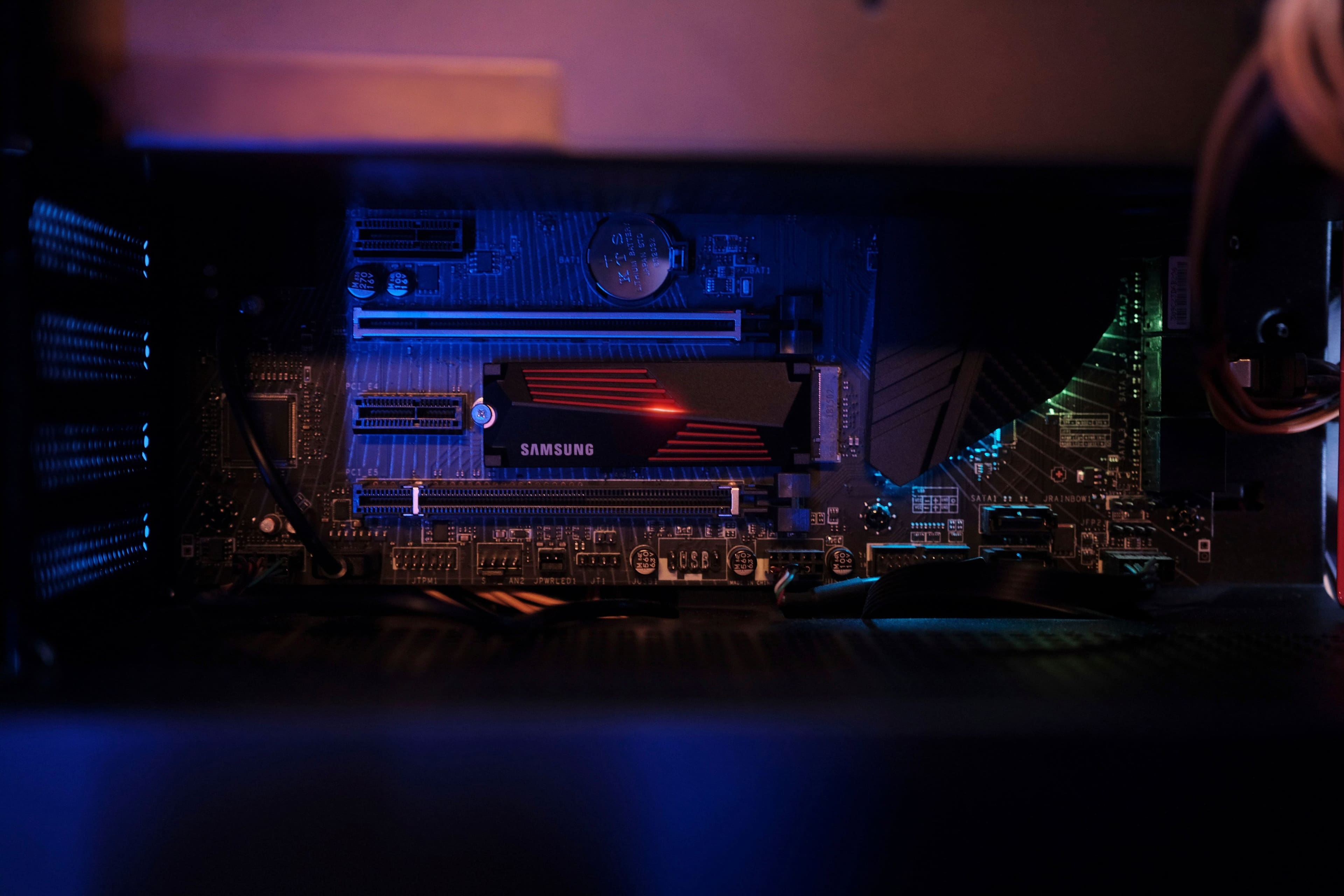
|Posted .This reviewer received promo considerations or sweepstakes entry for writing a review.I originally got this for a ps5 but on learning more about it I decided to try it out in a laptop I had partly to check for firmware updates and my laptop had an open slot for a second drive. I had noticed on Best Buy's website that many people had asked if it was compatible with their laptop and samsung had replied that it was so I figured I would give it a try. I didn't realize until I took it apart that my laptop already had heat sinks installed for both slots including the empty one but it was easy to remove only held in with one screw. I had to remove it to make enough room for the samsung ssd with it's own heatsink. The built in heatsink was ok but the samsung one seemed much better. I have used a few samsung ssd's before with great results. They seem to be the Cadillac of hdd's with high quality and great support. I have also had several of their other products and appreciate their quality and longevity. They may cost slightly more than other brands but are worth it if you want one of the best you can get. It's really fast, probably the fastest one out there so far. Gen 4 speeds but should work in Gen 3 slots as well just at lower Gen 3 speed. I like the looks of it as well and it even has lights so it would look great in a gaming desktop with a window to see it. A bit expensive at full price but if you can get it on sale it's well worth it. Ssd prices are dropping so it will likely get cheaper. Just don't wait too long or they may be all gone.
I would recommend this to a friend - Pros mentioned:Performance, Speed, Storage
Samsung Makes It Really Fast and Easy
|Posted .This reviewer received promo considerations or sweepstakes entry for writing a review.I have used Samsung M.2 SSD drives in the past in increasing sizes as the prices come down. The Samsung 990 Pro 2TB replaced a smaller drive and added much need space. I use that system primarily for games and video/photo editing, so space was becoming precious. I like Samsung SSDs because they seem to be more trouble free and have a longer warranty than other brands. Installation was pretty easy. This time it was a two stage process, first duplicating the older M.2 drive onto an unused SATA drive. Then I swapped the new 990 Pro in for the old M.2 drive and moved the boot drive onto the 990 Pro. Samsung's Magician software made this all pretty straightforward. I expected the performance to improve a bit, but was surprised at the difference the new drive made. In addition to the increased free space, both the write and read times for the 990 Pro are faster than the old drive. Windows booted faster and load times for most of my games decreased pretty noticeably. Video editing also loaded faster That's about it. If you're looking for more space and a boost in performance, this is not a bad way to go. Everything is a bit faster and you have a lot more room. The Samsung M.2 990 Pro 2TB drive is highly recommended for anyone looking for more storage and a performance boost at a nice price.
I would recommend this to a friendBrand response from Samsung
Posted .rtbestbuy:
Thank you for your review of the Samsung 990 PRO with heatsink SSD. I am happy to see you are enjoying the benefits and the upgrade.
Designed for PCIe 4.0 speed to be maximized with huge speed boost. 40% and 55% faster random read/write speeds than 980 PRO - up to 1400K/1550K IOPS, while sequential read/write speeds up to 7450/6900 MB/s reach near max performance of PCIe 4.0. Fly high in gaming, video and 3D editing, data analysis, and more.
Should you ever have questions or need assistance using this product, please know we’re always here to help.
You can reach us at: 1-800-SAMSUNG (ask for Memory or press #, then 6 for Memory products) Available 9AM – 9PM EST (Mon-Fri)
Or visit us on the Samsung website and click on the SUPPORT link in the upper right corner of the homepage for:
1. Chat with Us/Product Help: To begin a chat or find solutions, choose ‘Computing – Memory & Storage’ and select your model & topic.
2. Manuals & Software
3. Warranty Info
4. Register a Product: For access to easy warranty support, convenient opt-in to special promos and offers, faster troubleshooting and service, and quick notification of system updates
5. Contact Us
Thank you for choosing Samsung!
- Samsung Memory
- Pros mentioned:Speed, Storage
Fast Reliable gen 4 drive
|Posted .This reviewer received promo considerations or sweepstakes entry for writing a review.This is a very fast Gen 4 SSD. I would say right now you should get a fast Gen 4 SSD than most Gen 5 because most devices only support Gen 4 and not Gen 5 yet. The speeds on this SSD makes it great for use in a Playstation 5 or a PC computer as well for games and etc. Even for content like photos and videos it is great for especially if you transport content between the SSD and say your device a lot. If you're transferring files onto long period of time the heatsink will keep the SSD from getting hot as well. with the 2TB capacity it is great to hold a lot of games as well on your Playstation 5 or PC as well. Considering PC games like Mass Effect legendary edition is 100GB + and even older games like World of Warcraft is around 95GB you need higher capacity drives these days. If you're buying a lot od digital games on your Playstation 5 as well with it being a newer system you would want to invest into a higher capacity drive as welll. With it and the faster speeds downloading and installing the games should be fast as well.
I would recommend this to a friend Updating
||Posted . Owned for 2 weeks when reviewed.This reviewer received promo considerations or sweepstakes entry for writing a review.To update this for your ps5 you need to buy an accessory that best buy did not know which one even with geek squads help. Ive had it for 3 weeks now and have not been able to update it since i cannot just simply install to update. I ordered the accessory off amazon just to find iut it does not read the card becauae the SSD card i got was a dud.
No, I would not recommend this to a friendBrand response from Samsung
Posted .Souff:
I’m very sorry for the difficulties you’ve experienced with your 990 PRO with heatsink SSD. We completely understand your frustrations, and we are here to help.
Please contact Samsung Customer Support directly so that we can better investigate your issue and assist you towards a resolution.
1) Call: 1-800-SAMSUNG (ask for Memory or press #, then 6 for Memory products)
Available 9AM – 9PM EST (Mon-Fri)
2) Email: [email protected]
3) Or visit us on the Samsung website and click on the SUPPORT link in the upper right corner of the homepage for:
a) Chat with Us/Product Help: To begin a chat or find solutions, choose ‘Computing – Memory & Storage’ and select your model & topic.
We hope to hear from you soon.
- Samsung Memory
- Pros mentioned:Performance, Speed
ssd
Posted .This reviewer received promo considerations or sweepstakes entry for writing a review.he Samsung 990 Pro is definitely the fastest of all the SSDs. The writing and reading speeds are considerably fast and are best suited for people who want consistent high performance. It's great for editors, graphic designers, and gaming. You can render the graphics, load the games, and edit videos of high quality much faster. If you want to run your PC to churn out consistent performance, the 990 Pro is the best. The hardware build is extraordinary considering the read and write speeds, but if you want to buy one, you should take one with the heat sink to avoid failing for intense workloads.
I would recommend this to a friend - Pros mentioned:Performance
Great Performance Upgrade For Gaming
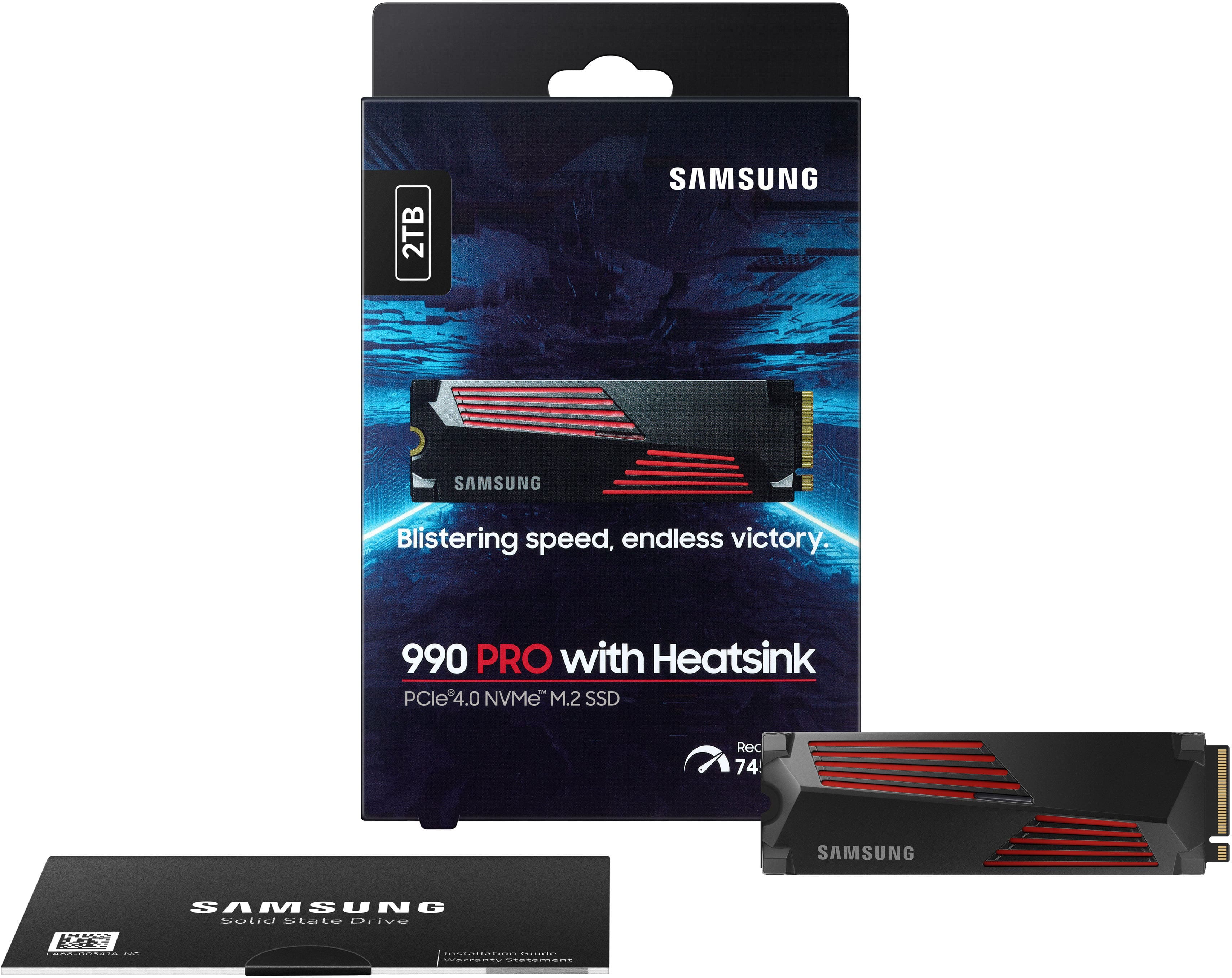
|Posted .This reviewer received promo considerations or sweepstakes entry for writing a review.I’ve used Samsung SSD products for years. From SATA SSDs to NVMe, they have been my go to brand for hard drive upgrades due to their reliability, quality, and ultimately their superior performance. With the arrival of the new Samsung 990 Pro 2TB Internal SSD PCIe Gen 4x4 NVMe with heatsink I was excited to try it. I recently got a new gaming computer and planned on upgrading the NVMe because while the included drive is fast, the Samsung is faster. In the box you find the SSD and a booklet. The 990 Pro is a cool design with a great looking heatsink. To prepare for the physical installation I jumped on the Samsung website and downloaded their data migration software and Samsung Magician which is their full featured SSD management and configuration software. Both apps are conveniently available in a single download. Once the software was installed I was ready to install the drive. My pc came with 2 NVMe slots so I planned on cloning my existing primary drive and using the 990 Pro as my new boot drive and the original drive as my data secondary drive. This installation is a breeze so don’t be intimidated if you’ve never done this before. Power down your pc and unplug it. Locate your NVMe slot and slip the drive into place. Secure the drive with a mounting screw. Your SSD doesn’t come with one and annoyingly most pcs don’t even include one for the second slot. You may have to purchase one. Sometimes the post is also not included. I’d have to say that securing these tiny screws is the most difficult part of the whole installation. Once in, you power on your pc, clone your drive using the Samsung data migration software, and change your boot order in BIOS to the 990 Pro and you’re done. The whole process may have taken 15 minutes with the data cloning taking under 3 minutes. Once installed, a performance improvement was apparent immediately upon my first boot because boot speeds were noticeably reduced. The Samsung Magician software is the nicest SSD management software I’ve seen, with many features including a benchmark. Here you can adjust the RGB LED color. The addition of RGB is minimal and somewhat disappointing with only a small slit illuminating. Upon benchmarking the 990 Pro, I got 7,133 MB/sec read and 6,778 MB/sec write speeds while my old drive benchmarked at 5,000/4,000 read/write. Impressive! My next stop was to play my favorite games. Gaming performance is all about milliseconds and I could quickly sense a significantly more fluid gaming experience compared to my old drive and that made me noticeably more competitive. That’s what it’s all about! This quickly proved to be a great upgrade. Highly recommended.
I would recommend this to a friendBrand response from Samsung
Posted .PG460:
Thanks for purchasing the Samsung 990 PRO with heatsink SSD. I am happy to see you are enjoying the experience and the upgrade.
This drive is designed for the best gameplay experience. A more than 55% improvement in random performance enables faster loads for ultimate gaming realism on PS5 and DirectStorage PC games. The heatsink’s futuristic design adds style to heat control, now with RGB lights.
Should you ever have questions or need assistance using this product, please know we’re always here to help.
1-800-SAMSUNG (ask for Memory or press #, then 6 for Memory products) Available 9AM – 9PM EST (Mon-Fri)
Or visit us on the Samsung website and click on the SUPPORT link in the upper right corner of the homepage for:
1. Chat with Us/Product Help: To begin a chat or find solutions, choose ‘Computing – Memory & Storage’ and select your model & topic.
Again, thank you for taking the time to review our 990 PRO with heatsink SSD!
- Samsung Memory
Bad memory
||Posted . Owned for 2 months when reviewed.This reviewer received promo considerations or sweepstakes entry for writing a review.Steer clear defective out the box! Was defective and super slow! Find cheaper out there just as fast.
No, I would not recommend this to a friendBrand response from Samsung
Posted .Justhere:
I’m very sorry for the difficulties you’ve experienced with your 990 PRO with heatsink SSD. Your 2TB drive was engineered to deliver speeds of up to 7,450MB/s Seq. Read and 6,900MB/s Seq. Write.
Please contact Samsung Customer Support directly so that we can better investigate your issue and assist you towards a resolution or replacement.
1) Call: 1-800-SAMSUNG (ask for Memory). Available 9AM - 12AM EST (Mon-Fri)
2) Email: [email protected]
3) LiveChat 9AM-9PM EST (Mon-Fri) - https://www.livehelpnow.net/lhn/lcv.aspx?d=34834&ms=&zzwindow=0&lhnid=29783
Samsung stands behind the quality and performance of every 990 PRO with heatsink SSD we manufacture with a limited 5-year manufacturer’s warranty when purchased brand-new, directly from any authorized dealer, like Best Buy.
We hope to hear from you soon.
- Samsung Memory
- Pros mentioned:Speed, Storage
Great PS5 Expansion Drive
|Posted .This reviewer received promo considerations or sweepstakes entry for writing a review.The 990 PRO from Samsung is one of the fastest NVMe drives available, and as long as your hardware supports it with gen 4 PCIe, then this can be a solid investment. Using this in conjunction with the Playstation 5, it has allowed me to triple my initial storage and I no longer have to worry about these extremely large games being released. This fit perfectly in the expansion slot, and the heat sink easily clears the protective cover from the PS5. It is immediately recognized on startup, and I was transferring games to the drive in no time. During initialization, the PS5 benchmarked the drive to 6650 MB/s read speed, which is slower than the advertised 7450 MB/s on the box. There could be factors to this disparity in speeds, but during gaming it has no effect. I find myself loading into games just as fast, if not slightly faster at times. Cycling through the menus in Hogwarts Legacy definitely felt smoother. Even after gaming sessions of over 4 hours, the drive still performs as if it just started. This means the heat management is good enough, with what little air movement is provided by the PS5. Overall, this NVMe drive is a great investment for anyone looking to expand their PS5 storage, or add to their computer. The speed it provides is hard to match, and for the most part Samsung drives have been reliable for me in the past.
I would recommend this to a friendBrand response from Samsung
Posted .Leonardo:
Thank you for sharing your experience with Samsung's 990 PRO with heatsink.
This drive is designed for the best gameplay experience. A more than 55% improvement in random performance enables faster loads for ultimate gaming realism on PS5 and DirectStorage PC games. The heatsink’s futuristic design adds style to heat control, now with RGB lights.
Should you ever have questions or need assistance using this product, please know we’re always here to help.
You can reach us at: 1-800-SAMSUNG (ask for Memory or press #, then 6 for Memory products) Available 9AM – 9PM EST (Mon-Fri) Or visit us on the Samsung website and click on the SUPPORT link in the upper right corner of the homepage for:
1. Chat with Us/Product Help: To begin a chat or find solutions, choose ‘Computing – Memory & Storage’ and select your model & topic.
Thanks for choosing Samsung for your memory storage needs!
- Samsung Memory
- Pros mentioned:Performance, Storage
Works Seamlessly
Posted .This reviewer received promo considerations or sweepstakes entry for writing a review.Added some much needed storage space to my PS5 and works seamlessly. Some hard drives will allow you to store PS5 games on them, but won't allow you to PLAY the game once it's stored. This hard drive WILL allow you to play your games from them.
I would recommend this to a friend - Pros mentioned:Installation, Speed
Lots Of Fast Storage For Your Machines
|Posted .This reviewer received promo considerations or sweepstakes entry for writing a review.This is the third internal SSD I've gotten from Samsung and I have to say that they just keep getting better at these. First, the heat sink is no too large, which to me can be a good thing if space is at a premium inside your rig. Just like every other internal SSD I've installed it's as easy as pie. So, after a few hours of heavy use I did not notice any appreciable heat build up. An unscientific opinion on my part, as I do not like benchmark tests, it is pretty darn speedy. I was able to transfer a 5GB 4K video file much faster to this drive than to the other SSD installed in my machine. Read was faster as well. Overall it's a winner in that department. The 2TB capacity ensures that I have plenty of room for a lot of my games and video editing projects without having to move files to my external traditional hard drives. This means I have faster access to my information which can be important depending on what you're working on. If you have a computer case with a window then it's also pleasing to the eyes inside you system. Overall, this is yet another solid storage product from Samsung and I highly recommend it.
I would recommend this to a friend