Customer Ratings & Reviews
- Model:
- ET-WV530B
- SKU:
- 5872506
to a friend
Customers are saying
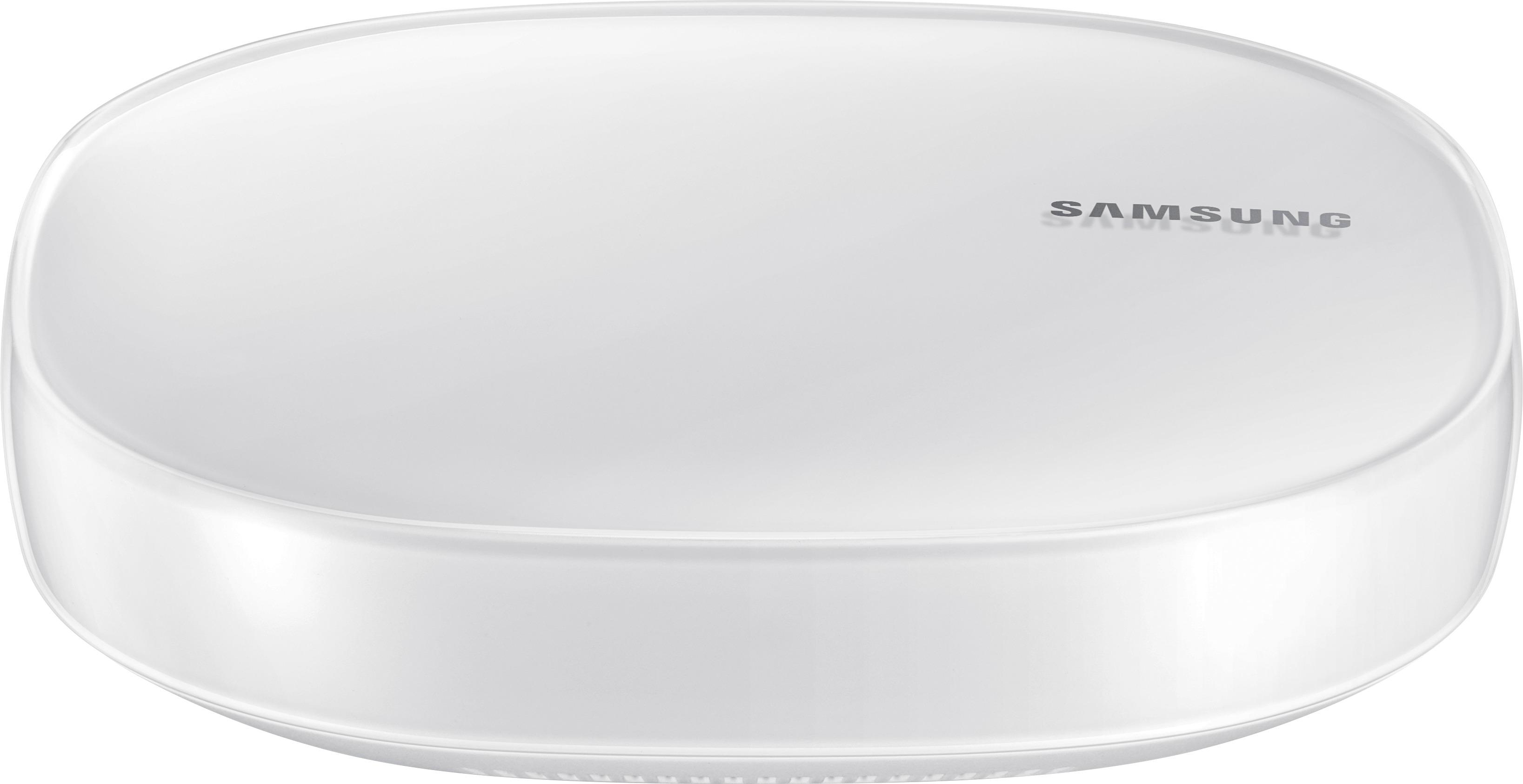
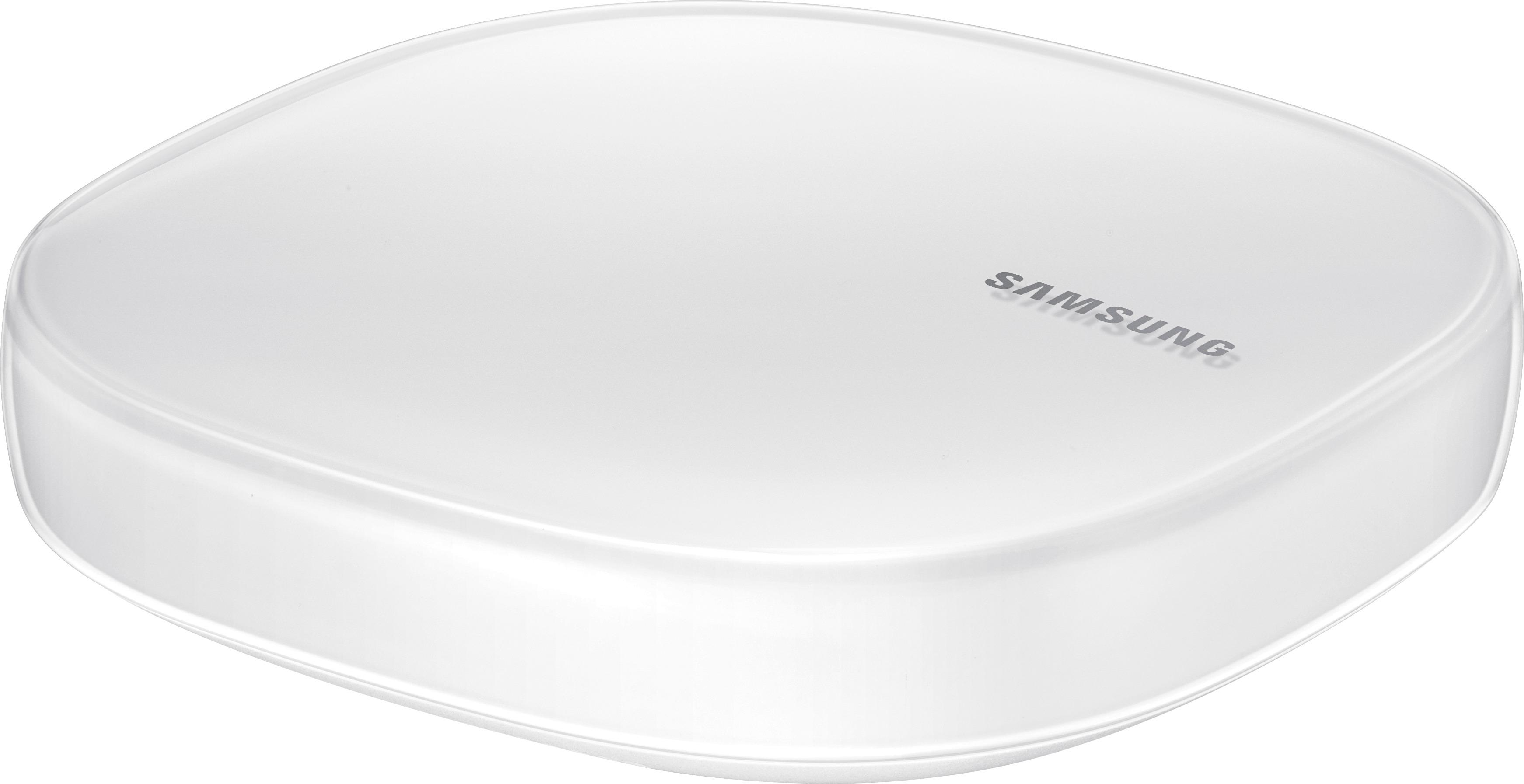
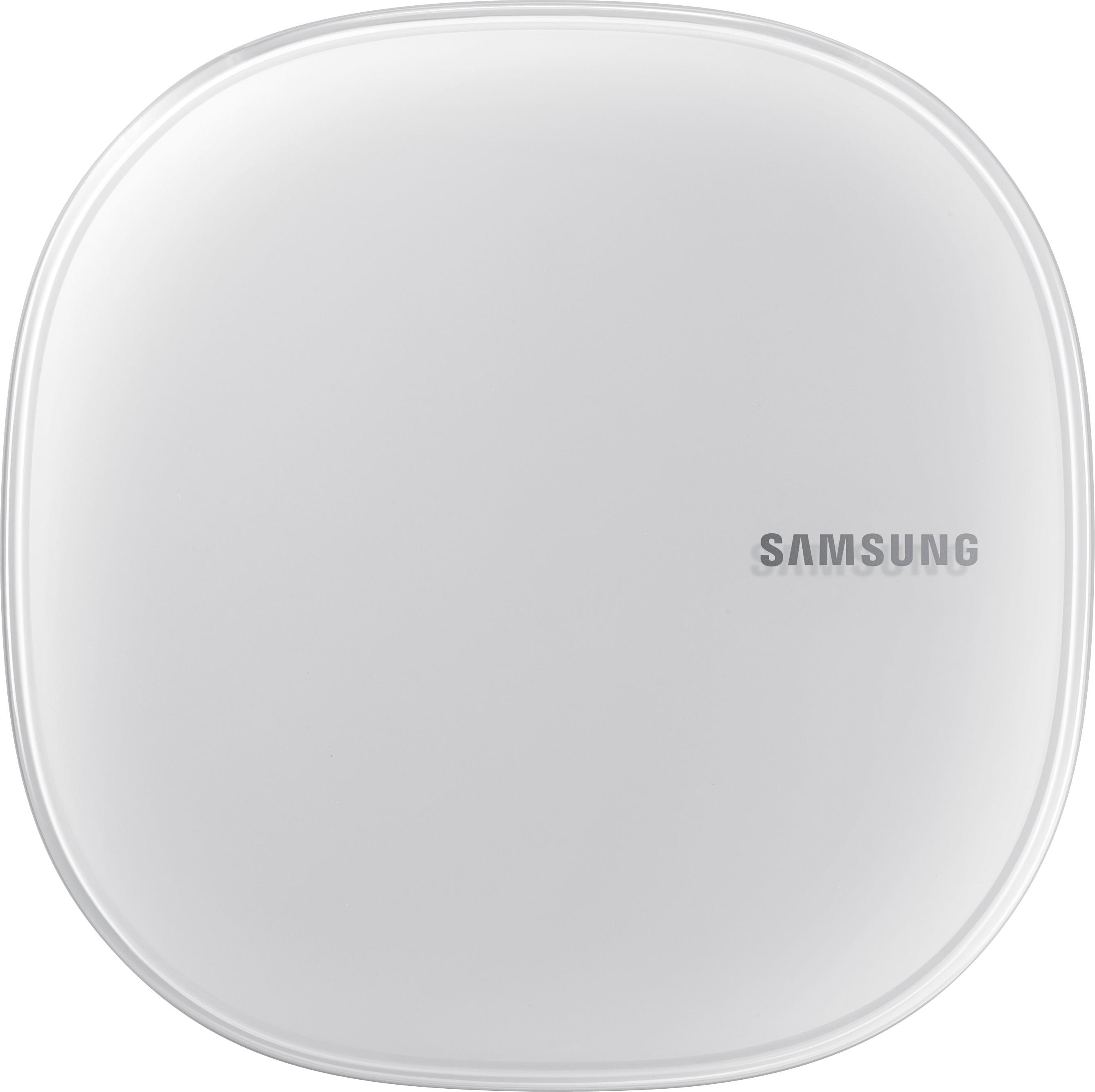
Customers consistently note the Connect Home Pro AC2600 Mesh Wi-Fi System's ease of use and compact size. Many appreciate its strong signal and wide range, allowing for reliable Wi-Fi coverage throughout their homes. However, some users point out limitations in the number of Ethernet ports and find the accompanying app to be less than ideal. The system's performance and design also receive positive feedback.
This summary was generated by AI based on customer reviews.
- Pros mentioned:Setup, Speed

Great speeds and reception!
|Posted .This reviewer received promo considerations or sweepstakes entry for writing a review.Very compact and elegant design. Setup was easy, just make sure you download Samsung's connect app in advance from the app store (android or apple). At first It wouldn't recognize my internet, but after a reboot, it caught the settings from my cable modem automatically. You can control smart things with this router too (like smart led bulbs, wall plugs etc), I haven't tried this yet, but I'm going to get a smart wall plug so I can command a light on my living room from my phone. Other than that, the speeds are great (this is a AC 2600 router in short) and the coverage is amazing, no dead spots in my home. They say you could add more of these - up to 5 to create a mesh system. However, one is just fine for up to 1500 sqf. The only con is as of my review, this doesn't support IPv6. To me, any good router in 2017 should support IPv6 out of the box. Lets hope Samsung can add support in a future firmware update (there was one after the setup process). So this is why my 4 stars, may go up if they add support for IPv6 later.
I would recommend this to a friend - Pros mentioned:Setup, Size
Great Smart Hub, Not-So-Great Router
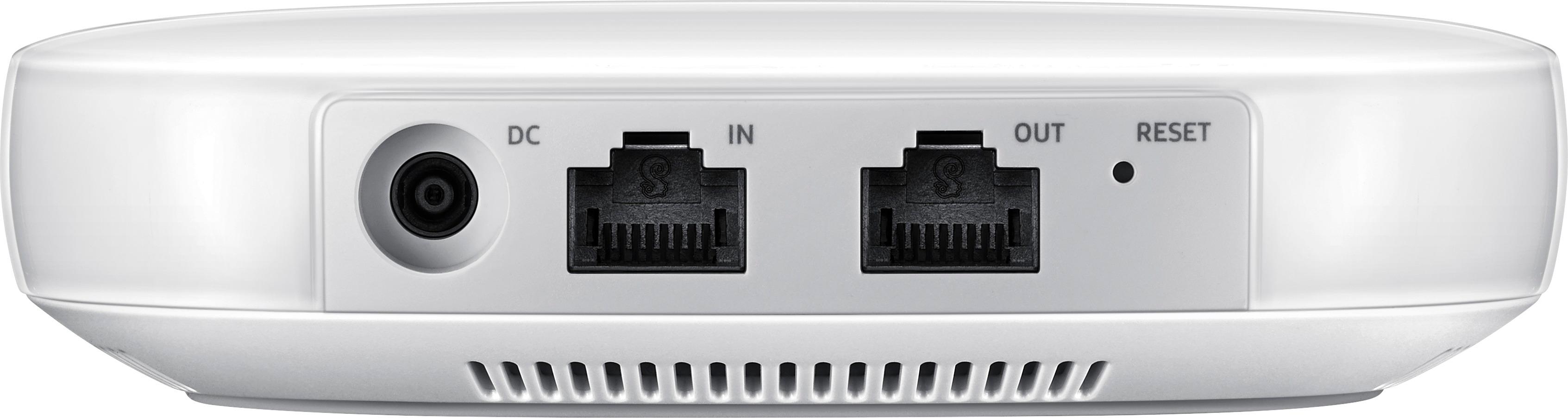
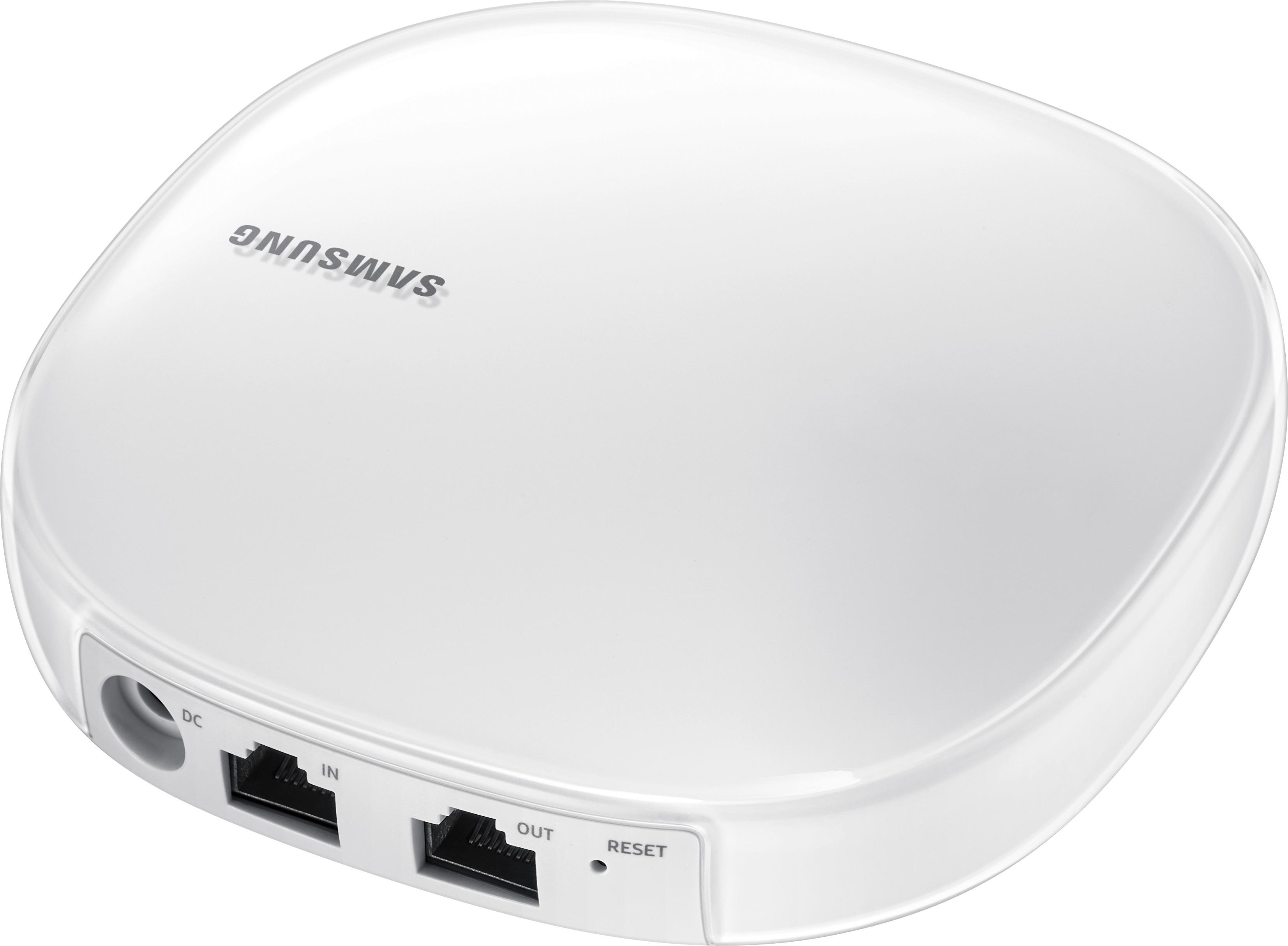
|Posted .This reviewer received promo considerations or sweepstakes entry for writing a review.With more and more smart devices entering our homes, the new Samsung Connect Home products appear to offer a great all-in-one solution: a wireless router/mesh Wi-Fi system that can also act as a central hub to control all of your connected smart devices. Samsung has delivered a great smart hub device, but the router itself doesn't quite live up to the "pro" name. PROS: - Very easy setup. The Connect Home Pro comes in a small, compact box with the router, power cord, and ethernet cord. Simply connect the router to your modem, plug it into a wall outlet, and launch the Samsung Connect app on your mobile device. - Small, compact size. This device will fit practically anywhere and has a sleek, modern design. - Wi-Fi coverage is good for such a small device. For this Pro model, Samsung claims it will cover 1,500 square feet. In my 1,000 square-foot apartment, it provides full coverage in almost every corner. - The SmartThings Hub functionality works wonderfully. I love the ability to control my Philips Hue lights and Arlo Pro camera system within a single app. Best of all, the Connect Home Pro recognizes compatible smart devices as soon as they connect to the Wi-Fi network, and it's super easy to set them up and control them within the Samsung Connect app. The more devices you have, the better it gets. If you have a smart vacuum, for instance, you can configure the app to activate the vacuum when your other devices detect that you've left the house. Simply put, the Hub portion of this router enables communication between your smart devices, allowing you immense control over scheduling and scenarios. CONS: - As a wireless router, this device lacks almost every advanced setting you can think of. As far as I can tell, Wi-Fi settings can only be adjusted through the app, and the app only has a few basic settings such as guest network, Wi-Fi name and password, and device prioritization. You can't separate the 2.4 GHz and 5 GHz networks. I don't see any options for port forwarding. All settings are controlled through Samsung's smart service, so if that or your Internet connection go down, you won't be able to access the device's settings. This is a far cry from a "pro" router. - There is only one ethernet out port on the back of the router, so if you want to hard-wire more than one device, you'll need to use an ethernet switch. - Speeds drop off quite significantly the farther you get from the router. Standing next to the router, I can max out my 200 mbps Internet connection. However, once I get about 30 feet from the router, my speeds are cut in half. A local file transfer between two wirelessly-connected computers within 10 feet of the router indicated that speeds fluctuated between 20 and 250 mbps with no real consistency. In my testing, devices connected to the slower 2.4 GHz band first and then hopped over to 5 GHz when I did any bandwidth-intensive activity. But even on 5 GHz, I rarely saw transfer speeds of over 200 mbps. - Not a huge issue, but this device has an internal fan that can be audible in very quiet rooms. I heard it kick on three times over the past two days. - This pro model is sold individually and not in packs of three like the standard model. So if you want to create a mesh Wi-Fi network with the supposedly faster speeds of the pro model, you'll have to buy additional pro units at full price. OVERALL: As a SmartThings Hub, the Connect Home Pro really shines. Just make sure your smart devices are compatible with Samsung SmartThings, or else this device will not recognize them. As a router, the Connect Home Pro seems to fall flat. It will likely work fine for smaller homes with basic Wi-Fi and streaming needs, but busier homes with tons of devices may want to look elsewhere.
I would recommend this to a friend - Pros mentioned:Range, Size, Speed
Oh Samsung... You make me wanna...
|Posted .This reviewer received promo considerations or sweepstakes entry for writing a review.If you're like me and slowly converting your place into a smart home and you're a Samsung fan(boy), then this one is for you! Since I had already started going the route with WEMO adapters and the Amazon Echo, I had borrowed my friend's SmartThings (by Samsung) adapters to play with this one... Very small and compact compared to my EA9300, I would say stylish too. Fast router capabilities, good wifi range and a SmartThings Hub! I haven't really tried out the whole mesh routing yet, but this already has a great (Up to 1500 sq ft of coverage) range. It covers my whole apartment to the sidewalk (not bad). Router speed is very comparable to the EA9300, and I think that's solid when it comes to overall performances. The Connect Home Pro makes me want to go with the SmartThings and Samsung Smart appliances route after using it for a few weeks... oooohweeee.
I would recommend this to a friend - Pros mentioned:Setup, Size, Speed
Great hub/router
|Posted .This reviewer received promo considerations or sweepstakes entry for writing a review.The router is great. Its fairly small and easy on the eyes. The setup was a breeze. Once you download the Samsung Connect app, just add the Hub and the rest is self explanatory. I was able to see a boost in speed. The device has no buttons on it, just an LED that blinks green or red. While the app is simple enough, I would have liked to see more analytics on the range, speed, etc. Also make sure you download the controller for the hub from within the app. It would have also been nice that through this app, I could control my Samsung HW-MS650 soundbar, but that requires a separate app.
I would recommend this to a friend - Pros mentioned:Range, Size, Speed
Not for the tech savy
|Posted .This reviewer received promo considerations or sweepstakes entry for writing a review.If you don’t already have a home network, or want to start over, and only have a modem that does not already provide you a local network, then this is a simple Wi-Fi router and smart things hub in one. However, if you already have a home network with a 192.168.1. IP, you want to connect more than 1 wired device, or want to have better control over your private network, stay far away from this one. This router looks nice, well packaged, hard to tell it is even a router compared to most. However, it wants to work in a very specific way and you are not allowed to change that. There is no way to configure this device other than through the app and even then you aren’t getting to configure much. I like having the 2.4 and 5 Ghz bands with separate SSID so that I can control what devices connect to where, though you can’t do that on this device. I also have a few devices that I prefer to keep wired, though without an additional switch it is not happening on this device. I have not checked it out with multiple nodes, but as a single node I can’t recommend this as a whole-home Wi-Fi router unless you are starting fresh and don’t care about additional controls.
No, I would not recommend this to a friend - Pros mentioned:Ease of use, Speed
Super easy to connect - fast!
|Posted .This reviewer received promo considerations or sweepstakes entry for writing a review.This router is by far the easiest router I have ever created. You plug it in to your modem or router, open the app, it detects the router, you create your network name and password and that's it. Those are literally the steps to setup the router. You can also connect devices to the hub such as smart thermostats and smart outlets or lights. You control everything through the Samsung connect app. I then clocked the internet speed and I was getting 175mbps. I only pay for 140. I really like this modem hub and I look forward to hooking up more devices to my "smart home".
I would recommend this to a friend Be prepared to buy more products to use!
|Posted .This reviewer received promo considerations or sweepstakes entry for writing a review.Warning! Do not buy this product if you don't plan to buy more accessories for the Home System! The product is well made, the design is superb and very simple to set up. But once you get to the application, the phone app, the amount of products that you can connect to it is very limited! You will have to do your homework on compatible products to use with this device. It would have been nice to have more range (range is 75 feet) or some of the sub units that would extend the range to come included in the box. All in all, thumbs up and higher rating to be given once other accessories are connected.
I would recommend this to a friend- Pros mentioned:Speed
Fast and reliable speed
|Posted .This reviewer received promo considerations or sweepstakes entry for writing a review.This small router is fast and has reliable speed.2.4 and 5 GHZ besides 4x4 MU-MIMO makes internet fast and stable. The fact of having smart devices connected through one router and is crucial, I got my Arlo security cameras connected to this hub and performed well with zero issues. I recommend it for people lookin for a router and hub for smart devices as well. smartphone app is easy to navigate and setup the router.
I would recommend this to a friend ALMOST PERFECT!!!
|Posted .This reviewer received promo considerations or sweepstakes entry for writing a review.For the simple side of my review do I enjoy this unit.... yes! For the more complex review lets start with the unboxing. I got this package in the mail and I was almost certain I got the wrong item. Reason why it is so small I mean like maybe slightly bigger than my phone small. slip it in my pocket small and box easily reflects that. Now as much as was excited about having a small router, which to me means more room on my computer desk, I was also very worried. I was worried because in my mind bigger was better and everytime you go to the store to look at routers the bigger they are the better they perform, right? Which moves us onto performance. I did my first few speed tests, which keep in mind I pay for 120mpbs, and this got me at 220+ mpbs no matter where I was in my home. My house is small at 1500sq feet which is the recommended size for this router so if you need more buy two of them. Simply though speeds are great and can't complain there. My problem with this unit is that it's not polished in a couple regards. To start I am also someone who uses a smart doorbell product and I noticed that once I switched routers and reconnected this unit to it.... I got no feed and no more recordings. After being on the phone with the company of my video doorbell product and Samsung itself we found the issue but were unable to resolve it. The doorbell system needs port forwarding around the firewall that this Samsung Connect Home Pro has. Okay not a problem right just fix it... well no It has the ability to port forward but not able to set a series of ports. The example here would be if I needed to port forward between 16000-32000 TCP/UDP Which means if I need to port forward that many ports I'd have to do them....one at a time..... I'm not going to by the way. I did talk to Samsung and they did say they consider that a huge flaw and said expect an update soon to fix it but another person told me it would be months before they fix it. Guess I have no video doorbell service for a month. Now you know the good and the bad. There is no ugly because this this is beautiful in my setup. My recommendation is buy this it's about time routers got small and keep their quality. Samsung and companies like it are changing the game and I'm glad I get to enjoy it. P.S. Samsung if you could put a feature in the Samsung Connect App that allows your to turn off the one tiny little green light in the front than your unit would be perfect. After you fix the Port forwarding thing of course. Thank you for reading my review.
I would recommend this to a friendNo Fuss Wi-Fi & Smart Home Integration
|Posted .This reviewer received promo considerations or sweepstakes entry for writing a review.Samsung Connect Home Pro breaks new ground by combining a Router with a Smart Home Hub. Likes: 1- This router basically sets itself up. There are virtually no choices. Ideal for a simple home setup where keeping it simple is the main priority 2- Modern, Clean Lines. Best looking router on the market, in my opinion. MIMO smart antenna (10 internal antennas total!) for high speed wireless AC is internal 3- Simple to use Software for iOS or Android 4- Works nicely with Amazon Echo / Dot 5- Compatible with ZigBee & Z-Wave certified devices 6- The Pro supports the highest Wi-Fi spec (4x4 MU-MIMO 802.11ac) and consequently yields much faster Wi-Fi speeds 7- Smart Home Hub is built in 8- Up to 1,500 square feet of coverage. Integrate up to 5) Connect Home Pro units as a mesh network for larger areas 9- Specs: 802.11a/b/g/n/ac Wave 2; AC2600 (1,733 Mbps on 5GHz and 800 Mbps on 2.4GHz); 1.7GHz dual core; 512MB of RAM, 4GB of flash; supports Wi-Fi, Bluetooth 4.1, ZigBee and Z-Wave 10- One app controls the router & the hub - Simple! DISLIKES: 1- Basically this router offers virtually NO Options. I have 95 wireless connected devices & many Ethernet connected devices within a 5,000 square foot house over 3) levels. There are routers better suited for such complex applications. I connected it in Bridge mode & added it to 3) existing MIMO routers to retain application flexibility & to expand a "mesh" network. See photos of the Connect Home Pro in our Sewing Room. 2- No support for IPv6. I hope Samsung can add this support by a software upgrade in the future. This is the only router I have tested that was introduced in 2017 that lacks IPv6 support 3- The high speeds drop off more quickly within 25 feet of the router than larger routers I own with exposed antennas. I saw speeds of 220 Mbps at the router, but they dropped to 115 Mbps 25 feet away. I suspect the penalty for the small, sleek appearance is shorter range for high performance signals 4- 2.4GHz & 5 GHz networks cannot be separated - they automatically use the best network per device. You cannot name the networks separately 5- Smart devices that are not compatible with Samsung SmartThings are not recognized on Samsung Connect Pro. Unfortunately, that is a high percentage of my devices. BAS connected Haiku Fans & lights are not recognized, for example 6- Only one "In" and one "Out" Gigabit Ethernet connection. Most routers in this price point offer 3-5 outputs. Plan to purchase a Gigabit Ethernet Switch to provide additional outputs 7- The Samsung Connect App is buggy & required several iPhone 6S Plus & iPad Pro restarts to complete set-up 8- Port Forwarding does not work across multiple ports. This is a deal breaker for me, as I run 10) wireless cameras in my home & need port forwarding across a series of ports 9- Connect Home Pro units are only sold individually, so expanding your network using these will get expensive quickly. The Standard, lower price / lower performing Connect Home units are sold individually & in a 3-pack at discounted pricing 10- Underwhelming performance for the price in larger homes & complex Home Control applications SUMMARY: Samsung Connect Home Pro is a beautiful & innovative product that integrates basic home connectivity with limited smart device control. I applaud Samsung & recommend it for all who prioritize a simple, no fuss Wi-Fi & Smart Home set-up.
I would recommend this to a friend- Pros mentioned:Setup
Great concept but poor delivery
|Posted .This reviewer received promo considerations or sweepstakes entry for writing a review.The Samsung Home Pro is a good concept. It was easy to connect and once I connect devices to it, I was able to control them right away. It only has one input and output port. I am not really satisfied with the range of only one Samsung Home Pro. Once I leave the room, the signal drops significantly and constantly reconnects. Maybe in the future there will a firmware update to fix this, but it really isn't fitting my needs. Personally, I will wait on this.
No, I would not recommend this to a friend - Pros mentioned:Ease of use, Range, Speed
Suprisingly good
||Posted . Owned for 1 year when reviewed.This reviewer received promo considerations or sweepstakes entry for writing a review.I gave this router a shot after having great success with Samsung TV and phones. I've always been let down by other wireless routers having clunky software or dying after a year of use. this is very easy to change settings with the smart things app. I had a brief issue with the router updating and resetting itself a few times inconveniently but that hasnt happened in quite a while and it has been pretty Rock solid with very good range and speeds.
I would recommend this to a friend - Pros mentioned:Ease of use
Worth the money
||Posted .This reviewer received promo considerations or sweepstakes entry for writing a review.Setup of the device was very simple, in my case. I had no issue getting any of my wireless devices to connect after I named the connection and set the password. Using Samsung Connect app on my S8 was easy as well. Also had no issue connecting a smart tv or my wife's phone to the device. The Connect app is where you can do the name change and the password and a couple other settings. The Connect App does what I believe it is supposed to.
I would recommend this to a friend - Pros mentioned:Ease of use
Good system but...
||Posted .This reviewer received promo considerations or sweepstakes entry for writing a review.If you don’t already have a home network, or want to start over, and only have a modem that does not already provide you a local network, then this is a simple Wi-Fi router and smart things hub in one. However, if you already have a home network with a 192.168.1. IP, you want to connect more than 1 wired device, or want to have better control over your private network, stay far away from this one. This router looks nice, well packaged, hard to tell it is even a router compared to most. However, it wants to work in a very specific way and you are not allowed to change that. There is no way to configure this device other than through the app and even then you aren’t getting to configure much. I like having the 2.4 and 5 Ghz bands with separate SSID so that I can control what devices connect to where, though you can’t do that on this device. I also have a few devices that I prefer to keep wired, though without an additional switch it is not happening on this device. I have not checked it out with multiple nodes, but as a single node I can’t recommend this as a whole-home Wi-Fi router unless you are starting fresh and don’t care about additional controls.
No, I would not recommend this to a friend - Pros mentioned:Range, Setup
Good signal
||Posted . Owned for 3 weeks when reviewed.This reviewer received promo considerations or sweepstakes entry for writing a review.Solid connection and range good throughput and easy setup
I would recommend this to a friend - Pros mentioned:Setup
Easy to setup and use
||Posted .This reviewer received promo considerations or sweepstakes entry for writing a review.Eero Pro utilizes a very simple App to setup and manage the mesh network router. There are no detailed instructions included with the box. After downloading the Eero app to my smart phone, the on-screen instructions were easy to understand and setting up the mesh network was a snap. I experienced equally strong WiFi signals at all 3 Eero locations, and my entire home now has great WiFi coverage. The Eero Pro is expensive, but I tried less expensive routers that didn't perform as well as Eero. I would recommend Eero to anyone.
I would recommend this to a friend Good strength signal
||Posted .This reviewer received promo considerations or sweepstakes entry for writing a review.This whole wi fi system has a very good signal strength which was a good selling point not to mention it connects a my devices with ease.
I would recommend this to a friend- Pros mentioned:Setup, SizeCons mentioned:App, Ethernet ports
solid product. better for some...
|Posted .This reviewer received promo considerations or sweepstakes entry for writing a review.I like the idea behind this product, as it combines two products into one: a wireless router and a smart home hub. Having the ability to remove one device from the growing pile is certainly something that I appreciate, as these days, there is always another product finding its way into my home. The Samsung Connect Home Pro, as a device, is physically small, well-built and a stylish, good looking product. A nice change to have a device that does not take up space as well as a device that looks nice enough to be able to not have to tuck somewhere behind something. It should be noted, however, that it only has one ethernet port available to use, so if you need to connect more than one wired device, you will need a switch. This may negate the options when placing the device. As a router, it was very easy to set-up. Plug it in, plug it in into your modem, install and open the Samsung Connect app, which detects the router, you are prompted to create your network name and password and you are good to go. I found performance to be good, as speeds were roughly on par (in most cases a little faster) with what I was getting from my previous set-up. I had no issues with signal loss or connectivity, however, my living space is not that large. If you have a very large space, perhaps this would not be your experience, and while this model does not have other units to deploy in a mesh set-up, this overall line does, so that could be something to look into if range or strength of signal is a concern for your space. When it comes to the second function of this device, the Smart Home Hub, I have somewhat limited experience, but I was able to successfully connect some of the few connected home products I own without any trouble. My Phillips Hue bulbs and Samsung TV were easily connected and functioned as expected. That said, not all of my devices are supported, which is somewhat of a let-down. I hope as time goes on, Samsung can add to the list of supported devices. Further, not all the functionality of the system I was running is present when using the new hub. Hopefully, this will also be resolved over time with future software updates. Since the app is needed to use the hub, I will say a few words. It is clean, and simple enough, perhaps too simple. Is it a little bare in the functions it provides, and in some cases, the user experience is frustrating, as I was clicking things to even determine if something would be “clickable” to provide more data or utility. While it does “get the job done,” I feel if there was some work put into the app, it would improve the overall experience of the device as a whole. Ultimately, I think this is an good device as it is currently. The router itself functions and performs well, and the ability to expand the network with mesh units is great, but I would prefer a little more control over the unit, via in depth-settings, if I were to keep this in my set-up. As for the smart home hub, I really wish there was better integration with all devices, especially devices that already work within the SmartThings ecosystem. Again, perhaps this is a software issue, perhaps with updates this could be fixed. Now, all of this said, if you are someone who is not looking for more control over your wireless network, and is just getting set up with a connected home, this could be a very good device for you. You get a small, good-looking and great-performing router and the ability to cater all your connected home purchases to those that would be certain to work with the hub.
I would recommend this to a friend - Pros mentioned:Speed
Good device
Posted .This reviewer received promo considerations or sweepstakes entry for writing a review.Got the chance to test this. Had good luck and was super easy to set up. Was good coverage and fast speeds. Only downside was only 5 connections. Smarthub all built in makes this a killer device.
I would recommend this to a friend - Pros mentioned:Ease of use
Connections
||Posted .This reviewer received promo considerations or sweepstakes entry for writing a review.My God 20 years ago I paid thousands and thousands of dollars that now happens automatically! This little box is so simple to operate X many different connections
I would recommend this to a friend