Customer Ratings & Reviews

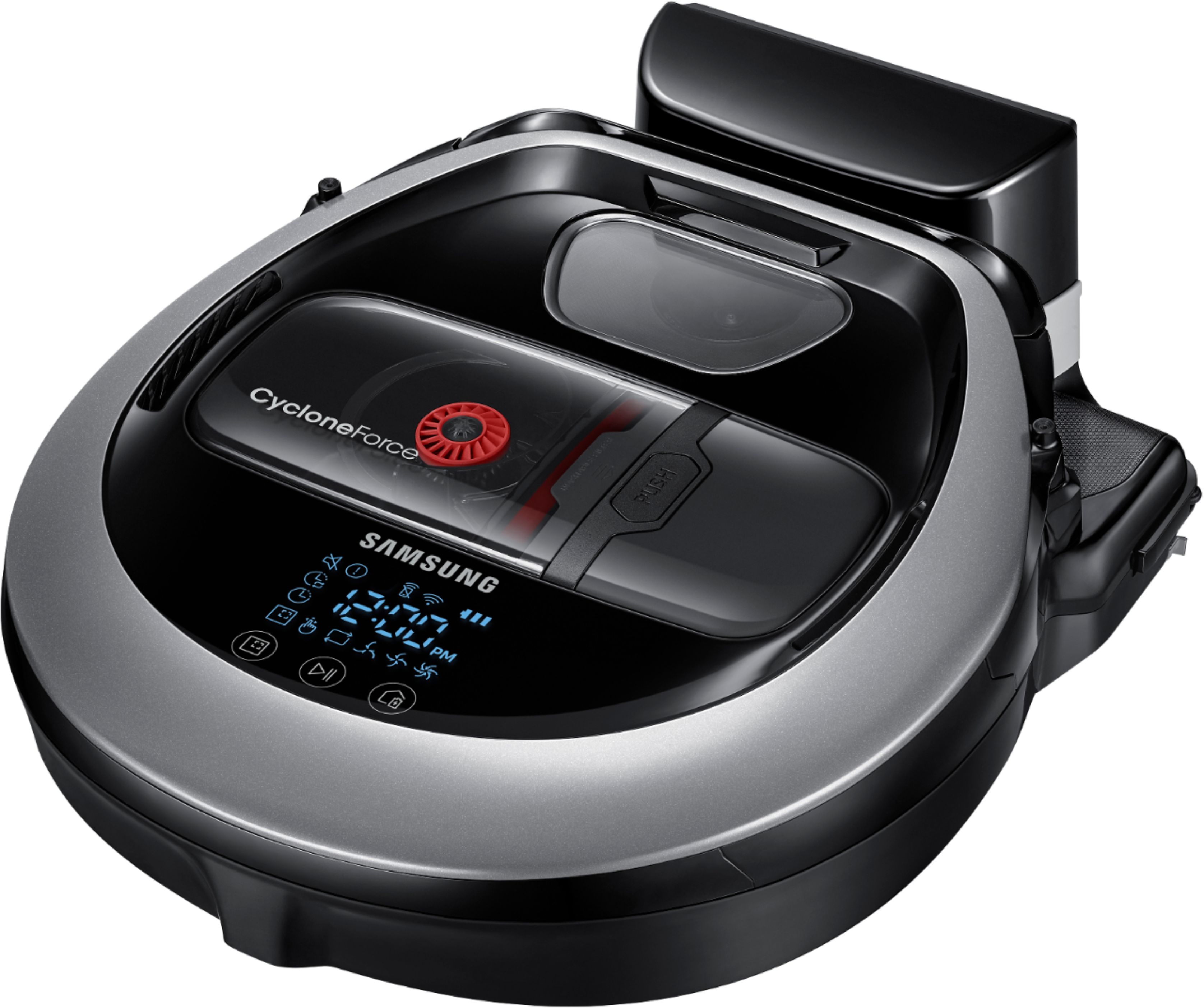
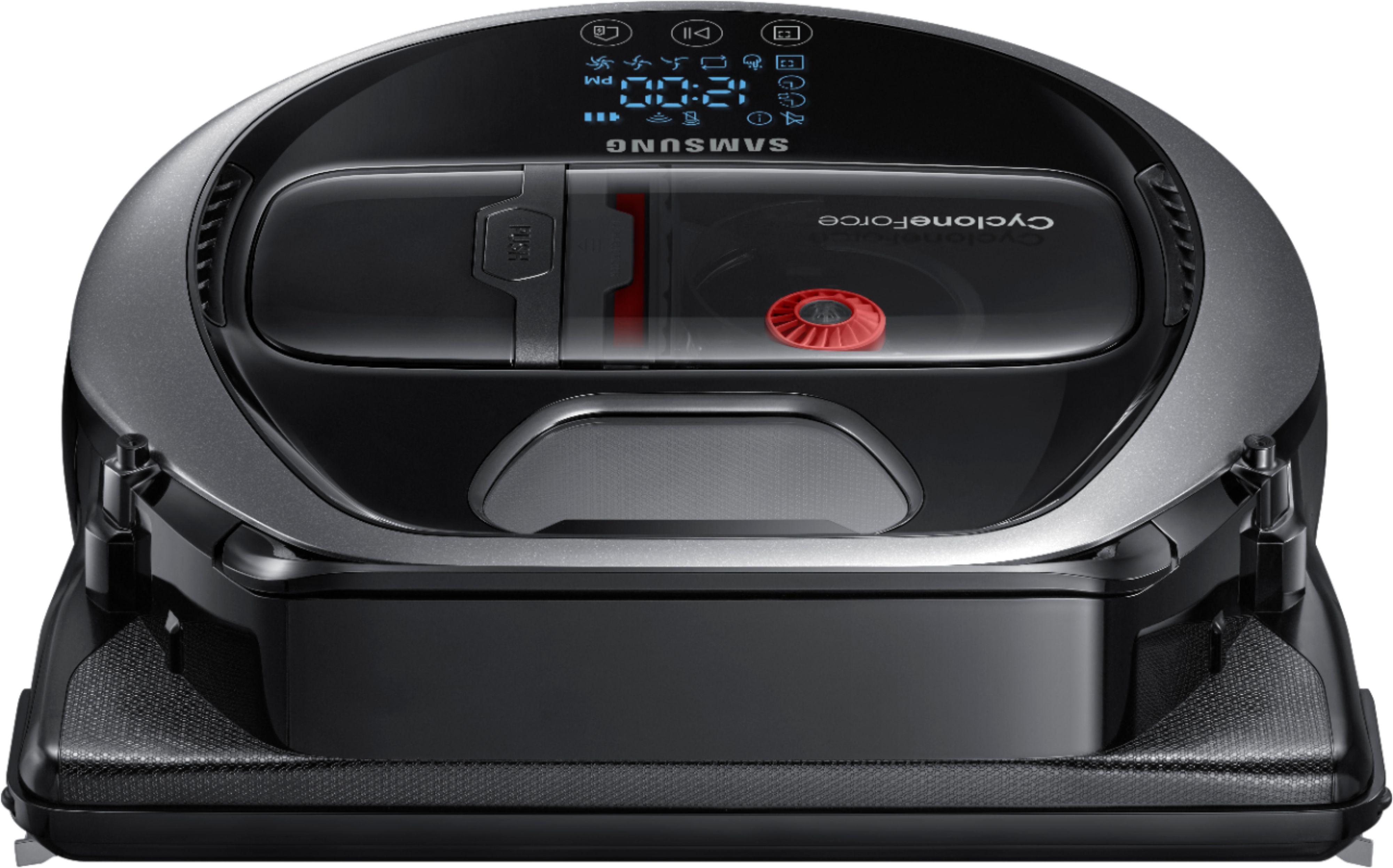

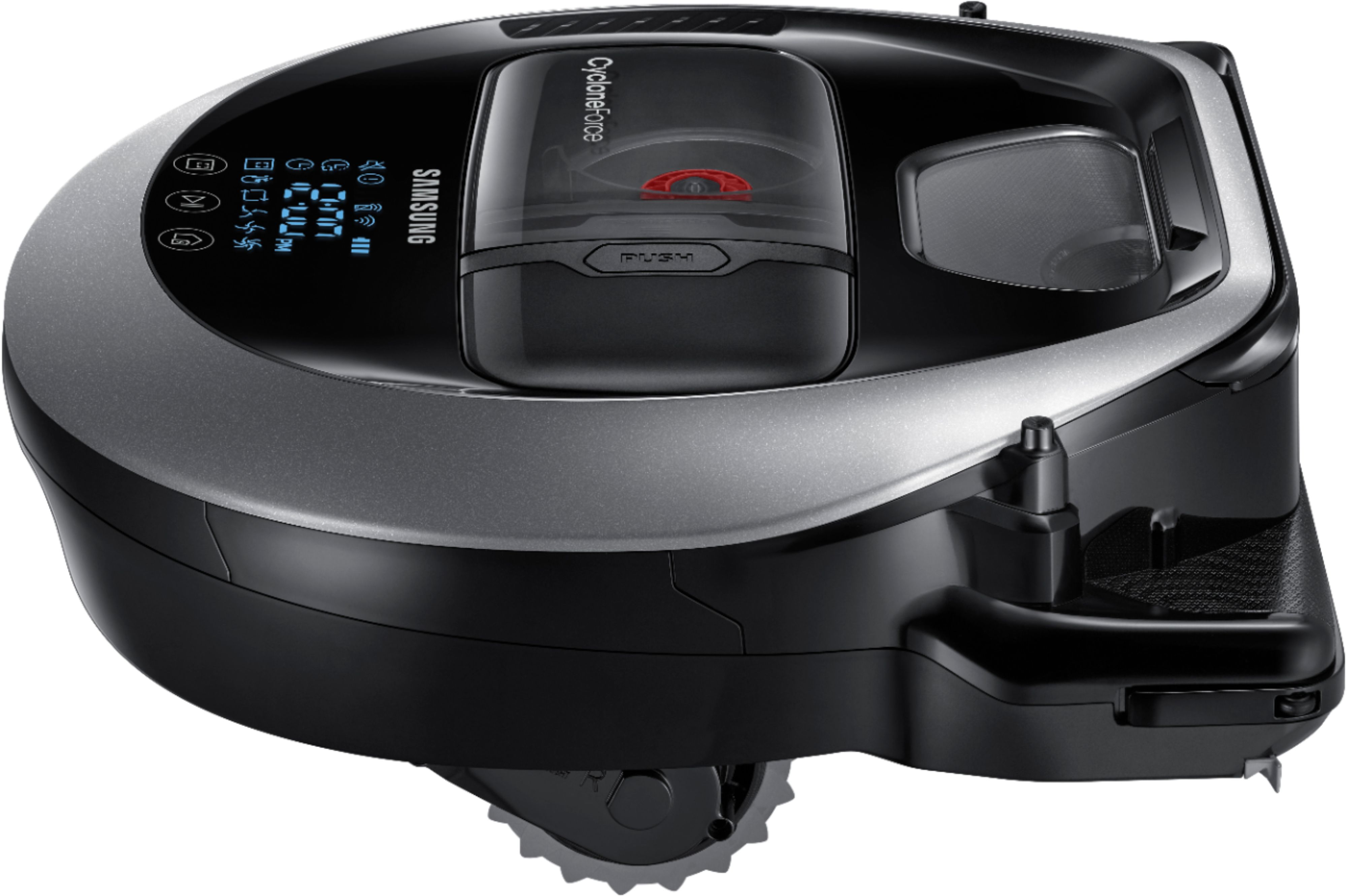
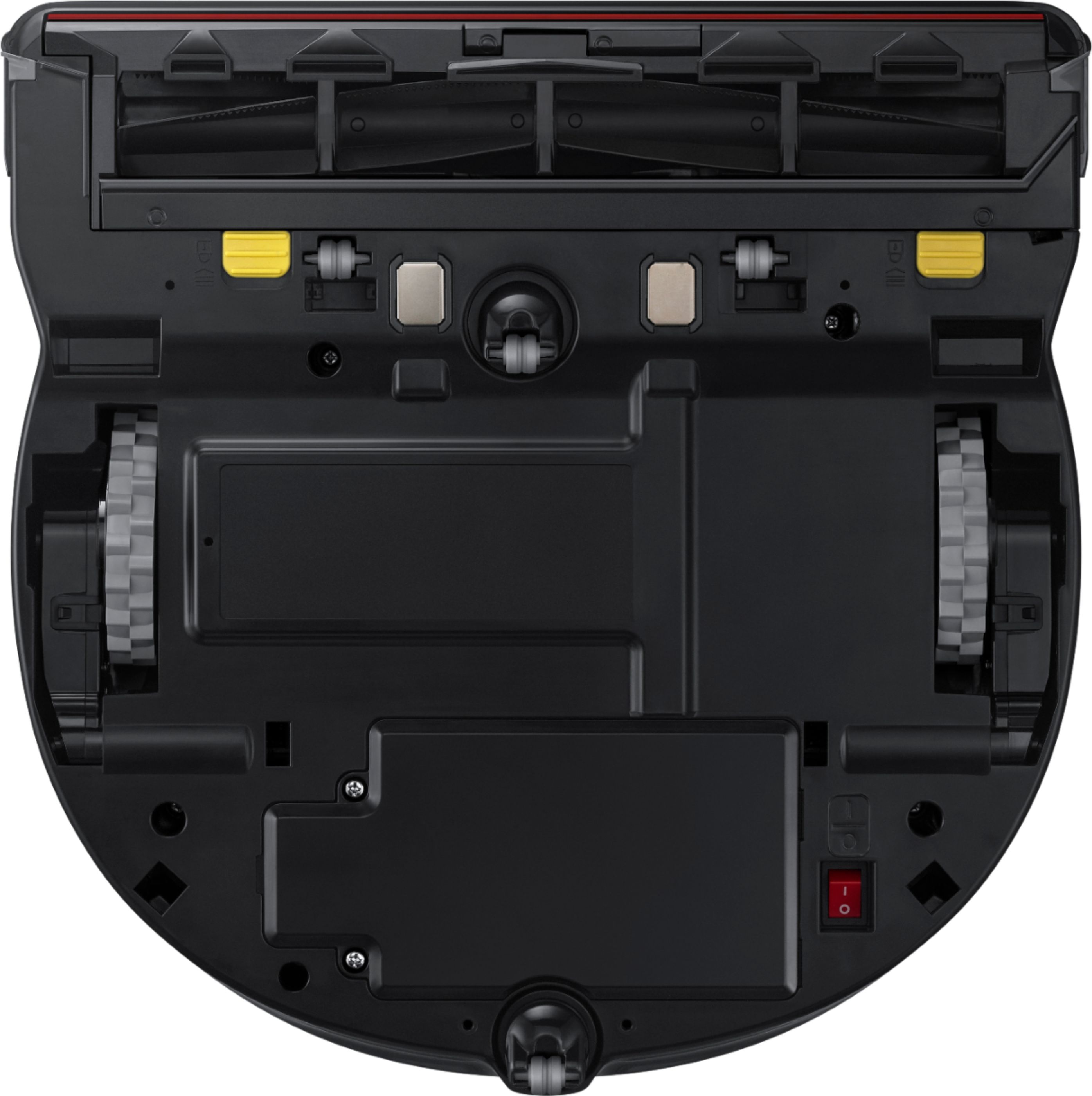
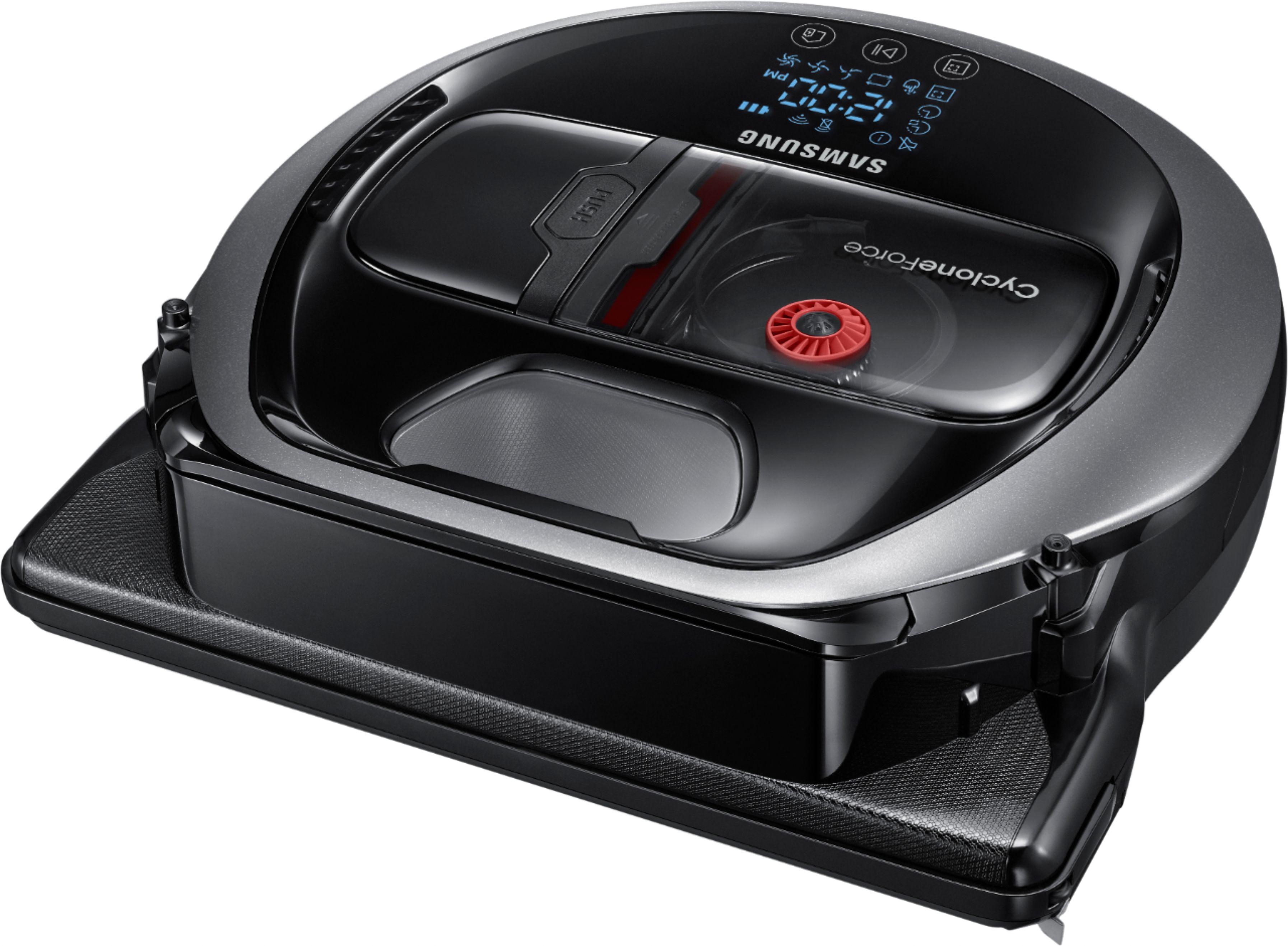

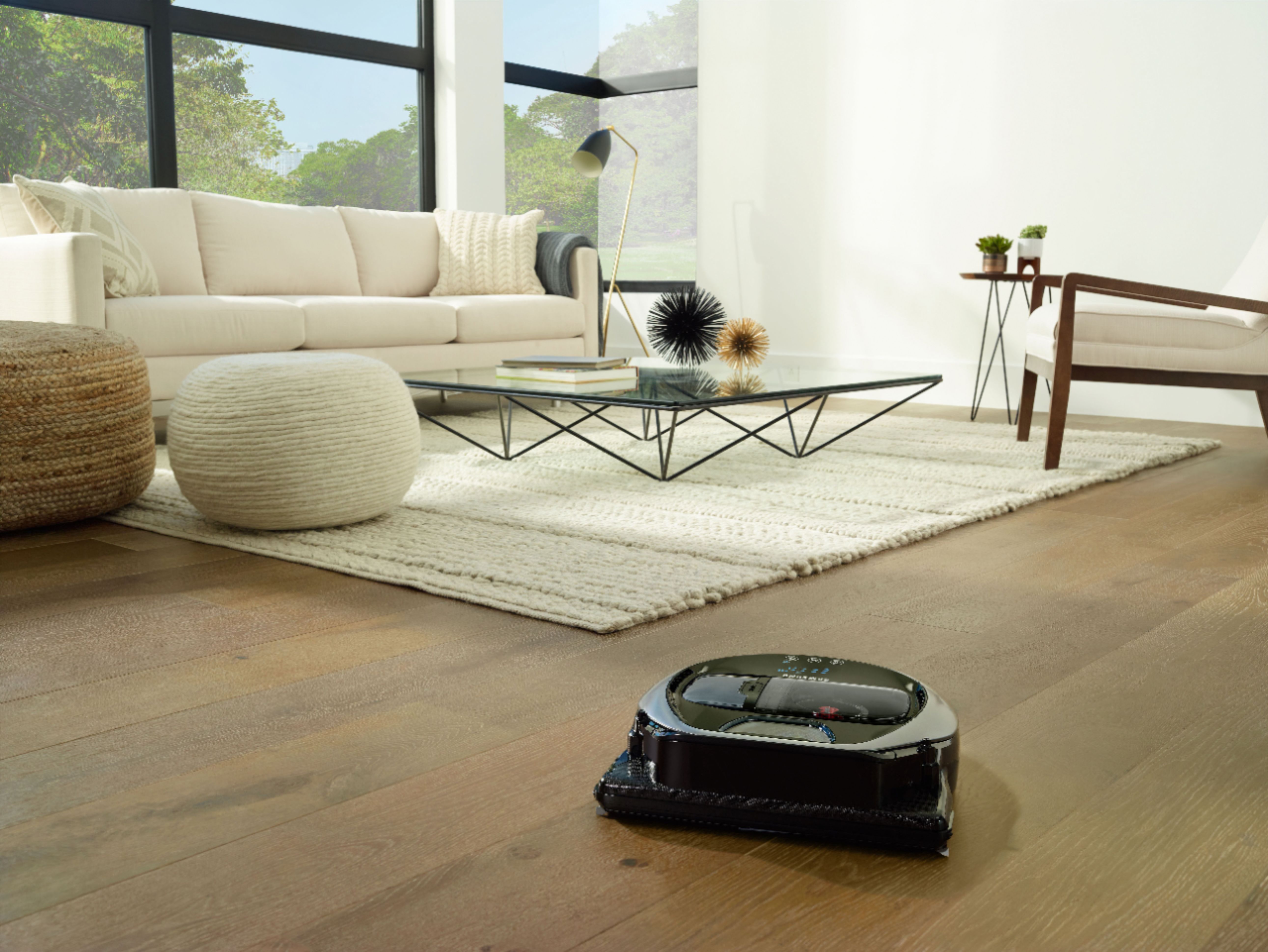

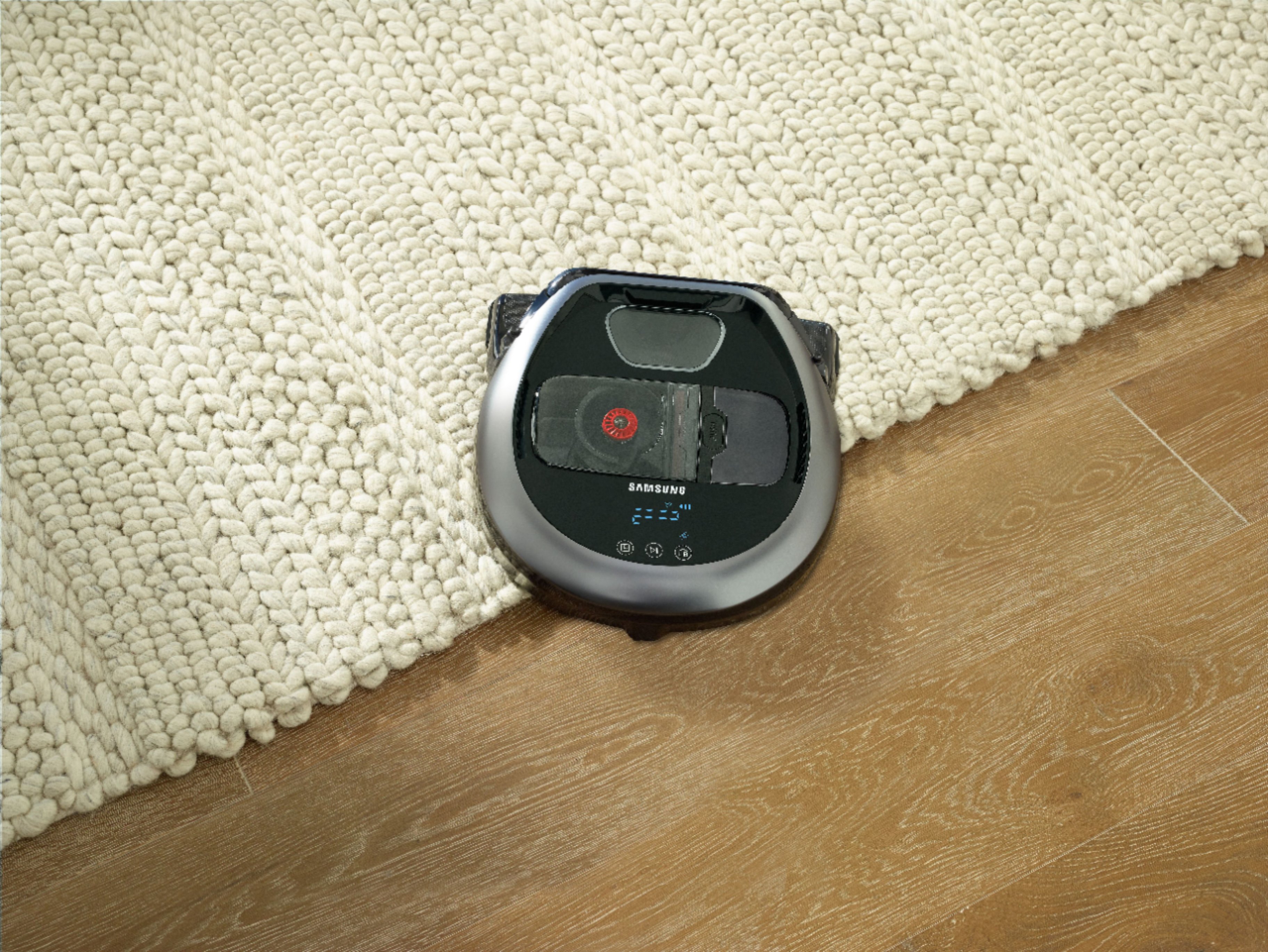

- Model:
- VR2AM7070WS
- SKU:
- 5775703
Rating by feature
- Value
Rating 3.5 out of 5 stars
- Quality
Rating 4.0 out of 5 stars
- Ease of Use
Rating 3.9 out of 5 stars
Customers are saying
Customers consistently note the POWERbot™ Wi-Fi Connected Pet Plus Robot Vacuum's powerful suction, excellent cleaning performance, and ease of use. Many appreciate its relatively quiet operation and effectiveness in removing pet hair, while some find the navigation could be improved and the dustbin is on the smaller side. The app functionality also received mixed reviews. Overall, the strong cleaning capabilities are frequently highlighted.
This summary was generated by AI based on customer reviews.
- Pros mentioned:Suction power
Samsung Powerbot 7070
||Posted . Owned for 1 week when reviewed.This reviewer received promo considerations or sweepstakes entry for writing a review.I researched robot vacs for 5 months before I purchased the Samsung Powerbot 7070. I am very pleased with it in every way! It takes several runs before it completely maps out the house but be patient with it and let do its job. I have wood, tile and carpet floors and it does an amazing job on all 3! It has 3 settings to choose from (quiet, normal, turbo). When it is normal mode it will change according to the floor it is cleaning....example: when it goes from wood floor to carpet it kicks up to turbo and vise versa. I do not have to vacuum with my upright anymore because the Samsung Powerbot 7070 does an excellent job. I highly recommend it to anyone who is looking for a robot vacuum. It does not get stuck under furniture or anywhere else. It’s easy to set up and the app works great. The app has a history and shows you where and when it has cleaned. You can set up a schedule for one time cleaning or a daily cleaning. I can’t express how pleased I am with it. I have Rheumatoid Arthritis so it’s difficult sometimes to push and pull on a vacuum cleaner, now I don’t have to worry because my Samsung 7070 does so well. It goes against the baseboards, stops and it has a rubber bar that comes out and pulls dirt/dust away and sucks it right up. It will not vacuum heavy items such as nails, screws etc. be sure there are no shoes with strings laying on the floor because it will catch the shoe string and hang up but the app alerts your phone if something goes haywire during cleaning. My sister has $1,000 Roomba, I have a $449 Samsung Powerbot 7070 that does just as well if not better. I hope my review helps someone researching the way I did. There are so many options in robot vacuums and it’s hard to choose which one will fit your needs. I also have a short hair dog and I didn’t realize how much he sheds until I ran my Samsung Powerbot 7070. It’s great for pet owners!
I would recommend this to a friendBrand response from Samsung
Posted .Samsung is pleased to hear that you and your POWERbot have teamed up together with SmartThings to make the task vacuuming a thing of the past, and life much easier. We appreciate your recommendations and welcome you to the Samsung experience. ^Cat

- Pros mentioned:Cleaning performance, Noise level, Suction powerCons mentioned:App

Great Robot Vacuum, App... Not So Much!
|Posted .This reviewer received promo considerations or sweepstakes entry for writing a review.Let's get this out of the way first, the Samsung POWERbot R7070 is not cheap. Not by a long stretch. And to that end, when you open up the box, the POWERbot looks like it was just placed in the box, the accessories strewn about into areas that fit and then some bubble wrap thrown on top. Nothing was damaged when it was opened, but I expected something more substantial to protect such an investment when I first opened it up. I plugged the wall charger in, and when I placed the POWERbot on the power pad, nothing happened. I have a new house, so I know the power outlets are fine. I just expected the POWERbot to start charging right away when I placed it on the power pad, but that is not the case. Upon reading the instructions, you have to press the play button for 3 seconds to wake it up and start charging it. Blue bars scroll on the screen indicating it is charging and then 'FULL' is shown when the battery is fully charged. So, reading other reviews, I saw that others had issues in connecting the POWERbot to their phone, and others had problems connecting with an Amazon Echo or Dot. I did NOT have any issues at all. I would say I am pretty tech savvy, I have a very automated home, from cameras to a door bell, lighting to door locks, many, many things in my home are voice controlled, so setting up the WiFi on the POWERbot was just the same as all of those other devices. Turn on the POWERbot and wait for the WiFi icon to light up. On your phone, in settings, under WiFi, look for the POWERbot. When connected, you are instructed to go back to your WiFi settings, choose your home WiFi and put in the password. This then connects the POWERbot to your WiFi network. Similarly with the Amazon Echo and Alexa voice control, I enabled the 'Smart Home' skill on the Echo, logged in with my Samsung account (which I created when registering this product with Samsung) and everything worked as it should do, right out of the box. No errors, no messing around, it all connected, it all worked just as it should. 'Alexa, turn on the Robot Vacuum'... and beep, the Samsung POWERbot R7070 fired into life. Started to leave the dock and get ready for action. It was later at night, so I chose to select 'Quiet' mode with the included remote control. And it is just that... this vacuum is very, very quiet in that mode. There are three suction modes total, Quiet, Normal and Max. Max sounds about the same as any other vacuum out there, and I would assume, with that, is where the 40X more suction claim comes from. Sounds like it was about to suck the carpet up off the floor! I've previously owned a Roomba 530 which this Robot Vacuum replaces. The Roomba traverses the room in a hap-hazard way, covering some carpet at the beginning of the clean, and not getting to the area next to it, till late in the cleaning cycle. The POWERbot R7070 does no such thing. It vacuums like you would vacuum. In lines, next to each other, as you move across the room. The video camera on top scans the ceiling of the room to determine it's route. And to that point it is very accurate. The vacuum lines it creates overlap each other nicely giving a total clean to the room. The edge to edge cleaning is very nice as well, and it senses and delivers a great clean there too. The storage bin for the vacuum is centrally mounted and translucent, so you can see how full the container is getting and how effective the vacuum is being. The container and the 2 included filters are completely washable, making it a breeze to keep the machine up and running. The front roller has a self cleaning 'blade' on the front of it, intended to remove any hair that might get wrapped around the roller. So far so good, I have a long haired German Shepard and I haven't noticed the roller getting clogged up with her hair, which in itself is some kind of voodoo magic! I am very impressed with the cleaning that the POWERbot R7070 provides, and it's accuracy in covering a whole room. However, when it came to rolling over my rugs, it climbed up on them fine with it's robust big travel wheels but freaked out with the pattern of the rug, and dark areas confused it and sent it round in circles until it stopped, took stock of the situation and left the rug the same way it came in! Another issue is that I'm not sure that the POWERbot has true cliff sensors on it, like the Roomba machines have. The reason I say this, is because included in the box, and mentioned in the instruction manual is a strip of metal, with a sticky back to it, that is recommended to add to the top of stairs or around door entry ways. And there isn't enough provided to cover all the areas in the house you may potentially need this. It is also unsightly, so didn't use it. That solution for making the Robot Vacuum skip areas seemed a little archaic to me, when the Roomba provided 'Virtual Walls' with it when I bought it, self contained battery powered sensors to stop the vacuum entering areas you didn't want vacuumed, but it also had fully functioning cliff sensors on it. And then there is the app. These are the reasons for 4 stars and not 5, the vacuum is actually very, very good. But the app and the metal strips let down the overall experience of the product. The app was flaky, and crashed. A lot. Trying to set up the account, it crashed. When I registered the vacuum, it crashed. When I went to control the vacuum, it crashed. Finally I was able to get it somewhat stable, and was able to adjust the suction power of the vacuum using my phone. You can also do this with the included remote control. You also have the power to manually control the vacuum using your phone or the remote control, but in my experience, it was somewhat gimmicky but also not particularly responsive as a way to control the vacuum. However, overall, I would recommend the vacuum for it's functionality and cleaning ability, it actually does a very good job of cleaning the carpets, the thing it's designed to do. The machine is well made and well put together. The app lets it down, but shouldn't sway you from the convenience of the product.
I would recommend this to a friend - Pros mentioned:Battery life, Ease of use
Works great
||Posted . Owned for 3 weeks when reviewed.This reviewer received promo considerations or sweepstakes entry for writing a review.This unit cleans both our hardwood floors as well as the throw rugs and carpet. Easy to set up. It is running as I write. Operates for a long time before returning to the docking station, automatically. Easy to clean. Highly recommended.
I would recommend this to a friend - Pros mentioned:Cleaning performance, Suction powerCons mentioned:Navigation
Excellent cleaning but lacking on everything else
|Posted .This reviewer received promo considerations or sweepstakes entry for writing a review.SAMSUNG POWERbot R7070 WiFi Quick Features on the Product Samsung SmartHome (apps are compatible with selected Samsung Galaxy S and Note series devices. Supports Android 4.0 (since Galaxy S2) or higher and iOS 7 or higher. To use the Samsung Smart Home service an Internet connection is required - data charges may apply and it may not operate in the presence of firewalls. 40x More Powerful Suction (powerful suction delivers optimal cleaning results) Wi-Fi Control Creates optimal cleaning path and avoids obstacles Thoroughly cleans corners and edges of the wall Automatically removes hair tangles around the brush What's in the box? Samsung POWERbot R7070 WiFi Remote Controller (batteries included) Spare Washable Filter (one already installed) Boundary Tape Thank you card (registration) Quick Start Guide User Manual Warranty Information Setup/Testing/Conclusion The design of the box is pretty standard; nothing to run to someone to show off. I’m a box guy so when there’s a lot of effort put into it; I’ll make sure I note that and let people know. The packaging inside the box was pretty good though. I must say; Samsung did an excellent job with protecting everything inside to make sure it’s not damaged during transit/shipping. The POWERbot also looks pretty nice and the build quality is great. Setting up the robot with the dock was pretty simple, it’s basically plug and go. You follow the quick start guide and the robot will start charging. The manual states charging initially takes about 160 minutes. So I let the robot charge up while I messed with the Samsung Smart Home app. After downloading the app, I pretty much got stuck trying to pair the robot to the app on my android phone. I followed the directions and the app found the robot but I got stuck on the part about connecting everything via WiFi. It just continues to loop and search for the AP (access point) but never shows anything. I couldn’t type in the AP name but can type in the AP password. If I click AP name in hopes to start typing it searches for the AP again. After several attempts I just gave up; pretty frustrating I must say. I’ve also read from a lot of other people that the app isn’t the greatest. So long story short on the app; I’m just gonna have to skip on it. So after charging (I basically left it charging for the night) I was able to use it the next morning. I threw some trash items on the floor in front of it to see if it was able to pick it up. I have to say, the POWERbot did a fantastic job with cleaning my hardwood floors and my carpeted room. I thoroughly enjoyed the fact that it has a better “cleaning system” than the Roomba. When the Roomba cleans, it kinda goes everywhere. The POWERbot actually cleans as if you were to vacuum the floor (in a specific pattern) so that it doesn’t miss any spots. Samsung advertises that it cleans corners/edges and it seems to do a pretty good job. When the POWERbot gets to an edge/corner the POWERbot actually says edge on the digital display screen on top and does what it does to clean. I really liked the “smartness” of the POWERbot when it reaches carpet; you can hear it “suck” more as it went on the carpet in my bedroom. The POWERbot ran for about an hour on normal cleaning mode and cleaned my living room, one bedroom, the hallway/walkway at the entrance, kitchen and one bathroom. It never made it to the other part of my house on a full charge though. But to be fair, I don’t think my Roomba 770 would’ve made it for the whole place either. I really liked cleaning the POWERbot. It was simple to clean and you can rinse/wash the dustbin and the filter. With my Roomba 770, you have to replace the filters which can cost you some money over time. Now to the cons… As I mentioned above; I did NOT like the app at all. If you have any rugs laying around like in the kitchen or bathroom; the POWERbot is not able to go on top of it to clean. Instead, it basically just bunched it up. The other thing I didn’t like was the scheduling feature. On the Roomba 770 you’re able to set the schedule on let's say; Mondays and Fridays at a specific time. Or, you can set it for 3 days or even 4 days or every day. Basically you can set it to whatever you want for scheduling. On the POWERbot; you’re not able not able to do that. You can either set it for a one time clean at a specific time or a repeating daily set time. Meaning, your POWERbot will literally go off every single day if it's on the daily schedule. Some people like to have it go off only once, twice, or whatever their preference is. The POWERbot doesn’t give you that flexibility. I also did not like the fact that the POWERbot still goes off even if it doesn’t have the dustbin in place. The Roomba 770 will not start if the dustbin is not secured in place. So luckily I heard it go off to stop it but it definitely blew some dust in my room because there was no dustbin! In conclusion, I would not be able to strongly recommend this product to others. I would definitely take a look and do some research prior to purchasing any cleaning robot. The POWERbot did a great job cleaning as far as the way it’s programmed to; but it had way too many cons for me to give it above 3 stars. Overall; I felt like the POWERbot is just mediocre. I wasn’t really wowed by it compared to my Roomba 770 which is about 3 years old.
No, I would not recommend this to a friend Great Vacuum
||Posted .This reviewer received promo considerations or sweepstakes entry for writing a review.I have a rainbow Vacuum it’s awesome, but needed something that can lighten my workload. Powerbot R7070 is great for my hardwood floors and all the dog hair I could do all my other carpets while this one takes care of my hardwood floors it’s perfect. Unlike the iRobot the Samsung gets the Corners. Because the front is straight not round. It’s quite surprising how well this works .
I would recommend this to a friendBrand response from Samsung
Posted .Samsung is pleased to hear what a perfect fit this Powerbot has been for your household. Thank you for taking the time to leave this review. ^Lo
Works great
||Posted .This reviewer received promo considerations or sweepstakes entry for writing a review.We have a complicated floor plan and it almost always makes it back to the charger. Vaulted ceilings don't affect the vacuum patterns. Mostly hardwood floors, some carpet. Does different patterns each day, hasn't fallen down the stairs yet. Don't know why my dog isn't bald by now. Sucks up Huge clumps of hair every day. Still haven't gotten it to work with Google Assistant yet, even using IFTTT. But the daily schedule works great
I would recommend this to a friendBrand response from Samsung
Posted .Hey R7070, that is great to hear that your dog isn't bald as well as your unit is doing an awesome job. Thank you for choosing Samsung. ^SuSu
- Pros mentioned:Battery life, Suction powerCons mentioned:Dustbin size
Excellent and Smart Robot Vacuum
|Posted .This reviewer received promo considerations or sweepstakes entry for writing a review.I have run my POWERbot twice since receiving it and here are my thoughts. Pros: -Cleans very well with surprising suction power in a small unit -Filter is washable. This will save money long term and the unit comes with a spare as well -Remote control makes it easy to direct to a specific spot -Smart App lets you see visually the path it has swept and has other cool features -Programmable to run when you wish. You can have it run once every night while you are sleeping if you want. -Adjustable power to maximize cleaning strength or extend battery life. Normal mode gave me about 35 minutes of cleaning. Quiet/low power mode gave me at least double that but could still clean well despite the lesser suction strength. -You shouldn't run it with anything on your floors so it forces our kids to keep their toys put away! Cons: -Not for use with black floors. The instructions clearly state this and I found out why. I have a large carpet in my living room with a pattern of black circles. These circles confuse it and make it think it's reached a border it should not cross. -I had to empty the dustbin twice during first use as it filled up quickly. Although, this could just be because the POWERbot was reaching places I could not with my regular vacuum and it was cleaning spots with lots of dust/dirt. This could actually be a pro I suppose. -The instructions lack detail on how the unit learns and maps your home. I'd like some more information on this. Overall this is a great robotic vacuum. If you don't have any black floors, or even carpets with some black coloring, then it's a great buy and I would recommend it.
I would recommend this to a friend - Pros mentioned:Battery life, Noise level
Nice helper
|Posted .This reviewer received promo considerations or sweepstakes entry for writing a review.Vacuuming is no one's favorite chore and this robot vacuum was called for help. Of course battery powered device won't be able to compete with AC powered machine in terms of suction power or dust bin capacity, you can still clean the house much faster with a big machine, but vacuuming robot can help with everyday cleaning so you could only vacuum yourself once a month instead of doing it every week. POWERbot vacuum was pretty easy to setup, it comes fully assembled and all you need to do is to find a good place for it with at least 2ft clearance to the nearby furniture. Plug in the charging dock, let it charge for about 3 hours and it's ready! It comes with the remote control and the ability to connect to your WiFi network and control the vacuum using the app on your mobile device. I've found that using the app is more convenient than looking for the remote every time. What I found works the best - is to set the dock in a room you want to be cleaned (prepare the room in advance by removing as much items from the floor as you can), close the door (robot came with 39" of a flexible magnetic "barrier" which is supposed to prevent robot from going into certain areas, but I've found that closing the door is a way more efficient way than sticking that barrier to the floor) and let robot do it's job. Battery runtime is about 1 hour and it's enough for the robot to clean about 14x20 room in that time. It's dust container is not big enough for the larger areas either and it needs to be cleaned pretty much after every room is done with. Noise level from the robot is not much than a good hair dryer so if you want it to clean while you are at home - it's not very annoying. Robot has a few sensors on it's body so it typically won't slam into furniture or walls, but there are exceptions. For example it was getting caught by the IKEA chair in the living room all the time - as soon as robot runs over the chair's base - it would decide that it "has been lifted" and would stop dead. Mobile phone app will signal that robot has been "lifted" and there is no way to fix that other than get to the robot and move it to the flat surface. Same exact thing happened with the table leg in my office, POWERbot wedged itself off the floor by running over the leg and said it's been "lifted". Mobile app is a great way to control it, I'm not using the included remote at all. You'll also get a little map of robot's movements across your room in the app. I have not really had to use it's manual control mode where you can command robot to move forvward or turn left/right. Overall it's a great little helper as longs as you understand it's capabilities and set your expectations accordingly - clean one room at a time (let it recharge and go empty robot's dust bin after each "job"), prepare the floor surface by removing power cords, slippers, and anything that could block POWERbot's roller. Do not expect it to clean the whole floor (especially if you have a rather large house), it will attempt to do that by re-charging and continuing the job, but it's dust bin will overfill and I don't believe there is any indication of that anywhere, you just have to look at it (it's transparent so it's very easy to see).
I would recommend this to a friend - Pros mentioned:Battery life, Cleaning performance, Ease of use
The Way of The Future in Vacuum
|Posted .This reviewer received promo considerations or sweepstakes entry for writing a review.My little niece calls this vacuum her "pet" because it follows her around sometimes and it's small like a pet. I recently moved furniture around the house, after moving, you can imagine the mess i had on the floors. I was also running late for a gathering. You can imagine how convenient this Powerbot R7070 is! I turned it on while getting ready to leave for the gathering, by the time i got back the whole house was clean and the powerbot was charging. That's the powerbot R7070 Vacuum in a nutshell. It make your house chores list shrink in size. The vacuum detects when it cleaning hardwood floors or carpet. You can tell by the vacuum speeds (or sound) when it switches gears. I have to say that this vacuum is not too quiet. You can still have conversations around the house while the vacuum is working in the background. It didn't bother me much, but my friend said it was kind of loud. You be the judge. The set up was really easy, just follow the first few pages of the instruction manual and you are all set (make sure you leave it charge when you first open the box too.) I like that when the battery is low. The vacuum automatically stops and goes to its charging station, once charged 2/3 of the way, it will stop charging and continue where it left off. It's small enough to go under furniture and it's smart enough to move around edges on it's own. The disposing of the dirt inside the vacuum is really easy too! Just press the center button and the chamber(where the dust/dirt is stored) just pops out. I have a cat so i had to stick my finger through the tube just to make sure it was completely cleared. I really like this powerbot vacuum cleaner. It eliminates a lot of cleaning for me. It works so well that my mother (not tech savy person) would like one for herself. I would recommend to anyone.
I would recommend this to a friend - Pros mentioned:Battery life, Suction power
I May Soon Be Replaced By A Robot - ALMOST
|Posted .This reviewer received promo considerations or sweepstakes entry for writing a review.Not having any prior experience with robot vacuums I eagerly looked forward to see what the Samsung POWERbot™ R7070 Robot Vacuum could do cleaning the floors in my home. I looked forward to evaluating 21st Century technology paired with a powerful vacuum in order to save me time and enhance my floor cleaning. The POWERbot pulled up dirt, dust, and sand from my floors with its powerful turbine, it did not disappoint me. As I took it out of the box I was immediately impressed. The Samsung POWERbot is ruggedly built and well-designed. It is packaged with: Quick Start Guide Comprehensive User Manual Battery Recharge Docking Station Power Cord Battery Charger Remote Controller – Two AAA batteries are included Another Spare Re-Usable and Washable Filter Magnetic Boundary Tape Warranty Information – One Year It is approximately 11 ½ inches wide and has a self-cleaning rotary, cleaning brush. The POWERbot is well-balanced over two large wheels, which easily climbed over my transitions from hard-surfaced floors to carpeting. The dust bin capacity is a tad under one and one-half cups (11.27 oz), but so easy to empty and clean. It features a washable and re-usable filter (a spare is also furnished). I finally had to wash the filter after eight times of whole house vacuuming. It is Wi-Fi enabled on the 2.4 Ghz radio band. You must have a Samsung Account, which you can process by downloading the Free Smart Phone App from Google Play or Apple App Store depending on your Smart Phone. I already had a Samsung Account on my Samsung Smart Phone, so the set-up, product registration, and Wi-Fi connectivity to my Home Network was very easy following the instructions in the User Manual. Please note that you can always use the furnished Remote without a Wi-Fi connection as long as the Remote is within site and height limits. The POWERbot can be controlled three ways – the on-board, touch-controls on the face of the unit, by the Remote, and, or the Smart Home App on your Smart Phone. It is fairly obvious that the Samsung Smart home App is a 'work-in-progress'. In fact I just downloaded an 'upgrade' to the App today. However, I prefer my Smart Phone over the Remote since I always carry it with me. Additionally, the Smart Home App gives me more information and a visual control screen, which allows me more flexibility. After using this POWERbot for over a week, I believe the 'Visionary Mapping' feature of this unit gets better at digitizing out the layout of my whole house each time it is used. The on-board digital camera coupled with its nine sensors appear to be more efficient after completing several auto cleaning schedules. It gets done quicker and does not bump into as much furniture as the very first time. I love the end result, clean floors and less work for me. WooHoo! I may soon be replaced by this POWERbot – almost. I am still going to need my old upright vacuum for places the POWERbot cannot get too, behind and under furniture, stairs, shelf dusting, and upholstery. But this baby does about ninety percent of the work. Welcome to robotics and 21stCentury Technology. Thank You, Samsung. The POWERbot saves me valuable time and vastly cuts down on my chores of vacuuming routinely. Win, Win for me. YooHoo! The POWERbot is designed for daily or frequent, routine vacuuming. It does not have a weekday schedule. Once you set the scheduled times it will be on a daily-basis, only. However, by using the Smart Home App connected to your home Wi-Fi network, you can remotely change at any time during the week or change the POWERbot schedule at home or away. For instance, If you are away, or, at work and discover unexpected company may arrive before you get home – you can remotely turn your unit 'ON' and let it do its thing at the time you want it too using your Smart Home App. Just enable the 'One-Time' schedule instead of changing the daily times it may already be set for. Important to Note – Using the POWERbot does require some floor prep to be efficient. Loose electrical cords, magazines, clothing, or toys anywhere on your floors may stop and even damage this unit. Water or any liquids on the floors is also a No-No. Using the POWERbot has helped me to reduce the clutter off of my floors. There are three separate, programmable cleaning modes, Auto, Spot, and Manual. There is also a Repeat mode, which will clean continually until the battery is exhausted. For daily, scheduled vacuuming times I use the Auto mode. There are also three Suction Power modes, Turbo, Normal, and Quiet. The first time I used the Turbo mode, but since I vacuum daily, I now use the Normal mode. When my Grandchildren were over I got to use the Spot cleaning mode to pick up crumbs from PB&J sammies along with some potato chip bits. To Spot clean you must place the POWERbot in the center of the area to be cleaned as it travels an outward path from that point, approximately six feet by six feet, then stops. It is important for good operation to place your docking station as centrally located as you can. I moved my docking station several times before the POWERbot could easily find it using its Infrared Technology sensors. Important to note that the Infrared sensor cannot 'see' black or very dark colors, so avoid those areas when placing your docking station. It took approximately three hours to fully charge my unit from LOW Battery. In Auto mode at Normal Suction the POWERbot lasts approximately one hour. In Turbo mode maybe around twenty-five minutes, and, in Quiet mode the User Manual says approximately ninety minutes. I have not used the Quiet mode yet. One other point – shut your ceiling fans OFF when vacuuming in Auto mode. I left mine ON and the POWERbot only cleaned around the area of the turning fan. Maybe it can't see the ceiling with the digital camera while the fan's blades are rotating, not sure? Just shut them OFF while vacuuming, and no problem. I love how powerful this unit is and the technology, which makes it such a Smart Robot. In summary, the Samsung POWERbot can replace me without question. Wish it could 'do windows'. I think Seniors would like the POWERbot since it minimizes a cleaning chore without the danger and hassle of tangled cords to deal with, or, trip over. It also is 'Arthritis-Friendly' since it helps Arthritic Seniors avoid pushing heavy upright vacuums frequently. Does the POWEREbot sound like a great gift for someone 'special' on your list? I would highly recommend the POWERbot, especially to folks, who value their time, and want to make their whole home 'smarter'. It certainly isn't for everyone, but it is a great choice for those, whose lifestyle supports robotic tech, convenience, and enhanced, care-free floor cleaning.
I would recommend this to a friend - Pros mentioned:Battery life, Cleaning performance
HOW DO THEY DO THAT!!
|Posted .This reviewer received promo considerations or sweepstakes entry for writing a review.Wow very impressed with the R7070, upon opening the box there was ample padding for the unit so it won’t get jostled around and damage the electronics. Setup was extremely easy. I plugged in the charge base on a flat area and made sure the cords were wrapped up and hidden as much as possible. I then put Robbie (name for my robot) on the charger and let it charge for an hour. During this time I downloaded the Samsung Home app and got it all installed. I set up a Samsung account and connected Robbie to our WiFi. The app is great for setting schedules, using as a remote, spot cleaning, and seeing the status and history of the robot. You can even get notifications when the vacuuming is finished or if there is a problem. (This actually happened to me. A shoe string had got caught and let me know. After I fixed it. The unit finished its job) Using the app I set up a one-time cleaning schedule after setting the clock up on the robot. When the time arrived, Robbie took off and cleaned our living room (has both tile and carpet) then on to the kitchen with multiple obstacles and finally on to the hall and into our individual bedrooms. I was beyond impressed. How do they do that?? Robbie cleaned everything and didn’t miss a spot. Even the edges were cleaned as it has clean edge technology. It will recognize an edge and get up as close as it can and go down to the end of it. When it was about finished the battery was running low (I did not fully charge mine first which takes a few hours) the vacuum shut off and it returned home to charge up. Once charged it returned to the area and finished then return back to the base. A full charge is more than enough to do a large house (we have 1700 SQ FT and there was still a good amount of battery left when it was done with a full charge) I believe it has a 90 minute life. It is smart enough to know when it is getting low and return to base to charge. This robot comes with a strip of metal tape. To mark off areas you do not want it to go to (this is optional, I didn’t use mine). Robbie was able to get in to very small and confined spaces without getting stuck, like under a small chairs, corners and playhouses. I do have a couple of issues with the app. 1. Currently the app will only let you choose to run the robot once or daily. Hopefully they will change this to offer more scheduling options like every other day or once a week. You can always hit the run button at any time for it to vacuum. 2. The other issue is that the app seems to loose wireless connectivity to the Robot fairly easy. I have to close then reopen the app to get it to work. The unit comes with a hand held remote which can do the same things as your app but the remote has spot technology where you can point to an area and it will go vacuum the area. When it is done or when you want, you can hit the home button and it will return to the base. Clean up is a snap, Just click the dust bin/ collection housing button and it pops out. Remove the filter (which is washable) and dump the container. (They give you two filters) put it back in the vacuum and you are good to go. In conclusion: While I do not think this unit is meant to be an “end all” vacuum, as it does not have the power of an upright, but more of a maintenance type unit. I would suggest giving your area a good vacuum with your upright and then put it away for a long time and let the robot takes care of the rest. I have mine on a schedule to run every day at noon and my carpets look great! I would recommend this to friends and family. Actually this would be great for my 84 y.o. mother who has a bad back. No more pushing a heavy upright!!
I would recommend this to a friend Super Practical in Virtually Any Circumstance!
|Posted .This reviewer received promo considerations or sweepstakes entry for writing a review.The Samsung POWERbot R7070 exceeded my expectations in most areas. It underwhelmed me with just a couple of issues. For full disclosure, I also own 2) iRobot 980 Top-Of-The-Line bots & owned 2) earlier generation iRobot bots. Here is a summary of my findings: LIKES: 1- The CycloneForce design really works! This is the most powerful Robotic Vacuum I have ever owned. The suction & pick-up power is amazing. It cleaned my high pile carpet with ease. Much stronger pick-up power than the iRobot Roomba 980. 2- This is the quietest, least annoying sound of any Robotic Vacuum I have owned. The sound is not only quieter, the frequency is lower than most (more bass & less treble) so it is much less abrasive sounding & not annoying, as are my other bots. You can actually tune it out while it is cleaning. 3- Washable filter with a spare filter included. This dramatically lowers the cost of ownership! By comparison, the disposable iRobot filters fill up fast & are expensive! This Samsung design with a washable filter is truly a brilliant design, complete with a finger pull to keep your fingers out of the dirt! 4- Dirt canister is easily accessible with one push button on top of the bot. No bending over & fiddling below the vacuum, just to dump the dirt, like every iRobot model. In addition, the dirt canister is a simple rectangle with curved edges. Nowhere for dirt to cling. The iRobot dirt canister is a very complex shape, requiring manual dirt extraction by fingers every time. Then you have to remove the Roomba $$ filter, clean or replace it. The Samsung R7070 has the best filter / canister system of any Robotic Vacuum I have ever seen. 5- Long 11" Brush provides more efficient cleaning with fewer floor passes, resulting in greater battery life. The design of a rectangular front edge is brilliant, allowing this 11" brush with easy corner cleaning access. 6- Camera capturing the ceiling results in attractive, perfectly straight "clean lines" in the carpet - no random zig zag pattern here! Hint: Leave the light on in the room to be cleaned so the camera can properly see & map out the ceiling. 7- Long Battery life, as advertised. I experienced as long as 90 minutes if "quiet" mode was selected; for regular cleaning, I found never less than 60 minutes of powerful cleaning. This is excellent! 8- Large, spring-loaded wheels power it over the thickest area rugs with ease. Best accessibility of any vacuum I have owned. 9- Auto deep cleaning mode on carpets works well & applies turbo power just where needed. This saves battery power on hardwood & makes for quieter cleaning, except when extra power is needed - and this is selectable in the app. 10- Auto return to base for recharge works the best of any vacuum I have owned. The iRobot 980 does a fair job of this, but can be thrown off if it cannot "see" the base. The Samsung R7070 outperforms it, plain and simple. As long as the bot is within 20 feet of the base, it will do a dance if necessary to line up perfectly & charge itself. In addition, the base has massive, non slick rubber surfaces which hold it securely on hardwood, ceramic tile, linoleum, or carpet. The iRobot base, by comparison, has a slick bottom, requiring me to secure that base to the wall with adhesive strips. Samsung has a far superior design. See my photo of the bot on the base, tucked deep between an antique Coke Machine & Oak cabinet. The R7070 has no difficulty finding this any time, even from another room. 11- No goofy "rotating whisker brushes" are needed to clean in the corners. The R7070 cleans in the corners extremely well, due to the flat edges & the long 11" brush. On the contrary, the iRobot 980 stirs up dirt with whisker brushes, and often does not pick up the dirt & cat hair the whisker brushes loosened up. 12- You can drive the R7070 by included remote or phone / tablet app. No more bending down every time to position it or move it to another room! This is a HUGE benefit, which the iRobot Top-Of-The-Line 980 cannot do. 13- At just over 3' tall, the R7070 can go places many taller bots cannot. This is a substantial achievement & makes this bot super practical in virtually any circumstance. DISLIKES 1- Magnetic Strips are required to restrict bot access. I STRONGLY prefer the wireless virtual wall "Lighthouse" included with iRobot bots. They are inconspicuous & can be left in place or put away between uses. Why build such a technology marvel as the Samsung R7070 and require outdated magnetic strips to be stuck to your floor or buried below an area rug? This is a deal breaker for me & is the sole reason why I do not plan to add a second R7070 for my 2nd floor. If you try to lay the magnetic strips on the floor temporarily, the R7070 drives over them. 2- Underdeveloped Software. The Samsung Smart Home Software should be updated. Adding the bot to another phone & tablet after first registering it with your phone is a nightmare. Such a disappointment for a wonderful & powerful bot to be hamstrung with weak software. CONCLUSION: The Samsung R7070 is a tremendous achievement in vacuum & technology excellence!! I found it Super Practical in Virtually Any Circumstance! If you can tolerate the magnetic strips & the low performing software, you will be hard pressed to find a better performing robotic vacuum at any price!
I would recommend this to a friend- Pros mentioned:Cleaning performanceCons mentioned:Navigation
Impressed with its cleaning.
|Posted .This reviewer received promo considerations or sweepstakes entry for writing a review.But its not a just turn it loose and let it clean operation. Pick up and put up anything laying around in the floor. Pet bowls need to be up or establish a no go area for them with magnetic strips. Have no electric cords where this machine can eat them and go buy more magnetic no go barrier as it only comes with a strip long enough to do one door. But it really does a good job of supplementing the vacuuming by picking up dirt, dust and small debris. Car hair was no match for it either. I think one of the most loved things for us is the fact that it goes under the beds and other difficult to get to areas with ease. It cleaned the floors in the Living, Dining, Kitchen, One Bathroom and One Bedroom before marching itself down the hall and docking to recharge. Of course there are places it cant get like in the dining room unless you move chairs and such for it. I see it as a supplemental cleaning tool, but at least for us in our situation it will never replace our upright Dyson, but having both is a great thing. I (and the cat) followed it around as it cleaned the first time while my wife relaxed on the couch and read a book, so it can definitely free up time to do other things. It did get lost on the way back to the dock and was in a search mode,but It finally found it and charged. If you can find the coin in your budget for one of these I really dont think you will regret spending the money.
I would recommend this to a friend - Pros mentioned:Battery life, Cleaning performance, Ease of use
Samsung - POWERbot R7070
||Posted .This reviewer received promo considerations or sweepstakes entry for writing a review.More Pro's than Con's but NOT perfect. Would I buy again, Yes, we could have returned it within the 15 day grace period but after using it every day during that time we decided it was worth keeping even with a few minor faults. Pro's Strong power and suction Not a loud as your normal vac Cleans VERY well Frees up time normally spent cleaning Cleans edges extremely well Very easy to empty and maintain Con's Is not perfect in it's pattern of cleaning Sometimes will not clean every room even when the doors are open Has difficulty with thick rugs and thin lite rugs, can't get on the thick ones and moves the thin rugs Can only program a time for every day of week or start manually with APP or remote, can not choose varied days or times, has to be same time every day of week Occasionally gets stuck under chairs around dining table with many chairs Besides that it is worth the time saving to keep your home cleaner and just empty the bin every few days. The APP works great for notifications of cleaning or issues. Can start remotely with APP for instance you are away and guests may be coming over. Expensive so the minimal investment in 4 year warranty should pay for itself if used daily. We run on MAX Suction and it runs between 30-45 minutes each cycle and then goes back for recharge.
I would recommend this to a friend - Pros mentioned:Cleaning performance, Suction power
Samsung Power "Bob"
Posted .This reviewer received promo considerations or sweepstakes entry for writing a review.The samsung powerbot is a very innovative and a powerful piece of machine, which does a wonderful job cleaning around the house. The power has great suction to pickup all the messes around the house. Powerbot comes packed with so mcuh technology, such as wifi contol, spot cleaning, mapping, cliff sensors, IR sensors and edge cleaning just to name a few. The powerbot also interrages well with the samsung smartthings app, which allows you to control the level of suction down to the histroy. The power bot has made our lives to much easier, now we dont have to constantly pull out the vaccum cleaner everytime the kids decide to make a mess that we have to clean up. My kids also love the powerbot and call him "Bob". Everytime Bob comes out to clean, they sit there and watch him work.
I would recommend this to a friend My Rosie
|Posted .This reviewer received promo considerations or sweepstakes entry for writing a review.First impression of the Bot in the Box, very impressive, it comes well packed with sufficient instructions to do things in the right order. First it says the POWERbot should be fully charged before first use. Since I needed to install the app first, I didn't think this was a big deal. In fact it said it was fully charged after about 60 minutes out of the box. Installation of the app on iOS went fairly smoothly, the only hiccup I encountered was I could not get the POWERbot one of of my WiFi networks (I have 5, so using a different networks was not a big deal, and it worked fine immediately - never found out why the initial problem). The app is pretty minimal, I'd kind of expected more with regard to programming, and options, but the robot seems to have all the smarts it needs built in. Still I wish you could review where it had been and to possibly give it area to exclude. Maybe in another version. How does Rosie clean? Really pretty darn well. I tested it in 3 separate areas. My main living area is tiled with hardwood floors and some oriental throw rugs, the orientals are pretty plush, being 3/4" to 1" tall. The POWERbot easily climbed up these rugs, increased it's power and vacuumed each efficiently. It did a great job under the toekicks in the kitchen, and it repeated each area at least twice, it ran for almost 90 minutes on normal. I have to say it makes a noticable amount of noise, but probably half the volume of a Roomba 770 (my Daughter has one, and you really can't listen to the television when it's in the room. Not that much of a problems with the POWERbot . That I see as a big plus. I hav smaller drop rugs in my bathrooom that I was concerned would be a problem for the POWERbot , but it had no real issues, and and off the small rugs with out bunching them up. Another plus. And it's easy to empty and clean, the dust bin ejects easily and can be washed out with water, and the filter can be washed, another big plus, and they give you an extra one. My other surprise was when the POWERbot came to a two step (tiled) drop, it did not fall, it detected the drop over and over and stayed on the upper level. The lower level is all tile with a bed room, after making sure there were no cords dangling on the floor, I watched it go back and forth under the bed where there was a tight squeeze but it managed quite well. A couple of small throw rugs were no problem again. it did a great job along the edges, better than expected. I then tried in my upstairs, where I have some more orientals, this time with fringe, a possible concern, so I watched what happened and my concerns were well founded. The fringe got cought up in the brushes and jammed. I had to stop the POWERbot and back the fringe out, no harm, but I wouldn't try this on more expensive rugs. So for now I have to only use POWERbot in rooms without fringly rugs. For some this may be a bigger issue, but for me I'll probably only use it one area. Yes it like a dancing bear, you'll watch it and be amazed for a while. It bumps into things VERY gently, as it "sees" then coming. I have alot of glass vases on my floors and the POWERbot touch each of them gently, not enought for be to be worried in the future. It much more quite than a roomba, and probably sucks stronger/smarter. It won't wake you up when it starts and stops like a roomba....I happy with my POWERbot (Rosie) wish I could teach it to avoid the fringe on my oriental rugs. But for now I just have to keep it away; (it does have magnetic "gates" you can use, maybe I'll try this around the fringe (not hopeful thought). But I do recommend my new friend Rosie (POWERbot 7070).
I would recommend this to a friend- Pros mentioned:Noise level
Best Robot vacuum I used so far
|Posted .This reviewer received promo considerations or sweepstakes entry for writing a review.I've used a few robot vacuums over the years and for the most part I haven't been impressed. This Samsung Powerbot R7070 has been the best one so far, However, it still suffers from some of the same me quirks of other vacuums. Likes: It's quieter than any other robot vacuums. It is controllable and programmable via the Samsung smart home app. It comes with a remote control that allows you to steer it into areas that need more cleaning. The dust canister sits on top of the vacuum and is super easy to clean. Dislikes: It still gets caught up in power cables and light weight furniture. It doesn't always make it back to the dock. Overall, I like it but it still needs to work out some quirks.
I would recommend this to a friend - Pros mentioned:Cleaning performance
Good Suction, Quieter than a Vacuum but Still Loud
|Posted .This reviewer received promo considerations or sweepstakes entry for writing a review.For my first purchase of a vacuum like this, I was skeptical. The product is bigger than I thought it would be and the instructions are initially overwhelming. Overall I am happy with the end result of the setup. It didn't have to scan the room for obstacles, it just started vacuuming right away. I ran it through my living room once (I vacuumed a week before) and it picked up a lot of dirt. In normal mode, it was pretty loud, but it wasn't as loud as a standard vacuum. I like the option of using either the included remote or the app in case I lose the remote. Speaking of the app, I can schedule automatic vacuum times. I highly recommend this product!
I would recommend this to a friend - Pros mentioned:Battery lifeCons mentioned:Navigation
The R7070 is a Great Secondary Vacuum
Posted .This reviewer received promo considerations or sweepstakes entry for writing a review.We have enjoyed our vacuum thus far. The first time we ran it, the device went through the entire house and found its way around. It did take a second charge of the battery to finish, but it finished. We have not had a problem with the device not running as long as you empty the container each time it runs. Otherwise, it will get full quickly and stop running until you clean it. The drawbacks are minimal but enough to where I felt I should post them. 1. The ability to connect to the device via an application does not seem to function properly. The app does not have an option to add a vacuum nor does it see it. The setup is similar to a smart light bulb, doorbell, or smoke detector, but for some reason, the vacuum does not want to be connected to remotely. Because of this the scheduling can be difficult without the application to assist. 2. It appears its lost its way through part of our house. The initial run got half of my house and then the second run picked up the rest of the house. Unfortunately, it appears to only be running through the first phase of the house multiple times instead of picking up on the second phase. I think a reset of its memory may fix this and will try soon. Overall, it's not a full replacement solution to vacuuming, but when you have multiple kids and pets in the house, it certainly helps having a second automated way to get ransom findings off of the floor and into a trash can. I would certainly recommend, even with the few drawbacks mentioned.
I would recommend this to a friend - Pros mentioned:Cleaning performance, Ease of use
Excellent for dog hair!
Posted .This reviewer received promo considerations or sweepstakes entry for writing a review.I was given this as a gift and I absolutely love it!! We vacuumed twice; once with a regular vacuum and once with a sweeper vacuum, and this still picked up more dog hair!! It definitely gets deep into the carpet. I also love how it goes from carpet to linoleum floors no problem! It doesn’t skip a beat! I also love how easy this is to use. We can either push play on the remote and it just goes, or we can manually control it. You can also set it up on timers! We also downloaded the app for it and you literally just hit the vacuum on the app and it starts. You can also pause it and manually control it from the app as well. I also really love how it senses objects and moves close to them slowly so that it does not slam into them. It goes around furniture, chairs and even a walker with no problem at all! It beeps if there is an issue and sends a code to your screen so you can figure out what the problem is. It also knows when it needs to charge and finds its way back “home”. The only thing I do not like is that you pretty much have to clean out the dirt with your fingers. The way that the compartment is set up, it gets stuck and you have to pull it out. All in all though, a great gadget. Now we all enjoy vacuuming haha!
I would recommend this to a friend