Customer Ratings & Reviews
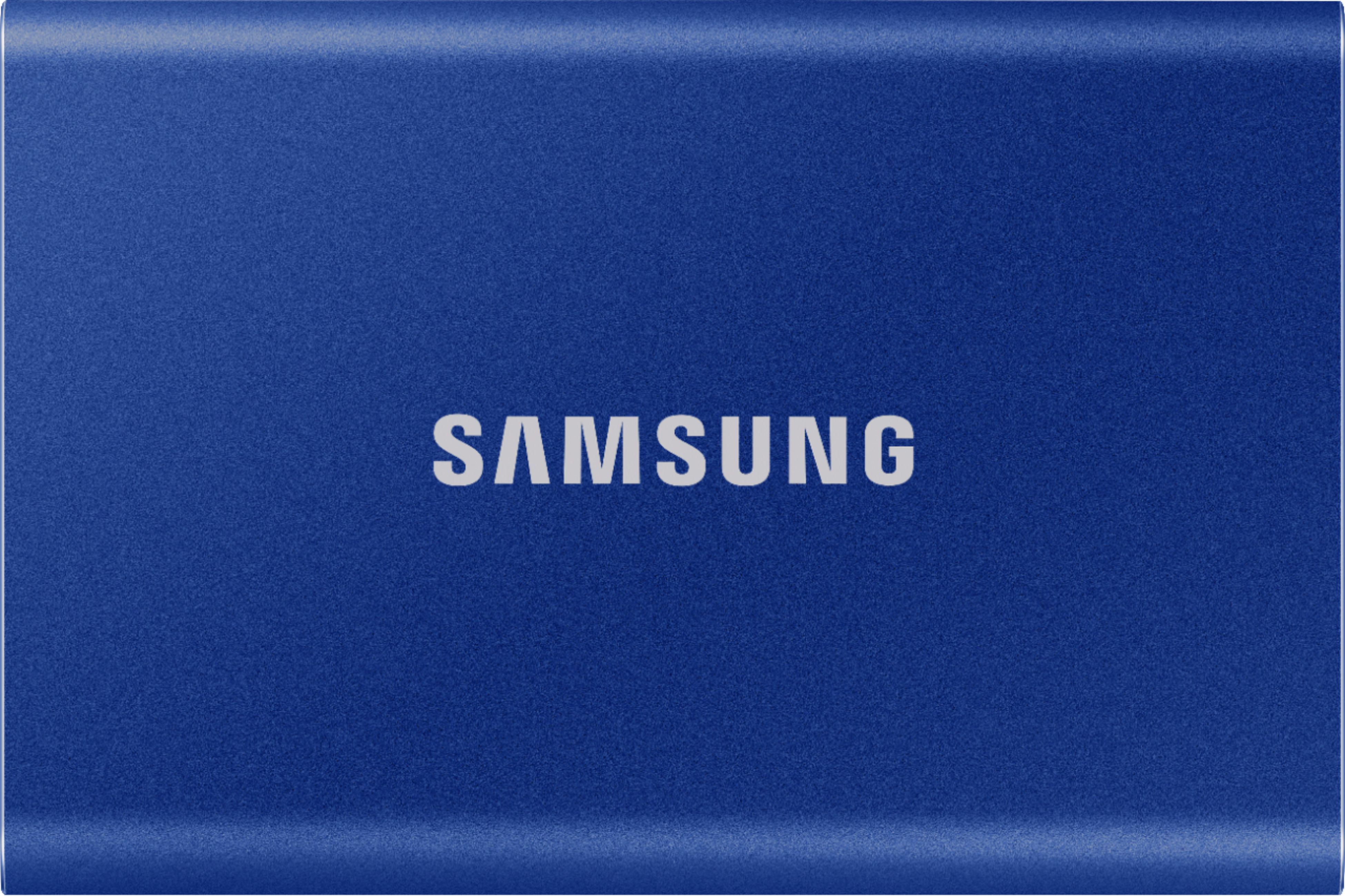
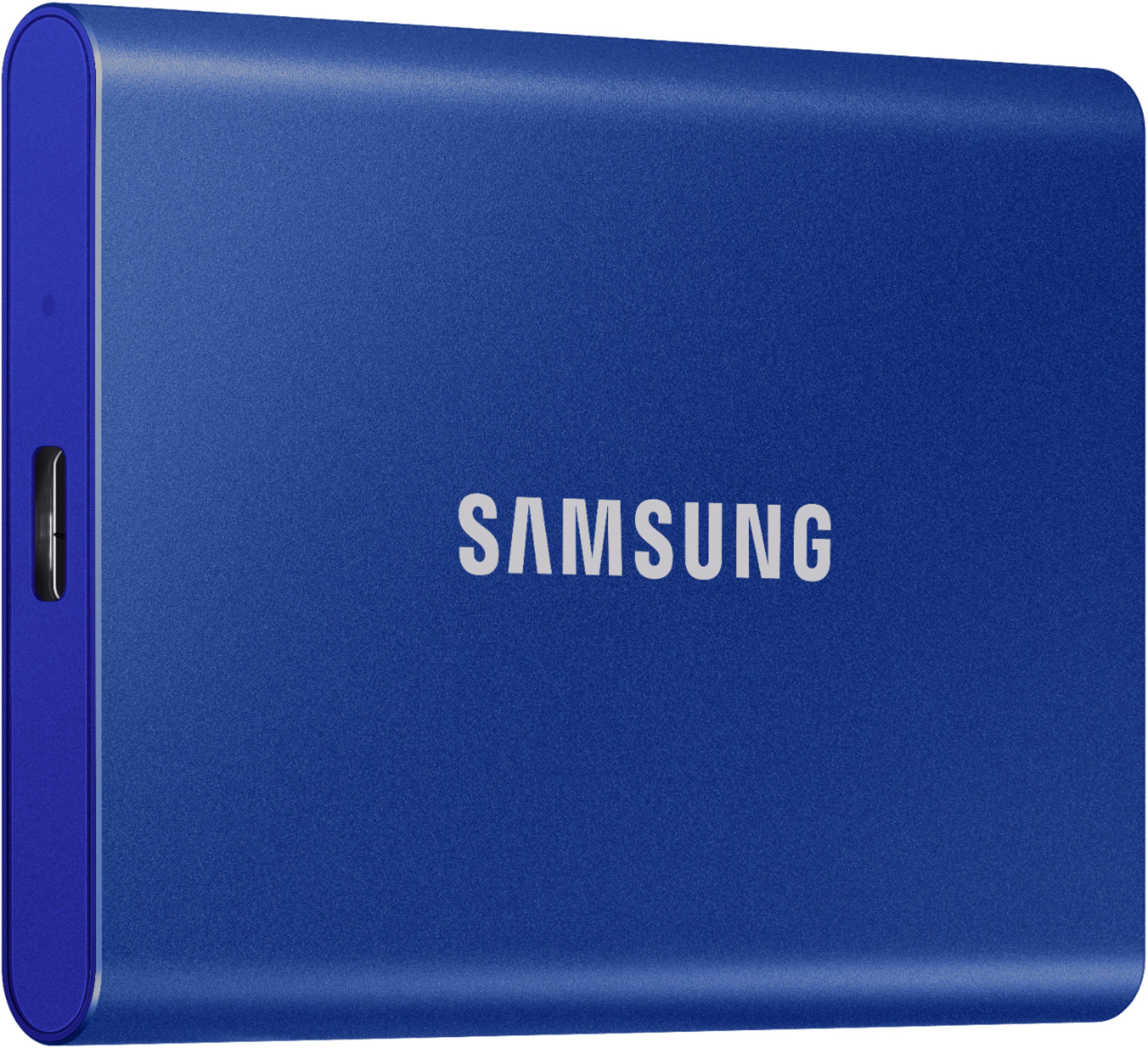
- Model:
- MU-PC500H/AM
- SKU:
- 6408298
Rating by feature
- Value
Rating 4.7 out of 5 stars
- Quality
Rating 4.9 out of 5 stars
- Ease of Use
Rating 4.8 out of 5 stars
Customers are saying
Customers express satisfaction with the T7 500GB External USB 3.2 Gen 2 Portable SSD's ease of use, convenient size, and ample storage capacity. Many appreciate its reasonable price, especially when purchased on sale. The included USB adapters and security features are also frequently praised. There were no negative customer comments reported.
This summary was generated by AI based on customer reviews.
Hard to use with ipad
||Posted . Owned for 1 month when reviewed.This reviewer received promo considerations or sweepstakes entry for writing a review.Takes some work to save ipad pictures and work items.
No, I would not recommend this to a friendBrand response from Samsung
Posted .AirM:
Thanks for choosing the Samsung T7 SSD. I hope that your SSD is meeting your expectations.
Your experience with saving pictures from your iPad and work items is very important to us and we will share your feedback with our product team.
Should you need further assistance, please know we are always here to help.
1) Call: 1-800-SAMSUNG (ask for Memory or press #, then 6 for Memory products)
Available 9AM – 12AM EST (Mon-Fri)
2) Email: [email protected]
3) LiveChat: https://www.samsung.com/us/support/contact/ Available 9AM-6PM EST (Mon-Fri)
The Samsung Members Community is also a great resource for getting help from Samsung moderators and customers: https://us.community.samsung.com/
Samsung is committed to providing the best possible product experience, quality, and value, and we are always here to help with any of your questions or concerns.
~ Samsung Memory
For my tesla
||Posted . Owned for 3 months when reviewed.This reviewer received promo considerations or sweepstakes entry for writing a review.Its ok, i bought it for my tesla camera. Fine fine
I would recommend this to a friendBrand response from Samsung
Posted .Bank:
Thanks for choosing the Samsung T7 Portable SSD. I hope that your SSD is meeting your expectations.
This light, pocket-sized Portable SSD T7 delivers fast speeds with easy and reliable data storage for transferring large files. Whether you're storing critical business documents, games, or movies, the Portable SSD T7 gives you speed and durability in a palm-sized package.
Should you ever have questions or need assistance using this product, please know we’re always here to help.
1) Call: 1-800-SAMSUNG (ask for Memory) Available 9AM - 12AM EST (Mon-Fri)
2) Email: [email protected]
3) LiveChat: https://www.livehelpnow.net/lhn/lcv.aspx?d=34834&ms=&zzwindow=0&lhnid=29783
Available 12PM-6PM EST (Mon-Fri)
The Samsung Members Community is also a great resource for getting help from Samsung moderators and customers: https://us.community.samsung.com/t5/Get-Help/ct-p/get-help
Samsung is committed to providing the best possible product experience, quality, and value, and we are always here to help with any of your questions.
~ Samsung Memory
It did not work
||Posted . Owned for 3 weeks when reviewed.This reviewer received promo considerations or sweepstakes entry for writing a review.I was so excited to get this... then let down hard by the fact it did not work! I am not sure if it was brand new, or refurbished. I had both port hook ups available to me as well. It did work but only for like a a few minutes or so at a time before it went into error mode. Nothing i did made it work I just kept getting errors that the files had to be repaired.. and i did repair the disc or what ever several times. Sorry im no tech expert. After a few days of this non sense i contacted support and they told me it sounded like the device was bugged. I returned it.
No, I would not recommend this to a friendBrand response from Samsung
Posted .Pelonia20:
I am very sorry to see that you encountered issues with the Samsung T7 Portable SSD and have returned it. Your feedback is very important to us and will be shared with our product team.
Should you ever decide to give Samsung SSD products another try and have concerns or questions, please know we are always here to help.
You can reach Samsung Memory Support via any of the below options:
1) Call: 1-800-SAMSUNG (ask for Memory) Available 9AM - 12AM EST (Mon-Fri)
2) Email: [email protected]
3) LiveChat: https://www.livehelpnow.net/lhn/lcv.aspx?d=34834&ms=&zzwindow=0&lhnid=29783 - Available 12PM-6PM EST (Mon-Fri)
The Samsung Members Community is also a great resource for getting help from Samsung moderators and customers: https://us.community.samsung.com/t5/Get-Help/ct-p/get-help
We hope to regain you as a customer in the near future.
~ Samsung Memory
Intermittent failures on two devices
||Posted . Owned for 6 months when reviewed.This reviewer received promo considerations or sweepstakes entry for writing a review.I ended up buying two of these because the first one worked for six months and then began having issues and it was just easier to replace it than attempting factory warranty. The second one worked for 6 months and is intermittently failing as well. I've bought and installed and used many dozens of SSD's and generally Samsung is top notch, but this particular device has issues for some reason. Stay away.
No, I would not recommend this to a friendBrand response from Samsung
Posted .LionsLatte:
I’m sorry to hear that your Samsung T7 SSD did not meet your expectations. This is not the quality we expect from our products.
Samsung stands behind the quality and performance of every T7 Portable SSD we manufacture with a limited 3-year manufacturer’s warranty when purchased brand-new, directly from any authorized dealer, like Best Buy.
Please contact Samsung Customer Support directly so that we can better investigate your issue and assist you towards a resolution or replacement.
1) Call: 1-800-SAMSUNG (ask for Memory or press #, then 6 for Memory products)
Available 9AM – 12AM EST (Mon-Fri)
2) Email: [email protected]
3) Or visit us on the Samsung website and click on the SUPPORT link in the upper right corner of the homepage for:
a) Chat with Us/Product Help: To begin a chat or find solutions, choose ‘Computing – Memory & Storage’ and select your model & topic.
b) Warranty Info
c) Contact Us
Again, I am very sorry for the inconveniences you have had and hope that we will hear from you soon.
- Samsung Memory
Not so fast as you might think for consoles
||Posted . Owned for 3 weeks when reviewed.This reviewer received promo considerations or sweepstakes entry for writing a review.Honestly got these for the xbox one x... Definitely not worth it... My opinion the speed isn't worth the price you pay for.
No, I would not recommend this to a friendBrand response from Samsung
Posted .Kobee:
Thank you for purchasing the Samsung T7 Portable SSD and for your review. I am sorry to hear that you are not completely happy with the performance speeds.
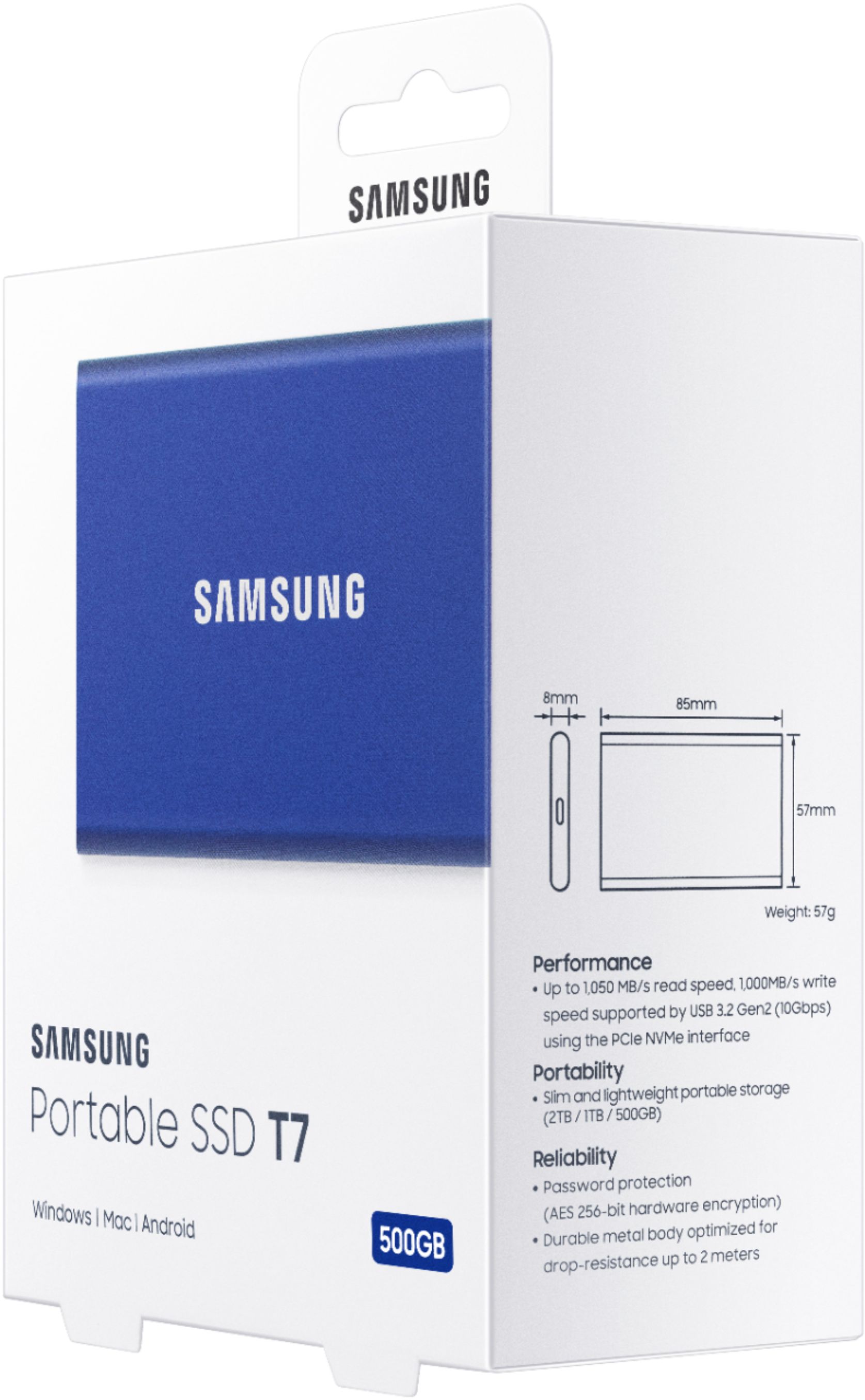
The maximum transfer speed that can be achieved by the T7 is 1,050MB/s on a PC that supports USB 3.2 Gen2, UASP mode, but the speed may vary depending on the user‘s PC environment and the types of data being transferred. Please look to the details below for possible causes (and solutions), if you think your T7 is under performing.
Scenario 1 (PC Environment)
Your PC's USB Type C Port must support USB 3.2 Gen 2 (10Gbps) in order to fully utilize the speed of the T7. USB 3.0 Gen.1, USB 3.1 Gen 1. USB 3.2 Gen.1 are restricted to 5Gbs speeds any may be the bottleneck to the performance of your T7.
Scenario 2 (Cable)
Using other cables besides the enclosed cable that comes with the T7 may cause performance degradation. Due to the varying internal resistance and maximum allowable current of other the cable types that does not come officially with the T7
Scenario 3 (Dynamic Thermal Guard, DTG)
The T7 is designed to activate the DTG (Dynamic Thermal Guard) when the product reaches a its threshold temperature due to prolonged data transfers and usage. The smartly activated DTG function prevents the product from overheating and automatically slows down providing it a cool off period. The DTG technology enhances safety and reliability by preventing the product from reaching an excessively high temperature.
Should you need further assistance, please contact Samsung Customer Support directly so that we can better investigate your speed issue and assist you towards a resolution.
1) Call: 1-800-SAMSUNG (ask for Memory) Available 9AM - 12AM EST (Mon-Fri)
2) Email: [email protected]
3) LiveChat: https://www.livehelpnow.net/lhn/lcv.aspx?d=34834&ms=&zzwindow=0&lhnid=29783
Available 12PM-6PM EST (Mon-Fri)
The Samsung Members Community is also a great resource for getting help from Samsung moderators and customers: https://us.community.samsung.com/t5/Get-Help/ct-p/get-help
Samsung is committed to providing the best possible product experience, quality, and value, and we are always here to help with any of your questions or concerns.
- Samsung Memory
toast
||Posted . Owned for 2 months when reviewed.This reviewer received promo considerations or sweepstakes entry for writing a review.bought this less than 3 months ago. Evidently it has "malfunctioned." It's a useless piece of aluminum that has eaten all my photography shoot edits for the summer season. I hate you samsung. I thought I'd have more than 3 months to back up the back up. Thanks for the lost income and tears!
No, I would not recommend this to a friendBrand response from Samsung
Posted .LowBudgetSpeakerWhore:
I am very sorry that your T7 Portable SSD stopped working, and you have lost important data. I understand your disappointment and frustration.
Samsung stands behind the quality and performance of every T7 SSD we manufacture with a limited 3-year manufacturer’s warranty when purchased brand-new, directly from any authorized dealer, like Best Buy.
Please contact Samsung Customer Support directly so that we can better investigate your issue and assist you towards a resolution or replacement.
You can contact Samsung Memory Support directly via any of the following options.
1) Call: 1-800-SAMSUNG (ask for Memory) Available 9AM - 12AM EST (Mon-Fri)
2) Email: [email protected]
3) LiveChat: https://www.livehelpnow.net/lhn/lcv.aspx?d=34834&ms=&zzwindow=0&lhnid=29783
Available 12PM-6PM EST (Mon-Fri)
The Samsung Members Community is also a great resource for getting help from Samsung moderators and customers: https://us.community.samsung.com/t5/Get-Help/ct-p/get-help
Again, I am very sorry for the inconveniences you have had and hope that we will hear from you soon.
- Samsung Memory
Locked in Read Only mode on arrival, can't use
||Posted . Owned for 1 month when reviewed.This reviewer received promo considerations or sweepstakes entry for writing a review.Never got to use it. It came in write protected with no instructions on how to unlock it. I tried everything but still no luck, will be sending it back. Kind of ridiculous actually to send a hard drive out locked in read only mode. Useless.
No, I would not recommend this to a friendBrand response from Samsung
Posted .Disappointed:
Thank you for your review of the Samsung T7 SSD.
Your experience is very important to us and we will share your feedback with our product team.
T7 is pre-formatted in using exFAT file system which is supported by Windows OS, Mac OS, and Android operating systems. Whether data formatted to a certain format may be read or written to your computer vary depending on the OS. If you use T7 on a single OS, it is recommended that you format the T7 using the appropriate file format for that OS. (e.g.) Read/write restrictions for file systems by each operating system.
When using exFAT across multiple operating systems, data writing may become locked and you may only be able to read data. If such problem occurs, you can restore write access by following the instructions below.
• Mac OS: Connect T7 to your Mac again, and perform Eject.
• Windows OS: When the notice pops up saying that write access is disabled, click “Scan and fix” to perform Check Disk (CHKDSK). If you did shut down the notice without performing Check Disk, you may do it by selecting the drive → Right-click → Properties → Tools → click Check.
Should you need further assistance, please contact Samsung Memory Support and a rep will be happy to assist you.
1) Call: 1-800-SAMSUNG (ask for Memory) Available 8AM – 9PM EST (Mon-Fri)
2) Email: [email protected]
3) LiveChat: https://www.samsung.com/us/support/contact/
4) Facebook Messenger: https://www.facebook.com/samsungsupport
5) Twitter: https://twitter.com/SamsungSupport
6) Samsung Members App: offers support, news, tips, exclusive content, and diagnostic tools. Download from your mobile device app store.
The Samsung Members Community is also a great resource for getting help from Samsung moderators and customers: https://us.community.samsung.com/
Samsung is committed to providing the best possible product experience, quality, and value, and we are always here to help with any of your questions or concerns.
~ Samsung Memory
JUNK
||Posted . Owned for less than 1 week when reviewed.This reviewer received promo considerations or sweepstakes entry for writing a review.NO INSTRUCTIONS FOR FOR HOW IT WORKS - IT COPIED SOMETHING BUT I DONT KNOW WHAT - COPIED SLOWLY - CANT USE IT TO BACK UP SPECIFIC FILES
No, I would not recommend this to a friendBrand response from Samsung
Posted .NOOOOOOOOOOOOOOOOOOOOOOO:
Thanks for purchasing the Samsung T7 Portable SSD.
This light, pocket-sized Portable SSD T7 delivers fast speeds with easy and reliable data storage for transferring large files. Whether you're storing critical business documents, games, or movies, the Portable SSD T7 gives you speed and durability in a palm-sized package.
I am very sorry to hear that you have been experiencing issues using this drive.
Please give us the opportunity to assist you with step-by-step troubleshooting and answer any questions you may have.
You can contact Samsung Memory Support directly via any of the following options.
1) Call: 1-800-SAMSUNG (ask for Memory) Available 9AM - 12AM EST (Mon-Fri)
2) Email: [email protected]
3) LiveChat: https://www.livehelpnow.net/lhn/lcv.aspx?d=34834&ms=&zzwindow=0&lhnid=29783
Available 12PM-6PM EST (Mon-Fri)
The Samsung Members Community is also a great resource for getting help from Samsung moderators and customers: https://us.community.samsung.com/t5/Get-Help/ct-p/get-help
If you have not already done so, we encourage you to register your new Samsung SSD at: https://www.samsung.com/us/account/signin/?redirect=https%3A%2F%2Fwww.samsung.com%2Fus%2Fsupport%2Fregister%2F
Registering your product gives you access to easy warranty support, convenient opt-in to special promos & offers, faster troubleshooting & service, and quick notification of system updates.
Samsung is committed to providing the best possible product experience, quality, and value, and we are always here to help with any of your questions or concerns.
~ Samsung Memory
Speed is not accurate as described
||Posted . Owned for 3 weeks when reviewed.This reviewer received promo considerations or sweepstakes entry for writing a review.On my iMac it gives me around 200mbps write speed but advertised 1000mbps
No, I would not recommend this to a friendBrand response from Samsung
Posted .Naaz:
Thank you for sharing your experience with the performance speeds.
The maximum transfer speed that can be achieved by the T7 is 1,050MB/s on a PC that supports USB 3.2 Gen2, UASP mode, but the speed may vary depending on the user‘s PC environment and the types of data being transferred. Please look to the details below for possible causes (and solutions) if you think your T7 is under performing.
Scenario 1 (PC Environment)
Your PC's USB Type C Port must support USB 3.2 Gen 2 (10Gbps) in order to fully utilize the speed of the T7. USB 3.0 Gen.1, USB 3.1 Gen 1. USB 3.2 Gen.1 are restricted to 5Gbs speeds any may be the bottleneck to the performance of your T7.
Scenario 2 (Cable)
Using other cables besides the enclosed cable that comes with the T7 may cause performance degradation. Due to the varying internal resistance and maximum allowable current of other the cable types that does not come officially with the T7.
Scenario 3 (Dynamic Thermal Guard, DTG)
The T7 is designed to activate the DTG (Dynamic Thermal Guard) when the product reaches a its threshold temperature due to prolonged data transfers and usage. The smartly activated DTG function prevents the product from overheating and automatically slows down providing it a cool off period. The DTG technology enhances safety and reliability by preventing the product from reaching an excessively high temperature.
Should you need further assistance, please contact Samsung Customer Support directly so that we can better investigate your speed issue and assist you towards a resolution.
1) Call: 1-800-SAMSUNG (ask for Memory or press #, then 6 for Memory products)
Available 9AM – 9PM EST (Mon-Fri)
2) Email: [email protected]
3) Or visit us on the Samsung website and click on the SUPPORT link in the upper right corner of the homepage for:
a) Chat with Us/Product Help: To begin a chat or find solutions, choose ‘Computing – Memory & Storage’ and select your model & topic.
b) Manuals & Software
c) Contact Us
We hope to hear from you soon.
- Samsung Memory
NOT GOOD
||Posted . Owned for less than 1 week when reviewed.This reviewer received promo considerations or sweepstakes entry for writing a review.Unfortunately, had to return it and exchange for Sandisk SSD, it did not work coming right out of the box! Not Good Samsung.
No, I would not recommend this to a friendBrand response from Samsung
Posted .Bonge:
I am very sorry to see that you encountered issues with the Samsung T7 Portable SSD and have returned it. Your feedback is very important to us and will be shared with our product team.
Should you ever decide to give Samsung SSD products another try and have concerns or questions, please know we are always here to help.
You can reach Samsung Memory Support via any of the below options:
1) Call: 1-800-SAMSUNG (ask for Memory) Available 9AM - 12AM EST (Mon-Fri)
2) Email: [email protected]
3) LiveChat: https://www.livehelpnow.net/lhn/lcv.aspx?d=34834&ms=&zzwindow=0&lhnid=29783 - Available 12PM-6PM EST (Mon-Fri)
The Samsung Members Community is also a great resource for getting help from Samsung moderators and customers: https://us.community.samsung.com/t5/Get-Help/ct-p/get-help
Samsung stands behind the quality and performance of every T7 SSD we manufacture with a limited 3-year manufacturer’s warranty when purchased brand-new, directly from any authorized dealer, like Best Buy.
We hope to regain you as a customer in the near future.
~ Samsung Memory
Lost package
||Posted . Owned for 1 week when reviewed.This reviewer received promo considerations or sweepstakes entry for writing a review.I don't know how great this product is since bestbuy sent it usps and lost my package.
No, I would not recommend this to a friendBrand response from Samsung
Posted .Lostpackage:
I am sorry to see that you had an unfortunate packaging experience with your seller. I would recommend you contacting them for assistance in correcting the situation.
We hope your situation has a quick resolution, and you can soon enjoy the best-in-class reliability and performance of the Samsung T7 Portable SSD.
For product feature and usage questions, please contact Samsung Customer Support.
1) Call: 1-800-SAMSUNG (ask for Memory) Available 9AM - 12AM EST (Mon-Fri)
2) Email: [email protected]
3) LiveChat: https://www.livehelpnow.net/lhn/lcv.aspx?d=34834&ms=&zzwindow=0&lhnid=29783
Available 12PM-6PM EST (Mon-Fri)
The Samsung Members Community is also a great resource for getting help from Samsung moderators and customers: https://us.community.samsung.com/t5/Get-Help/ct-p/get-help
Samsung is committed to providing the best possible product experience, quality, and value, and we are always here to help with any of your questions or concerns.
~ Samsung Memory
little storage thing
||Posted . Owned for 1 month when reviewed.This reviewer received promo considerations or sweepstakes entry for writing a review.i don't know how to use it. it has my wifes pictures and stuff but what do i do with it?
No, I would not recommend this to a friendBrand response from Samsung
Posted .oldfart:
I am very sorry to hear that you are experiencing issues with your T7 Portable SSD.
This light, pocket-sized Portable SSD T7 delivers fast speeds with easy and reliable data storage for transferring large files. Whether you're storing critical business documents, games, or movies, the Portable SSD T7 gives you speed and durability in a palm-sized package.
Should you ever have questions or need assistance using this product, please know we’re always here to help.
1) Call: 1-800-SAMSUNG (ask for Memory) Available 9AM - 12AM EST (Mon-Fri)
2) Email: [email protected]
3) LiveChat: https://www.livehelpnow.net/lhn/lcv.aspx?d=34834&ms=&zzwindow=0&lhnid=29783
Available 12PM-6PM EST (Mon-Fri)
The Samsung Members Community is also a great resource for getting help from Samsung moderators and customers: https://us.community.samsung.com/t5/Get-Help/ct-p/get-help
Samsung is committed to providing the best possible product experience, quality, and value, and we are always here to help with any of your questions.
Thank you for choosing Samsung!
~ Samsung Memory
- Pros mentioned:Size
Top notch!
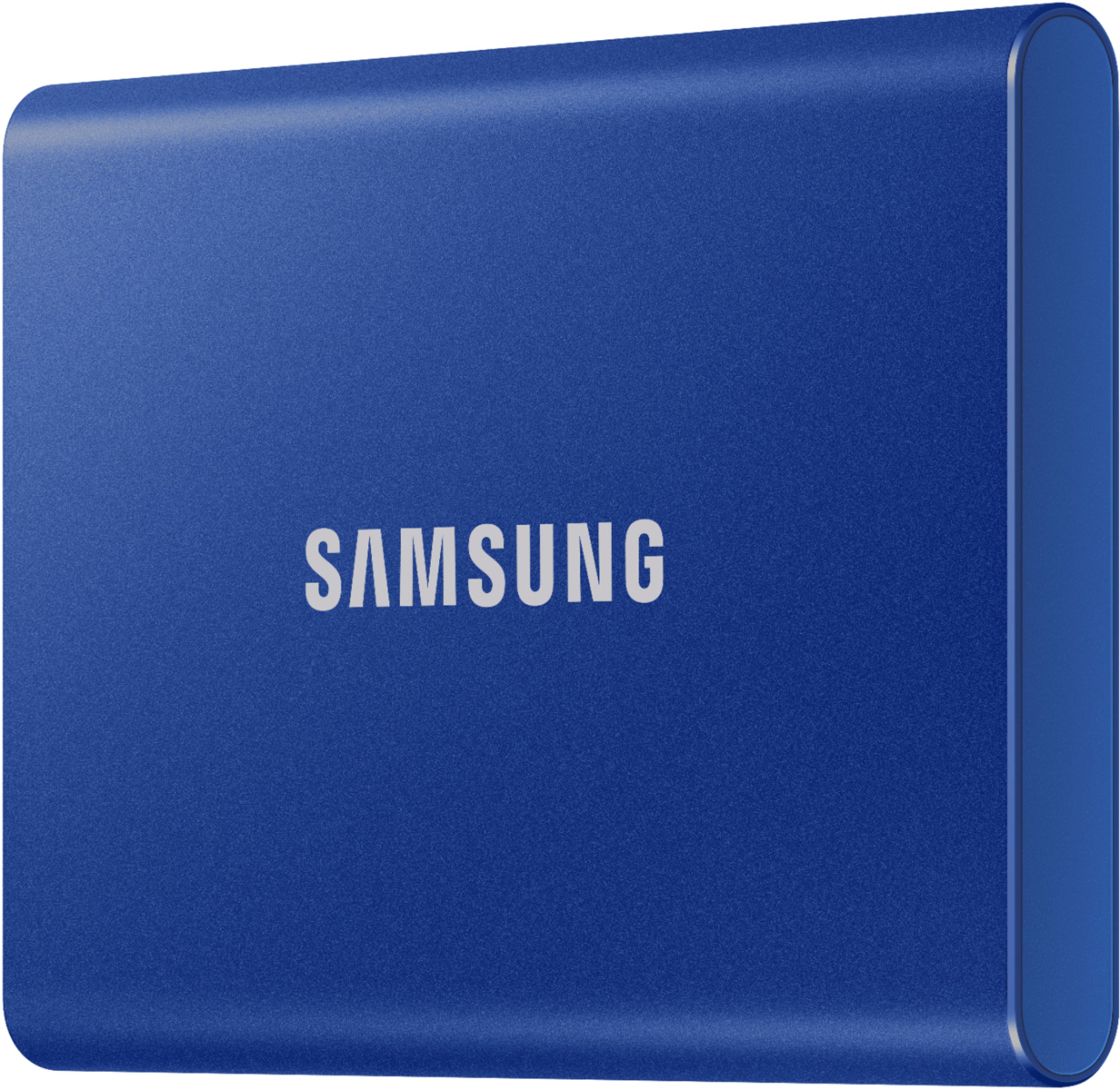
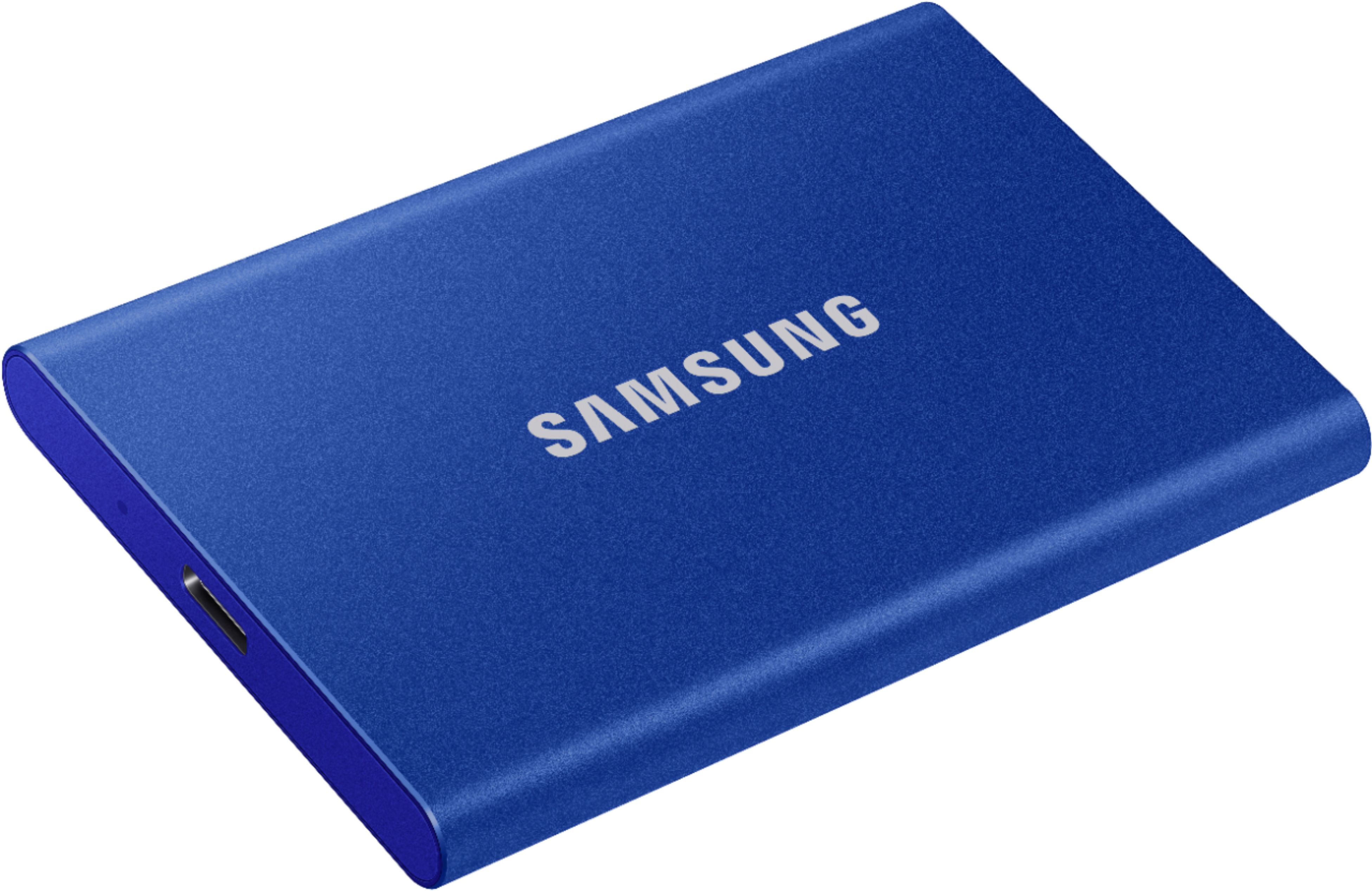
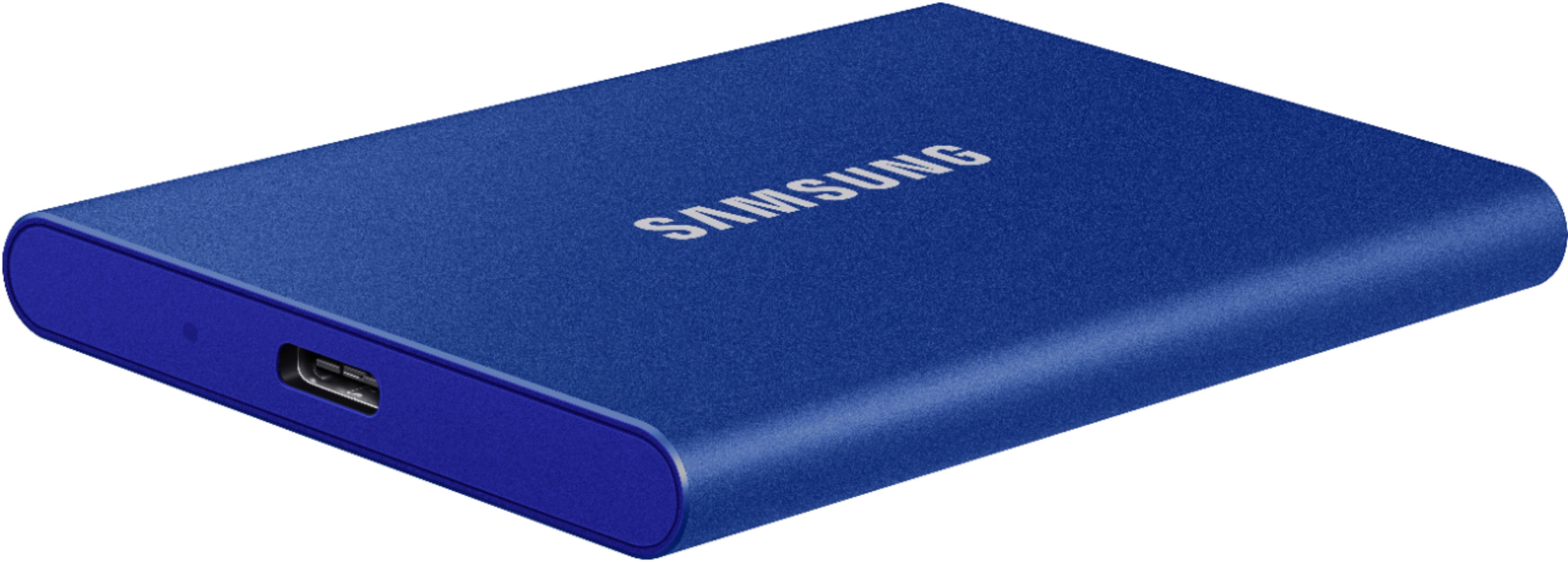
Posted .This reviewer received promo considerations or sweepstakes entry for writing a review.Arrived in time and was well packaged. The Hard drive itself is the perfect size to carry in your pockets. It would've been nice if it came with a small bag for the drive but, overall the product itself is great!
I would recommend this to a friend - Pros mentioned:Portability, Speed
Dast, Accessible, Secure !
Posted .This reviewer received promo considerations or sweepstakes entry for writing a review.This is a great device. It reads and writes at speeds faster than my current internal ssd. It is a size that can fit into any laptop case, bag, or even your pocket. IT can be encrypted for tight security and the price can not be beaten. I especially recommend this item for people like me, who tend to misplace jump drives because of how small they are. It is very simple to set up and works just how it is intended to. Thank you for making another great product Samsung.!
I would recommend this to a friendBrand response from Samsung
Posted .ssaal:
Thank you for your purchase of the T7 Portable SSD. This light, pocket-sized Portable SSD T7 delivers fast speeds with easy and reliable data storage for transferring large files. Whether you're storing critical business documents, games, or movies, the Portable SSD T7 gives you speed and durability in a palm-sized package.
To optimize your product experience, we encourage you to register your new Samsung memory card/flash drive at: https://www.samsung.com/us/account/signin/?redirect=https%3A%2F%2Fwww.samsung.com%2Fus%2Fsupport%2Fregister%2F
…and gain access to easy warranty support, convenient opt-in to special promos & offers, faster troubleshooting & service, and quick notification of system updates.
Should you ever have questions or need assistance using this product, please contact Samsung Customer Support.
1) Call: 1-800-SAMSUNG (ask for Memory) Available 9AM - 12AM EST (Mon-Fri)
2) Email: [email protected]
3) LiveChat: https://www.livehelpnow.net/lhn/lcv.aspx?d=34834&ms=&zzwindow=0&lhnid=29783
Available 12PM-6PM EST (Mon-Fri)
The Samsung Members Community is also a great resource for getting help from Samsung moderators and customers: https://us.community.samsung.com/t5/Get-Help/ct-p/get-help
Thank you for choosing Samsung!
- Samsung Memory
- Pros mentioned:Portability, Size
Great litte drive to ship
Posted .This reviewer received promo considerations or sweepstakes entry for writing a review.Great little drive. Needed a drive to move a ton of images on and it needed to not be too bulky. So found this as a great option. Right size for the data needed, right physical size to ship overnight at a reasonable price too.
I would recommend this to a friend Works like a charm!
Posted .This reviewer received promo considerations or sweepstakes entry for writing a review.Bought this to use as a time machine backup for my iMac. Setup took like 4-5 minutes and it works great!
I would recommend this to a friendMy fav hard drive
Posted .This reviewer received promo considerations or sweepstakes entry for writing a review.Great hard drive, my favorite one to use, and fast shipping
I would recommend this to a friend- Pros mentioned:Overall performance
Happy with it so far
Posted .This reviewer received promo considerations or sweepstakes entry for writing a review.Product performance has been great. The included cables are acceptable lengths and high quality. I have been using it a few weeks. I have used it with both iMac running Big Sur and HP Laptop running Windows 10. Smooth operation with both computers.
I would recommend this to a friend - Pros mentioned:Size
impressively small
Posted .This reviewer received promo considerations or sweepstakes entry for writing a review.I used to have portable hard drive and think that was small. Now this ssd is only half a palm length, super light weight and runs quietly. Great product.
I would recommend this to a friend - Pros mentioned:Portability
samsung ssd backup drive
Posted .This reviewer received promo considerations or sweepstakes entry for writing a review.easy to use easy setup trouble free not inexpensive
I would recommend this to a friend