Customer Ratings & Reviews
- Model:
- KT034-01RUS
- SKU:
- 6550576
Rating by feature
- Value
Rating 4.4 out of 5 stars
- Quality
Rating 4.3 out of 5 stars
- Ease of Use
Rating 4.4 out of 5 stars
Customers are saying
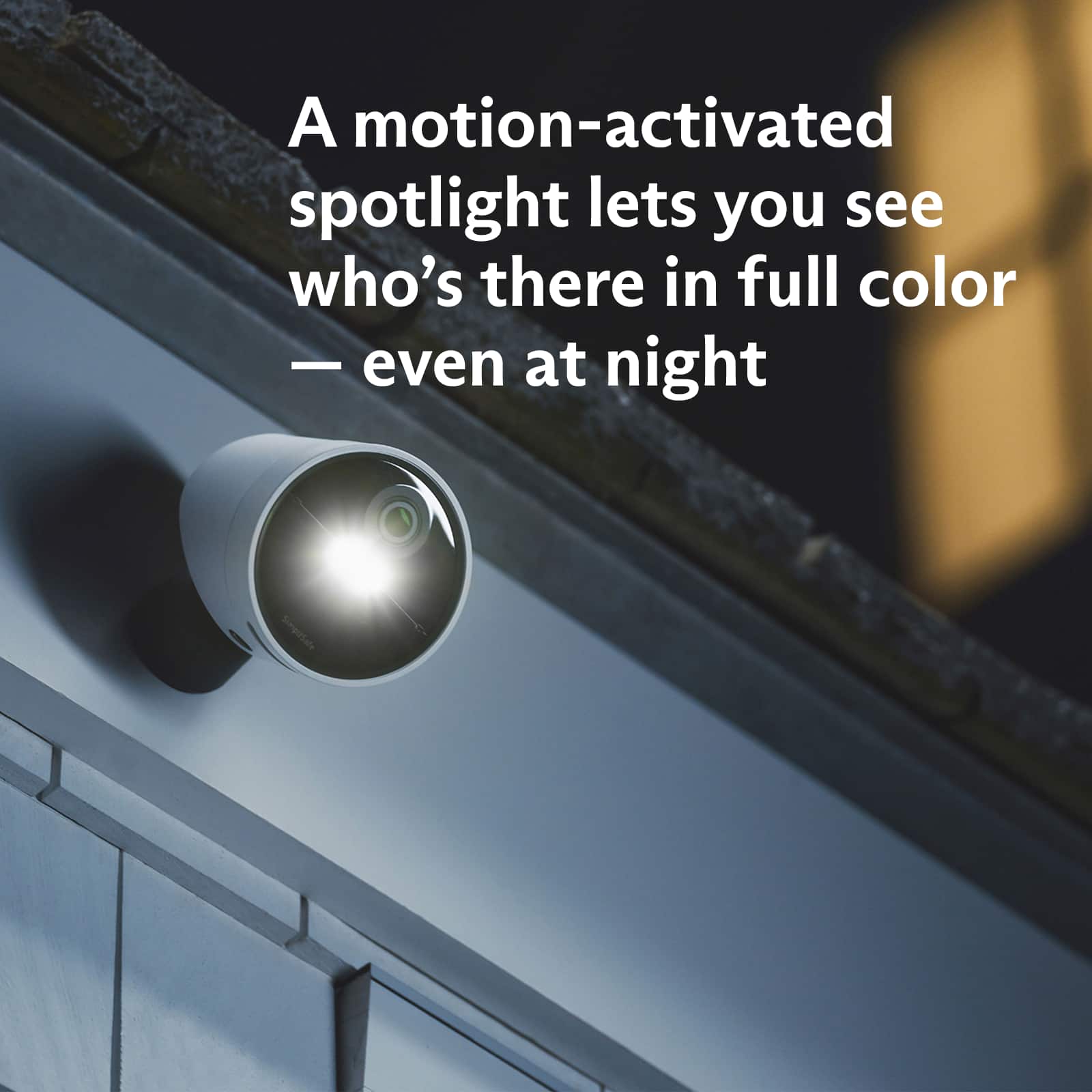
Customers are enthusiastic about the ease of use, camera quality, and straightforward installation of this 2 Camera Outdoor Wireless Security System with 5 Sensors. Many appreciate the user-friendly app and the convenient keypad, while the system's affordability is also frequently praised. However, some users have expressed concerns regarding the battery life of the cameras. The system's design and features like night vision and a loud siren are also generally well-received.
This summary was generated by AI based on customer reviews.
- Pros mentioned:Ease of use
Simply Safe / Michael
||Posted . Owned for 2 months when reviewed.This reviewer received promo considerations or sweepstakes entry for writing a review.So far it’s been pretty good. It was very easy to set up. Phone app works great. My application was use for a pole building. Was apprehensive at first. I thought it would be a problem with the outside cameras. But not the case. Works very well, no interference..
I would recommend this to a friend - Pros mentioned:Ease of use
Pricing
||Posted .This reviewer received promo considerations or sweepstakes entry for writing a review.The price was affordable and it works well. The set up was easy to install.
I would recommend this to a friend - Pros mentioned:App, Camera quality, Ease of use

It lives up to its name - Simple
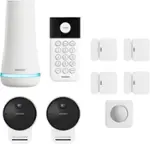
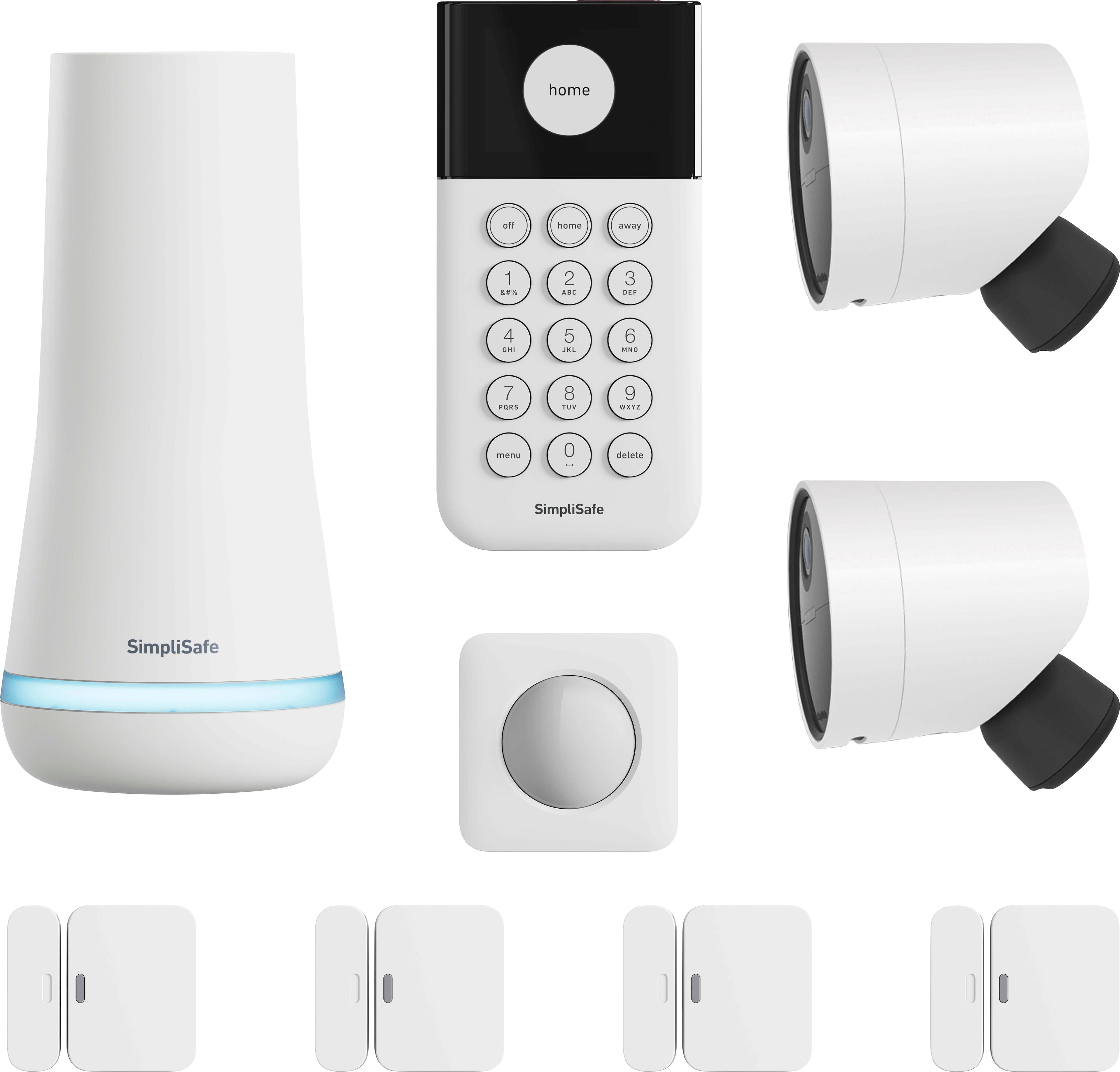
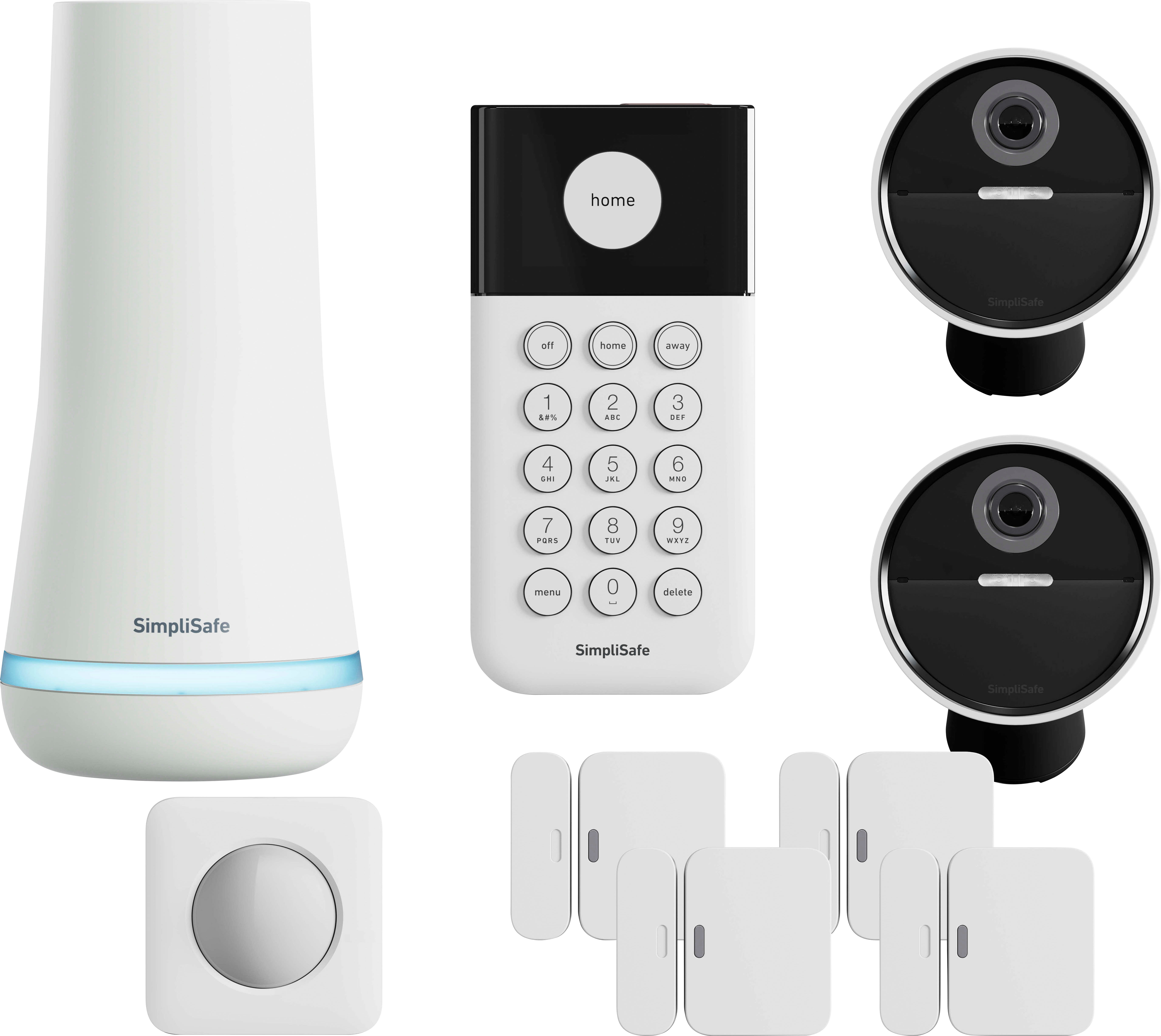
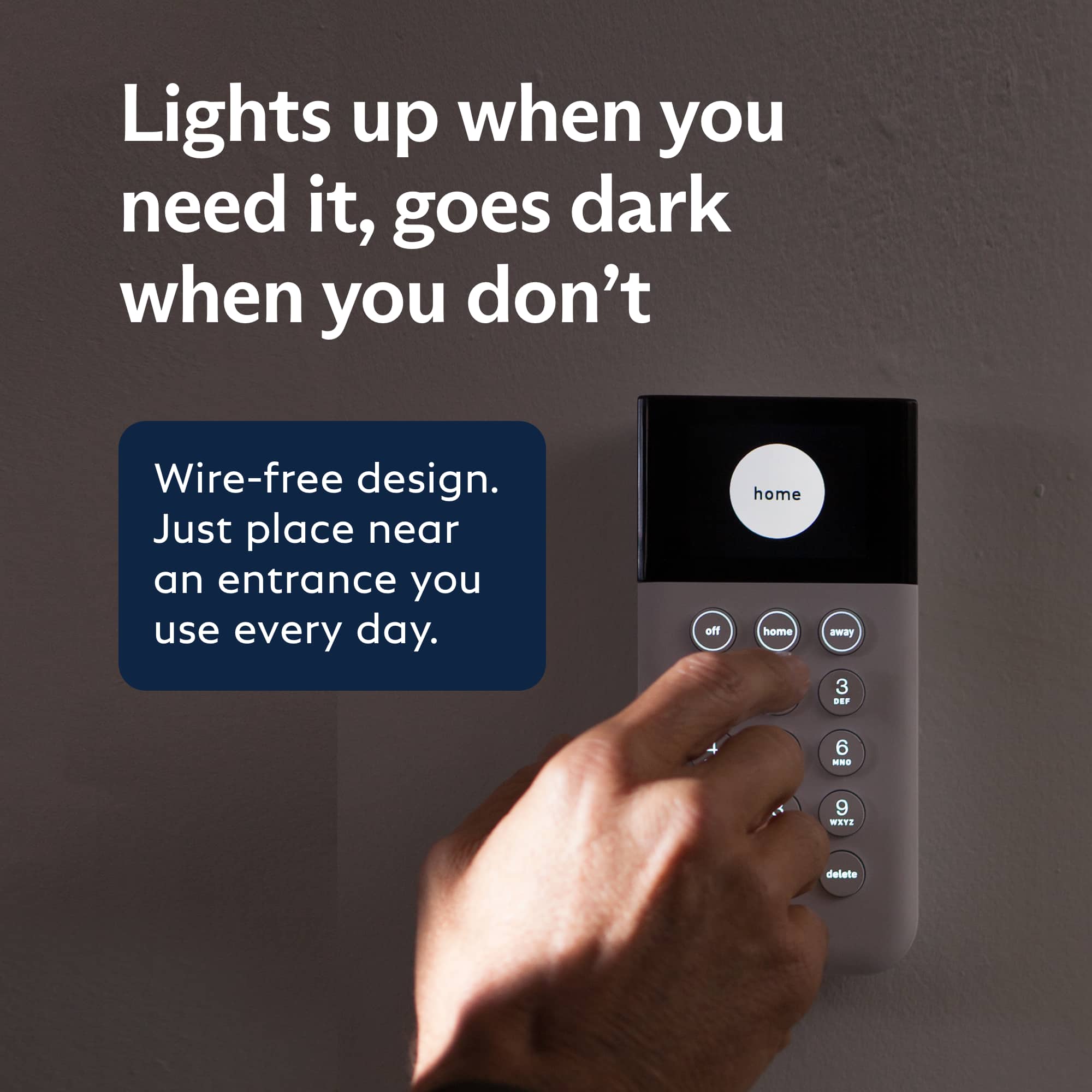
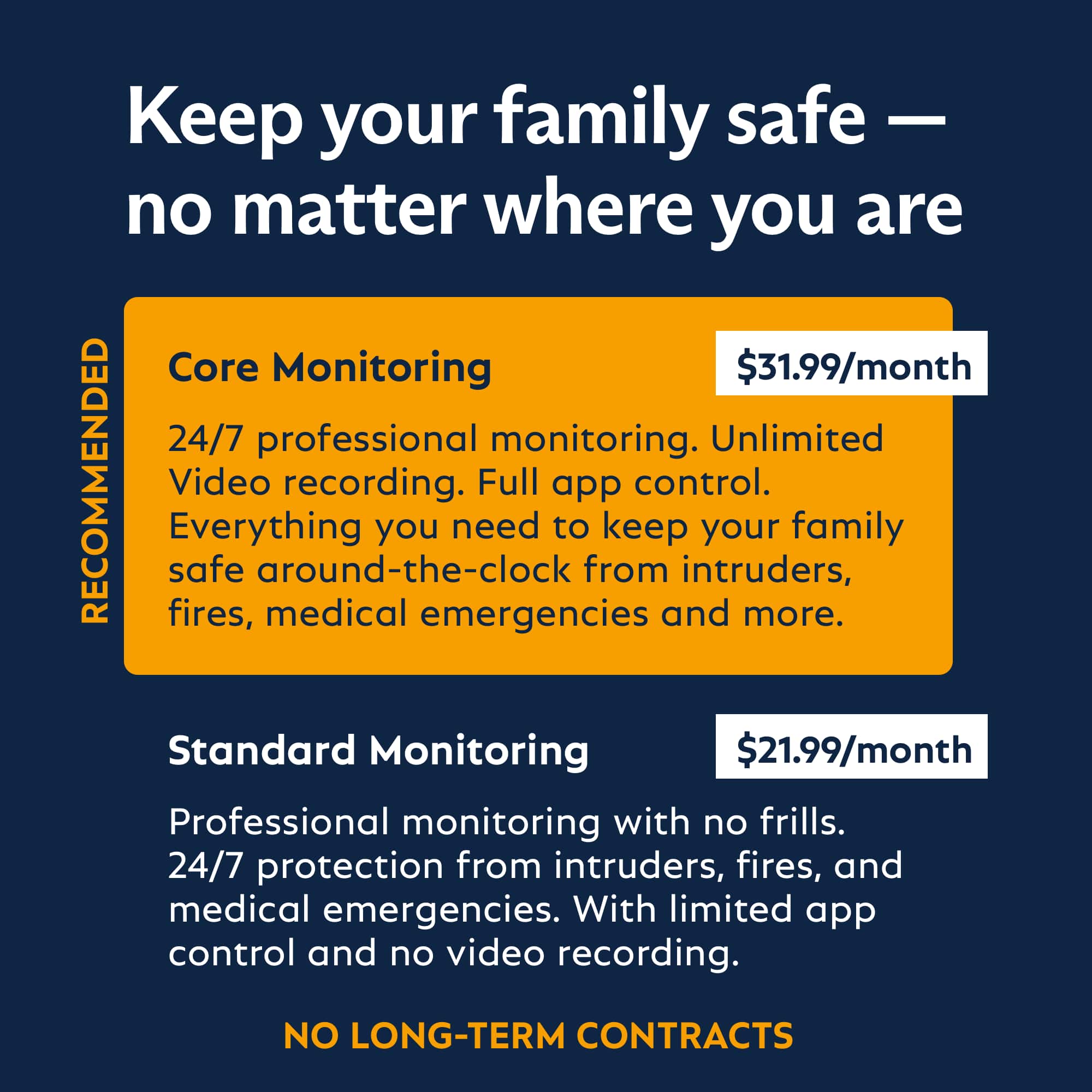
|Posted .This reviewer received promo considerations or sweepstakes entry for writing a review.The SimpliSafe - Outdoor Home Security System lives up to its name. It certainly is simple to set up. The app created to support the system is also quite simple for the most part. The system I received has the Base Station, a Keypad with a small LCD screen, four (4) entry sensors for doors and windows, 2 indoor/outdoor wireless cameras and a motion sensor. It also comes with some signs and some stickers stating this house is protected by SimpliSafe. I read it’s not a good idea to announce the exact system protecting your house because thieves will know what system they need to look for and how to deactivate it. A generic sign would be a better idea. As with most things these days, you start by downloading an app (or going online) and setting up an account. There you need to give them your info (address, phone numbers, who lives at the home, secondary contact info, etc). Be careful when you set this up and make sure you let your secondary contact know that they will receive a text regarding your alarm. I did my setup at 1am and it sent a text to my brother. He told me it woke him up and he almost blocked the number. Luckily, he saw my name and didn’t. After that, you need to select a monitoring plan to use with the system. They have 3 plans. The low-cost, self-monitoring plan basically stores video and sends you alerts from the system. The standard monitoring plan eliminates the video storage and verifications but gives you the professional monitoring where they call you in the event of an emergency. If they can’t get you, they will call the police. The Fast Protect plan costs about $1 a day and includes the professional monitoring. It also includes cellular backup in the event of a blackout/internet outage, extends the equipment warranty as long as you ae subscribed and give you a 10% discount on additional hardware purchases. Setting up the devices is also quite simple. The app will guide you through the process for each device. Basically, tell the app which device you are setting up, pull the battery tab (or install a battery), press a button on the device, give it a location/name and install the device. They have videos in the app and online. Very convenient. Using the keypad is easy enough as well. There are 3 modes OFF, HOME & AWAY. Home and Away activate the system, however, different sensors will be activated. Away mode will turn on everything. Home Mode deactivates the motion sensors and the camera(s) will only turn on if there is a trigger event. These settings can be modified for your requirements. I did have a few issues with my setup. First, one of the cameras was missing a mount. I may have received a refurbished kit as the seals had some wrinkles in then but I can’t say for sure. However, the cameras do have an option for a threaded mount which I will likely use. I did try the online customer service, but there were issues with the links they sent me. I needed to call them to fix my issue. Additionally, the sensors are all white. If you have dark painted trim or paneling, like I do, the sensors really stand out and don’t look good. An option for black & colored sensors would be great. Finally, the cameras are very heavy. My house has aluminum trim everywhere I might want to mount the cameras. I’d rather use two-sided tape to mount them so I don’t need to put holes in the trim. My current security cameras are very light weight and I was able to mount them with automotive grade mounting tape. I don’t think I’ll be able to do that with the SimpliSafe cameras. I’ll need to think of an alternative way to mount these. All-in-all, this is a very affordable and easy to set up system. I’ve already received offers for additional components at 40% off. I will probably buy a couple more cameras, a remote keypad for my side door, some smoke/CO alarms and a panic button for my father. I would definitely recommend this to someone looking for a reasonably priced home alarm system.
I would recommend this to a friend East or West Best Buy offers the best
||Posted . Owned for 1 month when reviewed.This reviewer received promo considerations or sweepstakes entry for writing a review.Best Buy's unbeatable prices are second to none! That’s why it is best
I would recommend this to a friendexcellent deal
||Posted . Owned for 2 weeks when reviewed.This reviewer received promo considerations or sweepstakes entry for writing a review.excellent service. product is the best quality and the prices was outstanding.
I would recommend this to a friend- Pros mentioned:Camera quality, Keypad
Great Starter Kit
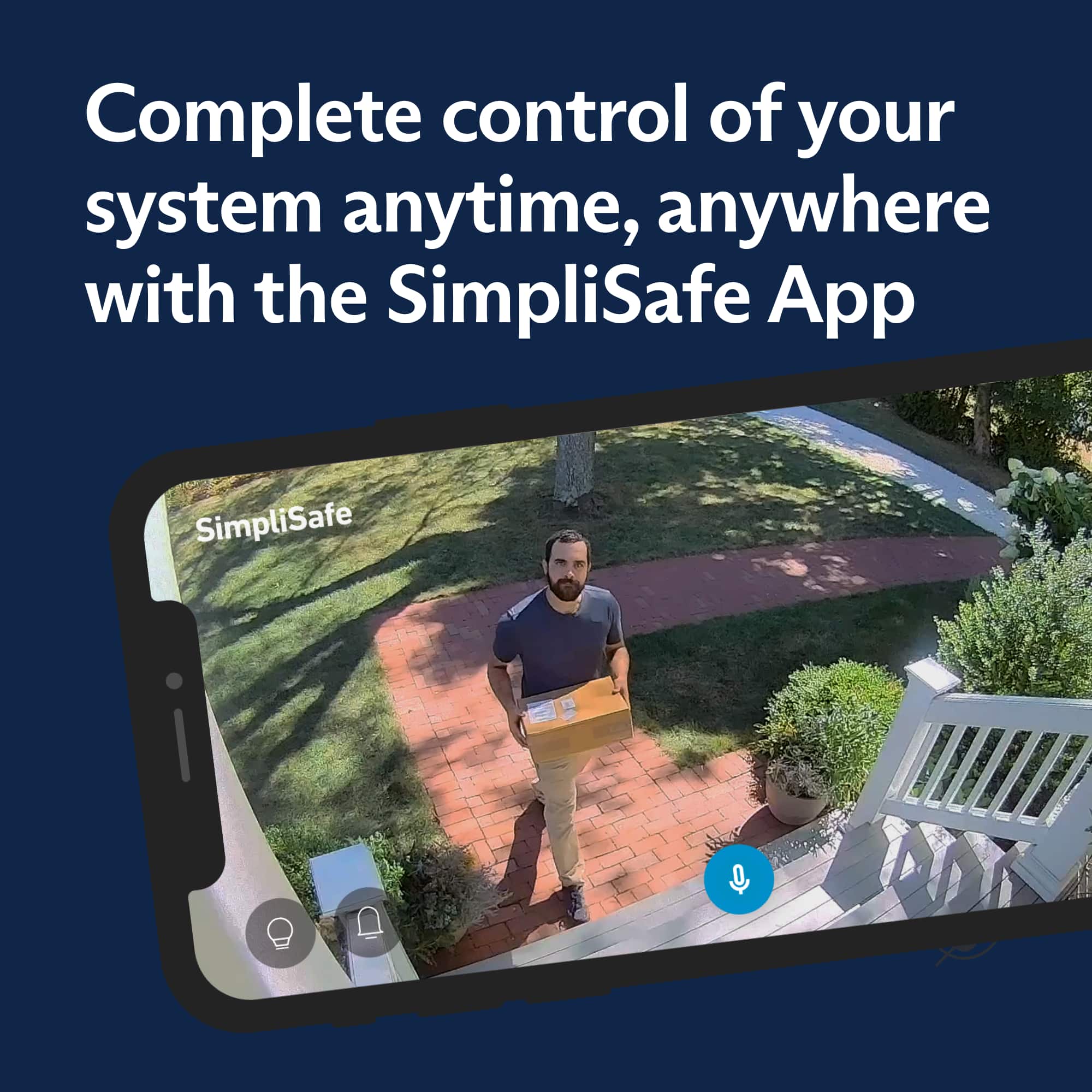
|Posted .This reviewer received promo considerations or sweepstakes entry for writing a review.The SimpliSafe Outdoor Home Security combo has been a great system for me. Starting at the packaging, which was very good, with each item individually packed in a larger box with instructions for each. The base station isn't the most attractive, but should fit into a modern home easily. Anything outside of that decor might have a difficult time incorporating. Nevertheless, it's well designed and feels sturdy. The cams included in the package are unique and well thought out as well. Accessing the battery pack is simple, and the whole camera comes down easily from the mount. Literally grab and go. This is good and bad, as they aren't cheap, and their ease of removal, since they're held by magnet, makes them prone to vandalism/theft. But I love that they are wireless and have been reliable with good quality captures so far. The keypad is a nice touch with its display and function. I've found I almost exclusively use the app, but have gone to the keypad a couple times to disarm. The motion sensor functions well, with a pet setting, so your animals don't set it off when armed, and the entry sensors function great too. The overall setup process took quite a while, probably 2 hours, and I'm a former security install expert who had his own company. So take that as you will, not that this is any more difficult than any system, but with this many pieces, budget for the time accordingly to set it all up properly. Navigating setup was simple, as you install the app on your mobile device, scan scan the base station QR, and off you go. It walks you through seamlessly adding all items included, plus any additional you may have gotten, with of course the ability to add down the road in app or via the keypad. The system defaults into practice mode for 3 days once set, which is great as a learning curve. You also only get 1 month free monitoring, from there prices range from $30/month and down. You unfortunately don't get any cloud storage of the cams if you don't have a subscription, similar to other networked security cams/systems. It really all depends on how much you prioritize peace of mind in knowing your home is monitored and to what level. I'd recommend reviewing the different levels before buying to see if it fits what you want. Control from the app is all encompassing, from which you can view all system events, watch cams live/past, arm/disarm, as well as get push notifications. Overall, it is a very nice system, and I've installed many over the years.
I would recommend this to a friend - Pros mentioned:App, Camera quality, Installation
Worth it, if you pay for the monthly protection pl
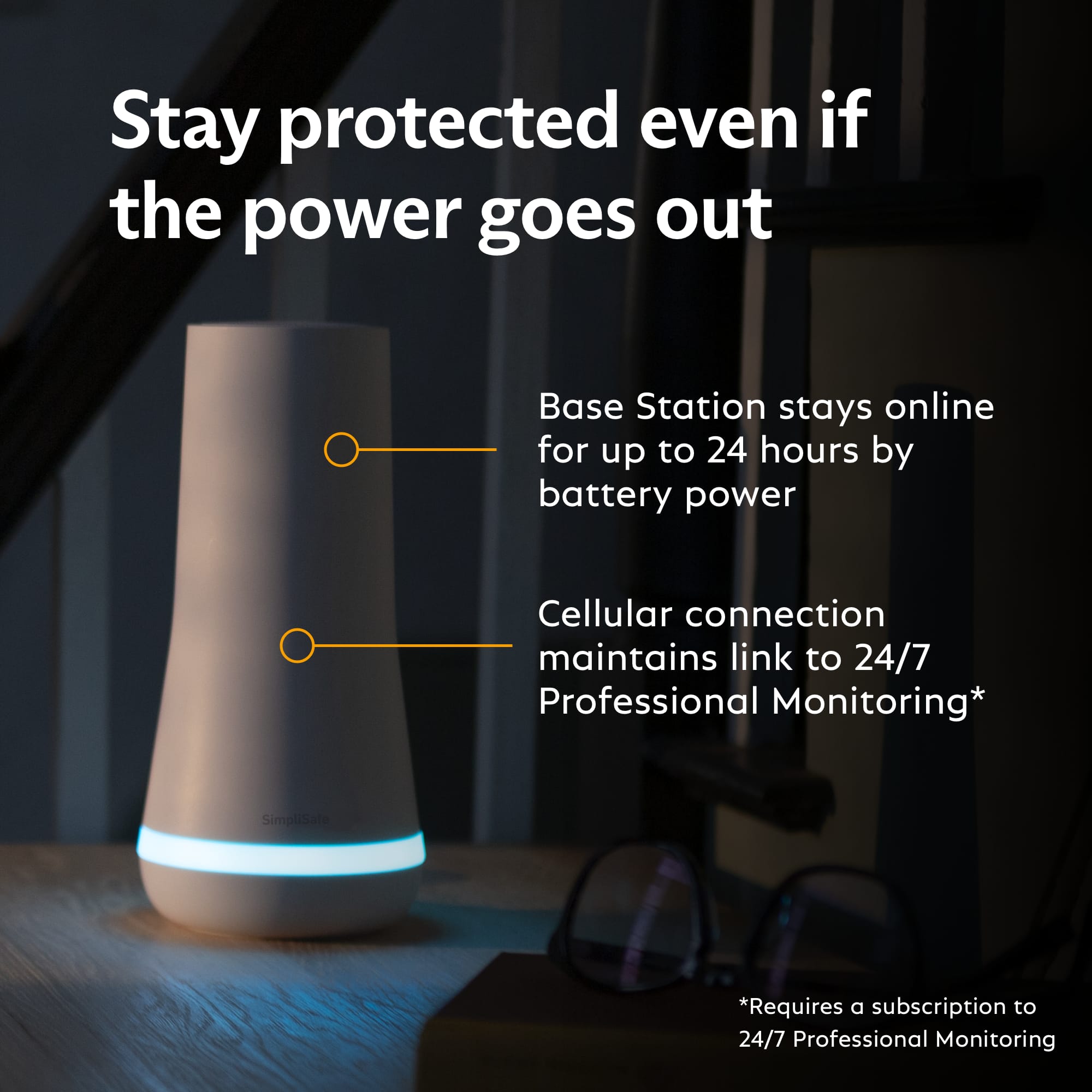
|Posted .This reviewer received promo considerations or sweepstakes entry for writing a review.SimpliSafe is truly a simple self install home security system. Most of the included parts can be installed with the pre-attached sticky pads or some small screws. Once you get the app and make an account, the install process takes you step for step on getting everything connected. They have so many other products that can be attached to the system that are not in this particular kit, but this is a good start. It has 4 door/window entry sensors, 1 motion sensor, 2 outdoor cameras, the central hub and a keypad. The only thing that needs to be plugged up is the central hub and it even has battery backup that will last about an hour should it lose power. Once you get everything added and the keypad connected, you are pretty much done. You can use the app for managing most things or the keypad with PIN. You can quickly arm it for home, which does not use the motion sensor and has different delay times, or away which does include the motion sensor. You can adjust the delay times from the app, for instance if you live alone, you can drop the entry delay way down for the home setting and after 10 seconds the alarm will sound. Or, if you have multiple family members and you know it might take them more than 30 seconds to get to the PIN pad, you can increase it. There is also the ability to set reminders or schedule it to auto arm itself. For instance, you know you will be at work at 9am every weekday, you can have it arm away whether you remembered to do it or not. The added feature of the two outdoor cameras is nice. You can have 2 way communications from practically anywhere around your residence. I put one about 60 ft from the front of my house and it still shows as a good connection. However, as with most wireless security cameras, there is a slight delay. Depending on the placement and when something comes into frame, you might be 2 seconds too late to see what it was. Image quality is pretty decent and has a really wide angle to it. The biggest issue I have with it, and the reason for the title, is that the cameras are practically useless unless you have the monthly protection plan for $29.99 a month. They have no local storage, so anything that is detected, you can’t go back and look at unless you have the monthly plan. You can still access them live and still use two-way communications, but the only other way you can record is while you are watching it live and recording to your phone. There is no way to manage your subscription through the app or site without calling them. Cancellation is on the day of cancellation and not post dated to the end of your trial or paid subscription. When you cancel, there is no more recording, no text notifications but push notifications only and your system becomes fully reliant on your Wi-Fi. Should your Wi-Fi go out and your alarm goes off, even in a power outage, you will not know unless you have an active subscription. Also, it removes the system completely from your account and you have to set it all back up and decline the subscription to go basic. If you have the cameras and want to drop from the Pro to Basic plan, remove them from your account first, then call and cancel your plan as they end up in a strange state of still being on the pro account but not working with your now basic account as you try and add everything to your account, again. Overall, this is a good system, so long as you pay for the monthly Pro plan. There is no contract needed, but if you want the 30 days access to the camera recordings and text notifications, you have to have the plan. With everything being minimally installed they are great for people that don’t want to damage a rental property from drilling holes.
I would recommend this to a friend $50 monitoring plan does not work!
||Posted . Owned for 3 weeks when reviewed.This reviewer received promo considerations or sweepstakes entry for writing a review.My house got vandalized and the perps just looked at the camera. An agent was supposed to clbe online and assess the situation i less than 30 seconds they say. Well no agent, no calling of the cops, no assessing the situation! Go with some other company!
No, I would not recommend this to a friend- Pros mentioned:App, Ease of useCons mentioned:Battery life
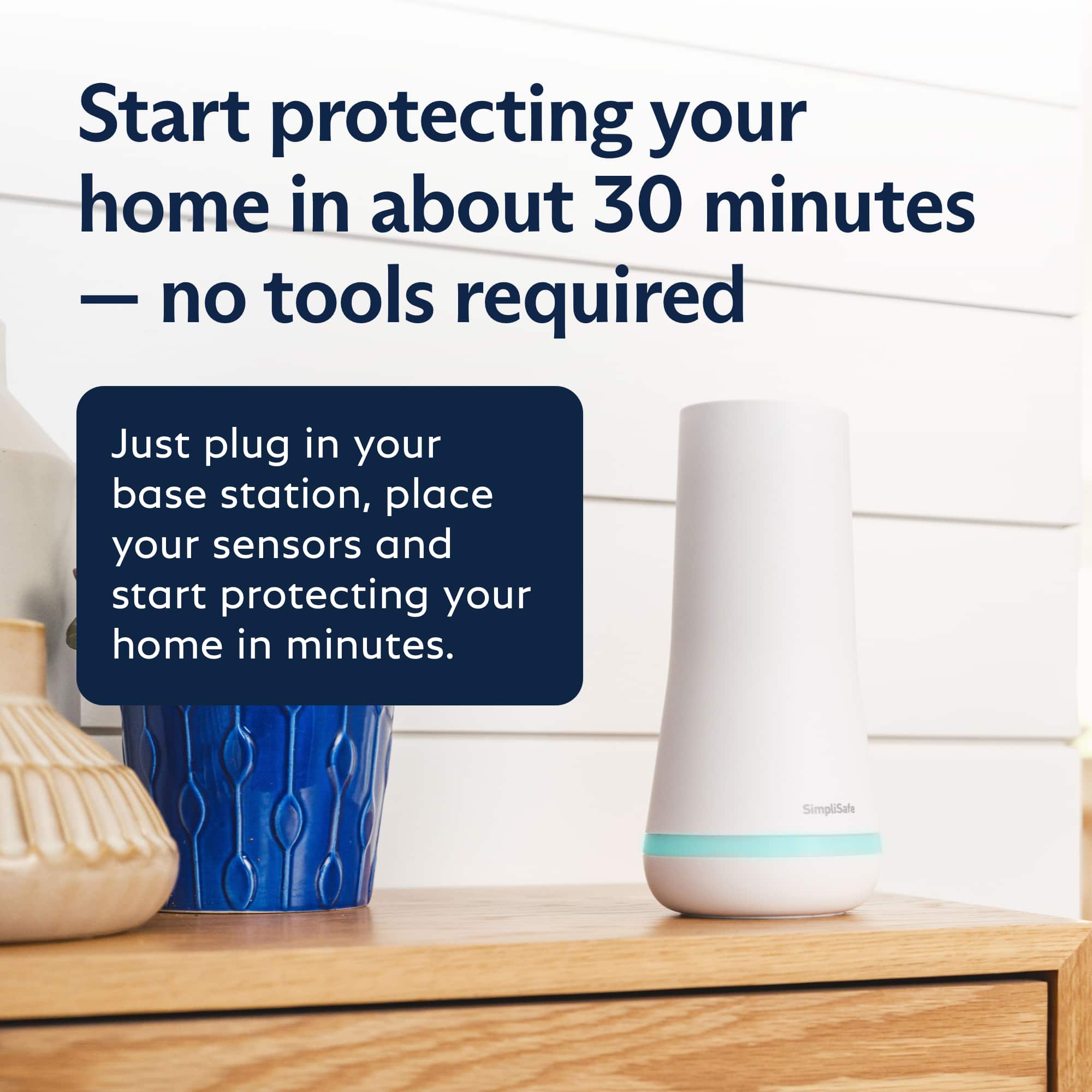
Easy to install with straightforward operation
|Posted .This reviewer received promo considerations or sweepstakes entry for writing a review.Guessing that a lot of these purchases are event driven and mine certainly is. We have a 1000 sq ft Apartment and 2 acre of property behind us that is all dirt & empty space. The space is where we I have a Storage Shed the shed is where we store the supporting tools and supplies. The Shed was recently broken into and everything of value was taken. While that is deeply disheartening, it really only affects me. If the apartment were to be robbed and ransacked like the shed was, I would be devastated! I do consider myself handy when it comes to mechanical and electronic projects. I also believe that I am a good researcher and analyst. I found that there are a lot of great alarm systems available at very affordable prices today including DIY professional systems. Several of the professional systems now have videos on installation and configuration—configuration used to be the tough part of installing one of those. In my case, I was looking for a balance of price, ease installation and options for monitoring. Given the recent break-in, I also wanted to get this project started and completed quickly as the Apartment is just as vulnerable as the Shed. This next statement may make you question my research, or at least, reading abilities. While I did plan to have the system monitored, I didn’t realize until after I received my SimpliSafe system that you can’t monitor the system remotely at all with the app without one of the SimpliSafe plans, and, at the time of this writing, October 2023, you have to have the $25/mo. plan to do any serious monitoring. I would have put off having the system monitored for a while if that were not the case. Perhaps it is better that I was forced into a plan earlier than I wanted. As an aside, SimpliSafe gives you 3 days of ‘practice’ use after you activate your system. This means they won’t contact local law enforcement if the system detects and alarm. On the one hand I wanted my system monitoring to start immediately but, do understand the logic of giving me time to learn to use the system without causing false alarms. The installation was truly easy. Once you plug in the base station and pull the battery tab on the keypad, you are off to a great start. Installing any of the sensors is as easy as removing a paper battery tab, using the keypad to tell the base station that you are installing a new device and naming it from a list once the base station announces that a new device has been detected. The preinstalled double sided tape makes mounting the sensors easy. Our shed has numerous unfinished rough hewn wood surfaces and I decided to mount sensors that had to be on those surfaces with the included screws. I didn’t try the included self-adhesive on the rough hewn wood which, may have worked perfectly. SimpliSafe tells you how far away you can mount sensors like the glass break and motion sensors but it was less clear about how high to mount them given the space I was working in or, for the glass break in particular, the angular range that it could work with. For example, if you have windows on opposite sides of a room with no option to mount the sensor in the middle, can it detect glass breaking behind it or beside it? SimpliSafe sensors are relatively inexpensive, and, as such, perhaps an extra sensor or two isn’t a bad thing. The App is easy to set up and use and definitely slanted to the easy side rather than the comprehensive side. That said, if a sensor were to drop off the app will alert you to that. I am not looking forward to changing batteries but would rather that to running wires through an older structure. SimpliSafe has done a great job making system purchase, installation and operation easy and straightforward. They even sent me an email letting me know that the county where my Apartment is located requires a form and payment to be completed and sent to authorize monitoring and, more specifically, response. Not only did they tell me about it, they sent me the exact link to the form. They also let me know that no paperwork or fee was required for the fire monitor. The Apartment can be a relatively harsh environment with high humidity in the summer and relatively cold nights. I am hoping the sensors, base station and keypad are rugged enough to function for years to come. If you are looking at one of these systems, read all you can to understand what you can and can’t do with and without Simpli-Safes monitoring options. Watch or read about sensor placement and plan your own install. I don’t think you have to become an alarm expert but each install has its own challenges. I found plenty of good information available from a lot of sources on the Internet to address those challenges. I have not interacted with SimpliSafe customer service at this point and can’t comment on that aspect of the product. Overall, I believe I made a good decision for my family and have only positive things to say about the installation and operation of my SimpliSafe system.
I would recommend this to a friend Good but could be better…
|Posted .This reviewer received promo considerations or sweepstakes entry for writing a review.A few years ago I bought a SimpliSafe kit which included the base, keypad, multiple door and window open/close sensors and motion sensors which I have liked it all for the most part. There are a few quirks with the system but overall I was pretty happy. When I went through some business & family financial problems I contacted SimpleSafe and they worked with me to allow me to have a few months of the service without having to cancel and that let me know the type of company SimpleSafe was. And so when I got the opportunity to add some more SimpleSafe equipment to my current setup I knew I wanted to do so as a way to say thank you to the company for helping me during a really trying time. Opening up the boxes of this system I could see a little lack of care with putting the products in the boxes and the rest of the packaging, it didn’t have that same level of commitment and care that the call center agent I spoke with when I had originally called to cancel months ago (due to the previously mentioned business and family struggles I discussed above). Just what do I mean? Well, check out the photos I will attach. The boxes for the batteries were already dog-eared, the battery pull tab was crinkled and things appeared to be just haphazardly thrown in the box in a few small ways that just appeared to be boxed on a Monday after a long weekend or on a Friday near quitting time after a trying work week. Not the kind of look you want to give a new customer or even a returning customer. It is these small things that people notice and combine to equate into a good customer experience or a bad customer experience with the customer ultimately staying or going after these small, seemingly innocuous, things pile up. Like the old saying “the straw that broke the camels back” it isn’t the small, lightweight piece that did it, it’s the thousands of straws that came before it…you get it. Now, despite the packaging issues, how do I feel about the equipment? Well, everything is the same solid quality I have come to expect from SimpleSafe. I have numerous competing security camera systems and I can say that the SimpleSafe system works just as well. I wish they hadn’t gone with a proprietary battery and instead went with 18650 batteries since it seems high end flashlights, large vape boxes and other equipment (including competitors security camera systems) going to these type batteries. Proprietary batteries are not a good look as we as a society are becoming more aware of the pitfalls of such proprietary pieces and how they are impacting our environment. So if I could offer a few suggestions to SimpliSafe it would be to a) take more care with packaging the hardware and b) move away from proprietary batteries and go with more universal options like a dual, triple or quad 18650 battery setup in the cameras. All in all I am happy with the system and glad I have it but wish they’d make a few minor tweaks in future systems and think long-term when it comes to their batteries and other potentially proprietary components that shouldn’t be proprietary.
I would recommend this to a friendMediocre Outdoor Cameras
|Posted .This reviewer received promo considerations or sweepstakes entry for writing a review.OVERVIEW: I really love the whole concept of the SimpliSafe home alarm systems. From selecting and adding your individual home components, to being able to choose the required level of monitoring, or even self-monitoring. This “simple” concept has tremendous merit. Buy a base system, then add the other options you require. INSTALLATION: The system is truly “simple” to setup by most anyone, (with basic technology / PC skills) following the supplied or online instructions, without the direct need for an outsourced installation team. Plug in the base unit and with the keypad add the individual alarm components one at a time. Downloading and using the SimpliSafe Application does make the installation process go a bit smoother, but not necessary. KEYPAD: Fairly simple to use and somewhat intuitive. I like the fact that it will “light up” just by touching it. Buttons are self-explanatory with the menu being logically arranged, at least for my use. I elected not to wall mount the keypad, since we move it around as needed. In lieu of using the keypad, the majority of the time both my wife and I use the Android app (with widgets) to arm and control the system. Therefore, the keypad can be placed wherever. APPLICATION: I strongly recommend installing and using the SimpliSafe App. Definity a major plus when not at home. Plus, we use two Android “widgets”. One that mirrors the Keypad “Off / Home / Away” buttons with similar icons that can be selected without requiring entering a password (note, your phone should be password or fingerprint protected). The other widget we use is for quicker access for activating and viewing the two outside cameras. ENTRY SENSORS: I had a concern with my ornate front door molding not being an ideal flat surface match for the door sensor with its magnet not seating exactly next to its sending unit. (I did not want to route the molding.) But since the magnets can be placed up to 2 inches from the sensor, I was able to make it work just fine. Two other doors (rear garage and attached shed) had flat molding, so those installed much easier. MOTION SENSOR: This sensor I tried in a few different locations with mixed results. In the first location, our kitchen, I had it sitting on a shelf facing somewhat towards the base unit, and I was able to successfully pair with the base unit. But over the next three days, it appeared to fail repeatedly with the base unit stating “Device not responding”. I would then try testing the system, pressing the motion sensor button, but the base could not re-establish communications, no matter where I had moved the sensor. To resolve, I would have to remove the motion sensor battery, then re-setup by adding it back to the base unit by way of the keypad. Next day, same failure. I finally moved the motion sensor to our family room, again on a shelf, removed the battery, then re-setup with the base unit. So far it has not failed a fourth time. Bottom line: I’m not certain what is happening, and if it fails losing communications with the base unit again, I will contact SimpliSafe support for a replacement. CAMERAS: Very easy to install and configure through the app or keypad with a decent assortment of camera options to configure for you specific requirements. Be aware their simplistic magnet mount, could be way too easy to pilfer. Just jump, grab, and run. Also, these “outside” cameras may be OK if you intend to pay for one of SimpliSafe contract monitoring services. If you choose to “self-monitor” like we do, then any outside motion that triggers the camera’s will be unavailable for your viewing. Now I must mention I am somewhat spoiled by a competitor’s Door-Cam we are using that provides free access to a 3hr viewing window to review what activity triggered the camera alert. But with SimpliSafe, I would need to purchase their basic $9.99 monthly charge just to see what triggers their camera notifications. Not an asset, unless you are willing to pay SimpliSafe for some level of monitoring. Being wireless, there is a 30 second to 2-minute delay to view either of the camera’s live video images. The system camera activation routine goes like this: Select the camera you wish to “Live View” through the application or widget. The app then displays “Waking up the camera…”, then “Connecting…”, then “Launching live view…”, then eventually, wait for it, you will see a live video. Time to activate and actually see something varies between 30 seconds to over 2 minutes when it fails any of the connectivity handshaking and you are forced to start over again. By that time, if there was an intruder, they would be long gone. The next concern I have with the outdoor camera is the embedded siren that does not seem anywhere near sufficiently loud enough to scare off an intruder. Also, you have to be right up next to the camera to hear what someone in the house is saying when using the application (tried with 2 different phones). Again, I will compare to our competitor’s Door-Cam that is loud and clear when talking to outsiders. And yeah, I understand having our rear camera installed in a 180 degrees position places the mic/speaker facing up and therefore will have weaker volume. But our front camera that has its mic/speaker facing down may be a tad louder, but still not sufficiently audible to carry on a conversation with someone outside without yelling at each other. The picture quality in daylight is good when set to 1080p, and OK at the other lower settings (720p & 480p) if you wish to save some battery life at the expense of video quality. At night, the IR is basic, and for a 3rd time does not compare to our Door Cam when in IR mode. Using the night spot light helps, but it’s still not acceptable video quality, while burning through the battery much quicker. One possible plus, these wireless outdoor cameras could be re-purposed as indoor cameras and that may well be a better use for them. I realize that is not their specified intention, and SimpliSafe does have indoor wired cameras for that purpose. Nevertheless, I will probably move to other outdoor cameras to compliment my existing Door-Cam that exceeds our requirements, and use these two cameras indoors. All is not lost… Bottom line: These outdoor cameras are useful for alerting users there is something happening (think glorified outdoor motion sensor), but actually seeing the triggering event requires a paid monitoring service. I am hoping the cameras will assist with scaring away an intruder with its blue flashing LEDs, the spot light, and low volume siren. Note that if you are looking for self-monitoring cameras, I know there are much better system solutions out there. SYSTEM RESET: Over a 6-day period, I had to twice “reset” the SimpliSafe base station due to dropping internet connectivity. Once on its own for no apparent reason, the other was when I had an AT&T router error. In both instances, the base unit would not self-restore once our internet connectivity was restored. To restore operation, one must reset the base. To reset, one must remove the power, remove a screw in the bottom of the base unit, remove the base unit cover, then remove one of the backup rechargeable batteries. Wait 15 to 30 seconds, then reverse the steps. Then I had to re-add the SSID password. Not what I can’t determine is why the base station would not reconnect to the internet when none of my other devices were down after internet was restored. I am running three high-end mesh WiFi-6 system access points, one on each floor, with the one connected to the SimpliSafe base unit only 25 feet away. My mesh system application showed the SimpliSafe_Basestation connected at 2.4GHz with a current IP address and reflecting its MAC. No matter, I still had to perform the reset ritual. Disassembly this base to reset is real pain and a function I cannot performed when I am out of town. From online research, SimpliSafe can not remotely reset, even with a monitoring plan. Bottom line, once the base station drops internet connectivity, it does not appear to reconnect on its own and requires a somewhat convoluted reset procedure. Maybe a system update is in order for a seamless reconnection process? RATING: Any of the SimpliSafe basic home systems (without outdoor cameras) are one of the better rated, easy to setup, easy to use, easy to monitor, alarm systems available. I believe those systems earn a solid 4-Start rating and I would recommend those to others. Adding these mediocre outdoor cameras, while doubling the system price, then labeling it an “Outdoor Security System” leaves a lot to be desired. Therefore, I believe this specific “SimpliSafe - Outdoor Security System” only earned a 3-Star rating, and I would not recommend to others. Stick with their basic indoor component systems, while finding other camera alternatives, and I believe you’ll be much more satisfied. .
No, I would not recommend this to a friend- Pros mentioned:Ease of useCons mentioned:Battery life
Good alarm system, camera disappointing
||Posted . Owned for 1 month when reviewed.This reviewer received promo considerations or sweepstakes entry for writing a review.PROS: The alarm system is good, chime is a little low, but you can buy a siren separate. Design is really cool, very modern. It’s absurdly easy and quick to install. The app instructions to install is really easy to follow. CONS: the camera image and battery life is disappointing. Battery lasts 3-5 days in a very quiet with no movement area. Quality of 1080 resolution compared to other likes is inferior. I tested Ecobee, Ring and Eufy to compare. SimpliSafe is one of the lowest image quality. I returned my package due to the camera image quality and battery life. The monitoring is also a little expensive $30. Simply safe thinks they are competing primarily with ADT and Vivint, which costs $60 per month so they are relatively cheap at $30 per month. They in reality compete mainly with Ring and Arlo that charge $20 per month for similar monitoring package.
No, I would not recommend this to a friend - Pros mentioned:App, Ease of use
Great security and monitoring system!
||Posted . Owned for 1 year when reviewed.This reviewer received promo considerations or sweepstakes entry for writing a review.We love this security system for our home. It was easy to set up and monitoring from the app is great.
I would recommend this to a friend - Pros mentioned:Camera quality, Ease of use
Best Security System
||Posted . Owned for 3 weeks when reviewed.This reviewer received promo considerations or sweepstakes entry for writing a review.Love this system! The cameras are very clear, the sound is precise. The app makes it so easy to use. The alerts are very helpful. Very easy to install. I sleep better at night with this systems protection.
I would recommend this to a friend - Pros mentioned:Ease of use
Love SimpliSafe
||Posted . Owned for 3 weeks when reviewed.This reviewer received promo considerations or sweepstakes entry for writing a review.SimpiSafe works great! Peace of mind! I had a friend who lost her husband and was afraid being in her home alone. I bought her the SimpliSafe system and helped her install it to help her feel safe. I knew how well it worked because I have one. She loves it and sleeps well now.
I would recommend this to a friend - Pros mentioned:Camera quality
Wouldn’t trade it for any other
||Posted . Owned for 2 months when reviewed.This reviewer received promo considerations or sweepstakes entry for writing a review.Perfect for understanding where your kids are at bed time. My little 5 year old likes to sneak out and now I know every time he leaves the place he is supposed to be! The camera quality is great and the voice function works well and clear if you ever need security, take it from an electrician, look no further! Install yourself
I would recommend this to a friend - Pros mentioned:Ease of use
Great ststem
||Posted . Owned for 1 week when reviewed.This reviewer received promo considerations or sweepstakes entry for writing a review.Easy hook up, works great, been using it for a month and no problems. Way better then a wired setup.
I would recommend this to a friend - Cons mentioned:Battery life
Easy to Use
||Posted . Owned for 1 month when reviewed.This reviewer received promo considerations or sweepstakes entry for writing a review.We've only had this security system for about a month and so far it's pretty good. The set up was easy. The only complaint is the batteries do not last long and it has to be charged frequently.
I would recommend this to a friend - Pros mentioned:Installation
Security
||Posted . Owned for 1 month when reviewed.This reviewer received promo considerations or sweepstakes entry for writing a review.Great product, easy install. Only thing kept it from being 5 stars is wired camera connectivity. Sales staff at best buy was five star
I would recommend this to a friend Simpliunsafe
||Posted .This reviewer received promo considerations or sweepstakes entry for writing a review.We’ve given this system a solid try over time. Setup was straightforward and the hardware looks clean and modern. When connected, video quality is clear. However, reliability has been inconsistent. The camera closest to our router frequently fails live view and often returns error messages when trying to pull up previous footage. Unfortunately, this is our driveway camera, which is the most important view for us. When access isn’t dependable, it defeats the purpose. We’ve also found motion detection for wildlife to be essentially nonexistent, even when we can clearly see bears or deer in our yard. We were genuinely excited to capture footage of our furry neighbors, so that’s been a significant disappointment. We’ve spent more time troubleshooting than using the system. It’s especially frustrating because we’ve used SimpliSafe indoor equipment for seven years without issue. Unfortunately, we haven’t received meaningful support in resolving these outdoor camera problems. Because reliability matters most, we’ll be moving on to a different system after construction is complete.
No, I would not recommend this to a friend