Customer Ratings & Reviews









- Model:
- K50S30
- SKU:
- 12316856
Rating by feature
- Picture Quality
Rating 4.8 out of 5 stars
- Sound Quality
Rating 4.5 out of 5 stars
- Brightness
Rating 4.7 out of 5 stars
Great TV
||Posted .This reviewer received promo considerations or sweepstakes entry for writing a review.Very Happy with the television. Particularly the controls function that I did not have with the prior TV I had.
I would recommend this to a friendBrand response from SonyListens
Posted .Hello BravoBravia! Thank you for giving the BRAVIA 3 a five-star rating! We’re thrilled to hear that this TV is bringing you joy. Thank you for choosing Sony! Regards. -Jenn

Traded in for Bravia 8.
||Posted . Owned for 2 months when reviewed.This reviewer received promo considerations or sweepstakes entry for writing a review.Traded in for 55” Bravia 8 flat screen. Excellent for price paid. It tempted me to trade up to the best Sony offers.
I would recommend this to a friendBrand response from SonyListens
Posted .Hi RichardM, Thank you for the positive feedback! We appreciate you upgrading to your new Sony BRAVIA 8. We're thrilled to hear that you found it to be excellent value for the price. Thanks for choosing Sony! -Sam
Bestbuy and their products are hands down the best
||Posted . Owned for 2 weeks when reviewed.This reviewer received promo considerations or sweepstakes entry for writing a review.I have purchased numerous Sony Organic LED TV’s a long with most recent purchase of the Sony 50in Bravia 3 from Bestbuy and Bestbuy and Sony are hands down the Best. Bestbuy is the best go to for all of your Electronics.
I would recommend this to a friendBrand response from SonyListens
Posted .Hi Zman, That's awesome! We're really delighted to hear you love everything about your Sony BRAVIA 3 and you are having an enjoyable watching experience with this great TV. Glad to know you like the stunning 4K HDR picture. You chose the best TV brand! Thank you for your purchase and for the 5-star rating! -Jess
- Pros mentioned:Picture quality
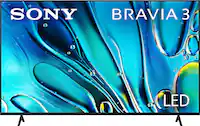
BRAVIA 3
||Posted . Owned for 2 weeks when reviewed.This reviewer received promo considerations or sweepstakes entry for writing a review.If your just wanting to watch movies its good but other than that below par Sony is crazy thinking this thing is worth 600$ new
No, I would not recommend this to a friendBrand response from SonyListens
Posted .Thank you for sharing your candid feedback, RichardL.
We understand your perspective. It sounds like you are satisfied with the movie-watching experience but feel the TV falls short in other areas, and you believe the initial price point is too high for the overall feature set.
The BRAVIA 3 focuses on providing a quality 4K picture (with the 4K HDR Processor X1 and Triluminos Pro) and smart features (Google TV, Dolby Vision) for the most common use cases, like streaming movies and shows.
However, we certainly understand your disappointment if you were looking for features that are typically found on our mid-range (like BRAVIA 7) or premium models.
Your feedback on the value proposition at its new price is crucial, and we take all customer comments seriously as we evaluate our pricing and product offerings in the competitive TV market.
We appreciate you being a Sony customer and for giving us this honest assessment.
Best regards, Gus, Sony Social Media Team
TV Sony bravia
||Posted .This reviewer received promo considerations or sweepstakes entry for writing a review.My Sony Bravia TV is so beautiful, I recommend it 100%. I made an excellent purchase.
I would recommend this to a friendBrand response from SonyListens
Posted .Hi, MaricelaS,
Thanks for the review and the 5-stars rating! We couldn't be happier to hear how much you are loving your Sony BRAVIA TV and its amazing picture quality! We appreciate the preference, and we hope you can continue enjoying your series and movies with us.
Thanks for choosing Sony, have a wonderful day!
-DiegoV
- Cons mentioned:Connectivity
TV cannot hold wifi connection
||Posted . Owned for 7 months when reviewed.This reviewer received promo considerations or sweepstakes entry for writing a review.This TV constantly drops wifi connection. I took all required procedures to address this issue including constant contact with my wifi provider. This only occurs with this tv. My other 3 Sony Bravia's don't seem to have this problem. I have reset the network, disconnected the power source, reset my router and I can't watch more than 10 minutes of a program before it drops the wifi signal. The issue is not the quality of picture and sound, it is the failure to maintain wifi connection.
No, I would not recommend this to a friendBrand response from SonyListens
Posted .Hello Oles,
Thank you for sharing your feedback with us.
We're sorry to hear that you're experiencing issues with your BRAVIA 3. We're here to help! Let’s go through some troubleshooting steps to resolve the problem with your TV disconnecting from the network.
1. Check for missing updates: Occasionally, your TV may not function as expected due to outdated software. You can verify this by navigating to Settings > System > About > System Software Update > Check for Updates.
2. Verify your router's frequency band settings: The performance of your TV can vary depending on the band it is connected to. We recommend using the 2.4 GHz band for optimal performance.
3. Review your Internet Protocol settings: It is advisable to use IPv4 instead of IPv6 for better compatibility.
4. Enable IP control: To improve network performance, we suggest activating simple IP control. You can do this by going to Settings > Network & Internet > Home Network > IP Control > Simple IP Control > Turn it On.
5- Check the distance: When using Wi-Fi®, the distance between your router and your device plays a crucial role in connectivity. Ensure that the router is positioned within 25 feet (7.62 meters) of your device for optimal performance.
6- Utilize physical connections: For a more stable connection, consider using an Ethernet (LAN) cable to connect your router directly to your TV.
7- Test with a hotspot: If your router is not providing a strong signal to your TV, try using a mobile hotspot to determine if the issue persists. If the problem does not occur while using the hotspot, it may be necessary to review your service agreement with your Internet Service Provider (ISP).
If the problem continues, please reach out to us via email for further assistance. Kindly include your name, Best Buy username, model number, details of the issue, and your telephone number in your message to [email protected].
We apologize for any inconvenience you've experienced and are committed to helping you resolve this matter. Thank you for choosing Sony!
Best regards,
Gus
Good
||Posted . Owned for 3 weeks when reviewed.This reviewer received promo considerations or sweepstakes entry for writing a review.Replace this tv from my old tv easy to follow steps to install
I would recommend this to a friendBrand response from SonyListens
Posted .Hello LindaM, thanks for posting your review.
We're so glad that replacing your old TV with the new BRAVIA 3 was an easy and smooth process for you. We design our products, including the installation steps, to be as user-friendly as possible, so it's fantastic to know we hit the mark.
Thanks for choosing Sony!
Sincerely,
Jenn.
New Sony TV
||Posted . Owned for 2 weeks when reviewed.This reviewer received promo considerations or sweepstakes entry for writing a review.Very easy to find and purchase my item, as always, the ability to finance a high quality item with great customer service keeps me coming back to Best Buy over and over!
I would recommend this to a friendBrand response from SonyListens
Posted .Hi MarshallM, We're very happy to hear that! Good to know you had an excellent shopping and customer service experience. Thank you for choosing Sony! -Sam
Nice tv
||Posted . Owned for 1 week when reviewed.This reviewer received promo considerations or sweepstakes entry for writing a review.Great quality for the price however with speakers in the back sound bar likely needed
I would recommend this to a friendBrand response from SonyListens
Posted .Hi PatriciaC, Thank you so much for your awesome review! We are glad to hear that you are enjoying your new TV! Thank you for choosing Sony! -Carl
Love Sony tv
||Posted . Owned for 3 weeks when reviewed.This reviewer received promo considerations or sweepstakes entry for writing a review.Sony’s are the best tv’s. For a LED this one is great
I would recommend this to a friendBrand response from SonyListens
Posted .Hello MikeP, thanks for the five stars!
It is truly wonderful to know you're so happy with your Bravia 3 and consider Sony TVs the best. We're happy that you appreciate our LED technology!
Thanks for choosing Sony.
Sincerely,
Jenn.
Love the TV--Best Buy, not so much!
||Posted . Owned for 3 weeks when reviewed.This reviewer received promo considerations or sweepstakes entry for writing a review.So far, so good. Apparently the 2025 TVs are much more complicated to set up. Luckily, my neighbor is a video expert/computer whiz!
I would recommend this to a friendBrand response from SonyListens
Posted .That's great, SaundraD! You definitely made the right choice with this TV. We're so delighted to hear that you like the clear picture quality, smart Google TV features, overall performance of the TV. Thank you for choosing Sony! Enjoy! -Jess
Sony is the best!
||Posted . Owned for 1 week when reviewed.This reviewer received promo considerations or sweepstakes entry for writing a review.I was so lucky that my old television went out when it did. I found this Sony on the Black Friday sale. I am very pleased with my purchase.
I would recommend this to a friendBrand response from SonyListens
Posted .Hi DebbieB2020, It's great to hear that you are pleased with your new Sony television purchase from the Black Friday sale! Many customers have shared positive feedback about their experiences with Sony products during these sales events. Enjoy your new TV and thank you for choosing Sony! -Carl
Good - but on dark colors, hard to see detail
||Posted .This reviewer received promo considerations or sweepstakes entry for writing a review.The colors and sound are good. However, for anything really dark, it is hard to see detail. Someone wear's something black, and it's like black paint. Hard to see detail.
I would recommend this to a friendBrand response from SonyListens
Posted .Hi DanV,
Thank you for your feedback. We're glad you're enjoying the colors and sound, but we're sorry to hear about the difficulty seeing detail in dark scenes. This is not the intended experience.
We recommend adjusting the Brightness or Black Level in your picture settings, or trying a different picture mode like Cinema to help reveal more detail.
If the issue persists, our support team can provide further assistance. You can contact them directly by visiting this link: https://us.esupport.sony.com/support/s/support-contact?language=en_US&category=tv
Thanks for choosing Sony.
Best regards,
Eliab
Tv
||Posted . Owned for 1 month when reviewed.This reviewer received promo considerations or sweepstakes entry for writing a review.It is perfect for my size home. Best but is the best!
I would recommend this to a friendBrand response from SonyListens
Posted .Hello DorothyB, thanks for sharing this great review!
It is truly wonderful to know the BRAVIA 3 fits perfectly in your home–outstanding picture on every screen sizes!
Thanks for choosing Sony.
Sincerely,
Jenn.
A
||Posted . Owned for 1 week when reviewed.This reviewer received promo considerations or sweepstakes entry for writing a review.I did not like the connection procedure with the Google soft installed. Google set up as a default that was hidden from common observation requiring me to get customer support.
No, I would not recommend this to a friendBrand response from SonyListens
Posted .Hi FirsttimeASUSBuyer, Thank you so much for your review! We are glad to hear that you are happy with the overall performance of the Bravia 3 TV. We value your feedback as this will help us in improving our services and products. Thank you for choosing Sony! -Carl
Ms
||Posted . Owned for 3 weeks when reviewed.This reviewer received promo considerations or sweepstakes entry for writing a review.All was done professionally and with care. Sales rep was knowledgeable and thorough.
I would recommend this to a friendBrand response from SonyListens
Posted .Hi PatM, That's awesome! We're very happy to hear that you had an excellent customer service experience. Thanks for choosing Sony! -Sam
50” Sony
||Posted . Owned for 3 weeks when reviewed.This reviewer received promo considerations or sweepstakes entry for writing a review.TV would not download the Spectrum app without having Xumo box. I was disappointed in the fact, I asked about Spectrum app.
No, I would not recommend this to a friendBrand response from SonyListens
Posted .Hi PattiB,
We apologize for any disappointment regarding the Spectrum TV app. Currently, Spectrum does not offer a native app for the Google TV platform. However, you can still enjoy your Spectrum content on your BRAVIA 3 by using the built-in Chromecast feature to cast the Spectrum TV app directly from your smartphone, tablet, or laptop to the TV. Alternatively, the TV supports Spectrum through external devices like a Roku, Apple TV, or the Xumo box connected via HDMI.
Thanks for choosing Sony.
Best regards,
Eliab
Sony
||Posted . Owned for 1 week when reviewed.This reviewer received promo considerations or sweepstakes entry for writing a review.Bought as a gift. Sony"s products are the best. As purchashed the x90l Sony 55".
I would recommend this to a friendBrand response from SonyListens
Posted .Hi StephanieS,
Thank you for the purchase! We're glad to hear that you like your new Sony TV. Thank you for choosing Sony!
-David
good buy
||Posted . Owned for 1 week when reviewed.This reviewer received promo considerations or sweepstakes entry for writing a review.I arrived with a purchase decision but after receiving advice from the seller I opted for his recommendation. I am super happy for his help in choosing the best.
I would recommend this to a friendBrand response from SonyListens
Posted .Hi MariaelenaR, Thank you for your awesome review! We are so glad to hear that you are enjoying your new TV! Thank you for choosing Sony! -Carl
- Cons mentioned:Connectivity
Junk TV
||Posted .This reviewer received promo considerations or sweepstakes entry for writing a review.WiFi stopped and Sony won’t do anything. Junk! Never buy again!!!
No, I would not recommend this to a friendBrand response from SonyListens
Posted .Hi BradS,
We're truly sorry to hear that you’ve had a difficult experience with your TV and its Wi-Fi capability. We would like to work with you directly to get your BRAVIA 3 back online.
To rule out common signal or hardware hang-ups, please try these three troubleshooting steps:
1- Dual Power Reset: Unplug both your TV and your internet router from the power outlet for at least 2 minutes. Plug the router back in first, wait for it to fully boot up, and then plug in the TV.
2- Check Distance: Ensure the TV is within 25 feet of your router and that there aren't major physical obstructions (like thick concrete walls) blocking the signal.
3- Network Diagnostics: You can see exactly where the connection is failing by going to Settings > Network and Internet > Network Status > Check Connection.
If the Wi-Fi still isn't working after these steps, please email us immediately. We want to personally evaluate this situation for you. Send the following details to [email protected]:
Full Name:
Best Buy Username:
Telephone Number:
Model Number:
Issue/Concern:
Thank you for considering Sony!
Best regards,
Dominick