Customer Ratings & Reviews











- Model:
- K65XR80
- SKU:
- 10214353
Rating by feature
- Picture Quality
Rating 4.9 out of 5 stars
- Sound Quality
Rating 4.6 out of 5 stars
- Brightness
Rating 4.7 out of 5 stars
Misleading sales pitch
||Posted . Owned for 1 month when reviewed.This reviewer received promo considerations or sweepstakes entry for writing a review.As part of my purchase the sales team talked me into buying a “Best Buy Membership +” telling me I’d receive a $100 credit. We I received the credit, it was only good toward a purchase of $999.00 or more. The sales guy forgot to mention that fact!!! Product purchased is fine; just don’t get talked into the Best Buy Membership + trap.
I would recommend this to a friendUnprofessional curbside pickup
||Posted .This reviewer received promo considerations or sweepstakes entry for writing a review.Team on site that helped me load the TV into my vehicle was rude and when I asked for help flipping the tv(previously they put the screen side touching the side of the vehicle) it was like pulling teeth to get anyone to help me.
No, I would not recommend this to a friendBest Buy Scam
||Posted . Owned for 1 month when reviewed.This reviewer received promo considerations or sweepstakes entry for writing a review.I paid $1,599.99 for this TV a week before I was to pick the TV up at Best Buy. However I was told that Best Buy had Return my TV to stock. Best Buy now wanted me to buy same TV for an additional $300.00 more. What a scam????
No, I would not recommend this to a friend- Pros mentioned:Picture quality
Disappointed with Shutdowns and Voice Sinking
Posted .This reviewer received promo considerations or sweepstakes entry for writing a review.First, the good: it has a great picture. It also has a good built-in sound system, which was the main reason I bought it as I cannot use a soundbar because of fireplace clearance. The bad, it just shuts off randomly, and for no reason, the voice sinking with the picture sometimes does not match. To correct the problem, the TV needs to reset/reboot. Also a pain in the you know what. Unfortunately, these problems did not show up until after the return period was over. Sony is a pain in the butt as they make it as difficult as possible to talk with support. Overall, I have had a number of Sony products, including TVs, but I do NOT recommend this model.
No, I would not recommend this to a friendBrand response from SonyListens
Posted .Hi Brent,
Thank you for sharing your feedback. We are glad to hear you’re enjoying the picture quality and the integrated speakers of your BRAVIA 8, but we are truly sorry for the frustration you’ve experienced with the unexpected power-offs and audio sync. This is certainly not the seamless experience we strive to provide.
To help resolve these glitches and get your TV performing as it should, we recommend trying the following steps:
1- Please ensure your TV is running the latest firmware: Navigate to Settings > System > About > System Software Update > Update your TV software.
2- Adjust Power & Energy Settings:
To prevent the TV from shutting off unexpectedly, please disable the automatic power-saving timers:
Go to Settings > System > Power and Energy.
Set Power saving to OFF.
Set Idle TV power off and Auto shut off to OFF.
3- Isolate the Audio Sync Issue:
Since the audio sync (lip-sync) can sometimes be caused by an external source rather than the TV itself, please test multiple inputs:
Check if the delay happens on built-in streaming apps (like YouTube or Netflix) as well as external devices like a cable box or Blu-ray player. If the issue only occurs with one specific device, the settings on that device may need to be adjusted to match the TV’s output.
For more detailed troubleshooting, please visit our support guides:
https://www.sony.com/electronics/support/articles/00032613
https://www.sony.com/electronics/support/articles/00026069
We hope this helps you get back to the effortless experience you deserve with your Sony TV.
Thank you for considering Sony!
Regards,
Dominick
Power went out just over a year
||Posted . Owned for 1 year when reviewed.This reviewer received promo considerations or sweepstakes entry for writing a review.Power went out just past a year very conveniently after the warranty is up. got the run around of no one is in the area to fix between Sony and best buy
No, I would not recommend this to a friendBrand response from SonyListens
Posted .Hi Jordan,
Thank you for sharing your experience and for taking the time to write to us.
We sincerely apologize for the frustration and the run-around you've dealt with trying to get service for your K-65XR80, especially with the power issue developing so soon after the warranty ended.
Please perform these two quick steps, as they can sometimes resolve no-power issues:
Power Reset: Unplug the TV from the wall outlet for at least 30 seconds. Plug it back in and try turning it on using the physical power button on the TV itself.
Disconnect Devices: Unplug all external devices (like soundbars and gaming consoles) connected to the TV, and then try turning the unit on again.
If the troubleshooting above doesn't help, please send an email to [email protected] so we can have our specialist team review your case immediately.
To expedite this, please include the following information in your email:
Your Name
Your Username
The TV Model Number
Your Telephone Number
Your Sony Case Number (if you have one)
A brief, detailed description of the issue
Again, we are very sorry for the inconvenience. We look forward to your email and helping you get this resolved.
Best regards,
Gus, Sony North America Customer Support
Not for me
||Posted . Owned for 1 month when reviewed.This reviewer received promo considerations or sweepstakes entry for writing a review.⭐️For User interface ⭐️For apps (cannot use Disney + , Peacock) ⭐️⭐️⭐️⭐️ For Sounds system ⭐️⭐️⭐️⭐️ For resolution ⭐️For remote control
No, I would not recommend this to a friendBrand response from SonyListens
Posted .Hi JeromeZ,
Thank you for your time writing this review. We're sorry to hear we were not able to meet your full expectations with your BRAVIA 8 TV. Allow us to help turn this to a better experience.
Disney+ and Peacock apps can be used on the BRAVIA 8. This TV comes with pre-installed apps and unbeatable number of apps can be downloaded on the Google Play Store of the TV. For more information on how to install on a Google TV, please refer to this link: https://www.sony.com/electronics/support/articles/00147386?utm_source=glean
You may also refer to this link with information on how to use the supplied remote and features of the TV: https://helpguide.sony.net/tv/lusltn1/v1/en-003/01.html
May we contact you to help? If so, please email the below information to [email protected]:
Name:
Best Buy Username:
Telephone Number:
Model Number:
Issue:
We are sorry for the inconvenience and hope to speak to you to resolve this matter. - Kris
Do not recommend
||Posted . Owned for 4 months when reviewed.This reviewer received promo considerations or sweepstakes entry for writing a review.Salesman at Best Buy said it was better than Samsung oled. Was completely wrong.
No, I would not recommend this to a friendDead on arrival
||Posted .This reviewer received promo considerations or sweepstakes entry for writing a review.Dead on arrival. 5 blinking red lights. Check immediately after unboxing to save you the headache
No, I would not recommend this to a friendBrand response from SonyListens
Posted .Hi VCr4,
Thank you for reaching out to us with your concern.
We sincerely apologize for the inconvenience caused by the issue with your Sony BRAVIA 8 TV. This is not the experience we strive to provide, and we want to ensure that you have the best possible experience with your television.
To assist you better, could you please provide more details about the five blinking red lights you are experiencing? Does this occur while your TV is turned on, or does it not turn on at all?
In the meantime, you may find this article helpful to isolate the issue: https://www.sony.com/electronics/support/articles/00153674?utm_source. Additionally, you can use our interactive guided support for step-by-step assistance: https://us.esupport.sony.com/support/s/gs?language=en_US&treeid=639716112000
If you need further assistance, may we contact you directly? If so, please email the following information to [email protected]. Apologies if you've already shared this information with customer service — we just want to ensure we have your most accurate details:
Full Name:
Best Buy Username:
Telephone Number:
Additional Information regarding your experience with the BRAVIA8.
Thank you for your patience, and we look forward to improving your experience!
Sincerely,
Maria
Sound issues
||Posted . Owned for 3 weeks when reviewed.This reviewer received promo considerations or sweepstakes entry for writing a review.How the TV for a week and the sound started tweaking and making all kinds of tweaking noises and we could not hear the TV at all
No, I would not recommend this to a friendBrand response from SonyListens
Posted .Hi Jackie,
Thank you for considering Sony products.
We sincerely apologize for the inconvenience caused by the sound issues with the K65XR80 TV over the past week. We understand how frustrating it can be when the sound starts to malfunction, preventing you from enjoying your favorite shows.
To help resolve this, we recommend trying the following:
Adjust Sound Settings: Follow the steps in our article on "Adjusting the Sound Quality on a Google TV" to enhance your audio experience: https://www.sony.com/electronics/support/articles/00302857?utm_source=glean
Update Firmware: Make sure your TV's firmware is updated to version 112.632.050. This can often prevent audio problems. You can find details here: https://www.sony.com/electronics/support/oled-tvs-android-bravia-8-xr80-/k-65xr80/software/00346878
Factory Reset: If the tweaking noises persist on all inputs and sources after trying the above, a factory reset might be necessary. This will restore default settings but will erase personal configurations and installed apps. For more information, visit: https://helpguide.sony.net/tv/musltn1/v1/en-003/contents/TP1001690105.html
If the issue continues after trying these steps, please email us at [email protected]. To help us assist you faster, kindly include:
- Name:
- BestBuy Username:
- Model Number:
- Description of the Issue:
- Telephone Number:
Thanks for your patience as we work to resolve this for you.
Best regards,
-Fred
Don't buy read all reviews first
||Posted . Owned for 3 weeks when reviewed.This reviewer received promo considerations or sweepstakes entry for writing a review.Worst tv i have ever owned tv shut off by itself wont turn on have to unplug and plug back in least once a day about to call to tell them to take it back
No, I would not recommend this to a friendBrand response from SonyListens
Posted .Hi StanleyH,
We're sorry to hear about the trouble you’re experiencing with your Sony BRAVIA 8 TV. That definitely sounds frustrating, and we be happy to assist you. It shouldn’t be shutting off on its own or requiring you to unplug it daily, that’s not the experience we want for you. If you haven't yet, make sure your TV has the most recent system software installed. If your TV has no picture, no power, or the LED light blinks or flashes red, please follow the steps on the link below to help resolve the issue.
https://www.sony.com/electronics/support/articles/00153674
Please note we have a customer hotline that is happy to assist you and help troubleshoot any concerns you have, and your TV has a 1-year warranty from the date of purchase.
If you still have the unit and you need further assistance regarding your concern, may we contact you to help? If so, please email the below information to [email protected].
Apologies if you disclosed some of this information in your review and to customer service, we just want to ensure that we have your accurate details at the time of communication.
Full Name:
Best Buy Username:
Telephone Number:
Sony Model Number:
Additional Information regarding your experience with the BRAVIA 8:
We value your feedback and aim to restore your trust in Sony.
Sincerely,
Jess
Audio
||Posted . Owned for 1 month when reviewed.This reviewer received promo considerations or sweepstakes entry for writing a review.Is anyone having sound problems, where it sounds like static coimg out the speakers. I like the TV but dont like the audio problems .
No, I would not recommend this to a friendBrand response from SonyListens
Posted .Hi Mike,
Thank you for reaching out to us with your concern.
We sincerely apologize for the inconvenience you're experiencing with your Sony BRAVIA 8 TV. This is not the experience we aim to provide, and we want to make this better for you.
To best assist you, we would like to know more information about your sound setup. Are you using any device to output the sound from your TV?
Please email the details of your setup and the following information to [email protected]. We apologize if you've already shared this information with customer service; we just want to ensure we have your most accurate details:
Full Name:
Best Buy Username:
Telephone Number:
Additional Information:
We're here to help and ensure you get the best possible experience with your Sony BRAVIA 8.
Sincerely,
Maria
Disappointed
||Posted . Owned for 1 week when reviewed.This reviewer received promo considerations or sweepstakes entry for writing a review.I’m very disappointed! First I couldn’t raise or lower the sound then when I finally accomplished that after coming into Best Buy for help, I’m unable to use other features on the remote. Another trip into the store and hopefully they can help me? I’m still thinking about returning it!
No, I would not recommend this to a friendBrand response from SonyListens
Posted .Hi WinifredR,
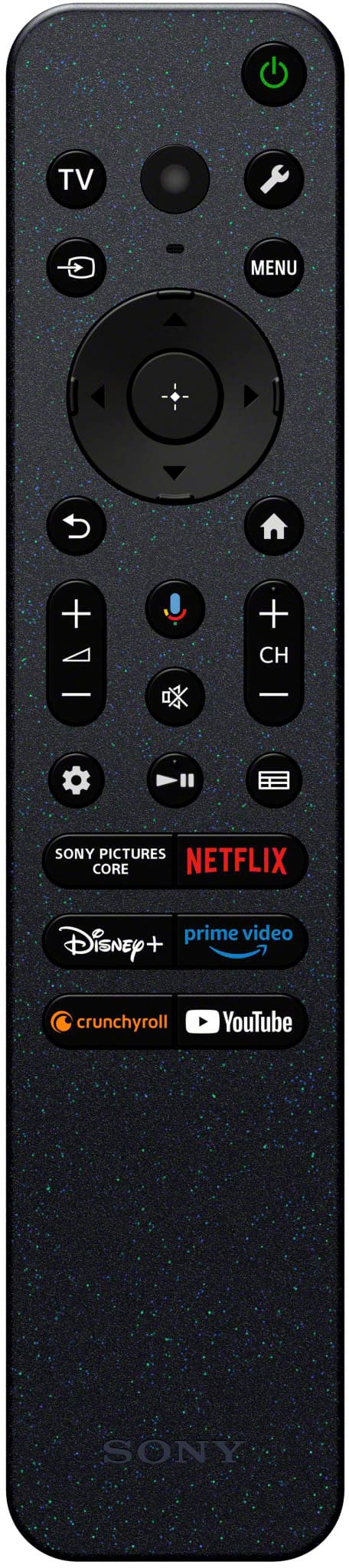
Thank you for your time writing this review. We're sorry to hear the trouble and difficulties that you are having with the remote. This is definitely not the experience we want you to have with your BRAVIA 8 TV. May we contact you to help and get more information? If so, please email the below information to [email protected]:
Name:
Best Buy Username:
Telephone Number:
Model Number:
Issue:
We are sorry for the inconvenience and hope to speak to you to resolve this matter. - Kris
Not impressed
||Posted .This reviewer received promo considerations or sweepstakes entry for writing a review.Sound is horrible for a sony and picture is ok but not as good as you would expect for a sony oled
No, I would not recommend this to a friendBrand response from SonyListens
Posted .Hi A95l,
Thank you for your feedback. We’re sorry to hear that your Sony BRAVIA 8 TV's sound and picture quality haven’t met your expectations. To enhance your experience, we recommend adjusting the sound and picture settings on your TV.
For sound, you can try different sound modes like Cinema or Sports to suit your preferences. You can configure various TV audio settings, such as sound quality and sound mode that suits your preference. https://www.sony.com/electronics/support/articles/00302857?utm_source
For picture quality, adjusting settings such as brightness, contrast, and motion smoothing under Picture Mode (e.g., Vivid or Cinema) can significantly improve your viewing experience. Picture settings allow you to adjust a wide array of color, contrast, motion settings, and brightness changes that can improve the content you view on your TV. https://www.sony.com/electronics/support/articles/00190409?utm_source
If you'd like further assistance in optimizing these settings, feel free to reach out—we’re here to help!
Please email the following information to [email protected]. Apologies if you've already shared this information with customer service — we just want to ensure we have your most accurate details:
Full Name:
Best Buy Username:
Telephone Number:
Additional Information regarding your experience with the BRAVIA 8.
Sincerely,
Maria
Read before you buy in
||Posted .This reviewer received promo considerations or sweepstakes entry for writing a review.No miracast, although bestbuy assure that this is the best TV for casting. Not true.
No, I would not recommend this to a friendBrand response from SonyListens
Posted .Hi Alexander,
Thank you for your feedback on the Sony BRAVIA 8 and we're sorry you've been running into difficulty. This TV doesn't support Screen mirroring (Miracast) function. However, you can set up the Chromecast built-in (Google Cast) feature or AirPlay as an alternative to the Miracast or Screen mirroring. Chromecast built-in or AirPlay allows you to display (cast) your favorite websites and app screens on your mobile device directly to the TV.
We have valuable information on how to wirelessly display phone and tablet content on your TV using casting, AirPlay, screen mirroring, or Wi-Fi Direct. For your reference, please visit the links below.
https://www.sony.com/electronics/support/articles/00256775
https://www.sony.com/electronics/support/televisions-projectors-oled-tvs-android-/k-65xr80/articles/00295266
If you need more information or technical assistance with your product, please feel free to contact us and we'll be more than happy to assist you. You may send us an email at [email protected] with the following:
Name:
Best Buy Username:
Model Number:
Issue:
Telephone Number:
We appreciate you and thanks for sharing your feedback!
Regards,
Jess
Too dark
||Posted . Owned for 3 weeks when reviewed.This reviewer received promo considerations or sweepstakes entry for writing a review.Poor brightness and vivid mode is too much. Not sure how to rectify.
No, I would not recommend this to a friendBrand response from SonyListens
Posted .Hi HRKap,
Thank you for your feedback on the Sony BRAVIA 8. We’re sorry to hear the brightness and vivid mode aren’t meeting your expectations. The quality of the source is a big factor in getting an excellent picture quality. As a workaround, you might try adjusting the picture settings, such as increasing the brightness or switching to a different picture mode for a more balanced look. Picture settings also allow a wide array of changes to color, contrast, clarity, motion settings, and brightness that can improve the viewed content on your Google TV. The picture quality may improve if you change it in [Picture] under [Settings].
For more information, please visit the link here: https://www.sony.com/electronics/support/articles/00190409
Your experience matters to us, and we'd recommend reaching out to our support team for assistance with troubleshooting, as they may be able to help optimize the display.
If you need further assistance regarding your concern, please let us know so we can turn your experience around. You may send us an email at [email protected] with the following details:
Apologies if you disclosed some of this information in your review and to customer service, we just want to ensure that we have your accurate details at the time of communication.
Full Name:
Best Buy Username:
Telephone Number:
Sony TV Model Number:
Additional Information regarding your experience with the BRAVIA 8.
Sincerely,
Jess
Wont be back
||Posted . Owned for 1 month when reviewed.This reviewer received promo considerations or sweepstakes entry for writing a review.Terrible. Not the Tv. The service and the store. Awful I have never had such bad service.
No, I would not recommend this to a friend- Pros mentioned:Picture quality
Bravia * OLED Review
Posted .This reviewer received promo considerations or sweepstakes entry for writing a review.TV was easy to set up and add all of the services we use. Picture and sound are great even without a sound bar!
I would recommend this to a friendBrand response from SonyListens
Posted .Hi kelley58!
It is fantastic to know that you had such a smooth experience getting your K-65XR80 up and running! We love that you were able to get your favorite streaming services connected quickly. It’s also great to hear that the picture and sound quality are making a strong impression on their own.
Thank you for becoming a Sony customer!
Warm regards,
Estefany
- Pros mentioned:Picture quality
Sony Bravia 8 OLED
Posted .This reviewer received promo considerations or sweepstakes entry for writing a review.1st rate OLED Great picture, can be adjusted to perfect personal picture
I would recommend this to a friendBrand response from SonyListens
Posted .Thank you for the fantastic review, Catdaddy!
We are thrilled to hear you’re enjoying the 1st-rate OLED quality of your K-65XR80. It’s great to know you’ve found the perfect settings to match your personal taste—that’s the beauty of our Bravia picture processing!
Thank you for choosing Sony!
Best regards,
Gus, Sony Social Media Team
- Pros mentioned:Picture quality
65 inch sony
Posted .This reviewer received promo considerations or sweepstakes entry for writing a review.Great picture and easy setup. Was worth the purchase.
I would recommend this to a friendBrand response from SonyListens
Posted .Hello BobD,
Thank you for choosing Sony!
We're elated to hear that the K65XR80 TV offers a great picture and an easy setup for you. Knowing that your purchase has been worthwhile encourages us to keep delivering quality and user-friendly experiences. We appreciate your trust and support and hope your enjoyment only grows with time.
Best regards,
-Fred
- Pros mentioned:Picture quality
My new Tv
Posted .This reviewer received promo considerations or sweepstakes entry for writing a review.Works beautifully.Picture quality is very nuce colors are great.
I would recommend this to a friendBrand response from SonyListens
Posted .Hi MeshelleF!
Thanks so much for sharing your review with us.
It brings us great satisfaction to hear that your K-65XR80 is working beautifully for you! We’re so glad you’re noticing those nice, vibrant colors and the high quality picture that this model provides.
The BRAVIA 8 features a stunning OLED panel that delivers perfect blacks and incredible contrast for a truly cinematic look.
Thank you for putting your trust in Sony!
Best regards,
Estefany