Customer Ratings & Reviews


- Model:
- B09DRX62ZV
- SKU:
- 11911774
Rating by feature
- Value
Rating 4.5 out of 5 stars
- Quality
Rating 4.7 out of 5 stars
- Ease of Use
Rating 4.7 out of 5 stars
Amazing camera
||Posted . Owned for 2 weeks when reviewed.This reviewer received promo considerations or sweepstakes entry for writing a review.This camera is a must-have for outdoor and indoor surveillance. The image is crispy if you are connected to a good wifi. The lights really help with night vision.
I would recommend this to a friendGreat product, highly recommend.
||Posted . Owned for 1 month when reviewed.This reviewer received promo considerations or sweepstakes entry for writing a review.Bought for use at my daycare. Works great and love that I can monitor the center even when I am not there.
I would recommend this to a friendThe perfect camera for your property
||Posted .This reviewer received promo considerations or sweepstakes entry for writing a review.I love the new look of this camera. This camera works very good
I would recommend this to a friendWould recommend
||Posted . Owned for 6 months when reviewed.This reviewer received promo considerations or sweepstakes entry for writing a review.Amazing quality, easy to set up and use with other ring devices
I would recommend this to a friendGreat product
||Posted .This reviewer received promo considerations or sweepstakes entry for writing a review.Video quality is great and easy to set up. Would recommend
I would recommend this to a friendBrand response from Ring
Posted .Hi Brandon.
At Ring, we appreciate you taking the time to share your feedback with us. We are glad to read that you are enjoying your new Ring Spotlight Cam, Battery! Furthermore, we believe in keeping people close to what’s important. That is why we are driven to create products that help you protect what matters most at home and empower you to connect with your visitors from wherever you are. Together, we’ll make neighborhoods safer!
Ring Community was launched to help deliver the most current news and educational information to our neighbors. This online forum is divided into four categories: Product Boards, Ring Updates, Tips and Tricks, and a Moderators’ Corner. The Product Boards are where you can begin new topics with your questions or feedback; there is also a search option that helps you find topics that have already been posted by other neighbors. We invite you to visit our Ring Community today.
All the best,
Miyuki from Ring.
Critical Review: Ring Spotlight Cam Pro
||Posted . Owned for 1 month when reviewed.This reviewer received promo considerations or sweepstakes entry for writing a review.There are a few positives worth mentioning. The video quality is clear, and the spotlight is bright enough to cover a decent area. It’s easy to set up, easy to install, and the app has a clean, intuitive interface that makes it simple to use and manage settings. If you use two batteries, the battery life is fairly respectable — better than expected for a wireless setup. That said, this camera has its flaws — some of them major. Motion detection is inconsistent. In most cases, it will register motion, but if someone is moving quickly, they’ll already be out of frame by the time it actually records and sends you an image. If you don't have a subscription you cannot watch that part. That delay defeats the purpose of having a security camera in the first place. The subscription part defeats the purpose of buying a premium wireless camera. But what really gets under my skin is the pricing model. You pay for a premium camera, only to find out that basic features like person and vehicle alerts require a monthly subscription. It's ridiculous. I’ll admit I’m a little biased — I had a wired system that includes these features without any extra cost. But this whole tech-bro model of locking features behind a subscription just feels like a cash grab. It's built to extract ongoing fees for something that should be standard out of the box. Bottom line: I’m switching back to a wired system that gives me more functionality without nickel-and-diming me every month. If you're serious about home security, I don’t see how this camera qualifies as a reliable solution.
No, I would not recommend this to a friendBrand response from Ring
Posted .Hi ChrisB.
Thank you for taking the time to share your experience with us. At Ring, we want to ensure that you have the best possible experience with our products. Your peace of mind and security are extremely important to us. The features and technology provided by the Ring Spotlight Cam Pro are incredibly valuable and help provide you with peace of mind about your home security. Rest assured, we're here to help!
It sounds like you are concerned with the need for the Ring Home Plan subscription. At Ring, we work hard to be completely transparent in both our products, and the optional services in which we provide. The Ring Home Plan is mentioned on our Ring packaging, on our website, and in the welcome email you received upon setting up your device. Your Ring products provide their standard features (real-time notifications, live view, and two-way talk) without any subscription. Ring Home Plans offer downloading and sharing video capabilities and additional features for those who want them.
It is important to ensure that you have the proper motion settings in place for your environment. Here are a few tips to optimize the motion settings on your security camera:
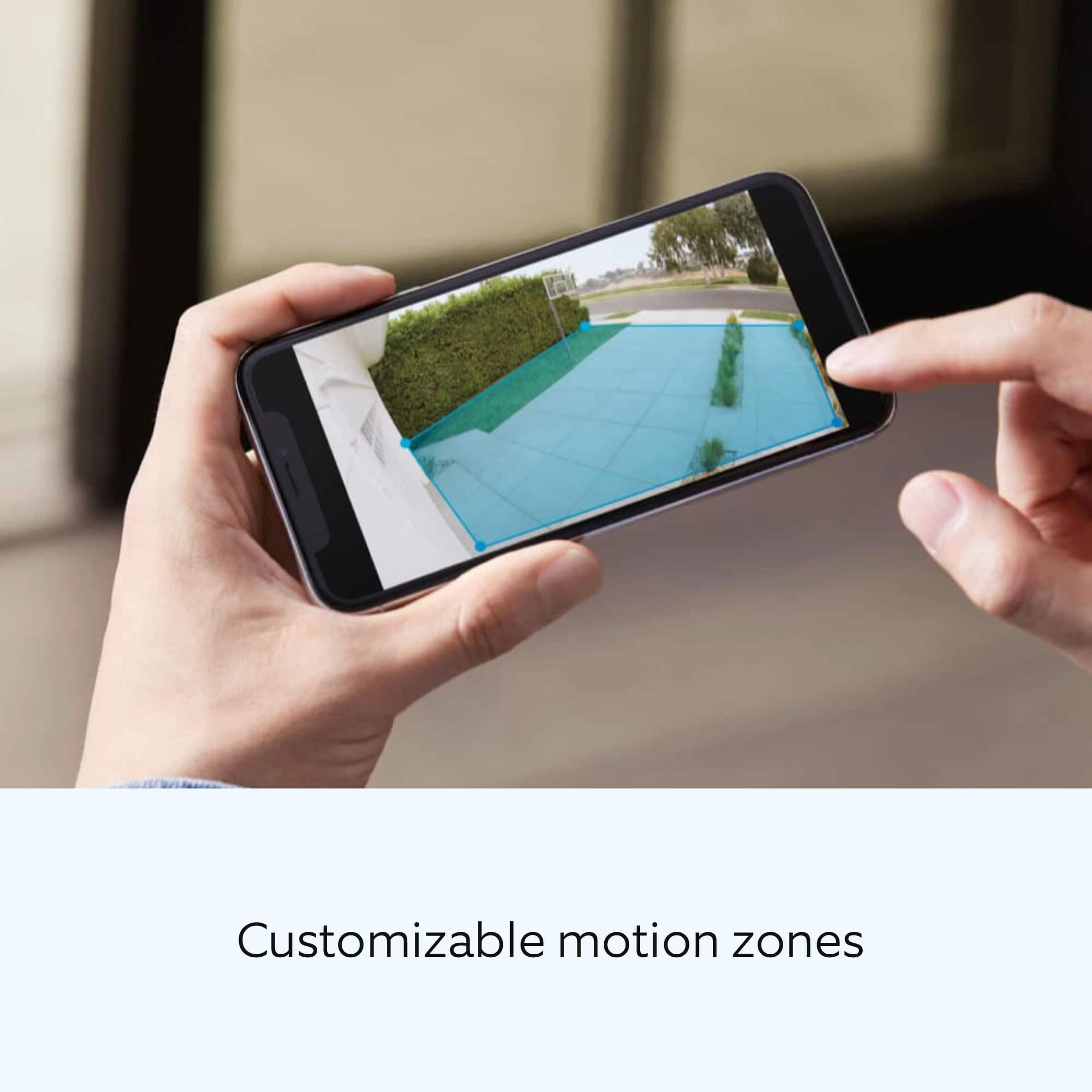
1. Adjust Motion Sensitivity: Ring devices can detect motion up to 30 feet with the Motion Sensitivity slider at the maximum level. If you turn Motion Sensitivity down, this range will be lower, decreasing false motion. If your device is missing motion, increase the Motion Sensitivity using the slider.
2. Change the position of your Ring device: Adjust the position of your camera to improve the accuracy of motion detection.
3. Change the Motion Frequency: Under Advanced Settings, tap Motion Frequency. You can adjust how often battery-powered devices check for motion. If your device is missing motion events, increase the Motion Frequency to Frequently (Shortest battery life—Motion detection always stays active) in the Ring app. If too much motion is being detected, change the frequency to Regularly (Medium battery life—Motion detection takes a short break after each motion alert) or Periodically (Maximum battery life—Motion detection takes a longer break after each alert).
We invite you to reach out to our community if any additional information is needed regarding your concern. The Ring Community is our first peer-to-peer community forum, giving our customers the ability to help one another by sharing their feedback and experiences with each other. Join the Ring Community today!
Thank you,
Amilia from Ring.
Would recommend!!
||Posted .This reviewer received promo considerations or sweepstakes entry for writing a review.Great product. Works well. I had these at my previous house and left them there. I was so happy with them that I bought the same system at my new house.
I would recommend this to a friendExcellent Eyes on Property
||Posted . Owned for 2 weeks when reviewed.This reviewer received promo considerations or sweepstakes entry for writing a review.I love the camera quality, the look and responsiveness. It should come with dual batteries. If used, requires more frequent charging than is optimal, but overall, I am impressed. Its a buy and consider alternate charging like solar or buying additional batteries.
I would recommend this to a friendMy eyes and ears: when I am away.
||Posted . Owned for 2 weeks when reviewed.This reviewer received promo considerations or sweepstakes entry for writing a review.It’s a very good camera. I used them in my store and now I can keep an eye on everything easily. I can talk to people and access all the recordings easily with the subscription plan. It’s all worth it. I have one in my house too. I love this camera and definitely. recommend it
I would recommend this to a friendGood quality
||Posted . Owned for 8 months when reviewed.This reviewer received promo considerations or sweepstakes entry for writing a review.Overall works great, good quality video. Had some issues with the battery dying way before it was supposed to, but once replaced the new one has worked fine. We love getting to see the wildlife in the backyard get captured!
I would recommend this to a friendBrand response from Ring
Posted .Hi AprilL.
Thank you for taking the time to share your experience with us. We are pleased to read that you are enjoying your new Ring Spotlight Cam Pro and that the features included are meeting your expectations. At Ring, we believe in keeping people close to what’s important. That is why we are driven to create products that help you protect what matters most at home and empower you to connect with your visitors from wherever you are. Together, we’ll make neighborhoods safer!
Ring Community was launched to help deliver the most current news and educational information to our neighbors. This online forum is divided into four categories: Product Boards, Ring Updates, Tips and Tricks, and a Moderators’ Corner. The Product Boards are where you can begin new topics with your questions or feedback; there is also a search option that helps you find topics that have already been posted by other neighbors. We invite you to visit our community today.
Thank you,
Melissa from Ring.
Camera and solar panel
||Posted . Owned for 3 weeks when reviewed.This reviewer received promo considerations or sweepstakes entry for writing a review.Great camera with good range and bright lights. We bought a solar panel and it is an effective way to keep it charged.
I would recommend this to a friendNewest Battery Cam
||Posted . Owned for 2 weeks when reviewed.This reviewer received promo considerations or sweepstakes entry for writing a review.The latest battery cam was easy to set up and is much clearer than the older one but it does go through batteries much quicker. I do reccomend a good wifi mesh system to keep the signal strong.
I would recommend this to a friendPerfect security Camera
||Posted . Owned for 3 weeks when reviewed.This reviewer received promo considerations or sweepstakes entry for writing a review.Easy to install. Great picture! It work well with our other RING cameras. Highly recommend.
I would recommend this to a friendA must have for all homes
||Posted . Owned for 2 months when reviewed.This reviewer received promo considerations or sweepstakes entry for writing a review.Purchased 3 of these, and they are simply amazing! I would not rely on the battery life, however you can buy the hotwire base and problem solved!
I would recommend this to a friendMy Ring Camera
||Posted . Owned for 2 weeks when reviewed.This reviewer received promo considerations or sweepstakes entry for writing a review.Nice product and good quality. Installed efficiently.
I would recommend this to a friendMy camera
||Posted . Owned for 2 weeks when reviewed.This reviewer received promo considerations or sweepstakes entry for writing a review.This spot light camera works great and is very clear
I would recommend this to a friendRing is a solid product well worth it!
||Posted .This reviewer received promo considerations or sweepstakes entry for writing a review.Ring makes some great products and continues to upgrade them well after the purchase
I would recommend this to a friendSpotlight Outdoor Camera
||Posted . Owned for 1 year when reviewed.This reviewer received promo considerations or sweepstakes entry for writing a review.Glad I purchased, shows me what I need to see.. I also bought an extra battery, so I wouldnt have any down time when I need to recharge. Sorry I dont know how to add a photo
I would recommend this to a friendBest camera with spotlight with a few side notes
||Posted . Owned for 1 month when reviewed.This reviewer received promo considerations or sweepstakes entry for writing a review.I truly have to say that this camera with spotlight is on point! It responds quickly to movement and records very well. I do wish it was a little more clearer but it is clear enough. The solar panels really help as well as the battery on its own does not last very long.
I would recommend this to a friendAfter Two Other Manufacturers, Glad I Now Have R R
||Posted . Owned for 7 months when reviewed.This reviewer received promo considerations or sweepstakes entry for writing a review.I previously had 3 Arlo cameras, but just the basic ones. They had batteries that needed to be changed and the picture was only okay. I upgraded to Conico cameras that had more options, a better picture and were solar powered. The picture was better... but the App was lacking. I finally broke down after a few years and got these Ring cameras. I chose the top of the line with built in spots and power them with solar. The 3 work seamlessly with my upgraded Ring doorbell cam in the proprietary Ring App. Better picture. Better sound. Easy to use. A great purchase.
I would recommend this to a friend