Customer Ratings & Reviews
- Model:
- TW-ARC700D
- SKU:
- 6634450
to a friend
Customers are saying
Customers recognize the ARC700 dash cam for its very good video quality, compact size, thoughtful design, included accessories, and easy-to-use app. However, some customers have expressed concerns about its connectivity and installation difficulty.
This summary was generated by AI based on customer reviews.
- Pros mentioned:Included accessories, Size, Video qualityCons mentioned:Connectivity

Compact dash cam.
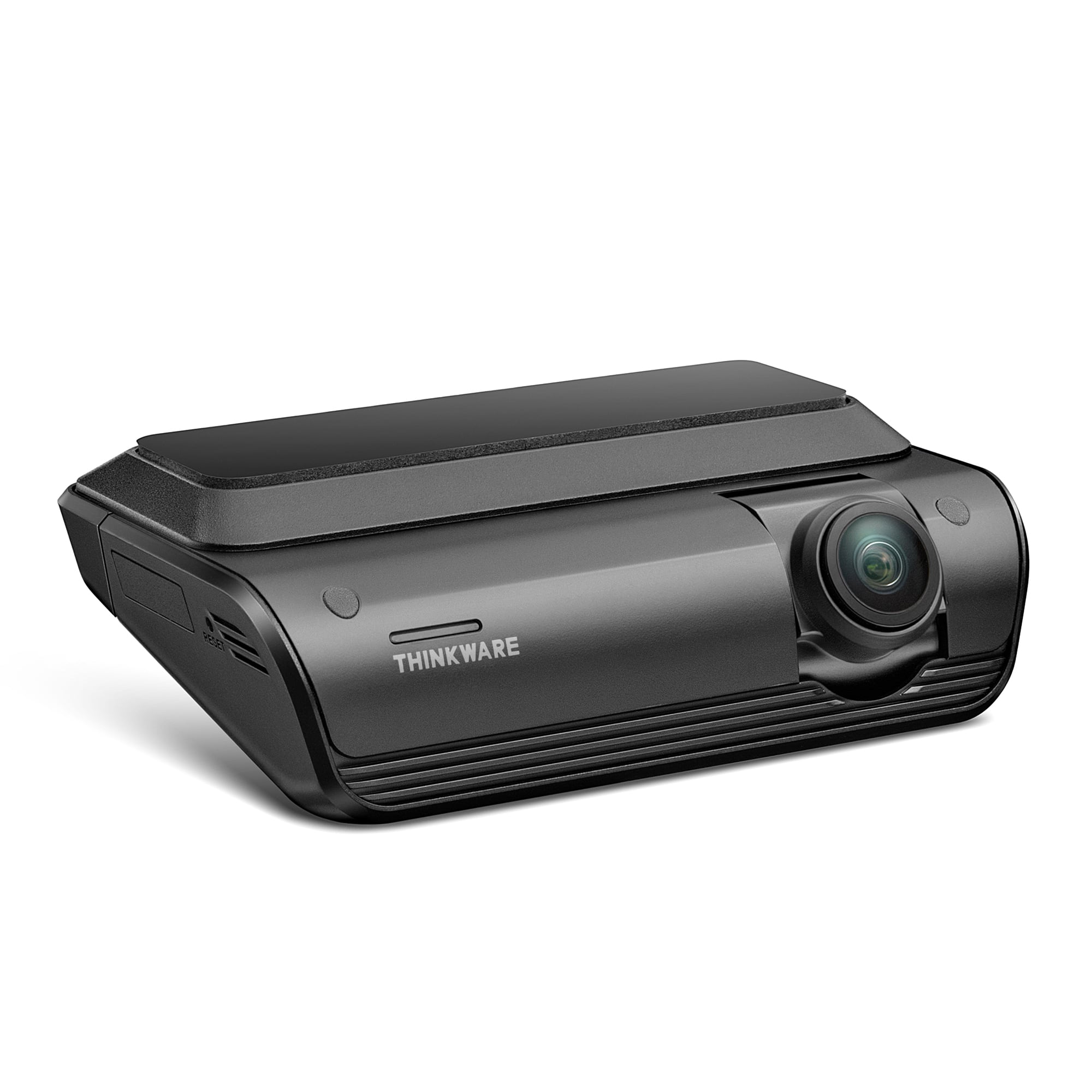
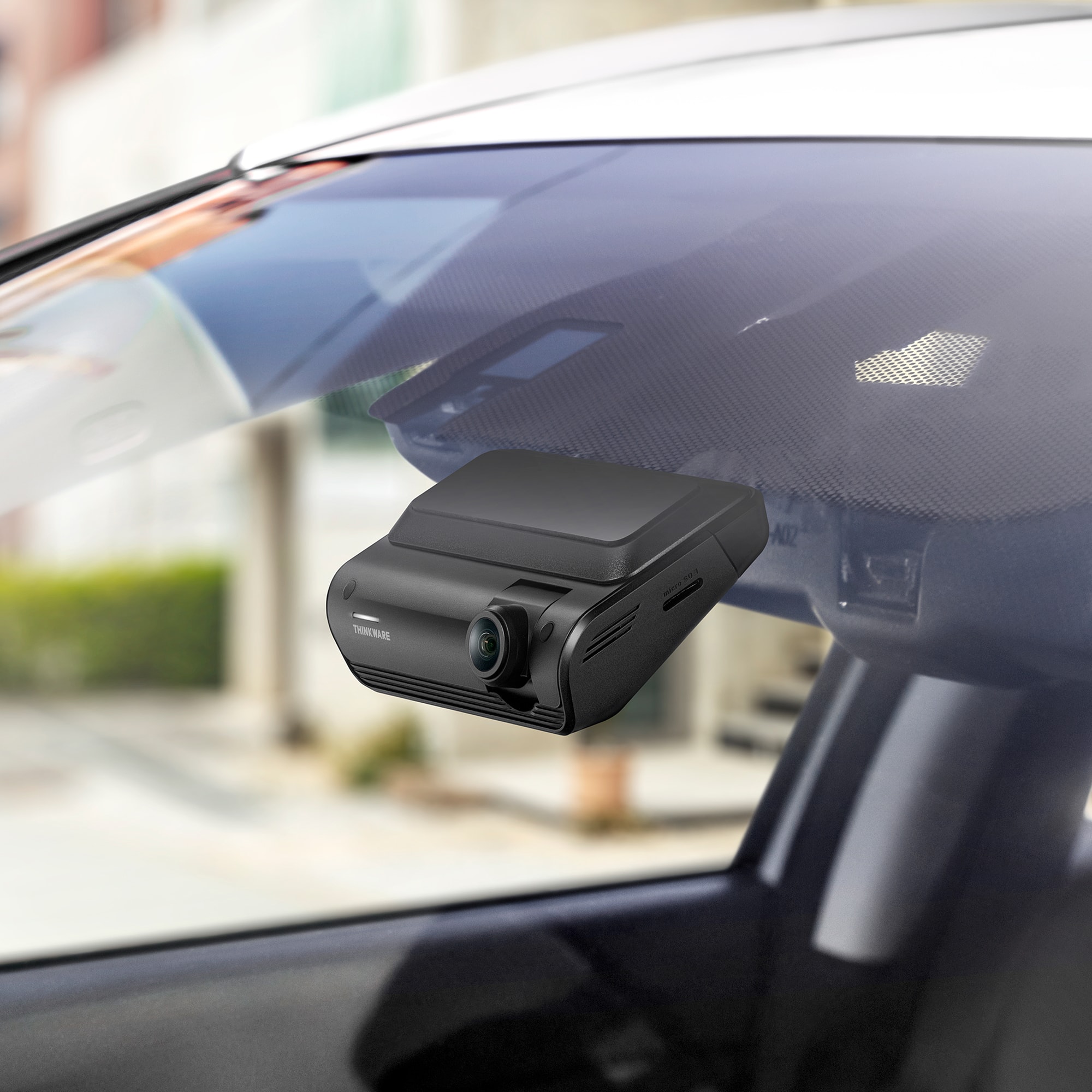
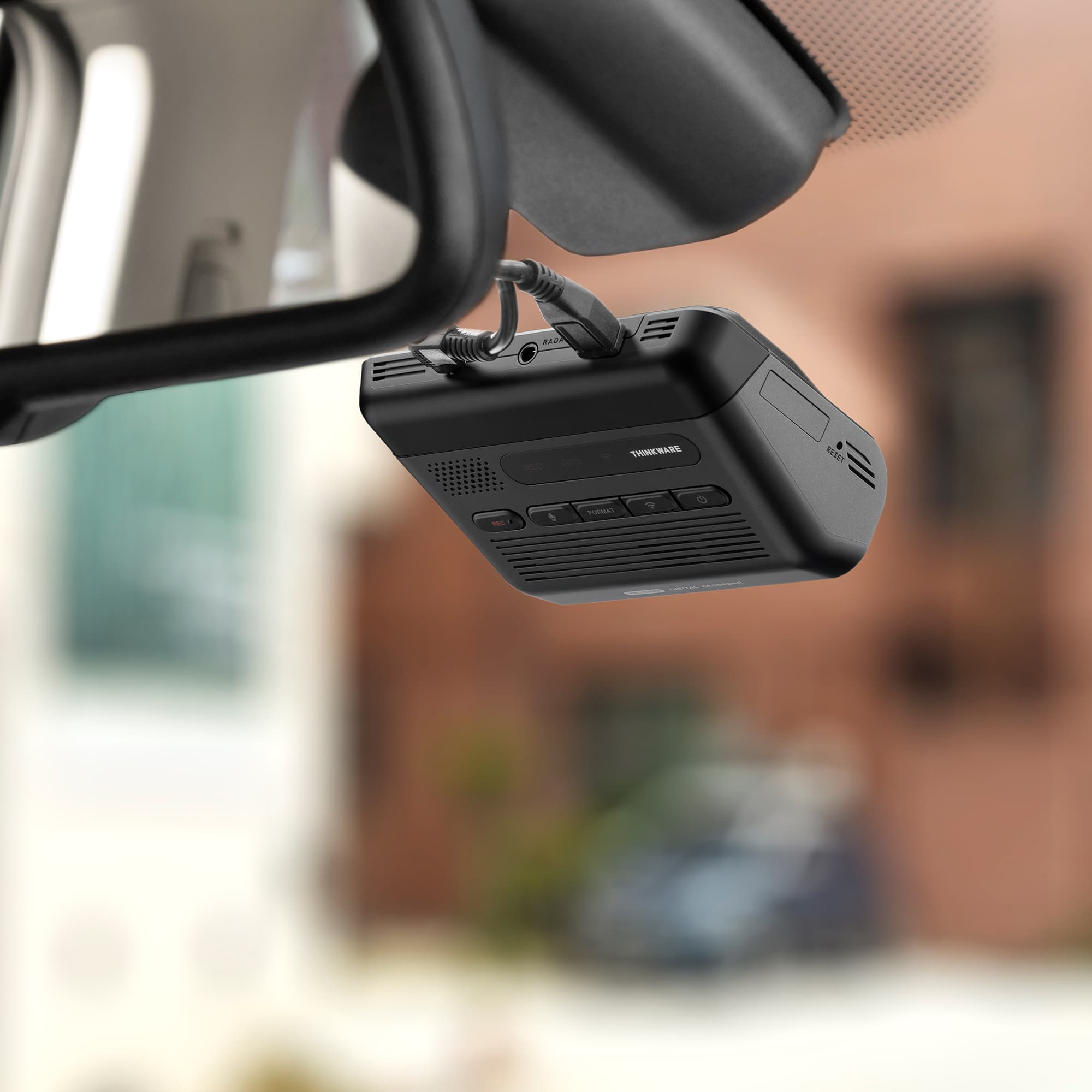
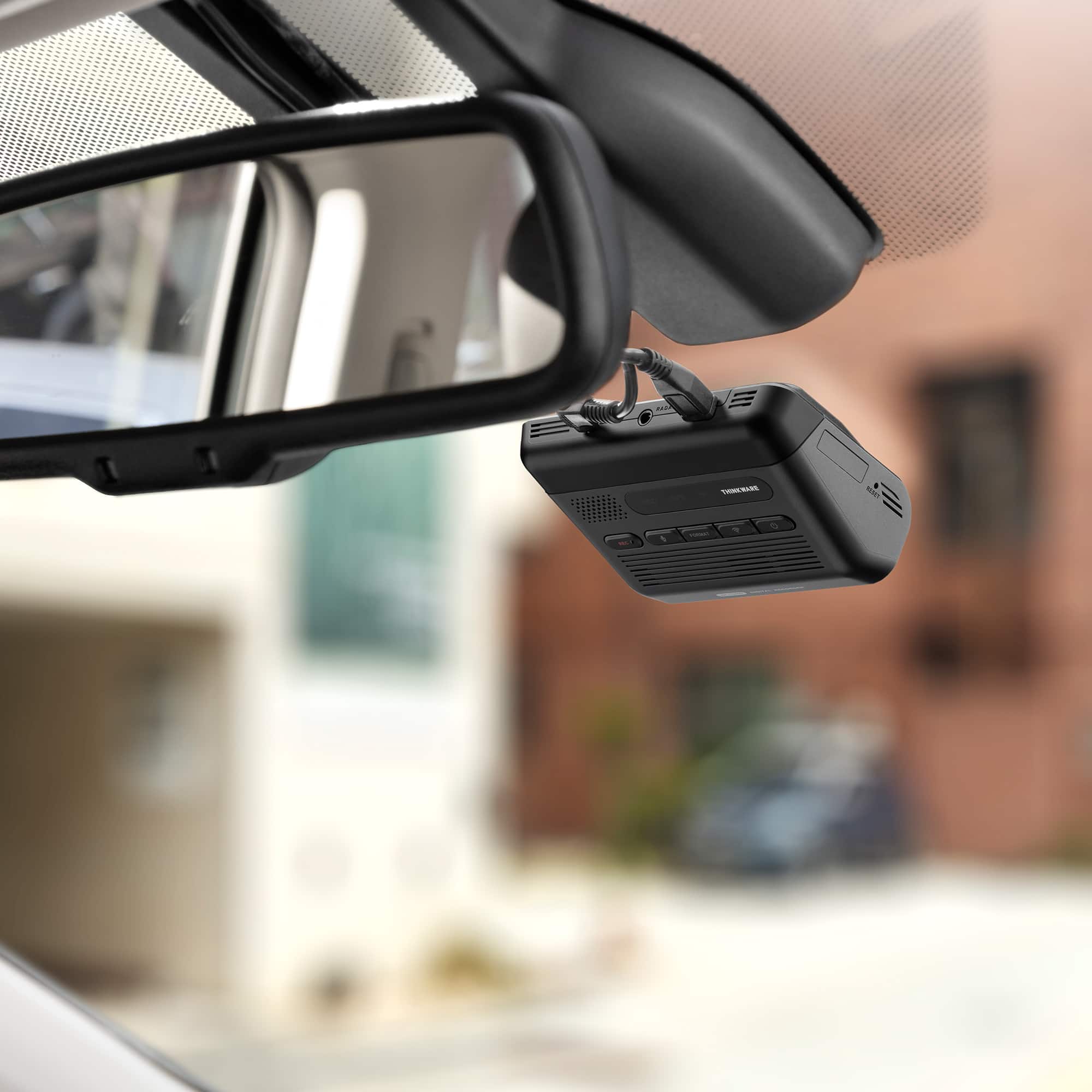
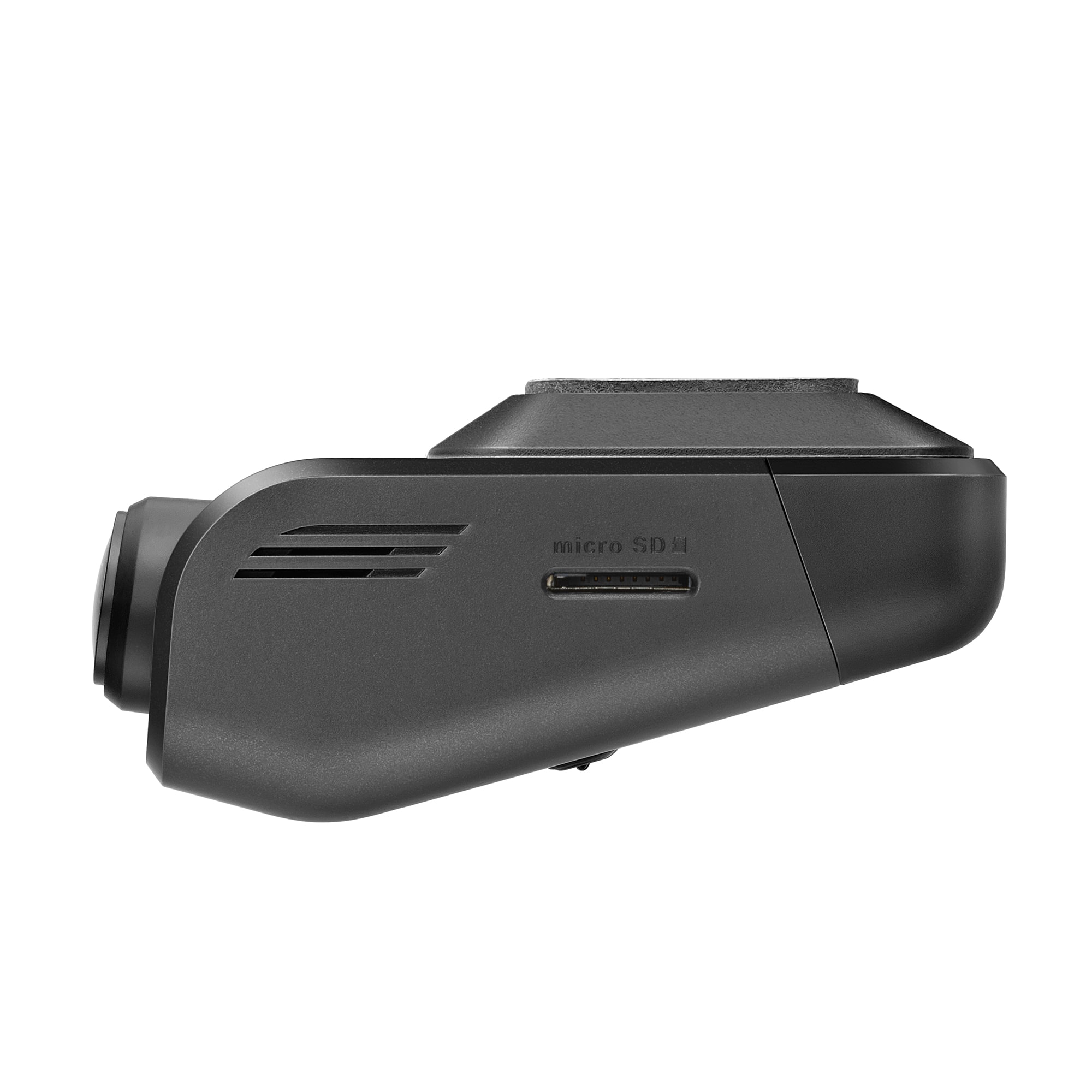
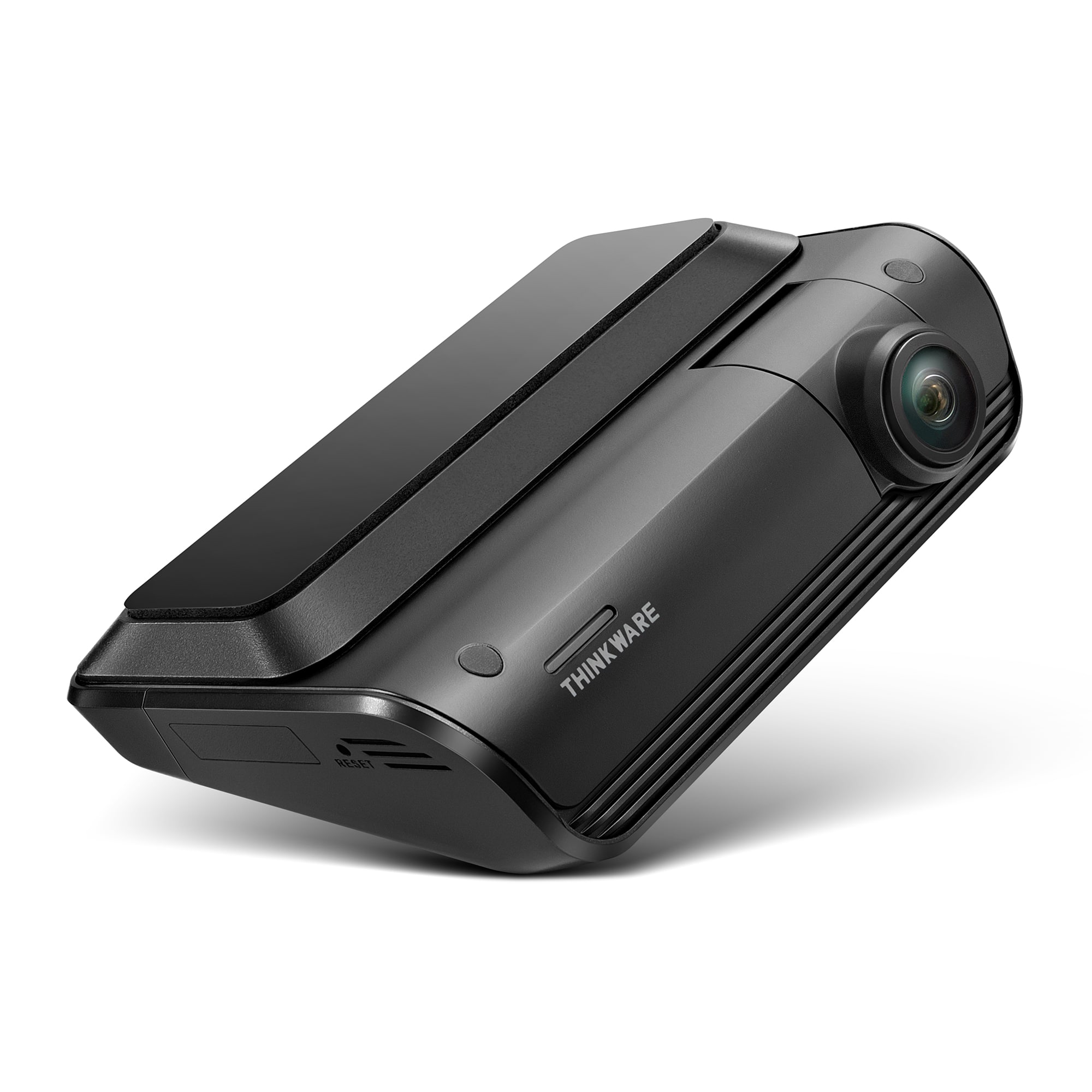
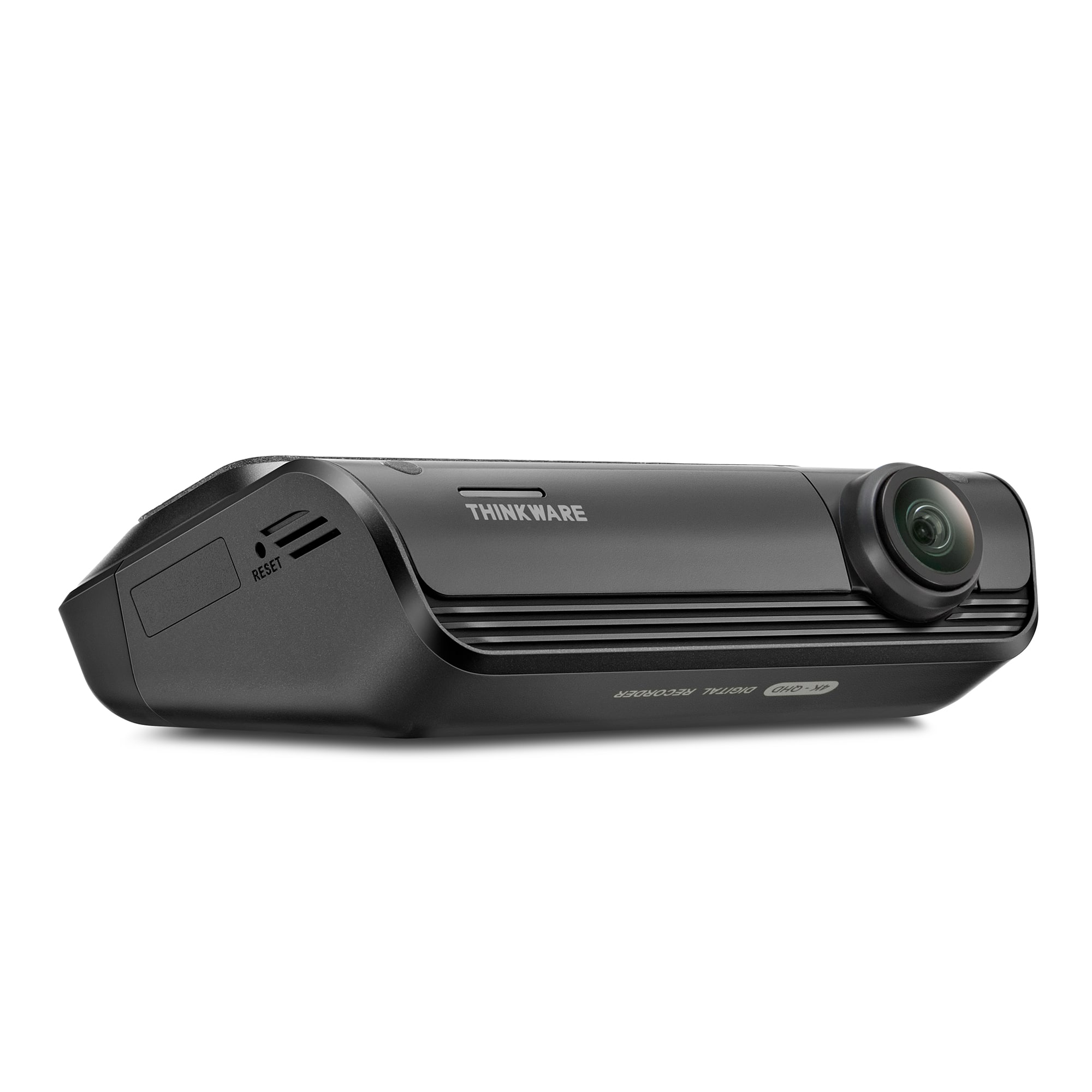
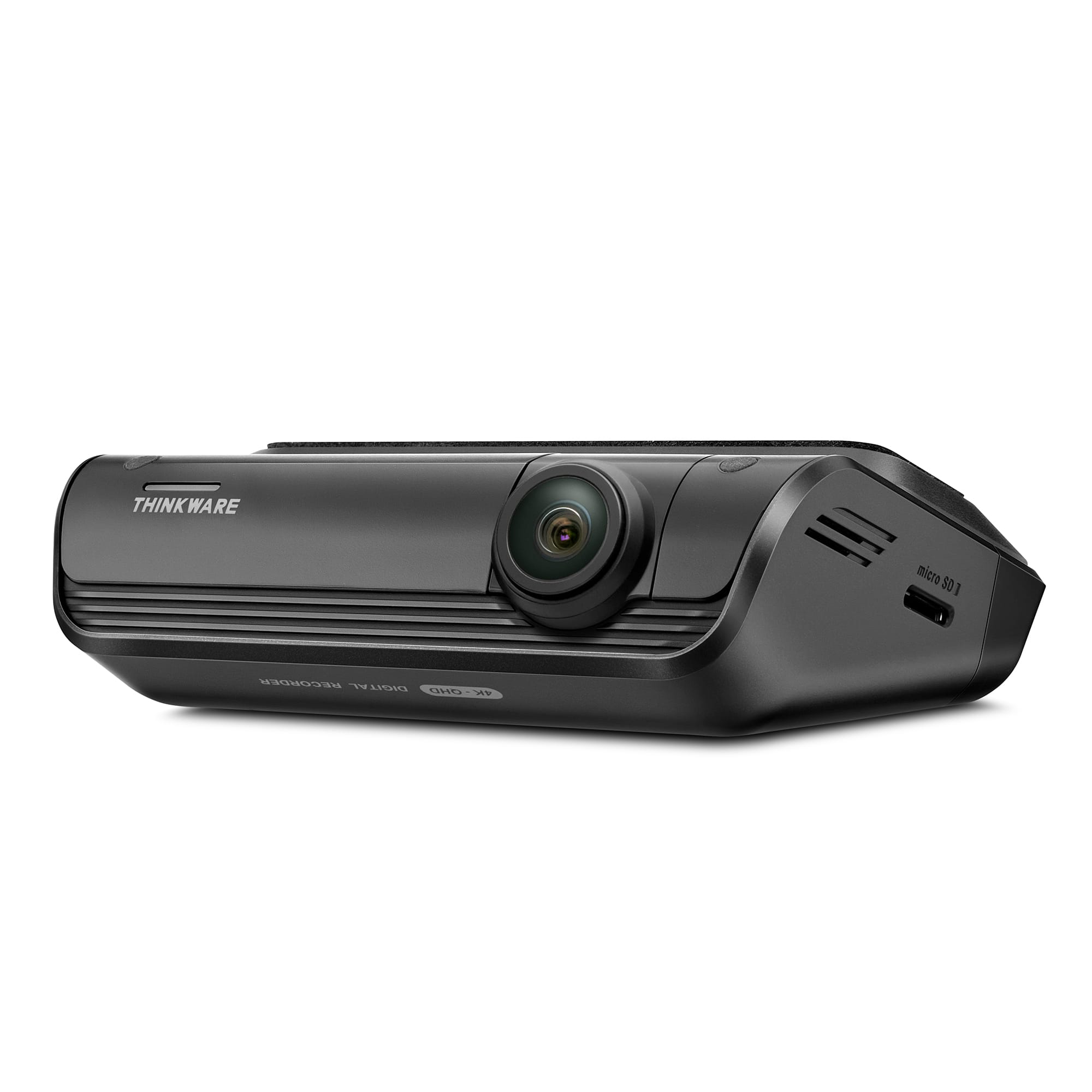
|Posted .This reviewer received promo considerations or sweepstakes entry for writing a review.Really nice kit. They include everything you need to get you started. Inside the box there is the main front camera module (I was surprised to see there was already a 64 GB micro SD card already inserted on the module, nice!), a long and thick cable that will connect this one to the rear camera (one side is a micro USB and the other mini USB, being 2025 I think they should have been type C USB), the rear camera itself, a 12v cigarette type plug for power and a direct wiring power (if you use this one, since the camera will have constant power, it will allow it to enable the parking features, where it can record if anyone hits your car while parked, this will drain some battery, however it has protection, the app itself lets you set a cutoff in volts. You may need some slicing and splicing to connect this one). They also include a plastic pudgy type of tool (this one was vital, it helped me pry and move the weather stripping and liners on my car so I could route and hide the cable for the rear camera), also double sided tapes to mount the camera on the glass (another small con, I would prefer a suction cup type of mounting system). I have had experience with older dashcams, so installing it was nothing out of the ordinary, it just involves learning how to route cables around your car's weather stripping/liners. The only hard part would be to use the "permanent" wiring for power if you want to use the parking features, however Thinkware also has an OBD cable that just plugs onto your OBD port to provide power while parked, If you don't to do any slicing and splicing, you can buy it on their website. If not, there is the included cigarette plug one, simple as that. Once plugged to power, setting it up was super easy. Just download their app, once you start the power, it will say its doing some diagnostics and then you just hold the blue Wi-Fi logo button, then it pairs to their app. Once in, you can have a live view (since the camera does not have any screen, this maybe a little CON for your, for me it was ok, who doesn't have a smartphone, plus this allows the CAM to be smaller and inconspicuous). You can view the recordings, change a ton of settings (like the voltage cutoff for your cars battery for the parking feature, love that this setting is something you can choose). The cam will do loop recording, over older footage. The quality during the day was good and also good at night, you can enable HDR recording. The dash cam also has an integrated GPS so you don't need an external module and it will give you speed and red light camera alerts. The front also has an extra empty connector for their radar module, if you buy the extra accessory, it will further enhance the parking feature with a radar sensor for an extra buffer recording so you have extra footage leading to a hit while parked in example. If you want a small, compact, inconspicuous dash cam and are willing to forfeit a screen, knowing you'll need a phone (or removing the micro SD card) to see your recordings, this is the one for you! For me, its perfect!
I would recommend this to a friendBrand response from Thinkware Product Expert
Posted .Hello! Thank you for writing us a feedback. We are glad to hear that your Thinkware dash cam works fine. Feel free to contact us for any dash cam related inquiries.

- Pros mentioned:App usability, Video qualityCons mentioned:Installation difficulty
Dash Camera is a must have nowadays
|Posted .This reviewer received promo considerations or sweepstakes entry for writing a review.We are living in strange times. Times where people can sue you for any reason in the USA, it doesn’t matter whether is for the right reason or falsely trying to get money from you without caring who they are hurting. Not long ago, I saw on the news how scammers had a whole network to simulate rear-end collisions when they were the ones crashing while going backwards. And they were collecting money from insurance of the innocent drivers, until a Dash Cam of one of them revealed the truth. And this later statement is when a Dash Camera will be useful. It is not because it is a fun gadget, or trendy, but because it will protect you, like an insurance. And like the times you are evaluating car insurances, you can’t just have any Dash Camera, but one that will have the info you need when you need it the most, with clear audio and video that’s easy to extract and gives you high definition in low light, or direct sun, or something that will continues recording without worrying if you are running out of space on your SD Card. features like Parking Surveillance mode that can offer motion detection, impact detection, and is able to keep the data secure and uncorrupted. Thinkware ARC 700 is the top of the line model that Thinkware has to offer. The unit is small but it is powerful and very efficient. The package includes the following: Front Dash Cam Rear Dash Cam MicroSD memory card 64GB Rear Cam Cable (USB Mini A to USB Micro B) 24.5Feet Hardwiring Cable Mount with 3M tape 12V Power Cable Adhesive Cable Holder Trim Tool As always, to start, download the manual. On the box there is a QR code that you can scan and will let you download it. You can also find it at the Thinkware web page. The front Camera is 4k resolution and the rear is 2k resolution. But what stands out with the neat and high definition video is the Sony STARVIS IMX415 sensor, that not only capture images at 3840 x 2160 (4K), but the image will show crytal clear either in low light environments or even when the sun is setting, or you have direct sun in front of you. I assure you, when the time comes, and you need clear footage you will be thankful those features are part of your Dash camera. Contrary to what I was thinking, Hardware installation wasn’t hard. In about one hour I was able to have everything setup. The trim tool was super useful hiding the cables, maybe the part that took me some time was identifying in the fuse box, the continuous power terminal (which supplies power when the vehicle is off) and the ACC terminal (which supplies power when the ignition status is "ACC ON). Using a Multimeter, is the best way to do it. The kit comes with 2 types of Power Cables, the hardwiring cable or the cigar socket power cable. I strongly recommend the first one because even with the car turned off, this cable will allow the unit to stay on in Saving mode and will be active in Parking surveillance mode that will take advantage of all the wonderful features it offers. With the Cigar socket Power cable, even if it is the easiest way to set up, you won’t have those features because the dash camera will only work while the vehicle is on. If using the Hardwiring cable, once you have identified the 2 fuses for the Continuous Power and ACC in the fuse box, just attach the connectors and the ground of the Hardwiring cables. Pages 12-14 will show you step by step how to do it, it seems like a hard task, but it is not. Next thing you want to do is to install the app. On the box there is a QR code where you can find the app either on the App Store or Google Play. You can have access to the unit through the app while you are close to the camera with your cell phone. The connection starts through the BT and finally through WIFI, so you can have a live view, but while you are doing that the recording will be disable. If the Camera is within the WIFI range, you can always reach the camera. The way you can have access to the videos is either through the app, or by taking the SD card out and using your computer to see the videos that are recorded in the SD Card. The app allows you to view, download and delete videos directly from your phone, making convenient to manage your footage wherever you are. There is also a Software for either Windows PC or Mac that you can download and check the videos. The SD Card is 64GB, the unit supports up to 256GB. I bought a Lexar 128GB and installed it. The rear cam cable that allows you to connect the rear Camera to the main unit, is long enough (24.5f) for any SUV. I wish Thinkware would standardize the USB connectors on both sides to USB-C in the future. It comes with Speed & Red-Light Camera Alerts and GPS Data, with the built-in GPS that enables speed and red-light camera alerts and embed GPS data (speed, time, location) into video recordings. It is very efficient alerting by the voice command if you are over the speed limit or red light proximity, and since it will be recorded, very useful to prove speed or location in case of a dispute. Another thing that I like about Thinkware, is that I don’t need to get any subscription for services or features, like some other brands. You can have all the features that this unit offers, without paying extra because of hidden costs or suspicious fineprint. You can clearly get the license plate number of the other cars either front or rear. Colors and video capture response are great, and the Thinkware Dash Cam Link App is intuitive and super easy to install and understand the settings. Every setting is easy to understand. Once you finish the HW installation and put your key ignition on, it will turn on the camera, and you will hear a voice saying: “System Diagnostics will start” Then you follow the instructions in the app, in the list choose the ARC 700 model, press the link button on the unit for 3 seconds until its blinking blue and after that be patient because the spinning wheel showing means its connecting and it will take a good couple of minutes to finish the connection. Then you will hear the voice saying “Please have a safe drive today.” From that point, the recording event features will start working. Another feature that stands out is the Safety Feature that I have mentioned before which is the “Parking Surveillance Mode” where you can have a 24/7 surveillance for impact and motion recording, with 2 settings to protect your battery life, the Smart Parking mode and Energy Saving Mode. Each one is easy to understand, the first one will place the camera in battery saving mode either on extreme heat when the battery is close to cutting off its power, when it reaches the preset threshold, and the second one is when the camera will go on standby mode while on Parking Surveillance Mode only triggered by impacts. You can also make manual recordings by pressing the “REC” red button on the left side of the unit. You don’t have to worry about running out of data space because ARC 700 supports loop recording, it will continuously record footage by deleting older files to free up space. The Thinkware Brand has been in the market for a long time. The support is great, every time I have had a question or needed help to find the best solution they are very responsive and accurate. ARC 700 feels solid and high quality. After some research, I found that Thinkware has been in the market for many years with very low rate of defective units. Because ARC 700 is the top of the line model, you are getting a lot of high end features, like the parking surveillance mode and video quality, easy to install and an app that’s very intuitive to use. All you do is leave the camera to do all the work, and have peace of mind that when the time comes, ARC 700 will give you the footage you need.
I would recommend this to a friendBrand response from Thinkware Product Expert
Posted .Hi there! We are glad to hear that your Thinkware dash cam works fine and thank you for taking your time to write feedback and a 5-star. Feel free to contact us for any dash cam related inquiries.
- Pros mentioned:Size, Video quality
Nice Camera (App could be improved)
|Posted .This reviewer received promo considerations or sweepstakes entry for writing a review.ThinkWare ARC700 4K UHD + 2K QHD Dash Cam bundle. I've been using a 1200p dash cam for the past 5 yrs, and decided it was time to get up to date. I wanted front and back cameras this time around. This ARC700 seemed small enough to fit the bill. And it supported 2.4 and 5G WiFi, my previous only had 2.4 and it took forever to review. The ARC700 features the Sony Starvis image sensor (which I'm familiar with as being one of the best low light, HDR sensors available). Upon opening the box I discovered the camera set had to be powered by a 12v or 24v power source, it could not get connected directly to the USB 3.0 power that my car offered (from several positions). My old dash cam was USB powered. But because of this I did have the dashboard lighter available. The ARC700 does come with an accessory harness that allows the dash cam to be hard wired to the car's 24v power system (I would not be using, but it's nice the cable harness set was included). I installed the ThinkWare DashCamLink software. and not surprisingly it could not locate the dashcam. So I went out to my car. The dashcam initially connects and pairs via Bluetooth, just hold down the BT key once the unit is powered up. The rec REC led will be on as well as the blue BT bars. Under the BT bars is the BT pairing button, hold it down for 3s to pair the devices. Once paired the app will attempt to connect to it's own 5G network. This is used to display the LiveView and offer other configuration options. By default the fount camera's view is displayed, but if you click on the circled "R" it will show the rear view. The front view was quite wide and clear, definitely more detailed and better color than my old 1200p camera. The rear (which I had not mounted in the back yet) also looked very good. I made several configuration changes, with each change the ARC700 Dash Cam reformatted the 64GB MicroSD card which it came with. I'm not sure why this is required, but once set up I'm not likely to make changes in the future. The "safety" LEDs on the front and back cameras can be enabled/disabled independently. The monitor parking feature can also be enabled/disabled. The Dash cam can optionally be connected to a Radar device (which I won't be using). It can also monitor the car to take images when the car is parked and jarred (if power to the device is always connected (it won't be for me). The device has more features than I'm likely to use. I do wish it was USB powered, as this would have simplified my power setup. In using the dashcam I had it not detected when starting the car and it wanted to format the SD card and I had to connect to it via my phone to get it set up, other than this nuisance (-1 star) I'm very happy with the quality of the dashcam. If you are going to be recording 4K video, I recommend getting a 128GB or 256GB SD card.
I would recommend this to a friendBrand response from Thinkware Product Expert
Posted .Hello! Thank you for writing us a feedback. We are glad to hear that your Thinkware dash cam works fine. Feel free to contact us for any dash cam related inquiries.
- Pros mentioned:Video qualityCons mentioned:Connectivity, Installation difficulty
Great Quality Camera, Easy Install, Bad App
|Posted .This reviewer received promo considerations or sweepstakes entry for writing a review.As someone who drives constantly for work, a dash cam isn't just a nice-to-have, it's a necessity. The Thinkware ARC700 is exactly what I needed to feel like I have a reliable backup in case of an incident or accident. Getting it installed wasn't too bad. I put it in my 2018 Honda Accord and decided to use the 12V power outlet inside the center console so I could hide the wires completely. The entire install took me about an hour, mostly because I was watching a YouTube video to figure out the best spots to run the wires and what trim panels to remove for a super clean look. If you already know the wiring path, I'd say the installation could be done in about 20 minutes. Once installed, you connect it to the app to set your recording configurations and, supposedly, watch your recorded footage. This is where the issues start. The connection between my phone and the camera was never great and the recordings just wouldn't render. I was able to view the live image a couple of times, but after that, my phone and the camera wouldn't connect, and it would get stuck on the loading screen. Dealing with this frustrating connection earns the app a 1-star rating. The good news is the footage itself is solid. If the app fails, you can always remove the SD card and plug it into a reader on your computer. I was surprised by how much it records—my drive to work is only 18 minutes, but the camera already used up the entire 58 GB capacity of the SD card. I imagine it uses a loop feature to override itself and record new video on the next trip. The front camera footage is nice and clear even on a gloomy day. I can easily read street signs and license plates while moving at a high rate of speed. The audio it captures is also good, though a bit muffled, but you can still clearly understand everything being said in the car, so that's fine. The rear camera is a little bit lacking in quality, but I do have a tinted back windshield which limits the clarity. Regardless, it's still good enough to clearly capture license plates and see the road, which is perfectly fine for my needs. Overall, I am happy with the Dash Cam, but I just wish I could easily view recordings on my phone without having to remove the SD card every time. I guess I would only need to review the footage after an incident, so it's not a complete deal-breaker. Also, remember that while it can record when parked, I believe it has to be hardwired for that feature to work properly.
I would recommend this to a friendBrand response from Thinkware Product Expert
Posted .Hello! Thank you for writing us a feedback. We are glad to hear that your Thinkware dash cam works fine. Feel free to contact us for any dash cam related inquiries.
- Pros mentioned:Size, Video quality
Solid mid range Dashcam
|Posted .This reviewer received promo considerations or sweepstakes entry for writing a review.In this day and age of incidents and accidents, a dashcam is a smart move. Yes, there are dashcam apps for smartphones that can scrape by especially if you're phone is up and mounted for gps, but a dedicated dashcam "set and forget" option makes sense. This is the third dash cam I've tried. The first one was a very basic model that required a smartphone connection at all time and had very poor picture quality. I realized picture quality, even with something as basic as capturing dashcam footage, was important. The second model had better picture quality, but it also relied on 24/7 connection to a smartphone app which made using it and my phone for gps and other things quirky and troublesome so the basic criteria I was seeking was a 2k or greater quality dashcam that could just record directly to an SD card and able to pop the card and use it on my computer. I also wanted to be able to have several wiring options as I wasn't sure if I wanted to run cables all over my car and in certain areas I travel I wanted to be able to disconnect the dashcam and put it away for safety. The Arc700 checks those boxes on paper so I decided to give it a try. Inside the box you get everything you need to hook up the front and rear dashcams. I am mainly focused on the front cam at this time and I may revisit the rear cam in the future. The front dashcam is 4k and the rear is 2k and a bit more compact. I like that the mount for the front is adhesive and allows you to disconnect the dash cam fairly easy. For this "am I going to keep this?" phase, I opted to just use a cable that dangles and connects to my inverter powered off of my cigarette adapter (do they still call it this in this day and age?) for power that also powers my smartphone's gps when traveling. I have found the dangling cable is not that intrusive at all. If I do keep this, I will end up running the ample length wiring for front and back usage. The front cam is very small and compact which I like very much. I didn't realize a 64GB SD card was already included which was a very nice surprise. Since this is a screenless model with basically zero control/functionality on the unit itself, you will need to download the app for usage. You can also download the user manual. Setup was very straight forward once you download the app and follow the steps for pairing and connecting and from then on everything is controlled and set in the app itself including being able to see live footage. I liked this for setting up exactly where I wanted my dashcam mounted and if you want to go back in to review footage. Realistically, unless you're trying to collect and review all your footage for archiving, you will just loop record your very uneventful driving sessions until something meaningful happens that you now have a nice, crisp 4k recording for front and 2k for rear. This creates its own wifi, so be warned depending on how your phone is connected to other devices via wifi, you may run into connection issues like Apple Carplay or in my case NissanConnect and one aux device. My end setup scenario is "set and forget" looping and pop the SD card as needed or when I finally am parking/exiting the vehicle I will then use the app to review footage as needed so this isn't so much a problem for me but may be for your particular setup. I like they have a desktop app making viewing the footage easy and I love the captured footage can also be displayed with other media players and isn't proprietary or requiring conversion or jumping through hoops. My first dashcam could only view footage through their custom app which was immediate one star review. In a, "I do not want to have to rely on my smartphone to use this" scenario, realistically once your unit is setup and looping, you can basically forget your smartphone if you like and just pop the card as needed to look at and review footage as desired. Speaking of which, the recording quality is fantastic compared to the two previous models I used. It isn't so much the 4k vs 2k and 1080p of my previous units but the actual overall picture quality itself. I'm not sure what sensor the Arc700 is using, but it is fantastic picking up more detail than expected. It also has a very nice wide view for capture. The daylight recording is excellent. I found if I mounted the camera a touch higher and angled the lens as low as possible, it helps minimize glare issues. The same held true for my two previous units too. There are options for 24/7 recording if you like for nighttime/car off options but that is not of interest to me but may be to you. If you're looking for a permanent type of solution outside of hardwiring, it must be noted there is no OBD cable so you would need to source that elsewhere. At this point in the game, as I continue to evaluate what I want and don't want in a dashcam, the Arc700 is almost there. I'm thinking the best option for myself might be a unit with a built in display and manual dashcam controls along with being rechargeable that I can just disconnect when finished and pop on a charger but that isn't Thinkware's fault as what they promise they deliver as described and once setup it is ready to go and deliver as promised. The Arc700 truly does come with everything you could possibly need outside of maybe driving a bus or RV that the rear camera cable could be too short and even that can be addressed with an extension cable. I feel like this strikes a nice "sweet spot" in price to performance. I found out to my own detriment trying to cut corners and go cheaper resulted in much worse picture quality and lack of storage/mounting/connection options. On the other hand, you could spend much more and get more autonomous features. The Arc700 settles in nicely right in the middle.
I would recommend this to a friendBrand response from Thinkware Product Expert
Posted .Hello! Thank you for writing us a feedback. We are glad to hear that your Thinkware dash cam works fine. Feel free to contact us for any dash cam related inquiries.
- Pros mentioned:Video qualityCons mentioned:Connectivity
Good dash cam
|Posted .This reviewer received promo considerations or sweepstakes entry for writing a review.The Thinkware Arc 700 is a good overall dash cam with a 4k front cam and a 2k rear cam. Setting up the dash cam is fairly straightforward forward and easy. Thinkware uses three different plugs for connections, barrel plug for power mini and micro usb for the rear camera cable, for the price I would have liked to of seen USB-C for everything. When downloading the app, use the QR code to download the right app, as there’s two Thinkware apps for their dash cams, not sure why they don’t have one unified app, but it is what it is. One thing to note when installing the dash cam specifically the rear, make sure you have the camera at the right angle before removing the tape to install. The biggest reason is it will be hard if not impossible to adjust the angle once it’s installed on the glass. The biggest reason is that it’s hard to rotate the camera as theirs no texturing to make roatating it easier. Once you have it installed and setup with the app, the experience is pretty decent, the biggest reason is the experience between the app and device could be better. This isn’t exclusive to Thinkware though as I’ve used many different dash cams and I’ve felt this way with all of them. It reminds me of how bad the app and device experience used to be with home printers back in the day. Any dash cam manufacturer that brings the app experience into the 21st century will dominate the market as next to night vision quality, the app experience need the biggest upgrade. In terms of video quality it’s about what I expected and experienced with all dash cams with these specs. Excellent daytime video and good nighttime video. The nighttime video is clear as long as it’s well lit, but even when it is don’t expect to read license plates unless the vehicle is stationary. Thinkware includes a 64gb sd card which is nice as all other dash cams I’ve tried didn’t. When you need to transfer video, it’s take less than a minute to download a one minute clip to your phone or just remove the sd card and transfer to a computer. The Thinkware Arc 700 is a solid overall dash cam that offers both front and rear protection.
I would recommend this to a friendBrand response from Thinkware Product Expert
Posted .Hi there! We are glad to hear that your Thinkware dash cam works fine. Feel free to contact us for any dash cam related inquiries.
- Pros mentioned:Size, Video quality
Low profile camera perfect for small windshields
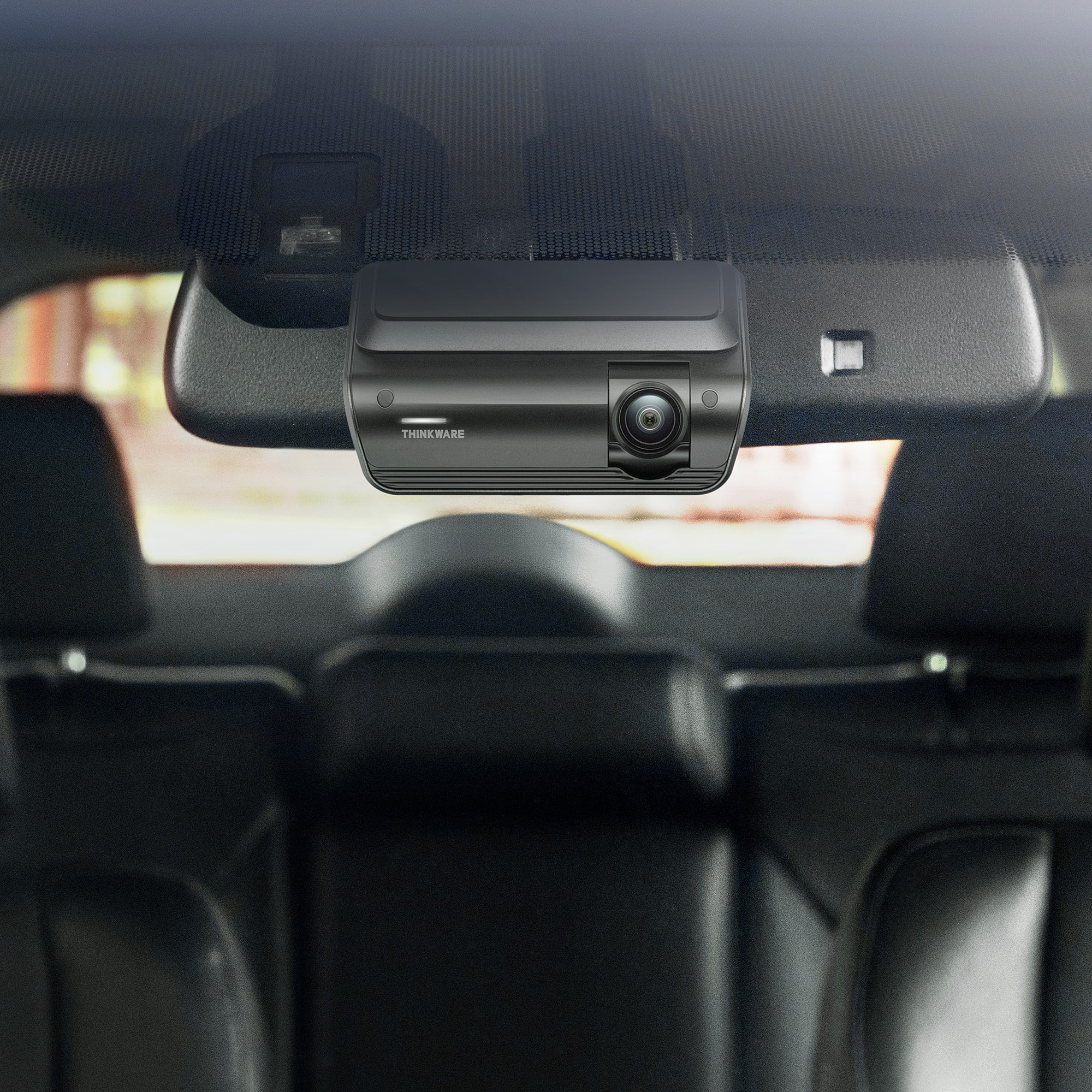
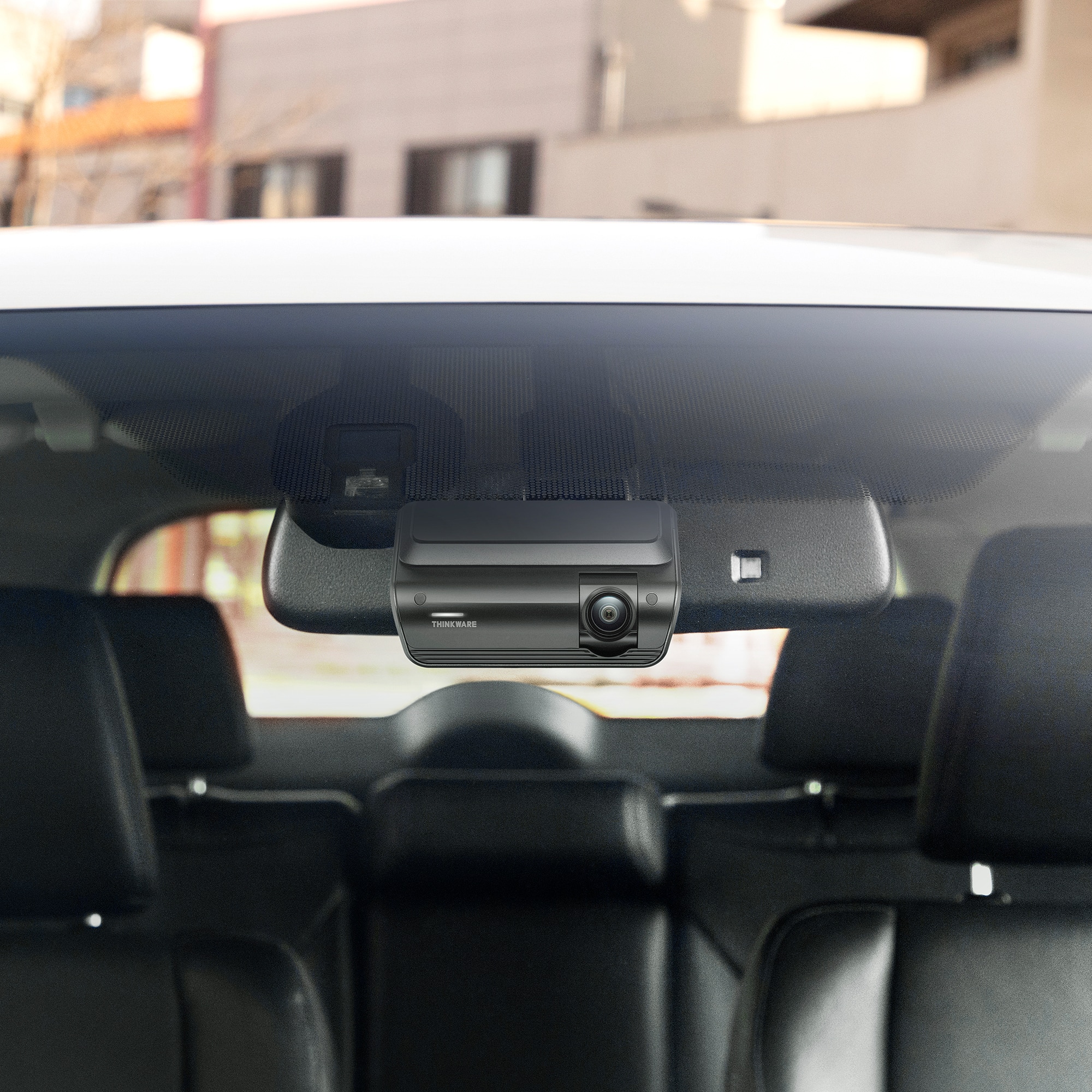
|Posted .This reviewer received promo considerations or sweepstakes entry for writing a review.This is a good solid dash camera that covers the front and back of the car. Most of the ones I have, have a screen on them that takes up space and light up the car when in use. This one does not have a built in screen and is very slim. The car I put this in has a small windshield and the prior camera was in the way of the passenger seeing out the window. This one I was able to mount directly under my review mirror on the built in front avoidance camera the car has. This position puts it out of the way and does not get in the way of visibility at all. The camera when turned on does say recording and to enjoy your drive, so its nice to hear verbally that the camera is functioning. I did remove the rear camera and main camera announced that the rear camera was disconnected, same with the removal of the SD card. Its great it does its own check and balance to notify you of any issues with the camera. I had issues with setup. My car has built in wireless apple car play, and this camera also requires a wifi connection. When setting up the camera I had to have the car on to get power to the camera. Since it required key on power, apple car play would also turn on and remove the connection to the camera. I finally had to just remove my phone from my cars settings to get it to securely connect. Once setup was done the camera was working and recording video, however my iphone was still having trouble with connecting and seeing any videos. I believe the camera software is not setup for IOS 26, as I had so many issues. I switched to an android phone and no longer had connectivity issues and could see all the videos the camera recorded. The app is easy to use and allows for you to see recordings from just the front or back, but it also give you an option to see clips for front and rear camera together. This made it easier to find a video I was looking for so I could review the front and rear recordings of the same trip. I did attempt to download the videos to the phone, but for some reason they did not show up. I'm assuming I did something incorrectly, but I just took the memory card out and put it into my computer to review the videos. The video quality is very good and when you pause you can make out license plate numbers. The camera also has a built in MIC that recorded the radio and my voice perfectly. I recommend that if you ever get into an accident read off the license plate number along with make/model/color of the car. This way if the camera doesn't fully pick something up you will have it recorded. Overall, this is a really good camera and I'm happy to finally have something that can record both ends of the car. The fact it doesn't take up a good chunk of my front window is a huge win for me and my passengers.
I would recommend this to a friendBrand response from Thinkware Product Expert
Posted .Hello! Thank you for writing us a feedback. We are glad to hear that your Thinkware dash cam works fine. Feel free to contact us for any dash cam related inquiries.
- Pros mentioned:Design, Video quality
Solid 4K/2K setup, super easy to use
|Posted .This reviewer received promo considerations or sweepstakes entry for writing a review.The ARC 700 from Thinkware is a great upper-mid-range model in their dash cam lineup. Thinkware has a strong reputation in the dash-cam market, and I’ve always loved their sleek, low-profile designs. I’ve used dash cams for years, and most cars in my family have them installed—so I was excited to put the ARC 700 through its paces. Setup is straightforward and pretty much in line with other dash cams. It comes with a power cable for your 12V outlet, and there's a hardwire kit included as well, which is a nice touch. I do wish an OBD-II connector came in the box—that’s an optional accessory. Running the cable for the front camera was simple; the length is solid and easy to route through weather-stripping and door trim. The rear camera cable, however, is a very thick USB-C-to-mini-USB line, which I wasn’t expecting, so you may need to play around with the best way to run it neatly to the back of your vehicle. If you hardwire it, you unlock parking and surveillance mode. That means the camera uses a drip of always-on battery power to detect movement or slight impacts while parked. The included mounts for both cameras use strong 3M adhesive and really lock in place on the glass—no wobble, no worry. Pairing the ARC 700 to the Thinkware app was a bit finicky for me at first. I’m on the latest iOS (26), and when the camera asks you to join its Wi-Fi network, your iPhone may disable the “Local Network” permission by default. You’ll need to manually turn that on in the Wi-Fi settings for the camera. Also, if you're running CarPlay, you’ll have to disable it for the setup. After figuring those quirks out, it connected consistently and stayed connected without issue. The app itself is pretty bare-bones—not in a bad way, just very straightforward. You get your recording settings, file viewer, and that’s about it. You can run the front camera in full 4K at 30fps or drop it to 2K at 45fps. I do wish there was an option for 2K 60fps or 1080p 60fps, but what’s here still performs well. Downloading clips to my phone was fast thanks to dual-band Wi-Fi. There’s also a PC viewer, but I stuck with my iPhone. Video quality is where this camera shines. The 4K footage is very sharp, and the color balance looked good whether it was sunny, overcast, or somewhere in between. When you're stopped—at a light or parked—license plates and street signs are easy to read. While driving, pausing footage can be hit-or-miss for crystal-clear plate reads depending on the frame you stop on, but overall video clarity front and rear is impressive. The 136° field of view is wide without distorting the image. Night footage is solid too. The camera uses Thinkware’s Super Night Vision 3.0, and I definitely noticed lower noise in nighttime scenes. It’s not mind-blowing, but it’s very good. You get a 64GB microSD card in the box, and it supports up to 256GB. The thermal protection feature is also great—if the inside of your car gets too hot, the system shuts itself off automatically to protect the hardware. Now, a couple things I didn’t love: Loop recording appears to be locked to one-minute clips. I couldn't find a way to shorten or extend that. When the camera powers on, a friendly voice wishes you a safe drive… nice for the first day or two, but I wish there was an option to turn it off. Overall, though, I would highly recommend the Thinkware ARC 700. For the price, the feature set and 4K/2K dual-camera setup deliver excellent value. The footage quality, ease of installation, parking mode, and build quality all give you real peace of mind should you ever need video evidence on the road. If you're looking for a reliable, sharp, future-proof dash cam setup, this one is absolutely worth considering.
I would recommend this to a friendBrand response from Thinkware Product Expert
Posted .Hello! Thank you for writing us a feedback. We are glad to hear that your Thinkware dash cam works fine. Feel free to contact us for any dash cam related inquiries.
- Pros mentioned:Video quality
Everyone should have a dash cam
|Posted .This reviewer received promo considerations or sweepstakes entry for writing a review.With the craziness in the world today, I feel everyone should have a dash cam. Regardless of the incident, it just about always comes down to he said/she said and then you have to work it out with insurance or court. But, if you have video evidence of you going through a green light, doing 25 in a 25, the color of that vehicle that fled the scene, there are a lot of things that can clear you of an incident. Luckily, I’ve only had a couple incidents that didn’t even involve me directly, that I have used clips for my camera for. But, I like knowing it is there because it has even helped clear someone else of possible charges because I stayed to share the proof. Regardless of which camera you settle with, there are always limiting factors. Sometimes you don’t have a high enough resolution to see everything, or you didn’t catch the right angle because you only had 1 camera. In the case of this Thinkware Arc 700, those two problems are mostly alleviated. The direct sides are still hard to cover, but the wide angle on these cameras gets pretty much fender to fender on each side. With the 4K on the front and 1440p on the back, you are catching a lot of details. However, with that quality comes the size of the files. With the included 64GB micro-SD card, you are only going to have about 90 minutes worth of continuous recordings. So, if there was something you wanted to get a clip of, even if it wasn’t an accident, you might want to pull of and grab it before it is overwritten. On the brighter side, you can replace that micro-SD with up to 256GB card, which should give you up to 6 hours worth of 4K/2K storage. Also, if an impact is detected, it will save the immediate file and keep it from being overwritten. For me, that has mostly been rough potholes so far. Not on by default is the speed time stamp. Something that is easily changed while you are connected to the device by a cellphone. It is pretty straight forward with connecting as well. As long as the device is powered on, when you open the app after initial setup, it switches over to the 2.4Ghz or 5Ghz WiFi directly, pending settings. Installation can be as simple as cleaning your windshield and sticking the device to it, connecting to the cigarette lighter, hiding the wires and you are off. However, if you want to take full advantage of the system, you will want to use the other wiring kit that it came included with. With this, you need to connect to a continuous power source and a switched source. Though it does recommend a professional, so long as you can find the right fuses in a fuse box, it’s not that hard. For example one of my fuses goes to powered locks, so it is battery and the driver assist cameras are on ACC, when the vehicle is running. So, I pulled the fuse, wrapped the pre-cut tip of the wire around one side and pushed it back in. Now I have the parking mode and have my power port back. With the parking mode you can set it to different settings, but by default, it remains in a low power mode and when it detects motion, records a short clip, like 20 seconds. If an impact is detected from the G sensor, it will save the clip and lock it so it does not get overwritten. When you get in and start up your vehicle, the voice comes on and tells you if there were incidents recorded during parking mode. Overall, this system is easy to set up and great for catching all the details. Having the other wire kit that it comes with installed is the best way to take full advantage of it. There are more options, like radar capability, but I do not have those attachments. The only thing I suggest is getting a larger micro-SD card as 90 minutes goes by pretty fast if you want to save a clip that was not locked by the G sensor.
I would recommend this to a friendBrand response from Thinkware Product Expert
Posted .Hello! Thank you for writing us a feedback. We are glad to hear that your Thinkware dash cam works fine. Feel free to contact us for any dash cam related inquiries.
- Pros mentioned:Size, Video quality
Awesome dash cam setup!
|Posted .This reviewer received promo considerations or sweepstakes entry for writing a review.The thinkware ARC700 4K UHD is a awesome compact dual HD dash cam system. I have dash cams in all of my vehicles. You have to now a days, between scammers and all the bad drivers, it's a good idea to protect yourself with such an easy tool. I literally had this installed in about 10 minutes in my sedan, mind you I did the cigarette lighter plug in option till I have time to hard wire it into the car. Yes it comes with both options. The trim tool it comes with is a life saver for jamming the wire (which is very long, I had many feet to spare) behind the trim as you make your way around the car. It also comes with the micro SD card, a spare 3m tape if you screw up the main camera install or if you'd like to install it into two vehicles. It easily clips on and off the base. The front camera is 4k and the rear is 2k. My favorite feature of this camera minus the video quality is how compact and flat the camera is. All the other cameras I've had or currently have are much more bulky. The controls are all in the app, so if your looking for one that has a touch screen or more controls on the camera itself than this isn't the one. But if your techy and have an android or Apple phone, this is a great dash cam. It will automatically record and save video if you have a impact or a jarring event, to the SD card. It will also give you a heads up for red light and speed cameras which is a sweet option. Overall it's a great camera set up that most everyone should enjoy.
I would recommend this to a friendBrand response from Thinkware Product Expert
Posted .Hello! Thank you for writing us a feedback. We are glad to hear that your Thinkware dash cam works fine. Feel free to contact us for any dash cam related inquiries.
- Pros mentioned:Video quality
Solid performer from a firm that knows cams
|Posted .This reviewer received promo considerations or sweepstakes entry for writing a review.My first dashcam was from Thinkware, back in 2007. It was one of the first at the time to offer front/rear cameras, park protection, and a hardwiring kit. I installed it in a new car I bought, and it stayed in that car for 10 years. It was a steady performer, never overheated or broke down, and I actually sold the car with the dashcam in it (great selling feature on a 10 year old car!) So looking at the ARC700, the brand was a no-brainer to me. Right out of the box, you can feel the heft and quality built in to the piece. Shooting 2k & 4k video generates heat; add to that driving (or for that matter parking) in the sun; you need a device that has a heatsink capable of dissipating heat effectively. I've had a camera that would quit in the middle of a drive, it was lightweight and incapable of cooling off the heat generated; I would have to lower the camera resolution to get it to work consistently. And that's not what you want in a dashcam - you need to be able to capture detail - license plates, etc. You also need a sufficient frame rate to analyze detail in slow motion. Luckily, I've never been in an incident that I've needed to analyze footage, but it's like insurance - you want it to be there when you need it. However, there is one feature that locked me into this cam - as soon as I saw OBD-II capable, I knew this was the one. If you've ever hardwired a dashcam, you know what a pain that can be - hunting fuses, running wires, removing panels, etc. I immediately ordered the OBD-II cable accessory that Thinkware offers. It goes for $45, but offers a 1 wire solution to powering the dashcam and activating parking mode. No need to dig into the mini fuse panel & deciphering which ones were "accessory on" or "always hot." Just plug it into the vehicle's OBD port and run that one cable up the A pillar to the cam. There was another reason I was sold on this - my wife's SUV has stop/start technology where the engine cuts out when you come to a red light - and, annoyingly, this model year had no button to switch the system off. So every time she came to a light, the dashcam would turn off, and take 30 seconds to start up again. If someone ran a red light & hit you, the dashcam would be out to lunch! I believe I read online that the ARC700 has a 2 minute shutdown timer built in to avoid this kind of situation. Now to the elephant in the room - this dashcam has no screen! I was a bit put off by this at first till I thought about it. I had the last dashcam for 10 years and how many times did I use the screen? Almost never. If I wanted to see something, I'd pull the card out to view. The Arc gives you Speed or Red light camera notices are brought to your attention by voice prompt. The Thinkware app is very user friendly, it provides its own personal wifi to download clips to your phone or adjust the settings. The quality of the video I've seen so far from the ARC is outstanding, best I've seen from a dashcam. Add to it that the addition of the OBD capability made this the easiest and neatest installation I've performed for a dashcam yet. If you don't mind losing the in-car view, the ARC700 is a great performer.
I would recommend this to a friendBrand response from Thinkware Product Expert
Posted .Hello! Thank you for writing us a feedback. We are glad to hear that your Thinkware dash cam works fine. Feel free to contact us for any dash cam related inquiries.
good Dashcam, with pleasing HDR video
|Posted .This reviewer received promo considerations or sweepstakes entry for writing a review.This is my first Thinkware Dashcam, I had at least three major brands including Best Buy’s Insignia brand and a Radar detector/dashcam. So, you could say I am familiar with these devices. The THINKWARE - ARC700 comes with two separate cameras, a 4K UHD Front mounting camera for the windshield and a 2K QHD Rear camera. The Front unit is the brains and controls for the camera duo. This is the first dashcam I have had without a display screen and to tell you the truth, I do not miss it. Usually, the screen gives you a visual indicator that the camera is working and also provides controls (especially if it has a touchscreen). But in the case of the ARC700, it is basically controlled with a smartphone. You download the Thinkware DashCam Link mobile app and it walks you through the setup (although the app calls in registration for some reason). You’ll need Bluetooth on to make the initial connection, then it changes to own internal Wi-Fi connection. Once connected you can then configure some of the options through the app, such as resolution, HDR video and motion sensing (the motion sensing feature requires constant power). I opted to use the old-fashioned cigarette lighter type plug, so no motion sensing mode with that power method. Installation results may vary, and you may look at options for professional installation. Since I’ve installed dashcams before I took on the challenge of a self-install. Finding just the right place for the camera on the windshield was easy, I tucked it right behind the rear view mirror on my car, hiding the unit from my view from the drivers seat. Again, this does not have a display and given that this is a fixed install (the camera essentially acts like a plate attached to your windshield), a mount has 3M contact tape on it which makes for a strong bond with the windshield. Word of advice, clean the mounting surface with isopropyl alcohol or at least clean the area with Windex for the best bond to the windshield. I really dislike a wire hanging down from the rearview mirror, so I ran and hid the power wire along the top of my roof header at the top of the windshield and pushed the wire behind some surfaces and panels, the supplied plastic knife type tool helps with lifting molding and pushing the wire out of sight. The rear camera is much smaller and comes with a long wire with connects the front camera, providing the rear camera with power and sending back the rear camera video. The wire to the rear camera would probably be long enough for a full size SUV, but not likely long enough for an RV install. Finding a path from the front to the rear camera for the wire and places to conceal it can be challenging. Of course this varies with every vehicle, again this is where a professional installer’s services may come in handy. However, I found a path along the ceiling of my SUV and only a portion of the wire is exposed near my rear hatch hinge with a little slack so the hatch can open and close without putting stress on the wire. As for the rear camera, I opted to mount it on the glass but used a Velcro 3M contact tape (the same solution used to hang pictures without putting nails in the wall) instead of the stronger tape they provided on the rear camera mount. I opted for this method instead as it will be very difficult to remove the more permanent mounting tape years later if I replace this camera (as it is mounted between two defroster wire elements and those are notorious for being easy to damage). Now a camera is all about image quality, and Thinkware delivers with this model, the 4k HDR (you can turn HDR mode off) was sharp and I dare to you lovely looking when capturing the sky, I was impressed with some of the video, although it tended to be slightly darker than I would like, turned the brightness up a bit. And although both camera have a wide field of view, the image did not seem overly stretched or warped. The rear 2k camera also delivered good video. I have not dived into the mobile app too deeply, but it seemed to have a number of configuration items, although frankly the options for brightness seem limited to three canned settings. I also did not see a way to modify the information burnt into the video (other than the option to show speed in the recorded video). I’ll have to check a few other configuration options, but I was left with the impression that there are less configuration options than the other premium dashcams I have used. Overall, this is a good dual camera solution for your vehicle, and the rear camera is a plus for capturing any mishaps that originate from behind you. I do wonder how this dashcam with hold up, it states it has thermal protection as the interior of cars can get super-hot. One of my previous dashcams failed due to heat. >>> Pros >> good quality front 4k HDR video (bit rate around 30kbps) and good quality rear camera >> flat mount and lack of screen prevent you from knocking the camera alignment of kilter when using a windshield shade >> low profile, less recognizable as a dash cam from inside and out. <<< limited on device configuration items and frankly less configuration options than I am used to in a dashcam << Plastic construction and feel is not the most premium.
I would recommend this to a friendBrand response from Thinkware Product Expert
Posted .Hello! Thank you for writing us a feedback. We are glad to hear that your Thinkware dash cam works fine. Feel free to contact us for any dash cam related inquiries.
Quality dash cam
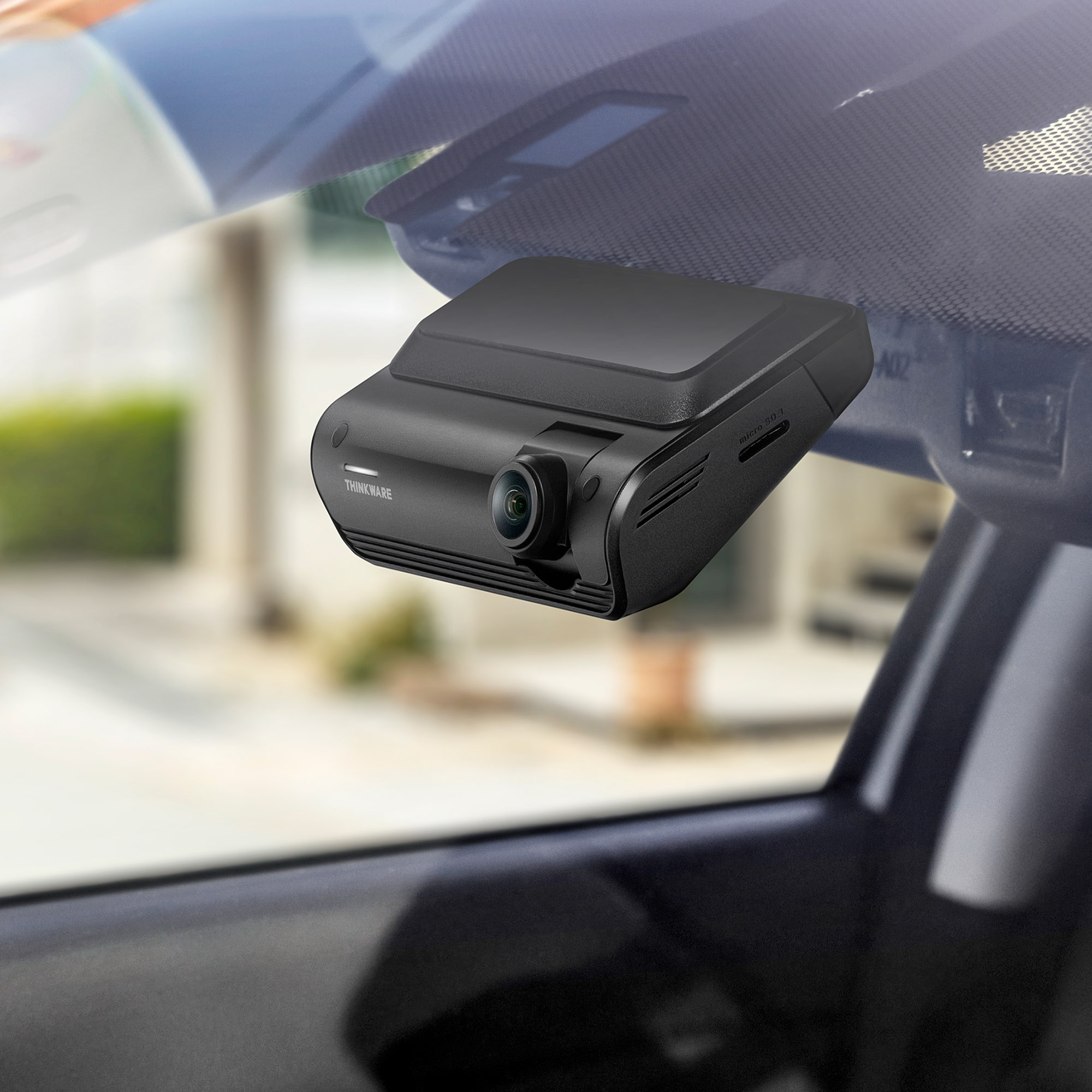
|Posted .This reviewer received promo considerations or sweepstakes entry for writing a review.I’ve owned a few different dash cams over the years with mixed results. The new Thinkware ARC 700 is the best one I’ve used yet. The design is simple and user friendly. The few buttons that are on the camera are easy to reach. Not always the case with some of these devices. The memory card is easy to get to as well. Hooking it us is pretty easy. It’s really just a matter of deciding the right location for both the front and rear cameras and figuring out where you want to string the cables. Running them under your cars weather stripping or under floor mats is easy to do. As for power, the simplest way is to use the included cigarette lighter charger. To gain access to the parked car features you will want a constant power supply. For that you can use the included fuse box connection cable. This is a little more involved so you might want to have a professional install it if you’re not comfortable trying it yourself. But honestly, I was able to do it so I’m sure anyone can. I did have a few issues getting the camera to connect to the app on my phone at first, but a quick email to support provided me with a few options to try and that worked. As a side note, the support team was very helpful and quick. As for the app itself, it’s pretty simple to use and works great. The video quality of both the front and rear cameras is better than I’ve seen before. Video is clear crisp in both daylight and nighttime recordings. There are a bunch of camera settings you can change but the default settings work well. There is no shortage of dash cams on the market. I can say from experience that skipping the ultra cheap ones is a good idea. But I can also say that you don’t need to overspend on a one either. The ARC 700 is the sweet spot and the way to go.
I would recommend this to a friendBrand response from Thinkware Product Expert
Posted .Hello! Thank you for writing us a feedback. We are glad to hear that your Thinkware dash cam works fine. Feel free to contact us for any dash cam related inquiries.
Initial Thoughts After A Month of Use
||Posted . Owned for 3 weeks when reviewed.This reviewer received promo considerations or sweepstakes entry for writing a review.This Dash Cam is great, however it competes with my radio for bluetooth connectivity. I manually need to disconnect from my radio, and when my phone connects to the camera it still has a weird buffering in-app feeling. I usually need to "retry" connection at least once. 4k video looks excellent, but playback on mobile is not smooth as it spends a lot of time buffering. It seems a bit overzealous with its event recordings, but it catches the small stuff like pot-holes and bumps which means it should easily capture anything major. You have to delete "incident" recordings to make sure the SD card doesn't fill up with "locked" events so it can continuously record properly, so a bit of memory management is required to use it effectively. It also has a speaker and voice that tells you when you have enabled or disabled audio recording, and I think I heard it saying whether or not it detected speed radar but it's rather quiet and I don't think there's a way to increase the audio on the unit but I may be mistaken. Pros: Excellent Video Quality Sensitive Event Detection Compact Design Can be installed to the vehicle's power with voltage threshold shutoffs (useful for parking recordings) Cons: Bluetooth connection has been spotty Device App feels slow Memory management Device speaker is a bit too quiet during drive to understand Understanding what you're working with is important. This is a great piece of technology despite its caveats and I'm happy to add this to my vehicle to improve accountability on the road.
I would recommend this to a friendBrand response from Thinkware Product Expert
Posted .Hello, thank you for sharing your wonderful feedback with us, and we really appreciate it.
- Pros mentioned:Video quality
Great Car Camera!
||Posted . Owned for 2 weeks when reviewed.This reviewer received promo considerations or sweepstakes entry for writing a review.This Front and Rear Camera is Great! Glad my husband decided to get it!
I would recommend this to a friendBrand response from Thinkware Product Expert
Posted .Hello, thank you for sharing your wonderful feedback with us, and we really appreciate it.
- Pros mentioned:Video qualityCons mentioned:Installation difficulty
The Customizable Dashcam That Does All You Need
|Posted .This reviewer received promo considerations or sweepstakes entry for writing a review.This is a solid dashcam system. I hardwired the device to my fuse box using the included cables. My previous dashcam, before this one, included the fuse taps already installed. I’m not an expert electrician by any means, so it was pretty annoying having to crimp and cut several times to get the connection solid. You do have the option of just plugging this into a cigarette lighter. However, I wanted to have the parking capturing functionality. The dashcam has several recording options. Continuous recording (whenever you’re driving), event recording (crash/bump happens when you’re driving), manual recording (record button is pressed), motion timelapse recording (motion happens in front of the camera), and parking recording (crash/bump happens when you’re parked). I would like to elaborate on some of these modes. The event recording will record if you get into an accident, but it also records every bump on the road. It makes an audible beep every time it senses an event. The video will start ten seconds before and ten seconds after the impact it detects. It will record hitting a pothole or going a little fast over a speed bump. It is very sensitive, and by default, the setting is on “low.” I have since changed it to the lowest. The motion time-lapse recording is very sensitive as well. Any car or person that passes by it will record them. By default, it was set to “mid”, and I have since changed it to low. So hopefully I just get people or cars closer to my car, but not 15 feet away. The last recording mode is for parking. It gets triggered every time we open or close the car doors. Sometimes the trunk. I have since lowered that to “mid” to “low” in the hopes that it will just capture a collision when my car is parked and not everyday operations. In addition to the other settings in the app, I also changed the volume setting. Which is either on or off. Essentially, every time you get into the car, it will notify you of the events that happened since it’s been parked. I have had to wait 10-15 seconds to start my conversation with someone while I wait for the device to finish talking. So yeah, I turned it off. I would prefer that it just send notifications through the app, about what happened, but I don’t believe programming like that would be that easy. It usually takes about 30 seconds for it to connect to the dashcam. At the very least, the clips load fast, and if you need to download one to your phone, it does not take long. My previous dashcam would take 10 minutes for just one clip. In that same timeframe, you can download 10-15 clips from the Arc 700. Additionally, in the app, you can set your battery cutoff voltage. If you’re fine with your car being drained to 13.0V, you can set that, or maybe you’re fine with 12.5V. Again, I’m not an electronics expert, so I leave it on the default. But it’s good to know that if I find my car dead one day, I could try upping the voltage to cut off sooner. The last couple of settings you’ll want to change are your timezone and the speed unit. Just a few other things to note: it runs hot. I don’t live in a hot climate. This past week, I’ve tested this it only reached 70 degrees max. The camera has built-in functionality to combat a hot car. Thinkware calls it smart parking mode. It will lower the quality, but can still capture a collision if it were to occur. So if you ever need to eject the memory card, just be careful when you touch it on a hot day. Speaking of the memory card, it’s their own branding. It’s a 64GB, MicroSD XC Class 10 UHS-I UHS Class 3 card. A GPS module is not included. The speed is able to be recorded from the device itself. It gets stitched onto the video. I believe the GPS module would give you an audio cue that there is a red-light camera or speed camera ahead. As long as you’re a safe driver, it doesn’t seem you would need that accessory. In terms of the quality, it is pretty good. I heard the Starvis sensor is pretty good. It seems to do good at night. There are times when I cannot read the plate during the night or even during the day. The rear camera almost never picks up the plate regardless of the time. With that said, I’m not sure if there are dashcams on the market that are better than this. For example, Thinkware has other models that have Starvis 2 and the next generation of their Night Vision. 4.0 instead of 3.0 on this one. If you care about capturing every license plate, you may want to look for better quality. For me, the dashcam works. If I were to be in a collision, whether driving or not, I know it will capture that moment. It has plenty of customization tailored to your needs. The install is easy, whether you hardwire it or use a cigarette lighter. Everything that is necessary to set this up is included in the box (unless you fuse tap like me). They even give you a trim removal tool if you don’t have one. So overall, it doesn’t give you any features you wouldn’t want. And anything you might find annoying it's adjustable.
I would recommend this to a friendBrand response from Thinkware Product Expert
Posted .Hello! Thank you for writing us a feedback. We are glad to hear that your Thinkware dash cam works fine. Feel free to contact us for any dash cam related inquiries.
- Pros mentioned:Included accessories, Video qualityCons mentioned:Installation difficulty
Easy to install and use Dash Cam
|Posted .This reviewer received promo considerations or sweepstakes entry for writing a review.The ARC700 is a dual channel dashcam offering everything you need to get up and running to make it easier to keep an extra eye on you when driving. The ARC700 comes with BOTH Hardwiring Cable AND a DC Power Adapter. A bonus I was not expecting was that a 64GB microSD card comes preinstalled in the ARC700, I jumped the gun and purchased a microSD card so now I have an extra 1. Installation of the front and rear cameras mount easily with adhesive pads, and cable routing is straightforward if you’re comfortable tucking wires into trim. For quick installation the DC power adapter is very convenient, but if you only have 1 outlet and need the DC power outlet for something else you'll likely need to turn off the camera. A DC splitter or a passthrough would have been a thoughtful inclusion. If you are familiar with vehicle electrical systems then the hardwire route is the cleanest way to go. Both front and rear cams can tilt up and down to account for different window angles. The only downside in the installation of the the rear channel (for me) was that I was unable to route the signal cable through the wire harness hose in my rear tailgate due to the rear channel connector being a bit too large. I zip tied the cable to the rear of the harness passthrough to keep things as tidy as I could. So I'd give it a 8 out of 10 for a clean install. Thinkware’s Dash Cam Link app made pairing and settings adjustment via Bluetooth simple without the need to make another account. Once installed, the camera boots quickly and starts recording automatically. GPS and safety camera alerts are built-in, and the unit supports radar-based parking surveillance if you opt for the accessory. The star of the Thinkware ARC700 is its 4K UHD front camera with Sony STARVIS 2 sensor, which delivers great clarity and detailed daytime footage. This sensor excels at capturing license plates and road signs even at speed, ideal for both daily driving and incident documentation. While the rear camera is limited to 2K, the front cam’s clarity and dynamic range is a stand out feature for this package. Compared to the excellent daytime footage, night video quality is underwhelming. It should however, provide you what most dashcams do and give you a usable representation of events that occurred leading to an incident. The ARC700 provides high-resolution evidence and crisp visuals with the front channel especially in daylight giving you some additional piece of mind on your daily drives.
I would recommend this to a friendBrand response from Thinkware Product Expert
Posted .Hello! Thank you for writing us a feedback. We are glad to hear that your Thinkware dash cam works fine. Feel free to contact us for any dash cam related inquiries.
- Pros mentioned:Video quality
Phone Down, Eyes Up, Cameras On
|Posted .This reviewer received promo considerations or sweepstakes entry for writing a review.Have you been out on the roads lately? If it feels like people are getting worse at driving by the day, you’re not alone. The chaos of my daily commute rivals a NASCAR race, and it seems like only a matter of time before someone swerves into me and I get to enjoy dealing with an insurance claim. While I won’t be able to avoid every accident, those I do get in will be much easier to deal with thanks to the dash cams I have in each of my cars, showing without a doubt who’s at fault (and ideally, not me). I already have one of Thinkware’s older midrange dashcams, the Q200, and the ARC700 seems fairly similar but offers an upgrade to picture quality with 4K front and 2K rear resolutions, up from 2K and 1080p, respectively. Featuring the same GPS and WiFi connectivity as the older camera, the ARC700 feels like an iterative update that increases both picture quality and viewing angles, but perhaps asks a little much for small improvements. - Unboxing and Setup You’ll want to read the instructions to set up the ARC700 as there are three ways to install the camera - hardwired through your car’s fusebox (Thinkware-recommended for guaranteed continuous power, but requires expert installation), powered by the OBD-II port (for easier installation with similar functionality to hardwiring, but requires an adapter sold separately), or plugged into the 12V DC port (most convenient, but whether it provides continuous power varies by car). I had an existing OBD-II adapter and chose to use that installation method as it was the path of least resistance to swapping out my prior dash cam. In a nice change from the older Q200 dash cam, GPS and WiFi functionality are integrated directly into the ARC700’s housing, negating the need to mount an external GPS receiver to the windshield. The rear camera is connected to the front camera through an exceptionally long USB cable that should reach the rear glass of all but the largest vehicles, including routing the cable behind trim pieces for better appearance. The front dash cam clips into a holster that’s intended to be the piece mounted to your windshield using pre-installed 3M automotive tape. The design is wider and more stable than the previous mount solution, which should improve video stability when driving over rough roads or terrain. Once set up and connected to a smartphone through the Thinkware “DASH CAM LINK” software, available for free on both the Apple App Store and Google Play Store, a live view can be accessed with overlays for adjusting the aim of the camera. - Dashcam Performance Improving upon the older dash cam, the ARC700 has not only upgraded the CMOS camera sensor on the front cam to 4K resolution, but also increased the viewing angle to 136 degrees, which is plenty to capture what’s happening around the front fenders of your car. Camera quality is pretty good in most lighting conditions, and I can make out license plate numbers from several car-lengths away in the recorded footage. It’s trickier to make out those sorts of details in the nighttime footage with reduced lighting and more washed-out colors, since it’ll be more reliant on your headlights illuminating the finer details like license plates. In any case it’s still possible to make out identifying features, and the overall camera quality is at least as good as my Q200 which I relied upon daily. Rear camera quality is fairly good as well, being nearly as good as the older dashcam kit’s front camera. The viewing angles are narrower and lighting is a step down from the front camera, but as a supplement it does its job admirably, giving a clear and wide rear view at all times. I would’ve liked to see another camera integrated into the front camera’s housing so it can capture what’s happening in the interior, but this is a use case more appropriate for rideshare operators than private owners like myself, and there are other dashcams out there that cover that demand. One criticism I had with the older camera was artifacting in recording quality, which risked losing detail in the saved video, but for the ARC700 there’s significant improvement - likely owing to what appears to be an upgraded H.265 codec supporting high-efficiency video encoding (HEVC), improving video quality without jumping file sizes. Details are now saved with much clearer visual fidelity, making more distant objects and cars more easily identifiable. As with most dash cameras, the ARC700 offers continuous recording and a built-in G-sensor can detect an impact to save a clip leading up to and immediately following the incident (ten seconds in each direction by default, but this can be extended). The system works well but the G-sensor is pretty sensitive, which led to quite a few clips saved to the included 64GB microSD card of innocuous moments like running over bumps or turning through rough intersections. Extracting saved video clips is as easy as plugging the microSD card into a computer and copying from one of the appropriate folders, of which there’s one each for manually-triggered recordings, automatic (event) recordings, and continuous recordings for the last several minutes or hours of footage, depending on the size of the installed microSD card. A feature available when continuous power is provided (your installation method will drive this, depending on the vehicle) is a parking (sentry) mode that will record video clips when a motion detection threshold is reached. The camera will detect when the engine is turned off and automatically enter this mode after a moment of inactivity. After leaving my car unattended for a day facing a sidewalk, I found a couple clips of people and pets walking by the car, but did not see any triggering for local wildlife (foxes, skunks) that I know are in the area and frequent the bushes I aimed the car at. I would also assume the low-light scene hindered motion detection performance. - DASH CAM LINK The weakest part of the Thinkware ARC700 experience is the [mercifully, optional] Dash Cam Link app. This app lets you change the dashcam’s settings, which includes disabling sound effects and voice warnings from the dash cam should you not desire them, which I sure don’t. Sensitivity and continuous recording modes can be adjusted, and both stored video clips and a live feed from the cameras can be accessed. Device settings are changed via a Bluetooth connection to the dash cam, and viewing video is done via a temporary WiFi network that the ARC700 creates when requested through the app. This may present a security risk as I couldn’t find the WiFi network’s security type or configuration, but at the very least the SSID appears randomized and is not broadcast, so some security through obscurity is better than none at all. Besides the ability to register multiple cams to the app and to wirelessly download saved clips to your phone for easy viewing, the Dash Cam Link app doesn’t add much to the experience and was still fairly buggy from the last time I had used it, freezing and crashing several times on both my and my fiancee’s Android phones. Your mileage may vary depending on your phone model, but fortunately once I configured the ARC700 using the app I didn’t need to touch it again. - Bottom Line While the Dash Cam Link app drags the experience down, the Thinkware ARC700 dash cam kit has solid hardware and functionality that gets the job done. The image quality is improved over older models, better integration of hardware makes the package more streamlined, and higher encoding quality makes this a well-rounded package that improves upon their older offerings. That being said, the jump in price for what are mostly small improvements over the Q200 is a bit hard to swallow. It’s difficult to recommend at its $329 MSRP - it’s an okay value at best, and you can likely get equal visual quality and performance for less with a little effort. But if you simply want to grab a solid dashcam from a known brand in the space, you can do worse than the Thinkware ARC700. With that caveat, recommended!
I would recommend this to a friendBrand response from Thinkware Product Expert
Posted .Hello! Thank you for writing us a feedback. We are glad to hear that your Thinkware dash cam works fine. Feel free to contact us for any dash cam related inquiries.
- Pros mentioned:App usability, Included accessories, Video quality
A great dashcam with front and rear cameras
|Posted .This reviewer received promo considerations or sweepstakes entry for writing a review.I am very impressed with this setup. I have had a basic dash cam that had a screen of its own for a long time and it's worked ok, but I wanted a rear camera also. The video is so much better than my old dashcam, even the rear camera has better video. This comes with a 64GB card that will get you started, but most of us will invest in a larger one to keep footage longer. The included cables are all long enough for most vehicles and shouldn't be an issue with the install. The 12v power plug is good for a quick or temporary install or if you're not comfortable enough to do the hard wire option. When running the rear camera cable, it was easy to hide it under trim pieces in the vehicle. I spent about an hour total hard wiring this dashcam. The app is easy to use and worked well without any issues on my android phone. It’s well-built, looks and feels sturdy, and is very reliable. It also provides very good image quality at all times. Overall, this is a great camera and having the rear camera makes it a nice upgrade over my old dashcam.
I would recommend this to a friendBrand response from Thinkware Product Expert
Posted .Hello! Thank you for writing us a feedback. We are glad to hear that your Thinkware dash cam works fine. Feel free to contact us for any dash cam related inquiries.
- Pros mentioned:Included accessories, Video quality
Small but mighty
|Posted .This reviewer received promo considerations or sweepstakes entry for writing a review.Bottom Line Up Front The THINKWARE ARC 700 is a high-performance 4K front and 2K rear dash cam system focused on clarity, reliable parking surveillance, and robust thermal protection. It records sharp daytime and night footage, offers advanced parking modes, and includes everything needed for a standard install in the box. Video quality and sensors The front Sony STARVIS IMX415 sensor records detailed 4K UHD at 30fps while the rear Galaxycore GC4653 captures crisp 2K QHD footage. The 136° viewing angle covers a wide field with minimal distortion and HDR plus Super Night Vision 3.0 produce clear, balanced low-light footage. Built-in microphone and speaker provide usable audio to add context to recorded incidents. Parking surveillance and safety features Multiple Parking Surveillance Modes give flexible protection with Motion & Impact Detection, Time Lapse, Energy Saving, and Smart Park modes that reduce heat-related risk. Optional Radar Mode extends detection when paired with the separate radar module. Built-in GPS supplies speed and red-light camera alerts and embeds speed, time, and location into recordings for stronger evidence. Reliability, storage, and protection Integrated supercapacitors and thermal sensors ensure reliable shutdown and safe file saving in extreme temperatures. Anti-file corruption and Sudden Power Off Recovery protect stored files and reduce the need for frequent formatting. The package includes a tested 64GB microSD card and supports up to 256GB for extended recording. Installation and user experience The ARC 700 comes ready to install with mounts, cables, and a hardwiring cable included. Using the cigarette lighter power option worked reliably during testing and avoided a professional hardwire install. Wi-Fi setup and pairing with Apple CarPlay required extra time and patience and the initial configuration took about an hour to complete. The THINKWARE Dash Cam Link app allows viewing, downloading, and deleting clips from iOS and Android but expect an afternoon session for first-time setup and network pairing. Pros and cons - Pros: Ultra-clear 4K front and 2K rear recording, excellent low-light performance, flexible parking modes including optional radar, strong thermal protection, reliable anti-corruption safeguards, GPS data and useful alerting, included accessories for a complete install. -Pro: My daughter loves that she can use her phone as a backup camera. - Cons: Wi-Fi and smartphone pairing can be fiddly with Apple CarPlay during initial setup, professional hardwiring required for full Parking Surveillance functionality, time investment required to optimize settings and mounts. - Potential Con: I wonder how long the stickiness will stay mounted in the heat! Verdict The ARC 700 is a premium dash cam solution for drivers who want best-in-class daytime and nighttime clarity plus advanced parking protection and durable hardware safeguards. Expect a dependable recording system that may take extra time to set up and configure but rewards that effort with robust footage quality and long-term reliability.
I would recommend this to a friendBrand response from Thinkware Product Expert
Posted .Hello! Thank you for writing us a feedback. We are glad to hear that your Thinkware dash cam works fine. Feel free to contact us for any dash cam related inquiries.