Customer Ratings & Reviews
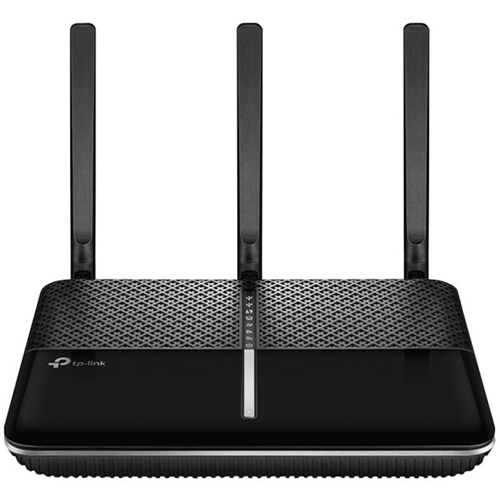
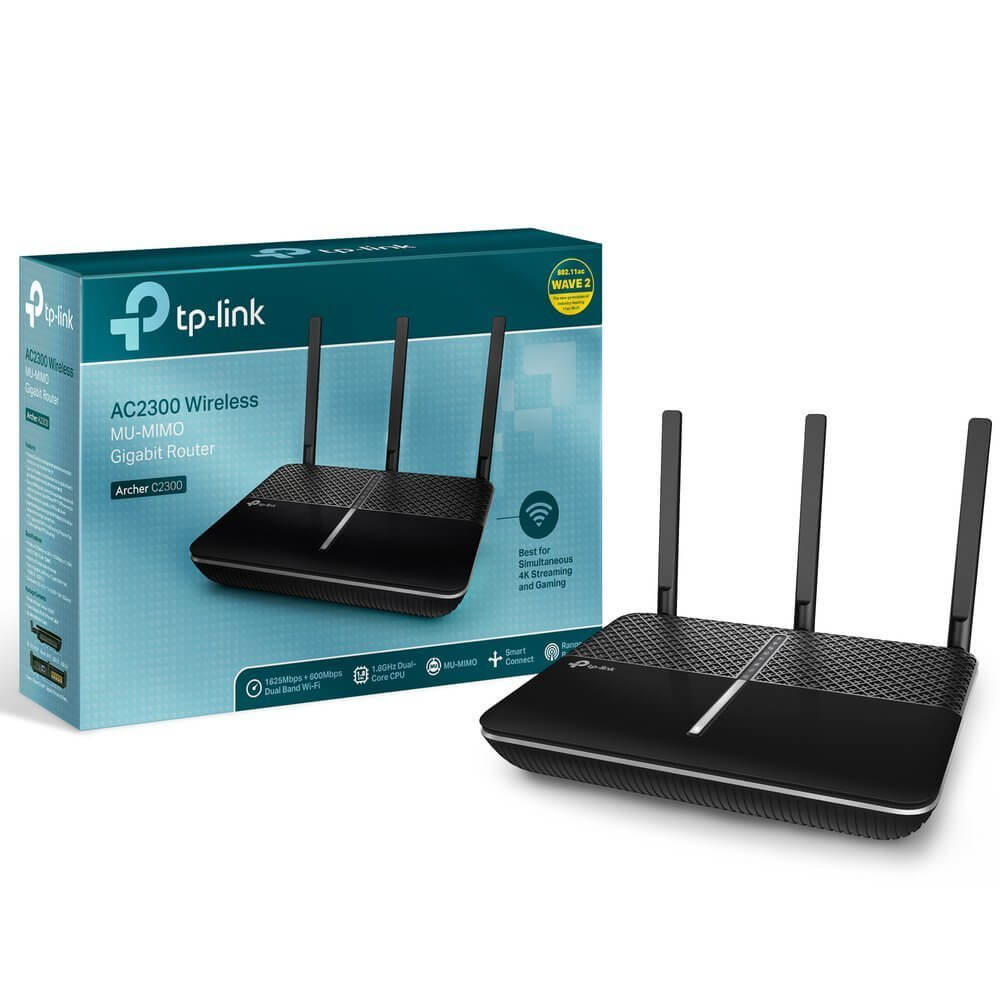



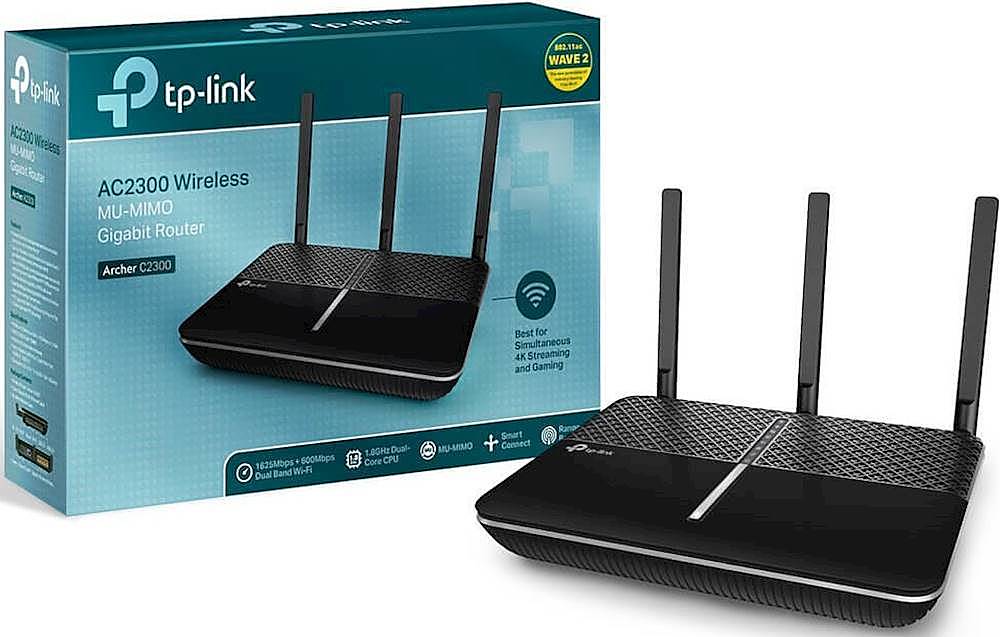

- Model:
- ARCHER C2300
- SKU:
- 5844804
Rating by feature
- Value
Rating 4.2 out of 5 stars
- Quality
Rating 4.3 out of 5 stars
- Ease of Use
Rating 4.4 out of 5 stars
Customers are saying
Customers are positive about the Archer AC2300 Dual-Band Wi-Fi 5 Router, frequently praising its impressive range, ease of use, and strong performance. Many reviewers highlighted the straightforward setup process and reliable signal strength, resulting in improved internet access throughout their homes. The router's ability to provide excellent coverage, even in larger spaces, was also frequently noted. Positive feedback also mentioned the router's affordability.
This summary was generated by AI based on customer reviews.
Performance for a good price
||Posted . Owned for 1 month when reviewed.This reviewer received promo considerations or sweepstakes entry for writing a review.Not only did this fit the need I had for a new router, but it was the best value compared to anywhere else I looked! It was an easy setup and even arrived ahead of schedule, which was great during the pandemic!
I would recommend this to a friendOK, not great
||Posted . Owned for 1 month when reviewed.This reviewer received promo considerations or sweepstakes entry for writing a review.The performance of this router is OK. It does not provide as strong a wifi signal as my 5-year old router, so I am using this new router as a backup router. It does not seem to link to other equipment as well, either. It is difficult to get the antennae to stay in position.
No, I would not recommend this to a friendBrand response from TPLinkSupport
Posted .Hi,
To ensure the best possible signal, it's important to make sure placement is as optimal as possible. Reducing obstructions and placing the router in a central location will help ensure your signal reaches the areas you need.
To ensure optimal performance of your wireless router please check, and if needed, update its firmware using the steps outlined in our FAQ: https://www.tp-link.com/us/faq-2139.html
If you'd like assistance with any of these steps, please send an e-mail with your contact information and a link to this review to [email protected] and we'll gladly have a Support Agent follow up with you directly.
Thank you,
TP-Link Support
Good replacement for my aging wifi modem
||Posted . Owned for 1 month when reviewed.This reviewer received promo considerations or sweepstakes entry for writing a review.Bought this wifi router together with a new cable modem to replace our aging unit. Set up went well and now we are finally able to get the full bandwidth we are paying for delivered all the way to the computer.
I would recommend this to a friendGood for small living space
||Posted . Owned for 1 month when reviewed.This reviewer received promo considerations or sweepstakes entry for writing a review.If you have an open area, this router is good for you. If you have a lot of boundaries likes doors and walls, then you will have dead spots around.
I would recommend this to a friendNice router if you have a smallish, simple space
||Posted . Owned for 3 weeks when reviewed.This reviewer received promo considerations or sweepstakes entry for writing a review.I purchased this router because of reviews that said it was great at coverage through walls. Clearly, the reviewers had never met my walls. Setup was simple, and the router was easy to configure. Coverage was okay, but not great. While I could get a solid signal through open space or behind one wall, once I stepped beyond that second wall, the signal dropped precipitously. In fact, it was no better than the coverage of the integrated modem/router that my DSL provider left behind. I ended up returning this and getting an EERO mesh.
I would recommend this to a friendwonderful coverage area and easy to install
||Posted .This reviewer received promo considerations or sweepstakes entry for writing a review.I got this to replace an ancient router I had that did not have the coverage I needed for the new security cameras I bought. This did the job perfectly and at a good price.
I would recommend this to a friendLife Saver!
||Posted .This reviewer received promo considerations or sweepstakes entry for writing a review.I bought it because my entire family is working from home. Long story short our WiFi could not radiate due to the way our house was built. Thanks to the router our WiFi connection is better than ever.
I would recommend this to a friendFull time yeah!
||Posted .This reviewer received promo considerations or sweepstakes entry for writing a review.Having full time internet is so amazing after dealing with a jet pack for 6 years. Sorry we waited so long. This little router keeps our whole house on line.
I would recommend this to a friend- Pros mentioned:Setup
After 5 weeks it just died
||Posted . Owned for 2 months when reviewed.This reviewer received promo considerations or sweepstakes entry for writing a review.Was super excited to get this router on sale at a bargain price. It was super easy to set up. It was working great for a little over a month and then suddenly it stopped working altogether. Nothing I try to do gets it to start up. It seems almost like it was programed to die just after the return period was up. I'm very very disappointed. I definitely do not recommend this router
No, I would not recommend this to a friendBrand response from TPLinkSupport
Posted .Hi,
Thank you for your review. The Archer C2300 WiFi Router comes with a 2-year warranty, and we would greatly appreciate the opportunity to follow up with you and address your concerns. At your earliest convenience, please send an e-mail with your contact information and a link to this review to [email protected] and we'll gladly have a Support Agent follow up with you directly.
Best Regards,
TP-Link Support
[email protected]
Hit or miss
||Posted . Owned for 1 year when reviewed.This reviewer received promo considerations or sweepstakes entry for writing a review.Does a good job of being a router. Very flawed with the additional features. Parental controls options are pretty good...but don't always work. Hit or miss. Plugging external drive into USB port as network drive is useful...until you randomly can't access drive and have to unplug it and re-plug it. Media server is unusable.
No, I would not recommend this to a friend- Pros mentioned:Performance, Speed
Best Router in it's price class
Posted .This reviewer received promo considerations or sweepstakes entry for writing a review.I picked this router up after owning a Netgear NightHawk AC 2300 R7000P which was more expensive. I was getting 50mbps on the Netgear from my Spectrum internet. I decided on a whim to try this TP Link after reading so many positive reviews and the price being so reasonable. I got over 100 Mbps right out of the box. This router has a 1.8 GHz CPU which I noticed is faster than most. I know the specs on paper don't match up with higher end Netgear or Linksys but this router just works. Dead spots are gone and I have not dropped a WiFi signal or seen any buffering on Netflix. I am very surprised and pleased with this router.
I would recommend this to a friend One of the best routers I've ever used
||Posted .This reviewer received promo considerations or sweepstakes entry for writing a review.Works great, always does. The only reason I needed another was someone stole the one we used in our factory.
I would recommend this to a friendGood low budget router nothing else
||Posted . Owned for 8 months when reviewed.This reviewer received promo considerations or sweepstakes entry for writing a review.Good price but mediocre wifi performance. This is definitely a low budget router.
No, I would not recommend this to a friendBringing It Back
||Posted . Owned for less than 1 week when reviewed.This reviewer received promo considerations or sweepstakes entry for writing a review.This replaced a Netgear router Geek Squad installed for me many years back. Unfortunately, I have to return the TP Link C2300. I have struggle to access media files between my NAS and my other devices. They are attached to the router via Ethernet. The router is upstairs and all devices are downstairs with the cable in the walls. I can't do it. I just got off the phone with TP Link support. One cannot move files between networked devices via ethernet. I can plug a USB device in back of the router and share those files. But that's all. Router is useless to me.
No, I would not recommend this to a friendBrand response from TPLinkSupport
Posted .Hi Bill,
Thank you for your review. The Archer C2300 will view your NAS just as any other network attached device and pass/route data packets accordingly. In your case, it's likely the NAS is configured using the previous router's network configuration (IP/gateway). Please ensure it is properly configured for the new router's network schema.
We're sorry to hear your initial interaction with our Support Team was anything less than satisfactory, and we would appreciate another opportunity to follow up with you to address your concerns. At your earliest convenience, please send an e-mail to [email protected] and include a link to your review and a copy of any correspondence you may have received from the original support agent(s).
Thank you,
TP-Link Support
[email protected]
Good price but average performance
||Posted .This reviewer received promo considerations or sweepstakes entry for writing a review.Often have to reboot router to get connections. Its range isn't as good as claimed.
No, I would not recommend this to a friendBrand response from TPLinkSupport
Posted .Hi,
To ensure the best possible signal, it's important to make sure placement is as optimal as possible. Reducing obstructions and placing the router in a central location within your home will ensure your signal reaches the areas you need.
If you'd like assistance with any of these steps, please send an e-mail with your contact information and a link to this review to [email protected] and we'll gladly have a Support Agent follow up with you directly.
Thank you,
TP-Link Support
[email protected]
https://community.tp-link.com
Very poor performance
||Posted .This reviewer received promo considerations or sweepstakes entry for writing a review.very poor performance. I tried to bring it back to the store 17 days after purchased date because I am not satisfied. They didn't want to reimbursed it nor to give me a credit because they do not sell this product anymore and I was out of the 2 weeks policy.
No, I would not recommend this to a friendBrand response from TPLinkSupport
Posted .Hi,
Thank you for your review. To ensure the best possible signal, it is important to make sure placement is as optimal as possible. Reducing obstructions and placing the router in a central location will help ensure your signal reaches the areas you need.
To ensure optimal performance of your wireless router please check, and if needed, update its firmware using the steps outlined in our FAQ: https://www.tp-link.com/us/faq-2139.html
If you would like assistance with any of these steps, please reach out to our free support team using any of the resources included with the product, or from our official website, and we'll gladly have a Support Agent follow up with you directly.
Thank you,
TP-Link Support
Meh
||Posted . Owned for 1 week when reviewed.This reviewer received promo considerations or sweepstakes entry for writing a review.Didn’t seem to make any difference in my WiFi speed.
No, I would not recommend this to a friendBroken and disappointed
||Posted .This reviewer received promo considerations or sweepstakes entry for writing a review.Had the router for less than 2 months and it's crapped out. It turns on but no longer broadcasts wifi, the ethernet connections don't work, and it doesn't even register being connected to the modem.
No, I would not recommend this to a friendBrand response from TPLinkSupport
Posted .Hi,
Thank you for your review. Your TP-Link WiFi router comes with a 2-year warranty, and we would greatly appreciate the opportunity to follow up with you and address your concerns. At your earliest convenience, please reach out to our free support team using any of the resources included with the product, or from our official website, and we'll gladly have a Support Agent follow up with you directly.
Thank you,
TP-Link Support
Something was wrong
||Posted .This reviewer received promo considerations or sweepstakes entry for writing a review.It’s not a plug n play. You need a computer to set it up. Mine was defective. I called there customer support, they were able to answer my questions but weren’t much for support about why some features wouldn’t work.
No, I would not recommend this to a friendBrand response from TPLinkSupport
Posted .Hi Angus,
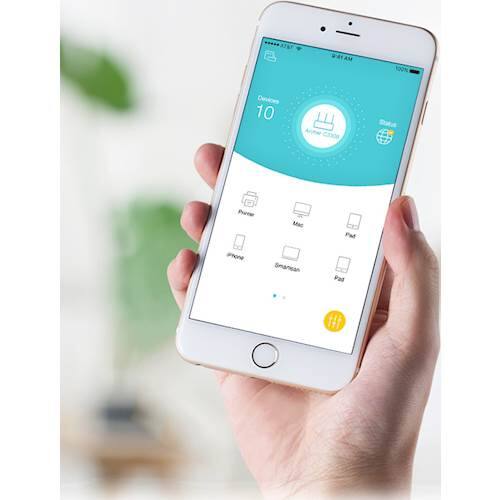
Your Archer C2300 can also be set up using our intuitive TP-Link Tether App, available for mobile devices running Android (4.3 and up) or iOS (8.0 and up). We would greatly appreciate another opportunity to follow up with you and address your concerns. At your earliest convenience, please send an e-mail with your contact information and a copy of this review to [email protected] and we'll have a Support Agent follow up with you directly.
Best Regards,
TP-Link Customer Support
- Pros mentioned:Ease of use, Speed
Awesome router
Posted .This reviewer received promo considerations or sweepstakes entry for writing a review.I've purchased a few routers in my day, but this one is blazing fast, it easily keeps up with/ surpasses the 200Gb/s service I get from Comcrap. Simple to install, has an app for ease of control, I could go on but don't want to waste you shopping time.
I would recommend this to a friendBrand response from TPLinkSupport
Posted .Hi myithz,
Thank you for sharing your experience with our Archer C2300 Router. We're thrilled to hear you were able to easily install it, and that you're enjoying its blazing fast performance, as well as the convenience of managing the router on your mobile device via the TP-Link Tether App. We appreciate your positive feedback; we're always working to evolve our products to ensure you have the best Wi-Fi experience ever.
Best Regards,
TP-Link Customer Support