Customer Ratings & Reviews

- Model:
- Archer BE11000 Pro
- SKU:
- 6578375
Rating by feature
- Setup
Rating 4.6 out of 5 stars
- Range
Rating 4.5 out of 5 stars
- Signal Strength
Rating 4.5 out of 5 stars
Customers are saying
Customers frequently mention the Archer BE11000 Tri-Band Wi-Fi 7 Router's high speeds and excellent performance. Users also appreciate the easy setup process and the great coverage and range it provides throughout their homes. The router's design and strong signal strength are also well-received, however, some customers have reported experiencing inconsistent Wi-Fi connectivity.
This summary was generated by AI based on customer reviews.
- Pros mentioned:Coverage, Ease of use, Setup
TP Link BE11000 Tri-Band Wi-Fi 7 Router Review
||Posted . Owned for 1.5 years when reviewed.This reviewer received promo considerations or sweepstakes entry for writing a review.Needed a 2.5 GB router when I upgraded my Cox service. Pretty easy setup. I use a couple of dozen dedicated IP's for some of my hardware and that was easy to configure. Covers my 2000 sqft house great.
I would recommend this to a friend - Pros mentioned:Speed
Very Good Stand-Alone Router
||Posted . Owned for less than 1 week when reviewed.This reviewer received promo considerations or sweepstakes entry for writing a review.I was on my second eero mesh system in 4 years and was ready to switch to something different. The eero has a great app and subscription service but the pro 6e seemed to have a hard time maintaining. We often would turn off wifi on our phones and instantly see improved speeds. The new eero max 7 seems overpriced at $599.00 so I started looking for something different. Previously ive had linksys and netgear orbi systems but had issues with their systems, especially the mesh systems. The newest eero only supports up to 4.3 gbps for wifi which is pretty low for the price point. This tp-link router is $200 cheaper and has almost 3x the wifi speed at 11gbps. Tp-link's router also has a lot of open ventalition as i noticed the eero devices get fairly hot for how small their devices are. It is my opnion that those contained high temperatures damage the eero devices over time. The speeds I'm seeing with this new device are slightly higher but the speed tests are very consistent. I'm also getting about tripple the upload speeds and I was not expecting to see that drastic of a difference. Now this is no cheap router but so far I do not regret the purchase. This is plenty sufficient for a 2,000 sq ft house. It is currently paired with an Arris sb8200 and my service provider is Cox. Streaming and gaming have been smooth, our Peacock app typically buffers a bit (only Peacock, no other streaming app) but no buffering yet. If you can spare the $399.00 on this router, give it a try risk free for 14 days through Best Buy. I think I will end up holding on to this device for at least a year or two before the next big thing happend in home wifi.
I would recommend this to a friend Exceeded expectations! supports WiFi 6
||Posted . Owned for 9 months when reviewed.This reviewer received promo considerations or sweepstakes entry for writing a review.There are multiple heavy users in my home, including two users who work home from all day, not to mention a plethora of online connected appliances and devices. Then you add on a kid who loves gaming. The demand is very high and going through several routers, this router has been absolutely spectacular and handles the load very well. I actually replaced my mesh routers with this one because of the distance it covers. Set up was easy, and I’m now going on a year and it’s still functions magnificently. I have just started to use the Wi-Fi 6 capability and can’t say enough good things about stability. One recommendation, use the schedule to restart the router every few days just to give it a good cleanup. That’s what I do and it’s been amazing. This router is also very secure and has VPN capabilities, and many more security features. Speed has been literally a non-issue, blazing past no matter where I am in my house and it is a normal sized house.
I would recommend this to a friend- Pros mentioned:Speed
A router that works flawlessly
||Posted .This reviewer received promo considerations or sweepstakes entry for writing a review.To start out with this router was very easy to setup it took only a couple of minutes. The speed it offers have been amazing throughout my entire house both in my basement and upstairs in the bedrooms. For reference my house is 2,500 sq ft and I can even still be connected to the wifi while outside and get decent speeds. For those more technologically savvy the website interface for setting up your own protocols also is very clean and very user friendly. I would highly recommend this router.
I would recommend this to a friend Excellent for all experience levels
||Posted . Owned for 2 weeks when reviewed.This reviewer received promo considerations or sweepstakes entry for writing a review.Priced better than its Asus competitor with similiar if not better performance Great range with the 6 built-in antennas even over 2500Sqft (no mesh network required) , i was able to replace my service providers router and get better performance. The Guest network and IOT network are awesome for additional security as well the built-in VPN function. Highly recommend.
I would recommend this to a friendTPLink Router
||Posted .This reviewer received promo considerations or sweepstakes entry for writing a review.I like this router. I look its design and its ability to handle all of my wireless devices
I would recommend this to a friend- Pros mentioned:Speed
Very godd router
||Posted . Owned for 1 month when reviewed.This reviewer received promo considerations or sweepstakes entry for writing a review.Good router. Nice upgrade to wifi 7. Very speedy and no dropped signals
I would recommend this to a friend - Pros mentioned:Performance
Powerful wifi router
||Posted . Owned for 3 weeks when reviewed.This reviewer received promo considerations or sweepstakes entry for writing a review.This device is exceptionally powerful and highly reliable.
I would recommend this to a friend - Pros mentioned:Performance
Works Great
||Posted . Owned for 1 year when reviewed.This reviewer received promo considerations or sweepstakes entry for writing a review.It's a router. It works. Mesh option is nice. Testing features is limited to ping.
I would recommend this to a friend - Pros mentioned:Speed
Reliable, Fast, easy UI
||Posted . Owned for 2 weeks when reviewed.This reviewer received promo considerations or sweepstakes entry for writing a review.Speed and reliability are great, I had some hiccups with using Nord VPN on it, but after reconfiguring (nothing different just removed and put the config back on) it seems to bre stable.
I would recommend this to a friend - Cons mentioned:Connectivity
Not Reliable
||Posted .This reviewer received promo considerations or sweepstakes entry for writing a review.This hasn’t proven to be a very reliable router. It drops WiFi and wired connections at random and requires a reboot of the router before devices will reconnect to the router. WiFi speeds are also slow. At most, I’m only able to get about half my available bandwidth when connected via the WiFi. That includes even when using the new 6Ghz band. I have a support case currently open with TP-Link on the issues and they’ve yet been able to resolve it. The setup of the router is still very simple, as to be expected with TP-Link products. I am a big fan of the new form factor. It blends in nicely into any home and any space. My previous TP-Link router, which was the Archer AX4400, was superior in reliability. Hopefully some future firmware updates will help improve reliability.
No, I would not recommend this to a friendBrand response from TPLinkSupport
Posted .H TBrodeur207,
Thank you for your review. To ensure the best possible signal, optimal placement is essential. Reducing obstructions and placing the router in a central location will help ensure your signal reaches the needed areas. To ensure optimal performance of your wireless router, please check and, if needed, update its firmware using the steps outlined in FAQ 2139 on our official website: https://www.tp-link.com/us/support/faq/2139/
If you would like assistance with any of these steps, please contact our support team using any of the resources included with the product or from our official website, and we'll gladly have a Support Agent follow up with you directly.
Thank you,
TP-Link Systems Support
- Pros mentioned:Performance
Very happy with it !
||Posted . Owned for 3 months when reviewed.This reviewer received promo considerations or sweepstakes entry for writing a review.Works very good, it Keeps speeds up which is great, I had to restart my previous router all the time.
I would recommend this to a friend - Pros mentioned:Ease of use
Fast Wi-fi 7 Router
||Posted . Owned for 1 month when reviewed.This reviewer received promo considerations or sweepstakes entry for writing a review.Great Wi-fi 7 router. Easy setup and use. Has option to add additional devices to create a mesh network.
I would recommend this to a friend - Pros mentioned:Ease of use, Performance

Excellent Home Router
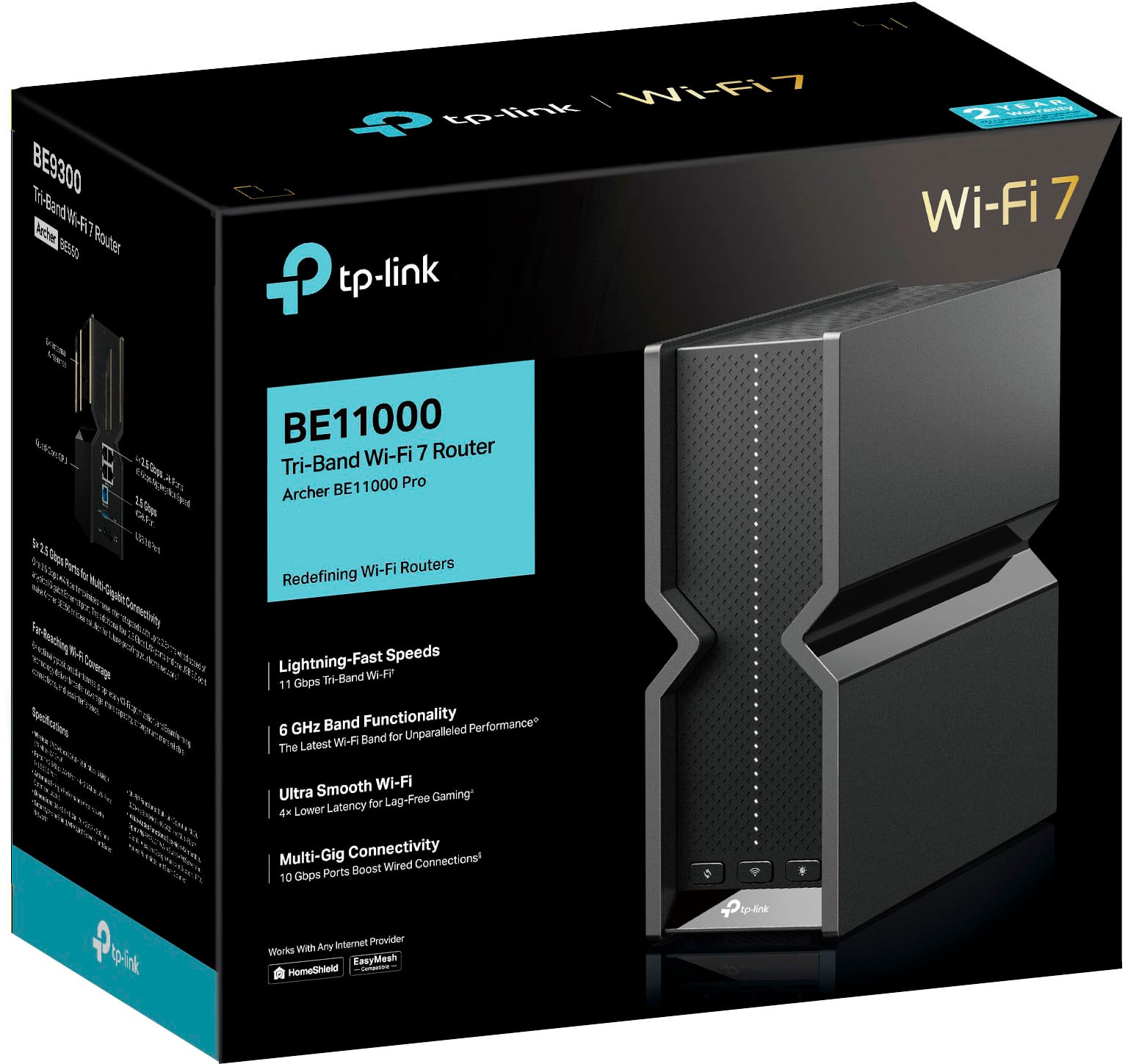
|Posted .This reviewer received promo considerations or sweepstakes entry for writing a review.The TP-Link Archer BE11000 Pro combines easy configurability with great performance. An intuitive user interface and well written user guide make it very easy to manage. The BE11000 delivers high performance over wired and wireless connections, with impressive WiFi range and perfectly smooth streaming. We have FiOS internet service at 500Mbps down/up, with our FiOS ONT connected to the home over coax. A MoCA adapter is the only other device connected to coax, providing an Ethernet WAN connection to the router. The TP-Link BE11000 replaces our old G1100 Quantum Gateway. Setup and Configuration The retail package contains the router, an AC power adapter, an unlabeled Ethernet ribbon cable that I assume is 10Gbps CAT6, a reset tool for the recessed factory reset button on the back of the router, and printed information related to initial setup, tech support and WiFi 7. Setup instructions direct you to safely connect the BE11000 WAN port, power it up and wait for a normal LED status indication to appear. This worked perfectly with our FiOS internet service and MoCA adapter. Two configuration methods are suggested, one is to use the TP-Link Tether app on a mobile device which requires a TP-Link account and related ID. I chose the other method, connect a device to the BE11000 and point a web browser at the URL or IPv4 address for router access. A new password is set, and on initial login the Quick Setup procedure is run to specify WAN interface settings, WiFi SSIDs and passwords, and configure automatic firmware update. The sign-in page doesn’t use an account name, just a password. A firmware update through the Online Update method makes sense at this point. If newer firmware is available, you probably want to use it. The BE11000 configuration page is nicely laid out with a row of category icons above a central panel. Status and available settings are easy to explore, with most of the interesting settings grouped under the Advanced icon. A user guide is available as a PDF download from the TP-Link website and does a very thorough job detailing the various functions and features. Default router firewall settings disable ping responses to requests from the WAN side, and all forms of remote access from the WAN side (remote management, various forms of VPN server access) are also disabled by default. UPnP is enabled by default, which I’ve read is a common practice these days. Creating a port forwarding rule and an address reservation rule for the related host was easy and fast. Once all configuration settings are in place they can be backed up to a file on the connected host. Performance General impressions are very positive. Performance and WiFi range are excellent, and signal strength is very good in areas where I previously saw low signal. It definitely feels like an upgrade from the G1100. I’m unfortunately not able to test the limits of specified performance. Our internet service provides 500Mbps up/down and our wired devices all have gigabit Ethernet ports at best, so I am unable to stress the BE11000 10Gbps WAN port or the four 2.5Gbps LAN ports. We don’t have any WiFi 6 or 7 devices, so I’m not able kick those tires either. Speed and delay tests were run to get an idea of the relative performance of the FiOS G1100 and TP-Link BE11000. Tests were run at 5AM with hosts in high performance mode to eliminate as many sources of real time variation as possible. Ookla internet speed tests with both routers hit our 500Mbps internet service limit with wired connections, and also with 5GHz WiFi connections on capable devices. The BE11000 showed higher performance for 2.4GHz WiFi connections, improving from 55/50Mbps on the G1100 to 105/83Mpbs down/up. Performance for both WiFi bands degraded more quickly over distance with the G1100 than with the TP-Link BE11000. File copy testing with the LAN Speed Test utility produced better results with the TP-Link BE11000 than with the G1100. LAN tests were run with a wired connection to one host and a wired or WiFi connection to the other. With a wired connection to the second host the BE11000 was a few percent faster. With a 5GHz WiFi connection it was just over 10% faster, and with a 2.4GHz WiFi connection it was 70% faster. Internet ping results with hrPing were mixed. The BE11000 showed a decrease in delay of about 0.1ms relative to the G1100 with a wired connection, but showed increases in delay of about 0.9ms with 5GHz WiFi and 1.1ms with 2.4GHz WiFi. It is interesting that 2.4GHz WiFi showed the greatest improvement in speed relative to the G1100, yet also showed the greatest increase in ping response delay. This isn’t really a concern, because when you care about delay you use a wired connection. Summary The TP-Link Archer BE11000 Pro is an excellent home router, future proofed with very high wired performance and support for the latest WiFi standards. Overall performance and stability have been great, delivering a smooth and solid streaming experience throughout the house. The BE11000’s performance, stability and ease of use make it easy to recommend this router.
I would recommend this to a friendBrand response from TPLinkSupport
Posted .Matt, Let me start by saying this is a fantastic review. You cover everything from what you like to what you don't like and items that concern you. At the same time, we love it when customers rave about a product. We also find value when a customer points out areas that need improvement. We would love it if you could visit our Community and post a thread about these items and let us know what improvements you would like to see happen. I can't guarantee we will be able to deliver such items; they will most definitely be sent to the product team for Review. https://community.tp-link.com/us/login?redirect=%2Fus%2F
One thing I want to address is your comments related to Mesh. EasyMesh is an industry-standardized protocol that replaced the internally developed OneMesh, as the primary mesh technology, on our Traditional routers and range extenders. Deco, on the other hand, is a closed system. To ensure the stability of the network, Deco was designed as a closed system. It will work with all other Deco models but as a result of it being a closed system is not compatible with anything outside of Deco products.
- Pros mentioned:Performance, Setup
Fast and stable
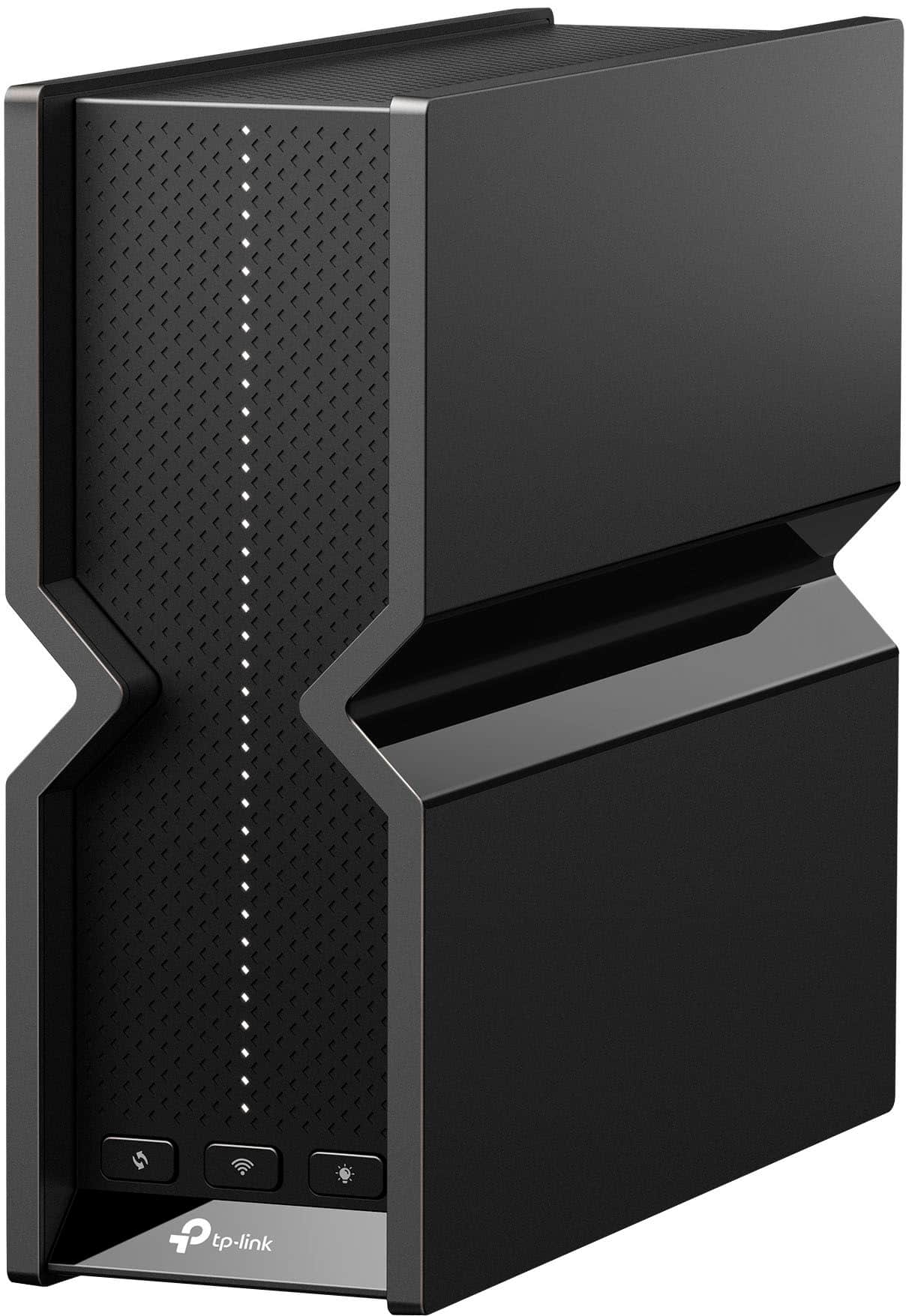
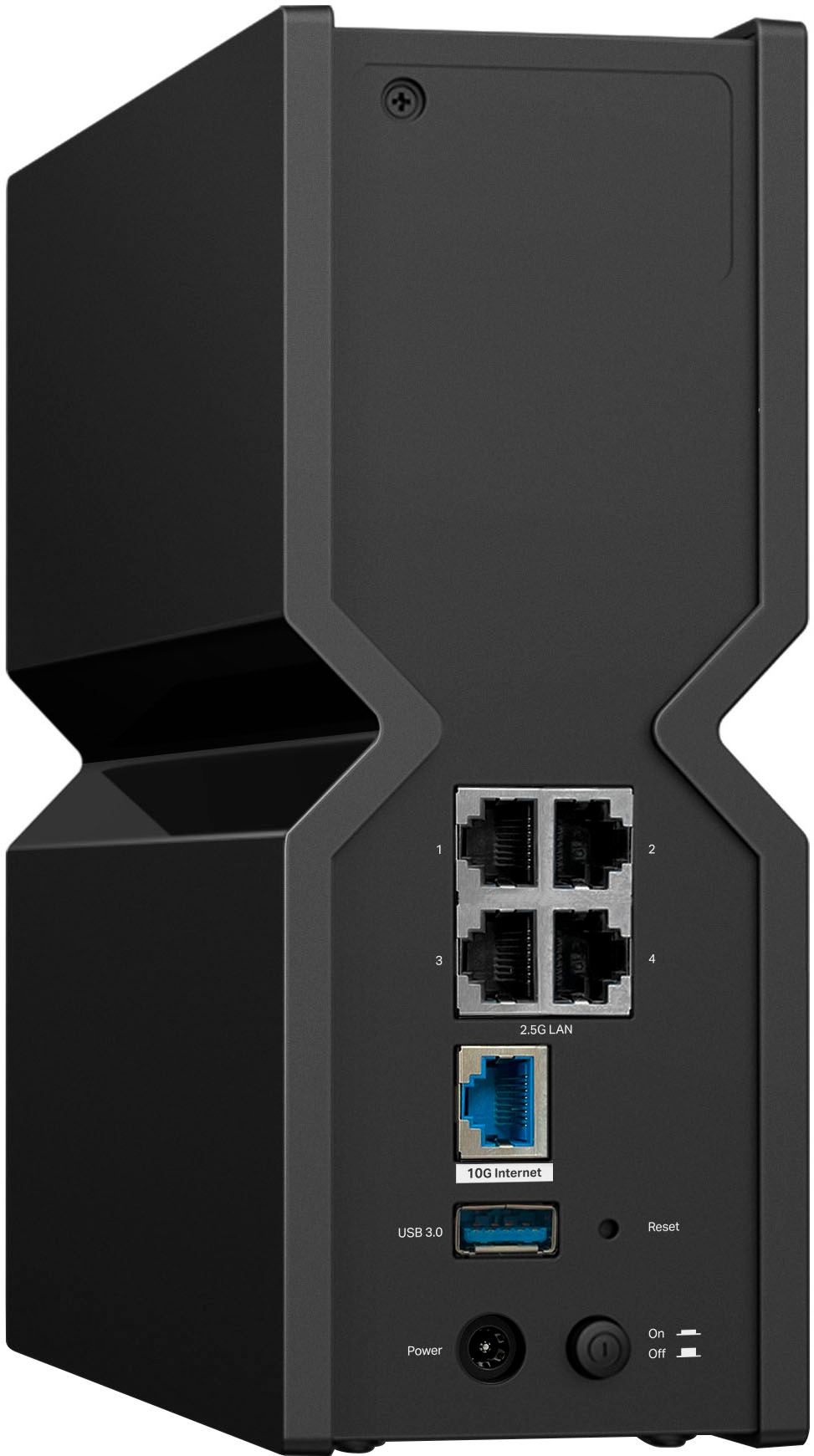
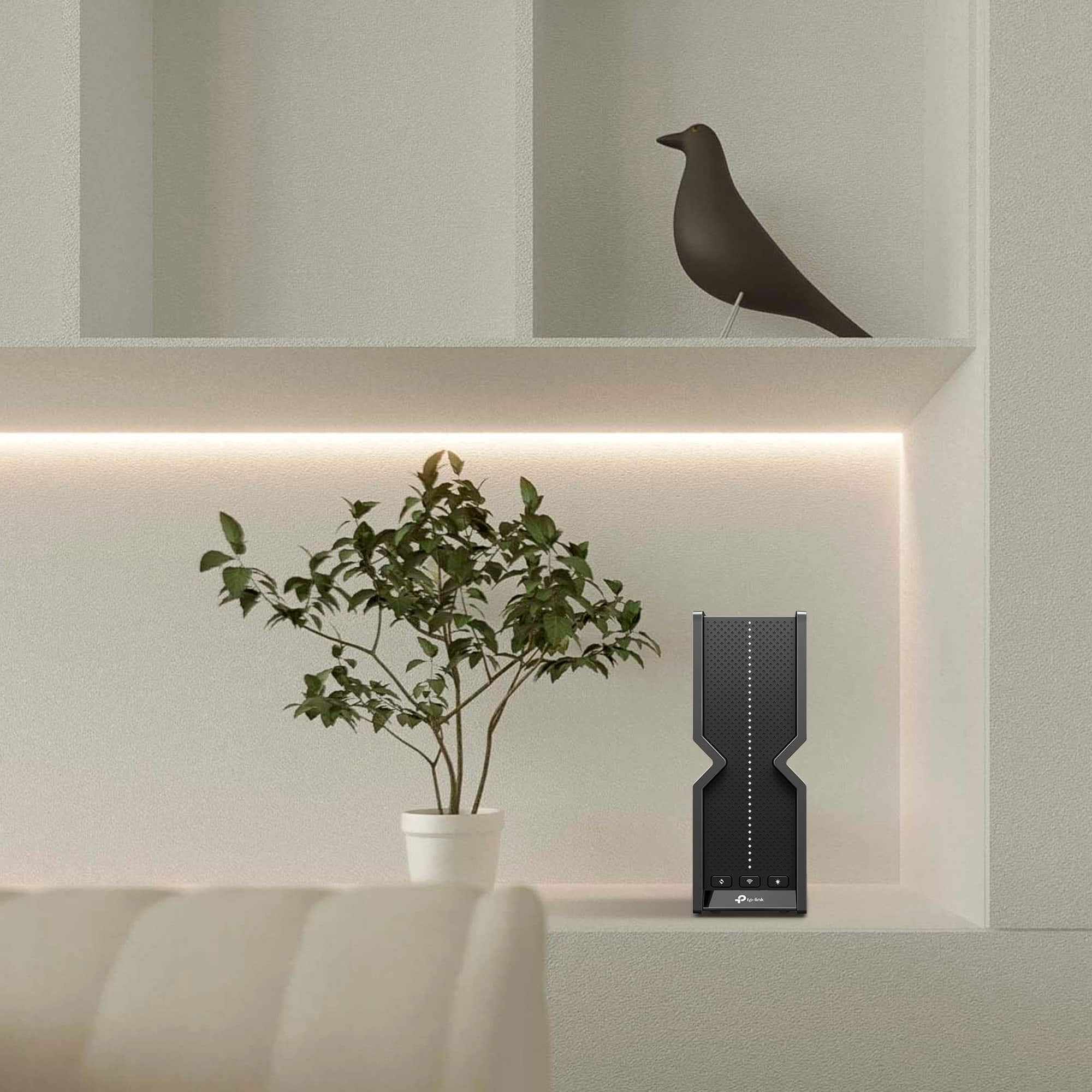
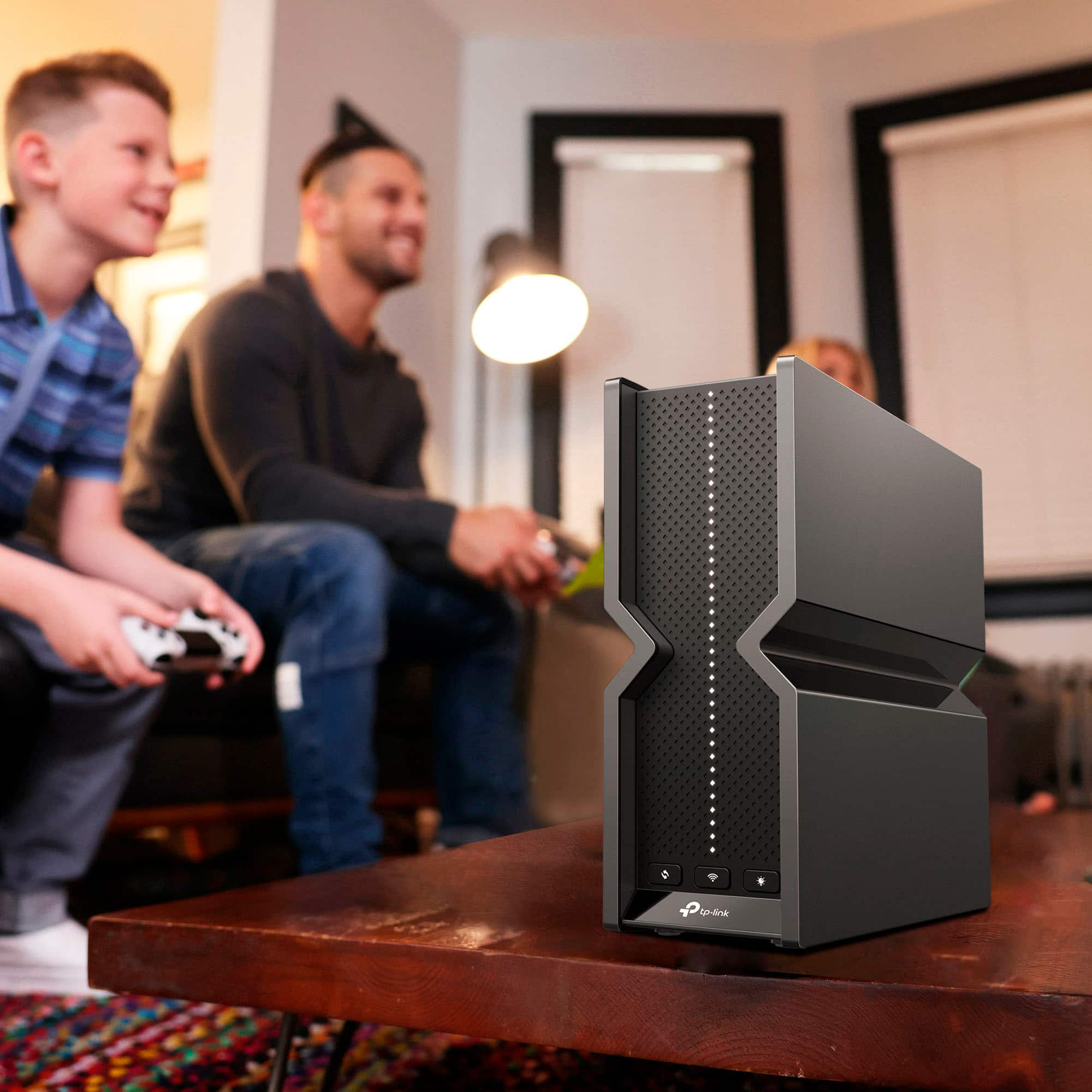
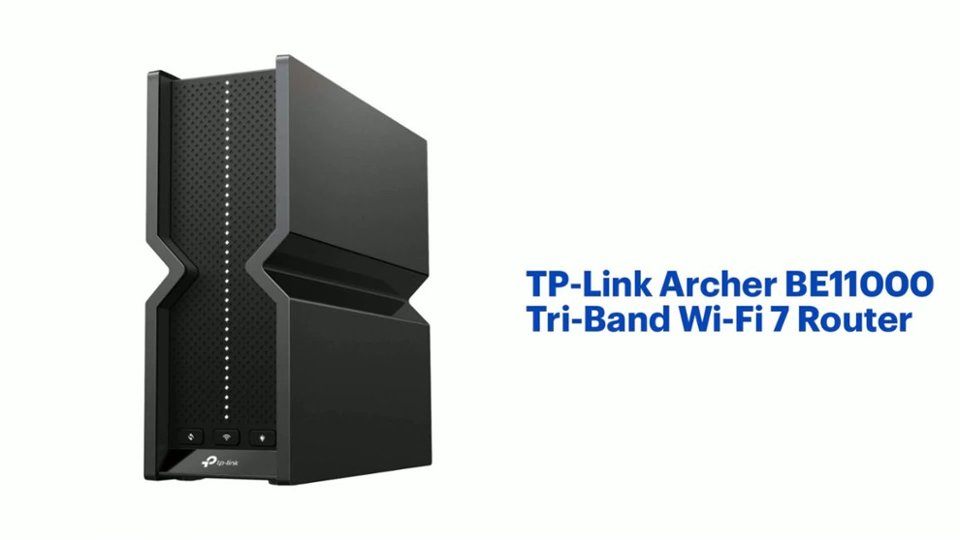
|Posted .This reviewer received promo considerations or sweepstakes entry for writing a review.The TP Link Archer BE11000 wireless router came with clear instructions on how to set it up and it took less than 15 minutes to get it online, including the firmware update that was needed. And the slim stand-up design is a major aesthetic improvement over my previous router as it takes up much less space. Be warned that the row of white LEDs on the front of it are very bright! Thankfully, they can be turned off using the physical button or through the TP-Link Tether app. I’m pleased to note that there has been an obvious increase in wireless signal range since installing. I have a large yard and a full basement that now has minimum signal loss and for now, no longer need the range extender I was using. The router is set up in the frontmost room of my brick house and the 4-room basement is concrete, wood, and drywall. The back of my yard and two of the basement rooms were mostly dead zones without an extender. As for speed, the router is fast, but there’s been no marked difference compared to my previous WiFi 6 router setup. There’s been no diminished quality or buffering issues when simultaneously streaming 4K videos on 3 TVs, playing an RPG on Xbox live in the basement, listening to music on SiriusXM on a tablet in the backyard, and participating in a Zoom meeting on a laptop. The router performed well on both 2.5GHz and 5GHz connections and is handling all of my smart devices without missing a beat. And though I can’t test its WiFi 7 performance yet, I can imagine that it is really going to be lightning fast! The four 2.5Gbps LAN ports are a plus because I prefer to have my video surveillance storage and smart lighting hubs wired. It also has a 10Gbps WAN port and a USB 3.0 port. And though I can’t test its WiFi 7 performance yet, I can imagine that it is really going to be lightning fast! The BE11000 is great to have to already be ready for future technology.
I would recommend this to a friend - Pros mentioned:Coverage, Setup
Fast, easy to configure, 4port 2.5G switch
|Posted .This reviewer received promo considerations or sweepstakes entry for writing a review.I'm a former network engineer in recovery, and my once enterprise-grade home network has gradually shifted into consumer gear over the last few years. I've been helped along this journey by some surprisingly great mesh systems from TP-Link Deco, and now I have my first TP-Link Archer router for review. I desparately needed to shift my Decos around to optimize coverage in my house and this Archer BE11000 Pro offered the perfect opportunity to move a Deco AP out of my AV closet and closer to the corner of my home, while improving 6ghz coverage in the central location. #TLDR: who is this for?# This is a fantastic router for someone with a small to medium size home with a multigig internet connection and multiple 2.5Gb devices. It's also got the option of great parental controls and easy configuration via an app while keeping a solid web interface available. The IoT network configuration is great if you have a lot of 'smart' devices that require 2.4ghz connectivity. #Unboxing and physical impressions# The unboxing experience was a little underwhelming for a pricey Wifi 7 device. I wouldn't say cheap by any stretch but it didn't give me "ultra high end" vibes. The router itself is a great design if you need to leave it somewhere visible in your home, and the long strip of tiny LEDs on the front are both really cool and informative while also able to easily disable by physical button or by app. #Setup# First, this thing is super easy to install in either AP mode or as a main router. You basically unbox it, install the TP Link Tether app, and you're up and going within minutes. In my case, I initially set it up as an AP only to test some features and interactivity with my Deco network before deciding to start over and change it into my main router. One nice thing that I found is that it was extremely easy to switch my Homeshield subscription for the Advanced Parental Controls over from my deco devices to this one. My final configuration is this: 1) 10G WAN port to my fiber gateway 2) 2.5G ports 1-2 to Deco BE16000s in AP mode (3rd Deco in wireless mesh only mode now) 3) 2.5G port 3 to my media server 4) 2.5G port 4 to my main 10G switch I did some initial tests with the 2.4 and 5ghz bands enabled in "Smart Connect" mode on the Archer before disabling those and leaving 6ghz enabled with a different SSID from my primary network. The Deco and Archer are not able to coordinate traffic due to different mesh systems (EasyMesh for the Archer and Deco are not directly compatible for fast roaming and seamless handoff). Configuration of almost everything can be done through the Tether app on mobile, although NAT Forwarding and DHCP settings require the web interface. You can easily disable wifi or modify parental controls from the app. The configurable IoT SSIDs in particular are fantastic for connecting legacy devices that don't play nice with shared 2.4/5ghz SSIDs. #Speeds# The speeds and coverage of the Archer BE11000 are -insane-. I have 2 gbit Fiber and the Archer's 6ghz band is nearly able to max that out _from_my_phone_ - and S22 Ultra isn't even a Wifi 7 device! I will attach a screenshot from my phone hitting 1.5gb down and 1.7 gb upload on 6ghz wifi. Absolutely shocking speeds. The coverage area is also so good that it turned out to be problematic for me. Even at "low" power (configurable via the web interface) I was able to stay connected to the Archer across most of my entire 1600 sq ft home. At high power, I could cover my entire home if I was willing to deal with lower speeds at the fringes of the range. Since my Deco mesh network affords me >1gbit wifi speeds in every room in the house, I opted to use only the 6ghz band on the Archer for now. Overall network speed is perhaps slightly faster with the BE11000 Pro as my router - my 2.5gb wired desktop was able to achieve 2Gbps downloads from Steam and Epic Game Store while my kids were watching a youtube video downstairs. #Nit-pick negatives# These negatives are REALLY nitpicky so keep that in mind. I think this is one of the best products I've reviewed since I've been in the TIN. 1. Seems like a miss for Deco and EasyMesh to not be cross-compatible. This product works better for me than adding an additional Deco AP to my home in several ways (4+1 ports vs 3+1 on my Decos for example) but I'm not able to fully utilize it since I can't add it as a node to the Deco system (or vice versa). I get it, but come on they share the same power adapter and I bet the mainboards and OS builds are very similar. ----as a sub-point to #1 - I wish either the Deco or Archer/Tether apps had import/export capabilities for their configurations. It would be super handy for exporting my NAT forwarding rules and static DHCP assignments, for example. Even just to create a backup in case of hardware failure. Please consider this TP-Link! 2. DHCP configuration is possible in the Deco app, but on the Archer you have to use the web interface. Kinda weird. 3. I'm not sure why the Guest and IoT network configuration doesn't offer a separate subnet. Client isolation is easy to enable for guests and IoT but I wish I could configure additional subnets for the IoT and Guest networks like they are truly different VLANs.
I would recommend this to a friend - Cons mentioned:Connectivity
Keeps Dropping Devices Randomly
||Posted . Owned for 2 weeks when reviewed.This reviewer received promo considerations or sweepstakes entry for writing a review.NOT GOOD! I purchased this device thinking it would work perfectly for my setup. I have Spectrum 1gb internet. After getting everything setup I kept noticing several devices would randomly drop offline then back online or there were some that I would have to manually reconnect back to the network multiple times. I went through several troubleshooting steps, but with no luck on resolving the issue. I only had around 50 WiFi devices connected, mostly 2.4g smart home devices. After a week of trying to correct the issue I gave up and reinstalled my Eero 6E Pro system and returned this item. Would not recommend.
No, I would not recommend this to a friendBrand response from TPLinkSupport
Posted .Hello Brian,
Sorry for the delay in a response the previous reply appears to not have posted. We are sorry to hear that you had a negative experience and had to return the product. If you can we would like you to contact support as ussupportteam@tp-link.com so we can get details into your experience. This way we can feed it back to the development team to future improvements.
Thank you
TP-Link Systems Technical Support.
- Pros mentioned:Coverage, Performance, Setup
Newest, Fastest and Great look.
|Posted .This reviewer received promo considerations or sweepstakes entry for writing a review.The TP-Link Archer BE11000 Pro right out of the box, it looks impressive and stylish and yes, we got it because it offers what we want and need, performance and speed, let me explain: It is convenient to have a smart home, from the refrigerator, range, soundbars, TV's, door locks, blinds, lights and much more. And on top of that we have multiple demanding devices, they all need the best router to keep up and do the job flawlessly and this router meets and exceeds our needs. The Speed and Performance of the Archer BE11000 Pro is phenomenal, the tri-band router that operates across three frequency bands: 6 GHz, 5 GHz, and 2.4 GHz at 11Gbps. With a range up to 2200 square feet is plenty, and it has six antennas to offer this coverage. Its total throughput can reach up to 11 Gbps, making it one of the fastest routers available. It is important for me to have this speed to stream 4K videos, gaming, uploading videos or handling all these things at the same time, and it does all this with a smooth performance. As for the Multi-Link Operation or (MLO) it allows the Archer BE11000 Pro to use all three bands concurrently. So, it means better load balancing and reduced congestion. Video conferencing or gaming is flawless with this router. I like the cooling design, it dissipates heat efficiently, and this is helpful to maintain great and stable performance even while testing it to its max capacity for a long time. I am not concern that it will overheat. This router covers our home and if at any time I need to cover more area I can setup a mesh system easily because it is ready for it, and at this point I do not need an extender or anything alike. It is an easy setup using the tether app that walked me every step of the way. I Can setup parental controls as well as Quality of Service (QoS) and I also appreciate the intuitive web interface. And I can also have control of my home from anywhere and at any time. I also like that it has one 10G WAN port and four 2.5G LAN ports so I can wire connect if needed. Overall, it is an amazing upgrade from my mesh 6e to this stand-alone 7, it performs amazingly even with heavy loads, it is reliable and has great looks. Finally, it brings home security with HolmeShield and it is compatible with Alexa and Google Assistant.
I would recommend this to a friend It was a good router. 2.4ghz network unstable.
||Posted . Owned for 3 weeks when reviewed.This reviewer received promo considerations or sweepstakes entry for writing a review.This router has been good so far. But the last few days the 2.4ghz network is unstable and so slow it's causing all my Google cameras to not load video. I have 1GB Internet speed through spectrum and the 5ghz network works perfect but I'm not sure what's wrong with the 2.4ghz network. I might have to return this router unfortunately. I really liked it. I made sure the software is up to date and rebooted the router and modem just in case. Still having the issue.
No, I would not recommend this to a friendBrand response from TPLinkSupport
Posted .Hi,
Thank you for your review. Generally speaking, the 2.4GHz Wi-Fi spectrum is more congested and susceptible to interference. If a new 2.4GHz broadcasting device (e.g., new neighbors, or existing neighbors/devices changed 2.4GHz channels or transmit power recently) is congesting the band, this could potentially contribute to your experience.
In your case, we would first recommend ensuring the router's firmware is fully up to date. Additionally, changing or optimizing the router's 2.4GHz Wi-Fi Channel settings may also help mitigate the symptoms you're encountering.
Our support team is always happy to help answer any questions you may have about our products. Please feel free to reach out using any of the resources included with the product, or from our official website, and we'll gladly have a Support Agent follow up with you directly.
Thank you,
TP-Link Support
- Pros mentioned:Performance
Plenty of bandwidth for now and the future.
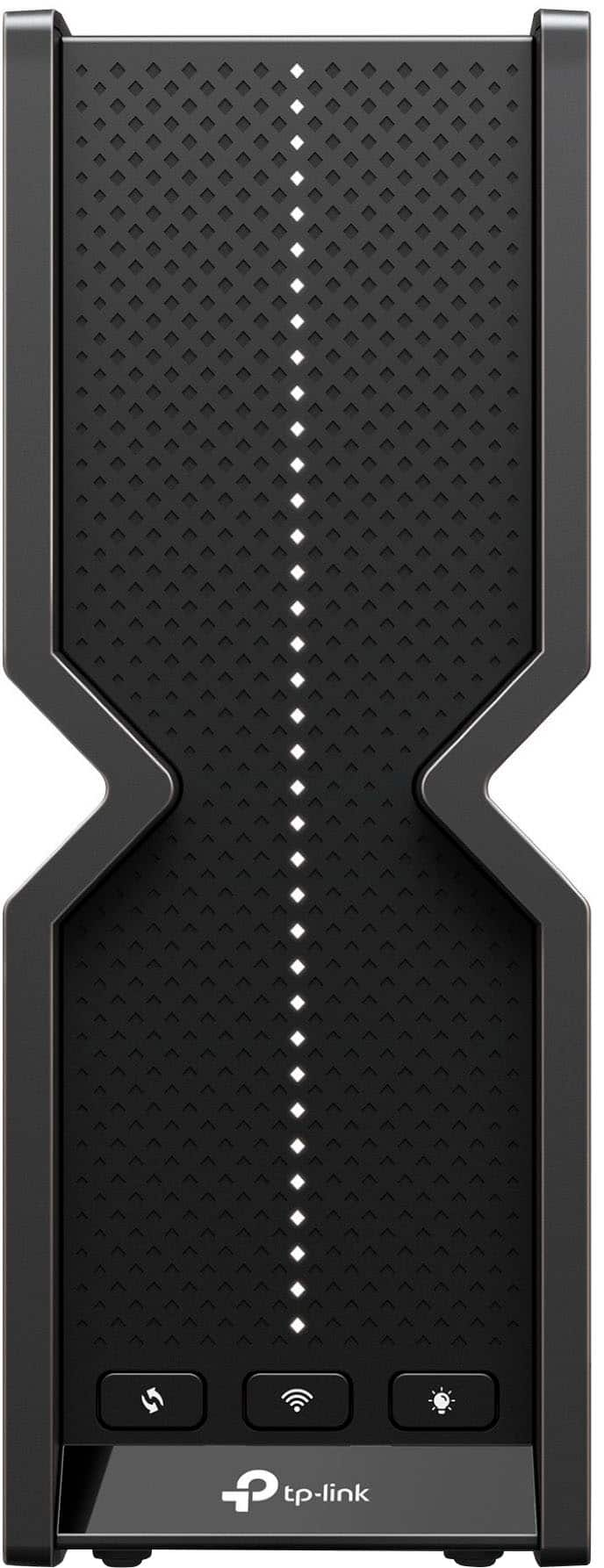
|Posted .This reviewer received promo considerations or sweepstakes entry for writing a review.Finally, someone is getting serious about making home and SOHO networks faster. The routers that have been around for a while now have long had gigabit WAN and LAN connections, but now that the routers’ wireless throughput approaches or exceeds 2.5Gb, the GigE ports need to be done away with. I sometimes wonder how many people are paying for Gig+ speeds for their internet connection but have a gigabit WAN port. Yick. Wi-Fi 7 (802.11be) has been right on the horizon now for a couple of years, and as far as I can tell, the standard has just been finalized at the beginning of this year. This router appears to support the majority of new Wi-Fi 7 functions, but I was not able to verify all functionality due to limited hardware on hand. This router is not yet showing as certified by the Wi-Fi Alliance site, but TP-Link has been building Wi-Fi 7 routers for a while, so I think these will be showing up as certified shortly. The Deco mesh system with the same speed rating just posted a few days ago. I’m on a Wi-Fi 6 mesh system right now. If you do not have Wi-Fi 7 capable devices yet, this router will work great with the devices you have, but the advanced new features of Wi-Fi 7 will not be available until your computer/phone/tablet etc. has a Wi-Fi 7 radio in it. It is worth it to go ahead and go for Wi-Fi 7 if it’s in your price range, as most new devices coming out from here on should have the necessary hardware. Packaging is signature TP-Link, good packing, too much air space, but I assume the box needs to be a certain size for retail shelves. I was happy with the cardboard box, paper/cardboard fitted compartments, all nice. There is the obligatory cellophane wrapper – stop it, nobody cares. There is a non-recyclable plastic bag on the router, and one on the adapter. I know there are paper solutions because I just opened a very similar package from another major tech company and as I unpacked everything in the box, even the cord wraps were paper, the entire package was paper and could be dropped straight into the recycle bin. For companies that build e-waste, it seems a small ask to stop it with the plastic packing. This can be done now, there’s no more excuse. A fancy, branded paper towel is better than more plastic! I didn’t take the time to check out the actual dimensions on the product page and had assumed this router would be a giant monolith. I am pleasantly surprised now- the router is smaller than you would think by looking at pictures and the last generation’s “bigger is better” sort of mass of stylized plastic antennae. There are no exposed external antennae on this router, which is refreshing. Also refreshing is the all-black color and the lack of giant branding, either embossed in the plastic case or printed. There are two small silver TP-Link logos, one on the left side and one on the front, but neither is going to make this box as tacky as a lot of them out there. Very classy. You could have this router in plain sight with the LEDs turned off and it would blend right in. They’ve finally gotten rid of the horizontal row of randomly blinking lights and came up with a thin solid white line of LEDs lit solid when the router is working correctly, and the internet is connected. The light strip can indicate problems with the router, or show it is busy during a firmware update. One great feature is the ability to schedule the LEDs to turn off whenever you’d like, so if it’s in your bedroom, you can have it turn off the lights every night and turn them back on whenever you schedule. The back of the router has a 10Gbps WAN (internet) port, so folks with fiber ethernet connections can just connect directly and have amazing headroom as internet speeds increase. There are 4 2.5Gbps ports for your LAN connections. If you need more ports or have a bunch of gigabit devices, you can just put a cheap gig switch on one of the ports to connect them. The router does not support link aggregation (LAG or LACP combining of multiple ports for one connection), but with ports at this speed, you’ll be alright. If you must have more and faster ports, you can step up to one of the models with the SFP and switchable 10Gbps Ethernet port. After connecting the 10Gbps (!) WAN port to the port on my router, which has just a measly 2.5Gbps port, I was online in no time using the TP-Link app on my iPhone. To test it, I just named the network the same name and used the same password as my previous network. None of my devices have had any issues connecting to the router regardless of the Wi-Fi chip in the device. All my IoT devices that require 2.4GHz (and were in range) connected with no problem within 2 hours with no intervention on my part. The other ports on the back are 4 LAN ports that can run up to 2.5Gbps and a USB 3.2 10Gbps port for adding a USB hard drive on the network. The port is USB 3.2 10Gbps, and it will read and transmit files at the full speed of the interface, very good compared to many routers’ built-in file sharing abilities. The network share can also act as a Time Machine for Mac backups. You can set up USB file sharing as an open directory accessible to everyone, or you can add a login requirement for users to access files with the Secure Sharing feature. The app is easy to use, I did not spend a lot of time with it as I prefer to access the router directly via the web interface, which is well organized and fairly easy to navigate, I didn’t have any trouble accessing any features. The same goes for the parental controls and “HomeShield” features, I don't have any use for them any more. The range of the wireless signal was nearly identical to my older Wi-Fi 6 (802.11ax) router on 2.4GHz and 5GHz when placed in the same position as my previous router. The 6GHz band has a short range in my house, shorter than the 5GHz band, it does not go through the middle wall in the house where there is a lot of brick. Physics! The 5GHz radio barely makes it through, so while Wi-Fi 7 has lots of cool features, breaking those laws of physics is not one of them. I will note, however, that the range being so close to that of a router with 4 ugly 6-inch antennae sticking out of it is nice. I would not want this older router out in the house where it can be seen, but the TP-Link is so stealth you would barely notice it. There are three buttons on the front of the router, from left to right- 1. WPS button, which you can use to pair wireless devices with the router quickly without a password- 2. Wireless button, you press and hold this for a couple of seconds and all the Wi-Fi radios shut off, a great feature I wish every Wi-Fi router came with- 3. LED button, you can press this one to turn off the LED strip on the front of the router to keep it from drawing any more attention than necessary or if it’s in a sleeping area, this is nice, as the LEDs can be rather bright in a dark room. My Wi-Fi 7 equipped Surface Laptop 7 with the Qualcomm “Fastconnect 7800 Mobile Connectivity System”, maintains a symmetrical 5764/5764 link on the 6GHz radio at a 5ft range with line of sight. My Intel AX200 equipped desktop connects at its maximum speed on the 5Ghz network at the same range @2402/2402 (maximum speed for that card). One new feature I was able to try out is called Multi Link Operation, or MLO; this allows a Wi-Fi 7 equipped device (not many out yet) to use multiple bands on the same router to maximize throughput. This is available as long as you’re close enough to leverage the 5 or 6 GHz radios, which have limited ability to penetrate surfaces, walls, or floors. With MLO active on my Surface Laptop, it connected to the 2.4 and 6GHz networks simultaneously showing an indicated link connection speed of 6453/6453 @ 5 feet line of sight. I am confident this is the maximum link speed I’m able to get with this wireless connection. Amazing speed, great for desktop systems or devices that are in fixed positions – assuming they can catch two frequencies and make a good connection. This dual band connection is easily bogged down by other Wi-Fi networks in range, and if I turn on my older Wi-Fi system, the MLO connection will peak at 2880/2880 even with two frequencies showing connected. Just a few books on the shelf next to the router caused a significant reduction in the 6 GHz reception on my Wi-Fi 7 laptop (shocker). The limited ability to penetrate objects and walls of 5 and 6GHz signals will not make MLO any faster once you’re on the fringes of the higher band’s reception range, and it appears it can cause a lower connection speed when vying for shared spectrum. This type of connection would be best done with a mesh network in anything other than an apartment or small townhouse. Putting the router higher up, getting it centered in your space, and keeping electronics or appliances away from it will maximize your range, speed, and likelihood of being able to take advantage of MLO. Overall, this is a very high quality, great value router, and with the mesh expansion options, will serve big bandwidth needs for years to come. I would recommend this router without reservation. *Wi-Fi testing was done with an iPhone 12 Pro with Wi-Fi 6, Desktop with Intel AX200 Wi-Fi 6, an Alienware laptop with Wi-Fi 6E (adds 6Ghz band), and the new Microsoft Surface Laptop with Wi-Fi 7 chip*
I would recommend this to a friend