Customer Ratings & Reviews
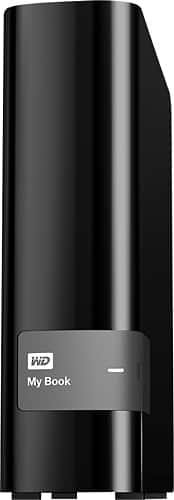
- Model:
- WDBFJK0040HBK-NESN
- |
- SKU:
- 1766068
Customer reviews
Rating 4.7 out of 5 stars with 2618 reviews
(2,618 customer reviews)Rating by feature
- Ease of Use4.9
Rating 4.9 out of 5 stars
Customers are saying
Customers praise the My Book 4TB External USB 3.0 Hard Drive for its large storage capacity, ease of use, and reliability. The fast USB 3.0 interface and quiet operation are also frequently cited as positive aspects. While some users found the included software less than intuitive, the overall experience is overwhelmingly positive due to the drive's performance and value. The drive's size and price point are also frequently mentioned as positive attributes.
This summary was generated by AI based on customer reviews.
- Pros mentioned:Capacity, Storage
Rated 4 out of 5 stars
Great Price, Plenty of Storage, But Very Delicate
||Posted .This reviewer received promo considerations or sweepstakes entry for writing a review.This is by far the best external hard-drive for Xbox One for the price. The amount of storage for the price paid is amazing. Setting it up to be the external hard-drive for Xbox One was very easy. The only reason this product didn't receive 5 stars is because its delicate. A small fall, or drop, will cause the product not to work properly. Even with that problem it's worth it. Purchase the Warranty, and take precautions so that nothing can cause the device any harm. I purchased some Velcro, and enough to where it would take a lot to move the device. I also placed it, in it's own spot in my entertainment center, where it has enough room for the fans to keep it cool, but tight enough to keep it safe on top of having Velcro keep it in place, and for anybody out there trying to find a better deal, your not going to find it. There is one product that is $10.00 - $15.00 dollars more, and it has 5TB instead of 4TB. The Seagate 5TB Back-Up External Hard-Drive. Before you purchase that product, I'm just alerting you, if your planning on using it for Xbox One, It is not compatible. Xbox themselves stated that product was not compatible. As for using it for anything else, I can't say anything. But this product I can firmly say does the job for xbox one external storage, as well as external storage for computers and laptops. I purchased 2. I'm using one for my laptop & the other one for my Xbox One.
I would recommend this to a friend - Pros mentioned:Storage
Rated 5 out of 5 stars
XBOX ONE storage savior!
||Posted .This reviewer received promo considerations or sweepstakes entry for writing a review.Like at least half the reviews here (which were vastly helpful for me in my purchasing decision) I invested in this external hard drive to store these massive XBOX ONE games onto. I own the Call of Duty 1TB Limited Edition and it by no means enough space for but so many titles. I always disliked having to always decide what games to delete and which to keep. That is no longer a issue with Western Digital's 4TB HD. I first heard about it from IGN.com as there #1 recommended external HD for X1. The USB 3.0 has Lightning fast transfer speeds from internal to external. I moved everything over except for the Apps & COD AW. All you do is plug in the USB 3.0, go to Settings, System, then Storage. Click on Manage Storage. Then you will be asked do you want to format the external HD? Select Yes. Once this is completed you can go back to the dashboard home screen and click on "My games & apps" where you can do all the transferring to your hearts desire. This is a item I would highly recommend to ALL X1 owners because as time continues these games files will get larger & larger. Example: Halo MCC w/ ODST is 62.7 GB! GTA V is 60.7 GB! COD:AW is 48.5 GB... without Season Pass DLC! See where this is going? Lol. I attached a couple photos to show the console beside to WD hard drive to show it's not a eye sore or create clutter. It fits in perfectly and very compact attractive simple design. It does come with a AC Adapter which is good in my opinion. Less strain on your console.
I would recommend this to a friend - Pros mentioned:Ease of use, Storage
Rated 5 out of 5 stars
Lots of memory for less
||Posted .This reviewer received promo considerations or sweepstakes entry for writing a review.Glad I caught this on sale. Now my Xbox One has tons of memory and it was so easy to install. Great product
I would recommend this to a friend - Pros mentioned:Ease of use
Rated 5 out of 5 stars
Great option for xbox one
||Posted .This reviewer received promo considerations or sweepstakes entry for writing a review.I bought this external hard drive to extend the storage of my 500gb xbox one, it was super easy to setup and quite a relief because my xbox one drive was close to be full, I just plugged in and the console told me the step by step process, was very easy, now I have a lot of space to download all the digital games I own, the unit runs smooth with no lag while playing, at 1 month of use I have no complaints, super recommended
I would recommend this to a friend - Cons mentioned:Heat
Rated 4 out of 5 stars
Quiet, Good software package.
||Posted .This reviewer received promo considerations or sweepstakes entry for writing a review.I have been using this drive as a backup drive (Windows 10 File History) for almost a month without issue. In my opinion the software (if you are someone will use it) is better than Seagate. This drive is also quiet. What I don't like is that this drive is not designed to be placed horizontally (on its side). This is probably for ventilation reasons as heat will have a harder time escaping on its side. Even when I placed it vertically (standing up), the drive got pretty warm while in operation (upwards of 110-115 degrees F). Sure there are debates that this type of heat won't lead to premature failure. I will leave that up to you. I am just stating what I observe. I really wanted to put this drive on its side so I attached my own rubber feet to the side to elevate it off my desk which reduces vibration sounds and increases ventilation under the unit. I also bought a small USB fan that I use to cool the device. The fan is probably a little overkill, so feel free to do what you want with your drive.
I would recommend this to a friend - Pros mentioned:Reliability
Rated 5 out of 5 stars
great product and stellar performance
||Posted .This reviewer received promo considerations or sweepstakes entry for writing a review.Awesome performance and unmatched reliability that western digital is known for
I would recommend this to a friend Rated 5 out of 5 stars
Great option for a backup disk
||Posted .This reviewer received promo considerations or sweepstakes entry for writing a review.Western Digital's My Book 4TB External USB 3.0 Hard Drive was easy to set up and connect. So far it has performed flawlessly as my primary backup disk for my MacBook Pro laptop.
I would recommend this to a friend- Pros mentioned:Storage, Usb
Rated 5 out of 5 stars
Excellent Backup Drive
||Posted .This reviewer received promo considerations or sweepstakes entry for writing a review.4 TB of convenient, basic storage at a reasonably economical price! USB 3.0 is fast, and transferring data to this drive compared to an older USB 2.0 external is a dramatic improvement! The unit is compact and stable. The included software is functional and thus far has worked well; in fact, the backup software works nicely. I have used several external backup drives through the years, and have had good results with the WD units in the past.
I would recommend this to a friend - Pros mentioned:Reliability, Storage, Usb
Rated 5 out of 5 stars
Excellent Product
||Posted .This reviewer received promo considerations or sweepstakes entry for writing a review.If you're in the market to purchase an external hard drive, this is definitely the way to go. This particular hard drive works especially well for Xbox One units. As soon as I plugged it in, Xbox One immediately recognized it and asked whether I wanted to format it for games and apps. I purchased a different hard drive for my Xbox One unit prior to this one and that hard drive was not recognized by my Xbox One for gaming and apps at all, even though it met all of the requirements. This is a great product!
I would recommend this to a friend - Pros mentioned:Ease of use, Storage
Rated 5 out of 5 stars
Reliable storage and good performance
||Posted .This reviewer received promo considerations or sweepstakes entry for writing a review.I've been using my 4TB My Book external as both backup and storage on my Windows 7 PC for a year and a half now. There were no issues setting it up, WD's software found no problems at all with the drive before I set it up, and have found no problems since. I have partitioned my drive into one backup drive that is the same size as my PC's hard drive, and a storage partition that I use to hold video game recordings and copys of photos and videos. The backup function works perfectly, it's almost unnoticeable. This drive also reads and writes surprisingly fast. For the price this drive is pretty hard to beat when you need some storage and/or backup for the large media files we tend to have a lot of now. Just be sure to use the tools WD offers to check the hard drive for any issues such as bad sectors, shipping can be hard on drives and occasionally they get damaged, sometimes they fail out of the box and sometimes they last a short time before dying. You should always make sure a drive is healthy before you start using it and end up losing data!
I would recommend this to a friend - Pros mentioned:Ease of use, Reliability, Storage
Rated 5 out of 5 stars
Good Price, Great Quality, User Friendly
||Posted .This reviewer received promo considerations or sweepstakes entry for writing a review.I have used the WD Passport drives in the past but couldn't pass up this My Book Drive with 4TB of storage at a very reasonable price. Installation was a breeze, setting up an auto back-up was effortless, and sharing the drive on my home network was simple. I have only had the drive a short time but it is performing as expected thus far. Looks to be another quality product from WD.
I would recommend this to a friend - Pros mentioned:Capacity, Storage
Rated 5 out of 5 stars
Great Memory
||Posted .This reviewer received promo considerations or sweepstakes entry for writing a review.The memory on this product is exceptional. The size of it allows me to place it almost anywhere on my work desk, still leaving me with plenty of space. I love the fact that I can download all of my stuff onto it while keeping my laptop free from documents that could slow it down.
I would recommend this to a friend - Pros mentioned:Reliability, Storage
Rated 4 out of 5 stars
Nice, fast external storage
||Posted .This reviewer received promo considerations or sweepstakes entry for writing a review.This is my 4th external HD by Western Digital; my first 4TB drive. I previously purchased a Seagate 3TB external HD, which worked well until one day is just stopped. System suddenly wouldn't recognize it. Hard disk crash! Tried several fixes, even tried replacing the circuit board - nothing worked. Data recovery would cost me almost $2,000 (no kidding), so I'll have to start rebuilding my data from scratch. I have had WD external HDs fail before, but it turned out it was the interface, not the disks themselves. I removed the HD from its enclosure, hooked it up to an EZ-Connect, and data recovery was simple. Not so with the Seagate. So, Lesson-Learned: Stay with Western Digital.
I would recommend this to a friend - Pros mentioned:Ease of use, Storage
Rated 5 out of 5 stars
Better than expected
||Posted .This reviewer received promo considerations or sweepstakes entry for writing a review.I originally purchased the usb personal cloud that was on sale. I'm so glad I returned it and purchased the my cloud ethernet version. It functions exactly as promised unlike the USB version it seamlessly integrates on my iPhone.i'm able to send pictures right after I take them directly to my cloud. Right now I'm using it as an off-site hard drive from my iPhone so that I can view PDF files and read them when I'm on the road. I can view them anytime I want Or edit them on my computer or my phone. It was extremely easy to set up I plugged into my router and loaded the software immediately and saw it as my cloud I'm very impressed. The only disadvantage to the ethernet version compared to that USB version is that it has to be connected to your router. The USB version can connect directly to your computer or even your Xbox one or in my case my dish hard drive.I didn't find the USB features to be as advantageous as offloading all of my pictures from any phone and freeing up space on my tablet
I would recommend this to a friend - Pros mentioned:Capacity, Ease of use, Storage
Rated 5 out of 5 stars
Great External Hard Drive and easy to use!
||Posted .This reviewer received promo considerations or sweepstakes entry for writing a review.Great product! Exactly what I was looking for to store pictures, emails and information. By using this external hard drive I can free up lots of space on my computer. Very easy to hook up and use.
I would recommend this to a friend - Pros mentioned:Ease of use, Reliability, Storage
Rated 5 out of 5 stars
Just what I was looking for
||Posted .This reviewer received promo considerations or sweepstakes entry for writing a review.The drive sets up simply. There is an Apps setup file on the disk for Windows or Mac. The performance is smooth and you can't beat the capacity. Very happy so far with limited time of possession. No negatives to speak of. I would definitely buy this drive again.
I would recommend this to a friend - Pros mentioned:Capacity, Reliability, Storage
Rated 5 out of 5 stars
Great for Xbox One
||Posted .This reviewer received promo considerations or sweepstakes entry for writing a review.I got this to add storage to my Xbox One. I've had it a little over a month now, it has been flawless. I made it my primary drive on the Xbox and I don't think I've filled 5% of it yet. I look forward to a long time of fast dependable storage.
I would recommend this to a friend - Pros mentioned:Reliability, Storage
Rated 5 out of 5 stars
Excelent for Gaming
||Posted .This reviewer received promo considerations or sweepstakes entry for writing a review.I bought this hard drive with recommendations from CNET for additional storage for my Xbox One. With a small quick setup in the settings I went from using 95% of my 500gb hard drive on the Xbox One to having only used 8% total with extra drive. I was able to reinstall all the games that I had to delete in order to download new games. Performance wise, you would never notice that you are using an external hard drive when you access games, videos and other apps from it. I have not done any benchmark testing on it but I would say that it might even run faster then the Xbox One hard drive. Highly recommend to anyone seeking extra storage on an Xbox One.
I would recommend this to a friend - Pros mentioned:UsbCons mentioned:Software
Rated 4 out of 5 stars
Great Hardware, Software needs a little work
||Posted .This reviewer received promo considerations or sweepstakes entry for writing a review.I picked this up in order to perform automated backups on a desktop (specifically a Mac Mini). I also had picked one up for use on the PC side, and for similar reasons. Let's start off saying that WD hardware is always first-rate, and the MyBook is no exception. Even though the case is plastic, it has a good fit and finish as well as solid feel. The port types available to use the drive are also good, with a speedy USB 3.0 port as the main attraction. What is interesting to note about external HD"s made by HD manufacturers like WD: It's actually cheaper to buy the MyBook than to build your own external enclosure. Also the warranty tends to be better as well. It really is a nice deal. Now the bad: The software works well enough, but on the Apple side, you would better off using Time Machine. It just isn't worth the hassle. Also on the PC side, the software works alright, but I find that it tends to have a big footprint and may be more of a handicap when it comes to more experienced users that wish to have a backup application that allows you to go under the hood. Other than the above small quip, a good buy.
I would recommend this to a friend - Pros mentioned:Capacity, Ease of use, Storage
Rated 5 out of 5 stars
Easy installation, lots of storage
||Posted .This reviewer received promo considerations or sweepstakes entry for writing a review.Truly lives up to "plug and play", easy setup of accompanying backup software and you're on your way to on-going file backup safety and lots of great storage
I would recommend this to a friend