Customer Ratings & Reviews

- Model:
- WEB803800V164
- SKU:
- 6521830
Rating by feature
- Value
Rating 4.7 out of 5 stars
- Quality
Rating 4.6 out of 5 stars
- Ease of Use
Rating 4.6 out of 5 stars
Customers are saying
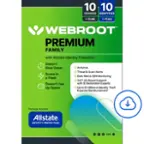
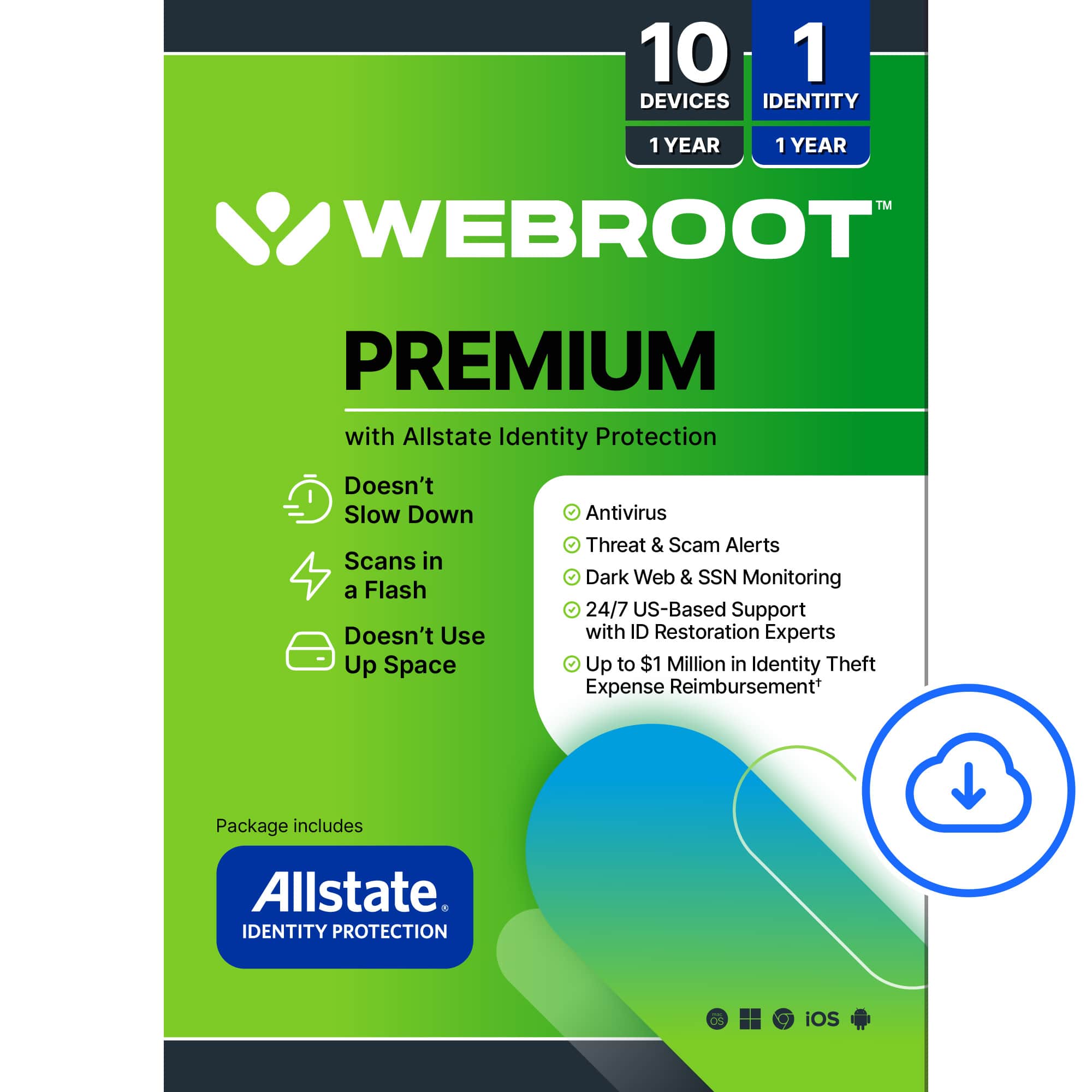
Customers are enthusiastic about the Premium Antivirus Protection's overall performance and ease of use, highlighting its dependability and strong security features. Many appreciate the identity protection provided by Allstate and find the installation process straightforward. Some customers have expressed concerns regarding the absence of a firewall and the outdated feel of the user interface.
This summary was generated by AI based on customer reviews.
Antivirus protection
||Posted . Owned for 3 weeks when reviewed.This reviewer received promo considerations or sweepstakes entry for writing a review.Great Antivirus protection very important to have.
I would recommend this to a friendWebroot
||Posted . Owned for 2 months when reviewed.This reviewer received promo considerations or sweepstakes entry for writing a review.I will always use this virus with all my 4 computers
I would recommend this to a friend10 devices
||Posted . Owned for 1 week when reviewed.This reviewer received promo considerations or sweepstakes entry for writing a review.I dont know how to review this product. I purchased based on how many devices i can use and so my expired webroot stops alerting me to renew.
I would recommend this to a friendWebroot
||Posted . Owned for 1 week when reviewed.This reviewer received promo considerations or sweepstakes entry for writing a review.Virus protection good but the internet safety part slowed internet speed and little else. Customer support was totally automated with no chance of talking to a human.
I would recommend this to a friendRetiree
||Posted . Owned for 2 weeks when reviewed.This reviewer received promo considerations or sweepstakes entry for writing a review.A little more complicated than we thought when adding coverage to our iphones.
I would recommend this to a friendWebroot
||Posted . Owned for 1 week when reviewed.This reviewer received promo considerations or sweepstakes entry for writing a review.Very pleased. I had not heard of this before but the representative was very helpful in selecting!
I would recommend this to a friendMy Webroot
||Posted . Owned for 1 week when reviewed.This reviewer received promo considerations or sweepstakes entry for writing a review.Webroot is the best defender software for the PC and Mac.
I would recommend this to a friendnot best buys fault but im venting
||Posted . Owned for 1 week when reviewed.This reviewer received promo considerations or sweepstakes entry for writing a review.havent installed it yet. still got a month on old software. i hate that webroot no longer puts a pysical disc in the box. then they went with a paper with the code. now codes are on receipts. i hate that. might look into another antivirus next time
No, I would not recommend this to a friend- Pros mentioned:Identity protection, Overall performance

Light on system, everything else is messy.
|Posted .This reviewer received promo considerations or sweepstakes entry for writing a review.Pro: -Light on the system -Operates silently in the background Con: -Outdated UI -All features needs different accounts In summary, the antivirus part is good. It’s light on the system and operates stealthily in the background. I don’t even notice it running most of the time. There’s no constant pop ups for updates, promotions, or installing add ons. However, that’s all I can praise it for. The user experience is worse than other security suites I’ve used, and I’ve used plenty. The UI is outdated and not clearly explained, but it works. The components are all separated and they all are operated by different accounts, which just makes it confusing to use. The PC Security part of the suite offers the protective features you would expect from a security suite. The UI is dated, like a webpage from the early 2000’s, and is small on a 4K monitor. It takes more steps to navigate and trying to do some things is a bit confusing. It’s tabs within multiple menus. For instance, to allow a process for the firewall, you have to manually choose a file (process) under the Allow/Block files tab in the Security menu, rather than having a list of blocked processes or allow/block programs. The Backup feature was confusing and didn’t recognize my subscription. You either need to sign in with Webroot Backup and Sync or through a Carbonite account. Mine was a Carbonite account when I installed Webroot, so it directed me to download the Carbonite Backup app. It gave me a 15 day trial even though it’s supposed to be included with my premium subscription. The Identity Protection is handled by Allstate, which again is its own account and login. After registering, you can input your personal information and have it monitor your credits and financial transactions, dark web, and reduce solicitations. How much they monitor depends on how much of your personal info you’re willing to give it. The last option, solicitation reductions, just give links to other websites to manually remove your information. Password Manager is through LastPass, another account to manage. I didn’t want to set up another account to test it, so I never used their services. There’s also System Optimizer which can monitor possible hardware or software issues. It scanned my system pretty fast, but no issues were found. The support also didn’t impress me from what I saw. It’s just an automated message with links and tells you to contact the other company directly. What is offered here isn’t necessarily bad and it’s cheaper, but others do it better. The only thing you get with the Webroot installation is the system protection. That part is fine, and I like that it’s not intrusive. So if all you need is a light protection suite, then maybe just get that. All the other components are handled by too many different parties, each with their own account.
No, I would not recommend this to a friend Don't Be Fooled By Package
||Posted . Owned for 3 weeks when reviewed.This reviewer received promo considerations or sweepstakes entry for writing a review.It Does NOT Include VPN or Scam Email Protection!! If you have a home-based business or work from home, I Highly Do Not Recommend This Product!
No, I would not recommend this to a friendBAD CODE
||Posted . Owned for 1 month when reviewed.This reviewer received promo considerations or sweepstakes entry for writing a review.Had tom buy it again from Amazon because the code I received from you had been used..
I would recommend this to a friend- Pros mentioned:Ease of use, Overall performance
Very Good, Great price
|Posted .This reviewer received promo considerations or sweepstakes entry for writing a review.Webroot - Premium Antivirus Protection + Identity Protection is a great option. I have had the opportunity to use several anti-virus products over the years and I can tell you that some are most assuredly better than others. This is one of my favorites. What do I like about it? It's very lightweight. When I say lightweight, I do not mean light in performance. I mean light in resource use and in "hidden" apps and extensions that take additional resources and negatively impact other programs and apps. One of the interesting things I've learned about the Webroot antivirus, they (by design) engineer their program to "play well with others"... Almost every other antivirus I have ever used, stopped halfway thru installation and said (I paraphrase) "Oooppss, there are other antivirus programs detected. Would you like us to remove them?" Webroot did not do that. While it detects Norton 360, it went ahead and thought "OK, cool, we will play with this program no problem"... Well, once I installed this on my main pc, I lost internet access. I uninstalled it, and the internet came back. Tried 3 times, and lather, rinse, repeat. Tried on my secondary pc and same deal. I was lucky enough to be assigned a great Tier III marketing technical engineer from WR and after some troubleshooting, he determined that Norton 360 and Webroot did NOT play together. We removed my obsolete Norton and viola... All is well. I did the same on my second pc and again, the issue was resolved. I generally do NOT mention other products in my review, but I wanted to include that here in case others may experience it. Simple fix but it did take some time. Hopefully, this tip will help others. End of the day I am NOT placing blame on either product, it is just doing what antivirus products do. As it stands right now, this is one of my favorites. It does what it's supposed to do and it does it well. It does it very thoroughly, efficiently, quickly and with little resource use. Great choice if you are in the market.
I would recommend this to a friend - Pros mentioned:Identity protection, Installation, Scan speed
Solid Protection with Many Options
|Posted .This reviewer received promo considerations or sweepstakes entry for writing a review.There are many different security packages you can get these days. Most of them are capable at providing adequate protection. Webroot Premium Security is a solid security solution from a company with a good track record for security produces. Most packages provide more solutions other than simply protection and Webroot is no different. The premium version includes protection for up to 5 devices (Windows and Mac Computers, Android and iOS devices). The annual cost is typically $79 when discounted. Installation is fairly straightforward. There are add ons that you can purchase with this package (Carbonite backup and Identity protection). One issue I have found is with all these options, its a bit unclear which are included. It appears that Last Pass is included but its unclear which personal protection is included. Is it the Allstate protection that is offered as an option or something else. When I attempted to "learn more" in the identity protection of the portal, it took me to a site that didnt make it much clearer. I would like to see it a bit more straightforward. The scans happened quickly and auto update of the virus signatures works well. Overall, this is a solid product with many possible integrations. I just wish is was a bit clearer on the included services.
I would recommend this to a friend Waste of money.
||Posted . Owned for 1 week when reviewed.This reviewer received promo considerations or sweepstakes entry for writing a review.Never could get it to work. Best Buy and Webroot tech support gave me the run around. Waste of money. Don't bother.
No, I would not recommend this to a friend- Pros mentioned:Ease of use, Scan speed
Webroot roots out digital pests
|Posted .This reviewer received promo considerations or sweepstakes entry for writing a review.I have been using Webroot Antivirus for many years now. It's my go-to virus protection for all my devices. Below is a comprehensive breakdown of what it does well and doesn't. Pros: + Excellent protection against viruses, malware, rootkits and more + Doesn't hog resources (CPU and memory) as much as other antivirus software + Performs smart scans very fast + Easy to install and use + Detection, protection and cleaning/removal is mostly automatic but also allows users to select other actions to take + Has added features such as a browser addons and even protection for mobile devices + Affordable! Cons: - The "dictionary" file used to store virus data can gobble up more than a gigabyte over time - False positives on clean files can happen (rarely, but it does happen) - Starts asking to renew at least a month before it expires with annoying pop-ups - Some of the bundled tools aren't that great and could be left out All in all, I will stick with Webroot as it has never let me down. I can only recommend it as it is one of the best antivirus suites out there.
I would recommend this to a friend - Pros mentioned:Identity protection
Good start
|Posted .This reviewer received promo considerations or sweepstakes entry for writing a review.I've used various security softwares across multiple devices and OS over the last couple of years. I have 3 young sons that are always gaming on their PCs and I want to make sure they are secure. I was excited to jump at the chance to use this Webroot software. I know they are a trusted company in this area for many, many years. My experience was good, but parts felt lacking. Let me start with where I decided to use this software. To begin with we have a few gaming PCs that we installed this on, all of them using Windows 11. We also installed it on some smartphones, tablets, and a Chromebook. The installation process is pretty straightforward. Install the app, login to said app and it walks you through the initial scanning and setup. I love that it is able to secure just about every device that we use. Again, I've had experiences using Webroot for a long time now, so I trust them to keep my systems running safely. Aside from scanning and protecting your systems, you also get an Allstate Identity Protection. I have a couple of other companies that include this in their products so I really didn't need it. I went ahead and setup the Allstate proctection, which was failry simple as well, and it gives you an initial check of how your ID is showing up online. It's definitely nice to have, and great that this software package includes it. One nice surprise is that you also get a LastPass subscription to keep all of your passwords secure. This allows you to use LastPass across most platforms, PC/Mac, mobile, etc. LastPass is a secure password manager, and once you set it up you don't have to worry about remembering passwords for all of your various accounts. It's a nice piece of mind once you start using it. The only thing that I felt was lacking is the UI. The interface is very bare bones, both it's web portal, and apps you download. Again, I've used various security software over the years, and this one is probably just as secure, but it's interface is behind most. Would be nice if the desktop app let you monitor all of your devices being protected, including mobile, and Chromebooks.. It's a great security software, and the inclusion of LastPass, and the Allstate Idenity Protection is great at rounding out your security needs. I would definitely recommend this to anyone looking to protect their devices. The only minor nitpick would be in the UI. I wish it was more robust, and gave you the ability to monitor all of your devices in one spot.
I would recommend this to a friend - Pros mentioned:Installation, Overall performance
Lightweight, tons of features and a lot to like
|Posted .This reviewer received promo considerations or sweepstakes entry for writing a review.There is a lot to like about Webroot Premium Protection. It’s lightweight, protects up to 10 devices and offers many useful features that often come as paid extras in other company’s offerings. Installation is easy enough, though you will need internet connection to setup a Webroot account. After installation, the program will initiate a scan of your system, which lasted about one minute on my machine. The program appears to be light enough as I have not noticed any impact to the performance of my machine, which is good because I hate disabling antivirus program whenever I want to use my machine to play graphic intensive games. In terms of protection against computer viruses and malware, the program provides real-time protection and heuristic analysis to detect threats, which is standard protection features these days. Since my computer is clean even before installing the program, as expected Webroot found no malware or virus on my machine. Antivirus programs these days take identity monitoring and protection seriously and Webroot gives you access to the Allstate Identity Protection, which is an app to monitor your identity against threats and identity breach on the internet and even more. App like this is very useful, though at first it may feel a bit intrusive as this particular app wants you to input your SSN. I can see the legitimate reason why such sensitive information is needed by the app, however, my experience with similar app from another company did not necessitate me to provide such information. At the end of the day, it’s your call whether or not to trust providing such information to the app. I would suggest, however, if you never provide your SSN anywhere on the internet, there is no reason to start doing so. Having said that, such sensitive information is needed to activate and gain access to other interesting features of the app, such as credit monitoring. Webroot also gives you cloud backup of your important files and data from ‘loss, theft, hard-drive failure and physical damage’. There’s also browser extension and mobile app that you can install yourself. Also comes as standard features is internet activity monitoring, which includes firewall and Web Shield. There’s also system optimizer and secure erase for files. The system optimizer appears to include registry optimization, however, there’s no way to tweak the registry manually. Tons of features in a lightweight program so far, which is really good. The following two features deserve special mentions: the Last Pass password manager and sandbox mode. The password manager is actually a subscription-based app that is provided for free as part of Webroot Premium protection experience. It works across devices and in terms of privacy, not even Last Pass can read your passwords. This is very useful if you use multiple platforms of devices, i.e. both Windows and Mac computers, as well as iOS and Android mobiles. Again, this comes free as part of your Webroot app experience. The other feature, which is often missing in an antivirus app these days, is the sandbox mode. This is a useful feature when you need to run a dodgy program or files without putting the security of your computer in the harm’s way.
I would recommend this to a friend - Pros mentioned:Ease of use, Overall performance
Webroot - Premium Antivirus Protection+ Identity
|Posted .This reviewer received promo considerations or sweepstakes entry for writing a review.Webroot - Premium Antivirus Protection+ Identity Software was easy to download and install. License key worked as expected. Installed the software in less than two minutes and then configured and ran the first scan. My computer runs just as fast as it did before I installed the software. I have a Windows 11 2 month old laptop with an i7 processor. I am impressed with the ease of use and the customization you can do to protect yourself and the reporting and analytics built into the software is great. I found that the install and performance to be optimal. I like how robust the system is and how intelligent the software is for watching and being proactive to protect me. I went to a couple of sites that are usually identified as being malicious and the software blocked the site before it could infiltrate my system. I believe Webroot has stepped up to the crazy world in which we live and is assisting me instead of blocking me to work more effective and efficiently without slowing my system down. Highly recommend the software and encourage anyone who has found other antivirus protection software to slow their system or have it become sluggish to give Webroot a try.
I would recommend this to a friend - Pros mentioned:Installation
Could Have Been A Contender
|Posted .This reviewer received promo considerations or sweepstakes entry for writing a review.I am convinced that Webroot Premium Antivirus Protection + Allstate Identity Protection software suite is top-notch, and will most certainly protect against even some of the most malicious threats out there on the web. I believe that no matter how hard I search, I won't find a product that outperforms it, at least not by much. So, let me get down to the nuts and bolts, and explain why I only gave it a four-star rating. The Webroot antivirus protection software is available via digital download, but for the old-schoolers out there, they also offer an installation CD. The download and installation is an easy process, straightforward, and simple. In just a few short minutes the software was installed and ready to use. Webroot, by default, runs a complete scan upon installation, and identifies any threats it finds. I need to point out that my computer already had an antivirus program installed. I say this to say that Webroot found a process threat that the other antivirus did not find. I looked up the threat via an internet search, and although it was not a seriously high threat, it did pose a moderately severe threat. Webroot was able to neutralize and remove the threat. I was feeling pretty good about Webroot so far! At the Webroot dashboard, there were several options available. PC Security (Realtime Shield, Web Shield, Firewall) Privacy Protection (Privacy Shield, Phishing Shield) Backup Password Manager Utilities (System Optimizer and System Analyzer) My Account Support/Community (To get Customer Support Services, Go To Webroot Community support) Webroot has partnered with Allstate to provide Identity Theft protection. I guess with all the scams going on out there, identity protection is almost a must. I'm wondering at what cost though. Now this is where I am really disappointed in Webroot. A great product, and yet almost no documentation or explanation as to what these various options do, how they really work, and so on. For example, under the Backup option, it states "Protect your important files and data from loss, theft, hard drive failure and physical damage." And then there is the "Start Now" button. So, do I or don't I click the button? What happens? Will I start something I really don't want to start? Being adventurous, I click on the button, and am taken to a login prompt. I though I was already logged in...now I'm pretty nervous and decide not to go any further without additional information. So back to the internet search I go. The most frustrating part of this is that I have a TON of photos and video projects on my laptop. I have no idea where these files are supposed to go during backup, but I guess correctly that they will go to cloud storage. But I have no idea yet just how much storage I am allowed. You see, these are the questions that should be addressed up front, not in the middle of a "Start Now" process. There is almost no information provided. At least not that I was able to locate without doing a web search, or searching through the community pages. It was in the Community section that I discovered I am allowed 25 GB in the yearly subscription, which is sad. A handful of photos will eat that up in a minute. BUT, Webroot does offer additional storage for additional cost. I absolutely love the protection offered by Webroot, but they too have went down the yearly subscription business model. From a business-for-profit standpoint, I understand this. But with so many other software companies going to this model, it can cost a fortune just to use the software you want to use. Now again, I have to say I think Webroot is a great product. But there are too many "iffy's" that keep it from being perfect. The lack of information, the very meager storage, yearly subscription fees, additional storage fees...these things really stand in the way. Would I recommend this to my friends and family? Sadly, I have to say no.
No, I would not recommend this to a friend - Pros mentioned:Identity protectionCons mentioned:Firewall
Good security with too many bloatware features
|Posted .This reviewer received promo considerations or sweepstakes entry for writing a review.This software does a good job of providing the basic security features that most people need. It uses minimal system resources and security scans are fast. It does not include a firewall and relies on Microsoft's built-in Defender software for firewall protection. The PC interface is clean and easy to navigate. The mobile application is basic and includes a Secure Browser feature, protection for a Chrome browser only and a Scan Option. You cannot configure and remove features such as if your not using Chrome and the Password Manager option cannot be hidden. When you log in to your online account it gets really confusion. You have options for all kinds of features whether you want them or not. These include Carbonite back-up, an Identity Production additional add-on and Password Manager through Last Pass. I really only want Internet Security and you cannot hide seeing all of these other additional features. The security features can be set and forgot to run in the background and I feel it gives adequate protection. However, I do not like the fact that I continually get forced all the additional up sale features that I do not want. I especially wish they remove the LastPass backup feature and make it optional since it has had several breaches recently and is it not recommended by many reputable security analyst.
No, I would not recommend this to a friend