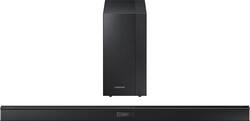
Samsung - 400 Series 2.1-Channel Soundbar with 6.5" Wireless Active Subwoofer - Black
- Key Specs
- Wireless Subwoofer Connectivity: true
- General
- Product Name: 400 Series 2.1-Channel Soundbar with 6.5" Wireless Active Subwoofer
- Brand: Samsung
- Model Number: HW-J450/ZA
- Audio
- Minimum Frequency Response: 20 hertz (Describes the maximum range of frequencies or musical tones a product can reproduce, from very low tones to very high treble tones. The minimum frequency or musical tone the speaker can reproduce. High treble tones have higher frequencies while low tones and deep bass have lower frequencies.)
- Maximum Frequency Response: 20 kilohertz (Describes the maximum range of frequencies or musical tones a product can reproduce, from very low tones to very high treble tones. The maximum frequency or musical tone the speaker can reproduce. High treble tones have higher frequencies while low tones and deep bass have lower frequencies.)
- Connectivity
- Wireless Subwoofer Connectivity: true
- Dimensions
- Product Width: 37.7 inches (The out of box width of the item. Width is measured as the horizontal distance from one side of the item to the other as it would be primarily used or placed.)
- Product Depth: 2.61 inches (The out of box depth of the item. Depth is measured as the distance from the front of the item to the back as it would be primarily used or placed.)
- Product Weight: 34.8 pounds (The out of box weight of the item.)
- Included
- Remote Control Included: true
- Mounting Hardware Included: true
- Certifications Listings & Approvals
- ENERGY STAR Certified: true (Devices carrying the ENERGY STAR service mark, such as computer products and peripherals, kitchen appliances, and other products, generally use 20% to 30% less energy than required by federal standards.)
- Warranty
- Manufacturer's Warranty - Parts: 1 year
- Manufacturer's Warranty - Labor: 1 year
- Other
- UPC: 887276087375
With 300W total power and a 6.5" wireless active subwoofer, this Samsung 400 Series HW-J450/ZA soundbar allows you to add robust, dynamic audio to your existing home theater setup. The Bluetooth 2.1 interface lets you link with select devices.
- 300W total power: Provided by a digital amp helps ensure robust audio output.
- 6.5" wireless active bass-reflex subwoofer: With 140W of power delivers booming low-frequency sound.
- Dolby 2-channel and DTS 2-channel codecs: Provide immersive sound.
- Bluetooth 2.1 interface: Allows you to wirelessly link with compatible Bluetooth-enabled devices.
- Supports a variety of file formats: Including MP3, WMA, AAC, OGG, FLAC and WAV, so you can enjoy your favorite media.
- HDMI 1.4 input and output: Along a USB 1.1 input, an optical digital audio input and an analog audio input for flexible connectivity.
Whats Included
- 400 Series 2.1-Channel Soundbar
- 6.5" wireless active subwoofer
- Remote, battery
- Optical cable, USB cable
- Wall mount kit
- Owner's manual
A: No you don't need an HDMI. It comes with a fiber optic cable. Look behind your TV and you will see a small square connection. That's the fiber optics connection. And yes the subwoofer is wireless. It wirelessly connects to the sound bar. Instructions are easy.
Q: Samsung 400 Series (2.1 / 300 watt) v. Samsung 500 Series (2.1 / 320 watt)?
A: I debated between the same two sound pars, and I have a 3D samsung TV. A best buy guy helped me out and said there wasn't MUCH difference. I would definitely go with the cheaper one! It works absolutely wonderfuL!
Q: What are the demensions of the bar
A: The dimensions of the main unit are: 37.68" x 2.34" x 2.62" The subwoofer dimensions are: 7.05" x 14.21" x 11.79" Thanks for your interest in Samsung products. --Mr. S
Q: How do I hook up soundbar to comcast cable set box or is this necessary?
A: That's not necessary if you already have your TV and cable box hooked up using an HDMI cable. You would just need to connect your TV to the soundbar using the fiber optic cable that was included. The audio source when watching TV is your cable box that goes to your TV then out to your soundbar, so you don't need to hook the soundbar up to your cable box. This also allows you to have audio coming out of the soundbar for any other audio/video devices connected directly to your TV such as DVD/Blu-Ray players, gaming consoles, streaming devices, etc.
Q: Does this help with sound differentials between a program and a commercial?
A: I have the same TV as you and the Samsung sound bar helped greatly.
Q: What is the best method by which to connect the soundbar?
A: HDMI-ARC is the best option for surround and volume control. Optical is the second best option, and analog is third. You would want to turn off the TV speakers if you send the audio to a receiver. Otherwise some echo or delay can occur. Thanks for your interest in Samsung products. --Mr. S
Q: Can I play music from an iPhone through this sound bar?
A: There are two ways to do this. One being connected a 3.5 mm headphone jack to the iphone and the other end into the soundbar. Or link your iphone via bluetooth to the bar
A: Reset everything I just went through something similar where the sound bar showed TV ARC and then S Mute. We couldn’t get the sound bar to work at all anymore and after being on a support call for a couple of hours we were told the bar is defective. But it wasn’t! Long story short, on another call to Samsung we figured that some setting in the TV got corrupted. So they did a manufacturers reset on the TV and a reset on the soundbar with all the HDMI cables unplugged. (To reset the soundbar turn it off and press and hold mute button on the soundbar remote until it turns back on). Then We plugged in the soundbar first into the HDMI ARC input of the TV and it worked! Then we plugged in one device (like cable box) at a time into the TV and set it up and made sure the soundbar still works each time. We will never know why it got corrupted in the first place. But this worked. BTW the S Mute is supposed to mean the soundbar is not plugged into the right HDMI input but it was. That’s how we knew the TV was at fault. It didn’t recognize it.












