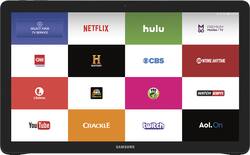
Samsung - Galaxy View - 18.4" - 32GB - Black
- Key Specs
- Screen Size: 18.4 inches (Size of the screen, measured diagonally from corner to corner.)
- Screen Resolution: 1920 x 1080 (Screens come in a range of resolutions (measured in pixels, horizontal x vertical). The higher the resolution, the greater the picture quality.)
- Processor Model: Samsung Exynos 7580 (Your computer's processor is like its brain. Working in combination with system memory, the power of the processor determines the complexity of software you can run, how many programs you can have open at the same time, and how fast those programs will run. Most computers feature an AMD, Intel or Snapdragon processor.)
- Operating System: Android 5.1 Lollipop (The operating system manages all software and hardware, including files, memory and connected devices. Most importantly, it lets you interact with your device and your programs in a visual way; otherwise, you'd be typing computer code to get anything done.)
- Security Features: Password Protection
- General
- Product Name: Galaxy View - 18.4" - 32GB
- Brand: Samsung
- Model Number: SM-T670NZKAXAR
- Model Family: Samsung Galaxy View
- Year of Release: 2015
- Display
- Display Type: LCD
- Screen Size: 18.4 inches (Size of the screen, measured diagonally from corner to corner.)
- Screen Resolution: 1920 x 1080 (Screens come in a range of resolutions (measured in pixels, horizontal x vertical). The higher the resolution, the greater the picture quality.)
- Processor
- Processor Brand: Samsung
- Processor Model: Samsung Exynos 7580 (Your computer's processor is like its brain. Working in combination with system memory, the power of the processor determines the complexity of software you can run, how many programs you can have open at the same time, and how fast those programs will run. Most computers feature an AMD, Intel or Snapdragon processor.)
- Memory
- System Memory (RAM): 2 gigabytes (Random-access memory (RAM) is a computing device's short-term data storage, which allows active information to be accessed quickly. The size and type of RAM determines how efficiently the device can handle large amounts of information at one time. For example, gaming or video editing requires more RAM for optimal performance.)
- Expandable Memory Compatibility: microSD
- Compatibility
- Operating System: Android 5.1 Lollipop (The operating system manages all software and hardware, including files, memory and connected devices. Most importantly, it lets you interact with your device and your programs in a visual way; otherwise, you'd be typing computer code to get anything done.)
- Operating System Compatibility: Android
- Connectivity
- Compatible Wireless Standard(s): Wireless-A, Wireless-AC, Wireless-B, Wireless-G, Wireless-N (The wireless networking standard(s) the device is backwards compatible with. This includes networking protocols based on the IEEE 802.11 standard (alphabetically ascending) and the Wi-Fi Alliance standard (numerically ascending), both of which provide high-throughput wireless local area networks (WLANs). Devices designed to work with specific standard(s) will be backwards compatible with previous versions but may not run at optimal performance when using earlier iterations.)
- Headphone Jack: true (The device features an interface that allows for the connection of headphones.)
- GPS Enabled: true
- Data Plan Required: false
- Power
- Battery Capacity: 5700 milliampere hours (The amount of energy stored in the battery.)
- Camera
- Front-Facing Camera: true
- Front Facing Camera Megapixels: 2.1 megapixels (The more megapixels, the more detail that the camera facing the user can capture.)
- Rear-Facing Camera: false
- Features
- Keyboard Included: false
- Security Features: Password Protection
- Stylus Dock: None
- Certifications Listings & Approvals
- ENERGY STAR Certified: true (Devices carrying the ENERGY STAR service mark, such as computer products and peripherals, kitchen appliances, and other products, generally use 20% to 30% less energy than required by federal standards.)
- Included
- Included Software: true
- Stylus Included: false
- Other
- UPC: 887276126982
Samsung Galaxy View: Watch your favorite films and TV shows and explore the Web both at home and on the go with a large 18.4" display that presents a 1920 x 1080 Full HD picture. An octa-core processor ensures fast, responsive performance, and a front-facing camera lets you video chat in HD.
- Android operating system: Productivity and entertainment at your fingertips. Download apps, games, movies, music and eBooks from Google Play. Cloud integration provides a seamless experience across all Android devices.
- 18.4" display with 1920 x 1080 resolution: Offers a large picture in full HD, so you can enjoy your favorite movies and TV shows on the go.
- 32GB internal storage plus microSD slot: Store your software, apps, music, movies, photos and more. Expand storage up to 128GB with a microSD card (sold separately).
- Octa-core processor: The right combination of fast performance and power efficiency. It allows rapid multitasking, delivers smooth response and unleashes stunning graphics.
- 2.1MP front-facing camera with 4x digital zoom: Capture clear photos and Full HD (1920 x 1080) videos to share with your friends and family.
- Stay entertained on the go: Video and music players let you watch movies and listen to your favorite tunes.
Whats Included
- Galaxy View - 18.4" - 32GB
- Lithium-ion battery (5700 mAh)
- Charger
- Owner's manual
A: Yes, It can easily be removed. I remove mine when traveling. Here is how you do it. Open the stand at the top by closing it at the bottom in other words, put the stand in the position as if you were going to lay the View in your lap. Look down at where it connects to the view. You will see 2 sliver pins ressessed in the plastic. They will have a hole in the pins for the purpose of removing the stand. Take a long thin philips screwdriver and insert it into the hole. The pin will only go in one direction so slide the pin either left or right and the stand will detach from the device. You will feel the spring resist. Do this on both sides to remove the stand. To put the stand back on, you do not need any tools, gently press the stand to the back of the device and you will here the pins snap back into their holes. You can remove the back in less then 5 seconds. I have done this many times with mine and have even demonstrated it to the Samsung Rep.
Q: capabilities
A: Its an android tablet so any apps from the play store will work.
Q: Is there a compatible keyboard for this new Tablet?
A: You can use a standard Bluetooth keyboard and mouse with this. Just pair via Bluetooth and you can use a keyboard/mouse to do work in Microsoft office, browse the Web etc
Q: Seniors
A: I am a senior and love it. Easy to use, easy to see. Some apps do not expand to fill the entire, very large screen, but I am very happy with it. Replaces my first generation ipad, which was thoroughly enjoyed and worked to death. I do, however, use a stylus for accuracy since I hate smudges left on the screen from touching (and the occasional sticky ice cream fingers) but the on-screen keyboard keys are large enough so that I type with accuracy.
Q: SD card
A: Yes, there is a micro SD card slot on the back of the device. You need to slide down a small door on the back panel to access it. It will support up to 128gb of additional memory.
A: The device is not exclusive to cell phone carriers. Anyone can use it.
Q: Does it need a screen protector?
A: It's better to use screen protector because it's a big touch screen without case for protection. It could easily damaged
Q: Does the samsung view come with MS word, excell, powerpoint, one note, onedrive
A: Yes...it's there. I don't know why that person said no. I just checked.