SanDisk - 480GB Internal SATA Solid State Drive Plus
FREE shipping to
More Buying Options
Related Item

Specifications
- Storage Drive TypeSSDMaximum Read Speed535 megabytes per secondMaximum Write Speed445 megabytes per secondForm Factor2.5 in.Interface(s)SATA
- Key Specs
- Storage Drive Type: SSD (Traditional, mechanical hard disk drives are the most common type of storage because they're relatively inexpensive and offer huge capacities. However, they also generate both noise and heat. Solid state drives, also known as SSDs, are many times faster than hard disk drives and have no moving parts to wear out, but typically offer less capacity for the same price.)
- Maximum Read Speed: 535 megabytes per second (The greatest speed at which the device can read information; for example, opening files.)
- Maximum Write Speed: 445 megabytes per second (The greatest speed at which the device can write information; for example, saving files.)
- Form Factor: 2.5 in.
- Interface(s): SATA (Refers to the types of connections that devices use to interact and communicate with each other.)
- General
- Brand: SanDisk
- Model Number: SDSSDA-480G-G26
- Product Name: 480GB Internal SATA Solid State Drive Plus
- Performance
- Storage Drive Type: SSD (Traditional, mechanical hard disk drives are the most common type of storage because they're relatively inexpensive and offer huge capacities. However, they also generate both noise and heat. Solid state drives, also known as SSDs, are many times faster than hard disk drives and have no moving parts to wear out, but typically offer less capacity for the same price.)
- Maximum Read Speed: 535 megabytes per second (The greatest speed at which the device can read information; for example, opening files.)
- Maximum Write Speed: 445 megabytes per second (The greatest speed at which the device can write information; for example, saving files.)
- Compatibility
- Internal Or External: Internal
- Form Factor: 2.5 in.
- Interface(s): SATA (Refers to the types of connections that devices use to interact and communicate with each other.)
- Bare Drive: true (Drive is sold without any pre-installed software.)
- Features
- Security Features: None
- Data Encryption: false
- Usage: Performance computing
- Memory
- NAND Flash Memory Type: SLC (Single Level Cell (SLC) stores 1 bit of data per memory cell; Multi Level Cell (MLC) stores 2 bits per cell, Triple Level Cell (TLC) 3 bits, and Quad Level Cell (QLC) 4 bits. Vertical NAND (V-NAND) or 3D NAND stores more data by layering cells vertically. Similarly, there are 3D MLC, 3D TLC and 3D QLC stacked cells.)
- Dimensions
- Product Height: 0.28 inches (The out of box height of the item. Height is measured as the vertical distance from the bottom of the item to the top as it would be primarily used or placed.)
- Product Width: 2.75 inches (The out of box width of the item. Width is measured as the horizontal distance from one side of the item to the other as it would be primarily used or placed.)
- Product Weight: 0.08 ounces (The out of box weight of the item.)
- Other
- UPC: 619659146757
Experience increased start-up, program response and shutdown speeds with this SanDisk SSD Plus hard drive. It has 480GB of flash memory, so it handles data much faster than standard hard drives. This versatile SanDisk SSD Plus hard drive has data transfer rates of up to 6 Gbps for fast loading.
- 480GB storage capacity: Provides ample storage space for your music, movies and other files.
- SATA lll interface: Offers simple connection to your computer.
- Data transfer rates up to 600 MBps: For quick response when updating files.
- Shock-resistant: For increased durability.
- Compatible with PC: For use with your existing computer.
Whats Included
- SanDisk®-SSD Plus, 480GB
A: A SSD drive is no different than a regular hard disk drive when it comes to installation and connection to the motherboard as long as the drive interface is the same (SATA connection on the motherboard of the computer and SATA connection on the hard drive). I've swapped out "regular" spinning platter based hard drives with SSD drive on many computers (desktops and laptops) and all have worked very well. In fact, I prefer to use SSD drives on laptops because the SSD drives are all solid state memory chips with no moving parts. It also uses less power. The benefits of using the SSD in a laptop is since it has no moving parts you can't induce read/write errors with hard bumps or knocks while the drive is in use reading or writing data. In a desktop installation, since you're not going to carry it around as you would a laptop while using it the benefits of "no moving parts" are not as valuable however, the increase in data access speed is. If your desktop computer already has a 2.5" hard drive slot available the 2.5" SSD drive will fit perfectly. The mounting screw holes will line up perfectly and you should have no problems mounting the drive. If you only have the larger hard drive slots (for the 3.5" drives) you can use an adapter that you mount the 2.5" drive on to then mount the adapter into the 3.5" drive slot.
A: Yes you can.
Q: Can I install a Model: SDSSDA-480G-G26SKU: 5394700 for Laptops on a Desktop?
A: Yes, however unless you have a 2.5" bracket already in your case you will need to purchase a 2.5" to 3.5" bracket to mount properly. The technology is the same otherwise as they both use SATA connectors.
Q: can this fit in my dell 7567 empty hdd bay?
A: Sure. Just use the handy-dandy adaptor sold here for $9.95. https://www.bestbuy.com/site/insignia-ssd-mount-black/5516000.p?skuId=5516000
A: My simple answer is that is what they are paid and trained to do. I don't know cost as I do all of my own pc maintenance. If I don't know how to do it I used YouTube.
Q: Does this work with macbook pro mid 2012 13inch non retina?
A: Yes, I have a MacBook pro 2013 no retina, and it fits properly leaving a lot of space too.
A: From what I can read the two drives are the same physical size and both are SATA. Therefore, you should be able to replace the 240G with the 480G. To do the transfer of the OS and data will require either cloning software (and drive enclosure) or a clone unit. I had an enclosure from another Sandisk SSD and a version of Acronis Clone. So I was able to install the new drive in my laptop and put the old drive in the enclosure. Boot from the Acronis Clone disk and then wait for the process to be completed. In your case I don't see that Sandisk sells the SSD with enclosure (at least not on Best Buy) and the 480G doesn't come with the cloning software. Best Buy and other vendors sell enclosures for as low as $12 and Best Buy has a cloning unit that will clone the old to new without use of a computer. The advantage to the enclosure is that you will be able to use your old drive as a portable drive.
Q: Can I use it for my Macbook pro 2011 latest 2011) ?
A: Yes, I have a MacBook pro no retina 2013 and it fits right in leaving some space around it. SSDs are way smaller and lighter than HDD.
Compare similar products
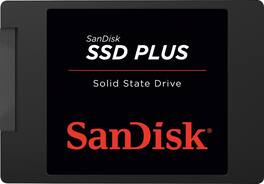
Experience increased start-up, program response and shutdown speeds with this SanDisk SSD Plus hard drive. It has 480GB of flash memory, so it handles data much faster than standard hard drives. This versatile SanDisk SSD Plus hard drive has data transfer rates of up to 6 Gbps for fast loading.

Ever wonder why your phone responds faster than your computer? It's because your phone runs on flash memory. Add flash to your laptop or desktop computer with the Crucial BX500 1TB SSD, the easiest way to get all the speed of a new computer without the price.

Get faster boot-ups from this PNY CS900 internal SSD. The 500GB provides ample storage space, while the read/write speeds of up to 550/500MB/sec. ensure rapid load times and data storage. This PNY CS900 internal SSD features a SATA III interface for simple connection to the motherboard, and the 2.5-inch form factor fits most desktop computers.

Boost your computer's performance with this PNY CS900 internal SSD. The 2.5-inch form factor is ideal for most desktops, while the SATA III interface connects easily to the motherboard. This PNY CS900 internal SSD has a 1TB capacity to hold plenty of documents and media files, and read/write speeds of up to 535/515MB/sec. ensure rapid file access and storage.
| Pros for SanDisk - 480GB Internal SATA Solid State Drive Plus | |||
|---|---|---|---|
| There were no pros for this product— | Speed, Overall Performance, Installation Ease, Storage Capacity, SSD Performance | Speed, Performance, Price, Ease of use, SSD | Performance, Speed, Price, Ease of use, Storage |
| Cons for SanDisk - 480GB Internal SATA Solid State Drive Plus | |||
| There were no cons for this product— | There were no cons for this product— | Compatibility, Software | There were no cons for this product— |
Specs
Reviews
Customer Images
The vast majority of our reviews come from verified purchases. Reviews from customers may include My Best Buy members, employees, and Tech Insider Network members (as tagged). Select reviewers may receive discounted products, promotional considerations or entries into drawings for honest, helpful reviews.
- Rated 5 out of 5 stars
Works great
Made computer work much faster. Was very easy to install.
This review is from SanDisk - 480GB Internal SATA Solid State Drive Plus
Troy Posted
- Rated 5 out of 5 stars
Very Good SSD
Works great!!! I installed it on my MacBook pro and haven't had any issues. Very fast like any other SSD. I would recommend. Sandisk is a very good brand when it comes to flash memory.
This review is from SanDisk - 480GB Internal SATA Solid State Drive Plus
GSV2213 Posted
- Rated 5 out of 5 stars
Solid State Drives are the way to go!
I've replaced most of my laptops with SSD drives and haven't looked back. SSD drives have no moving parts so there is no danger of read/write error from bouncing the laptop around while in use and it uses less energy which is good for longer battery life. If you know how to open up your laptop and replace drives, it's very easy to swap out and replace with this one. I would recommend cloning the original HD data to the new SSD drive before swapping out, though. You'll love the new performance enhancement from SSD drives.
This review is from SanDisk - 480GB Internal SATA Solid State Drive Plus
John Posted