4K TV Keyboard
-
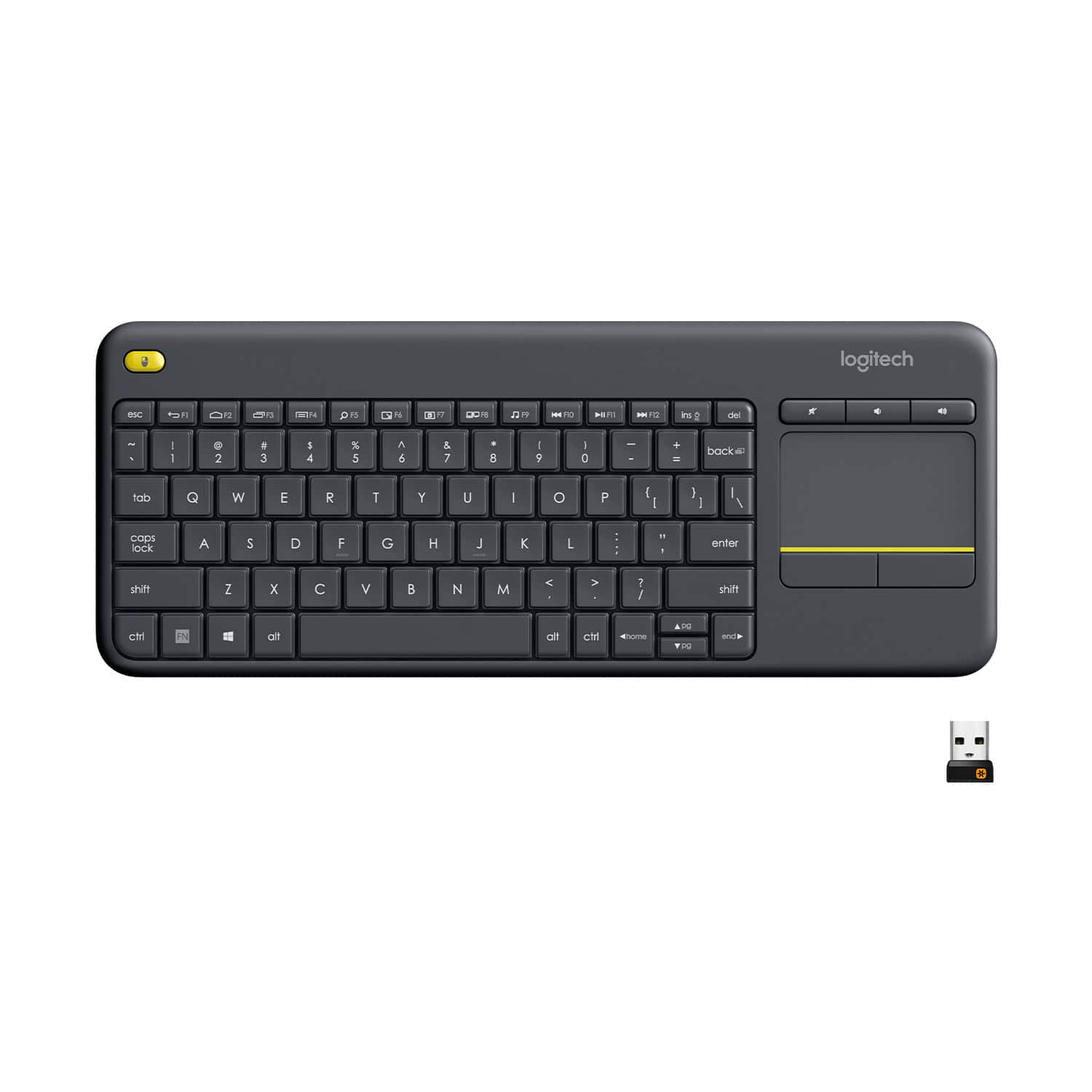
Logitech - K400 Plus TKL Wireless Membrane Keyboard for PC/TV/Laptop/Tablet with Built-in Touchpad - Black
SKU: J7H7ZYCY97Great usb wireless keyboard best feature is the built in mouse pad I love it...Great freaking keyboard!! Love all options!!!!!!!!...Da best!!
See all Wireless & Bluetooth KeyboardsProduct Description
A black wireless tenkeyless keyboard with built-in touchpad, quiet membrane keys, and 32.8-foot range.Your price for this item is $34.99 -
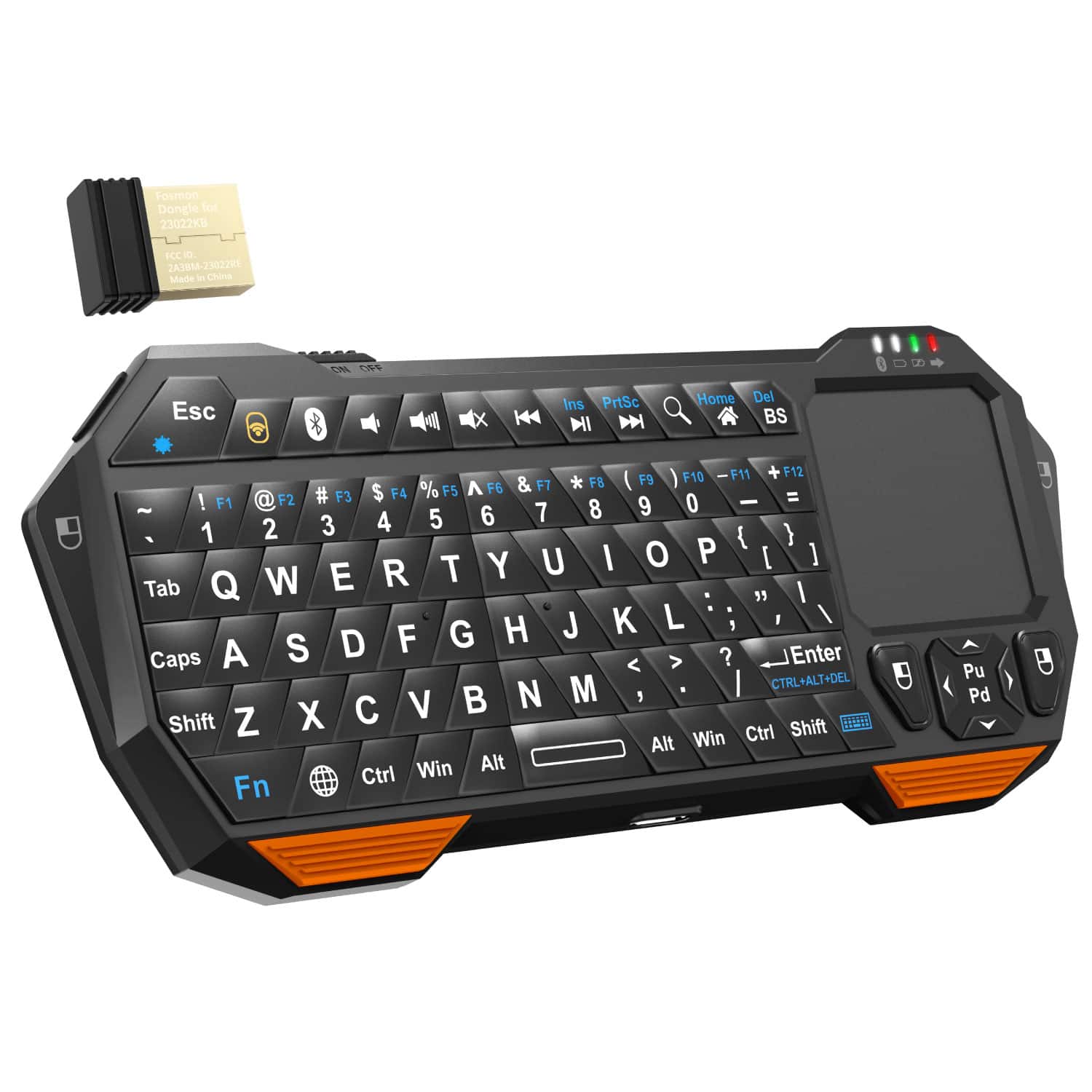
Fosmon - Mini Bluetooth Keyboard, Wireless Portable with Touchpad, Rechargeable QWERTY Keypad - Black
SKU: J3KCTSVWYCConnects easily and love how easy it is to operate....High quality performance which I love. I would definitely recommend...Got it yesterday,great quality and comfortable to use.
See all Tablet KeyboardsProduct Description
A compact black plastic wireless QWERTY keyboard with touchpad, Bluetooth 3.0, and convenient backlit keys.Your price for this item is $29.99Save $0The previous price was $30.49 -
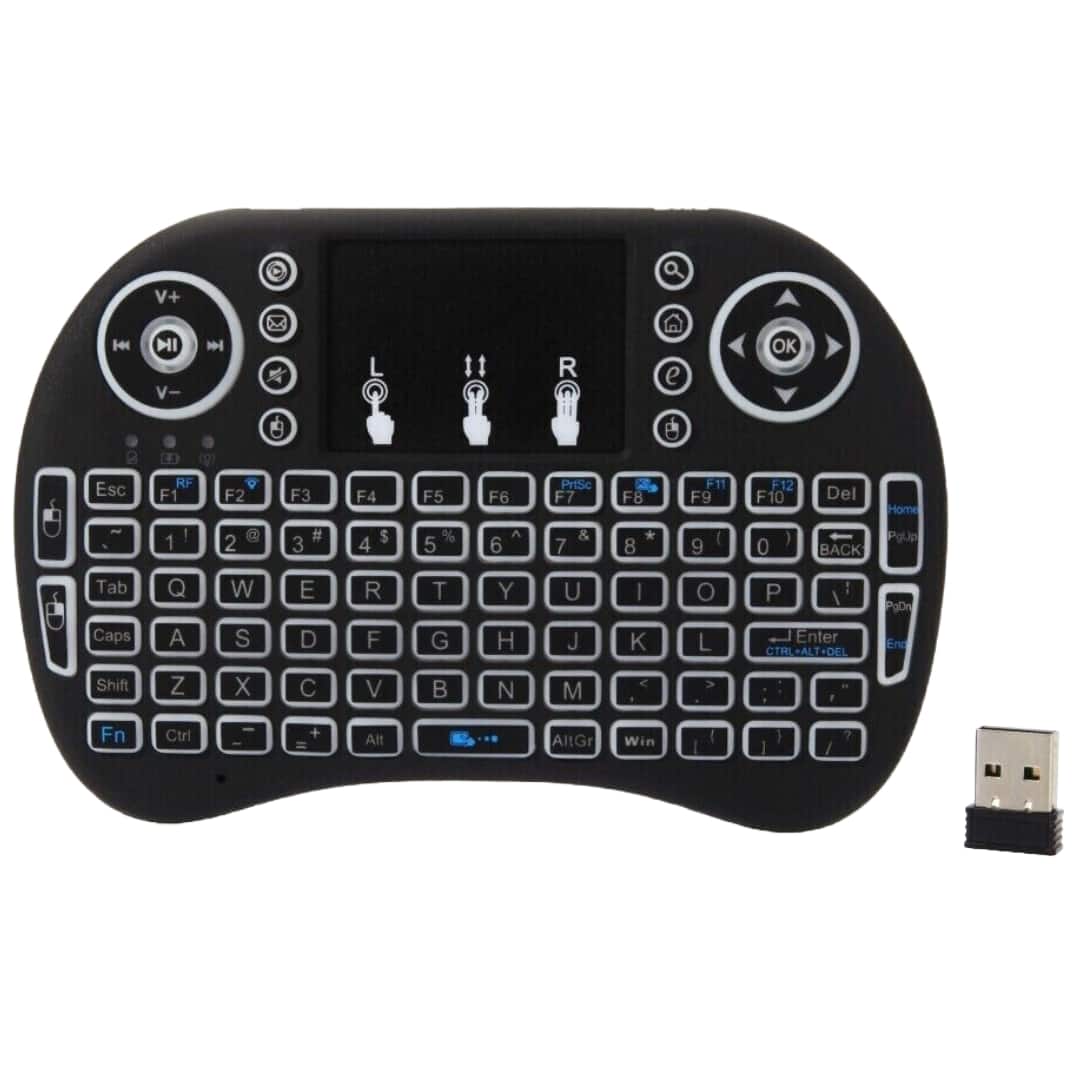
Sanoxy - Remote Control Touchpad Handheld Backlit Keyboard for Multi-Media PC, Smart TV, Android TV Box - Black
SKU: B8SKTH3RZQSee all Wireless & Bluetooth KeyboardsProduct Description
A compact black wireless keyboard with backlit keys, touchpad, and rechargeable battery for versatile device control.Your price for this item is $19.99
Best Sellers
Related Pages


FAQ
When choosing a keyboard for your 4K TV, consider features such as wireless connectivity (Bluetooth or USB dongle), built-in touchpad or trackpad, compatibility with your TV's operating system, backlit keys for low-light use, and long battery life for convenience.
Most 4K TV keyboards are designed to be compatible with a wide range of smart TV brands, including Samsung, LG, Sony, and more. Be sure to check the product specifications for supported operating systems and connection types to ensure compatibility with your specific TV model.
Yes, these keyboards are ideal for browsing the internet, searching for content, and navigating streaming apps on your 4K TV. Many models come with shortcut keys for quick access to popular apps and functions.
Most 4K TV keyboards offer plug-and-play functionality. Simply connect the keyboard via Bluetooth or insert the included USB receiver into your TV’s USB port, and follow any on-screen pairing instructions if necessary.
Many 4K TV keyboards are versatile and can be paired with other devices such as tablets, PCs, and some gaming consoles, provided they support Bluetooth or USB keyboard input. Always review the keyboard’s compatibility details for supported devices.