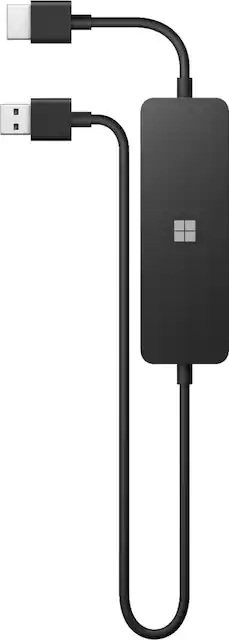
Microsoft - 4K Wireless Display Adapter - Black
- Key Specs
- Connector Type (End 1): HDMI Type A
- Connector Type (End 2): USB Type C
- General
- Product Name: 4K Wireless Display Adapter
- Brand: Microsoft
- Model Number: UTH-00001
- Color: Black
- Connectivity
- Cable Type: HDMI
- Product Type: Adapter
- Connector Type (End 1): HDMI Type A
- Connector Type (End 2): USB Type C
- Other
- UPC: 889842636727
Discover the strong, reliable way to project your content, photos, and videos on the big screen¹ with the Microsoft 4K Wireless Display Adapter. Compatible with 4K TVs² and optimized for a quick, seamless connection that’s faster than the current Wireless Display Adapter. Perfect for Surface and Windows 10 PC users who present to customers, work with students, or want a quick conferencing solution in the office or at home.
- Display wirelessly to a 4K TV or monitor over Miracast.: Now with upgraded resolution to support TVs and monitors up to 4K at 30fps.
- Easy setup with reliable connection: Connect wirelessly up to 10 meters in an open environment, or up to 7 meters in a living room or office.
- Perfect for Surface and Windows 10 PC users: As well as support for Surface Duo and Miracast-enabled Android devices.*
- Quick connect with faster bootup time: With simpler operations than current Wireless Display Adapter.
- HDMI-CEC support: Easily connect to your TV without having to change inputs with a remote.
- Reliable connection: More reliable connection than current Wireless Display Adapter when you connect Microsoft Wolfe to your PC on a WiFi network using Miracast over Infrastructure.
- Security settings.: Prevent unwanted connections to your TV or monitor with numeric passcode protection.
- Personalize with a custom name and background wallpaper: As well as more intuitive settings menus.
Whats Included
- Microsoft 4K Wireless Display Adapter
Q: Can I use this to connect 2 monitors to my surface pro?
A: WIndows allows one wireless display connection. If you find a way to establish more connections, the information will be appreciated. EzCast has a solution for multiple wireless monitors, but they all have to be on the same wireless network. The adapters are more expensive, come with own connections management app, and require additional wireless infrastructure. Meanwhile, Microsoft adapter works through WIFi Direct (peer-to-peer) and computer does not have to be on any wireless network for wireless display to work.
A: This device will handle full HD without any problem. Even though it is designed to provide 4K capability, slight down grade to full HD is not an issue.
A: This adapter can act as a second screen. You just need to change your computer display settings to extend the display to the adapter rather than duplicate. You can find this setting in Windows Settings under Display. Just select the display you want to extend to and change the setting to extend to this display. Hope this helps.
Q: Will it work with a touch screen display along with the functionality of touchscreen?
A: It should allow you to wirelessly cast your touchscreen picture to a TV and you can continue to control your device via the touchscreen… but the TV you are casting to will not be able to act as a touchscreen for your device you are casting from.
Q: Will this work with windows 11 laptops?
A: I have a surface pro x running windows 11 and it works great. Connects easily with no hassle.




















