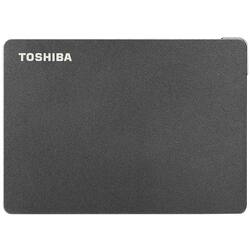
Toshiba - Canvio Gaming 2TB External USB 3.0 Portable Hard Drive - Black
- Key Specs
- Storage Capacity: 2000 gigabytes (Measured in megabytes (MB), gigabytes (GB) and terabytes (TB), this is the amount available for storing files, music, movies, photos and more. The total includes the capacity of the hard disk drive and solid state drive if both are included on the computer.)
- Storage Drive Type: HDD (Traditional, mechanical hard disk drives are the most common type of storage because they're relatively inexpensive and offer huge capacities. However, they also generate both noise and heat. Solid state drives, also known as SSDs, are many times faster than hard disk drives and have no moving parts to wear out, but typically offer less capacity for the same price.)
- Interface(s): Micro-USB Type B, Wi-Fi (Refers to the types of connections that devices use to interact and communicate with each other.)
- General
- Product Name: Canvio Gaming 2TB External USB 3.0 Portable Hard Drive
- Brand: Toshiba
- Model Number: HDTX120XK3AA
- Capacity
- Storage Capacity: 2000 gigabytes (Measured in megabytes (MB), gigabytes (GB) and terabytes (TB), this is the amount available for storing files, music, movies, photos and more. The total includes the capacity of the hard disk drive and solid state drive if both are included on the computer.)
- Performance
- Storage Drive Type: HDD (Traditional, mechanical hard disk drives are the most common type of storage because they're relatively inexpensive and offer huge capacities. However, they also generate both noise and heat. Solid state drives, also known as SSDs, are many times faster than hard disk drives and have no moving parts to wear out, but typically offer less capacity for the same price.)
- Compatibility
- Internal Or External: External
- External Hard Drive Type: Portable (Physical characteristics of the hard drive, including size, weight and how you connect to your device.)
- Interface(s): Micro-USB Type B, Wi-Fi (Refers to the types of connections that devices use to interact and communicate with each other.)
- Operating System Compatibility: Windows, Mac
- Minimum System Requirements: Microsoft Windows 10,Windows 8.1, macOS v10.15/v10.14 / v10.13
- Features
- Security Features: Software
- Usage: Gaming
- Power
- Power Source: USB port
- Dimensions
- Product Height: 0.53 inches (The out of box height of the item. Height is measured as the vertical distance from the bottom of the item to the top as it would be primarily used or placed.)
- Product Width: 3.15 inches (The out of box width of the item. Width is measured as the horizontal distance from one side of the item to the other as it would be primarily used or placed.)
- Product Weight: 5.28 ounces (The out of box weight of the item.)
- Other
- UPC: 723844000837
More game time means more victories. With the Canvio Gaming portable external hard drive, you won’t have to worry about deleting games to make room for the hottest new release. The sleek, compact design allows you to hold up to 100 games in an easy-to-carry, lightweight casing. With up to 4TB of storage capacity for your data, your gaming library has room to grow. Canvio Gaming is compatible with Xbox, PlayStation, and PC gaming systems, giving you the freedom to play with ease on your console of choice. This portable hard drive features a firmware-customized "Always-On"mode that is ready to respond to your next gameplay, so you can spend more time winning.
- Expand Your Game Library: Up to 4TB of storage capacity to expand your game library up to 100 games and save your progress at every step.
- Uninterrupted Gaming: Take your game on the go and play your favorite titles on the latest compatible gaming console , so you can continue your gameplay where you left off.
- Sleek Design: The sleek black finish stylishly complements your Xbox, PlayStation, and other compatible gaming consoles.
- USB 3.0 & 2.0 Compatible: USB technology allows for reliable data transfer with no external AC power cord needed.
- Play Confidently: Backed by Toshiba’s 2-year limited warranty from a leading global provider of console gaming storage, so you can grow your library without worry.
Whats Included
- Toshiba Canvio Gaming Portable External Hard Drive
- USB Type-A to Micro-B Cable
- Quick Start Guide
- 2-year standard limited warranty
Product Manuals
Q: Is this external hard drive pre-formatted ?
A: undefined
Q: Will this work for me to transfer Dish Dvr Recording's from 1 hopper to another
A: Hi Matt, Press the DVR button. Press the RED COLOR or Options button. Select Manage Recordings. Arrow to and select the recording(s) you want to transfer. Select Transfer to External Drive. Select Transfer. Status bar will reflect transfer progress. Select OK on the Transfer Complete 854 pop-up. If you have any questions or concerns, please use the link below to reach us and also you can contact this phone number (800) 457-7777 for further assistance. Toshiba Products Nikki https://www.toshiba.com/



















