Wacom - MovinkPad 11, Android Mobile Drawing Tablet, 11" with Battery-Free Slim Pro Pen 3, 8GB RAM/128 GB Storage - Silver
More Buying Options
Related Item

Specifications
- Screen Size11.45 inchesScreen Resolution2240 x 1400Multi-Touch ScreenYesActive Area11.45Color Gamut (Adobe RGB)99 percentTotal Storage Capacity128 gigabytes
- Key Specs
- Screen Size: 11.45 inches (Size of the screen, measured diagonally from corner to corner.)
- Screen Resolution: 2240 x 1400 (Screens come in a range of resolutions (measured in pixels, horizontal x vertical). The higher the resolution, the greater the picture quality.)
- Multi-Touch Screen: true (A screen that recognizes multiple points of contact, allowing for intuitive navigation functions such as pinch to zoom.)
- Active Area: 11.45 (The size of the screen area that a user interacts with, either by stylus and/or touch (if supported).)
- Color Gamut (Adobe RGB): 99 percent (This number represents the percentage of colors on the RGB spectrum that are visible, as specified by the International Commission on Illumination (CIE).)
- Total Storage Capacity: 128 gigabytes
- Operating System: Android 14 (The operating system manages all software and hardware, including files, memory and connected devices. Most importantly, it lets you interact with your device and your programs in a visual way; otherwise, you'd be typing computer code to get anything done.)
- Wireless Connectivity: Bluetooth, Wi-Fi (The manner in which a device sends data to another device over a short distance without the use of wires or cables.)
- Battery Chemistry: Lithium-ion
- General
- Brand: Wacom
- Model Number: DTHA116CL0Z
- Product Name: MovinkPad 11, Android Mobile Drawing Tablet, 11" with Battery-Free Slim Pro Pen 3, 8GB RAM/128 GB Storage
- Color: Silver
- Year of Release: 2025
- Display
- Display Type: LCD
- Screen Type: IPS
- Screen Size: 11.45 inches (Size of the screen, measured diagonally from corner to corner.)
- Screen Resolution: 2240 x 1400 (Screens come in a range of resolutions (measured in pixels, horizontal x vertical). The higher the resolution, the greater the picture quality.)
- Stylus Input: Active (Electromagnetic Resonance) (An active stylus/pen is able to communicate directly with a compatible device; active electromagnetic resonance (EMR) pens are powered via a device's screen and active electrostatic (AES) pens require an additional power source. A passive stylus does not have electronic features and is compatible with most capacitative touch screens.)
- Multi-Touch Screen: true (A screen that recognizes multiple points of contact, allowing for intuitive navigation functions such as pinch to zoom.)
- High Dynamic Range (HDR): false (An HDR-compatible 4K TV or other HDR-compatible product displays HDR video content when it's available from sources like 4K Ultra HD Blu-ray Discs and 4K streaming services.)
- Response Time: 15 milliseconds (The speed at which pixels can change colors is called response time. It is measured in milliseconds (ms).)
- Active Area: 11.45 (The size of the screen area that a user interacts with, either by stylus and/or touch (if supported).)
- Aspect Ratio: 3:2 (The measurement of the width of a screen compared to the height of a screen, expressed as a ratio.)
- Brightness: 400 candela per square meter (A measure of the total light output.)
- Color Gamut (Adobe RGB): 99 percent (This number represents the percentage of colors on the RGB spectrum that are visible, as specified by the International Commission on Illumination (CIE).)
- Displayable Colors (Maximum): 16.7 million
- Contrast Ratio: 1200:1 (Measured difference between a displayed image's brightest whites and darkest blacks. The larger the first number, the more detail and color that can be displayed.)
- Storage
- Total Storage Capacity: 128 gigabytes
- Memory
- System Memory (RAM): 8 gigabytes (Random-access memory (RAM) is a computing device's short-term data storage, which allows active information to be accessed quickly. The size and type of RAM determines how efficiently the device can handle large amounts of information at one time. For example, gaming or video editing requires more RAM for optimal performance.)
- Compatibility
- Operating System: Android 14 (The operating system manages all software and hardware, including files, memory and connected devices. Most importantly, it lets you interact with your device and your programs in a visual way; otherwise, you'd be typing computer code to get anything done.)
- System Requirements: n/a (The software that a product must have for it to be able to integrate with another product.)
- Connectivity
- Wireless Connectivity: Bluetooth, Wi-Fi (The manner in which a device sends data to another device over a short distance without the use of wires or cables.)
- Interface(s): USB-C (Refers to the types of connections that devices use to interact and communicate with each other.)
- Power
- Charging Interface(s): USB-C (The connection for transmitting power to charge the device.)
- Battery Life (up to): 9 hours (Battery life will vary depending on the product configuration, product model, applications loaded on the product, power management setting of the product and the product features used by the customer. As with all batteries, the maximum capacity of this battery will decrease with time and usage.)
- Battery Capacity: 7700 milliampere hours (The amount of energy stored in the battery.)
- Battery Chemistry: Lithium-ion
- Camera
- Front-Facing Camera: true
- Features
- Number Of Switches: 3
- Dimensions
- Product Height: 0.3 inches (The out of box height of the item. Height is measured as the vertical distance from the bottom of the item to the top as it would be primarily used or placed.)
- Product Width: 7.2 inches (The out of box width of the item. Width is measured as the horizontal distance from one side of the item to the other as it would be primarily used or placed.)
- Product Depth: 10.5 inches (The out of box depth of the item. Depth is measured as the distance from the front of the item to the back as it would be primarily used or placed.)
- Product Weight: 1.3 ounces (The out of box weight of the item.)
- Included
- Included Software: Clip Studio Paint Debut, Wacom Canvas, Wacom Shelf
- Stylus Included: true
- Stylus Model Included: Wacom Pro Pen 3
- Warranty
- Warranty - Parts: 2 years
- Warranty - Labor: 2 years
- Other
- UPC: 753218983756
No cords, no setup, no computer - just pick up the pen and start sketching. This lightweight all-in-one tablet delivers Wacom's legendary pen experience for spontaneous creativity, whether you're doodling on the couch or capturing an idea on the go. Running Android 14, an 11" anti-glare etched glass screen, and one-tap Quick Draw, it's perfect for anyone who wants to draw more often - no experience required. Just you, your pen, and a world of possibilities. No limits - just draw.
- All-In-One Design:: 11" Android 14 tablet, 8 GB memory/128 GB storage, battery-free, slim barrel Pro Pen 3, no computer needed; comes with Wacom Canvas sketching app and 2 years of Clip Studio Paint Debut.
- Quick Draw Ready:: Tap and hold the pen on screen to instantly launch Wacom Canvas and start sketching the moment inspiration strikes, just like opening a sketchbook - seamlessly transition to other apps to refine your drawing.
- Pro-pen 3:: Designed for MovinkPad, this slim version of Wacom Pro Pen 3, delivers 8,192 pressure levels, has three buttons, and comes with replacement nibs stored in the pen's back end.
- Paper-Like Drawing & Writing Experience:: Bright, sharp display with matte etched glass surface that feels like paper with subtle texture - reduces glare and fingerprints so you can focus on your ideas without distractions.
- Effortless Note-Taking:: Jot down ideas, organize thoughts, and capture to-do lists in your favorite apps with the natural feel of pen on paper – no additional subscription required.
- How to Get Started: Once you receive your tablet, the first place to start is the ‘Wacom Tips’ app. This app will guide you through the functions of each application, hardware settings, and how to get your 2-years of Clip Studio Paint.
- All-In-One Design:: 11" Android 14 tablet, 8 GB memory/128 GB storage, battery-free, slim barrel Pro Pen 3, no computer needed; comes with Wacom Canvas sketching app and 2 years of Clip Studio Paint Debut.
- Quick Draw Ready:: Tap and hold the pen on screen to instantly launch Wacom Canvas and start sketching the moment inspiration strikes, just like opening a sketchbook - seamlessly transition to other apps to refine your drawing.
- Pro-pen 3:: Designed for MovinkPad, this slim version of Wacom Pro Pen 3, delivers 8,192 pressure levels, has three buttons, and comes with replacement nibs stored in the pen's back end.
- Paper-Like Drawing & Writing Experience:: Bright, sharp display with matte etched glass surface that feels like paper with subtle texture - reduces glare and fingerprints so you can focus on your ideas without distractions.
- Effortless Note-Taking:: Jot down ideas, organize thoughts, and capture to-do lists in your favorite apps with the natural feel of pen on paper – no additional subscription required.
- How to Get Started: Once you receive your tablet, the first place to start is the ‘Wacom Tips’ app. This app will guide you through the functions of each application, hardware settings, and how to get your 2-years of Clip Studio Paint.
Whats Included
- MovinkPad 11 body
- USB-C to C Cable
- Wacom Pro Pen 3 with nib holder
- IPI Booklet
- Replacement nibs (Felt x 3)
- MovinkPad 11 body
- USB-C to C Cable
- Wacom Pro Pen 3 with nib holder
- IPI Booklet
- Replacement nibs (Felt x 3)
Q: Why is this better than an iPad w/ pencil and download animation software?
A: Thank you for your question. We would encourage you to utilize the Best Buy return period if our Wacom MinkPad 11 is not to your liking. Best regards
Q: Does it come with 2 years of Clip Studio Paint Debut?
A: yes it does!!!
A: It's not really cheap it's the best one you can buy that can still do G-Mail and Discord
A: its android based tablet, not directly but if an app can do it via bluetooth or wifi, it could, but its not wired for direct connection on this idea you propose. Android app based set up, probably. Hard wired directly, no.
A: from start up, swipe up and find the folder icon. From there you can see your whole drive contents and delete as you wish.
Q: no instructions are included with the tablet...how do I set it up
A: top left button on the frame edge, turns it on. from there swipe up after it boots, and all the setting and apps are there...
Q: What accessories goes with this
A: Thank you for your question. Here is a list of compatible accessories for our Wacom MovinkPad 11: Wacom Foldable Stand (ACK652Z) Pen Accessories Wacom Pro Pen 3 Straight Grip - 2 pc (ACK34801Z) Wacom Pro Pen 3 Flare Grip - 2 pc (ACK34802Z) Power Adapters Wacom One 12/13T Power Adapter - ACK44914A Cables USB-C to C Cable 1.0M for Wacom Movink (ACK45206Z)
Compare similar products

No cords, no setup, no computer - just pick up the pen and start sketching. This lightweight all-in-one tablet delivers Wacom's legendary pen experience for spontaneous creativity, whether you're doodling on the couch or capturing an idea on the go. Running Android 14, an 11" anti-glare etched glass screen, and one-tap Quick Draw, it's perfect for anyone who wants to draw more often - no experience required. Just you, your pen, and a world of possibilities. No limits - just draw.
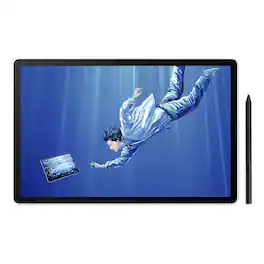
Draw Beyond with MovinkPad Pro 14. Ink, brush, and paper: a creative tradition passed down through generations. To bring that familiar feeling and boundless potential into today's creative world, Wacom has reimagined what a digital creative tool can be. Break free from creative limitations with the MovinkPad Pro 14: an all-in-one digital art studio engineered for serious creatives who demand more from their tools. This isn't just a mobile drawing tablet; it's your creative ecosystem in a portable package.

Draw accurate illustrations with this 15.6-inch Wacom Cintiq creative pen display. The 1920 x1080 Full HD anti-glare screen makes for comfortable viewing, and the pressure-sensitive pen has a comfortable grip and tilt recognition for accurate drawing. The foldable legs on this Wacom Cintiq creative pen display can be adjusted for personal comfort.
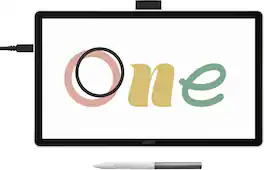
Ready to dive into digital art? The Wacom One drawing tablet is where your creative dreams begin. This graphics tablet with screen is the ideal pen display for creative beginners, casual artists, and visual thinkers looking to go digital or make the transition from traditional drawing. With a generous 14" anti-glare, anti-fingerprint screen and 98% sRGB color space coverage, you'll experience vibrant, true-to-life artwork with professional accuracy. The larger screen provides plenty of space to draw, sketch, annotate, or edit photos, while a smaller bezel means less real estate on your desk.
| Pros for Wacom - MovinkPad 11, Android Mobile Drawing Tablet, 11" with Battery-Free Slim Pro Pen 3, 8GB RAM/128 GB Storage - Silver | |||
|---|---|---|---|
| Pen Weight, Overall Performance, Portability | There were no pros for this product— | Ease of use, Drawing Tablet, Screen Size, Quality | There were no pros for this product— |
| Cons for Wacom - MovinkPad 11, Android Mobile Drawing Tablet, 11" with Battery-Free Slim Pro Pen 3, 8GB RAM/128 GB Storage - Silver | |||
| There were no cons for this product— | There were no cons for this product— | Connection, Setup, Compatibility, Lag, Parallax | There were no cons for this product— |
Specs
Reviews
Customers are saying
Customers recognize the MovinkPad 11 as a portable device, making it easy to transport. Users also appreciate the feel of the Slim Pro Pen 3, noting its comfortable weight.
Customer Images
The vast majority of our reviews come from verified purchases. Reviews from customers may include My Best Buy members, employees, and Tech Insider Network members (as tagged). Select reviewers may receive discounted products, promotional considerations or entries into drawings for honest, helpful reviews.
- Rated 5 out of 5 stars
Amazing tablet
I dont think ill be able to use another drawing pad. This exceeded my expectations with Clip Studios interface on the pad, its pen tracking is inprecable and i feel so much more in control of how im drawing since i can make the lines i want on the first or 2nd try. The batter lasts a very fair ammount of time concidering i have youtube in the background always.
Posted by MariQ
- Rated 5 out of 5 stars
Awesome tablet
This tablet is amazingly cool. I use it everyday and carry it with me everywhere
Posted by PAULP
- Rated 4 out of 5 stars
Drawing tablet
I enjoy having this drawing tablet. It has all my apps I use. All my my photos are on it, etc, etc. Drawing part of it is super awesome. Especially the photo clip app. It has all the colors and different sizes of lines. For the cost of it. It is worth the purchase.
Posted by AlexC