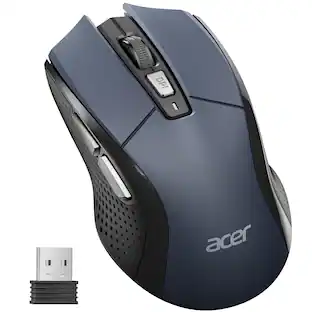
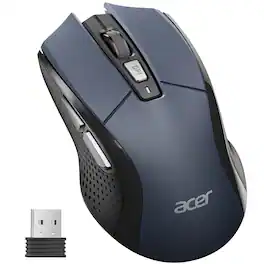
Acer - Wireless Mouse for Laptop, 2.4GHz Computer Mouse 3 Adjustable DPI Office Cordless USB Mice with USBA Receiver - Wireless - Red
Customers are saying
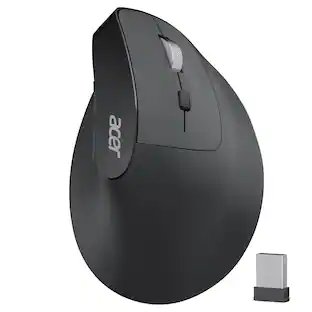
Customers find value in the ergonomic design of this mouse, which users describe as having a perfect fit in the hand. Additionally, the overall performance of the device is highly regarded, with users noting that it is a very good product.
Color
RedPlug and Play for Home Office
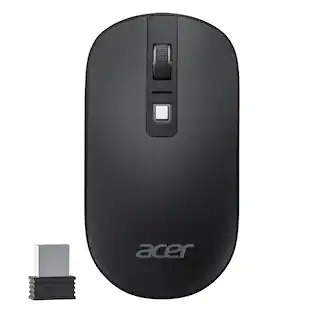
The wireless computer mouse features 2.4GHz connectivity, delivering a stable, interference-free connection up to 32ft. Designed for medium to large sized hands, it ensures comfortable use all day. Simply plug in the USB-A receiver for instant pairing—no drivers needed.
3 Levels Adjustable DPI
This travel USB mouse offers 3 adjustable DPI settings (800, 1200, 1600), allowing you to customize sensitivity for precise design work. Effortlessly switch to match your task and elevate your productivity. Please remove the film at the bottom of the mouse before use.
Effortless Browsing
Equipped with forward and backward buttons, this computer mice streamlines your workflow, making it easy to navigate through web pages and files with a simple click. Side button does not work on Mac.
- Connection TypeWireless
Reviews
Rating 4.7 out of 5 stars with 29 reviews
- Ergonomics (8)
- Overall Performance (6)
Customer Images
The vast majority of our reviews come from verified purchases. Reviews from customers may include My Best Buy members, employees, and Tech Insider Network members (as tagged). Select reviewers may receive discounted products, promotional considerations or entries into drawings for honest, helpful reviews.

Compare similar products

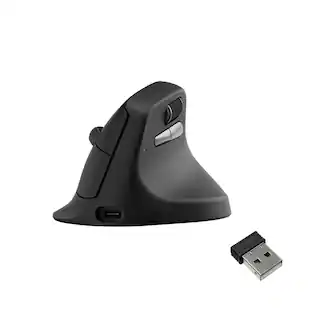
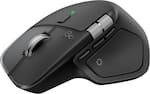
The wireless computer mouse features 2.4GHz connectivity, delivering a stable, interference-free connection up to 32ft. Designed for medium to large sized hands, it ensures comfortable use all day. Simply plug in the USB-A receiver for instant pairing—no drivers needed. If the mouse isn’t suitable, place the USB receiver in the battery compartment and return both.
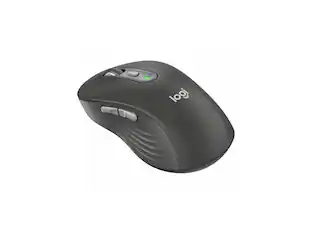
5-Level DPI (Up to 4000DPI), Requires 1x AA battery (Not Included), 𝐌𝐞𝐝𝐢𝐮𝐦 𝐭𝐨 𝐋𝐚𝐫𝐠𝐞 𝐒𝐢𝐳𝐞𝐝 𝐇𝐚𝐧𝐝𝐬, 𝐍𝐨𝐭 𝐁𝐥𝐮𝐞𝐭𝐨𝐨𝐭𝐡, 𝐍𝐨𝐭 𝐑𝐞𝐜𝐡𝐚𝐫𝐠𝐞𝐚𝐛𝐥𝐞5-Level DPI (Up to 4000DPI), Requires 1x AA battery (Not Included), 𝐌𝐞𝐝𝐢𝐮𝐦 𝐭𝐨 𝐋𝐚𝐫𝐠𝐞 𝐒𝐢𝐳𝐞𝐝 𝐇𝐚𝐧𝐝𝐬, 𝐍𝐨𝐭 𝐁𝐥𝐮𝐞𝐭𝐨𝐨𝐭𝐡, 𝐍𝐨𝐭 𝐑𝐞𝐜𝐡𝐚𝐫𝐠𝐞𝐚𝐛𝐥𝐞

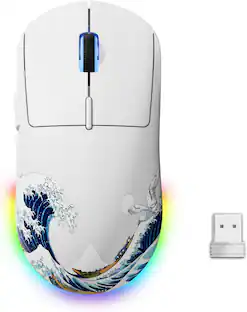
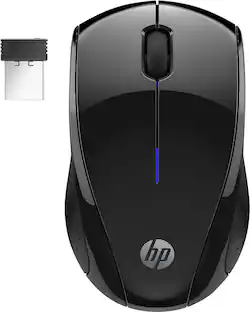
Eliminate the most common computer mouse issue—the cord. With the Best Buy Essentials Wireless Mouse with USB Receiver, you can navigate the web with speed and accuracy. Compatible with both Windows and Mac computers, simply insert the included nano receiver into one of your computer’s USB ports to wirelessly connect the mouse. It has just 3 buttons and an ambidextrous design for simple control. Optical technology detects when the mouse moves to deliver an accurate 1600 DPI response. We also included a AA battery, so you won’t have to worry about keeping the mouse powered until the LED indicator starts to blink. Let us improve your computer navigation by going wireless with this Best Buy-backed mouse.

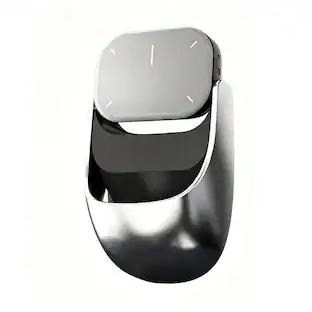
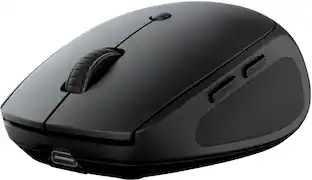
The GO Charge Wireless Bluetooth Mouse is small, comfortable in your hand, and dare we say—kind of cute? Your everything go-to, it goes with you from desk to café to coworking space and beyond. We see you digital nomads. Three saved device connections means you can seamlessly switch connections as easily as you switch filters.
| Pros for Acer - Wireless Mouse for Laptop, 2.4GHz Computer Mouse 3 Adjustable DPI Office Cordless USB Mice with USBA Receiver - Wireless - Red | |||
|---|---|---|---|
| Overall Performance, Ergonomics | There were no pros for this product— | Overall Performance, Ease of use, Price, Size, Wireless | Overall Performance, Portability, Connectivity, Battery Life, Noise Level |
| Cons for Acer - Wireless Mouse for Laptop, 2.4GHz Computer Mouse 3 Adjustable DPI Office Cordless USB Mice with USBA Receiver - Wireless - Red | |||
| There were no cons for this product— | There were no cons for this product— | Click Sound, Grip | There were no cons for this product— |
Specs
Is there a pinky rest?
Answered by TeamAcerNo.
How do I set the right and left buttons to do anything?
Answered by MICHAELRight button tahes you to prevouse page , and left button takes you back
Why does the mouse go to sleep when not in use? Is their any way to turn this feature off ?
Answered by MICHAELJust move the mouse to turn it on .

Customers often buy these together
Computer Keyboards
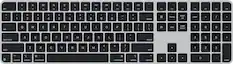
![esc ~ ! 1 tab caps lock shift ctrl F2 Fl # 2 3 Q W A S Z start opt L F3 $ 4 E D X alt cmd3 ) FS F4 A % 5 6 R T F G V C logi 44 HI & F9 FID FB F7 F6 * ) - - & 0 8 9 7 O P U I Y K L H J > < N M 1 B PM + = { [ : I ; ? I alt cmd D 2 4 300 3 1 F12 . * page I insert home up clear backspace 8 9 + 7 page A pg up end down home } I delete ] / 6 4 5 4 enter 2 3 enter 1 dn Pg end shift = 0 del ins etrl fn opt](https://pisces.bbystatic.com/image2/BestBuy_US/images/products/6539/6539505_sd.jpg;maxHeight=232;maxWidth=233?format=webp)
Logitech - MX Keys S Universal Full-size Wireless Scissor Keyboard for PC and Mac with Backlit keys - Black
Top Deal$119.99The price was $129.99
![Esc F1 F2 F3 F4 F5 F6 F7 F8 F9 F10 F11 F12 DEL HM END PU PO
Tob ! 1 Q @ 2 W # 3 E $ 4 R % 5 T ^ 6 Y & 7 U 8 I 9 O 0 P - { ] Backspace
Capslock A S D F G H J K L : ; " Enter
Shift Z X C V B N M , < > ? / Ctrl
Ctrl Alt Spacebar Alt Fn
Num 7 8 9 / - + 4 5 6 * 1 2 3 0 . Enter](https://pisces.bbystatic.com/image2/BestBuy_US/images/products/9ce2578b-084a-4b55-b787-230cab531188.jpg;maxHeight=232;maxWidth=233?format=webp)

![Esc F1 F2 F3 F4 F5 F6 F7 F8 F9 F10 F11 F12 Print Screen Scroll Lock Pause Break 1 2 3 4 5 6 7 8 9 0 - + = Backspace Insert Home H Page Up A Num Look 1 I Tab Q W E R T Y U I o P { [ } ] I I Delete End IN Page Down 7 Home 8 9 Pg Up Caps A Lock A S D F G H J K L ; : DE g Enter 4 5 6 Shift Z X C V N M < > ? I Shift 1 End 2 3 Pp Dn Enter Ctrl Alt Alt Ctrl 0 Ins Del](https://pisces.bbystatic.com/image2/BestBuy_US/images/products/a588d446-5678-40ae-86b8-1f15e0026e66.jpg;maxHeight=232;maxWidth=233?format=webp)








Customers ultimately bought
Explore tech essentials Sponsored


Keep exploring
 $79.95The price was $109.95
 $99.95The price was $129.95