Aluratek - USB Type-C Multimedia Hub and Card Reader with HDMI - Silver
Related Item

Specifications
- Number of USB Port(s)2
- Key Specs
- Number of USB Port(s): 2
- General
- Brand: Aluratek
- Model Number: AUMC0302F
- Product Name: USB Type-C Multimedia Hub and Card Reader with HDMI
- Color: Silver
- Features
- Hub Type: USB hubs (The type of connection, such as Ethernet or USB, used to connect peripheral devices to the hub for shared access.)
- Ports
- Number of USB Port(s): 2
- Port Type(s): HDMI (USB 2.0 connects external drives, gaming controllers, smartphones, MP3 players and other accessories.USB 3.0 transfers data faster than USB 2.0, but only when used with USB 3.0 devices.USB Type-C provides fast speeds and versatile power, featuring connectors with identical ends that plug in upside down or right side up. Adapters allow for video as well as backward compatibility.Thunderbolt provides ultra-high bandwidth for fast data transfer between devices featuring a Thunderbolt or MiniDisplayPort connection.HDMI allows you to connect a projector or display HD media on your HDTV or monitor.Media card slots allow you to transfer photos from your digital camera or camcorder.)
- Compatibility
- System Requirements: Microsoft Windows 7, 8 or 10; Mac OSX 10.6 or later; available USB Type-C port (The software that a product must have for it to be able to integrate with another product.)
- Dimensions
- Product Height: 0.5 inches (The out of box height of the item. Height is measured as the vertical distance from the bottom of the item to the top as it would be primarily used or placed.)
- Product Length: 2.94 inches (The out of box length of the item. Length is measured as the longest dimension of the item.)
- Product Width: 1.5 inches (The out of box width of the item. Width is measured as the horizontal distance from one side of the item to the other as it would be primarily used or placed.)
- Product Weight: 1 pounds (The out of box weight of the item.)
- Warranty
- Warranty - Parts: 1 year
- Warranty - Labor: 1 year
- Other
- UPC: 812658013673
This Aluratek USB Type-C docking station is designed to connect to your MacBook, Chromebook or other devices that support the USB-C port. With high-speed USB 3.1 Gen 1, you will be able to transfer your digital files, photos, music, and videos at a transfer rate of up to 5 Gbps.
- Designed for use with a variety of laptops: This docking station is compatible with Apple MacBook, Google Pixel Chromebook or other devices that support the USB-C port and connector.
- Supports Extended and Mirror modes through HDMI output: View data across multiple screens or with display continuity to multitask more effectively without overlapping windows. The attached cable design is perfect for mobile professionals.
- Two USB 3.1 Gen 1 ports: Offer a simple and convenient connection and fast data transfer. Compliant with the USB 3.1 Gen 1 specification (backward compatible with USB 3.0, USB 2.0, and USB 1.1).
- Built-in media reader for simple data transfer: Supports SD and microSD memory card formats.
- Bus-powered USB: No external power adapter is required.
Whats Included
- Aluratek USB Type-C Docking Station
- Registration card
- Quick start guide
Product Manuals
Q: Does the hdmi input support 4k 60hz? Or even 2k?
A: The HDMI output at 4k is 30Hz. 1080P is 60Hz.
Q: Will this work with a Google Pixelbook Go? Especially to attach it via HDMI to an external monitor?
A: If your Pixelbook has a Type C data port than you should be able to use this.
A: I don't believe it will damage the laptop or the docking station, however I think that only one of the ports will recognize the Aluratek Docking Station. My Lenovo T480 is the same way.
Q: What's the transfer speed for this? It's nowhere in the specs.
A: It is 5Gbit/s.
A: I use this extender to run a second monitor for my Lenovo T480. It has worked just fine for me so far. There are settings you can fiddle with on the control panel application in "Hardware and Sound" then "Devices and Printers". The monitor Should show up there and if it does not, then it is not recognizing. I just took a look at the Surface Book 2 and noticed that there is only one USB-C connection port. I am assuming that it is used for charging. That could be why the computer does not recognize the extension. I believe that the charging port can only be used for charging but correct my if I am wrong. Hope this helps!
Q: Does it work for dual HP monitors for a HP Elitebook Bang & Olufsen?
A: It has 1 hdmi output only
Q: Well this work with the new iMac 24?
A: Yes, it should work.
A: You can use the AUMC0302F on devices that have a USB Type-C port.
Compare similar products
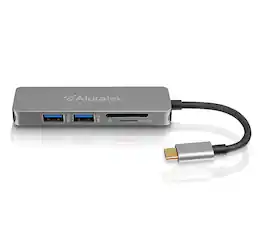
This Aluratek USB Type-C docking station is designed to connect to your MacBook, Chromebook or other devices that support the USB-C port. With high-speed USB 3.1 Gen 1, you will be able to transfer your digital files, photos, music, and videos at a transfer rate of up to 5 Gbps.

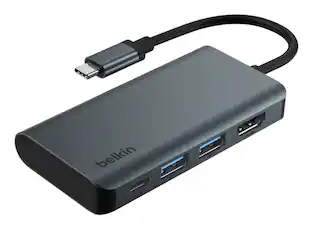
Anker USB C Hub, 7-in-1 Multi-Port USB Adapter for Laptops, 4K@60Hz USB C to HDMI Splitter, 85W Max Power Delivery, 3xUSBA & C 3.0 Data Ports, SD/TF Card, for Type C Devices (Charger Not Included)
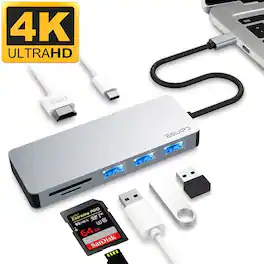
The EQUIPD Type-C Aluminum Multi-Port Adapter supports USB-C Power Delivery. This means you can charge your MacBook at full speed while simultaneously connecting an HDMI port, SD, microSD card and other USB devices—such as digital cameras, mobile phones, external hard drives, flash drives, and printers. With a slim, strip-shape design, it saves valuable desktop space; moreover, it offers exceptional portability, making it effortless to use whether you are switching between devices or taking it with you on the go. Notice: (1) Cannot read hard drive over 4TB. (2) Not compatible with SuperDrive. (3) It's not compatible with devices based on QC(Quick Charge2.0/3.0) charging protocol. (4) Cannot read hard drive which not bring the Power Source. (5) Some very backward equipment is not compatible.

If you’re like many busy people, you have a dozen things going on at once, and working on the computer is no different. There’s a good chance you’re already using all your computer’s ports and wish you had extras to connect new devices. Thankfully, this hub helps optimize your workspace by adding two extra USB ports, an ethernet port, an HDMI port, a USB-C Power Delivery port, and SD and Micro SD slots. Simply plug it into your computer’s USB-C port and start connecting your mouse, keyboard and other accessories. Transfer speeds up to 5 Gbps move files quickly and efficiently and its compact size makes it perfect for slipping into a purse or backpack. Don’t limit your connected devices – enjoy more options with the Insignia 7-Port USB-C Hub.
| Pros for Aluratek - USB Type-C Multimedia Hub and Card Reader with HDMI - Silver | |||
|---|---|---|---|
| There were no pros for this product— | Overall Performance, Connectivity, Portability | There were no pros for this product— | Overall Performance, Connectivity, Ease of use, USB-C, Compatibility |
Specs
Reviews
Rating 4.5 out of 5 stars with 159 reviews
Customer Images
The vast majority of our reviews come from verified purchases. Reviews from customers may include My Best Buy members, employees, and Tech Insider Network members (as tagged). Select reviewers may receive discounted products, promotional considerations or entries into drawings for honest, helpful reviews.
Explore tech essentials Sponsored
 Memorial Day Deal$34.99The price was $51.99
 $339.99The price was $399.99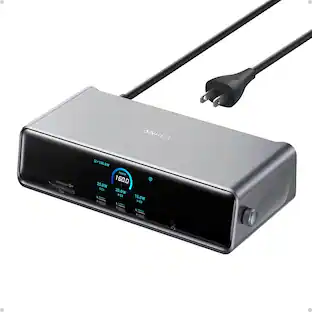
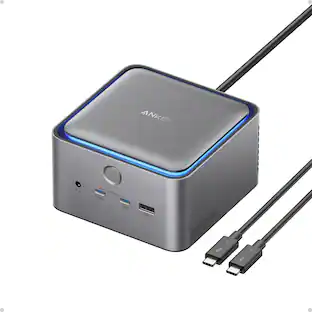
Anker - Prime Docking Station (DL7400), 14-Port Triple Display with DisplayLink, 140W Max USB-C Port
$239.99The price was $299.99