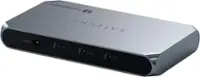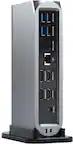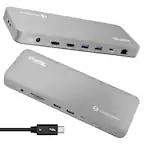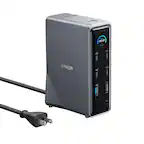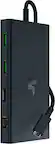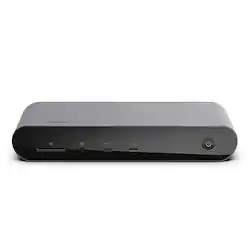
Belkin - Thunderbolt 4 Docking Station, USB-C Hub Docking Station for MacBook & Window, 90W PD, Thunderbolt 4 Cable Included - Gray
- Key Specs
- Maximum Number of Displays Supported: 3
- Number of DisplayPort Outputs (Total): 0
- Passthrough Power: true (Indicates whether the device allows power to passthrough, possibly with some loss, to another device, typically to charge that other device.)
- General
- Brand: Belkin
- Model Number: INC006ttSGY
- Product Name: Thunderbolt 4 Docking Station, USB-C Hub Docking Station for MacBook & Window, 90W PD, Thunderbolt 4 Cable Included
- Color: Gray
- Display
- Maximum Number of Displays Supported: 3
- Ports
- Display Connector(s): 1 x HDMI, 1 x Thunderbolt 4 (The number and type of connectors used to connect to an external display.)
- Number of DisplayPort Outputs (Total): 0
- Number of HDMI Ports (Total): 2
- Number of VGA Ports: 0 (VGA (Video Graphics Adapter or Video Graphics Array) is a display standard that transmits via analog signals. This type of interface is typically used to connect a computer to a display device such as a monitor, projector, or TV.)
- USB Ports: 2 x USB-A 3.1, 1 x USB-A 2.0, 1 x USB-C (The number and type of USB ports the product has.)
- Power
- Powered: true
- Power Supply Input: DC Jack
- Maximum Input Power: 135 watts (The maximum amount of power allowed to come into the device.)
- Passthrough Power: true (Indicates whether the device allows power to passthrough, possibly with some loss, to another device, typically to charge that other device.)
- Power Supply Output: DC Jack (The connector type(s) used by the device to send electrical power to another device.)
- Maximum Output Power: 85 watts (The maximum amount of power produced or allowed to flow through the device.)
- Compatibility
- Brand Compatibility: Universal
- Model Compatibility: Universal
- Dimensions
- Product Height: 1.33 inches (The out of box height of the item. Height is measured as the vertical distance from the bottom of the item to the top as it would be primarily used or placed.)
- Product Length: 7.79 inches (The out of box length of the item. Length is measured as the longest dimension of the item.)
- Product Width: 2.87 inches (The out of box width of the item. Width is measured as the horizontal distance from one side of the item to the other as it would be primarily used or placed.)
- Product Weight: 1.11 ounces (The out of box weight of the item.)
- Warranty
- Warranty - Parts: 2 years
- Warranty - Labor: 2 years
- Other
- UPC: 745883829286
Create the ultimate workstation with our Pro Thunderbolt 4 Dock. It has 12 ports to connect your MacBook or Windows laptop to multiple devices, video, ethernet, and power through a single Thunderbolt 4 cable. Get up to 40Gbps data transfer speeds—that’s 8x faster than USB 3.0. Charge your laptop and other connected devices simultaneously with up to 90W of Power Delivery. Immerse yourself in a smoother and clearer visual experience with top-tier video resolutions on as many as three additional displays. Included Thunderbolt 4 cable is compatible with Thunderbolt 3, USB-C, and USB4. This product is compatible with the iPhone 17, 17 Pro Max and 17 Pro.
- Ultimate workstation: 12-ports include an SD Card Reader, Audio In/Out, USB-C 3.1 Gen 2 port, 2x Thunderbolt 4 ports, 2x HDMI 2.0 ports, Gigabit Ethernet, 2x USB-A 3.1 ports, and 2x USB-A 2.0 ports.
- Power to share: This multi-purpose charging dock comes equipped with Power Delivery 3.0, delivering up to 90W of charging power that also has a USB-C PD 3.0 port so you can fast charge a smartphone, tablet, or other device at the same time.
- 8k monitor resolution support: Connect your MacBook, Windows, or other compatible device to a smooth, vivid, and immersive visual experience to get up to 8K resolutions for a single display or 2x 4K for dual displays.
- Thunderbolt cable included: The Belkin Docking Station also includes a thunderbolt 4 cable, which is 2.6ft / 0.8M long allows you to connect your laptop to the dock from further away, making it more versatile for different desk configurations.
- Ultra-fast, super-connected: This smart dock is compatible with Mac and Windows, and supports up to 3 extended displays creating the ultimate work station with the Belkin Thunderbolt 4 Docking Station.
- Ultimate workstation: 12-ports include an SD Card Reader, Audio In/Out, USB-C 3.1 Gen 2 port, 2x Thunderbolt 4 ports, 2x HDMI 2.0 ports, Gigabit Ethernet, 2x USB-A 3.1 ports, and 2x USB-A 2.0 ports.
- Power to share: This multi-purpose charging dock comes equipped with Power Delivery 3.0, delivering up to 90W of charging power that also has a USB-C PD 3.0 port so you can fast charge a smartphone, tablet, or other device at the same time.
- 8k monitor resolution support: Connect your MacBook, Windows, or other compatible device to a smooth, vivid, and immersive visual experience to get up to 8K resolutions for a single display or 2x 4K for dual displays.
- Thunderbolt cable included: The Belkin Docking Station also includes a thunderbolt 4 cable, which is 2.6ft / 0.8M long allows you to connect your laptop to the dock from further away, making it more versatile for different desk configurations.
- Ultra-fast, super-connected: This smart dock is compatible with Mac and Windows, and supports up to 3 extended displays creating the ultimate work station with the Belkin Thunderbolt 4 Docking Station.
Q: How long is the included Thunderbolt cable?
A: The included Thunderbolt 4 cable is 2.6ft (0.8 meters) long.
Q: Does this docking station support Power Delivery, and if so, how much?
A: Yes, this docking station supports Power Delivery 3.0 and can deliver up to 90W of charging power.
Q: What is the maximum resolution supported by this docking station?
A: This Belkin docking station supports a maximum resolution of up to 8K at 30Hz for a single display and up to 4K at 60Hz for dual displays.
Q: What kind of data transfer speeds can I expect with this docking station?
A: This docking station offers data transfer speeds of up to 40Gbps.
Q: How many displays can I connect to this docking station?
A: The Belkin Thunderbolt 4 Docking Station supports up to 3 extended displays.
A: Hi there! Here's the supported resolution of the Connect Pro Thunderbolt 4 Dock: - For Single Monitor: • Windows Thunderbolt 4 Port: 8K at 30 Hz & 4K at 120 Hz • Windows HDMI: 4K at 60 Hz • macOS Thunderbolt 4 Port: 5K at 60 Hz • macOS HDMI: 4K at 60 Hz - For Dual Monitor: • Windows Thunderbolt 4 Port: 4K at 60 Hz • Windows HDMI: 4K at 60 Hz • macOS Thunderbolt 4 Port: 4K at 60 Hz • macOS HDMI: 4K at 60 Hz - For Triple Monitor: • Windows Thunderbolt 4 Port: 4K at 60 Hz • Windows HDMI: 4K at 30 Hz • macOS Thunderbolt 4 Port: 4K at 60 Hz • macOS HDMI: 4K at 60 Hz Please check this link for more details: https://www.belkin.com/support-article/?articleNum=318757.
Q: Can I transfer movies from Mac to iPhone
A: Hi Joe! Yes, you may. The Belkin INC006ttSGY supports data transfer of up to 40 Gbps.
A: Hi, JT10, The dock has gigabit ethernet port. Please try using a different Ethernet cable to check if it'll make any difference. Also, you may need to contact our support hotline should this case requires advanced troubleshooting.