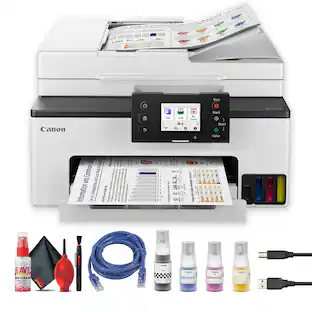
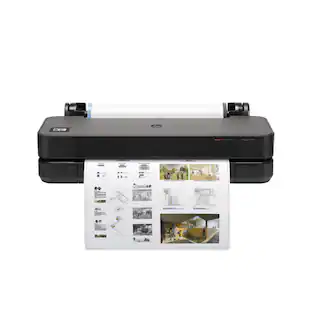
Canon - MAXIFY GX1020 MegaTank Wireless All-In-One SuperTank Inkjet Printer - White
About this product
Business quality printing from the comfort of home: Canon MegaTank printers are a great choice for high quality printing, value, and performance to help you get the job done. Great for hybrid working environments, the GX1020 has plenty of features to keep you productive from home or office, with office-like print quality. The GX1020 MegaTank All-in-One inkjet printer delivers high-quality, low-cost printing, and outstanding wireless connectivity in a compact size. Get serious print productivity with a high page yield of up to 3,000 Black / 3,000 Color pages with just a single set of inks. Plus, the GX1020 comes with a 3-year limited warranty or 60,000 pages (whichever comes first)* and is backed by Canon’s friendly and knowledgeable Service and Support network, so you can have peace of mind and focus on the business at hand. You’ll get a stable, reliable connection with dual band WiFi,¹ fast print speeds and generous paper capacity of up to 250 sheets. The adjustable 2.7-inch touchscreen makes it easy to view and navigate through functions. The GX1020 is easy to set up and maintain and offers great media versatility to print on a variety of media types and sizes, including photo paper, envelopes, banners and more. Create beautiful and professional posters, banners and signage with Poster Artist Online.⁶ Print both documents and photos on a variety of paper types using a 4-color pigment-based ink system for sharp black text and dye-based colors for vivid photos up to 8.5” x 14”. Setting up the GX1020 is easy. You can connect through high-speed USB or wirelessly¹ from computers or mobile devices. The GX1020 is also Chromebook compatible.
All-In-One
Print, copy and scan features for full control at your fingertips.
High page yield
Print up to 3,000 Black / 3,000 Color pages on just a single set of inks.⁵
Fast print speeds
Print approximately 15 (black) / 10 (color) images per minute.⁷
Easy setup
Get running in just a few minutes thanks to a streamlined and easy setup process out of the box.
Easy to fill
Ink bottles have a “keyed nozzle” design to only fit and fill the correct color ink tank.
2.7" LCD screen
Get the job done with an intuitive and easy to use 2.7” LCD touchscreen.
Easy wireless connect
Easy Wi-Fi setup in minutes. Connect to Wi-Fi without the need for a computer.¹
Stable, reliable connection
Stable and reliable connection with Dual Band Wi-Fi (2.4GHz or 5GHz).
Mobile device printing
Print from your compatible mobile devices using the free Canon PRINT app², Apple AirPrint³, and Mopria Print Service⁴.
Versatile media support
Print on envelopes, business cards, high resolution paper, banners, and more!
Free software available
Be creative with POSTER ARTIST Online, a free web-based poster creation software you can use to create banners, signage and more!⁶
Stay waste conscious
Thanks to high page yield ink bottles, keep waste and time spent refilling ink to a minimum.
Chromebook compatible
Works with chromebook, so you can print schoolwork and other documents hassle-free.
3-Year Warranty
Have peace of mind with a 3-year Warranty. *
Disclaimers
*Warranty is effective for three (3) years from date of original purchase or the printing of 60,000 pages, whichever comes first. Warranty program is subject to certain conditions and restrictions. See www.usa.canon.com/maxify-gx-series-warranty for details.
1. Requires a smart device with the Canon PRINT Inkjet/SELPHY app installed and connected to the desired active wireless network to complete cableless setup.
2. Requires an Internet connection and Canon PRINT Inkjet/SELPHY app, available for free on the App Store & Google Play. Compatible with iPad, iPhone 3GS or later, and iPod touch 3rd generation or later devices running iOS 12.0 or later, and Android mobile devices running Android 4.4 or later.
Your device must be connected to the same working network with wireless 802.11 b/g/n capability as your printer. Requires a compatible social media account and is subject to that social media account’s Terms of Service. Certain exceptions may apply.
3. AirPrint functionality requires a compatible iPad, iPhone, or iPod Touch device running iOS 7.0 or later, and an AirPrint-enabled printer connected to the same network as your iOS device. A printer connected to the USB port of your Mac, PC, AirPort Base station, or Time Capsule is not supported.
4. Requires Android mobile device with Android 4.4 operating system or later with the Mopria Print Service pre-loaded with that device and the compatible PIXMA printer on the same wireless network.
5. Claim is based on page yield of 3,000 Black/3,000 Color pages per set of ink bottles (1 bottle each of Cyan, Magenta, Yellow, Black). Page yield of color inks is an average yield of cyan, magenta and yellow inks combined.
Page yield of included ink bottles used for initial setup is lower than the replacement ink bottles, as a certain amount of ink is consumed to fill into the print head during setup (charging the print head initially). Actual page yield and cost per print will vary significantly
based on content printed, ink levels maintained in all four ink reservoirs, and other factors. Page yield is the estimated value based on Canon individual testing method using ISO/IEC 24734 test chart and continuous printing simulation with full set of replacement ink bottles after initial setup.
6. PosterArtist Online Version requires a personal computer with Internet access and a compatible Canon printer. The service is not available on some operating systems or browsers. See usa.canon.com/ PosterArtist for details.
7. Print and/or copy speed is based on internal testing. It may vary depending on the number of copies selected, as well as the settings for size, type, and orientation of paper, and whether two-sided is selected. In addition, first-print speeds may vary based on warm-up time and other restrictions.
- NetworkingWireless, WiredENERGY STAR CertifiedYesPrinter TypePrinter, Scanner, Copier, All In OneISO Color Print Speed10 pages per minuteTouch ScreenYes
Reviews
Rating 4 out of 5 stars with 9 reviews
Customer Images
The vast majority of our reviews come from verified purchases. Reviews from customers may include My Best Buy members, employees, and Tech Insider Network members (as tagged). Select reviewers may receive discounted products, promotional considerations or entries into drawings for honest, helpful reviews.
Compare similar products

Business quality printing from the comfort of home: Canon MegaTank printers are a great choice for high quality printing, value, and performance to help you get the job done. Great for hybrid working environments, the GX1020 has plenty of features to keep you productive from home or office, with office-like print quality. The GX1020 MegaTank All-in-One inkjet printer delivers high-quality, low-cost printing, and outstanding wireless connectivity in a compact size. Get serious print productivity with a high page yield of up to 3,000 Black / 3,000 Color pages with just a single set of inks. Plus, the GX1020 comes with a 3-year limited warranty or 60,000 pages (whichever comes first)* and is backed by Canon’s friendly and knowledgeable Service and Support network, so you can have peace of mind and focus on the business at hand. You’ll get a stable, reliable connection with dual band WiFi,¹ fast print speeds and generous paper capacity of up to 250 sheets. The adjustable 2.7-inch touchscreen makes it easy to view and navigate through functions. The GX1020 is easy to set up and maintain and offers great media versatility to print on a variety of media types and sizes, including photo paper, envelopes, banners and more. Create beautiful and professional posters, banners and signage with Poster Artist Online.⁶ Print both documents and photos on a variety of paper types using a 4-color pigment-based ink system for sharp black text and dye-based colors for vivid photos up to 8.5” x 14”. Setting up the GX1020 is easy. You can connect through high-speed USB or wirelessly¹ from computers or mobile devices. The GX1020 is also Chromebook compatible.

Business quality printing from the comfort of home: Canon MegaTank printers are a great choice for high quality printing, value, and performance to help you get the job done. Great for hybrid working environments, the GX2020 has plenty of features to keep you productive from home or office, with office-like print quality. The GX2020 MegaTank All-in-One inkjet printer delivers high-quality, low-cost printing, and outstanding wireless connectivity in a compact size. Get serious print productivity with a high page yield of up to 3,000 Black / 3,000 Color pages with just a single set of inks. Plus, the GX2020 comes with a 3-year limited warranty or 60,000 pages (whichever comes first)* and is backed by Canon’s friendly and knowledgeable Service and Support network, so you can have peace of mind and focus on the business at hand. You’ll get a stable, reliable connection with dual band WiFi,¹ fast print speeds and generous paper capacity of up to 250 sheets. The GX2020 also has a built in 35-sheet automatic document feeder, so you can copy multi-page documents with ease. The adjustable 2.7-inch touchscreen makes it easy to view and navigate through functions. The GX2020 is easy to set up and maintain and offers great media versatility to print on a variety of media types and sizes, including photo paper, envelopes, banners and more. Create beautiful and professional posters, banners and signage with Poster Artist Online.⁶ Print both documents and photos on a variety of paper types using a 4-color pigment-based ink system for sharp black text and dye-based colors for vivid photos up to 8.5” x 14”. Setting up the GX2020 is easy. You can connect through high-speed USB or wirelessly¹ from computers or mobile devices. The GX2020 is also Chromebook compatible.
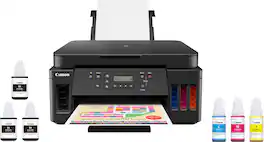
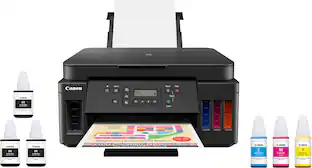
Canon PIXMA MegaTank G6020 Wireless All-In-One Printer: Save big on ink with this Canon PIXMA MegaTank inkjet printer. The MegaTank ink storage container can be easily refilled to offer over 30 times as much ink compared to standard cartridges. Tackle big print jobs with a page yield of up to 6,000 black or 7,700 color sheets from this Canon PIXMA MegaTank inkjet printer. Prints up to 13 ISO ipm* in black, up to 6.8 ISO ipm* in color
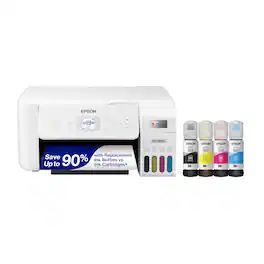
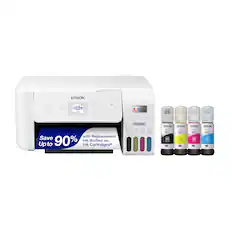
Your family needs a printer that’s fast, affordable, and easy to use. That’s why we developed the EcoTank ET-2800 – an innovative cartridge-free solution that uses high-capacity, easily refillable ink tanks. So you’ll worry less about running out of ink, and save a lot on replacement ink (1). The ET-2800 features genuine Epson print quality, a high-resolution flatbed scanner, and convenient color display – making it the ideal basic home printer.
| Pros for Canon - MAXIFY GX1020 MegaTank Wireless All-In-One SuperTank Inkjet Printer - White | |||
|---|---|---|---|
| There were no pros for this product— | Print Quality, Setup, Size | Print Quality, Ease of use, Overall Performance, Setup | Print Quality, Ease of use, Overall Performance, Setup, Size |
| Cons for Canon - MAXIFY GX1020 MegaTank Wireless All-In-One SuperTank Inkjet Printer - White | |||
| There were no cons for this product— | There were no cons for this product— | Noise Level, Display, Connectivity, Control Panel | Noise Level, Paper Tray |
Specs
Customers often buy these together
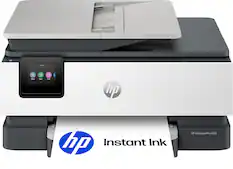
Customers ultimately bought
 $329.99The price was $410.99
 $269.99The price was $311.99
 Top Deal$199.99The price was $239.99
 $119.89The price was $219.89
 Top Deal$469.99The price was $499.99
 $329.99The price was $570.99
 $249.99The price was $323.00
Explore tech essentials Sponsored


Discover related products
 $12.99The price was $13.99
 $459.99The price was $535.78
 $432.33The price was $648.99