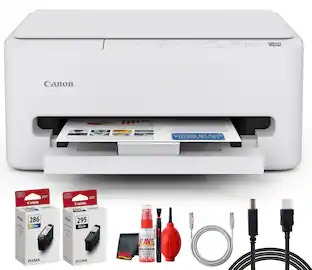
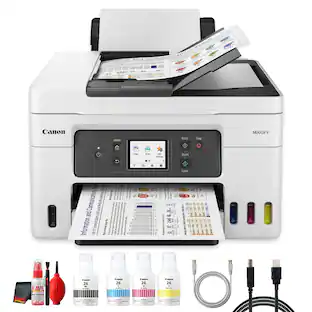
Canon - Megatank GX5120 Wireless Supertank Inkjet Printer - White
About this product
Designed for home offices and small businesses, the Canon MegaTank GX5120 delivers high-quality, low-cost printing, and outstanding wireless connectivity in a compact size. Get serious print productivity with a high page yield of up to 6,000 Black / 14,000 Color pages per full ink bottle set ⁶ Each printer comes with a full set of ink and a 3-year or 80,000 pages* limited warranty so you can print with confidence. The MegaTank GX5120 is easy to set up and maintain and offers great media versatility to print on a variety of media types and sizes, including labels, envelopes, and banners up to 8.5” x 47”. Produce crisp, colorful documents quickly and cost-effectively thanks to fast print speeds and a high quality 4-color pigment-based ink system. Keep printing with a large combined plain paper capacity of 350 sheets. Easily connect and print through high-speed USB, Ethernet, or wirelessly from computers or mobile devices.
MegaTank means megasavings
High page yield of up to 6,000 black & white / 14,000 color pages per full ink bottle set and a low cost per print. ⁷ Up to 2 years of ink included in the box.
Media versatility
You can print photos, envelopes, fliers, business cards, and more.
Auto 2-sided printing
Reduce paper usage and cost by automatically printing double-sided documents.
Easy to view & fill ink tanks
A "keyed nozzle" bottle design only fits & fills the correct color tank. And with front-facing ink level windows it’s simple to see and refill ink tanks.
2-line LCD Screen
The tiltable panel makes it easy to operate from any angle.
Sharp text & documents
Thanks to the 4 color pigment ink system you'll get sharp and highlighter resistant text with the GI-26 ink bottles.
Seamless connectivity
Built-in Wi-Fi allows you to print documents and photos from any compatible device.
Convenient mobile printing
Quickly and easily print from your mobile device using the free Canon PRINT App, Apple AirPrint, or Mopria Print Service.
Built to last
Get the job done during those busy months with a monthly duty cycle of up to 45,000 pages.*
100 sheet rear paper tray
o Easily load envelopes, labels, business cards, high resolution paper and more in the rear tray.
250-Sheet Bottom Cassette
Load up to 250-Sheets of plain paper in the bottom cassette.
3 year warranty
Have peace of mind with an included 3-Year or 80,000 Page* Limited Warranty.
- NetworkingWireless, WiredENERGY STAR CertifiedYesPrinter TypePrinterISO Color Print Speed15.5 pages per minuteOutput Tray Capacity50Touch ScreenNo
Reviews
Rating 5 out of 5 stars with 3 reviews
The vast majority of our reviews come from verified purchases. Reviews from customers may include My Best Buy members, employees, and Tech Insider Network members (as tagged). Select reviewers may receive discounted products, promotional considerations or entries into drawings for honest, helpful reviews.

Compare similar products
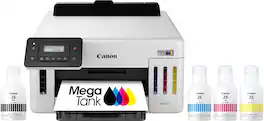
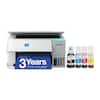
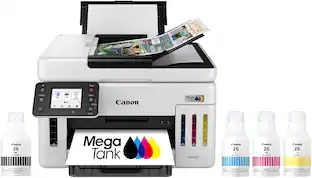
Designed for home offices and small businesses, the Canon MegaTank GX5120 delivers high-quality, low-cost printing, and outstanding wireless connectivity in a compact size. Get serious print productivity with a high page yield of up to 6,000 Black / 14,000 Color pages per full ink bottle set ⁶ Each printer comes with a full set of ink and a 3-year or 80,000 pages* limited warranty so you can print with confidence. The MegaTank GX5120 is easy to set up and maintain and offers great media versatility to print on a variety of media types and sizes, including labels, envelopes, and banners up to 8.5” x 47”. Produce crisp, colorful documents quickly and cost-effectively thanks to fast print speeds and a high quality 4-color pigment-based ink system. Keep printing with a large combined plain paper capacity of 350 sheets. Easily connect and print through high-speed USB, Ethernet, or wirelessly from computers or mobile devices.
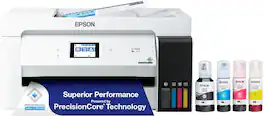
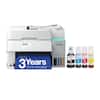
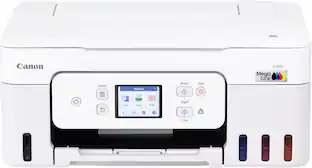
The EcoTank ET-15000 wireless all-in-one offers Cartridge-Free Printing with easy-to-fill supersized ink tanks. Save up to 90 percent on ink with low-cost replacement bottles (1). This all-in-one delivers vibrant prints up to 13" x 19" (through rear-feed tray) and scans up to 8.5" x 14" (via the ADF). Print for up to 2 years with each included or replacement ink bottle set (2) — each replacement set includes enough ink to print up to 7,500 pages (3). That’s equivalent to about 80 individual cartridges (4). And, there’s zero cartridge waste. The ET-15000 features a 250-sheet front tray paper capacity and rear specialty-paper feed, plus a 2.7" color touchscreen and hands-free voice-activated printing (5).
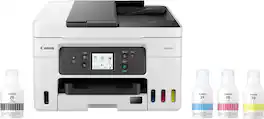
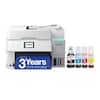
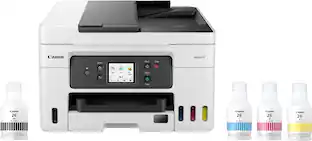
Designed for home offices and small businesses, the Canon MAXIFY GX4020 delivers high-quality, low-cost printing, and outstanding wireless connectivity in a compact size. Get serious print productivity with a high page yield of up to 6,000 Black / 14,000 Color pages per full ink bottle set and a low cost per print of less than 2 cents per page1. The MAXIFY GX4020 comes with a full set of ink and a 3-year or 80,000 pages2 limited warranty so you can print with confidence. The MAXIFY GX4020 is easy to set up and maintain and offers great media versatility to print on a variety of media types and sizes, including business cards, envelopes, banners and more. Produce crisp, colorful documents quickly and cost-effectively with fast print speeds and a high quality 4-color pigment-based ink system. Keep printing with a large combined plain paper capacity of up to 350 sheets. Easily connect and print through high-speed USB, Ethernet, or wirelessly3 from computers or mobile devices. This model is backed by Canon's Service and Support network.
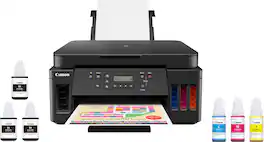
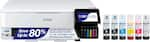
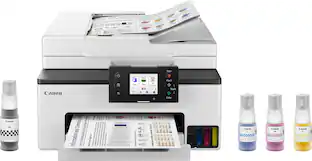
Canon PIXMA MegaTank G6020 Wireless All-In-One Printer: Save big on ink with this Canon PIXMA MegaTank inkjet printer. The MegaTank ink storage container can be easily refilled to offer over 30 times as much ink compared to standard cartridges. Tackle big print jobs with a page yield of up to 6,000 black or 7,700 color sheets from this Canon PIXMA MegaTank inkjet printer. Prints up to 13 ISO ipm* in black, up to 6.8 ISO ipm* in color
| Pros for Canon - Megatank GX5120 Wireless Supertank Inkjet Printer - White | |||
|---|---|---|---|
| There were no pros for this product— | Print Quality, Ease of use, Overall Performance, Setup | Print Quality, Ease of use, Setup, Overall Performance, Size | Print Quality, Ease of use, Overall Performance, Setup |
| Cons for Canon - Megatank GX5120 Wireless Supertank Inkjet Printer - White | |||
| There were no cons for this product— | Connectivity, Noise Level, Paper Jam, Size | Connectivity, Noise Level | Connectivity, Noise Level, Display, Control Panel |
Specs
Customers often buy these together
Customers ultimately bought
 Top Deal$469.99The price was $499.99
 $329.00The price was $410.99
 $487.99The price was $539.99
 $229.00The price was $318.76

Explore tech essentials Sponsored
 Top Deal$349.99The price was $479.99


Discover related products
 $429.99The price was $648.99
 $316.29The price was $432.52
 $12.99The price was $13.99
 $244.99The price was $275.00
 $30.99The price was $32.99









Keep exploring
 $3,378.90The price was $3,678.90
 $149.00The price was $199.99