CHERRY - DW 9100 Slim Fullsize Wireless Keyboard and Mouse Bundle - Black/bronze
About this product
The Cherry DW 9100 slim combines innovative functions, outstanding workmanship, and a very slim design. The mix of aesthetics and optimum comfort is perfect for any modern work desk. A switch on the keyboard and mouse lets you toggle instantly between Bluetooth and 2.4 GHz connectivity. The nano USB receiver for 2.4 GHz wireless transmission is included in the bundle. In both cases, the data is transferred in with AES-128 encryption over a range of up to 32 feet.
Color
Black/bronzeFeatures
SX Scissor Mechanism
The defined and precise pressure point is similar to a laptop keyboard and is key to productivity. It provides less fatigue on your hands so you can be efficient and get more work done.
Wireless RF or Bluetooth Transmission
A switch on the keyboard and mouse lets you toggle instantly between Bluetooth and 2.4 GHz connectivity.
Keyboard Controls
The desktop set only has the most important and frequently used keys: Windows lock, Open browser, Volume up, Volume down, Mute and Open calculator.
Status LEDs
There’s no more need to look whether the Shift key, Scroll key, or Num-Lock key is activated. These keys also flash to warn that the battery is ready to be charged.
Design and Function
The integrated metal plate provides a rigid foundation for the ultimate feel and precise keystrokes. The detachable magnetic support bar provides a steady, secure type angle to add an extra layer of comfort as you work.
The Charging Concept
The rechargeable lithium-ion batteries power the keyboard and mouse for weeks on a single charge. You can keep on working in comfort while simply charging the cordless desktop set with the USB-C cable.
Cordless Mouse
At a click of a button, you can switch between three different levels: 1000/1600/2400 dpi, so you can adjust the speed and accuracy of your movement that's ideal for the task at hand.
Specifications
- Form FactorFull-sizeKeyboard TechnologyScissorKey Switch BehaviorLinearConnection TypeWireless
Reviews
Rating 4.4 out of 5 stars with 5 reviews
The vast majority of our reviews come from verified purchases. Reviews from customers may include My Best Buy members, employees, and Tech Insider Network members (as tagged). Select reviewers may receive discounted products, promotional considerations or entries into drawings for honest, helpful reviews.

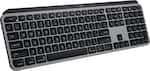
Compare similar products

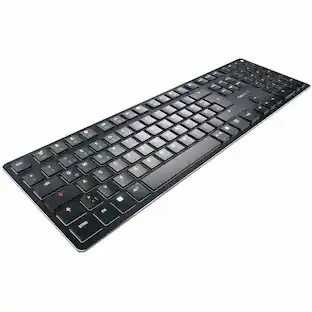
The Cherry DW 9100 slim combines innovative functions, outstanding workmanship, and a very slim design. The mix of aesthetics and optimum comfort is perfect for any modern work desk. A switch on the keyboard and mouse lets you toggle instantly between Bluetooth and 2.4 GHz connectivity. The nano USB receiver for 2.4 GHz wireless transmission is included in the bundle. In both cases, the data is transferred in with AES-128 encryption over a range of up to 32 feet.

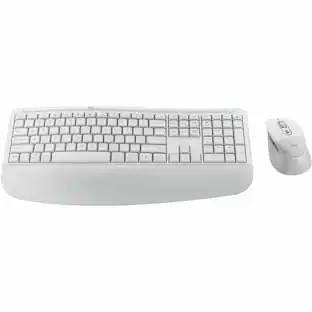
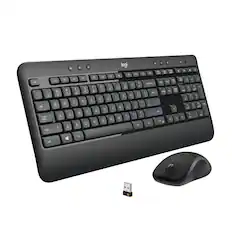
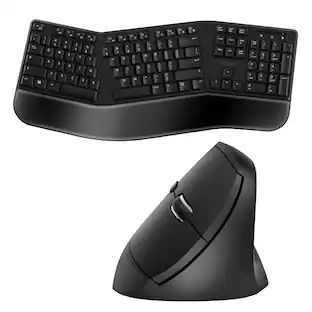
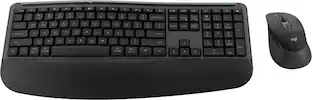
Advanced Combo is an instantly familiar wireless keyboard and mouse built for precision, comfort, and reliability. The full-size keyboard features a familiar key shape, size, and feeling optimized for precision and noise reduction. Get the freedom of wireless with a compact mouse designed to fit comfortably in either hand. Plug and play your keyboard and mouse with one tiny USB receiver. You’ll get a reliable and encrypted wireless connection up to 10 meters away with virtually no delays or dropouts.
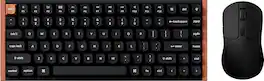
Unleash seamless control and precision with the Keychron K2 HE keyboard and M3 mouse wireless elite bundle. Designed for creators, gamers, and professionals alike, this bundle delivers smooth keystrokes and pinpoint accuracy. From K2 HE's magnetic Hall Effect key switches to M3's high-performance PixArt 3311 sensor, experience a new standard of wireless performance that keeps up with your workflow and playstyle.
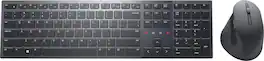
Transform the way you collaborate with KM900 Dell Premier Collaboration Keyboard — the world’s first Zoom-certified keyboard with built-in touch controls for Zoom and rechargeable mouse combo puts increased productivity and effortless collaboration right at your fingertips
Specs
Customers often buy these together

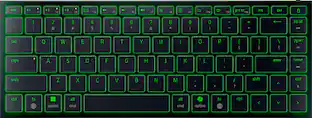
Razer - Huntsman Mini 60% Wired Optical Clicky Switch Gaming Keyboard with Chroma RGB Backlighting - Black
$68.99The price was $119.99




More to consider
Logitech MK470 Full-size Wireless Scissor Keyboard and Mouse Bundle for Windows with Quiet clicks
$33.99The price was $49.99Dell Premier Collaboration KM900 Full-size Wireless Scissor Keyboard and Mouse Bundle
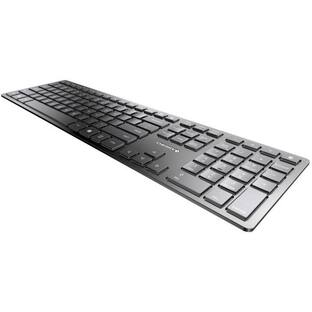
$183.93The price was $229.00CHERRY KW 9100 SLIM Bluetooth, Wireless Keyboard - Full size, /Silver, Rechargeable, AES 128 Encryption
$79.99The price was $83.45


Explore tech essentials Sponsored
CORSAIR MAKR PRO 75 Hall Effect DIY keyboard - full aluminum build, gasket mounting, and 8kHz polling
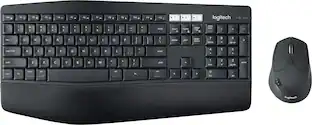
$179.99The price was $249.99Logitech MK850 Performance Full-size Wireless Membrane Keyboard and Mouse Combo for PC and Mac
Black Friday Deal$69.99The price was $99.99
Discover related products
Acer USB C Docking Station With 2 HDMI, 9-IN-1 Docking Hub with USB A&C 3.0, SD/Micro SD, 100W Charging
Holiday Deal$36.99The price was $47.99Acer USB C to HDMI Cable for Home Office 6.6FT (4K@60Hz), High-Speed Type C to HDMI 2.0 Braided Cord
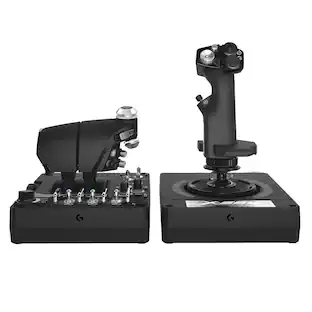
$12.99The price was $13.99Logitech X56 HOTAS Microsoft Flight Simulator RGB Dual-Throttle and Joystick
$247.00The price was $275.00Intel Core i5-14400F 14th Gen 10-Core 16-Thread - 4.7GHz Turbo Socket LGA1700 Unlocked Desktop Processor
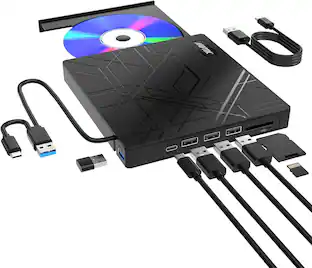
$167.54The price was $197.23AGPtek 8 in 1 External CD/DVD Drive for Laptop, USB 3.0 Ultra Slim Portable CD Burner with 4 USB Ports
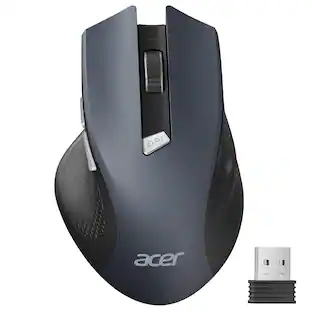
$31.99The price was $32.99Acer Wireless Mouse for Laptop, 2.4GHz Computer Mouse 3 Adjustable DPI Office Cordless USB Mice with USBA Receiver
Holiday Deal$10.99The price was $12.99





Keep exploring
GravaStar Mercury V60 Pro Special Edition 60% Wired Hall Effect Gaming Keyboard
$199.95The price was $299.95REDRAGON S136 75% Tri-Mode Wireless RGB Mech Keyboard & 7200 DPI Mouse Combo, Shared Dongle
$59.99The price was $64.49Womier DK75 75% Wireless Gaming Membrane Keyboard, RGB Backlit Creamy Keyboard with Media Knob
$38.99The price was $40.00